buttons LINCOLN CORSAIR 2023 Owners Manual
[x] Cancel search | Manufacturer: LINCOLN, Model Year: 2023, Model line: CORSAIR, Model: LINCOLN CORSAIR 2023Pages: 690, PDF Size: 15.04 MB
Page 10 of 690
Front Seats
Front Seat Precautions...............................178
Sitting in the Correct Position...................178
Power Seats...................................................179
Massage Seats.............................................182
Heated Seats.................................................183
Ventilated Seats...........................................184
Rear Seats
Manual Seats.................................................185
Power Seats...................................................187
Heated Seats................................................188
Rear Occupant Alert System
What is the Rear Occupant Alert System.......................................................................189
How Does the Rear Occupant Alert SystemWork............................................................189
Rear Occupant Alert System Precautions.......................................................................190
Rear Occupant Alert System Limitations.......................................................................190
Rear Occupant Alert System Settings.......................................................................190
Rear Occupant Alert System Indicators........................................................................191
Rear Occupant Alert System AudibleWarnings.....................................................191
Memory Function
How Does the Memory Function Work.......................................................................192
Memory Function Precautions..................192
Locating the Memory Function Buttons.......................................................................192
Saving a Preset Position............................192
Recalling a Preset Position........................192
Garage Door Opener
Garage Door Opener Introduction..........194
Garage Door Opener Precautions andFrequencies..............................................194
Programming the Garage Door Opener.......................................................................195
Garage Door Opener AdditionalAssistance.................................................198
USB Ports
Locating the USB Ports..............................199
Playing Media Using the USB Port..........199
Charging a Device.......................................199
Power Outlet
What Is the Power Outlet...........................201
Power Outlet Precautions..........................201
Locating the Power Outlets.......................201
Wireless Accessory Charger
What Is the Wireless Accessory Charger......................................................................202
Wireless Accessory Charger Precautions......................................................................202
Locating the Wireless Accessory Charger......................................................................202
Charging a Wireless Device.....................202
Wireless Accessory Charger –Troubleshooting......................................203
Storage
Overhead Storage......................................204
Glove Compartment...................................204
Center Console...........................................204
6
2023 Corsair (CTF) Canada/United States of America, enUSA, Edition date: 202208, DOMTable of Contents
Page 82 of 690
REMOTE CONTROL LIMITATIONS
WARNING: Changes or modificationsnot expressively approved by the partyresponsible for compliance could void theuser's authority to operate the equipment.The term "IC:" before the radio certificationnumber only signifies that Industry Canadatechnical specifications were met.
This device complies with Part 15 of the FCCRules and with Industry Canadalicense-exempt RSS standard(s). Operationis subject to the following two conditions: (1)This device may not cause harmfulinterference, and (2) This device must acceptany interference received, includinginterference that may cause undesiredoperation.
Make sure a valid remote control is within3 ft (1 m) from the front door handles and rearof vehicle.
The system may not function if:
•The remote control remains stationaryfor about a minute.
•The vehicle battery has no charge.
•The remote control battery has nocharge.
•There is interference causing issues withthe remote control frequencies.
•The remote control is too close to metalobjects or electronic devices, for examplekeys or a cell phone.
USING THE REMOTE CONTROL
Use your remote control to access variousvehicle systems.
Note:The buttons on your remote may varydepending on the vehicle region or options.
Unlock
Press the button to unlock alldoors. See Unlocking andLocking the Doors Using theRemote Control (page 87).
Lock
Press the button to lock all doors.See Unlocking and Locking theDoors Using the Remote Control(page 87).
Remote Start (If Equipped)
Press the button to remote start.See Remotely Starting andStopping the Vehicle (page 165).
Liftgate (If Equipped)
Press the button to open or closethe liftgate. See Opening theLiftgate (page 100).
Panic Alarm (If Equipped)
Press the button to sound thepanic alarm. See Sounding thePanic Alarm (page 79).
78
2023 Corsair (CTF) Canada/United States of America, enUSA, Edition date: 202208, DOMKeys and Remote ControlsE138629 E138623 E138625 E267940 E138624
Page 96 of 690
KEYLESS ENTRY LIMITATIONS
Make sure your remote control is within 3 ft(1 m) from the front door handles and thetailgate.
The system could not function if:
•The remote control remains stationaryfor about a minute.
•The vehicle battery has no charge.
•The remote control battery has nocharge.
•There is interference causing issues withthe remote control frequencies.
•The remote control is too close to metalobjects or electronic devices, for examplekeys or a cell phone.
KEYLESS ENTRY SETTINGS
Switching Keyless Entry On and Off
1.Switch the ignition on.
2.Press Settings on the touchscreen.
3.Press Vehicle Settings.
4.Press Locks.
Reprogramming the UnlockingFunction
You can enable two-stage unlocking functionallowing you to unlock only the driver doorwhen you touch the unlock sensor.
Press and hold both the lock and unlockbuttons on the remote control for fourseconds to disable or enable two-stageunlocking.
If you program the unlocking function so thatonly the driver door unlocks, you can unlockall of the other doors from inside your vehicleusing the power door lock control. You canunlock individual doors by pulling the interiordoor handles on those doors.
USING KEYLESS ENTRY
Unlocking the Doors
With the remote control within 3 ft (1 m) ofyour vehicle, touch the unlock sensor on theback of the door handle for a brief periodand then pull on the door handle to unlock,being careful not to touch the lock sensor atthe same time or pull on the door handle tooquickly. The system requires a brief delay toauthenticate the remote control.
Locking the Doors
92
2023 Corsair (CTF) Canada/United States of America, enUSA, Edition date: 202208, DOMKeyless EntryE248553 E248554
Page 119 of 690
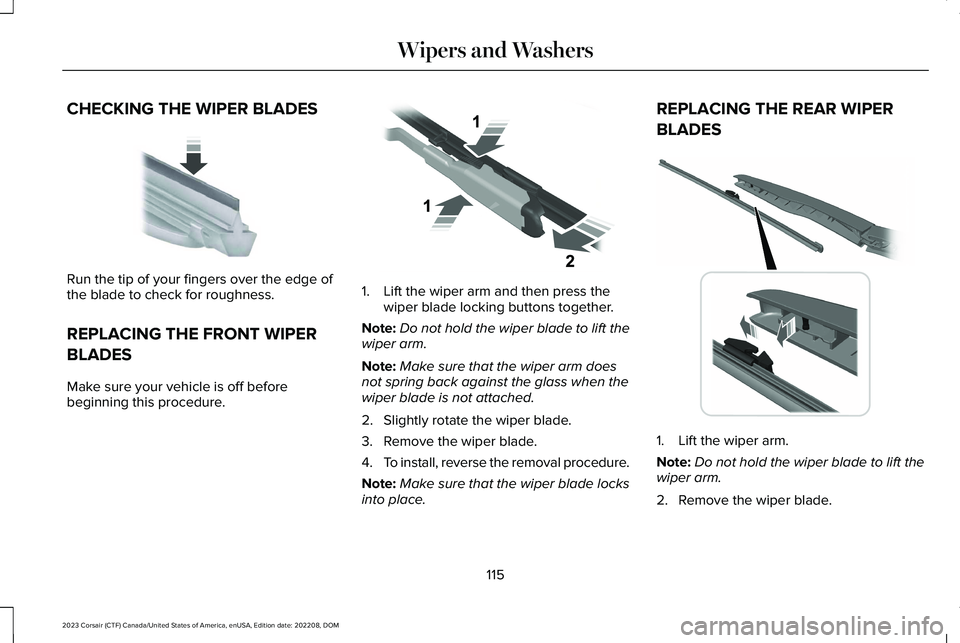
CHECKING THE WIPER BLADES
Run the tip of your fingers over the edge ofthe blade to check for roughness.
REPLACING THE FRONT WIPER
BLADES
Make sure your vehicle is off beforebeginning this procedure.
1.Lift the wiper arm and then press thewiper blade locking buttons together.
Note:Do not hold the wiper blade to lift thewiper arm.
Note:Make sure that the wiper arm doesnot spring back against the glass when thewiper blade is not attached.
2.Slightly rotate the wiper blade.
3.Remove the wiper blade.
4.To install, reverse the removal procedure.
Note:Make sure that the wiper blade locksinto place.
REPLACING THE REAR WIPER
BLADES
1.Lift the wiper arm.
Note:Do not hold the wiper blade to lift thewiper arm.
2.Remove the wiper blade.
115
2023 Corsair (CTF) Canada/United States of America, enUSA, Edition date: 202208, DOMWipers and WashersE142463 E129990 E271380
Page 133 of 690
INTERIOR LAMP FUNCTION
WHAT IS THE INTERIOR LAMPFUNCTION
The interior lamp function switches thecourtesy and door lamps on or off.
SWITCHING THE INTERIOR LAMPFUNCTION ON AND OFF
Press to switch the interior lampfunction on and off.
Note:The indicator lamp illuminates amberwhen the door function is off.
ADJUSTING THE INSTRUMENT
PANEL LIGHTING BRIGHTNESS
The instrument lighting dimmer buttons areon the lighting control.
Repeatedly press one of thebuttons to adjust the brightness.
AMBIENT LIGHTING
SWITCHING AMBIENT LIGHTING ONAND OFF
1.Press Settings on the touchscreen.
2.Press Vehicle Settings.
3.Press Ambient Light.
4.Press a color.
ADJUSTING AMBIENT LIGHTING
Drag the selected color up or down.
INTERIOR LIGHTING –
TROUBLESHOOTING
INTERIOR LIGHTING – FREQUENTLYASKED QUESTIONS
Why do my courtesy lamps or interior lampsturn off when I have them switched onwhen I switch my vehicle off?
The battery saver turns the courtesylamps and interior lamps off after a shortperiod of time after you switch yourvehicle off.
129
2023 Corsair (CTF) Canada/United States of America, enUSA, Edition date: 202208, DOMInterior Lighting E291299 E296433
Page 164 of 690
WHAT IS THE HEAD UP DISPLAY
The system displays information on a displayscreen in your field of vision, allowing you tokeep your eyes on the road. You can selectwhich information the system displays.
SWITCHING THE HEAD UP
DISPLAY ON AND OFF
Use the instrument cluster controls on thesteering wheel to navigate to the head updisplay menu.
ActionMenu Item
Press the OK button.HUD
Press the OK button.HUD On
Note:The system remembers the last settingwhen you start the engine.
HEAD UP DISPLAY SETTINGS
You can control the system's options throughthe instrument cluster display by using theHUD, OK and arrow buttons on your steeringwheel. See Using the Instrument ClusterDisplay Controls (page 154).
You can adjust the display according to yourheight to make viewing the content easier.You can also adjust what content displaysand the brightness of the content. Thesystem's options appear in the instrumentcluster while the updates happen in the headup display.
Note:If HUD On is unchecked, other optionsof the system are hidden.
Note:The head up display menuautomatically closes after a certain periodof inactivity.
Note:The head up display image brightnessautomatically adjusts to the brightness ofthe ambient environment. You have theability to adjust the brightness furtheraccording to your preference.
Note:In some instances, sunlight can causesome reflections in and around the head updisplay image.
160
2023 Corsair (CTF) Canada/United States of America, enUSA, Edition date: 202208, DOMHead Up Display (If Equipped)
Page 189 of 690
MANUAL SEATS
HEAD RESTRAINT COMPONENTS
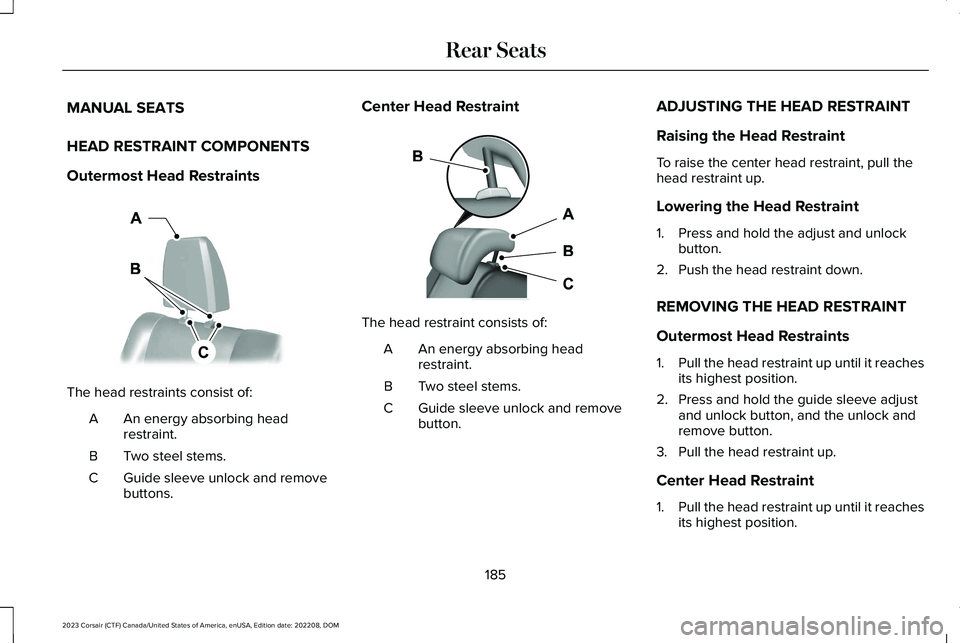
Outermost Head Restraints
The head restraints consist of:
An energy absorbing headrestraint.A
Two steel stems.B
Guide sleeve unlock and removebuttons.C
Center Head Restraint
The head restraint consists of:
An energy absorbing headrestraint.A
Two steel stems.B
Guide sleeve unlock and removebutton.C
ADJUSTING THE HEAD RESTRAINT
Raising the Head Restraint
To raise the center head restraint, pull thehead restraint up.
Lowering the Head Restraint
1.Press and hold the adjust and unlockbutton.
2.Push the head restraint down.
REMOVING THE HEAD RESTRAINT
Outermost Head Restraints
1.Pull the head restraint up until it reachesits highest position.
2.Press and hold the guide sleeve adjustand unlock button, and the unlock andremove button.
3.Pull the head restraint up.
Center Head Restraint
1.Pull the head restraint up until it reachesits highest position.
185
2023 Corsair (CTF) Canada/United States of America, enUSA, Edition date: 202208, DOMRear SeatsE379014 E379015
Page 196 of 690
HOW DOES THE MEMORY
FUNCTION WORK
The memory function recalls the position ofthese features:
•Driver seat.
•Power mirrors.
•Optional power steering column.
MEMORY FUNCTION
PRECAUTIONS
WARNING: Before activating thememory seat, make sure that the areaimmediately surrounding the seat is clearof obstructions and that all occupants areclear of moving parts.
WARNING: Do not use the memoryfunction when your vehicle is moving.
LOCATING THE MEMORY
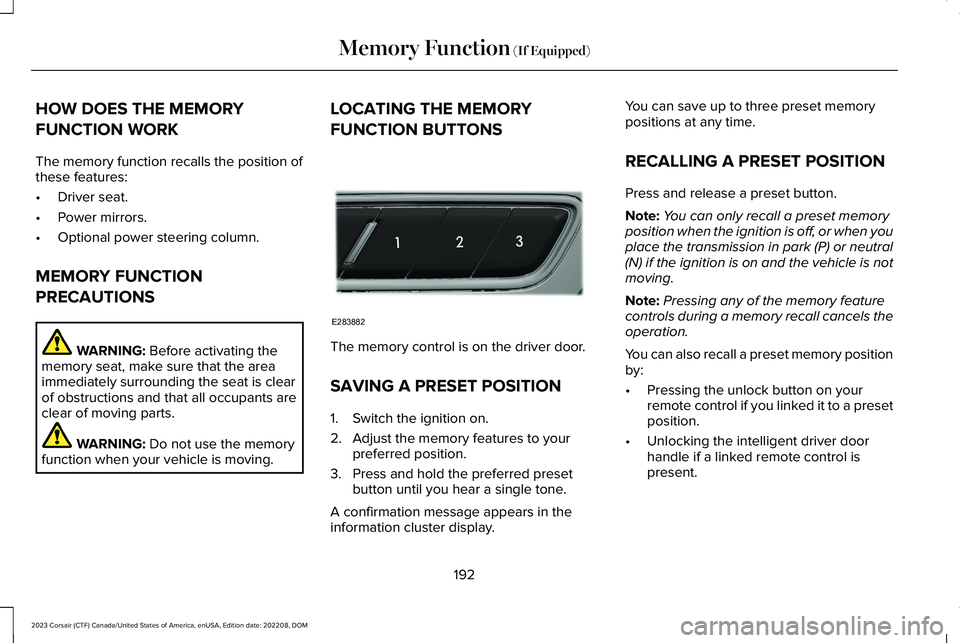
FUNCTION BUTTONS
The memory control is on the driver door.
SAVING A PRESET POSITION
1.Switch the ignition on.
2.Adjust the memory features to yourpreferred position.
3.Press and hold the preferred presetbutton until you hear a single tone.
A confirmation message appears in theinformation cluster display.
You can save up to three preset memorypositions at any time.
RECALLING A PRESET POSITION
Press and release a preset button.
Note:You can only recall a preset memoryposition when the ignition is off, or when youplace the transmission in park (P) or neutral(N) if the ignition is on and the vehicle is notmoving.
Note:Pressing any of the memory featurecontrols during a memory recall cancels theoperation.
You can also recall a preset memory positionby:
•Pressing the unlock button on yourremote control if you linked it to a presetposition.
•Unlocking the intelligent driver doorhandle if a linked remote control ispresent.
192
2023 Corsair (CTF) Canada/United States of America, enUSA, Edition date: 202208, DOMMemory Function (If Equipped)E283882
Page 199 of 690
FCC and RSS-210 Industry CanadaCompliance
WARNING: Changes or modificationsnot expressively approved by the partyresponsible for compliance could void theuser's authority to operate the equipment.The term "IC:" before the radio certificationnumber only signifies that Industry Canadatechnical specifications were met.
This device complies with Part 15 of the FCCRules and with RSS-210 of Industry Canada.Operation is subject to the following twoconditions: (1) this device may not causeharmful interference, and (2) this device mustaccept any interference received, includinginterference that may cause undesiredoperation.
This equipment complies with FCC radiationexposure limits set forth for an uncontrolledenvironment. End Users must follow thespecific operating instructions for satisfyingRF exposure compliance. This transmittermust be at least 8 in (20 cm) from the userand must not be co-located or operating inconjunction with any other antenna ortransmitter.
PROGRAMMING THE GARAGE
DOOR OPENER
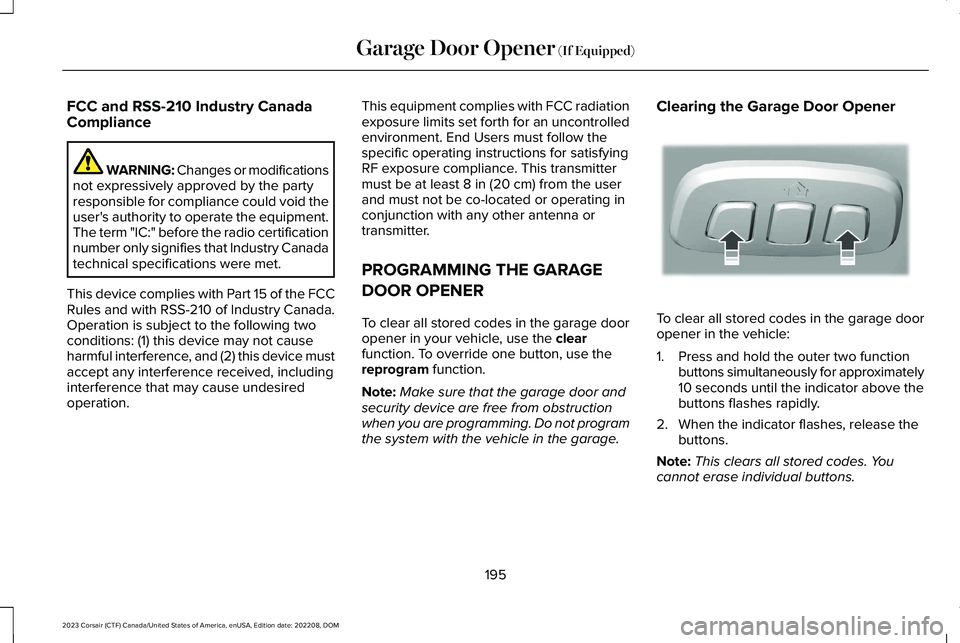
To clear all stored codes in the garage dooropener in your vehicle, use the clearfunction. To override one button, use thereprogram function.
Note:Make sure that the garage door andsecurity device are free from obstructionwhen you are programming. Do not programthe system with the vehicle in the garage.
Clearing the Garage Door Opener
To clear all stored codes in the garage dooropener in the vehicle:
1.Press and hold the outer two functionbuttons simultaneously for approximately10 seconds until the indicator above thebuttons flashes rapidly.
2.When the indicator flashes, release thebuttons.
Note:This clears all stored codes. Youcannot erase individual buttons.
195
2023 Corsair (CTF) Canada/United States of America, enUSA, Edition date: 202208, DOMGarage Door Opener (If Equipped)E188213
Page 200 of 690
Note:You can program a maximum of threedevices. To change or replace any of thethree devices after they have been initiallyprogrammed, you must either clear all codes,or reprogram each individual button.
Note:We recommend that upon the sale orlease termination of your vehicle, you erasethe programmed function buttons for securityreasons.
Reprogramming the Garage DoorOpener
If a button on your garage door opener hasalready been programmed, you can overrideit. To program a device to a previouslytrained button:
1.Press and hold the desired button forapproximately 20 seconds until theindicator begins to flash.
2.Without releasing the button, proceed toStep 3 of Programming the Garage DoorOpener to your Handheld Transmitter.
Programming the Garage Door Openerto your Handheld Transmitter
Note:The programming steps below assumeyou are programming a HomeLink that wasnot previously programmed. If yourHomeLink was previously programmed, youmay need to clear or reprogram yourHomeLink buttons.
Note:Put a new battery in the handheldtransmitter. This allows for quicker trainingand accurate transmission of theradio-frequency signal.
Note:Make sure that the garage door andsecurity device are free from obstructionwhen you are programming. Do not programthe system with the vehicle in the garage.
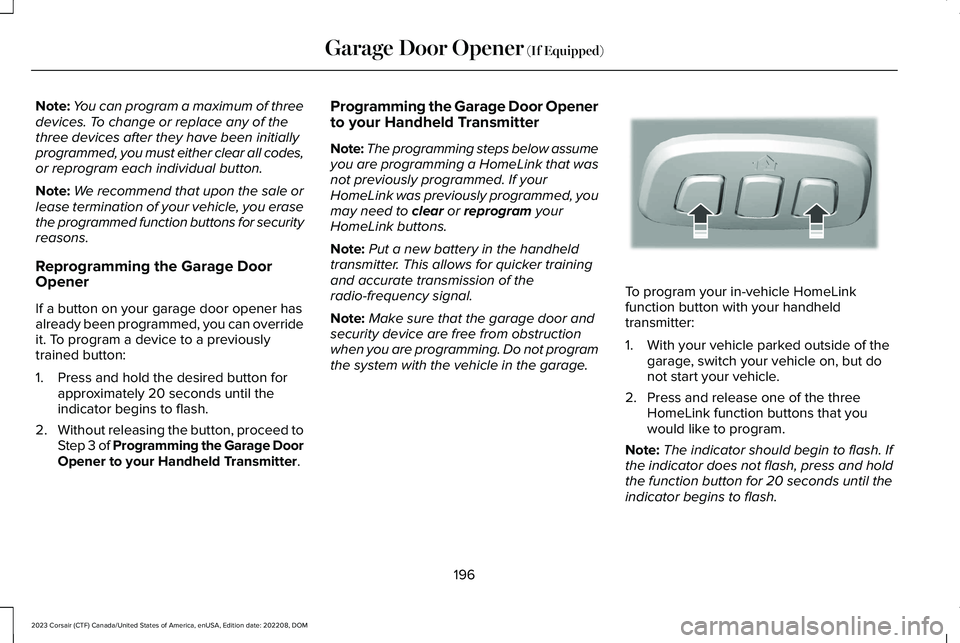
To program your in-vehicle HomeLinkfunction button with your handheldtransmitter:
1.With your vehicle parked outside of thegarage, switch your vehicle on, but donot start your vehicle.
2.Press and release one of the threeHomeLink function buttons that youwould like to program.
Note:The indicator should begin to flash. Ifthe indicator does not flash, press and holdthe function button for 20 seconds until theindicator begins to flash.
196
2023 Corsair (CTF) Canada/United States of America, enUSA, Edition date: 202208, DOMGarage Door Opener (If Equipped)E188213