light LINCOLN MKC 2015 Owners Manual
[x] Cancel search | Manufacturer: LINCOLN, Model Year: 2015, Model line: MKC, Model: LINCOLN MKC 2015Pages: 490, PDF Size: 4.74 MB
Page 384 of 490
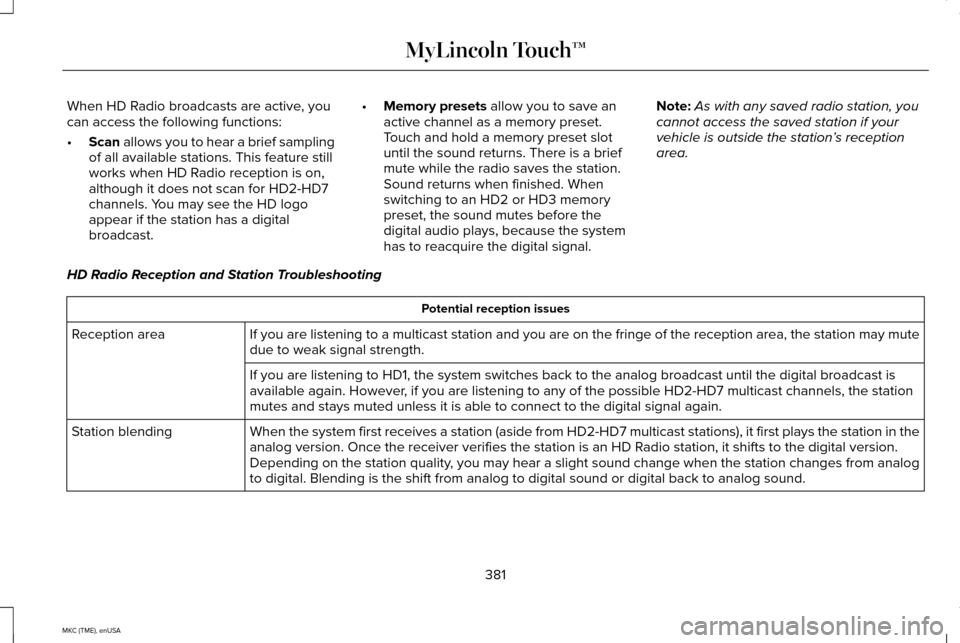
When HD Radio broadcasts are active, you
can access the following functions:
•
Scan allows you to hear a brief sampling
of all available stations. This feature still
works when HD Radio reception is on,
although it does not scan for HD2-HD7
channels. You may see the HD logo
appear if the station has a digital
broadcast. •
Memory presets
allow you to save an
active channel as a memory preset.
Touch and hold a memory preset slot
until the sound returns. There is a brief
mute while the radio saves the station.
Sound returns when finished. When
switching to an HD2 or HD3 memory
preset, the sound mutes before the
digital audio plays, because the system
has to reacquire the digital signal. Note:
As with any saved radio station, you
cannot access the saved station if your
vehicle is outside the station’ s reception
area.
HD Radio Reception and Station Troubleshooting Potential reception issues
If you are listening to a multicast station and you are on the fringe of\
the reception area, the station may mute
due to weak signal strength.
Reception area
If you are listening to HD1, the system switches back to the analog broa\
dcast until the digital broadcast is
available again. However, if you are listening to any of the possible HD2-HD7 multicast channels\
, the station
mutes and stays muted unless it is able to connect to the digital signal\
again.
When the system first receives a station (aside from HD2-HD7 multicast \
stations), it first plays the station in the
analog version. Once the receiver verifies the station is an HD Radio station, it shifts to the digital version.
Depending on the station quality, you may hear a slight sound change when the station changes from analo\
g
to digital. Blending is the shift from analog to digital sound or digita\
l back to analog sound.
Station blending
381
MKC (TME), enUSA MyLincoln Touch™
Page 419 of 490
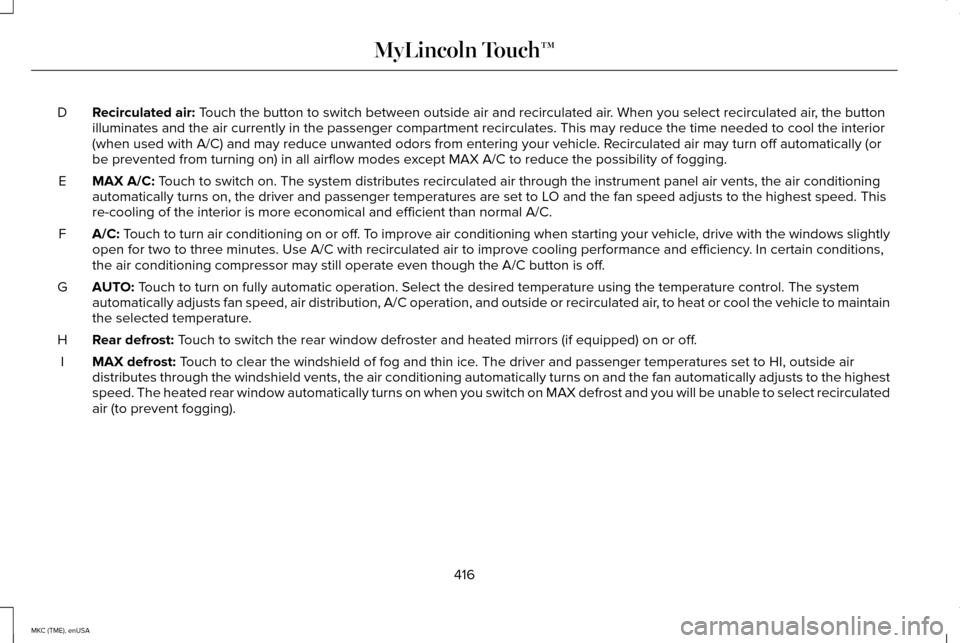
Recirculated air: Touch the button to switch between outside air and recirculated air. When you select recirculated air, the button
illuminates and the air currently in the passenger compartment recircula\
tes. This may reduce the time needed to cool the interior
(when used with A/C) and may reduce unwanted odors from entering your \
vehicle. Recirculated air may turn off automatically (or
be prevented from turning on) in all airflow modes except MAX A/C to reduce the possibility of fogging.
D
MAX A/C:
Touch to switch on. The system distributes recirculated air through the i\
nstrument panel air vents, the air conditioning
automatically turns on, the driver and passenger temperatures are set to\
LO and the fan speed adjusts to the highest speed. This
re-cooling of the interior is more economical and efficient than normal \
A/C.
E
A/C:
Touch to turn air conditioning on or off. To improve air conditioning when starting your vehicle, drive with the windows slightly
open for two to three minutes. Use A/C with recirculated air to improve \
cooling performance and efficiency. In certain conditions,
the air conditioning compressor may still operate even though the A/C bu\
tton is off.
F
AUTO:
Touch to turn on fully automatic operation. Select the desired temperatur\
e using the temperature control. The system
automatically adjusts fan speed, air distribution, A/C operation, and ou\
tside or recirculated air, to heat or cool the vehicle to maintain
the selected temperature.
G
Rear defrost:
Touch to switch the rear window defroster and heated mirrors (if equippe\
d) on or off.
H
MAX defrost:
Touch to clear the windshield of fog and thin ice. The driver and passenger temperatures set to HI, outside air
distributes through the windshield vents, the air conditioning automatic\
ally turns on and the fan automatically adjusts to the highest
speed. The heated rear window automatically turns on when you switch on \
MAX defrost and you will be unable to select recirculated
air (to prevent fogging).
I
416
MKC (TME), enUSA MyLincoln Touch™
Page 422 of 490
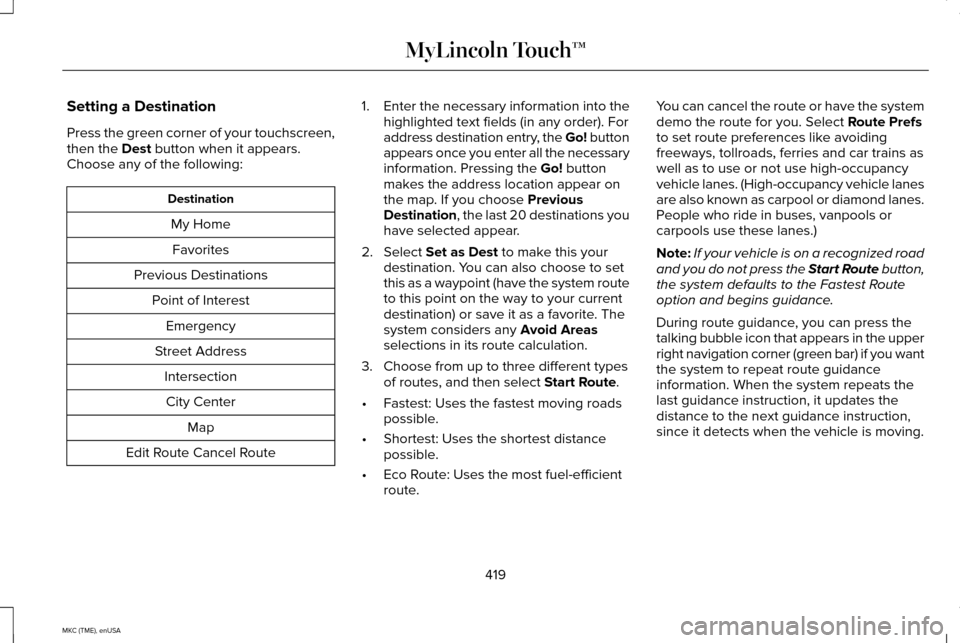
Setting a Destination
Press the green corner of your touchscreen,
then the Dest button when it appears.
Choose any of the following: Destination
My HomeFavorites
Previous Destinations Point of InterestEmergency
Street Address IntersectionCity Center Map
Edit Route Cancel Route 1.
Enter the necessary information into the
highlighted text fields (in any order). For
address destination entry, the Go! button
appears once you enter all the necessary
information. Pressing the
Go! button
makes the address location appear on
the map. If you choose
Previous
Destination, the last 20 destinations you
have selected appear.
2. Select
Set as Dest to make this your
destination. You can also choose to set
this as a waypoint (have the system route
to this point on the way to your current
destination) or save it as a favorite. The
system considers any
Avoid Areas
selections in its route calculation.
3. Choose from up to three different types of routes, and then select
Start Route.
• Fastest: Uses the fastest moving roads
possible.
• Shortest: Uses the shortest distance
possible.
• Eco Route: Uses the most fuel-efficient
route. You can cancel the route or have the system
demo the route for you. Select
Route Prefs
to set route preferences like avoiding
freeways, tollroads, ferries and car trains as
well as to use or not use high-occupancy
vehicle lanes. (High-occupancy vehicle lanes
are also known as carpool or diamond lanes.
People who ride in buses, vanpools or
carpools use these lanes.)
Note: If your vehicle is on a recognized road
and you do not press the Start Route button,
the system defaults to the Fastest Route
option and begins guidance.
During route guidance, you can press the
talking bubble icon that appears in the upper
right navigation corner (green bar) if you want
the system to repeat route guidance
information. When the system repeats the
last guidance instruction, it updates the
distance to the next guidance instruction,
since it detects when the vehicle is moving.
419
MKC (TME), enUSA MyLincoln Touch™
Page 427 of 490
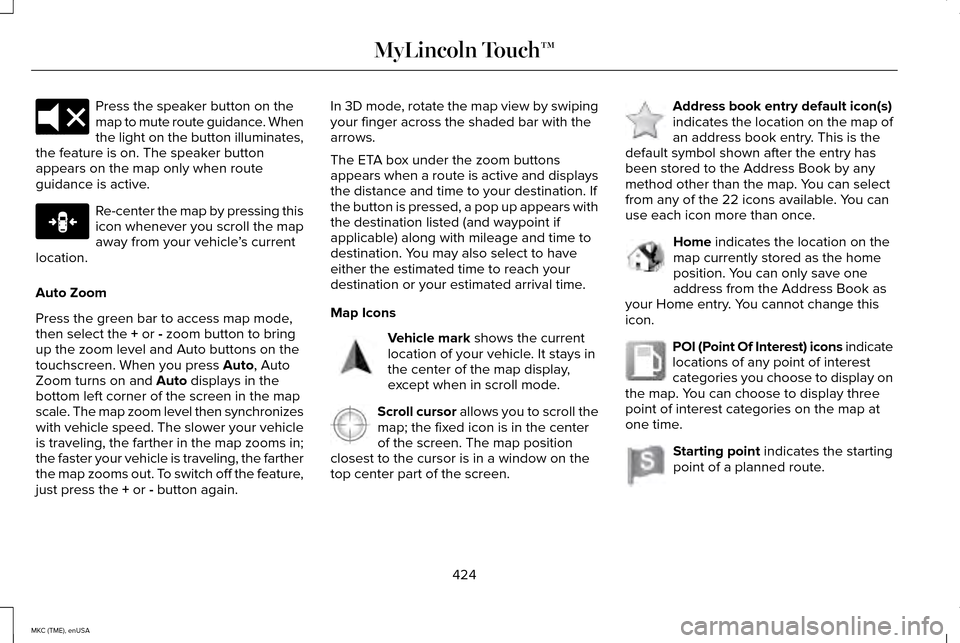
Press the speaker button on the
map to mute route guidance. When
the light on the button illuminates,
the feature is on. The speaker button
appears on the map only when route
guidance is active. Re-center the map by pressing this
icon whenever you scroll the map
away from your vehicle
’s current
location.
Auto Zoom
Press the green bar to access map mode,
then select the + or - zoom button to bring
up the zoom level and Auto buttons on the
touchscreen. When you press
Auto, Auto
Zoom turns on and Auto displays in the
bottom left corner of the screen in the map
scale. The map zoom level then synchronizes
with vehicle speed. The slower your vehicle
is traveling, the farther in the map zooms in;
the faster your vehicle is traveling, the farther
the map zooms out. To switch off the feature,
just press the
+ or - button again. In 3D mode, rotate the map view by swiping
your finger across the shaded bar with the
arrows.
The ETA box under the zoom buttons
appears when a route is active and displays
the distance and time to your destination. If
the button is pressed, a pop up appears with
the destination listed (and waypoint if
applicable) along with mileage and time to
destination. You may also select to have
either the estimated time to reach your
destination or your estimated arrival time.
Map Icons
Vehicle mark
shows the current
location of your vehicle. It stays in
the center of the map display,
except when in scroll mode. Scroll cursor
allows you to scroll the
map; the fixed icon is in the center
of the screen. The map position
closest to the cursor is in a window on the
top center part of the screen. Address book entry default icon(s)
indicates the location on the map of
an address book entry. This is the
default symbol shown after the entry has
been stored to the Address Book by any
method other than the map. You can select
from any of the 22 icons available. You can
use each icon more than once. Home
indicates the location on the
map currently stored as the home
position. You can only save one
address from the Address Book as
your Home entry. You cannot change this
icon. POI (Point Of Interest) icons indicate
locations of any point of interest
categories you choose to display on
the map. You can choose to display three
point of interest categories on the map at
one time. Starting point
indicates the starting
point of a planned route.
424
MKC (TME), enUSA MyLincoln Touch™E174017 E146188 E142646 E142647 E142648 E142649 E142650 E142651
Page 456 of 490
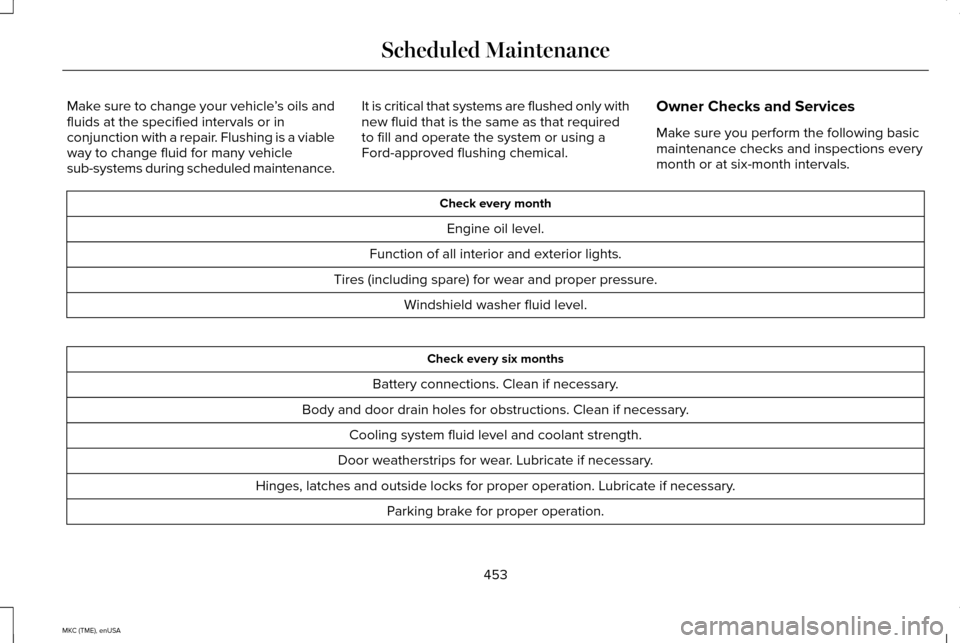
Make sure to change your vehicle
’s oils and
fluids at the specified intervals or in
conjunction with a repair. Flushing is a viable
way to change fluid for many vehicle
sub-systems during scheduled maintenance. It is critical that systems are flushed only with
new fluid that is the same as that required
to fill and operate the system or using a
Ford-approved flushing chemical.
Owner Checks and Services
Make sure you perform the following basic
maintenance checks and inspections every
month or at six-month intervals. Check every month
Engine oil level.
Function of all interior and exterior lights.
Tires (including spare) for wear and proper pressure. Windshield washer fluid level. Check every six months
Battery connections. Clean if necessary.
Body and door drain holes for obstructions. Clean if necessary. Cooling system fluid level and coolant strength.
Door weatherstrips for wear. Lubricate if necessary.
Hinges, latches and outside locks for proper operation. Lubricate if necessary. Parking brake for proper operation.
453
MKC (TME), enUSA Scheduled Maintenance
Page 478 of 490
A
A/C
See: Climate Control..........................................136
About This Manual............................................7
Protecting the Environment..................................7
ABS See: Brakes...........................................................182
ABS driving hints See: Hints on Driving With Anti-Lock
Brakes................................................................182
Accessories...................................................428 Exterior style........................................................428
Interior style.........................................................428
Lifestyle.................................................................428
Peace of mind.....................................................428
Accessories See: Replacement Parts Recommendation.....12
ACC See: Using Adaptive Cruise Control.............204 Active Park Assist..........................................193
Automatic Steering into a Parking
Space.................................................................195
Automatic Steering out of a Parking Space.................................................................197
Deactivating the Park Assist Feature.............195
Deactivating the Park Out Assist Feature..............................................................197
Park Out Assist ...................................................196
Troubleshooting the System............................198
Using Active Park Assist....................................194
Using Park Out Assist.........................................196
Adjusting the Headlamps..........................292 Horizontal Aim Adjustment..............................
293
Vertical Aim Adjustment...................................292
Adjusting the Steering Wheel.....................82 Power Tilt and Telescope Steering
Column................................................................82
Airbag Disposal
...............................................56
Air Conditioning See: Climate Control..........................................136
Alarm See: Anti-Theft Alarm............................................81
All-Wheel Drive
...............................................177
Ambient Lighting............................................96
Anti-Theft Alarm
...............................................81
Arming the Alarm...................................................81
Disarming the Alarm.............................................81 Appendices....................................................430
At a Glance........................................................15
Front Exterior Overview.......................................15
Instrument Panel Overview.................................19
Rear Exterior Overview........................................21
Vehicle Interior Overview....................................17
Audible Warnings and Indicators................111 Headlamps On Warning Chime.........................111
Keyless Warning Alert..........................................111
Parking Brake On Warning Chime....................111
Audio Control
...................................................83
Seek, Next or Previous........................................83
Audio System................................................345 General Information...........................................345
Audio unit - Vehicles With: Premium AM/ FM/CD...........................................................346
Autolamps ..........................................................
91
Windshield Wiper Activated Headlamps.........91
Automatic Climate Control..........................136
Automatic High Beam Control....................93 Activating the System..........................................94
Manually Overriding the System.......................94
475
MKC (TME), enUSA Index
Page 483 of 490
Information Messages...................................118
Active Park.............................................................118
Adaptive Cruise Control.....................................118
AdvanceTrac ™........................................................119
Airbag.....................................................................120
Alarm......................................................................120
All-Wheel Drive.....................................................121
Automatic Engine Shutdown...........................120
Battery and Charging System..........................122
Blind Spot Information and Cross Traffic Alert System...............................................................123
Collision Warning System..................................123
Doors and Locks..................................................124
Driver Alert............................................................124
Fuel........................................................................\
.125
Hill Start Assist.....................................................125
Keys and Intelligent Access.............................125
Lane Keeping System........................................126
Maintenance.........................................................127
MyKey.....................................................................128
Park Aid..................................................................129
Park Brake.............................................................129
Power Steering....................................................130
Remote Start..........................................................131
Seats........................................................................\
131
Starting System ....................................................131
Tire Pressure Monitoring System
....................132
Traction Control...................................................132 Transmission....................................................133
Installing Child Seats
.....................................25
Child Seats.............................................................25
Using Lap and Shoulder Belts...........................25
Using Lower Anchors and Tethers for
CHildren (LATCH).............................................28
Using Tether Straps..............................................30
Instrument Cluster........................................105
Instrument Lighting Dimmer........................92
Interior Lamps
..................................................95
Front Interior Lamp ..............................................95
Rear Interior Lamp................................................96
Interior Mirror
..................................................101
Auto-Dimming Mirror...........................................101
Introduction
.........................................................7
J
Jump Starting the Vehicle...........................251 Connecting the Jumper Cables......................
251
Jump Starting......................................................252
Preparing Your Vehicle......................................251
Removing the Jumper Cables........................252 K
Keyless Entry
....................................................77
SECURICODE™ KEYLESS ENTRY
KEYPAD...............................................................77
Keyless Starting
.............................................158
Ignition Modes.....................................................158
Keys and Remote Controls
...........................57
L
Lane Keeping System..................................213 Switching the System On and Off...................213
Lighting Control..............................................90 Headlamp Flasher................................................90
High Beams............................................................90
Lighting.............................................................90
Lincoln Automotive Financial Services......12
Load Carriers See: Roof Racks and Load Carriers...............229
Load Carrying................................................229
Load Limit
.......................................................230
Vehicle Loading - with and without a
Trailer................................................................230
480
MKC (TME), enUSA Index
Page 484 of 490
Locking and Unlocking.................................68
Activating Intelligent Access .............................70
Autolock Feature....................................................71
Battery Saver..........................................................72
Illuminated Entry....................................................72
Illuminated Exit......................................................72
Mechanical Key.....................................................69
Opening a Rear Door from Inside.....................70
Power Door Locks................................................68
Remote Control.....................................................68
Smart Unlocks.........................................................71
Welcome Lighting.................................................72
Locks..................................................................68
Luggage Covers...........................................229
Lug Nuts See: Changing a Road Wheel.........................328
M
Maintenance..................................................278 General Information...........................................278
Manual Liftgate................................................73 Closing the Liftgate..............................................74
Opening the Liftgate............................................73
Media Hub
......................................................348 Memory Function..........................................145
Easy Entry and Exit Feature..............................146
Linking a Pre-Set Position to your Remote
Control or Intelligent Access Key...............146
Saving a Pre-Set Position..................................145
Message Center See: Information Displays..................................112
Mirrors See: Heated Windows and Mirrors.................139
See: Windows and Mirrors..................................97
Mobile Communications Equipment...........13
Moonroof.........................................................102 Bounce-Back........................................................103
Opening and Closing the Moonroof..............
103
Power Sunscreen................................................103
Venting the Moonroof........................................103
Motorcraft Parts.............................................337
MyKey Troubleshooting
................................66
MyKey™..............................................................62 Principle of Operation.........................................62
MyLincoln Touch ™
.........................................350
General Information...........................................350 N
Navigation.......................................................418
cityseekr...............................................................420
Map Mode............................................................423
Navigation Map Updates.................................426
Navigation Voice Commands..........................426
Point of Interest (POI) Categories..................420
Quick-touch Buttons..........................................425
Setting a Destination..........................................419
Setting Your Navigation Preferences.............421
Normal Scheduled Maintenance
.............455
Intelligent Oil-Life Monitor®.............................455
Maintenance Intervals.......................................457
O
Oil Change Indicator Reset........................284
Oil Check See: Engine Oil Check......................................
283
Opening and Closing the Hood
...............279
Opening the Hood.............................................279
Ordering Additional Owner's Literature.....................................................259
Obtaining a French Owner’ s Manual............259
Overhead Console........................................157
481
MKC (TME), enUSA Index
Page 488 of 490
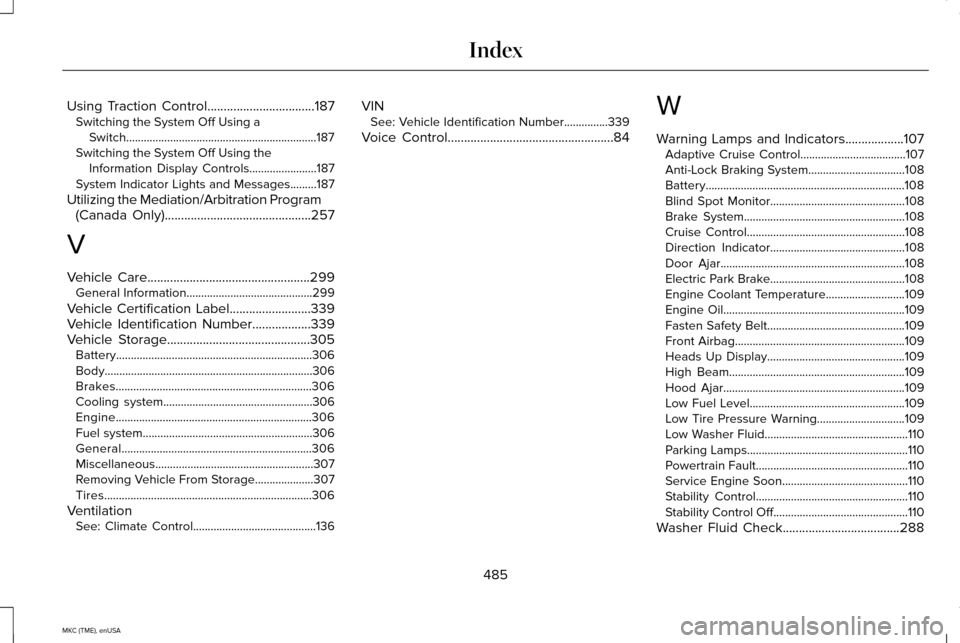
Using Traction Control.................................187
Switching the System Off Using a
Switch.................................................................187
Switching the System Off Using the Information Display Controls.......................187
System Indicator Lights and Messages.........187
Utilizing the Mediation/Arbitration Program (Canada Only)
.............................................257
V
Vehicle Care
..................................................299
General Information...........................................299
Vehicle Certification Label
.........................339
Vehicle Identification Number..................339
Vehicle Storage............................................305
Battery...................................................................306
Body.......................................................................306
Brakes...................................................................306
Cooling system...................................................306
Engine...................................................................306
Fuel system..........................................................306
General.................................................................306
Miscellaneous ......................................................307
Removing Vehicle From Storage
....................307
Tires.......................................................................306
Ventilation See: Climate Control..........................................136 VIN
See: Vehicle Identification Number...............339
Voice Control...................................................84 W
Warning Lamps and Indicators
..................107
Adaptive Cruise Control....................................107
Anti-Lock Braking System.................................108
Battery....................................................................108
Blind Spot Monitor..............................................108
Brake System.......................................................108
Cruise Control......................................................108
Direction Indicator..............................................108
Door Ajar...............................................................108
Electric Park Brake..............................................108
Engine Coolant Temperature...........................109
Engine Oil..............................................................109
Fasten Safety Belt...............................................109
Front Airbag..........................................................109
Heads Up Display...............................................109
High Beam............................................................109
Hood Ajar..............................................................109
Low Fuel Level.....................................................109
Low Tire Pressure Warning..............................109
Low Washer Fluid.................................................110
Parking Lamps.......................................................110
Powertrain Fault....................................................110
Service Engine Soon...........................................110
Stability Control....................................................110
Stability Control Off..............................................110
Washer Fluid Check....................................288
485
MKC (TME), enUSA Index
Page 489 of 490
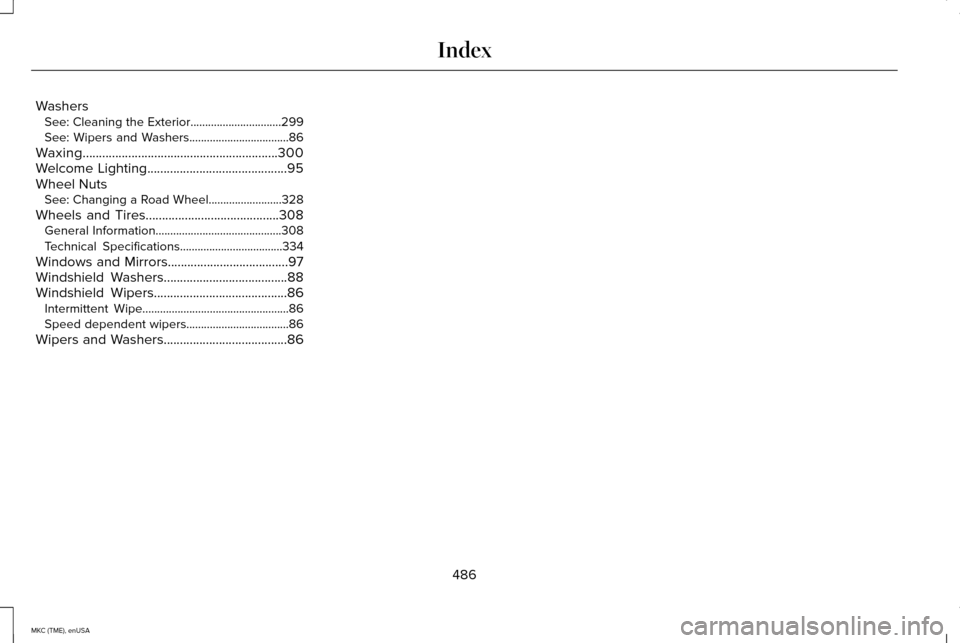
Washers
See: Cleaning the Exterior...............................299
See: Wipers and Washers..................................86
Waxing
............................................................300
Welcome Lighting...........................................95
Wheel Nuts See: Changing a Road Wheel.........................328
Wheels and Tires.........................................308 General Information...........................................308
Technical Specifications...................................334
Windows and Mirrors.....................................97
Windshield Washers......................................88
Windshield Wipers
.........................................86
Intermittent Wipe..................................................86
Speed dependent wipers...................................
86
Wipers and Washers......................................86
486
MKC (TME), enUSA Index