steering LINCOLN MKC 2016 Workshop Manual
[x] Cancel search | Manufacturer: LINCOLN, Model Year: 2016, Model line: MKC, Model: LINCOLN MKC 2016Pages: 432, PDF Size: 4.89 MB
Page 312 of 432
CLEANING THE INSTRUMENT
PANEL AND INSTRUMENT
CLUSTER LENS
WARNING
Do not use chemical solvents or strong
detergents when cleaning the steering
wheel or instrument panel to avoid
contamination of the airbag system. Note:
Follow the same procedure as
cleaning leather seats for cleaning leather
instrument panels and leather interior trim
surfaces. See Cleaning Leather Seats (page
310).
Clean the instrument panel and cluster lens
with a clean, damp and soft cloth, then use
a clean, dry and soft cloth to dry these areas. •
Avoid cleaners or polishes that increase
the gloss of the upper portion of the
instrument panel. The dull finish in this
area helps protect you from undesirable
windshield reflection.
• Do not use any household cleaning
products or glass cleaners as these may
damage the finish of the instrument
panel, interior trim and cluster lens.
• Wash or wipe your hands clean if you
have been in contact with certain
products such as insect repellent and
suntan lotion to avoid possible damage
to the interior painted surfaces.
• Do not allow air fresheners and hand
sanitizers to spill onto interior surfaces.
If a spill occurs, wipe off immediately.
Your warranty may not cover these
damages.
If a staining liquid like coffee or juice has
been spilled on the instrument panel or on
interior trim surfaces:
1. Wipe up spilled liquid using a clean, soft
cloth as quickly as possible. 2. Use Motorcraft Premium Leather and
Vinyl Cleaner or a commercially available
leather cleaning product for automotive
interiors. Test any cleaner or stain
remover on an inconspicuous area.
3. Alternatively, wipe the surface with a clean, soft cloth and a mild soap and
water solution. Dry the area with a clean,
soft cloth.
4. If necessary, apply more soap and water
solution or cleaning product to a clean,
soft cloth and press it onto the soiled
area. Allow this to set at room
temperature for 30 minutes.
5. Remove the soaked cloth, then with a clean, damp cloth, use a rubbing motion
for 60 seconds on the soiled area.
6. Dry the area with a clean, soft cloth.
309
MKC (TME), enUSA, First Printing Vehicle Care
Page 317 of 432
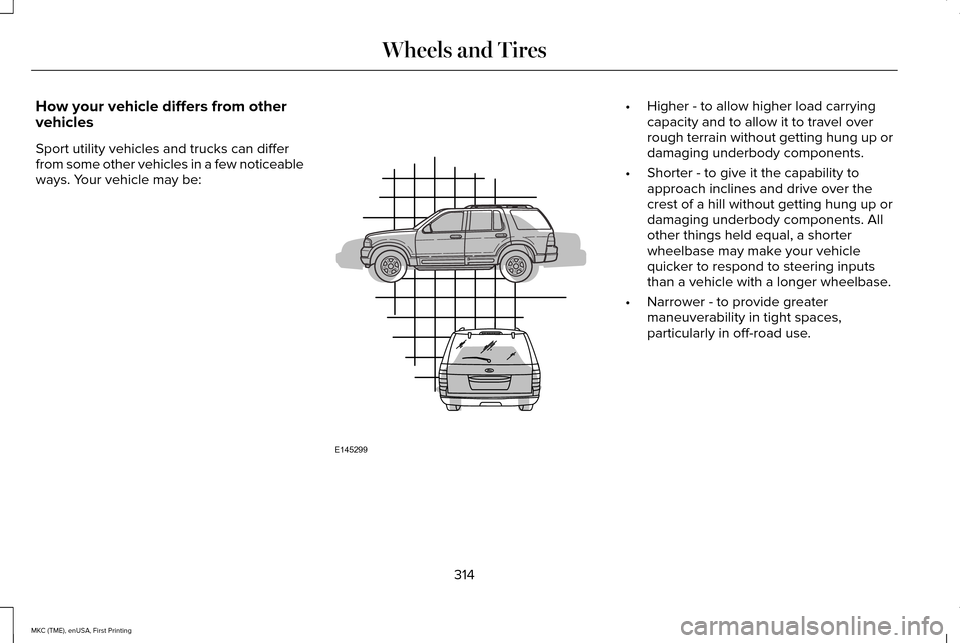
How your vehicle differs from other
vehicles
Sport utility vehicles and trucks can differ
from some other vehicles in a few noticeable
ways. Your vehicle may be: •
Higher - to allow higher load carrying
capacity and to allow it to travel over
rough terrain without getting hung up or
damaging underbody components.
• Shorter - to give it the capability to
approach inclines and drive over the
crest of a hill without getting hung up or
damaging underbody components. All
other things held equal, a shorter
wheelbase may make your vehicle
quicker to respond to steering inputs
than a vehicle with a longer wheelbase.
• Narrower - to provide greater
maneuverability in tight spaces,
particularly in off-road use.
314
MKC (TME), enUSA, First Printing Wheels and TiresE145299
Page 329 of 432
Tire Replacement Requirements
Your vehicle is equipped with tires
designed to provide a safe ride and
handling capability.
WARNINGS
Only use replacement tires and
wheels that are the same size, load
index, speed rating and type (such as
P-metric versus LT-metric or all-season
versus all-terrain) as those originally
provided by Ford. The recommended
tire and wheel size may be found on
either the Safety Compliance
Certification Label (affixed to either the
door hinge pillar, door-latch post, or the
door edge that meets the door-latch
post, next to the driver's seating
position), or the Tire Label which is
located on the B-Pillar or edge of the
driver’ s door. If this information is not
found on these labels then you should
contact your authorized dealer as soon
as possible. Use of any tire or wheel not
recommended by Ford can affect the
safety and performance of your vehicle,
which could result in an increased risk WARNINGS
of loss of vehicle control, vehicle
rollover, personal injury and death.
Additionally the use of
non-recommended tires and wheels
could cause steering, suspension, axle,
transfer case or power transfer unit
failure. If you have questions regarding
tire replacement, contact your
authorized dealer as soon as possible. To reduce the risk of serious injury,
when mounting replacement tires
and wheels, you should not exceed the
maximum pressure indicated on the
sidewall of the tire to set the beads
without additional precautions listed
below. If the beads do not seat at the
maximum pressure indicated,
re-lubricate and try again.
When inflating the tire for mounting
pressures up to 20 psi (1.38 bar) greater
than the maximum pressure on the tire
sidewall, the following precautions must
be taken to protect the person mounting
the tire: WARNINGS
1. Make sure that you have the correct
tire and wheel size.
2. Lubricate the tire bead and wheel
bead seat area again.
3. Stand at a minimum of 12 feet (3.66
meters) away from the wheel and tire
assembly.
4. Use both eye and ear protection.
For a mounting pressure more than
20 psi (1.38 bar) greater than the
maximum pressure, a Ford dealer or
other tire service professional should do
the mounting.
Always inflate steel carcass tires with a
remote air fill with the person inflating
standing at a minimum of 12 feet (3.66
meters) away from the wheel and tire
assembly. 326
MKC (TME), enUSA, First Printing Wheels and Tires
Page 332 of 432
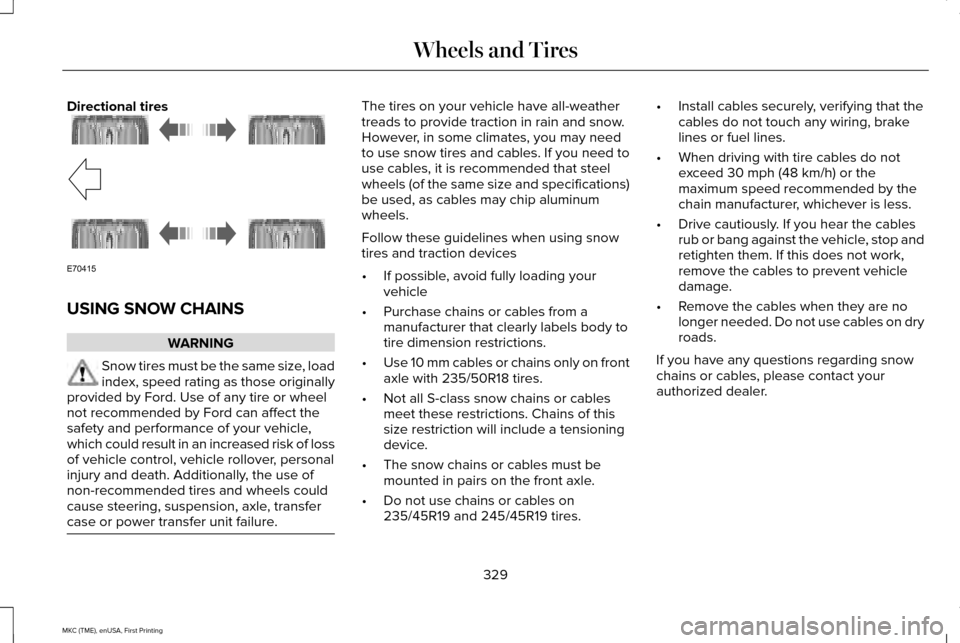
Directional tires
USING SNOW CHAINS
WARNING
Snow tires must be the same size, load
index, speed rating as those originally
provided by Ford. Use of any tire or wheel
not recommended by Ford can affect the
safety and performance of your vehicle,
which could result in an increased risk of loss
of vehicle control, vehicle rollover, personal
injury and death. Additionally, the use of
non-recommended tires and wheels could
cause steering, suspension, axle, transfer
case or power transfer unit failure. The tires on your vehicle have all-weather
treads to provide traction in rain and snow.
However, in some climates, you may need
to use snow tires and cables. If you need to
use cables, it is recommended that steel
wheels (of the same size and specifications)
be used, as cables may chip aluminum
wheels.
Follow these guidelines when using snow
tires and traction devices
•
If possible, avoid fully loading your
vehicle
• Purchase chains or cables from a
manufacturer that clearly labels body to
tire dimension restrictions.
• Use 10 mm cables or chains only on front
axle with 235/50R18 tires.
• Not all S-class snow chains or cables
meet these restrictions. Chains of this
size restriction will include a tensioning
device.
• The snow chains or cables must be
mounted in pairs on the front axle.
• Do not use chains or cables on
235/45R19 and 245/45R19 tires. •
Install cables securely, verifying that the
cables do not touch any wiring, brake
lines or fuel lines.
• When driving with tire cables do not
exceed 30 mph (48 km/h) or the
maximum speed recommended by the
chain manufacturer, whichever is less.
• Drive cautiously. If you hear the cables
rub or bang against the vehicle, stop and
retighten them. If this does not work,
remove the cables to prevent vehicle
damage.
• Remove the cables when they are no
longer needed. Do not use cables on dry
roads.
If you have any questions regarding snow
chains or cables, please contact your
authorized dealer.
329
MKC (TME), enUSA, First Printing Wheels and TiresE70415
Page 337 of 432
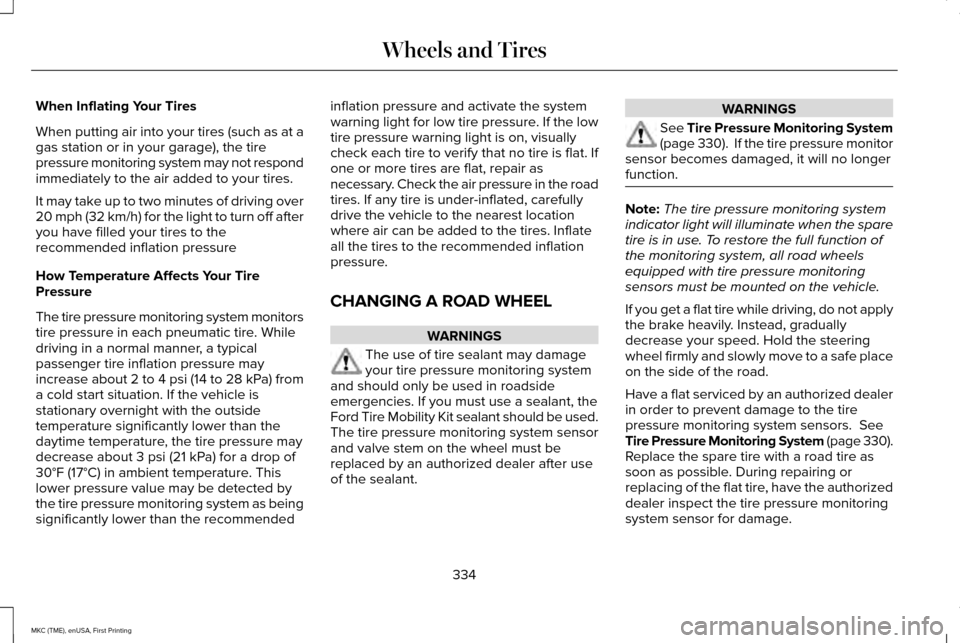
When Inflating Your Tires
When putting air into your tires (such as at a
gas station or in your garage), the tire
pressure monitoring system may not respond
immediately to the air added to your tires.
It may take up to two minutes of driving over
20 mph (32 km/h) for the light to turn off after
you have filled your tires to the
recommended inflation pressure
How Temperature Affects Your Tire
Pressure
The tire pressure monitoring system monitors
tire pressure in each pneumatic tire. While
driving in a normal manner, a typical
passenger tire inflation pressure may
increase about 2 to 4 psi (14 to 28 kPa) from
a cold start situation. If the vehicle is
stationary overnight with the outside
temperature significantly lower than the
daytime temperature, the tire pressure may
decrease about 3 psi (21 kPa) for a drop of
30°F (17°C) in ambient temperature. This
lower pressure value may be detected by
the tire pressure monitoring system as being
significantly lower than the recommended
inflation pressure and activate the system
warning light for low tire pressure. If the low
tire pressure warning light is on, visually
check each tire to verify that no tire is flat. If
one or more tires are flat, repair as
necessary. Check the air pressure in the road
tires. If any tire is under-inflated, carefully
drive the vehicle to the nearest location
where air can be added to the tires. Inflate
all the tires to the recommended inflation
pressure.
CHANGING A ROAD WHEEL
WARNINGS
The use of tire sealant may damage
your tire pressure monitoring system
and should only be used in roadside
emergencies. If you must use a sealant, the
Ford Tire Mobility Kit sealant should be used.
The tire pressure monitoring system sensor
and valve stem on the wheel must be
replaced by an authorized dealer after use
of the sealant. WARNINGS
See Tire Pressure Monitoring System
(page 330). If the tire pressure monitor
sensor becomes damaged, it will no longer
function. Note:
The tire pressure monitoring system
indicator light will illuminate when the spare
tire is in use. To restore the full function of
the monitoring system, all road wheels
equipped with tire pressure monitoring
sensors must be mounted on the vehicle.
If you get a flat tire while driving, do not apply
the brake heavily. Instead, gradually
decrease your speed. Hold the steering
wheel firmly and slowly move to a safe place
on the side of the road.
Have a flat serviced by an authorized dealer
in order to prevent damage to the tire
pressure monitoring system sensors. See
Tire Pressure Monitoring System (page 330).
Replace the spare tire with a road tire as
soon as possible. During repairing or
replacing of the flat tire, have the authorized
dealer inspect the tire pressure monitoring
system sensor for damage.
334
MKC (TME), enUSA, First Printing Wheels and Tires
Page 374 of 432
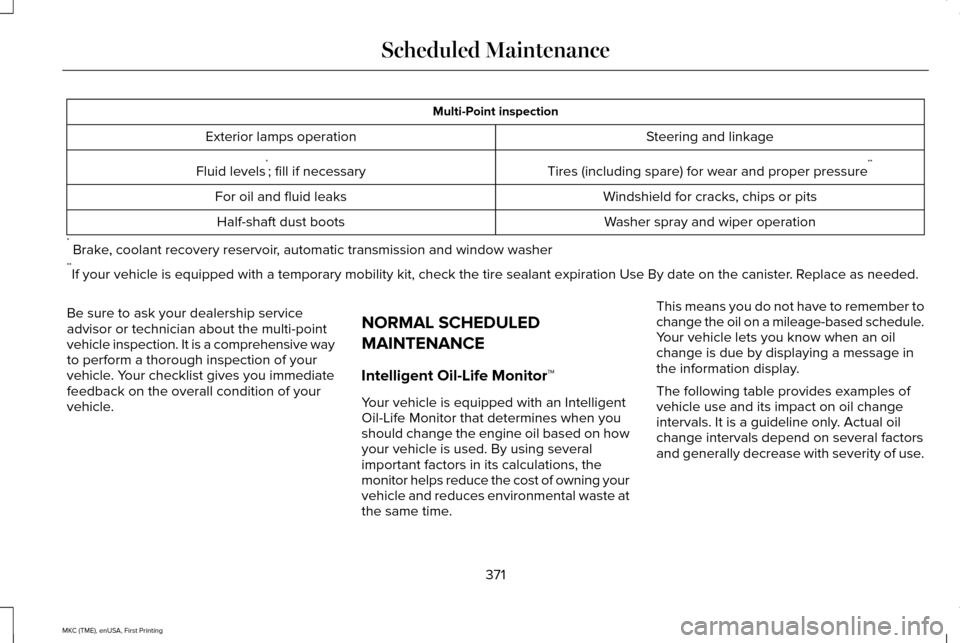
Multi-Point inspection
Steering and linkage
Exterior lamps operation
Tires (including spare) for wear and proper pressure**
Fluid levels *
; fill if necessary
Windshield for cracks, chips or pits
For oil and fluid leaks
Washer spray and wiper operation
Half-shaft dust boots
* Brake, coolant recovery reservoir, automatic transmission and window washer
** If your vehicle is equipped with a temporary mobility kit, check the tir\
e sealant expiration Use By date on the canister. Replace as needed.
Be sure to ask your dealership service
advisor or technician about the multi-point
vehicle inspection. It is a comprehensive way
to perform a thorough inspection of your
vehicle. Your checklist gives you immediate
feedback on the overall condition of your
vehicle. NORMAL SCHEDULED
MAINTENANCE
Intelligent Oil-Life Monitor™
Your vehicle is equipped with an Intelligent
Oil-Life Monitor that determines when you
should change the engine oil based on how
your vehicle is used. By using several
important factors in its calculations, the
monitor helps reduce the cost of owning your
vehicle and reduces environmental waste at
the same time.This means you do not have to remember to
change the oil on a mileage-based schedule.
Your vehicle lets you know when an oil
change is due by displaying a message in
the information display.
The following table provides examples of
vehicle use and its impact on oil change
intervals. It is a guideline only. Actual oil
change intervals depend on several factors
and generally decrease with severity of use.
371
MKC (TME), enUSA, First Printing Scheduled Maintenance
Page 376 of 432
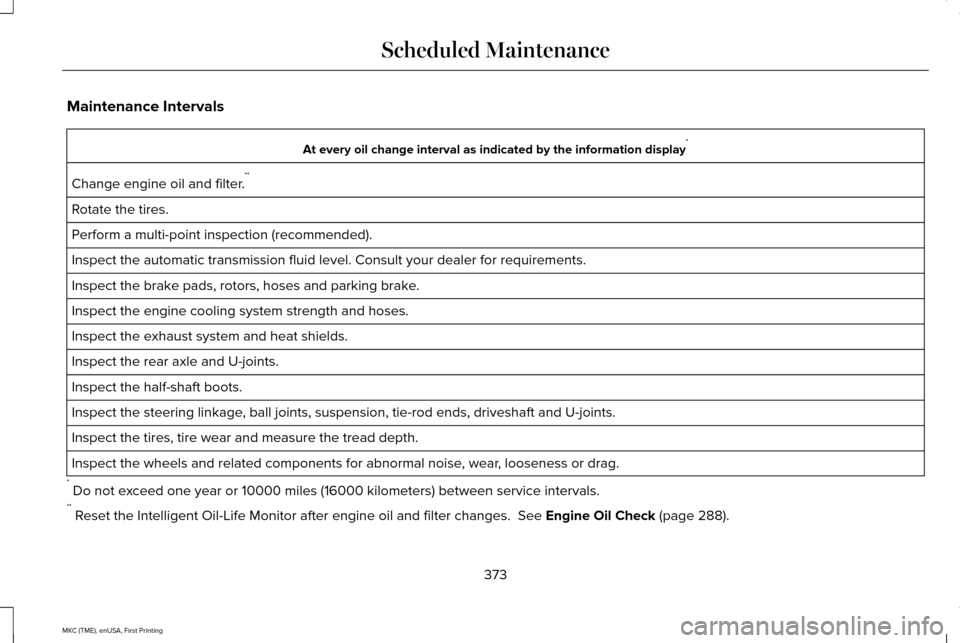
Maintenance Intervals
At every oil change interval as indicated by the information display
*
Change engine oil and filter. **
Rotate the tires.
Perform a multi-point inspection (recommended).
Inspect the automatic transmission fluid level. Consult your dealer for \
requirements.
Inspect the brake pads, rotors, hoses and parking brake.
Inspect the engine cooling system strength and hoses.
Inspect the exhaust system and heat shields.
Inspect the rear axle and U-joints.
Inspect the half-shaft boots.
Inspect the steering linkage, ball joints, suspension, tie-rod ends, driveshaft and U-joints.
Inspect the tires, tire wear and measure the tread depth.
Inspect the wheels and related components for abnormal noise, wear, looseness or drag.
* Do not exceed one year or 10000 miles (16000 kilometers) between service interv\
als.
** Reset the Intelligent Oil-Life Monitor after engine oil and filter change\
s. See Engine Oil Check (page 288).
373
MKC (TME), enUSA, First Printing Scheduled Maintenance
Page 422 of 432
A
A/C
See: Climate Control...........................................133
About This Manual............................................7
Protecting the Environment..................................7
ABS See: Brakes...........................................................183
ABS driving hints See: Hints on Driving With Anti-Lock
Brakes................................................................183
Accessories...................................................362 Exterior style........................................................362
Interior style.........................................................362
Lifestyle.................................................................362
Peace of mind.....................................................362
Accessories See: Replacement Parts Recommendation.....12
ACC See: Using Adaptive Cruise Control.............204
Active Park Assist..........................................194 Automatic Steering into Parking Space........195
Deactivating the Park Assist Feature.............197
Park Out Assist.....................................................196
Troubleshooting the System............................198
Using Active Park Assist....................................194 Adjusting the Headlamps...........................297
Horizontal Aim Adjustment..............................
298
Vertical Aim Adjustment...................................297
Adjusting the Steering Wheel......................79 Power Tilt and Telescope Steering
Column................................................................79
Airbag Disposal
................................................51
Air Conditioning See: Climate Control...........................................133
Alarm See: Anti-Theft Alarm...........................................78
All-Wheel Drive
..............................................178
Ambient Lighting.............................................93
Anti-Theft Alarm..............................................78 Arming the Alarm..................................................78
Disarming the Alarm.............................................78
Appendices....................................................399
Audible Warnings and Indicators..............107 Headlamps On Warning Chime.......................
107
Keyless Warning Alert........................................107
Parking Brake On Warning Chime..................108
Audio Control
..................................................80
Seek, Next or Previous........................................80
Audio System................................................358 General Information...........................................358
Audio Unit......................................................359
Autolamps.........................................................88 Windshield Wiper Activated Headlamps........89 Automatic Climate Control..........................133
Automatic High Beam Control.....................91
Activating the System...........................................91
Manually Overriding the System......................92
Automatic Transmission
...............................172
Automatic Transmission Adaptive
Learning.............................................................176
Brake-Shift Interlock Override.........................175
If Your Vehicle Gets Stuck In Mud or Snow...................................................................176
Push Button Shift Transmission.......................172
SelectShift Automatic ™ Transmission..............174
Automatic Transmission Fluid Check...........................................................293
Autowipers.......................................................84
Auxiliary Power Points.................................155 110 Volt AC Power Point....................................155
12 Volt DC Power Point......................................155
Locations...............................................................155
AWD See: All-Wheel Drive...........................................178
B
Blind Spot Information System..................219 Switching the System Off and On...................221
System Errors.......................................................221
Using the System................................................219
419
MKC (TME), enUSA, First Printing Index
Page 426 of 432
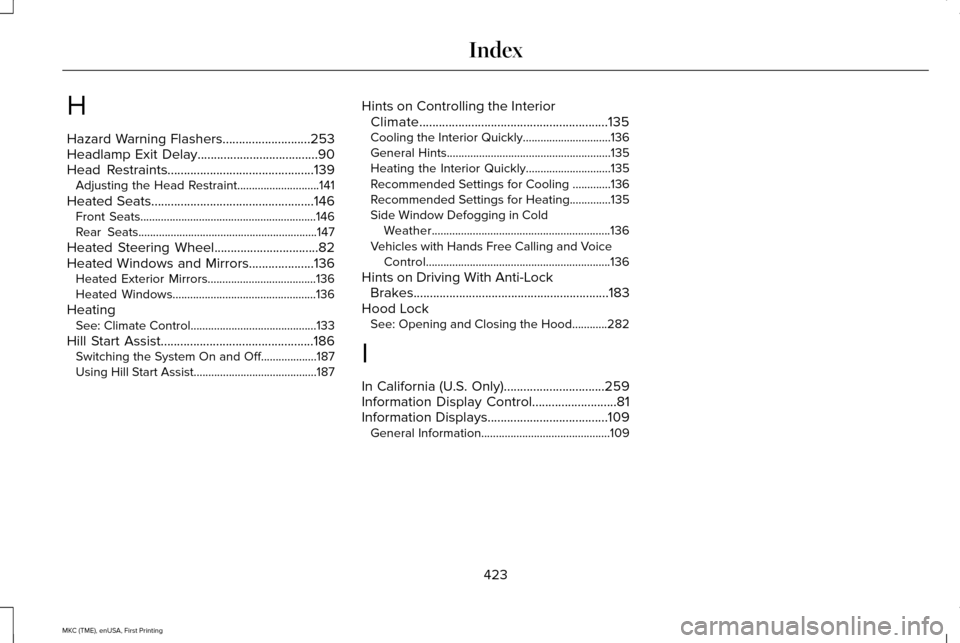
H
Hazard Warning Flashers...........................253
Headlamp Exit Delay.....................................90
Head Restraints
.............................................139
Adjusting the Head Restraint............................141
Heated Seats..................................................146 Front Seats............................................................146
Rear Seats.............................................................147
Heated Steering Wheel
................................82
Heated Windows and Mirrors....................136 Heated Exterior Mirrors.....................................
136
Heated Windows.................................................136
Heating See: Climate Control...........................................133
Hill Start Assist...............................................186 Switching the System On and Off...................187
Using Hill Start Assist..........................................187 Hints on Controlling the Interior
Climate..........................................................135
Cooling the Interior Quickly..............................136
General Hints........................................................135
Heating the Interior Quickly.............................135
Recommended Settings for Cooling .............136
Recommended Settings for Heating..............135
Side Window Defogging in Cold Weather.............................................................136
Vehicles with Hands Free Calling and Voice Control...............................................................136
Hints on Driving With Anti-Lock Brakes............................................................183
Hood Lock See: Opening and Closing the Hood............282
I
In California (U.S. Only)...............................259
Information Display Control
..........................81
Information Displays.....................................109 General Information............................................109
423
MKC (TME), enUSA, First Printing Index
Page 427 of 432
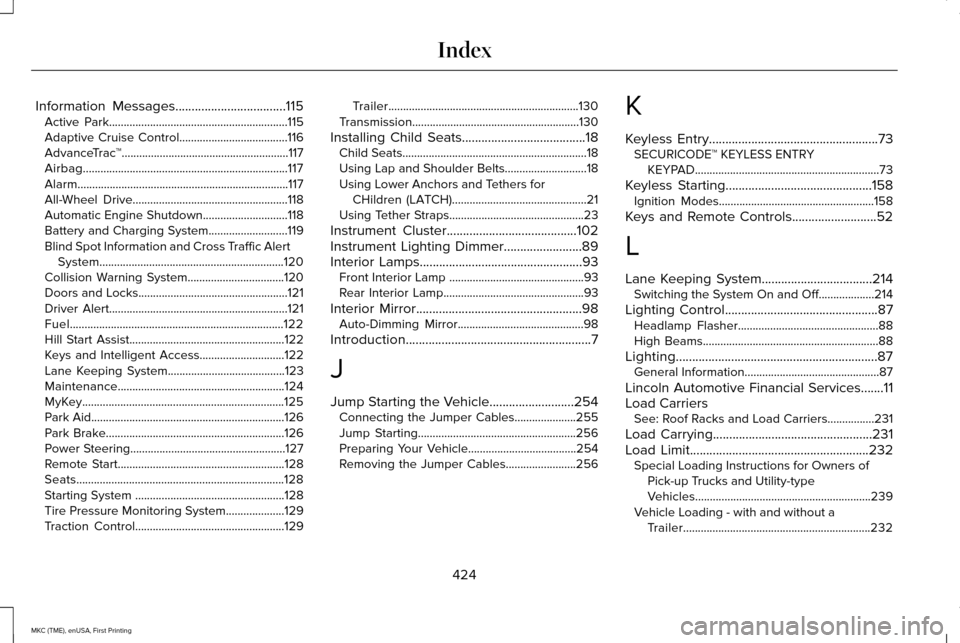
Information Messages..................................115
Active Park.............................................................115
Adaptive Cruise Control.....................................116
AdvanceTrac ™.........................................................117
Airbag......................................................................117
Alarm........................................................................\
117
All-Wheel Drive.....................................................118
Automatic Engine Shutdown.............................
118
Battery and Charging System...........................119
Blind Spot Information and Cross Traffic Alert System...............................................................120
Collision Warning System.................................120
Doors and Locks...................................................121
Driver Alert.............................................................121
Fuel........................................................................\
.122
Hill Start Assist.....................................................122
Keys and Intelligent Access.............................
122
Lane Keeping System........................................123
Maintenance.........................................................124
MyKey.....................................................................125
Park Aid..................................................................126
Park Brake.............................................................126
Power Steering.....................................................127
Remote Start.........................................................128
Seats.......................................................................128
Starting System ...................................................128
Tire Pressure Monitoring System....................
129
Traction Control...................................................129 Trailer.................................................................130
Transmission.........................................................130
Installing Child Seats......................................18 Child Seats...............................................................18
Using Lap and Shoulder Belts............................18
Using Lower Anchors and Tethers for
CHildren (LATCH)..............................................21
Using Tether Straps..............................................23
Instrument Cluster
........................................102
Instrument Lighting Dimmer........................89
Interior Lamps
..................................................93
Front Interior Lamp ..............................................93
Rear Interior Lamp................................................93
Interior Mirror
...................................................98
Auto-Dimming Mirror...........................................98
Introduction
.........................................................7
J
Jump Starting the Vehicle
..........................254
Connecting the Jumper Cables.....................255
Jump Starting......................................................256
Preparing Your Vehicle.....................................254
Removing the Jumper Cables........................
256 K
Keyless Entry
....................................................73
SECURICODE™ KEYLESS ENTRY
KEYPAD...............................................................73
Keyless Starting
.............................................158
Ignition Modes.....................................................158
Keys and Remote Controls..........................52
L
Lane Keeping System..................................214 Switching the System On and Off...................214
Lighting Control
...............................................87
Headlamp Flasher................................................88
High Beams............................................................88
Lighting
..............................................................87
General Information..............................................87
Lincoln Automotive Financial Services
.......11
Load Carriers See: Roof Racks and Load Carriers................231
Load Carrying
.................................................231
Load Limit.......................................................232
Special Loading Instructions for Owners of
Pick-up Trucks and Utility-type
Vehicles............................................................239
Vehicle Loading - with and without a Trailer................................................................232
424
MKC (TME), enUSA, First Printing Index