instrument panel LINCOLN MKC 2018 Owner's Manual
[x] Cancel search | Manufacturer: LINCOLN, Model Year: 2018, Model line: MKC, Model: LINCOLN MKC 2018Pages: 571, PDF Size: 4.39 MB
Page 351 of 571
VEHICLE IDENTIFICATION
NUMBER
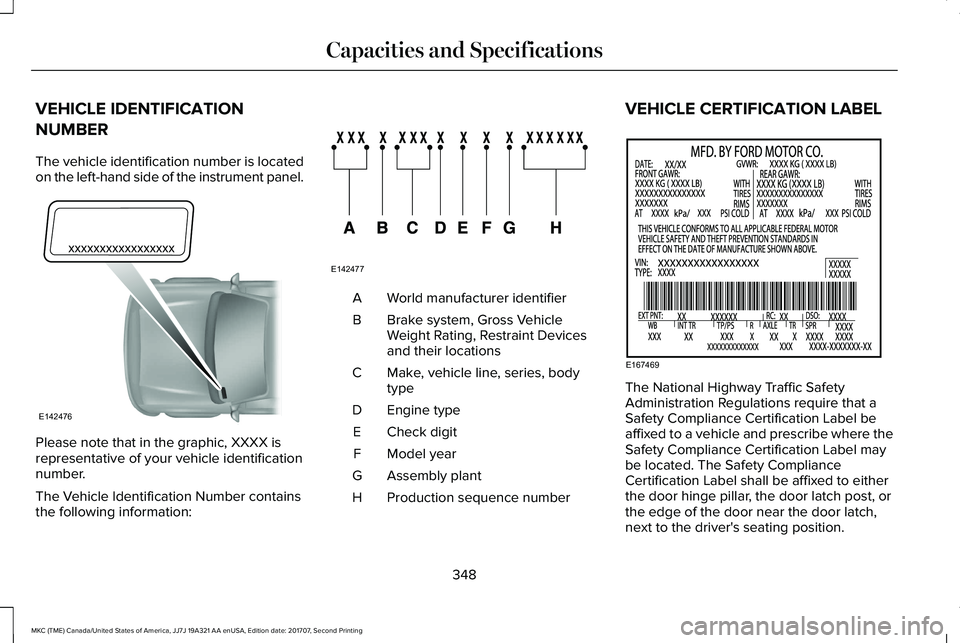
The vehicle identification number is locatedon the left-hand side of the instrument panel.
Please note that in the graphic, XXXX isrepresentative of your vehicle identificationnumber.
The Vehicle Identification Number containsthe following information:
World manufacturer identifierA
Brake system, Gross VehicleWeight Rating, Restraint Devicesand their locations
B
Make, vehicle line, series, bodytypeC
Engine typeD
Check digitE
Model yearF
Assembly plantG
Production sequence numberH
VEHICLE CERTIFICATION LABEL
The National Highway Traffic SafetyAdministration Regulations require that aSafety Compliance Certification Label beaffixed to a vehicle and prescribe where theSafety Compliance Certification Label maybe located. The Safety ComplianceCertification Label shall be affixed to eitherthe door hinge pillar, the door latch post, orthe edge of the door near the door latch,next to the driver's seating position.
348
MKC (TME) Canada/United States of America, JJ7J 19A321 AA enUSA, Edition date: 201707, Second Printing
Capacities and SpecificationsE142476 E142477 E167469
Page 381 of 571
Note:If your vehicle is not equipped withnavigation, compass appears in the displayinstead of navigation. If you press the rightarrow to go into the compass menu, you cansee the compass graphic. The compassdisplays the direction in which the vehicle istraveling, not true direction (for example, ifthe vehicle is traveling west, the middle ofthe compass graphic displays west; northdisplays to the left of west though its truedirection is to the right of west).
Using the Steering Wheel Controls
Depending on your vehicle and optionpackage, you can use different controls onyour steering wheel to interact with thetouchscreen system in different ways.
VOL: Control the volume of audio output.
Mute: Mute the audio output.
Voice: Press to start a voice session. Pressagain to stop the voice prompt andimmediately begin speaking. Press and holdto end a voice session.
SEEK NEXT:
•While in radio mode, press to seekbetween memory presets.
•While in USB, Bluetooth Audio or CDmode, press to seek between songs orpress and hold to fast seek.
SEEK PREVIOUS:
•While in radio mode, press to seekbetween memory presets.
•While in USB, Bluetooth Audio or CDmode, press to seek between songs orpress and hold to fast seek.
PHONE ACCEPT: Press to answer a call orswitch between calls.
PHONE REJECT: Press to end a call or rejectan incoming call.
Note:On some models, SEEK NEXT may becombined with PHONE REJECT and SEEKPREVIOUS may be combined with PHONEACCEPT.
M: Touch the control repeatedly to switchbetween media sources (modes).
See Steering Wheel (page 79).
Using Your Bezel Controls
Depending on your vehicle and optionpackage, you may also have these controlson your instrument panel:
•Power: Switch the audio system on andoff.
•VOL: Control the volume of playingaudio.
•Seek and Tune: Use as you normallywould in audio modes.
•Eject: Eject a CD from the audio system.
•SOURCE or MEDIA: Press repeatedly toadvance through available media modes.
•SOUND: Press to access the Soundmenu where you can adjust sound andother audio settings.
•1-6: Press and hold to store or press toselect an AM, FM or SIRIUS memorypreset. See Audio System (page 364).
378
MKC (TME) Canada/United States of America, JJ7J 19A321 AA enUSA, Edition date: 201707, Second Printing
SYNC™ 3
Page 414 of 571
USB Ports
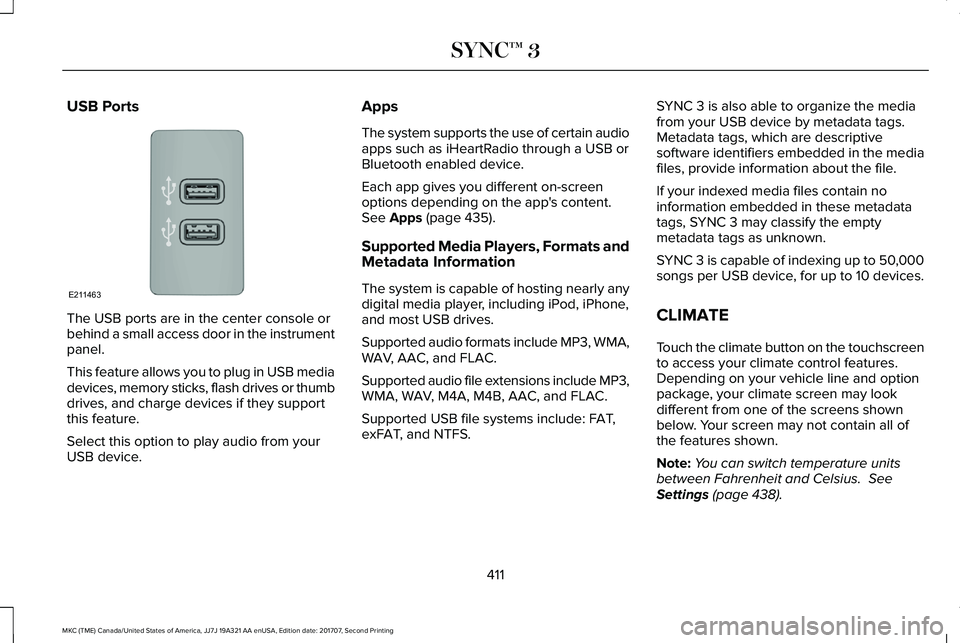
The USB ports are in the center console orbehind a small access door in the instrumentpanel.
This feature allows you to plug in USB mediadevices, memory sticks, flash drives or thumbdrives, and charge devices if they supportthis feature.
Select this option to play audio from yourUSB device.
Apps
The system supports the use of certain audioapps such as iHeartRadio through a USB orBluetooth enabled device.
Each app gives you different on-screenoptions depending on the app's content.See Apps (page 435).
Supported Media Players, Formats andMetadata Information
The system is capable of hosting nearly anydigital media player, including iPod, iPhone,and most USB drives.
Supported audio formats include MP3, WMA,WAV, AAC, and FLAC.
Supported audio file extensions include MP3,WMA, WAV, M4A, M4B, AAC, and FLAC.
Supported USB file systems include: FAT,exFAT, and NTFS.
SYNC 3 is also able to organize the mediafrom your USB device by metadata tags.Metadata tags, which are descriptivesoftware identifiers embedded in the mediafiles, provide information about the file.
If your indexed media files contain noinformation embedded in these metadatatags, SYNC 3 may classify the emptymetadata tags as unknown.
SYNC 3 is capable of indexing up to 50,000songs per USB device, for up to 10 devices.
CLIMATE
Touch the climate button on the touchscreento access your climate control features.Depending on your vehicle line and optionpackage, your climate screen may lookdifferent from one of the screens shownbelow. Your screen may not contain all ofthe features shown.
Note:You can switch temperature unitsbetween Fahrenheit and Celsius. SeeSettings (page 438).
411
MKC (TME) Canada/United States of America, JJ7J 19A321 AA enUSA, Edition date: 201707, Second Printing
SYNC™ 3E211463
Page 417 of 571
DescriptionItemCallout
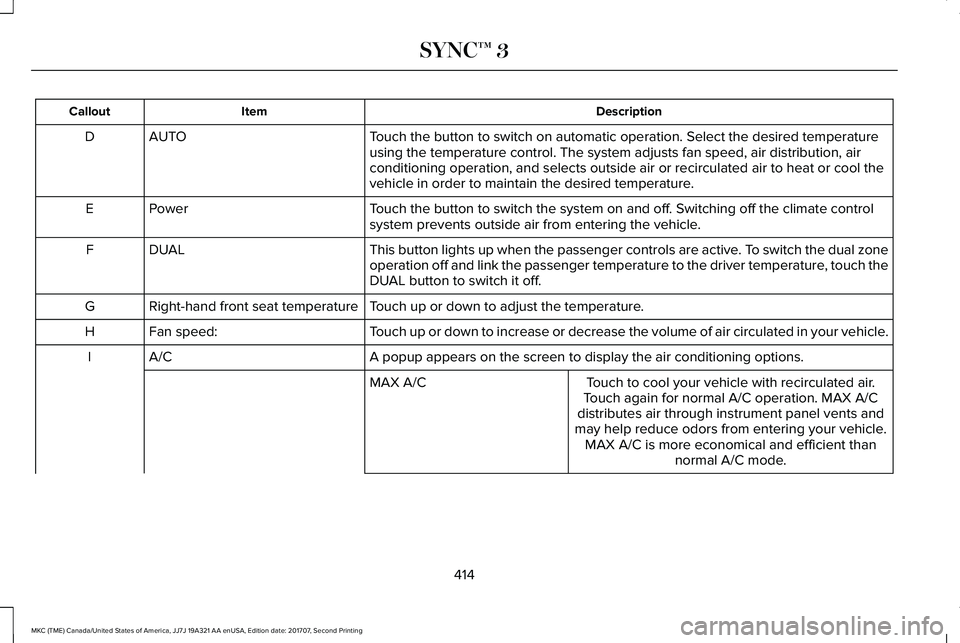
Touch the button to switch on automatic operation. Select the desired temperatureusing the temperature control. The system adjusts fan speed, air distribution, airconditioning operation, and selects outside air or recirculated air to heat or cool thevehicle in order to maintain the desired temperature.
AUTOD
Touch the button to switch the system on and off. Switching off the climate controlsystem prevents outside air from entering the vehicle.PowerE
This button lights up when the passenger controls are active. To switch the dual zoneoperation off and link the passenger temperature to the driver temperature, touch theDUAL button to switch it off.
DUALF
Touch up or down to adjust the temperature.Right-hand front seat temperatureG
Touch up or down to increase or decrease the volume of air circulated in your vehicle.Fan speed:H
A popup appears on the screen to display the air conditioning options.A/CI
Touch to cool your vehicle with recirculated air.Touch again for normal A/C operation. MAX A/Cdistributes air through instrument panel vents andmay help reduce odors from entering your vehicle.MAX A/C is more economical and efficient thannormal A/C mode.
MAX A/C
414
MKC (TME) Canada/United States of America, JJ7J 19A321 AA enUSA, Edition date: 201707, Second Printing
SYNC™ 3
Page 418 of 571
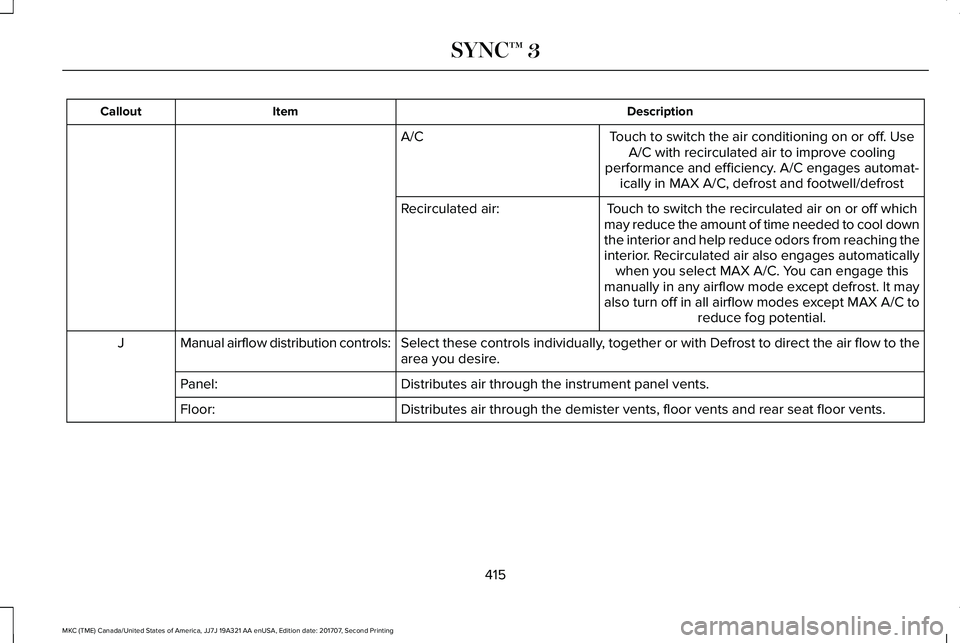
DescriptionItemCallout
Touch to switch the air conditioning on or off. UseA/C with recirculated air to improve coolingperformance and efficiency. A/C engages automat-ically in MAX A/C, defrost and footwell/defrost
A/C
Touch to switch the recirculated air on or off whichmay reduce the amount of time needed to cool downthe interior and help reduce odors from reaching theinterior. Recirculated air also engages automaticallywhen you select MAX A/C. You can engage thismanually in any airflow mode except defrost. It mayalso turn off in all airflow modes except MAX A/C toreduce fog potential.
Recirculated air:
Select these controls individually, together or with Defrost to direct the air flow to thearea you desire.Manual airflow distribution controls:J
Distributes air through the instrument panel vents.Panel:
Distributes air through the demister vents, floor vents and rear seat floor vents.Floor:
415
MKC (TME) Canada/United States of America, JJ7J 19A321 AA enUSA, Edition date: 201707, Second Printing
SYNC™ 3
Page 562 of 571
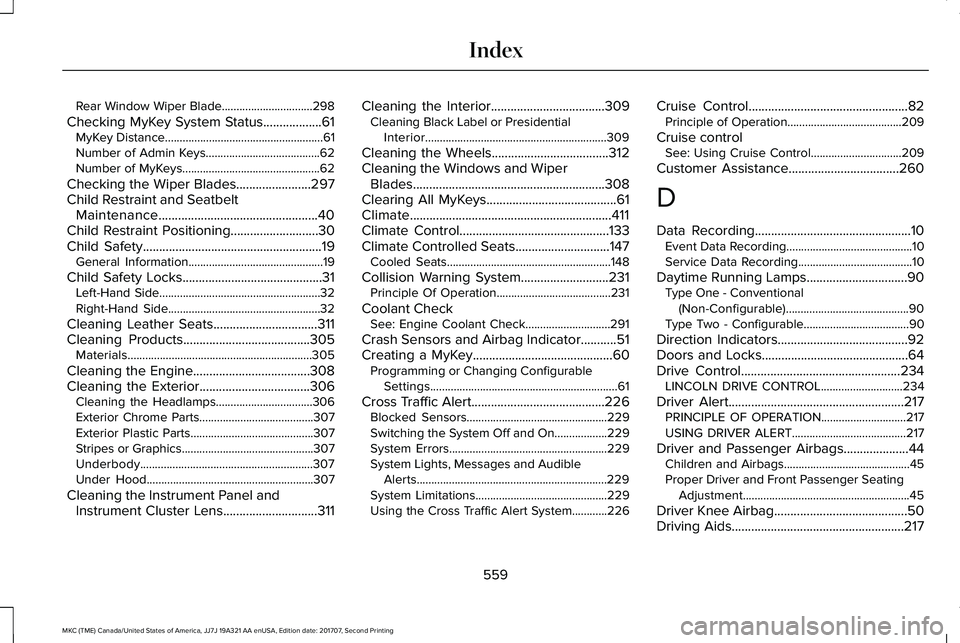
Rear Window Wiper Blade...............................298
Checking MyKey System Status..................61MyKey Distance......................................................61Number of Admin Keys.......................................62Number of MyKeys...............................................62
Checking the Wiper Blades.......................297Child Restraint and SeatbeltMaintenance.................................................40Child Restraint Positioning...........................30Child Safety.......................................................19General Information..............................................19
Child Safety Locks...........................................31Left-Hand Side.......................................................32Right-Hand Side....................................................32
Cleaning Leather Seats................................311Cleaning Products.......................................305Materials...............................................................305
Cleaning the Engine....................................308Cleaning the Exterior..................................306Cleaning the Headlamps.................................306Exterior Chrome Parts.......................................307Exterior Plastic Parts..........................................307Stripes or Graphics.............................................307Underbody...........................................................307Under Hood.........................................................307
Cleaning the Instrument Panel andInstrument Cluster Lens.............................311
Cleaning the Interior...................................309Cleaning Black Label or PresidentialInterior..............................................................309
Cleaning the Wheels....................................312Cleaning the Windows and WiperBlades...........................................................308Clearing All MyKeys........................................61Climate..............................................................411Climate Control..............................................133Climate Controlled Seats.............................147Cooled Seats........................................................148
Collision Warning System...........................231Principle Of Operation.......................................231
Coolant CheckSee: Engine Coolant Check.............................291
Crash Sensors and Airbag Indicator...........51Creating a MyKey...........................................60Programming or Changing ConfigurableSettings................................................................61
Cross Traffic Alert.........................................226Blocked Sensors................................................229Switching the System Off and On..................229System Errors......................................................229System Lights, Messages and AudibleAlerts.................................................................229System Limitations.............................................229Using the Cross Traffic Alert System............226
Cruise Control.................................................82Principle of Operation.......................................209
Cruise controlSee: Using Cruise Control...............................209
Customer Assistance..................................260
D
Data Recording................................................10Event Data Recording...........................................10Service Data Recording.......................................10
Daytime Running Lamps...............................90Type One - Conventional(Non-Configurable)..........................................90Type Two - Configurable....................................90
Direction Indicators........................................92Doors and Locks.............................................64Drive Control.................................................234LINCOLN DRIVE CONTROL............................234
Driver Alert......................................................217PRINCIPLE OF OPERATION.............................217USING DRIVER ALERT.......................................217
Driver and Passenger Airbags....................44Children and Airbags...........................................45Proper Driver and Front Passenger SeatingAdjustment.........................................................45
Driver Knee Airbag.........................................50Driving Aids.....................................................217
559
MKC (TME) Canada/United States of America, JJ7J 19A321 AA enUSA, Edition date: 201707, Second Printing
Index
Page 565 of 571
Using Hill Start Assist.........................................190
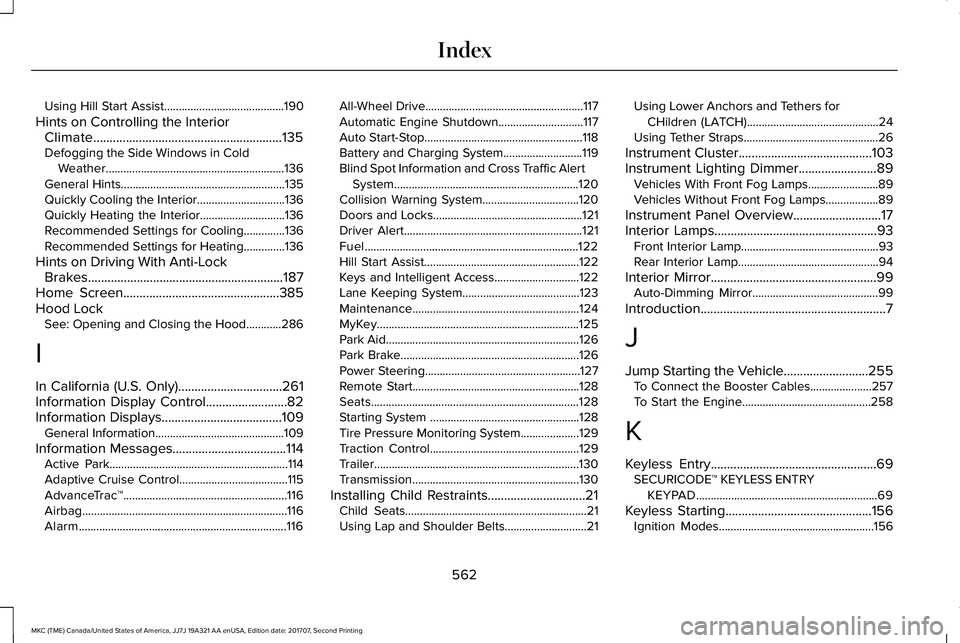
Hints on Controlling the InteriorClimate..........................................................135Defogging the Side Windows in ColdWeather.............................................................136General Hints........................................................135Quickly Cooling the Interior..............................136Quickly Heating the Interior.............................136Recommended Settings for Cooling..............136Recommended Settings for Heating..............136
Hints on Driving With Anti-LockBrakes............................................................187Home Screen................................................385Hood LockSee: Opening and Closing the Hood............286
I
In California (U.S. Only)................................261Information Display Control.........................82Information Displays.....................................109General Information............................................109
Information Messages...................................114Active Park.............................................................114Adaptive Cruise Control.....................................115AdvanceTrac™........................................................116Airbag......................................................................116Alarm.......................................................................116
All-Wheel Drive......................................................117Automatic Engine Shutdown.............................117Auto Start-Stop......................................................118Battery and Charging System...........................119Blind Spot Information and Cross Traffic AlertSystem...............................................................120Collision Warning System.................................120Doors and Locks...................................................121Driver Alert.............................................................121Fuel.........................................................................122Hill Start Assist.....................................................122Keys and Intelligent Access.............................122Lane Keeping System........................................123Maintenance.........................................................124MyKey.....................................................................125Park Aid..................................................................126Park Brake.............................................................126Power Steering.....................................................127Remote Start.........................................................128Seats.......................................................................128Starting System ...................................................128Tire Pressure Monitoring System....................129Traction Control...................................................129Trailer......................................................................130Transmission.........................................................130
Installing Child Restraints..............................21Child Seats..............................................................21Using Lap and Shoulder Belts............................21
Using Lower Anchors and Tethers forCHildren (LATCH).............................................24Using Tether Straps..............................................26
Instrument Cluster.........................................103Instrument Lighting Dimmer........................89Vehicles With Front Fog Lamps........................89Vehicles Without Front Fog Lamps..................89
Instrument Panel Overview...........................17Interior Lamps..................................................93Front Interior Lamp...............................................93Rear Interior Lamp................................................94
Interior Mirror...................................................99Auto-Dimming Mirror...........................................99
Introduction.........................................................7
J
Jump Starting the Vehicle..........................255To Connect the Booster Cables.....................257To Start the Engine............................................258
K
Keyless Entry...................................................69SECURICODE™ KEYLESS ENTRYKEYPAD..............................................................69
Keyless Starting.............................................156Ignition Modes.....................................................156
562
MKC (TME) Canada/United States of America, JJ7J 19A321 AA enUSA, Edition date: 201707, Second Printing
Index