wipers LINCOLN MKC 2018 Owners Manual
[x] Cancel search | Manufacturer: LINCOLN, Model Year: 2018, Model line: MKC, Model: LINCOLN MKC 2018Pages: 571, PDF Size: 4.39 MB
Page 5 of 571
Keyless Entry..................................................69
Liftgate
Power Liftgate.................................................72
Security
Passive Anti-Theft System...........................76
Anti-Theft Alarm.............................................77
Steering Wheel
Adjusting the Steering Wheel - VehiclesWith: Manual Adjustable SteeringColumn.........................................................79
Adjusting the Steering Wheel - VehiclesWith: Power Adjustable Steering Column.........................................................................79
Audio Control..................................................81
Voice Control...................................................81
Cruise Control................................................82
Information Display Control........................82
Heated Steering Wheel...............................82
Wipers and Washers
Windshield Wipers........................................83
Autowipers......................................................84
Windshield Washers.....................................85
Rear Window Wiper and Washers............85
Lighting
General Information......................................87
Lighting Control..............................................87
Autolamps.......................................................88
Instrument Lighting Dimmer.......................89
Headlamp Exit Delay....................................90
Daytime Running Lamps.............................90
Automatic High Beam Control...................90
Front Fog Lamps............................................92
Direction Indicators.......................................92
Welcome Lighting..........................................92
Interior Lamps.................................................93
Ambient Lighting...........................................94
Windows and Mirrors
Power Windows.............................................95
Global Opening and Closing......................96
Exterior Mirrors...............................................96
Interior Mirror..................................................99
Sun Visors......................................................100
Moonroof.......................................................100
Instrument Cluster
Gauges...........................................................103
Warning Lamps and Indicators.................104
Audible Warnings and Indicators.............108
Information Displays
General Information....................................109
Information Messages..................................114
Climate Control
Automatic Climate Control.........................133
Hints on Controlling the Interior Climate.......................................................................135
Heated Windows and Mirrors...................136
Cabin Air Filter...............................................137
Remote Start..................................................137
Seats
Sitting in the Correct Position...................138
Head Restraints............................................138
2
MKC (TME) Canada/United States of America, JJ7J 19A321 AA enUSA, Edition date: 201707, Second Printing
Table of Contents
Page 21 of 571
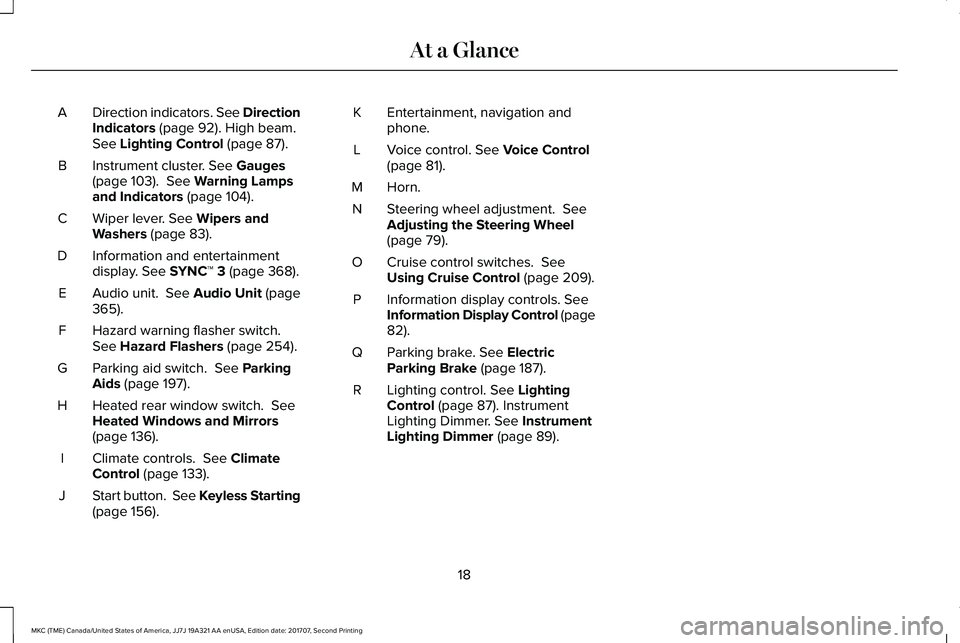
Direction indicators. See DirectionIndicators (page 92). High beam.See Lighting Control (page 87).
A
Instrument cluster. See Gauges(page 103). See Warning Lampsand Indicators (page 104).
B
Wiper lever. See Wipers andWashers (page 83).C
Information and entertainmentdisplay. See SYNC™ 3 (page 368).D
Audio unit. See Audio Unit (page365).E
Hazard warning flasher switch.See Hazard Flashers (page 254).F
Parking aid switch. See ParkingAids (page 197).G
Heated rear window switch. SeeHeated Windows and Mirrors(page 136).
H
Climate controls. See ClimateControl (page 133).I
Start button. See Keyless Starting(page 156).J
Entertainment, navigation andphone.K
Voice control. See Voice Control(page 81).L
Horn.M
Steering wheel adjustment. SeeAdjusting the Steering Wheel(page 79).
N
Cruise control switches. SeeUsing Cruise Control (page 209).O
Information display controls. SeeInformation Display Control (page82).
P
Parking brake. See ElectricParking Brake (page 187).Q
Lighting control. See LightingControl (page 87). InstrumentLighting Dimmer. See InstrumentLighting Dimmer (page 89).
R
18
MKC (TME) Canada/United States of America, JJ7J 19A321 AA enUSA, Edition date: 201707, Second Printing
At a Glance
Page 86 of 571
WINDSHIELD WIPERS
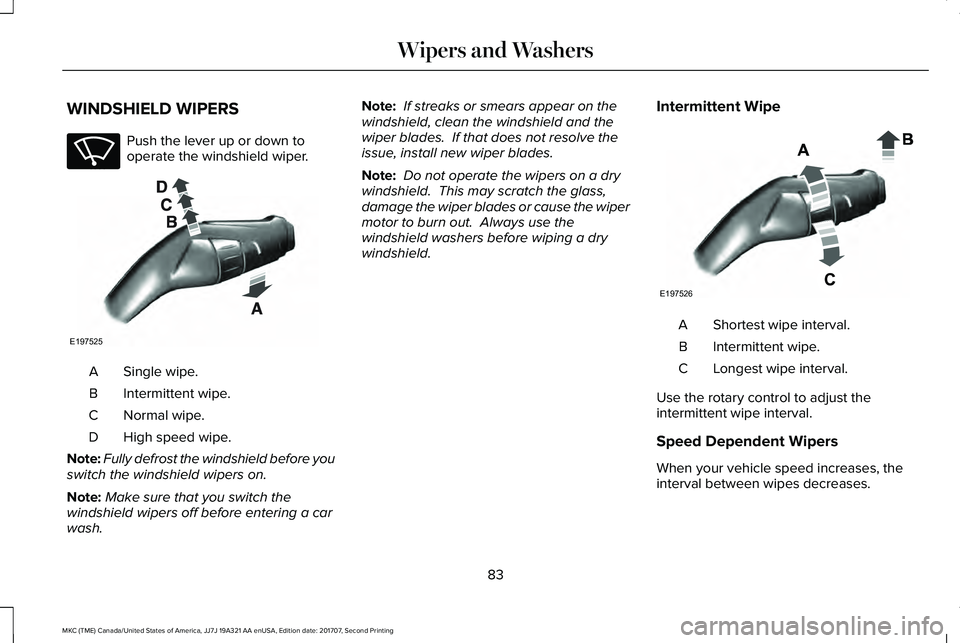
Push the lever up or down tooperate the windshield wiper.
Single wipe.A
Intermittent wipe.B
Normal wipe.C
High speed wipe.D
Note:Fully defrost the windshield before youswitch the windshield wipers on.
Note:Make sure that you switch thewindshield wipers off before entering a carwash.
Note: If streaks or smears appear on thewindshield, clean the windshield and thewiper blades. If that does not resolve theissue, install new wiper blades.
Note: Do not operate the wipers on a drywindshield. This may scratch the glass,damage the wiper blades or cause the wipermotor to burn out. Always use thewindshield washers before wiping a drywindshield.
Intermittent Wipe
Shortest wipe interval.A
Intermittent wipe.B
Longest wipe interval.C
Use the rotary control to adjust theintermittent wipe interval.
Speed Dependent Wipers
When your vehicle speed increases, theinterval between wipes decreases.
83
MKC (TME) Canada/United States of America, JJ7J 19A321 AA enUSA, Edition date: 201707, Second Printing
Wipers and WashersE270969 E197525 E197526
Page 87 of 571
AUTOWIPERS (If Equipped)
Note:Fully defrost the windshield before youswitch the windshield wipers on.
Note:Make sure you switch the windshieldwipers off before entering a car wash.
Note: If streaks or smears appear on thewindshield, clean the windshield and thewiper blades. If that does not resolve theissue, install new wiper blades.
Note:If you switch autolamps andautowipers on, the headlamps turn on whenthe windshield wipers continuously operate.
Wet or winter driving conditions with ice,snow or salty road mist can causeinconsistent and unexpected wiping orsmearing.
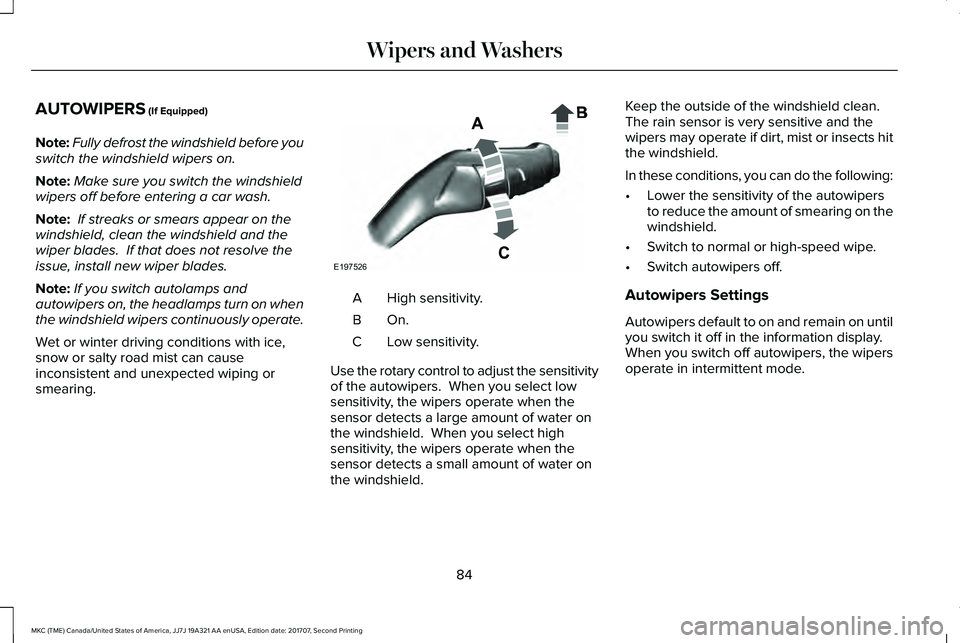
High sensitivity.A
On.B
Low sensitivity.C
Use the rotary control to adjust the sensitivityof the autowipers. When you select lowsensitivity, the wipers operate when thesensor detects a large amount of water onthe windshield. When you select highsensitivity, the wipers operate when thesensor detects a small amount of water onthe windshield.
Keep the outside of the windshield clean. The rain sensor is very sensitive and thewipers may operate if dirt, mist or insects hitthe windshield.
In these conditions, you can do the following:
•Lower the sensitivity of the autowipersto reduce the amount of smearing on thewindshield.
•Switch to normal or high-speed wipe.
•Switch autowipers off.
Autowipers Settings
Autowipers default to on and remain on untilyou switch it off in the information display.When you switch off autowipers, the wipersoperate in intermittent mode.
84
MKC (TME) Canada/United States of America, JJ7J 19A321 AA enUSA, Edition date: 201707, Second Printing
Wipers and WashersE197526
Page 88 of 571
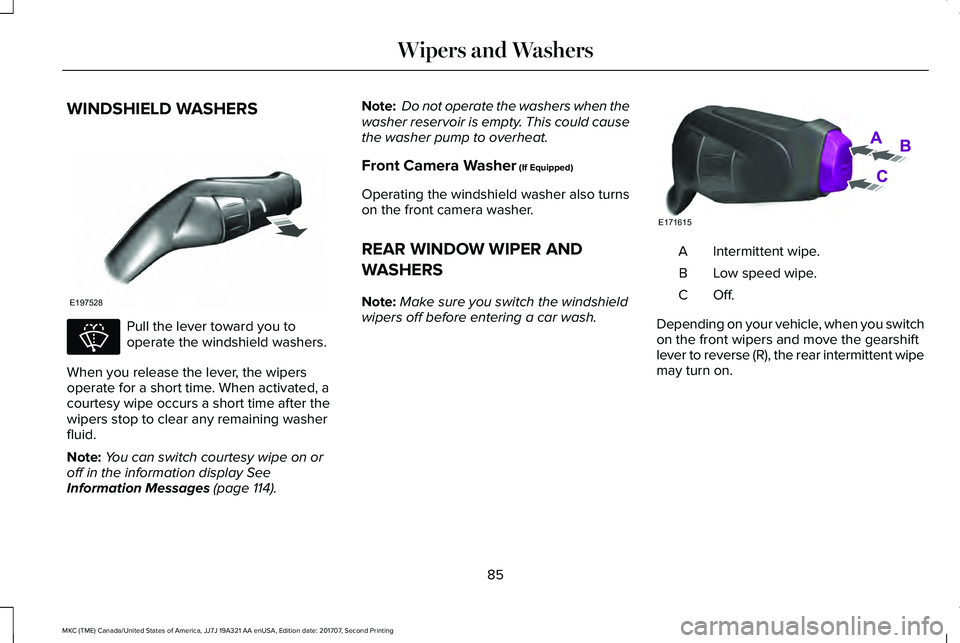
WINDSHIELD WASHERS
Pull the lever toward you tooperate the windshield washers.
When you release the lever, the wipersoperate for a short time. When activated, acourtesy wipe occurs a short time after thewipers stop to clear any remaining washerfluid.
Note:You can switch courtesy wipe on oroff in the information display SeeInformation Messages (page 114).
Note: Do not operate the washers when thewasher reservoir is empty. This could causethe washer pump to overheat.
Front Camera Washer (If Equipped)
Operating the windshield washer also turnson the front camera washer.
REAR WINDOW WIPER AND
WASHERS
Note:Make sure you switch the windshieldwipers off before entering a car wash.
Intermittent wipe.A
Low speed wipe.B
Off.C
Depending on your vehicle, when you switchon the front wipers and move the gearshiftlever to reverse (R), the rear intermittent wipemay turn on.
85
MKC (TME) Canada/United States of America, JJ7J 19A321 AA enUSA, Edition date: 201707, Second Printing
Wipers and WashersE197528 E270967 E171615
Page 89 of 571
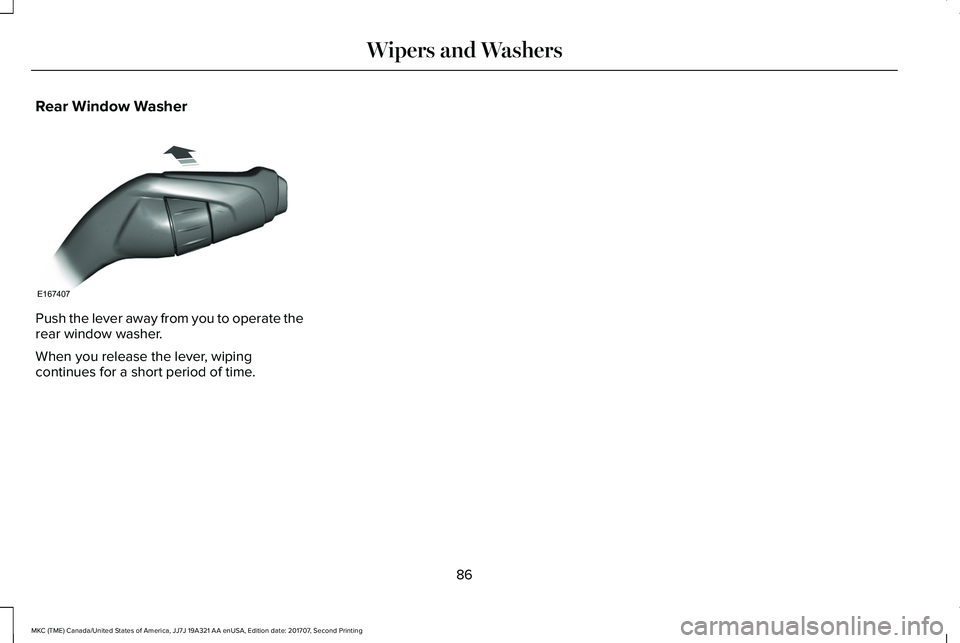
Rear Window Washer
Push the lever away from you to operate therear window washer.
When you release the lever, wipingcontinues for a short period of time.
86
MKC (TME) Canada/United States of America, JJ7J 19A321 AA enUSA, Edition date: 201707, Second Printing
Wipers and WashersE167407
Page 91 of 571
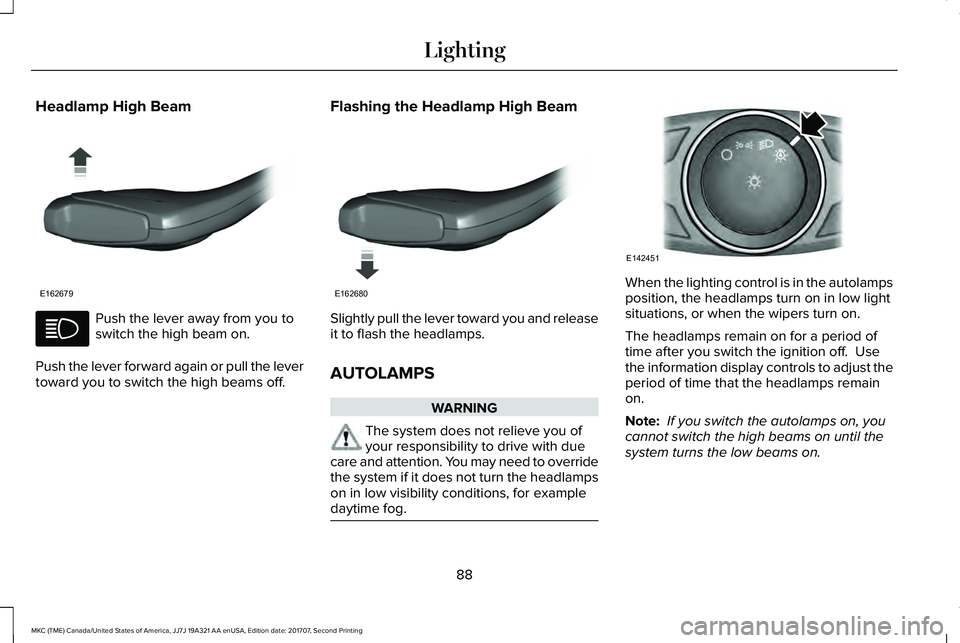
Headlamp High Beam
Push the lever away from you toswitch the high beam on.
Push the lever forward again or pull the levertoward you to switch the high beams off.
Flashing the Headlamp High Beam
Slightly pull the lever toward you and releaseit to flash the headlamps.
AUTOLAMPS
WARNING
The system does not relieve you ofyour responsibility to drive with duecare and attention. You may need to overridethe system if it does not turn the headlampson in low visibility conditions, for exampledaytime fog.
When the lighting control is in the autolampsposition, the headlamps turn on in low lightsituations, or when the wipers turn on.
The headlamps remain on for a period oftime after you switch the ignition off. Usethe information display controls to adjust theperiod of time that the headlamps remainon.
Note: If you switch the autolamps on, youcannot switch the high beams on until thesystem turns the low beams on.
88
MKC (TME) Canada/United States of America, JJ7J 19A321 AA enUSA, Edition date: 201707, Second Printing
LightingE162679 E162680 E142451
Page 92 of 571
Windshield Wiper Activated Headlamps
When you switch the autolamps on, theheadlamps turn on within 10 seconds ofswitching the wipers on. They turn offapproximately 60 seconds after you switchthe windshield wipers off.
The headlamps do not turn on with thewipers:
•During a single wipe.
•When using the windshield washers.
•If the wipers are in intermittent mode.
Note:If you switch the autolamps and theautowipers on, the headlamps turn on whenthe windshield wipers continuously operate.
INSTRUMENT LIGHTING DIMMER
Note:When disconnecting the battery orwhen it runs out of charge, the illuminatedcomponents turn to the maximum setting.
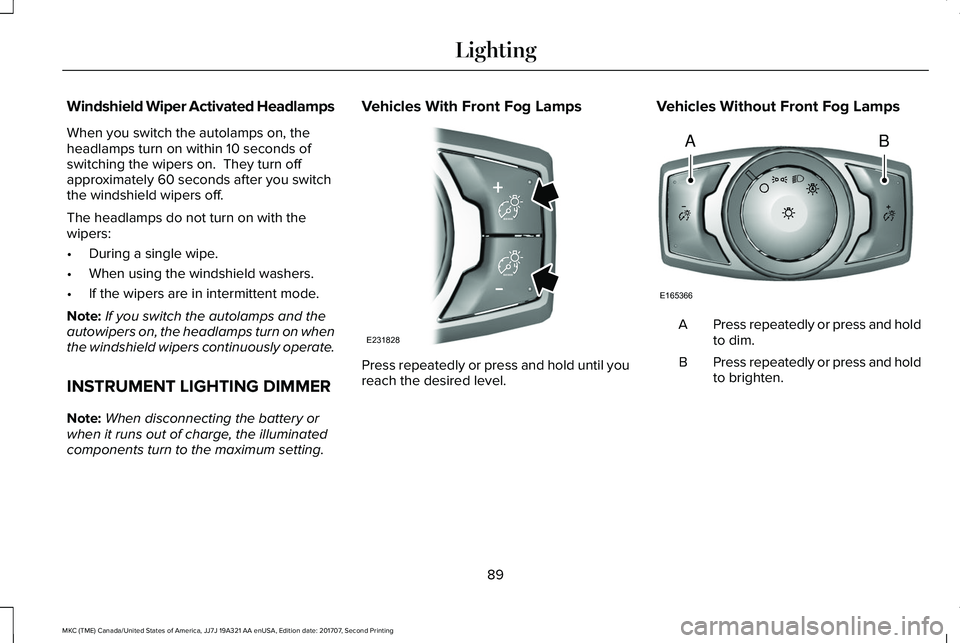
Vehicles With Front Fog Lamps
Press repeatedly or press and hold until youreach the desired level.
Vehicles Without Front Fog Lamps
Press repeatedly or press and holdto dim.A
Press repeatedly or press and holdto brighten.B
89
MKC (TME) Canada/United States of America, JJ7J 19A321 AA enUSA, Edition date: 201707, Second Printing
LightingE231828 AB
E165366
Page 115 of 571
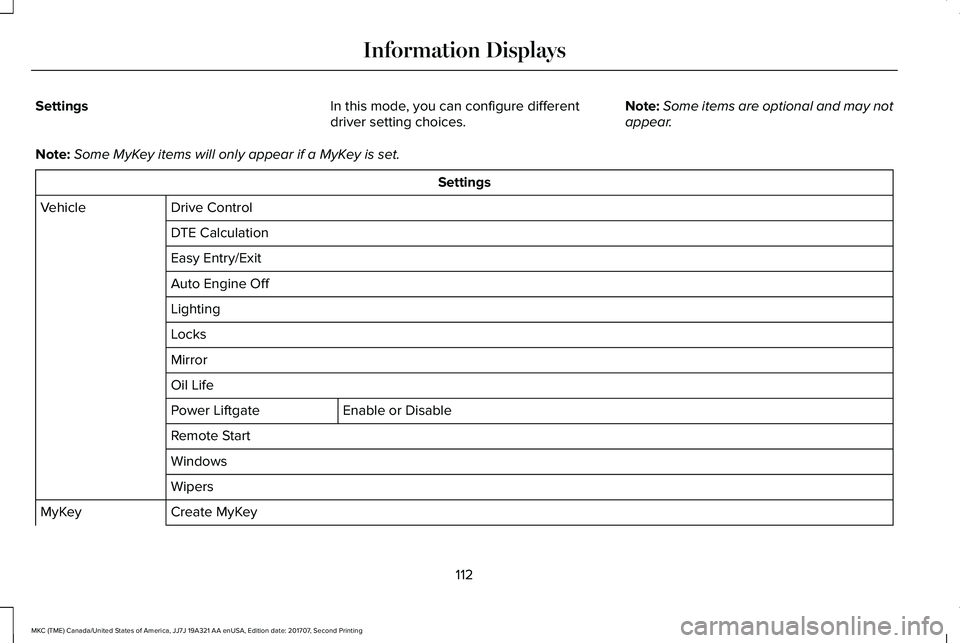
SettingsIn this mode, you can configure differentdriver setting choices.Note:Some items are optional and may notappear.
Note:Some MyKey items will only appear if a MyKey is set.
Settings
Drive ControlVehicle
DTE Calculation
Easy Entry/Exit
Auto Engine Off
Lighting
Locks
Mirror
Oil Life
Enable or DisablePower Liftgate
Remote Start
Windows
Wipers
Create MyKeyMyKey
112
MKC (TME) Canada/United States of America, JJ7J 19A321 AA enUSA, Edition date: 201707, Second Printing
Information Displays
Page 139 of 571
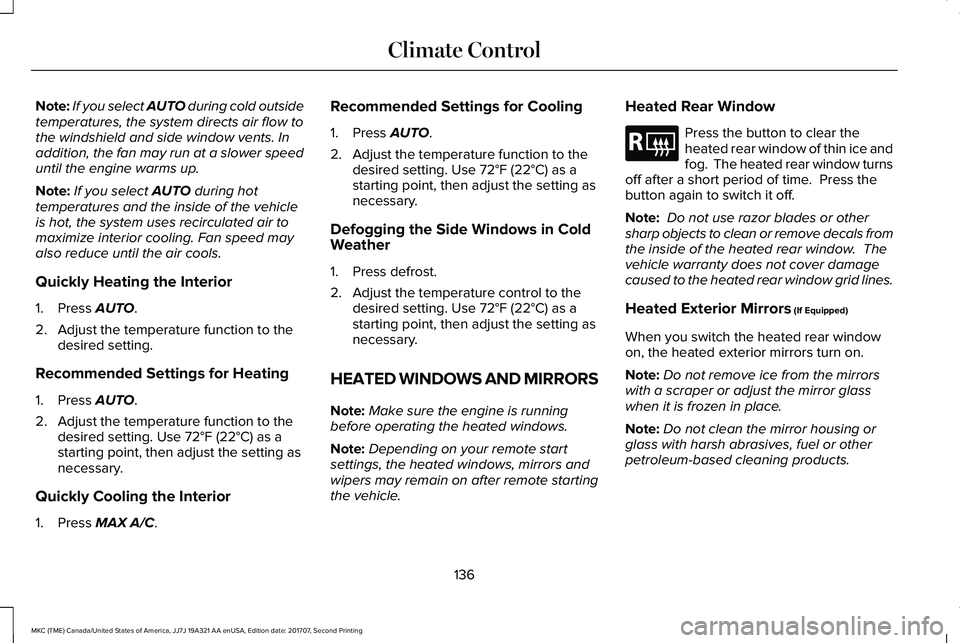
Note:If you select AUTO during cold outsidetemperatures, the system directs air flow tothe windshield and side window vents. Inaddition, the fan may run at a slower speeduntil the engine warms up.
Note:If you select AUTO during hottemperatures and the inside of the vehicleis hot, the system uses recirculated air tomaximize interior cooling. Fan speed mayalso reduce until the air cools.
Quickly Heating the Interior
1. Press AUTO.
2. Adjust the temperature function to thedesired setting.
Recommended Settings for Heating
1. Press AUTO.
2. Adjust the temperature function to thedesired setting. Use 72°F (22°C) as astarting point, then adjust the setting asnecessary.
Quickly Cooling the Interior
1. Press MAX A/C.
Recommended Settings for Cooling
1. Press AUTO.
2. Adjust the temperature function to thedesired setting. Use 72°F (22°C) as astarting point, then adjust the setting asnecessary.
Defogging the Side Windows in ColdWeather
1. Press defrost.
2. Adjust the temperature control to thedesired setting. Use 72°F (22°C) as astarting point, then adjust the setting asnecessary.
HEATED WINDOWS AND MIRRORS
Note:Make sure the engine is runningbefore operating the heated windows.
Note:Depending on your remote startsettings, the heated windows, mirrors andwipers may remain on after remote startingthe vehicle.
Heated Rear Window
Press the button to clear theheated rear window of thin ice andfog. The heated rear window turnsoff after a short period of time. Press thebutton again to switch it off.
Note: Do not use razor blades or othersharp objects to clean or remove decals fromthe inside of the heated rear window. Thevehicle warranty does not cover damagecaused to the heated rear window grid lines.
Heated Exterior Mirrors (If Equipped)
When you switch the heated rear windowon, the heated exterior mirrors turn on.
Note:Do not remove ice from the mirrorswith a scraper or adjust the mirror glasswhen it is frozen in place.
Note:Do not clean the mirror housing orglass with harsh abrasives, fuel or otherpetroleum-based cleaning products.
136
MKC (TME) Canada/United States of America, JJ7J 19A321 AA enUSA, Edition date: 201707, Second Printing
Climate ControlE184884