battery LINCOLN MKC 2019 Owners Manual
[x] Cancel search | Manufacturer: LINCOLN, Model Year: 2019, Model line: MKC, Model: LINCOLN MKC 2019Pages: 581, PDF Size: 5.41 MB
Page 2 of 581
The information contained in this publication was correct at the time of going to print. In the interest of continuous development, we reserve the right to change specifications,design or equipment at any time without notice or obligation. No part of this publication may be reproduced, transmitted, stored in a retrieval system or translated into any languagein any form by any means without our written permission. Errors and omissions excepted.
© Ford Motor Company 2018
All rights reserved.
Part Number: 201802 20180611164514
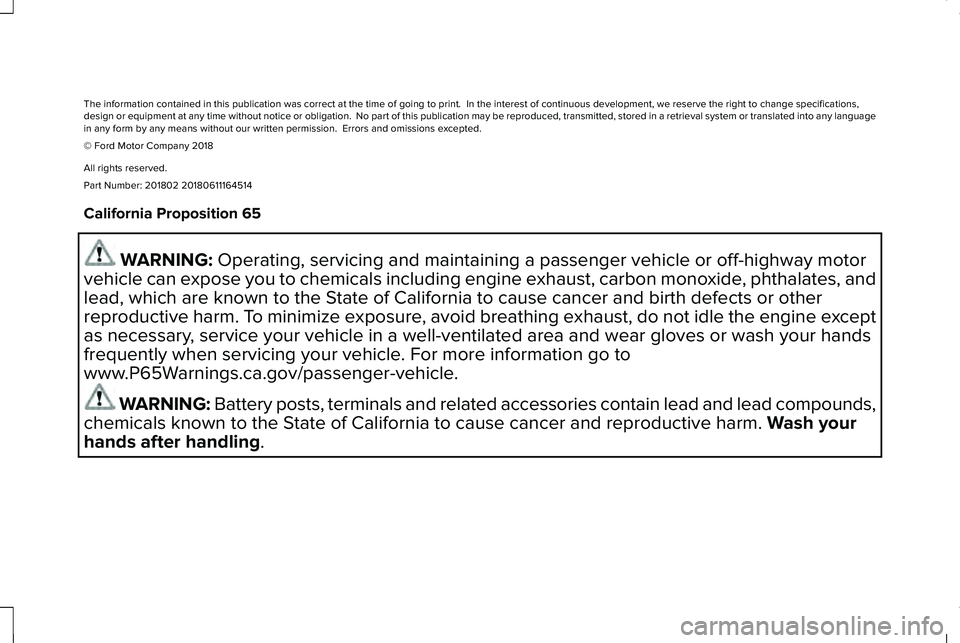
California Proposition 65
WARNING: Operating, servicing and maintaining a passenger vehicle or off-highway motor
vehicle can expose you to chemicals including engine exhaust, carbon monoxide, phthalates, and
lead, which are known to the State of California to cause cancer and birth defects or other
reproductive harm. To minimize exposure, avoid breathing exhaust, do not idle the engine except
as necessary, service your vehicle in a well-ventilated area and wear gloves or wash your hands
frequently when servicing your vehicle. For more information go to
www.P65Warnings.ca.gov/passenger-vehicle.
WARNING: Battery posts, terminals and related accessories contain lead and lead compounds,
chemicals known to the State of California to cause cancer and reproductive harm. Wash your
hands after handling.
Page 8 of 581
Changing the 12V Battery.........................297
Checking the Wiper Blades.....................299
Changing the Wiper Blades.....................299
Adjusting the Headlamps.........................300
Removing a Headlamp...............................301
Changing a Bulb...........................................301
Changing the Engine Air Filter................302
Vehicle Care
General Information...................................305
Cleaning Products......................................305
Cleaning the Exterior.................................306
Waxing............................................................307
Cleaning the Engine...................................308
Cleaning the Windows and Wiper Blades......................................................................308
Cleaning the Interior..................................309
Cleaning the Instrument Panel andInstrument Cluster Lens..........................311
Cleaning Leather Seats...............................311
Repairing Minor Paint Damage.................312
Cleaning the Wheels...................................312
Vehicle Storage............................................313
Body Styling Kits...........................................314
Wheels and Tires
General Information.....................................315
Tire Care.........................................................318
Using Snow Chains......................................331
Tire Pressure Monitoring System............332
Changing a Road Wheel...........................336
Technical Specifications.............................341
Capacities and Specifications
Engine Specifications - 2.0L.....................344
Engine Specifications - 2.3L.....................345
Motorcraft Parts - 2.0L...............................346
Motorcraft Parts - 2.3L................................347
Vehicle Identification Number.................348
Vehicle Certification Label........................348
Transmission Code Designation.............349
Capacities and Specifications - 2.0L......350
Capacities and Specifications - 2.3L......356
Bulb Specification Chart............................363
Audio System
General Information...................................366
Audio Unit.....................................................368
Digital Radio.................................................370
Satellite Radio...............................................373
USB Port........................................................376
SYNC™ 3
General Information....................................377
Home Screen...............................................394
Using Voice Recognition...........................396
Entertainment...............................................406
Climate...........................................................420
Phone.............................................................423
Navigation......................................................431
Apps................................................................442
Settings..........................................................445
SYNC™ 3 Troubleshooting........................465
Accessories
Accessories..................................................482
5
MKC (TME) Canada/United States of America, enUSA, Edition date: 201802, Second-Printing
Table of Contents
Page 11 of 581
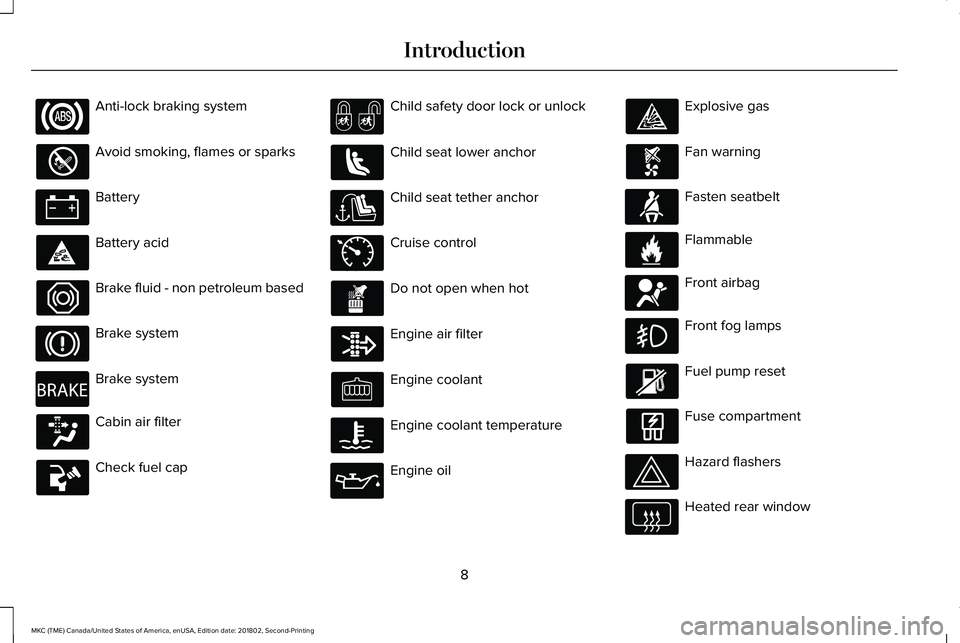
Anti-lock braking system
Avoid smoking, flames or sparks
Battery
Battery acid
Brake fluid - non petroleum based
Brake system
Brake system
Cabin air filter
Check fuel cap
Child safety door lock or unlock
Child seat lower anchor
Child seat tether anchor
Cruise control
Do not open when hot
Engine air filter
Engine coolant
Engine coolant temperature
Engine oil
Explosive gas
Fan warning
Fasten seatbelt
Flammable
Front airbag
Front fog lamps
Fuel pump reset
Fuse compartment
Hazard flashers
Heated rear window
8
MKC (TME) Canada/United States of America, enUSA, Edition date: 201802, Second-Printing
Introduction E270480 E71340 E71880 E231160 E67017
Page 13 of 581
Windshield wash and wipe
DATA RECORDING
WARNING: Do not connect wirelessplug-in devices to the data link connector.Unauthorized third parties could gain accessto vehicle data and impair the performanceof safety related systems. Only allow repairfacilities that follow our service and repairinstructions to connect their equipment tothe data link connector.
We respect your privacy and are committedto protecting it. The information containedin this publication was correct at the time ofgoing to print but as technology rapidlychanges, we recommend that you visit theregional Ford website for the latestinformation.
Your vehicle has electronic control units thathave data recording functionality and theability to permanently or temporarily storedata. This data could include information onthe condition and status of your vehicle,vehicle maintenance requirements, eventsand malfunctions. The types of data that canbe recorded are described in this section.Some of the data recorded is stored in eventlogs or error logs.
Note:Error logs are reset following a serviceor repair.
Note:We may provide information inresponse to requests from law enforcement,other government authorities and thirdparties acting with lawful authority or througha legal process. Such information could beused by them in legal proceedings.
Data recorded includes, for example:
•Operating states of system components,for example fuel level, tire pressure andbattery charge level.
•Vehicle and component status, forexample wheel speed, deceleration,lateral acceleration and seatbelt status.
•Events or errors in essential systems, forexample headlamps and brakes.
•System responses to driving situations,for example airbag deployment andstability control.
•Environmental conditions, for exampletemperature.
Some of this data, when used in combinationwith other information, for example anaccident report, damage to a vehicle oreyewitness statements, could be associatedwith a specific person.
Service Data
Service data recorders in your vehicle arecapable of collecting and storing diagnosticinformation about your vehicle. Thispotentially includes information about theperformance or status of various systemsand modules in the vehicle, such as engine,throttle, steering or brake systems. In orderto properly diagnose and service yourvehicle, Ford Motor Company (Ford ofCanada in Canada), and service and repairfacilities may access or share among themvehicle diagnostic information received
10
MKC (TME) Canada/United States of America, enUSA, Edition date: 201802, Second-Printing
Introduction
Page 58 of 581
GENERAL INFORMATION ON
RADIO FREQUENCIES
This device complies with Part 15 of the FCCRules and with Licence exempt RSSStandards of Industry Canada. Operation issubject to the following two conditions:
•This device may not cause harmfulinterference, and
•This device must accept any interferencereceived, including interference that maycause undesired operation.
WARNING: Changes or modificationsnot expressively approved by the partyresponsible for compliance could void theuser's authority to operate the equipment.The term "IC:" before the radio certificationnumber only signifies that Industry Canadatechnical specifications were met.
The typical operating range for yourtransmitter is approximately 33 ft (10 m).Vehicles with the remote start feature willhave a greater range. One of the followingcould cause a decrease in operating range:
•weather conditions
•nearby radio towers
•structures around the vehicle
•other vehicles parked next to yourvehicle
Other short-distance radio transmitters, suchas amateur radios, medical equipment,wireless headphones, remote controls andalarm systems may operate on the samefrequency as your remote control. If othertransmitters are operating on thosefrequencies, you may not be able to use yourremote control. Using your remote controlnear some types of electronic equipment,such as USB devices, computers or cellphones can interfere with remote operation.Operating your remote control near metal ormetallic-finished purses, bags or clothing caninterfere with remote operation. You can lockand unlock the doors with the key.
Note:Make sure to lock your vehicle beforeleaving it unattended.
Note:If you are in range, the remote controlwill operate if you press any buttonunintentionally.
Intelligent Access
The system uses a radio frequency signal tocommunicate with your vehicle and authorizeyour vehicle to unlock when one of thefollowing conditions are met:
•You touch the inside of any exterior doorhandle within 3 ft (1 m) proximity of anintelligent access key.
•You press the luggage compartmentbutton.
•You press a button on the transmitter.
If excessive radio frequency interference ispresent in the area or if the transmitterbattery is low, you may need to mechanicallyunlock your door. You can use themechanical key blade in your intelligentaccess key to open the driver door in thissituation. See Remote Control (page 56).
55
MKC (TME) Canada/United States of America, enUSA, Edition date: 201802, Second-Printing
Keys and Remote Controls
Page 59 of 581
REMOTE CONTROL
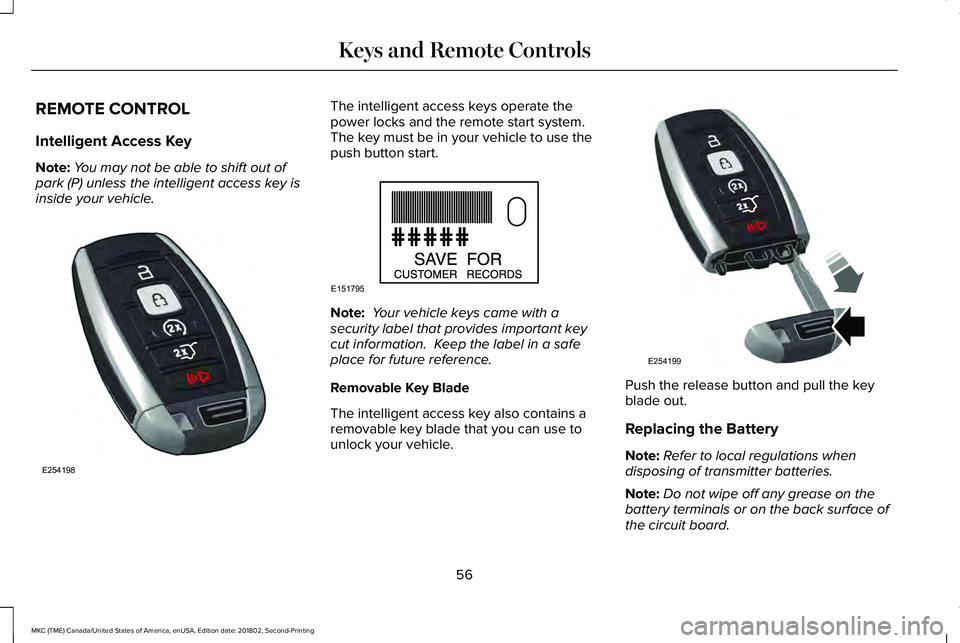
Intelligent Access Key
Note:You may not be able to shift out ofpark (P) unless the intelligent access key isinside your vehicle.
The intelligent access keys operate thepower locks and the remote start system. The key must be in your vehicle to use thepush button start.
Note: Your vehicle keys came with asecurity label that provides important keycut information. Keep the label in a safeplace for future reference.
Removable Key Blade
The intelligent access key also contains aremovable key blade that you can use tounlock your vehicle.
Push the release button and pull the keyblade out.
Replacing the Battery
Note:Refer to local regulations whendisposing of transmitter batteries.
Note:Do not wipe off any grease on thebattery terminals or on the back surface ofthe circuit board.
56
MKC (TME) Canada/United States of America, enUSA, Edition date: 201802, Second-Printing
Keys and Remote ControlsE254198 E151795 E254199
Page 60 of 581
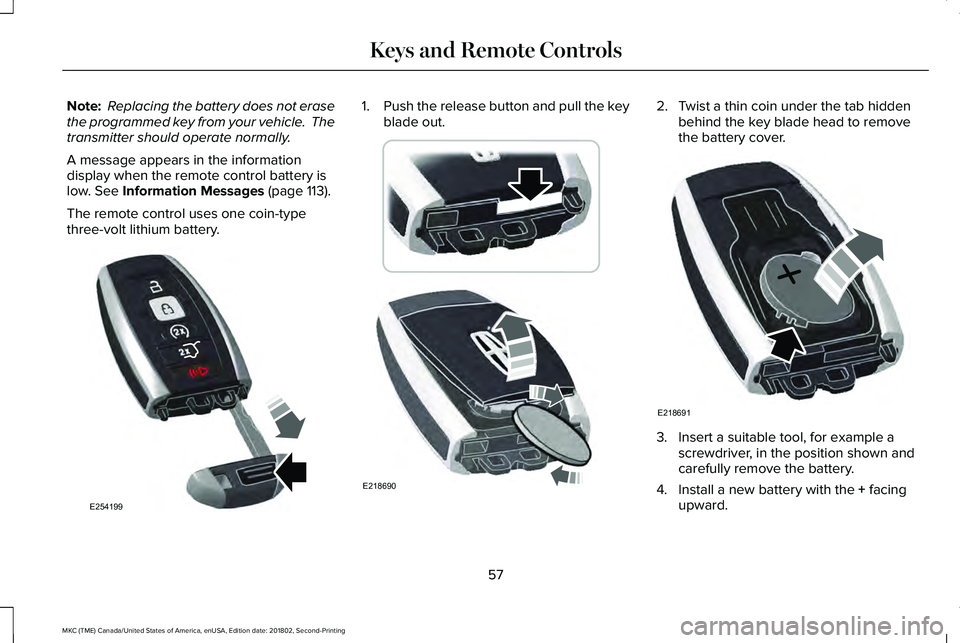
Note: Replacing the battery does not erasethe programmed key from your vehicle. Thetransmitter should operate normally.
A message appears in the informationdisplay when the remote control battery islow. See Information Messages (page 113).
The remote control uses one coin-typethree-volt lithium battery.
1.Push the release button and pull the keyblade out.2. Twist a thin coin under the tab hiddenbehind the key blade head to removethe battery cover.
3. Insert a suitable tool, for example ascrewdriver, in the position shown andcarefully remove the battery.
4. Install a new battery with the + facingupward.
57
MKC (TME) Canada/United States of America, enUSA, Edition date: 201802, Second-Printing
Keys and Remote ControlsE254199 E218690 E218691
Page 61 of 581
5. Reinstall the battery housing cover ontothe transmitter and install the key blade.
Car Finder
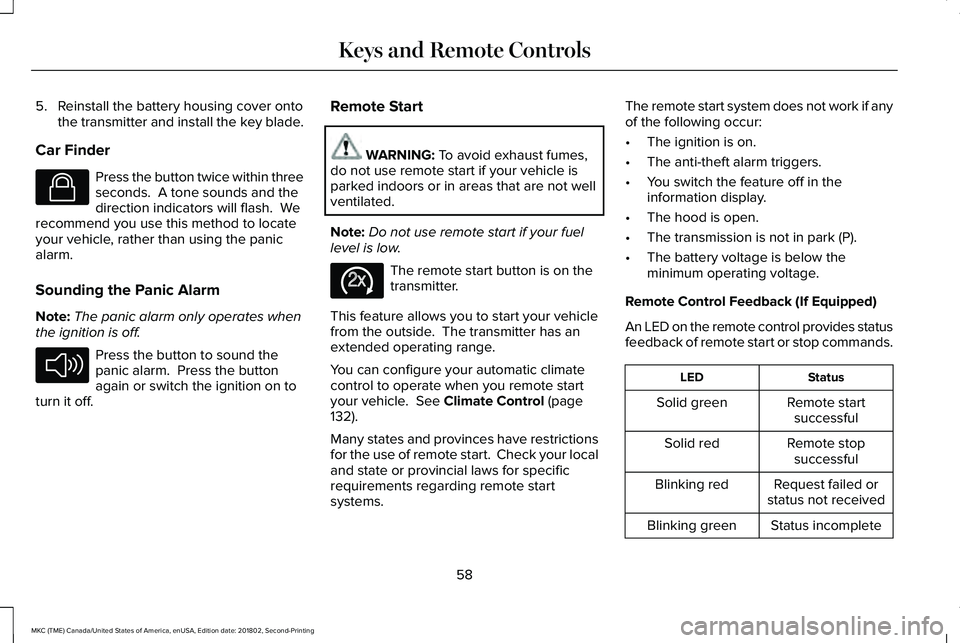
Press the button twice within threeseconds. A tone sounds and thedirection indicators will flash. Werecommend you use this method to locateyour vehicle, rather than using the panicalarm.
Sounding the Panic Alarm
Note:The panic alarm only operates whenthe ignition is off.
Press the button to sound thepanic alarm. Press the buttonagain or switch the ignition on toturn it off.
Remote Start
WARNING: To avoid exhaust fumes,do not use remote start if your vehicle isparked indoors or in areas that are not wellventilated.
Note:Do not use remote start if your fuellevel is low.
The remote start button is on thetransmitter.
This feature allows you to start your vehiclefrom the outside. The transmitter has anextended operating range.
You can configure your automatic climatecontrol to operate when you remote startyour vehicle. See Climate Control (page132).
Many states and provinces have restrictionsfor the use of remote start. Check your localand state or provincial laws for specificrequirements regarding remote startsystems.
The remote start system does not work if anyof the following occur:
•The ignition is on.
•The anti-theft alarm triggers.
•You switch the feature off in theinformation display.
•The hood is open.
•The transmission is not in park (P).
•The battery voltage is below theminimum operating voltage.
Remote Control Feedback (If Equipped)
An LED on the remote control provides statusfeedback of remote start or stop commands.
StatusLED
Remote startsuccessfulSolid green
Remote stopsuccessfulSolid red
Request failed orstatus not receivedBlinking red
Status incompleteBlinking green
58
MKC (TME) Canada/United States of America, enUSA, Edition date: 201802, Second-Printing
Keys and Remote ControlsE138623 E138624 E138625
Page 70 of 581
Right-Hand Side
Turn counterclockwise to lock.
Opening a Rear Door from Inside
Pull the interior door handle twice to unlockand open a rear door. The first pull unlocksthe door and the second pull will unlatch thedoor.
Activating Intelligent Access
General Information
You can unlock and lock the vehicle withouttaking the keys out of your pocket or pursewhen your intelligent access key is within3 ft (1 m) of your vehicle. Intelligent accessuses a sensor on the back of the door handlefor unlocking and a separate sensor on theface of each door handle for locking.
The system will not function if:
•Your vehicle battery has no charge.
•The key battery has no charge.
•The key frequencies are jammed.
Note:The system may not function if thepassive key is close to metal objects orelectronic devices, for example keys or acell phone.
Note:If the system does not function, usethe key blade to lock and unlock yourvehicle. See Remote Control (page 56).
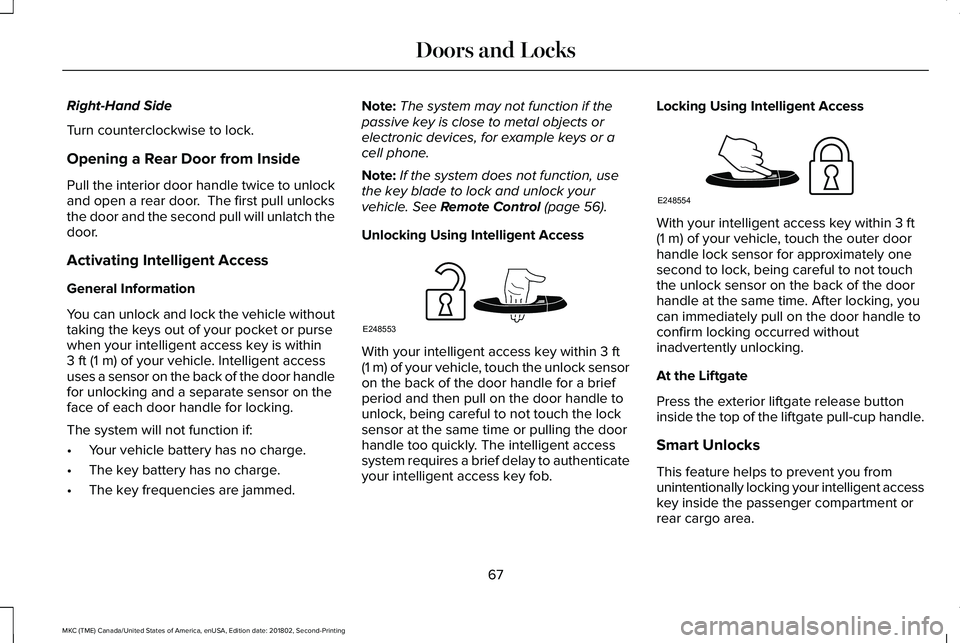
Unlocking Using Intelligent Access
With your intelligent access key within 3 ft(1 m) of your vehicle, touch the unlock sensoron the back of the door handle for a briefperiod and then pull on the door handle tounlock, being careful to not touch the locksensor at the same time or pulling the doorhandle too quickly. The intelligent accesssystem requires a brief delay to authenticateyour intelligent access key fob.
Locking Using Intelligent Access
With your intelligent access key within 3 ft(1 m) of your vehicle, touch the outer doorhandle lock sensor for approximately onesecond to lock, being careful to not touchthe unlock sensor on the back of the doorhandle at the same time. After locking, youcan immediately pull on the door handle toconfirm locking occurred withoutinadvertently unlocking.
At the Liftgate
Press the exterior liftgate release buttoninside the top of the liftgate pull-cup handle.
Smart Unlocks
This feature helps to prevent you fromunintentionally locking your intelligent accesskey inside the passenger compartment orrear cargo area.
67
MKC (TME) Canada/United States of America, enUSA, Edition date: 201802, Second-Printing
Doors and LocksE248553 E248554
Page 72 of 581
Illuminated Entry
The interior lamps and select exterior lampswill light when you unlock the doors with theremote control.
The system turns off the lights if:
•You start your vehicle.
•You press the remote control lock button.
•They are on for 25 seconds.
The lights will not turn off if:
•You switch them on with the lampcontrol.
•Any door is open.
Illuminated Exit
The interior lamps and select exterior lampswill light when all doors are closed and youswitch the ignition off.
The lamps turn off if all the doors remainclosed and either of the following occurs:
•After 25 seconds elapse.
•You lock your vehicle from the outside.
Battery Saver
If you leave the courtesy lamps or domelamps on and switch the ignition off, thisfeature turns them off after some time.
Accessory Mode Battery Saver forIntelligent Access Keys
If you leave your vehicle with the ignition on,it will turn off 15 minutes after you close allof the doors.
Welcome Lighting
This feature lights select exterior lighting asyou approach your vehicle. You must havean intelligent access key with you. Thefeature turns off when you open a door,liftgate, or unlock your vehicle. Welcomelighting remains on for 25 seconds or untilyou start your vehicle.
The feature is active when:
•The feature is configured on in theinformation display. See GeneralInformation (page 108).
•The ignition is off.
•All doors and the liftgate are closed.
•You lock your vehicle.
The feature is not active when:
•Your vehicle detects the intelligentaccess key is inside.
•The intelligent access key is in closerange of the vehicle for more than twominutes.
•The anti-theft alarm triggers.
•You do not start your vehicle for morethan five days.
•The vehicle battery charge is low.
Note:When this feature is disabled, youmust switch the ignition on to reset it.
Note:This feature may not correctly operateif the intelligent access key is stored within8–15 ft (2.4–4.6 m) of your vehicle while notin use.
69
MKC (TME) Canada/United States of America, enUSA, Edition date: 201802, Second-Printing
Doors and Locks