ESP LINCOLN MKS 2015 Owner's Manual
[x] Cancel search | Manufacturer: LINCOLN, Model Year: 2015, Model line: MKS, Model: LINCOLN MKS 2015Pages: 424, PDF Size: 3.96 MB
Page 151 of 424
PARKING BRAKE
WARNINGS
If the parking brake is fully released, but
the brake warning lamp remains
illuminated, then driving your vehicle
could result in reduced braking ability,
increased stopping distances and potential
loss of brakes. See your authorized dealer as
soon as possible. Always set the parking brake fully and
make sure the transmission is placed
in park (P). Failure to set the parking
brake and engage park could result in vehicle
roll-away, property damage or bodily injury.
Turn the ignition to the lock position and
remove the key whenever you leave your
vehicle. To set the parking brake, press the parking
brake pedal down to its fullest extent.
To release the parking brake, press the
parking brake pedal down again. HILL START ASSIST WARNINGS
The system does not replace the
parking brake. When you leave your
vehicle, always apply the parking brake.
Failure to leave your vehicle securely parked
may lead to a crash or injury. See
Parking
Brake (page 148). You must remain in your vehicle when
the system turns on. At all times, you
are responsible for controlling your
vehicle, supervising the system and
intervening, if required. Failure to take care
may result in the loss of control of your
vehicle, serious personal injury or death. The system will turn off if a malfunction
is apparent or if you rev the engine
excessively. Failure to take care may
result in the loss of control of your vehicle,
serious personal injury or death. The system makes it easier to pull away
when your vehicle is on a slope without the
need to use the parking brake.When the system is active, your vehicle
remains stationary on the slope for two to
three seconds after you release the brake
pedal. This allows time to move your foot
from the brake to the accelerator pedal. The
system releases the brakes automatically
once the engine has developed sufficient
drive to prevent your vehicle from rolling
down the slope. This is an advantage when
pulling away on a slope, for example from a
car park ramp, traffic lights or when reversing
uphill into a parking space.
Note:
The system only functions when you
bring your vehicle to a complete standstill.
Shift the gearshift lever to reverse (R) when
facing downhill and first gear (1) when facing
uphill.
Note: There is no warning light to indicate the
system is either on or off.
Using Hill Start Assist
1. Press the brake pedal to bring your vehicle to a complete standstill. Keep the
brake pedal pressed.
2. If the sensors detect that your vehicle is on a slope, the system activates
automatically.
148
MKS (), enUSA Brakes
Page 158 of 424
If the transmission is in reverse (R), the front
sensing system provides audio warnings
when the vehicle is moving and the detected
obstacle is moving towards the vehicle. Once
the vehicle reaches a standstill condition, the
audio warning stops after 2 seconds.
Additionally, the system provides obstacle
distance indication through the center stack
display (if equipped). The distance indication
is present when the transmission is in reverse
(R).
•
As the distance to the obstacle decreases
(obstacle becomes closer), the indicator
blocks illuminate and move towards the
vehicle icon.
• If there is no obstacle detected, the
distance indicator blocks show greyed
out.
For automatic transmissions, if the gearshift
is in neutral (N), the system provides obstacle
distance indication through the center stack
display (if equipped). The front sensing
system provides visual warnings when the
vehicle is moving at a speed below 5 mph
(8 km/h) and an obstacle is located inside
the front or rear sensing detection areas.
Once the vehicle reaches a standstill
condition, the visual warnings stop after 4
seconds. If the gearshift is in drive (D) or any other
forward gear (for example, low (L), sport (S),
manual transmissions), the front sensing
system provides audio warnings when the
vehicle is moving and the system detects an
obstacle inside the front sensing detection
area. Once the vehicle reaches a standstill
condition, the audio warning stops after 2
seconds.
Additionally, the system provides distance
indication through the center stack display
(if equipped). The distance indication is
present if the vehicle is moving and an
obstacle is located inside the front sensing
detection area. Once the vehicle reaches a
standstill condition, the visual warnings stop
after 4 seconds, unless the detected obstacle
is less than
12 in (30 cm) away from the
bumper.
For specific information on the reverse
sensing portion of the system, refer to that
section. ACTIVE PARK ASSIST
(If Equipped) WARNING
Designed to be a supplementary park
aid, this system may not work in all
conditions. This system cannot replace
the driver ’s attention and judgment. The
driver is responsible for avoiding hazards and
maintaining a safe distance and speed, even
when the system is in use. Note:
The driver is always responsible for
controlling the vehicle, supervising the system
and intervening if required.
Note: The sensors may not detect objects in
heavy rain or other conditions that cause
disruptive reflections.
Note: The sensors may not detect objects
with surfaces that absorb ultrasonic waves.
The system detects an available parallel
parking space and automatically steers the
vehicle into the space (hands-free) while you
control the accelerator, gearshift and brakes.
The system visually and audibly instructs you
to park the vehicle.
155
MKS (), enUSA Parking Aids
Page 159 of 424
The system may not function correctly if
something passes between the front bumper
and the parking space (a pedestrian or
cyclist) or if the edge of the neighboring
parked vehicle is high off the ground (for
example, a bus, tow truck or flatbed truck).
Do not use the system if:
•
You have attached a foreign object (bike
rack or trailer) to the front or rear of your
vehicle or attached close to the sensors.
• You have attached an overhanging object
(surfboard) to the roof. •
The front bumper or side sensors are
damaged or obstructed by a foreign
object (front bumper cover).
• A mini-spare tire is in use.
Using Active Park Assist Press the button located on the
right side of the center stack.
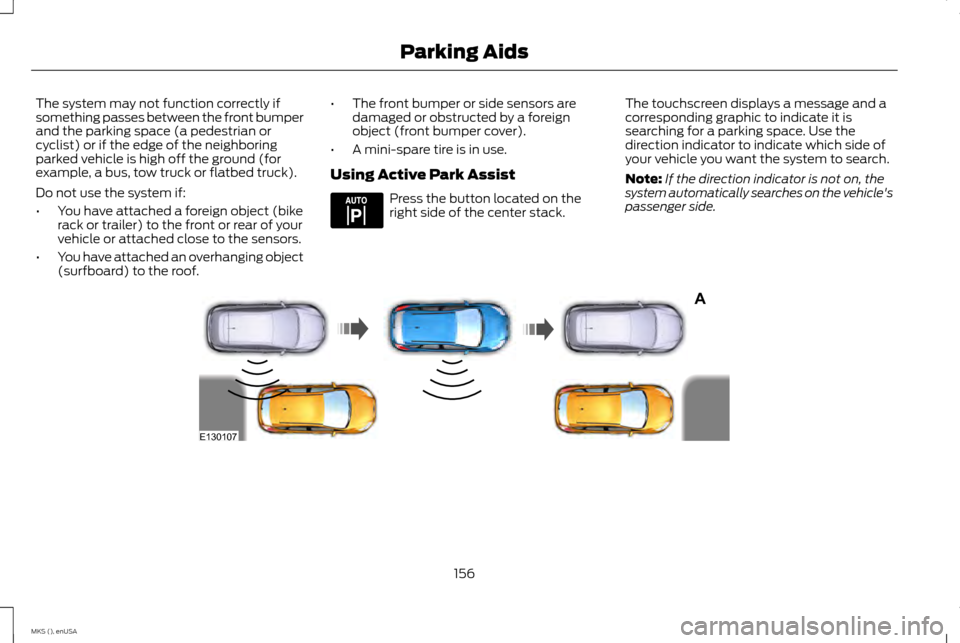
The touchscreen displays a message and a
corresponding graphic to indicate it is
searching for a parking space. Use the
direction indicator to indicate which side of
your vehicle you want the system to search.
Note:
If the direction indicator is not on, the
system automatically searches on the vehicle's
passenger side. 156
MKS (), enUSA Parking AidsE144525 A
E130107
Page 161 of 424
When you think your vehicle has enough
space in front and behind it, or you hear a
solid tone from the parking aid (accompanied
by a touchscreen display message and a
chime), bring your vehicle to a complete stop.
When automatic steering is finished, the
touch screen displays a message and a chime
sounds, indicating that the active park assist
process is done. The driver is responsible for
checking the parking job and making any
necessary corrections before putting the
transmission in Park (P).
Deactivating the Park Assist Feature
Manually deactivate the system by:
•
Pressing the active park assist button.
• Grabbing the steering wheel.
• Driving above approximately 20 mph (35
km/h) for 30 seconds during an active
park search.
• Driving above 6 mph (10 km/h) during
automatic steering.
• Turning off the traction control system. Certain vehicle conditions can also deactivate
the system, such as:
•
Traction control has activated on a
slippery or loose surface.
• There is an anti-lock brake system
activation or failure.
• Something touches the steering wheel.
If a problem occurs with the system, a
warning message is displayed, followed by
a chime. Occasional system messages may
occur in normal operation. For recurring or
frequent system faults, contact an authorized
dealer to have your vehicle serviced.
Troubleshooting the System The system does not look for a space
The traction control system may be off
The transmission is in Reverse (R); your vehicle must be moving forward to detect a parking space The system does not offer a particular space
Something may be contacting the front bumper or side sensors
There is not enough room on both sides of your vehicle in order to park
There is not enough space for the parking maneuver on the opposite side of the parking space
158
MKS (), enUSA Parking Aids
Page 167 of 424
Press the OFFcontrol down and release or
turn off the ignition.
USING ADAPTIVE CRUISE
CONTROL
(If Equipped) WARNINGS
Always pay close attention to changing
road conditions, especially when using
adaptive cruise control. Adaptive cruise
control cannot replace attentive driving.
Failing to follow any of the warnings below
or failing to pay attention to the road may
result in a crash, serious injury or death. Adaptive cruise control is not a crash
warning or avoidance system.
Adaptive cruise control will not detect
stationary or slow moving vehicles
below 6 mph (10 km/h).
Adaptive cruise control will not detect
pedestrians or objects in the roadway.
Adaptive cruise control will not detect
oncoming vehicles in the same lane.
Do not use the adaptive cruise control
when entering or leaving a highway, in
heavy traffic or on roads that are
winding, slippery or unpaved. WARNINGS
Do not use in poor visibility, specifically
fog, rain, spray or snow.
Note:
It is your responsibility to stay alert, drive
safely and be in control of the vehicle at all
times.
The system adjusts your speed to maintain
a proper distance between you and the
vehicle in front of you in the same lane. You
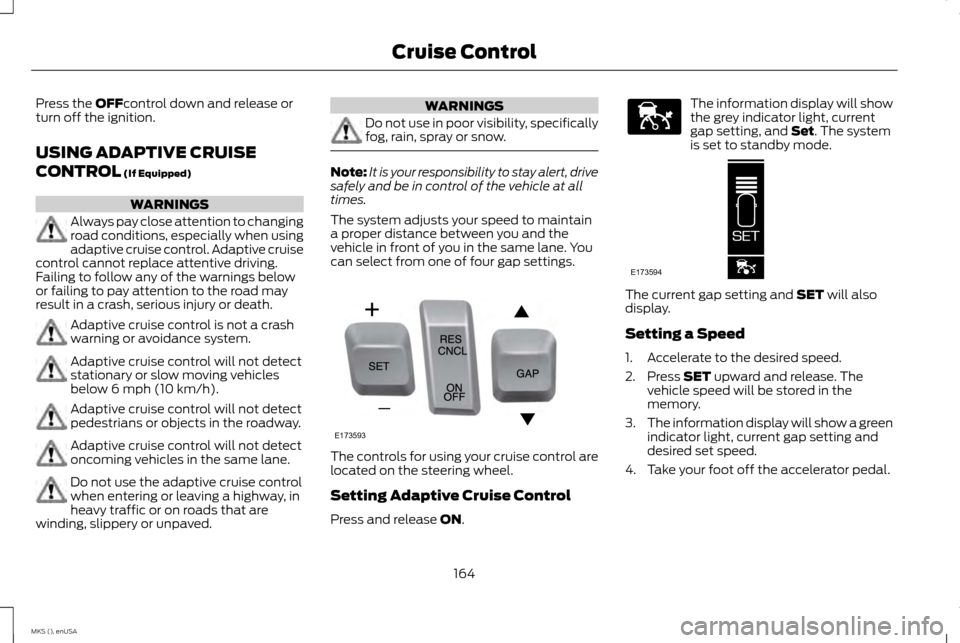
can select from one of four gap settings. The controls for using your cruise control are
located on the steering wheel.
Setting Adaptive Cruise Control
Press and release
ON. The information display will show
the grey indicator light, current
gap setting, and
Set. The system
is set to standby mode. The current gap setting and
SET will also
display.
Setting a Speed
1. Accelerate to the desired speed.
2. Press
SET upward and release. The
vehicle speed will be stored in the
memory.
3. The information display will show a green
indicator light, current gap setting and
desired set speed.
4. Take your foot off the accelerator pedal.
164
MKS (), enUSA Cruise ControlE173593 E144529 E173594
Page 168 of 424
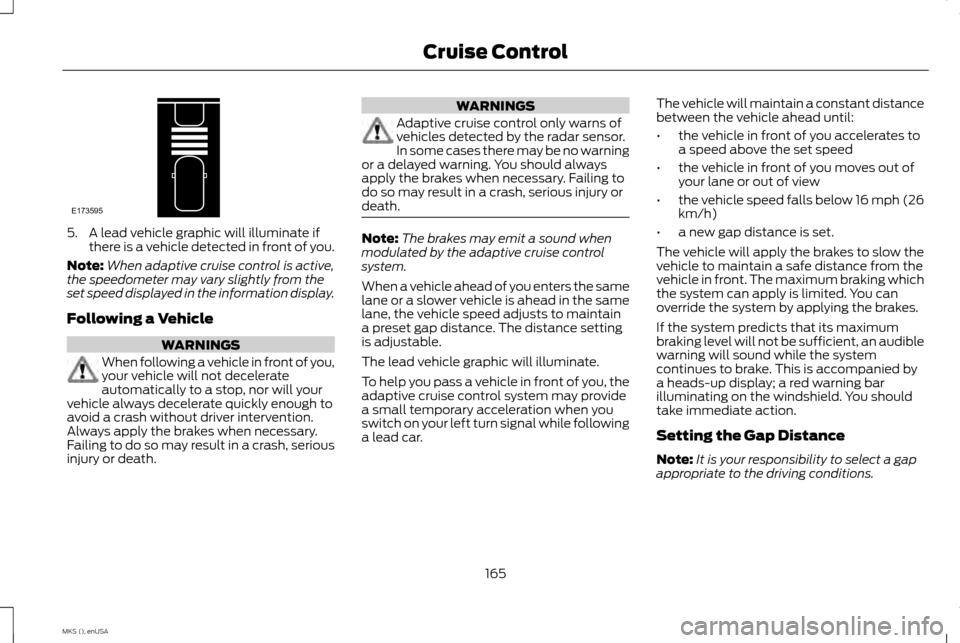
5. A lead vehicle graphic will illuminate if
there is a vehicle detected in front of you.
Note: When adaptive cruise control is active,
the speedometer may vary slightly from the
set speed displayed in the information display.
Following a Vehicle WARNINGS
When following a vehicle in front of you,
your vehicle will not decelerate
automatically to a stop, nor will your
vehicle always decelerate quickly enough to
avoid a crash without driver intervention.
Always apply the brakes when necessary.
Failing to do so may result in a crash, serious
injury or death. WARNINGS
Adaptive cruise control only warns of
vehicles detected by the radar sensor.
In some cases there may be no warning
or a delayed warning. You should always
apply the brakes when necessary. Failing to
do so may result in a crash, serious injury or
death. Note:
The brakes may emit a sound when
modulated by the adaptive cruise control
system.
When a vehicle ahead of you enters the same
lane or a slower vehicle is ahead in the same
lane, the vehicle speed adjusts to maintain
a preset gap distance. The distance setting
is adjustable.
The lead vehicle graphic will illuminate.
To help you pass a vehicle in front of you, the
adaptive cruise control system may provide
a small temporary acceleration when you
switch on your left turn signal while following
a lead car. The vehicle will maintain a constant distance
between the vehicle ahead until:
•
the vehicle in front of you accelerates to
a speed above the set speed
• the vehicle in front of you moves out of
your lane or out of view
• the vehicle speed falls below 16 mph (26
km/h)
• a new gap distance is set.
The vehicle will apply the brakes to slow the
vehicle to maintain a safe distance from the
vehicle in front. The maximum braking which
the system can apply is limited. You can
override the system by applying the brakes.
If the system predicts that its maximum
braking level will not be sufficient, an audible
warning will sound while the system
continues to brake. This is accompanied by
a heads-up display; a red warning bar
illuminating on the windshield. You should
take immediate action.
Setting the Gap Distance
Note: It is your responsibility to select a gap
appropriate to the driving conditions.
165
MKS (), enUSA Cruise ControlE173595
Page 173 of 424
Due to the nature of radar technology, it is
possible to get a blockage warning and not
be blocked. This can happen, for example,
when driving in sparse rural or desert
environments. A false blocked condition will
either self clear or clear after a key cycle.
Switching to Normal Cruise Control
WARNING
Normal cruise control will not brake due
to slower vehicles. Always be aware of
which mode you have selected and
apply the brakes when necessary. You can manually change from adaptive
cruise control to normal cruise control
through the information display.
The cruise control indicator light
replaces the adaptive cruise
control indicator light if you select
normal cruise control. The gap setting will
not display, the system will not automatically
respond to lead vehicles and automatic
braking will not activate. The system defaults
to adaptive cruise control when you start the
vehicle.
170
MKS (), enUSA Cruise ControlE71340
Page 174 of 424
DRIVER ALERT (If Equipped)
WARNING
The driver alert system is designed to
aid you. It is not intended to replace
your attention and judgment. You are
still responsible to drive with due care and
attention. Note:
The system will store the on or off
setting in the information display menu
through ignition cycles.
Note: If enabled in the menu, the system will
be active at speeds above 40 mph (64 km/h).
When below the activation speed, the
information display will inform you that the
system is unavailable.
Note: The system works as long as one lane
marking can be detected by the camera.
Note: If the camera is blocked or if the
windshield is damaged, the system may not
function.
Note: The system may not be available in
poor weather or other low visibility conditions.
The system automatically monitors your
driving behavior using various inputs including
the front camera sensor. If the system detects that your driving
alertness is reduced below a certain
threshold, the system will alert you using a
chime and a message in the information
display.
Using Driver Alert
Switching the system on and off
You may switch the system on or off through
the information display by selecting Settings
then Driver Assist then Driver Alert in the
menu. When activated, the system will
monitor your alertness level based upon your
driving behavior in relation to the lane
markings, and other factors.
System Warnings
Note:
The system will not issue warnings
below approximately 40 mph (64 km/h).
The warning system is in two stages. At first
the system issues a temporary warning that
you need to take a rest. This message will
only appear for a short time. If the system
detects further reduction in driving alertness,
another warning may be issued which will
remain in the information display for a longer
time. Press OK on the steering wheel control
to clear the warning System Display
When active the system will run
automatically in the background and only
issue a warning if required. You can view the
status at any time using the information
display. See
General Information (page
88).
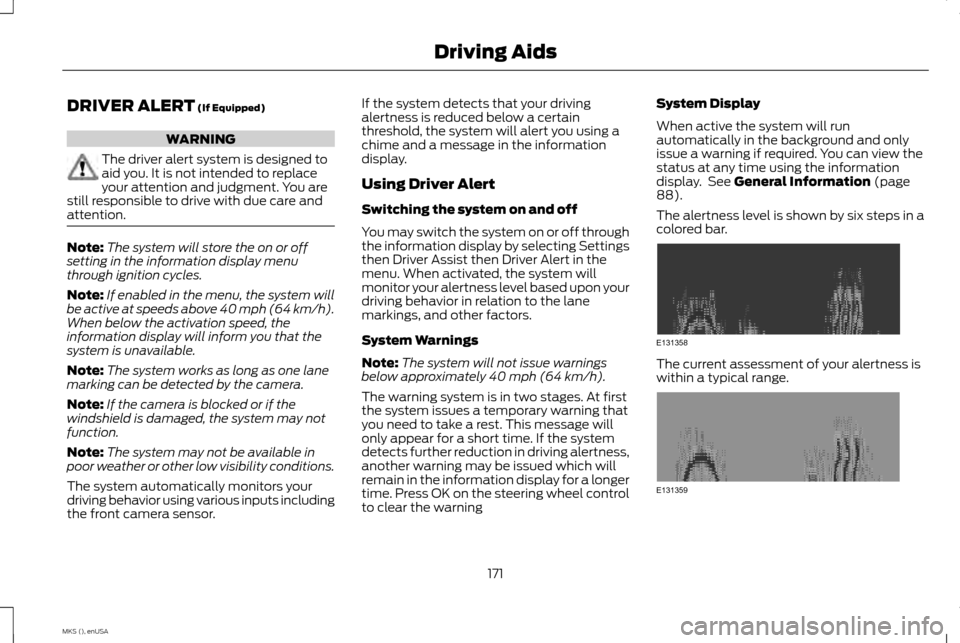
The alertness level is shown by six steps in a
colored bar. The current assessment of your alertness is
within a typical range.
171
MKS (), enUSA Driving AidsE131358 E131359
Page 175 of 424
The current assessment of your alertness
indicates that you should rest as soon as
safely possible.
The status bar will travel from left to right as
the calculated alertness level decreases. As
the rest icon is approached the color turns
from green to yellow to red. The yellow
position indicates the first warning is active
and the red position indicates the second
warning is active.
Note:
If you have recently received a warning;
you should consider resting, even if the current
assessment is with the typical range.
Note: If the camera sensor cannot track the
road lane markings or if your vehicle speed
drops below approximately 40 mph (64
km/h), the alertness level will change to grey
for a short time and the information display
will inform you that the system is unavailable.
Resetting the System
You can reset the system by either:
• Switching the ignition off and on.
• Stopping the vehicle and then opening
and closing the driver ’s door. LANE KEEPING SYSTEM (If Equipped) WARNING
The system is designed to aid the driver.
It is not intended to replace your
attention and judgment. You are still
responsible to drive with due care and
attention. Note:
The system works above 40 mph
(64 km/h).
Note: The system works as long as the
camera can detect one lane marking.
Note: The system may not function if the
camera is blocked or there is damage to the
windshield.
Note: When Aid mode is on and the system
detects no steering activity for a short period,
the system will alert you to put your hands on
the steering wheel. The system may detect a
light grip or touch on the steering wheel as
hands off driving. The system notifies you to stay in your lane
through the steering system and the
instrument cluster display when the front
camera detects an unintentional drift out of
your lane is likely to occur. The system
automatically detects and tracks the road
lane markings using a camera mounted
behind the interior rear view mirror.
Switching the System On and Off
Note:
The system on or off setting is stored
until it is manually changed, unless a MyKey®
is detected. If the system detects a MyKey®,
it defaults to on and the mode is set to alert.
Note: If a MyKey® is detected, pressing the
button will not affect the on or off status of
the system. You can only change the mode
and intensity settings. Press the button located on the
center console to switch the
system on or off.
172
MKS (), enUSA Driving AidsE173233
Page 185 of 424
Adaptive Learning
The electronic power steering system
adaptive learning helps correct road
irregularities and improves overall handling
and steering feel. It communicates with the
brake system to help operate advanced
stability control and accident avoidance
systems. Additionally, whenever the battery
is disconnected or a new battery installed,
you must drive your vehicle a short distance
before the system relearns the strategy and
reactivates all systems.
COLLISION WARNING SYSTEM
(If Equipped)
PRINCIPLE OF OPERATION
WARNINGS
This system is designed to be a
supplementary driving aid. It is not
intended to replace the driver
’s
attention, and judgment, or the need to apply
the brakes. This system does NOT activate
the brakes automatically. Failure to press the
brake pedal to activate the brakes may result
in a collision. WARNINGS
The collision warning system with
brake support cannot help prevent all
collisions. Do not rely on this system to
replace driver judgment and the need to
maintain distance and speed. Note:
The system does not detect, warn or
respond to potential collisions with vehicles
to the rear or sides of the vehicle.
Note: The collision warning system is active
at speeds above approximately 5 mph
(8 km/h). This system is designed to alert the driver of
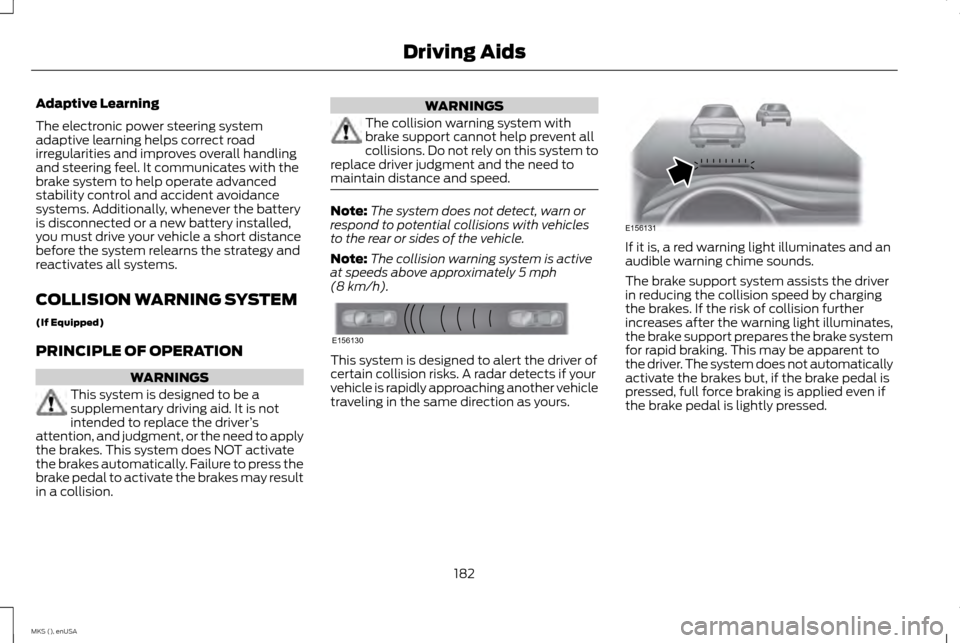
certain collision risks. A radar detects if your
vehicle is rapidly approaching another vehicle
traveling in the same direction as yours. If it is, a red warning light illuminates and an
audible warning chime sounds.
The brake support system assists the driver
in reducing the collision speed by charging
the brakes. If the risk of collision further
increases after the warning light illuminates,
the brake support prepares the brake system
for rapid braking. This may be apparent to
the driver. The system does not automatically
activate the brakes but, if the brake pedal is
pressed, full force braking is applied even if
the brake pedal is lightly pressed.
182
MKS (), enUSA Driving AidsE156130 E156131