ESP LINCOLN MKS 2015 Workshop Manual
[x] Cancel search | Manufacturer: LINCOLN, Model Year: 2015, Model line: MKS, Model: LINCOLN MKS 2015Pages: 424, PDF Size: 3.96 MB
Page 358 of 424
Sirius Travel Link (If Equipped)
WARNING
Driving while distracted can result in
loss of vehicle control, crash and injury.
We strongly recommend that you use
extreme caution when using any device that
may take your focus off the road. Your
primary responsibility is the safe operation
of your vehicle. We recommend against the
use of any handheld device while driving and
encourage the use of voice-operated systems
when possible. Make sure you are aware of
all applicable local laws that may affect the
use of electronic devices while driving. Note:
In order to use Sirius Travel Link, your
vehicle must be equipped with navigation and
your navigation SD card must be in the SD card
slot.
Note: A paid subscription is required to access
and use these features. Go to
www.siriusxm.com/travellink for more
information.
Note: Visit www.siriusxm.com/traffic# and
click on Coverage map and details for a
complete listing of all traffic areas covered by
Sirius Travel Link. Note:
Neither Sirius nor Ford is responsible for
any errors or inaccuracies in the Sirius Travel
Link services or its use in vehicles.
When you subscribe to Sirius Travel Link, it
can help you locate the best gas prices, find
movie listings, get current traffic alerts, view
the current weather map, get accurate ski
conditions and see scores to current sports
games. If your vehicle is equipped with
Navigation, touch the i
(Information) button to access
these features. If your vehicle is not equipped
with Navigation, touch the corner of the
touchscreen with the green tab.
Traffic On Route and Traffic Nearby
Touch these buttons to identify traffic
incidents on your route, nearby your vehicle ’s
current location or near any of your favorite
places, if programmed.
Fuel Prices
Touch this button to view fuel prices at
stations close to your vehicle ’s location or on
an active navigation route. Movie Listings
Touch this button to view nearby movie
theaters and their show times, if available.
Weather
Touch this button to view the nearby
weather, current weather, or the five day
forecast for the chosen area. Select
Map to
see the weather map, which can show
storms, radar information, charts and winds.
Select
Area to select from a listing of
weather locations.
Sports Info
Touch this button to view scores and
schedules from a variety of sports. You can
also save up to 10 favorite teams for easier
access. The score automatically refreshes
when a game is in progress.
Ski Conditions
Touch this button to view ski conditions for
a specific area.
Sirius Travel Link Voice Commands Press the voice button on the
steering wheel controls. When
prompted, say any of the following
commands:
355
MKS (), enUSA MyLincoln Touch
™E142608 E142599
Page 360 of 424
Additional sports-related voice commands
"Motor sports schedule""My team headlines"
"My teams schedule" "My teams scores""NBA headlines""NBA schedule" "NBA scores"
"NFL headlines" "NFL schedule" "NFL scores"
"NHL headlines" "NHL schedule" "NHL scores"
"WNBA headlines" "WNBA schedule" "WNBA scores" "Help" Alerts If your vehicle is equipped with
Navigation, touch the i
(Information) button to access
these features. If your vehicle is not equipped
with Navigation, touch the corner of the
touchscreen with the green tab.
Press Alerts, and then choose from any of
the following services:
• View
the complete message
• Delete
the message
• Delete All
messages
This screen displays any system messages
(such as an SD card fault).
Note: The system alerts you to any messages
by turning the information icon yellow. After
you read or delete the messages, the icon
returns to white.
Calendar If your vehicle is equipped with
Navigation, touch the i
(Information) button to access
these features. If your vehicle is not equipped
with Navigation, touch the corner of the
touchscreen with the green tab. Press
Calendar. You can view the current
calendar by day, week or month.
911 Assist
(If Equipped) WARNINGS
Unless the 911 Assist setting is set on
before a crash, the system will not dial
for help, which could delay response
time, potentially increasing the risk of serious
injury or death after a crash. Do not wait for 911 Assist to make an
emergency call if you can do it yourself.
Dial emergency services immediately
to avoid delayed response time, which could
increase the risk of serious injury or death
after a crash. If you do not hear 911 Assist
within five seconds of the crash, the system
or phone may be damaged or non-functional. Always place your phone in a secure
location in your vehicle so it does not
become a projectile or damaged in a
crash. Failure to do so may cause serious
injury to someone or damage the phone,
which could prevent 911 Assist from working
properly. Note:
The SYNC 911 Assist feature must be
set on prior to the incident.
357
MKS (), enUSA MyLincoln Touch
™E142608 E142608
Page 373 of 424
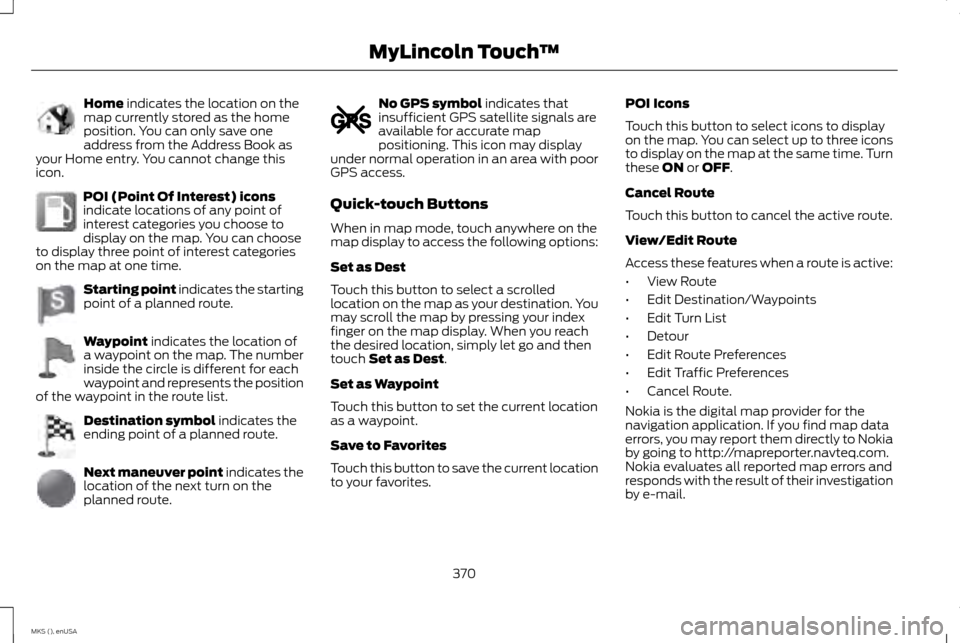
Home indicates the location on the
map currently stored as the home
position. You can only save one
address from the Address Book as
your Home entry. You cannot change this
icon. POI (Point Of Interest) icons
indicate locations of any point of
interest categories you choose to
display on the map. You can choose
to display three point of interest categories
on the map at one time. Starting point indicates the starting
point of a planned route.
Waypoint
indicates the location of
a waypoint on the map. The number
inside the circle is different for each
waypoint and represents the position
of the waypoint in the route list. Destination symbol
indicates the
ending point of a planned route. Next maneuver point
indicates the
location of the next turn on the
planned route. No GPS symbol
indicates that
insufficient GPS satellite signals are
available for accurate map
positioning. This icon may display
under normal operation in an area with poor
GPS access.
Quick-touch Buttons
When in map mode, touch anywhere on the
map display to access the following options:
Set as Dest
Touch this button to select a scrolled
location on the map as your destination. You
may scroll the map by pressing your index
finger on the map display. When you reach
the desired location, simply let go and then
touch
Set as Dest.
Set as Waypoint
Touch this button to set the current location
as a waypoint.
Save to Favorites
Touch this button to save the current location
to your favorites. POI Icons
Touch this button to select icons to display
on the map. You can select up to three icons
to display on the map at the same time. Turn
these
ON or OFF.
Cancel Route
Touch this button to cancel the active route.
View/Edit Route
Access these features when a route is active:
• View Route
• Edit Destination/Waypoints
• Edit Turn List
• Detour
• Edit Route Preferences
• Edit Traffic Preferences
• Cancel Route.
Nokia is the digital map provider for the
navigation application. If you find map data
errors, you may report them directly to Nokia
by going to http://mapreporter.navteq.com.
Nokia evaluates all reported map errors and
responds with the result of their investigation
by e-mail.
370
MKS (), enUSA MyLincoln Touch
™E142649 E142650 E142651 E142652 E142653 E142654 E142655
Page 381 of 424
•
Links to Third Party Sites: The MS
SOFTWARE may provide you with the
ability to link to third party sites through
the use of the SOFTWARE. The third
party sites are not under the control of
MS, Microsoft Corporation, their affiliates
and/or their designated agent. Neither
MS nor Microsoft Corporation nor their
affiliates nor their designated agent are
responsible for (i) the contents of any
third party sites, any links contained in
third party sites, or any changes or
updates to third party sites, or (ii)
webcasting or any other form of
transmission received from any third
party sites. If the SOFTWARE provides
links to third party sites, those links are
provided to you only as a convenience,
and the inclusion of any link does not
imply an endorsement of the third party
site by MS, Microsoft Corporation, their
affiliates and/or their designated agent.
• Obligation to Drive Responsibly:
You
recognize your obligation to drive
responsibly and keep attention on the
road. You will read and abide with the
DEVICE operating instructions particularly
as they pertain to safety and assumes
any risk associated with the use of the
DEVICE. UPGRADES AND RECOVERY MEDIA:
If
the SOFTWARE is provided by FORD MOTOR
COMPANY separate from the DEVICE on
media such as a ROM chip, CD ROM disk(s)
or via web download or other means, and is
labeled "For Upgrade Purposes Only" or "For
Recovery Purposes Only" you may install one
(1) copy of such SOFTWARE onto the DEVICE
as a replacement copy for the existing
SOFTWARE, and use it in accordance with
this EULA, including any additional EULA
terms accompanying the upgrade
SOFTWARE.
INTELLECTUAL PROPERTY RIGHTS: All
title and intellectual property rights in and to
the SOFTWARE (including but not limited to
any images, photographs, animations, video,
audio, music, text and "applets" incorporated
into the SOFTWARE), the accompanying
printed materials, and any copies of the
SOFTWARE, are owned by MS, Microsoft
Corporation, FORD MOTOR COMPANY, or
their affiliates or suppliers. The SOFTWARE
is licensed, not sold. You may not copy the
printed materials accompanying the
SOFTWARE. All title and intellectual property
rights in and to the content which may be
accessed through use of the SOFTWARE is
the property of the respective content owner
and may be protected by applicable
copyright or other intellectual property laws and treaties. This EULA grants you no rights
to use such content. All rights not specifically
granted under this EULA are reserved by MS,
Microsoft Corporation, FORD MOTOR
COMPANY, third party software and service
providers, their affiliates and suppliers. Use
of any on-line services which may be
accessed through the SOFTWARE may be
governed by the respective terms of use
relating to such services. If this SOFTWARE
contains documentation that is provided only
in electronic form, you may print one copy of
such electronic documentation.
EXPORT RESTRICTIONS:
You
acknowledge that the SOFTWARE is subject
to U.S. and European Union export
jurisdiction. You agree to comply with all
applicable international and national laws
that apply to the SOFTWARE, including the
U.S. Export Administration Regulations, as
well as end-user, end-use and destination
restrictions issued by U.S. and other
governments. For additional information, see
http://www.microsoft.com/exporting/.
TRADEMARKS:
This EULA does not grant
you any rights in connection with any
trademarks or service marks of FORD
MOTOR COMPANY, MS, Microsoft
Corporation, third party software or service
providers, their affiliates or suppliers.
378
MKS (), enUSA Appendices
Page 383 of 424
General Operation
Voice Command Control: Functions within
the Windows Automotive-based system may
be accomplished using only voice
commands. Using voice commands while
driving allows you to operate the system
without removing your hands from the wheel.
Prolonged Views of Screen:
Do not access
any function requiring a prolonged view of
the screen while you are driving. Pull over in
a safe and legal manner before attempting
to access a function of the system requiring
prolonged attention. Even occasional short
scans to the screen may be hazardous if your
attention has been diverted away from your
driving task at a critical time.
Volume Setting:
Do not raise the volume
excessively. Keep the volume at a level where
you can still hear outside traffic and
emergency signals while driving. Driving while
unable to hear these sounds could cause an
accident.
Use of Speech Recognition Functions:
Speech recognition software is inherently a
statistical process which is subject to errors.
It is your responsibility to monitor any speech
recognition functions included in the system
and address any errors. Navigation Features:
Any navigation
features included in the system are intended
to provide turn by turn instructions to get you
to a desired destination. Please make certain
all persons using this system carefully read
and follow instructions and safety
information fully.
Distraction Hazard: Any navigation features
may require manual (non-verbal) setup.
Attempting to perform such set-up or insert
data while driving can seriously distract your
attention and could cause an accident or
other serious consequences. Stop the vehicle
in a safe and legal manner before attempting
these operations.
Let Your Judgment Prevail: Any navigation
features are provided only as an aid. Make
your driving decisions based on your
observations of local conditions and existing
traffic regulations. Any such feature is not a
substitute for your personal judgment. Any
route suggestions made by this system
should never replace any local traffic
regulations or your personal judgment or
knowledge of safe driving practices. Route Safety: Do not follow the route
suggestions if doing so would result in an
unsafe or illegal maneuver, if you would be
placed in an unsafe situation, or if you would
be directed into an area that you consider
unsafe. The driver is ultimately responsible
for the safe operation of the vehicle and
therefore, must evaluate whether it is safe
to follow the suggested directions.
Potential Map Inaccuracy:
Maps used by
this system may be inaccurate because of
changes in roads, traffic controls or driving
conditions. Always use good judgment and
common sense when following the
suggested routes.
Emergency Services:
Do not rely on any
navigation features included in the system
to route you to emergency services. Ask local
authorities or an emergency services operator
for these locations. Not all emergency
services such as police, fire stations, hospitals
and clinics are likely to be contained in the
map database for such navigation features.
380
MKS (), enUSA Appendices
Page 384 of 424
TeleNav Software End User License
Agreement
Please read these terms and conditions
carefully before you use the Telenav
Software. Your use of the Telenav Software
indicates that you accept these terms and
conditions. If you do not accept these terms
and conditions, do not break the seal of the
package, launch, or otherwise use the
Telenav Software.
These terms and conditions represent the
agreement (“
Agreement”) between you and
Telenav, Inc. (“Telenav ”) with respect to the
Telenav Software (including upgrades,
modifications, or additions thereto)
(collectively “Telenav Software ”). All
references herein to “you” and “your ” means
you, your employees, agents, and contractors,
and any other entity on whose behalf you
accept these terms and conditions, all of
whom shall also be bound by this Agreement.
Additionally, all of your account information,
as well as other payment and personal
information provided by you to Telenav
(directly or through the use of the Telenav
Software, is subject to Telenav ’s privacy
policy located at http://www.telenav.com. Telenav may revise this Agreement and the
privacy policy at any time, with or without
notice to you. You agree to visit
http://www.telenav.com from time to time
to review the then current version of this
Agreement and of the privacy policy.
1. Safe and Lawful Use
You acknowledge that devoting attention to
the Telenav Software may pose a risk of
injury or death to you and others in situations
that otherwise require your undivided
attention, and you therefore agree to comply
with the following when using the Telenav
Software: (a) observe all traffic laws and
otherwise drive safely; (b) use your own
personal judgment while driving. If you feel
that a route suggested by the Telenav
Software instructs you to perform an unsafe
or illegal maneuver, places you in an unsafe
situation, or directs you into an area that you
consider to be unsafe, do not follow such
instructions; (c) do not input destinations, or
otherwise manipulate the Telenav Software,
unless your vehicle is stationary and parked;
(d) do not use the Telenav Software for any
illegal, unauthorized, unintended, unsafe,
hazardous, or unlawful purposes, or in any
manner inconsistent with this Agreement;(e) arrange all GPS and wireless devices and
cables necessary for use of the Telenav
Software in a secure manner in your vehicle
so that they will not interfere with your driving
and will not prevent the operation of any
safety device (such as an airbag).
You agree to indemnify and hold Telenav
harmless against all claims resulting from
any dangerous or otherwise inappropriate
use of the Telenav Software in any moving
vehicle, including as a result of your failure to
comply with the directions above.
2. Account Information
You agree: (a) when registering the Telenav
Software, to provide Telenav with true,
accurate, current, and complete information
about yourself, and (b) to inform Telenav
promptly of any changes to such information,
and to keep it true, accurate, current and
complete.
3. Software License
Subject to your compliance with the terms
of this Agreement, Telenav hereby grants to
you a personal, non-exclusive,
non-transferable license (except as expressly
permitted below in connection with your
permanent transfer of the Telenav Software
license), without the right to sublicense, to
381
MKS (), enUSA Appendices
Page 385 of 424
use the Telenav Software (in object code
form only) in order to access and use the
Telenav Software. This license shall
terminate upon any termination or expiration
of this Agreement. You agree that you will
use the Telenav Software only for your
personal business or leisure purposes, and
not to provide commercial navigation
services to other parties.
3.1 License Limitations
You agree not to do any of the following: (a)
reverse engineer, decompile, disassemble,
translate, modify, alter or otherwise change
the Telenav Software or any part thereof; (b)
attempt to derive the source code, audio
library or structure of the Telenav Software
without the prior express written consent of
Telenav; (c) remove from the Telenav
Software, or alter, any of Telenav
’s or its
suppliers’ trademarks, trade names, logos,
patent or copyright notices, or other notices
or markings; (d) distribute, sublicense or
otherwise transfer the Telenav Software to
others, except as part of your permanent
transfer of the Telenav Software; or (e) use
the Telenav Software in any manner that (i)
infringes the intellectual property or
proprietary rights, rights of publicity or privacy
or other rights of any party, (ii) violates any
law, statute, ordinance or regulation, including but not limited to laws and
regulations related to spamming, privacy,
consumer and child protection, obscenity or
defamation, or (iii) is harmful, threatening,
abusive, harassing, tortuous, defamatory,
vulgar, obscene, libelous, or otherwise
objectionable; and (f) lease, rent out, or
otherwise permit unauthorized access by
third parties to the Telenav Software without
advanced written permission of Telenav.
4. Disclaimers
To the fullest extent permissible pursuant to
applicable law, in no event will Telenav, its
licensors and suppliers, or agents or
employees of any of the foregoing, be liable
for any decision made or action taken by you
or anyone else in reliance on the information
provided by the Telenav Software. Telenav
also does not warrant the accuracy of the
map or other data used for the Telenav
Software. Such data may not always reflect
reality due to, among other things, road
closures, construction, weather, new roads
and other changing conditions. You are
responsible for the entire risk arising out of
your use of the Telenav Software. For
example but without limitation, you agree
not to rely on the Telenav Software for
critical navigation in areas where the
well-being or survival of you or others is
dependent on the accuracy of navigation, as
the maps or functionality of the Telenav
Software are not intended to support such
high risk applications, especially in more
remote geographical areas.
TELENAV EXPRESSLY DISCLAIMS AND
EXCLUDES ALL WARRANTIES IN
CONNECTION WITH THE TELENAV
SOFTWARE, WHETHER STATUTORY,
EXPRESS OR IMPLIED, INCLUDING ALL
WARRANTIES WHICH MAY ARISE FROM
COURSE OF DEALING, CUSTOM OR TRADE
AND INCLUDING, BUT NOT LIMITED TO, THE
IMPLIED WARRANTIES OF
MERCHANTABILITY, FITNESS FOR A
PARTICULAR PURPOSE AND
NON-INFRINGEMENT OF THIRD PARTY
RIGHTS WITH RESPECT TO THE TELENAV
SOFTWARE. Certain jurisdictions do not
permit the disclaimer of certain warranties,
so this limitation may not apply to you.
5. Limitation of Liability
TO THE EXTENT PERMITTED UNDER
APPLICABLE LAW, UNDER NO
CIRCUMSTANCES SHALL TELENAV OR ITS
LICENSORS AND SUPPLIERS BE LIABLE TO
YOU OR TO ANY THIRD PARTY FOR ANY
INDIRECT, INCIDENTAL, CONSEQUENTIAL,
SPECIAL OR EXEMPLARY DAMAGES
382
MKS (), enUSA Appendices
Page 386 of 424
(INCLUDING IN EACH CASE, BUT NOT
LIMITED TO, DAMAGES FOR THE INABILITY
TO USE THE EQUIPMENT OR ACCESS DATA,
LOSS OF DATA, LOSS OF BUSINESS, LOSS
OF PROFITS, BUSINESS INTERRUPTION OR
THE LIKE) ARISING OUT OF THE USE OF OR
INABILITY TO USE THE TELENAV
SOFTWARE, EVEN IF TELENAV HAS BEEN
ADVISED OF THE POSSIBILITY OF SUCH
DAMAGES.
NOTWITHSTANDING ANY DAMAGES THAT
YOU MIGHT INCUR FOR ANY REASON
WHATSOEVER (INCLUDING, WITHOUT
LIMITATION, ALL DAMAGES REFERENCED
HEREIN AND ALL DIRECT OR GENERAL
DAMAGES IN CONTRACT, TORT
(INCLUDING NEGLIGENCE) OR
OTHERWISE), THE ENTIRE LIABILITY OF
TELENAV AND OF ALL OF TELENAV’
S
SUPPLIERS SHALL BE LIMITED TO THE
AMOUNT ACTUALLY PAID BY YOU FOR THE
TELENAV SOFTWARE. SOME STATES
AND/OR JURISDICTIONS DO NOT ALLOW
THE EXCLUSION OR LIMITATION OF
INCIDENTAL OR CONSEQUENTIAL
DAMAGES, SO THE ABOVE LIMITATIONS
OR EXCLUSIONS MAY NOT APPLY TO YOU. 6. Arbitration and Governing Law
You agree that any dispute, claim or
controversy arising out of or relating to this
Agreement or the Telenav Software shall be
settled by independent arbitration involving
a neutral arbitrator and administered by the
American Arbitration Association in the
County of Santa Clara, California. The
arbitrator shall apply the Commercial
Arbitration Rules of the American Arbitration
Association, and the judgment upon the
award rendered by the arbitrator may be
entered by any court having jurisdiction. Note
that there is no judge or jury in an arbitration
proceeding and the decision of the arbitrator
shall be binding upon both parties. You
expressly agree to waive your right to a jury
trial.
This Agreement and performance hereunder
will be governed by and construed in
accordance with the laws of the State of
California, without giving effect to its conflict
of laws provisions. To the extent judicial
action is necessary in connection with the
binding arbitration, both Telenav and you
agree to submit to the exclusive jurisdiction
of the courts of the County of Santa Clara,
California. The United Nations Convention
on Contracts for the International Sale of
Goods shall not apply.7. Assignment
You may not resell, assign, or transfer this
Agreement or any of your rights or
obligations, except in totality, in connection
with your permanent transfer of the Telenav
Software, and expressly conditioned upon
the new user of the Telenav Software
agreeing to be bound by the terms and
conditions of this Agreement. Any such sale,
assignment or transfer that is not expressly
permitted under this paragraph will result in
immediate termination of this Agreement,
without liability to Telenav, in which case you
and all other parties shall immediately cease
all use of the Telenav Software.
Notwithstanding the foregoing, Telenav may
assign this Agreement to any other party at
any time without notice, provided the
assignee remains bound by this Agreement.
8. Miscellaneous
8.1
This Agreement constitutes the entire
agreement between Telenav and you with
respect to the subject matter hereof.
383
MKS (), enUSA Appendices
Page 387 of 424
8.2
Except for the limited licenses expressly
granted in this Agreement, Telenav retains
all right, title and interest in and to the
Telenav Software, including without
limitation all related intellectual property
rights. No licenses or other rights which are
not expressly granted in this Agreement are
intended to, or shall be, granted or conferred
by implication, statute, inducement, estoppel
or otherwise, and Telenav and its suppliers
and licensors hereby reserve all of their
respective rights other than the licenses
explicitly granted in this Agreement.
8.3
By using the Telenav Software, you consent
to receive from Telenav all communications,
including notices, agreements, legally
required disclosures or other information in
connection with the Telenav Software
(collectively,
“Notices”) electronically.
Telenav may provide such Notices by posting
them on Telenav ’s Website or by
downloading such Notices to your wireless
device. If you desire to withdraw your consent
to receive Notices electronically, you must
discontinue your use of the Telenav Software. 8.4
Telenav
’s or your failure to require
performance of any provision shall not affect
that party ’s right to require performance at
any time thereafter, nor shall a waiver of any
breach or default of this Agreement
constitute a waiver of any subsequent breach
or default or a waiver of the provision itself.
8.5
If any provision herein is held unenforceable,
then such provision will be modified to reflect
the intention of the parties, and the remaining
provisions of this Agreement will remain in
full force and effect.
8.6
The headings in this Agreement are for
convenience of reference only, will not be
deemed to be a part of this Agreement, and
will not be referred to in connection with the
construction or interpretation of this
Agreement. As used in this Agreement, the
words “include ” and “including, ” and
variations thereof, will not be deemed to be
terms of limitation, but rather will be deemed
to be followed by the words “without
limitation ”. 9. Other Vendors Terms and Conditions
The Telenav Software utilizes map and other
data licensed to Telenav by third party
vendors for the benefit of you and other end
users. This Agreement includes end-user
terms applicable to these companies
(included at the end of this Agreement), and
thus your use of the Telenav Software is also
subject to such terms. You agree to comply
with the following additional terms and
conditions, which are applicable to Telenav
’s
third party vendor licensors:
End User License Agreement For
Distribution By HERE For North
America/APAC
The content provided (“Data ”) is licensed,
not sold. By opening this package, or
installing, copying, or otherwise using the
Data, you agree to be bound by the terms of
this agreement. If you do not agree to the
terms of this agreement, you are not
permitted to install, copy, use, resell or
transfer the Data. If you wish to reject the
terms of this agreement, and have not
installed, copied, or used the Data, you must
contact your retailer or HERE North America,
LLC (as defined below) within thirty (30)
days of purchase for a refund of your
purchase price. To contact HERE, please visit
www.here.com.
384
MKS (), enUSA Appendices
Page 388 of 424
The Data is provided for your personal,
internal use only and may not be resold. It is
protected by copyright, and is subject to the
following terms (this
“End User License
Agreement”) and conditions which are
agreed to by you, on the one hand, and HERE
and its licensors (including their licensors and
suppliers) on the other hand. For purposes
of these terms, “HERE” shall mean (a) HERE
North America, LLC with respect to Data for
the Americas and/or the Asia Pacific region
and (b) HERE Europe B.V. for Data for
Europe, the Middle East and/or Africa.
The Data includes certain information and
related content provided under license to
HERE from third parties and is subject to the
applicable supplier terms and copyright
notices set forth at the following URL:
http://corporate.navteq.com/supplier_terms.html.
TERMS AND CONDITIONS
License Limitations on Use:
You agree that your license to use this Data
is limited to and conditioned on use for solely
personal, noncommercial purposes, and not
for service bureau, timesharing or other
similar purposes. Except as otherwise set
forth herein, you agree not to otherwise reproduce, copy, modify, decompile,
disassemble or reverse engineer any portion
of this Data, and may not transfer or
distribute it in any form, for any purpose,
except to the extent permitted by mandatory
laws.
License Limitations on Transfer:
Your limited license does not allow transfer
or resale of the Data, except on the condition
that you may transfer the Data and all
accompanying materials on a permanent
basis if: (a) you retain no copies of the Data;
(b) the recipient agrees to the terms of this
End-User License Agreement; and (c) you
transfer the Data in the exact same form as
you purchased it by physically transferring
the original media (e.g., the CD-ROM or DVD
you purchased), all original packaging, all
Manuals and other documentation.
Specifically, Multi-disc sets may only be
transferred or sold as a complete set as
provided to you and not as a subset thereof.
Additional License Limitations:
Except where you have been specifically
licensed to do so by HERE in a separate
written agreement, and without limiting the
preceding paragraph, your license is
conditioned on use of the Data as prescribed
in this agreement, and you may not (a) usethis Data with any products, systems, or
applications installed or otherwise connected
to or in communication with vehicles capable
of vehicle navigation, positioning, dispatch,
real time route guidance, fleet management
or similar applications; or (b) with, or in
communication with, including without
limitation, cellular phones, palmtop and
handheld computers, pagers, and personal
digital -assistants or PDAs.
Note:
This Data may contain inaccurate or
incomplete information due to the passage of
time, changing circum-stances, sources used
and the nature of collecting comprehensive
geographic Data, any of which may lead to
incorrect results.
No Warranty:
This Data is provided to you “as is” , and you
agree to use it at your own risk. HERE and its
licensors (and their licensors and suppliers)
make no guarantees, representations or
warranties of any kind, express or implied,
arising by law or otherwise, including but not
limited to, content, quality, accuracy,
completeness, effectiveness, reliability,
fitness for a particular purpose, usefulness,
use or results to be obtained from this Data,
or that the Data or server will be
uninterrupted or error ¬free.
385
MKS (), enUSA Appendices