door lock LINCOLN MKS 2015 Owner's Manual
[x] Cancel search | Manufacturer: LINCOLN, Model Year: 2015, Model line: MKS, Model: LINCOLN MKS 2015Pages: 424, PDF Size: 3.96 MB
Page 117 of 424
•
Lumbar adjust: Press and hold the front
of the lumbar control (B) to increase the
firmness of the selected portion of the
seatback. Press and hold the rear of the
lumbar to decrease the firmness.
• Power seat controls (C).
We recommend first selecting the lumbar to
the desired setting and then selecting the
back or cushion massage setting.
MEMORY FUNCTION WARNINGS
Before activating the seat memory,
make sure that the area immediately
surrounding the seat is clear of
obstructions and that all occupants are clear
of moving parts. Do not use the memory function when
your vehicle is moving.
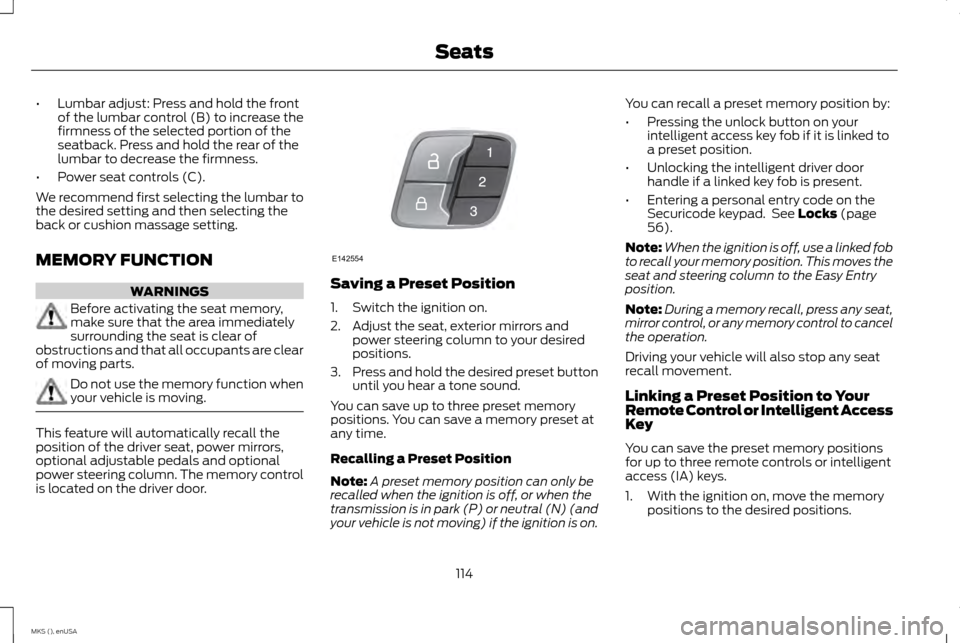
This feature will automatically recall the
position of the driver seat, power mirrors,
optional adjustable pedals and optional
power steering column. The memory control
is located on the driver door. Saving a Preset Position
1. Switch the ignition on.
2. Adjust the seat, exterior mirrors and
power steering column to your desired
positions.
3. Press and hold the desired preset button
until you hear a tone sound.
You can save up to three preset memory
positions. You can save a memory preset at
any time.
Recalling a Preset Position
Note: A preset memory position can only be
recalled when the ignition is off, or when the
transmission is in park (P) or neutral (N) (and
your vehicle is not moving) if the ignition is on. You can recall a preset memory position by:
•
Pressing the unlock button on your
intelligent access key fob if it is linked to
a preset position.
• Unlocking the intelligent driver door
handle if a linked key fob is present.
• Entering a personal entry code on the
Securicode keypad. See Locks (page
56).
Note: When the ignition is off, use a linked fob
to recall your memory position. This moves the
seat and steering column to the Easy Entry
position.
Note: During a memory recall, press any seat,
mirror control, or any memory control to cancel
the operation.
Driving your vehicle will also stop any seat
recall movement.
Linking a Preset Position to Your
Remote Control or Intelligent Access
Key
You can save the preset memory positions
for up to three remote controls or intelligent
access (IA) keys.
1. With the ignition on, move the memory positions to the desired positions.
114
MKS (), enUSA SeatsE142554
Page 122 of 424
HomeLink Wireless Control System
(If Equipped)
WARNING
Do not use the system with any garage
door opener that does not have the
safety stop and reverse feature as
required by U.S. Federal Safety Standards
(this includes any garage door opener
manufactured before April 1, 1982). A garage
door opener which cannot detect an object,
signaling the door to stop and reverse, does
not meet current federal safety standards.
Using a garage door opener without these
features increases the risk of serious injury or
death. Note:
Make sure that the garage door and
security device are free from obstruction when
you are programming. Do not program the
system with the vehicle in the garage.
Note: Make sure you keep the original remote
control transmitter for use in other vehicles as
well as for future system programming.
Note: We recommend that upon the sale or
lease termination of your vehicle, you erase
the programmed function buttons for security
reasons. See Erasing the function button codes
later in this section. Note:
You can program a maximum of three
devices. To change or replace any of the three
devices after it has been initially programmed,
you must first erase the current settings. See
Erasing the function button codes later in this
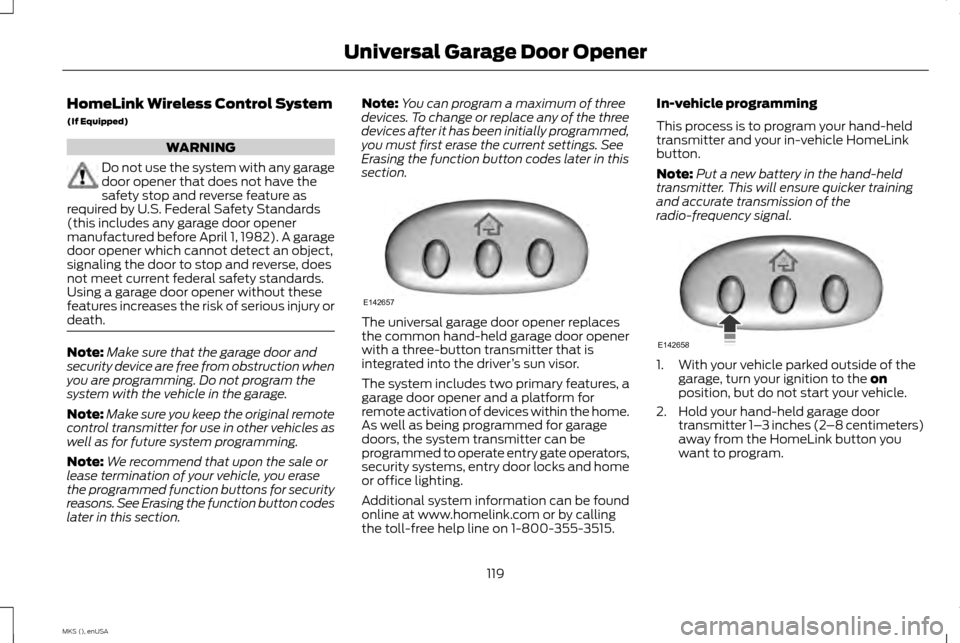
section. The universal garage door opener replaces
the common hand-held garage door opener
with a three-button transmitter that is
integrated into the driver
’s sun visor.
The system includes two primary features, a
garage door opener and a platform for
remote activation of devices within the home.
As well as being programmed for garage
doors, the system transmitter can be
programmed to operate entry gate operators,
security systems, entry door locks and home
or office lighting.
Additional system information can be found
online at www.homelink.com or by calling
the toll-free help line on 1-800-355-3515. In-vehicle programming
This process is to program your hand-held
transmitter and your in-vehicle HomeLink
button.
Note:
Put a new battery in the hand-held
transmitter. This will ensure quicker training
and accurate transmission of the
radio-frequency signal. 1. With your vehicle parked outside of the
garage, turn your ignition to the on
position, but do not start your vehicle.
2. Hold your hand-held garage door transmitter 1– 3 inches (2–8 centimeters)
away from the HomeLink button you
want to program.
119
MKS (), enUSA Universal Garage Door OpenerE142657 E142658
Page 129 of 424
GENERAL INFORMATION
WARNINGS
Extended idling at high engine speeds
can produce very high temperatures in
the engine and exhaust system,
creating the risk of fire or other damage. Do not park, idle or drive your vehicle
on dry grass or other dry ground cover.
The emission system heats up the
engine compartment and exhaust system,
creating the risk of fire. Do not start the engine in a closed
garage or in other enclosed areas.
Exhaust fumes can be toxic. Always
open the garage door before you start the
engine. If you smell exhaust fumes inside your
vehicle, have your vehicle checked by
an authorized dealer immediately. Do
not drive your vehicle if you smell exhaust
fumes. If you disconnect the battery, your vehicle
may exhibit some unusual driving
characteristics for approximately 5 miles (8
kilometers) after you reconnect it. This is
because the engine management system
must realign itself with the engine. You can
disregard any unusual driving characteristics
during this period.
The powertrain control system meets all
Canadian interference-causing equipment
standard requirements regulating the impulse
electrical field or radio noise.
When you start the engine, avoid pressing
the accelerator pedal before and during
operation. Only use the accelerator pedal
when you have difficulty starting the engine.
KEYLESS STARTING
Note:
The keyless starting system may not
function if the key is close to metal objects or
electronic devices such as cellular phones.
Note: A valid key must be located inside your
vehicle to switch the ignition on and start the
engine. Note:
When locking your vehicle, any remote
controls left inside the vehicle may become
disabled. A message may appear in the
information display indicating that there is no
key detected if you try to start the engine.
Press the unlock button on the remote control
to enable it, and then start the engine.
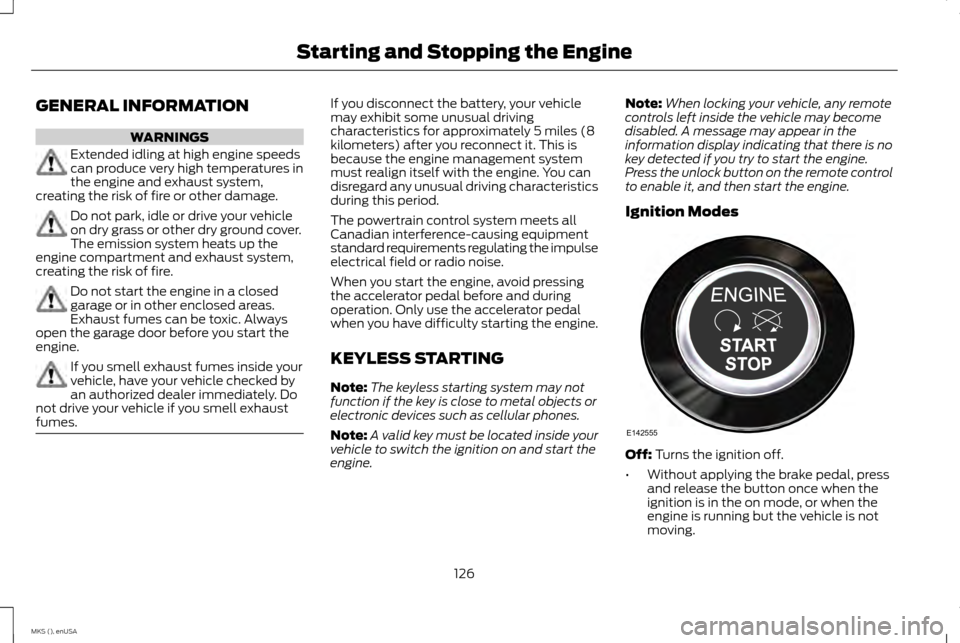
Ignition Modes Off: Turns the ignition off.
• Without applying the brake pedal, press
and release the button once when the
ignition is in the on mode, or when the
engine is running but the vehicle is not
moving.
126
MKS (), enUSA Starting and Stopping the EngineE142555
Page 132 of 424
Stopping the Engine When Your
Vehicle is Moving
WARNING
Switching off the engine when the
vehicle is still moving will result in a loss
of brake and steering assistance. The
steering will not lock, but higher effort will be
required. When the ignition is switched off,
some electrical circuits, including air bags,
warning lamps and indicators may also be
off. If the ignition was turned off accidentally,
you can shift into neutral (N) and re-start the
engine. 1.
Press and hold the button for one second,
or press it three times within two seconds.
2. Move the transmission selector lever to neutral (N) and use the brakes to bring
your vehicle to a safe stop. When your
vehicle has stopped, move the
transmission selector lever to park (P)
and switch the ignition off.
3. Apply the parking brake. Guarding Against Exhaust Fumes WARNING
If you smell exhaust fumes inside your
vehicle, have your vehicle checked by
your authorized dealer immediately. Do
not drive your vehicle if you smell exhaust
fumes. Carbon monoxide is present in
exhaust fumes. Take precautions to avoid its
dangerous effects. Important Ventilating Information
If you stop your vehicle and then leave the
engine idling for long periods, we recommend
that you do one of the following:
•
Open the windows at least 1 inch (2.5
centimeters).
• Set your climate control to outside air.
ENGINE BLOCK HEATER (If Equipped) WARNINGS
Failure to follow engine block heater
instructions could result in property
damage or serious personal injury. WARNINGS
Do not use your heater with
ungrounded electrical systems or
two-pronged adapters. There is a risk
of electrical shock. Note:
The heater is most effective when
outdoor temperatures are below 0°F (-18°C).
The heater acts as a starting aid by warming
the engine coolant. This allows the climate
control system to respond quickly. The
equipment includes a heater element
(installed in the engine block) and a wire
harness. You can connect the system to a
grounded 120-volt AC electrical source.
We recommend that you do the following for
a safe and correct operation:
• Use a 16-gauge outdoor extension cord
that is product certified by Underwriter ’s
Laboratory (UL) or Canadian Standards
Association (CSA). This extension cord
must be suitable for use outdoors, in cold
temperatures, and be clearly marked
Suitable for Use with Outdoor Appliances.
Do not use an indoor extension cord
outdoors. This could result in an electric
shock or become a fire hazard.
• Use as short an extension cord as
possible.
129
MKS (), enUSA Starting and Stopping the Engine
Page 175 of 424
The current assessment of your alertness
indicates that you should rest as soon as
safely possible.
The status bar will travel from left to right as
the calculated alertness level decreases. As
the rest icon is approached the color turns
from green to yellow to red. The yellow
position indicates the first warning is active
and the red position indicates the second
warning is active.
Note:
If you have recently received a warning;
you should consider resting, even if the current
assessment is with the typical range.
Note: If the camera sensor cannot track the
road lane markings or if your vehicle speed
drops below approximately 40 mph (64
km/h), the alertness level will change to grey
for a short time and the information display
will inform you that the system is unavailable.
Resetting the System
You can reset the system by either:
• Switching the ignition off and on.
• Stopping the vehicle and then opening
and closing the driver ’s door. LANE KEEPING SYSTEM (If Equipped) WARNING
The system is designed to aid the driver.
It is not intended to replace your
attention and judgment. You are still
responsible to drive with due care and
attention. Note:
The system works above 40 mph
(64 km/h).
Note: The system works as long as the
camera can detect one lane marking.
Note: The system may not function if the
camera is blocked or there is damage to the
windshield.
Note: When Aid mode is on and the system
detects no steering activity for a short period,
the system will alert you to put your hands on
the steering wheel. The system may detect a
light grip or touch on the steering wheel as
hands off driving. The system notifies you to stay in your lane
through the steering system and the
instrument cluster display when the front
camera detects an unintentional drift out of
your lane is likely to occur. The system
automatically detects and tracks the road
lane markings using a camera mounted
behind the interior rear view mirror.
Switching the System On and Off
Note:
The system on or off setting is stored
until it is manually changed, unless a MyKey®
is detected. If the system detects a MyKey®,
it defaults to on and the mode is set to alert.
Note: If a MyKey® is detected, pressing the
button will not affect the on or off status of
the system. You can only change the mode
and intensity settings. Press the button located on the
center console to switch the
system on or off.
172
MKS (), enUSA Driving AidsE173233
Page 297 of 424
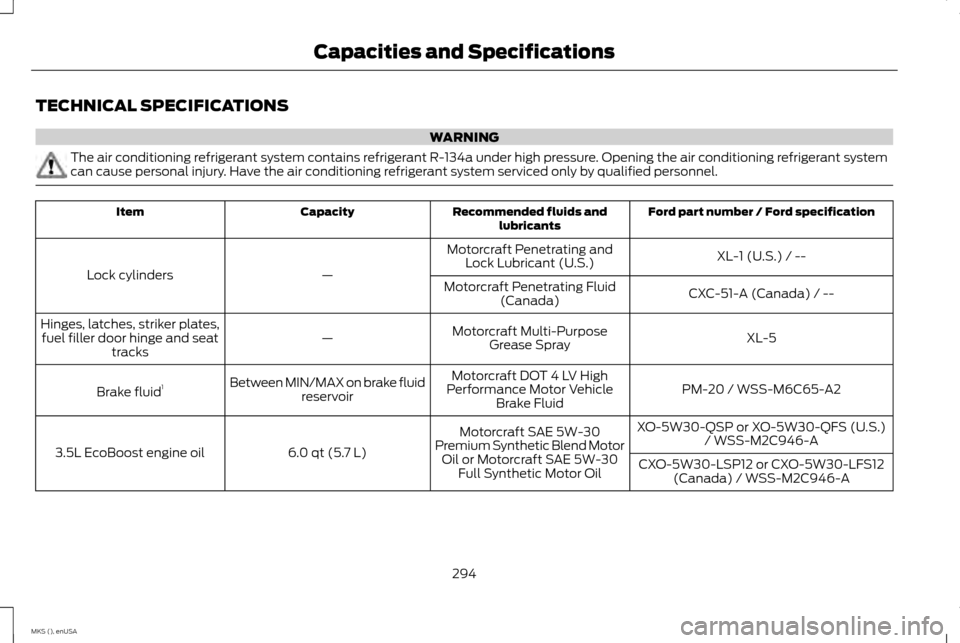
TECHNICAL SPECIFICATIONS
WARNING
The air conditioning refrigerant system contains refrigerant R-134a under high pressure. Opening the air conditioning refrigerant system
can cause personal injury. Have the air conditioning refrigerant system serviced only by qualified personnel.
Ford part number / Ford specification
Recommended fluids and
lubricants
Capacity
Item
XL-1 (U.S.) / --
Motorcraft Penetrating and
Lock Lubricant (U.S.)
—
Lock cylinders
CXC-51-A (Canada) / --
Motorcraft Penetrating Fluid
(Canada)
XL-5
Motorcraft Multi-Purpose
Grease Spray
—
Hinges, latches, striker plates,
fuel filler door hinge and seat tracks
PM-20 / WSS-M6C65-A2
Motorcraft DOT 4 LV High
Performance Motor Vehicle Brake Fluid
Between MIN/MAX on brake fluid
reservoir
Brake fluid 1
XO-5W30-QSP or XO-5W30-QFS (U.S.)/ WSS-M2C946-A
Motorcraft SAE 5W-30
Premium Synthetic Blend Motor Oil or Motorcraft SAE 5W-30 Full Synthetic Motor Oil
6.0 qt (5.7 L)
3.5L EcoBoost engine oil
CXO-5W30-LSP12 or CXO-5W30-LFS12
(Canada) / WSS-M2C946-A
294
MKS (), enUSA Capacities and Specifications
Page 397 of 424
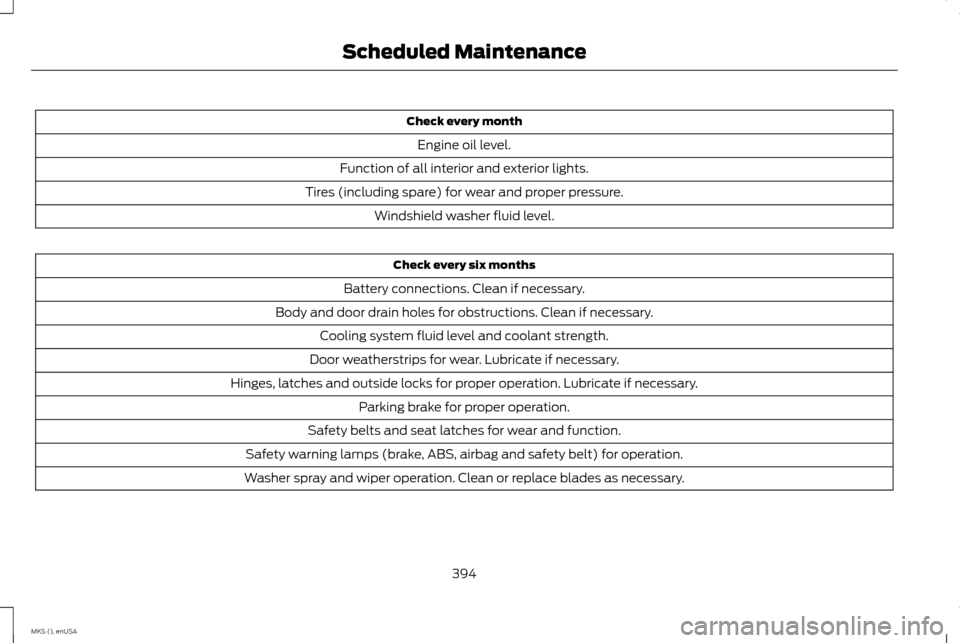
Check every month
Engine oil level.
Function of all interior and exterior lights.
Tires (including spare) for wear and proper pressure. Windshield washer fluid level. Check every six months
Battery connections. Clean if necessary.
Body and door drain holes for obstructions. Clean if necessary. Cooling system fluid level and coolant strength.
Door weatherstrips for wear. Lubricate if necessary.
Hinges, latches and outside locks for proper operation. Lubricate if necessary. Parking brake for proper operation.
Safety belts and seat latches for wear and function.
Safety warning lamps (brake, ABS, airbag and safety belt) for operation.
Washer spray and wiper operation. Clean or replace blades as necessary.
394
MKS (), enUSA Scheduled Maintenance
Page 419 of 424
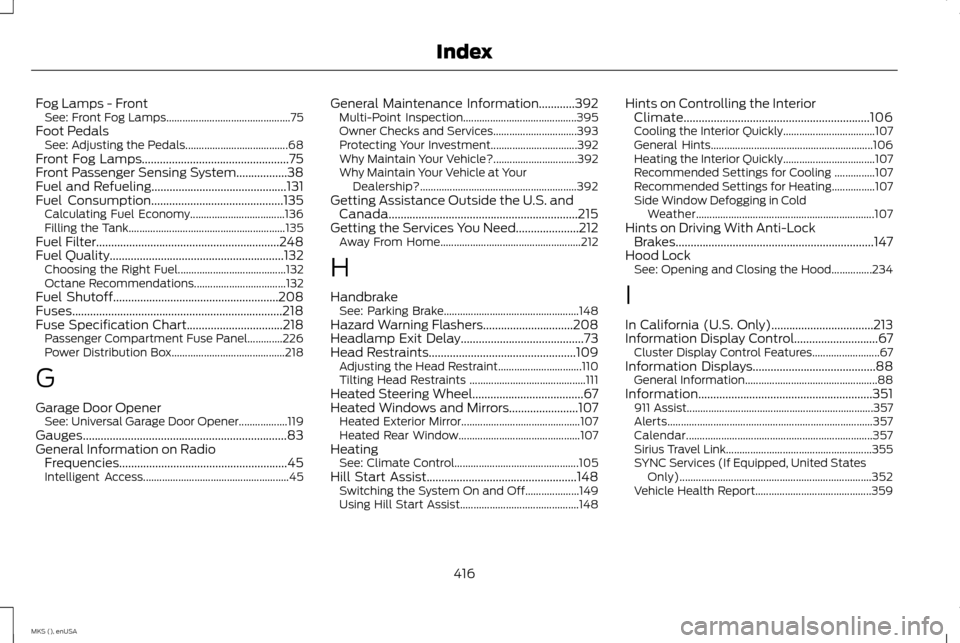
Fog Lamps - Front
See: Front Fog Lamps.............................................. 75
Foot Pedals See: Adjusting the Pedals...................................... 68
Front Fog Lamps.................................................75
Front Passenger Sensing System.................38
Fuel and Refueling.............................................131
Fuel Consumption
............................................135
Calculating Fuel Economy................................... 136
Filling the Tank.......................................................... 135
Fuel Filter
.............................................................248
Fuel Quality..........................................................132
Choosing the Right Fuel........................................ 132
Octane Recommendations.................................. 132
Fuel Shutoff.......................................................208
Fuses......................................................................218
Fuse Specification Chart
................................218
Passenger Compartment Fuse Panel.............226
Power Distribution Box.......................................... 218
G
Garage Door Opener See: Universal Garage Door Opener.................. 119
Gauges....................................................................83
General Information on Radio Frequencies........................................................45
Intelligent Access...................................................... 45General Maintenance Information............392
Multi-Point Inspection.......................................... 395
Owner Checks and Services............................... 393
Protecting Your Investment................................ 392
Why Maintain Your Vehicle?............................... 392
Why Maintain Your Vehicle at Your Dealership?.......................................................... 392
Getting Assistance Outside the U.S. and Canada...............................................................215
Getting the Services You Need.....................212 Away From Home.................................................... 212
H
Handbrake See: Parking Brake.................................................. 148
Hazard Warning Flashers..............................208
Headlamp Exit Delay.........................................73
Head Restraints.................................................109
Adjusting the Head Restraint............................... 110
Tilting Head Restraints ........................................... 111
Heated Steering Wheel
.....................................67
Heated Windows and Mirrors.......................107
Heated Exterior Mirror............................................ 107
Heated Rear Window............................................. 107
Heating See: Climate Control.............................................. 105
Hill Start Assist..................................................148 Switching the System On and Off.................... 149
Using Hill Start Assist............................................ 148Hints on Controlling the Interior
Climate..............................................................106
Cooling the Interior Quickly.................................. 107
General Hints............................................................ 106
Heating the Interior Quickly.................................. 107
Recommended Settings for Cooling ...............107
Recommended Settings for Heating................107
Side Window Defogging in Cold Weather.................................................................. 107
Hints on Driving With Anti-Lock Brakes..................................................................147
Hood Lock See: Opening and Closing the Hood...............234
I
In California (U.S. Only)..................................213
Information Display Control
............................67
Cluster Display Control Features......................... 67
Information Displays
.........................................88
General Information................................................. 88
Information..........................................................351 911 Assist..................................................................... 357
Alerts........................................................................\
.... 357
Calendar..................................................................... 357
Sirius Travel Link...................................................... 355
SYNC Services (If Equipped, United States Only)....................................................................... 352
Vehicle Health Report........................................... 359
416
MKS (), enUSA Index
Page 420 of 424
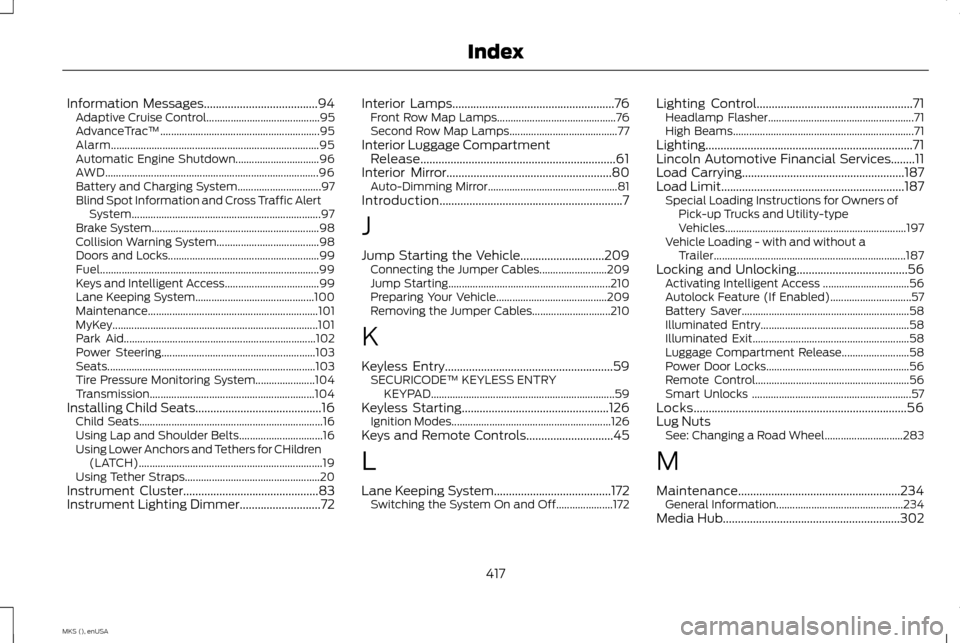
Information Messages......................................94
Adaptive Cruise Control.......................................... 95
AdvanceTrac ™........................................................... 95
Alarm........................................................................\
..... 95
Automatic Engine Shutdown............................... 96
AWD........................................................................\
....... 96
Battery and Charging System............................... 97
Blind Spot Information and Cross Traffic Alert System...................................................................... 97
Brake System.............................................................. 98
Collision Warning System...................................... 98
Doors and Locks........................................................ 99
Fuel........................................................................\
......... 99
Keys and Intelligent Access................................... 99
Lane Keeping System............................................ 100
Maintenance............................................................... 101
MyKey........................................................................\
.... 101
Park Aid....................................................................... 102
Power Steering......................................................... 103
Seats........................................................................\
..... 103
Tire Pressure Monitoring System...................... 104
Transmission............................................................. 104
Installing Child Seats
..........................................16
Child Seats.................................................................... 16
Using Lap and Shoulder Belts............................... 16
Using Lower Anchors and Tethers for CHildren (LATCH).................................................................... 19
Using Tether Straps.................................................. 20
Instrument Cluster
.............................................83
Instrument Lighting Dimmer...........................72 Interior Lamps......................................................76
Front Row Map Lamps............................................ 76
Second Row Map Lamps........................................ 77
Interior Luggage Compartment Release.................................................................61
Interior Mirror
.......................................................80
Auto-Dimming Mirror................................................ 81
Introduction.............................................................7
J
Jump Starting the Vehicle............................209 Connecting the Jumper Cables......................... 209
Jump Starting............................................................ 210
Preparing Your Vehicle......................................... 209
Removing the Jumper Cables............................. 210
K
Keyless Entry........................................................59 SECURICODE™ KEYLESS ENTRY
KEYPAD.................................................................... 59
Keyless Starting
.................................................126
Ignition Modes........................................................... 126
Keys and Remote Controls.............................45
L
Lane Keeping System
.......................................172
Switching the System On and Off..................... 172Lighting Control
....................................................71
Headlamp Flasher...................................................... 71
High Beams................................................................... 71
Lighting.....................................................................71
Lincoln Automotive Financial Services........11
Load Carrying
......................................................187
Load Limit.............................................................187
Special Loading Instructions for Owners of
Pick-up Trucks and Utility-type
Vehicles................................................................... 197
Vehicle Loading - with and without a Trailer....................................................................... 187
Locking and Unlocking.....................................56 Activating Intelligent Access ................................ 56
Autolock Feature (If Enabled).............................. 57
Battery Saver.............................................................. 58
Illuminated Entry....................................................... 58
Illuminated Exit.......................................................... 58
Luggage Compartment Release......................... 58
Power Door Locks..................................................... 56
Remote Control......................................................... 56
Smart Unlocks ........................................................... 57
Locks.......................................................................56
Lug Nuts See: Changing a Road Wheel............................. 283
M
Maintenance......................................................234 General Information............................................... 234
Media Hub
...........................................................302
417
MKS (), enUSA Index
Page 421 of 424
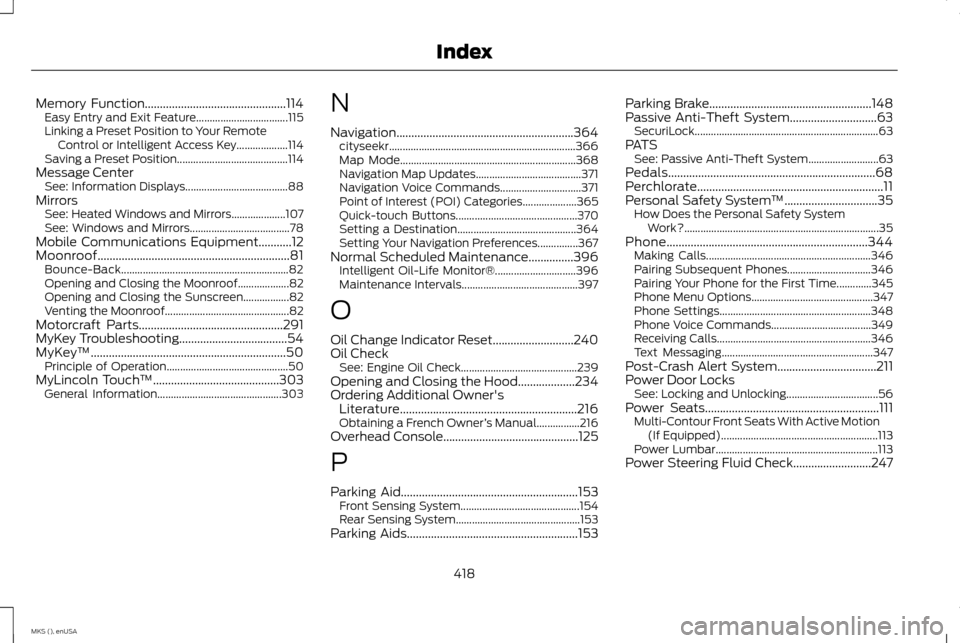
Memory Function...............................................114
Easy Entry and Exit Feature.................................. 115
Linking a Preset Position to Your Remote Control or Intelligent Access Key................... 114
Saving a Preset Position......................................... 114
Message Center See: Information Displays...................................... 88
Mirrors See: Heated Windows and Mirrors.................... 107
See: Windows and Mirrors..................................... 78
Mobile Communications Equipment...........12
Moonroof................................................................81 Bounce-Back.............................................................. 82
Opening and Closing the Moonroof................... 82
Opening and Closing the Sunscreen.................82
Venting the Moonroof.............................................. 82
Motorcraft Parts
................................................291
MyKey Troubleshooting....................................54
MyKey ™
.................................................................50
Principle of Operation............................................. 50
MyLincoln Touch ™
..........................................303
General Information.............................................. 303N
Navigation...........................................................364
cityseekr..................................................................... 366
Map Mode................................................................. 368
Navigation Map Updates....................................... 371
Navigation Voice Commands.............................. 371
Point of Interest (POI) Categories.................... 365
Quick-touch Buttons............................................. 370
Setting a Destination............................................ 364
Setting Your Navigation Preferences...............367
Normal Scheduled Maintenance
...............396
Intelligent Oil-Life Monitor®.............................. 396
Maintenance Intervals........................................... 397
O
Oil Change Indicator Reset...........................240
Oil Check See: Engine Oil Check........................................... 239
Opening and Closing the Hood...................234
Ordering Additional Owner's Literature...........................................................216
Obtaining a French Owner ’s Manual................216
Overhead Console.............................................125
P
Parking Aid
...........................................................153
Front Sensing System............................................ 154
Rear Sensing System.............................................. 153
Parking Aids
.........................................................153 Parking Brake
......................................................148
Passive Anti-Theft System.............................63 SecuriLock.................................................................... 63
PATS See: Passive Anti-Theft System.......................... 63
Pedals.....................................................................68
Perchlorate..............................................................11
Personal Safety System ™
...............................35
How Does the Personal Safety System
Work?........................................................................\
35
Phone
...................................................................344
Making Calls............................................................. 346
Pairing Subsequent Phones............................... 346
Pairing Your Phone for the First Time.............345
Phone Menu Options............................................. 347
Phone Settings........................................................ 348
Phone Voice Commands..................................... 349
Receiving Calls......................................................... 346
Text Messaging........................................................ 347
Post-Crash Alert System.................................211
Power Door Locks See: Locking and Unlocking.................................. 56
Power Seats..........................................................111 Multi-Contour Front Seats With Active Motion
(If Equipped).......................................................... 113
Power Lumbar............................................................ 113
Power Steering Fluid Check..........................247
418
MKS (), enUSA Index