door lock LINCOLN MKS 2016 Owner's Manual
[x] Cancel search | Manufacturer: LINCOLN, Model Year: 2016, Model line: MKS, Model: LINCOLN MKS 2016Pages: 382, PDF Size: 3.81 MB
Page 117 of 382
•
Lumbar adjust: Press and hold the front
of the lumbar control (B) to increase the
firmness of the selected portion of the
seatback. Press and hold the rear of the
lumbar to decrease the firmness.
• Power seat controls (C).
We recommend first selecting the lumbar to
the desired setting and then selecting the
back or cushion massage setting.
MEMORY FUNCTION WARNINGS
Before activating the seat memory,
make sure that the area immediately
surrounding the seat is clear of
obstructions and that all occupants are clear
of moving parts. Do not use the memory function when
your vehicle is moving.
This function automatically recalls the
position of these features.
•
Driver seat.
• Power mirrors.
• Optional power adjustable pedals
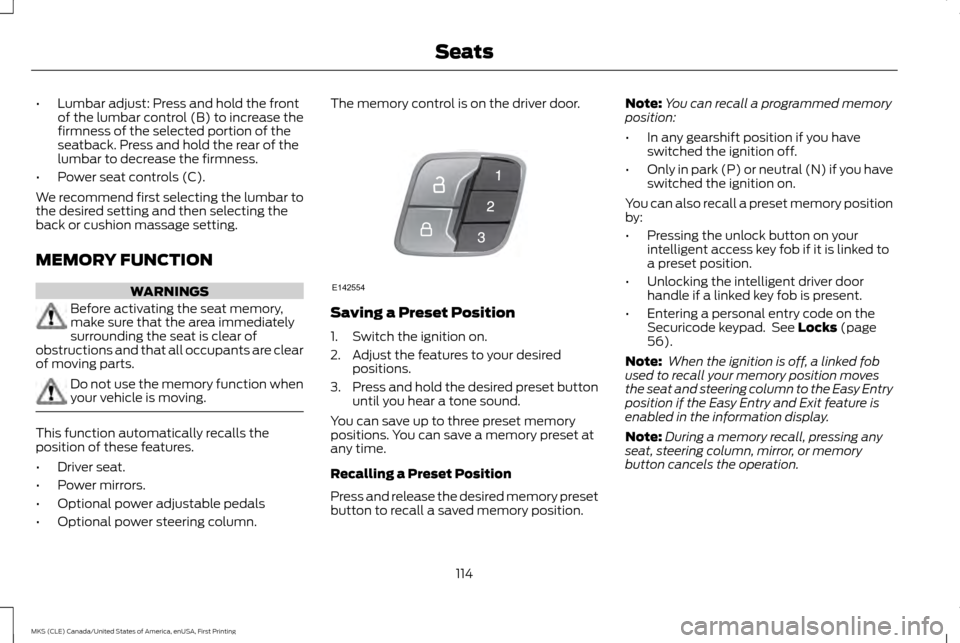
• Optional power steering column. The memory control is on the driver door.
Saving a Preset Position
1. Switch the ignition on.
2. Adjust the features to your desired
positions.
3. Press and hold the desired preset button
until you hear a tone sound.
You can save up to three preset memory
positions. You can save a memory preset at
any time.
Recalling a Preset Position
Press and release the desired memory preset
button to recall a saved memory position. Note:
You can recall a programmed memory
position:
• In any gearshift position if you have
switched the ignition off.
• Only in park (P) or neutral (N) if you have
switched the ignition on.
You can also recall a preset memory position
by:
• Pressing the unlock button on your
intelligent access key fob if it is linked to
a preset position.
• Unlocking the intelligent driver door
handle if a linked key fob is present.
• Entering a personal entry code on the
Securicode keypad. See Locks (page
56).
Note: When the ignition is off, a linked fob
used to recall your memory position moves
the seat and steering column to the Easy Entry
position if the Easy Entry and Exit feature is
enabled in the information display.
Note: During a memory recall, pressing any
seat, steering column, mirror, or memory
button cancels the operation.
114
MKS (CLE) Canada/United States of America, enUSA, First Printing SeatsE142554
Page 122 of 382
HomeLink Wireless Control System
WARNINGS
Make sure that the garage door and
security device are free from
obstruction when you are
programming. Do not program the system
with the vehicle in the garage. Do not use the system with any garage
door opener that does not have the
safety stop and reverse feature as
required by U.S. Federal Safety Standards
(this includes any garage door opener
manufactured before April 1, 1982). A garage
door opener which cannot detect an object,
signaling the door to stop and reverse, does
not meet current federal safety standards.
Using a garage door opener without these
features increases the risk of serious injury or
death. Note:
Make sure you keep the original remote
control transmitter for use in other vehicles as
well as for future system programming.
Note: We recommend that upon the sale or
lease termination of your vehicle, you erase
the programmed function buttons for security
reasons. See Erasing the Function Button
Codes. Note:
You can program a maximum of three
devices. To change or replace any of the three
devices after it has been initially programmed,
you must first erase the current settings. See
Erasing the Function Button Codes
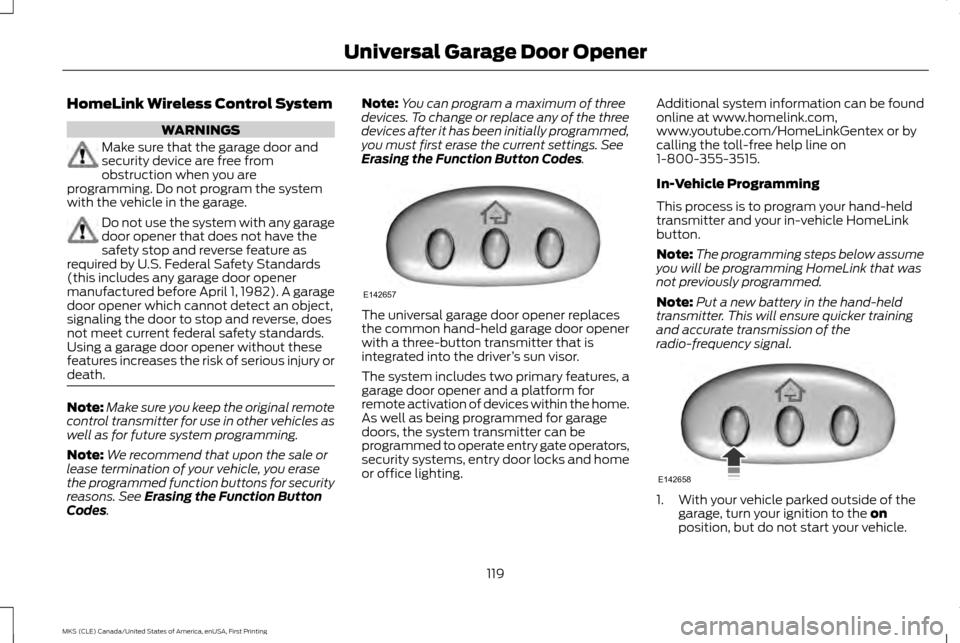
. The universal garage door opener replaces
the common hand-held garage door opener
with a three-button transmitter that is
integrated into the driver
’s sun visor.
The system includes two primary features, a
garage door opener and a platform for
remote activation of devices within the home.
As well as being programmed for garage
doors, the system transmitter can be
programmed to operate entry gate operators,
security systems, entry door locks and home
or office lighting. Additional system information can be found
online at www.homelink.com,
www.youtube.com/HomeLinkGentex or by
calling the toll-free help line on
1-800-355-3515.
In-Vehicle Programming
This process is to program your hand-held
transmitter and your in-vehicle HomeLink
button.
Note:
The programming steps below assume
you will be programming HomeLink that was
not previously programmed.
Note: Put a new battery in the hand-held
transmitter. This will ensure quicker training
and accurate transmission of the
radio-frequency signal. 1. With your vehicle parked outside of the
garage, turn your ignition to the
on
position, but do not start your vehicle.
119
MKS (CLE) Canada/United States of America, enUSA, First Printing Universal Garage Door OpenerE142657 E142658
Page 130 of 382
GENERAL INFORMATION
WARNINGS
Extended idling at high engine speeds
can produce very high temperatures in
the engine and exhaust system,
creating the risk of fire or other damage. Do not park, idle or drive your vehicle
on dry grass or other dry ground cover.
The emission system heats up the
engine compartment and exhaust system,
creating the risk of fire. Do not start the engine in a closed
garage or in other enclosed areas.
Exhaust fumes can be toxic. Always
open the garage door before you start the
engine. If you smell exhaust fumes inside your
vehicle, have your vehicle checked by
an authorized dealer immediately. Do
not drive your vehicle if you smell exhaust
fumes. If you disconnect the battery, your vehicle
may exhibit some unusual driving
characteristics for approximately 5 miles (8
kilometers) after you reconnect it. This is
because the engine management system
must realign itself with the engine. You can
disregard any unusual driving characteristics
during this period.
The powertrain control system meets all
Canadian interference-causing equipment
standard requirements regulating the impulse
electrical field or radio noise.
When you start the engine, avoid pressing
the accelerator pedal before and during
operation. Only use the accelerator pedal
when you have difficulty starting the engine.
KEYLESS STARTING
Note:
The keyless starting system may not
function if the key is close to metal objects or
electronic devices such as cellular phones.
Note: A valid key must be located inside your
vehicle to switch the ignition on and start the
engine. Note:
When locking your vehicle, any remote
controls left inside the vehicle may become
disabled. A message may appear in the
information display indicating that there is no
key detected if you try to start the engine.
Press the unlock button on the remote control
to enable it, and then start the engine.
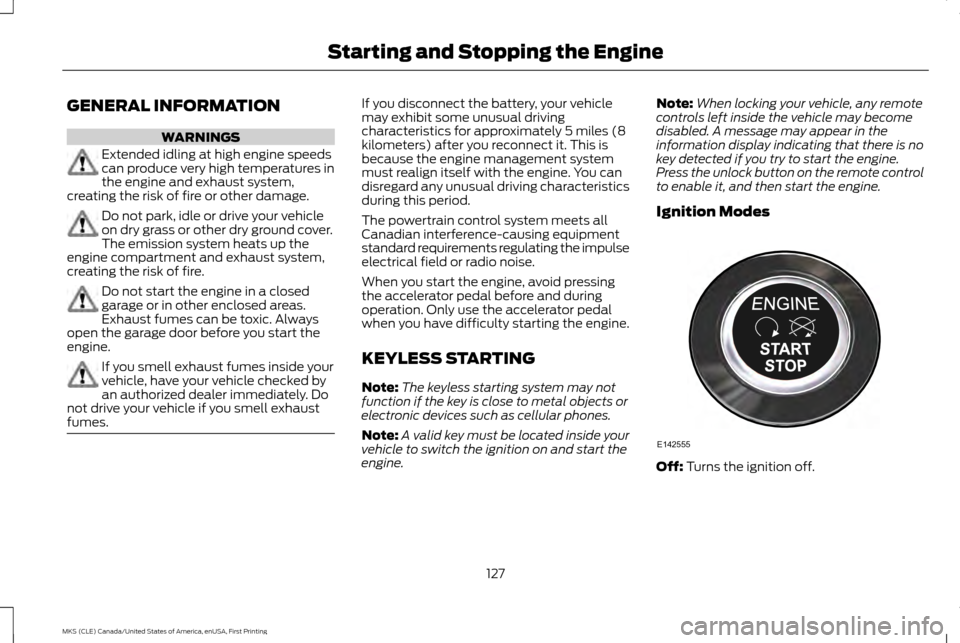
Ignition Modes Off: Turns the ignition off.
127
MKS (CLE) Canada/United States of America, enUSA, First Printing Starting and Stopping the EngineE142555
Page 133 of 382
Stopping the Engine When Your
Vehicle is Moving
WARNING
Switching off the engine when the
vehicle is still moving will result in a loss
of brake and steering assistance. The
steering will not lock, but higher effort will be
required. When the ignition is switched off,
some electrical circuits, including air bags,
warning lamps and indicators may also be
off. If the ignition was turned off accidentally,
you can shift into neutral (N) and re-start the
engine. 1.
Press and hold the button for one second,
or press it three times within two seconds.
2. Move the transmission selector lever to neutral (N) and use the brakes to bring
your vehicle to a safe stop. When your
vehicle has stopped, move the
transmission selector lever to park (P)
and switch the ignition off.
3. Apply the parking brake. Guarding Against Exhaust Fumes WARNING
If you smell exhaust fumes inside your
vehicle, have your vehicle checked by
your authorized dealer immediately. Do
not drive your vehicle if you smell exhaust
fumes. Carbon monoxide is present in
exhaust fumes. Take precautions to avoid its
dangerous effects. Important Ventilating Information
If you stop your vehicle and then leave the
engine idling for long periods, we recommend
that you do one of the following:
•
Open the windows at least 1 inch (2.5
centimeters).
• Set your climate control to outside air.
ENGINE BLOCK HEATER (If Equipped) WARNINGS
Failure to follow engine block heater
instructions could result in property
damage or serious personal injury. WARNINGS
Do not use your heater with
ungrounded electrical systems or
two-pronged adapters. There is a risk
of electrical shock. Do not fully close the hood, or allow it
to drop under its own weight when
using the engine block heater. This
could damage the power cable and may
cause an electrical short resulting in fire, injury
and property damage. Note:
The heater is most effective when
outdoor temperatures are below 0°F (-18°C).
The heater acts as a starting aid by warming
the engine coolant. This allows the climate
control system to respond quickly. The
equipment includes a heater element
(installed in the engine block) and a wire
harness. You can connect the system to a
grounded 120-volt AC electrical source.
130
MKS (CLE) Canada/United States of America, enUSA, First Printing Starting and Stopping the Engine
Page 134 of 382
We recommend that you do the following for
a safe and correct operation:
•
Use a 16-gauge outdoor extension cord
that is product certified by Underwriter ’s
Laboratory (UL) or Canadian Standards
Association (CSA). This extension cord
must be suitable for use outdoors, in cold
temperatures, and be clearly marked
Suitable for Use with Outdoor Appliances.
Do not use an indoor extension cord
outdoors. This could result in an electric
shock or become a fire hazard.
• Use as short an extension cord as
possible.
• Do not use multiple extension cords.
• Make sure that when in operation, the
extension cord plug and heater cord plug
connections are free and clear of water.
This could cause an electric shock or fire.
• Make sure your vehicle is parked in a clean
area, clear of combustibles.
• Make sure the heater, heater cord and
extension cord are firmly connected.
• Check for heat anywhere in the electrical
hookup once the system has been
operating for approximately 30 minutes. •
Make sure the system is unplugged and
properly stowed before starting and
driving your vehicle. Make sure the
protective cover seals the prongs of the
block heater cord plug when not in use.
• Make sure the heater system is checked
for proper operation before winter.
Using the Engine Block Heater
Make sure the receptacle terminals are clean
and dry prior to use. Clean them with a dry
cloth if necessary.
The heater uses 0.4 to 1.0 kilowatt-hours of
energy per hour of use. The system does not
have a thermostat. It achieves maximum
temperature after approximately three hours
of operation. Using the heater longer than
three hours does not improve system
performance and unnecessarily uses
electricity.
131
MKS (CLE) Canada/United States of America, enUSA, First Printing Starting and Stopping the Engine
Page 178 of 382
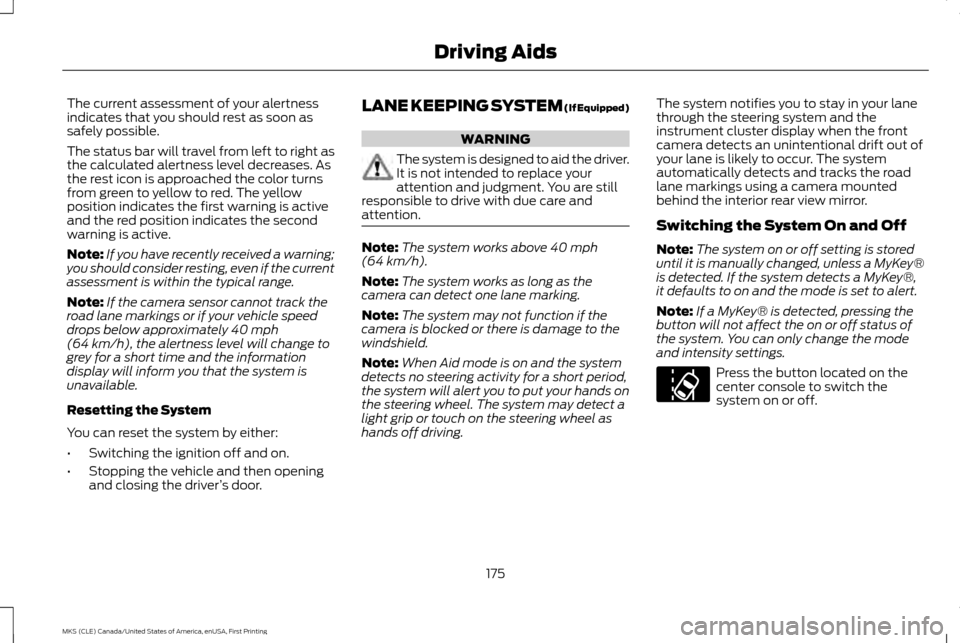
The current assessment of your alertness
indicates that you should rest as soon as
safely possible.
The status bar will travel from left to right as
the calculated alertness level decreases. As
the rest icon is approached the color turns
from green to yellow to red. The yellow
position indicates the first warning is active
and the red position indicates the second
warning is active.
Note:
If you have recently received a warning;
you should consider resting, even if the current
assessment is within the typical range.
Note: If the camera sensor cannot track the
road lane markings or if your vehicle speed
drops below approximately 40 mph
(64 km/h), the alertness level will change to
grey for a short time and the information
display will inform you that the system is
unavailable.
Resetting the System
You can reset the system by either:
• Switching the ignition off and on.
• Stopping the vehicle and then opening
and closing the driver ’s door. LANE KEEPING SYSTEM (If Equipped) WARNING
The system is designed to aid the driver.
It is not intended to replace your
attention and judgment. You are still
responsible to drive with due care and
attention. Note:
The system works above
40 mph
(64 km/h).
Note: The system works as long as the
camera can detect one lane marking.
Note: The system may not function if the
camera is blocked or there is damage to the
windshield.
Note: When Aid mode is on and the system
detects no steering activity for a short period,
the system will alert you to put your hands on
the steering wheel. The system may detect a
light grip or touch on the steering wheel as
hands off driving. The system notifies you to stay in your lane
through the steering system and the
instrument cluster display when the front
camera detects an unintentional drift out of
your lane is likely to occur. The system
automatically detects and tracks the road
lane markings using a camera mounted
behind the interior rear view mirror.
Switching the System On and Off
Note:
The system on or off setting is stored
until it is manually changed, unless a MyKey®
is detected. If the system detects a MyKey®,
it defaults to on and the mode is set to alert.
Note: If a MyKey® is detected, pressing the
button will not affect the on or off status of
the system. You can only change the mode
and intensity settings. Press the button located on the
center console to switch the
system on or off.
175
MKS (CLE) Canada/United States of America, enUSA, First Printing Driving AidsE173233
Page 268 of 382
WAXING
Regular waxing is necessary to protect your
car's paint from the elements. We
recommend that you wash and wax the
painted surface once or twice a year.
When washing and waxing, park your vehicle
in a shaded area out of direct sunlight. Always
wash your vehicle before applying wax.
•
Use a quality wax that does not contain
abrasives.
• Follow the manufacturer ’s instructions
to apply and remove the wax.
• Apply a small amount of wax in a
back-and-forth motion, not in circles.
• Do not allow wax to come in contact with
any non-body (low-gloss black) colored
trim. The wax will discolor or stain the
parts over time.
•Roof racks.
• Bumpers.
• Grained door handles.
• Side moldings.
• Mirror housings.
• Windshield cowl area. •
Do not apply wax to glass areas.
• After waxing, your car's paint should feel
smooth, and be free of streaks and
smudges.
CLEANING THE ENGINE
Engines are more efficient when they are
clean because grease and dirt buildup keep
the engine warmer than normal.
When washing:
• Take care when using a power washer to
clean the engine. The high-pressure fluid
could penetrate the sealed parts and
cause damage.
• Do not spray a hot engine with cold water
to avoid cracking the engine block or
other engine components.
• Spray Motorcraft Engine Shampoo and
Degreaser on all parts that require
cleaning and pressure rinse clean. In
Canada, use Motorcraft Engine Shampoo.
• Never wash or rinse the engine while it is
hot or running; water in the running engine
may cause internal damage. •
Never wash or rinse any ignition coil, spark
plug wire or spark plug well, or the area
in and around these locations.
• Cover the battery, power distribution box,
and air filter assembly to prevent water
damage when cleaning the engine.
CLEANING THE WINDOWS AND
WIPER BLADES
Car wash chemicals and environmental
fallout can result in windshield and wiper
blade contamination. Dirty windshield and
wipers will result in poor windshield wiper
operation. Keep the windshield and wiper
blades clean to maintain windshield wiper
performance.
265
MKS (CLE) Canada/United States of America, enUSA, First Printing Vehicle Care
Page 326 of 382
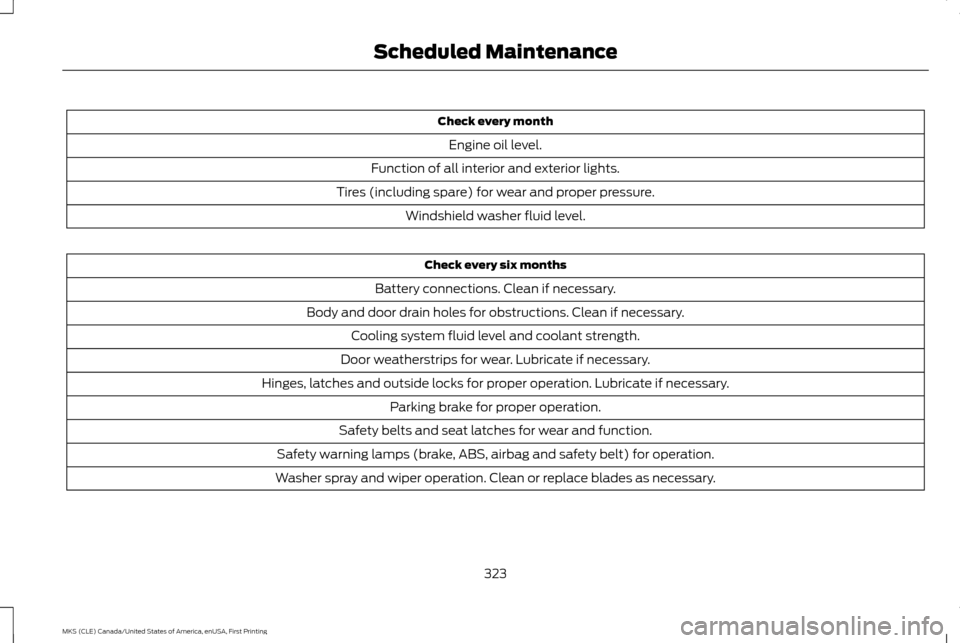
Check every month
Engine oil level.
Function of all interior and exterior lights.
Tires (including spare) for wear and proper pressure. Windshield washer fluid level. Check every six months
Battery connections. Clean if necessary.
Body and door drain holes for obstructions. Clean if necessary. Cooling system fluid level and coolant strength.
Door weatherstrips for wear. Lubricate if necessary.
Hinges, latches and outside locks for proper operation. Lubricate if necessary. Parking brake for proper operation.
Safety belts and seat latches for wear and function.
Safety warning lamps (brake, ABS, airbag and safety belt) for operation.
Washer spray and wiper operation. Clean or replace blades as necessary.
323
MKS (CLE) Canada/United States of America, enUSA, First Printing Scheduled Maintenance
Page 377 of 382
Fuel Filler Funnel Location.............................133
Fuel Filter.............................................................255
Fuel Quality..........................................................132
Choosing the Right Fuel........................................ 132
Fuel Shutoff
.........................................................212
Fuses.....................................................................223
Fuse Specification Chart...............................223 Passenger Compartment Fuse Panel..............231
Power Distribution Box.......................................... 223
G
Garage Door Opener See: Universal Garage Door Opener.................. 119
Gauges....................................................................84
General Information on Radio Frequencies
.......................................................46
Intelligent Access...................................................... 46
General Maintenance Information..............321 Multi-Point Inspection.......................................... 324
Owner Checks and Services............................... 322
Protecting Your Investment................................. 321
Why Maintain Your Vehicle?................................ 321
Why Maintain Your Vehicle at Your Dealership?............................................................ 321
Getting Assistance Outside the U.S. and Canada...............................................................219
Getting the Services You Need....................216 Away From Home.................................................... 216
Global Opening and Closing...........................79 Closing the Windows............................................... 79
Opening the Windows............................................. 79H
Handbrake
See: Parking Brake.................................................... 151
Hazard Warning Flashers................................212
Headlamp Adjusting See: Adjusting the Headlamps.......................... 258
Headlamp Exit Delay
.........................................73
Head Restraints.................................................109
Adjusting the Head Restraint............................... 110
Tilting Head Restraints ........................................... 111
Heated Steering Wheel
.....................................67
Heated Windows and Mirrors.......................107
Heated Exterior Mirror............................................ 107
Heated Rear Window............................................. 107
Heating See: Climate Control.............................................. 105
Hill Start Assist
....................................................151
Switching the System On and Off..................... 152
Using Hill Start Assist.............................................. 151
Hints on Controlling the Interior Climate..............................................................106
Cooling the Interior Quickly.................................. 107
General Hints............................................................ 106
Heating the Interior Quickly.................................. 107
Recommended Settings for Cooling ...............107
Recommended Settings for Heating................107
Side Window Defogging in Cold Weather.................................................................. 107
Hints on Driving With Anti-Lock Brakes.................................................................150 Hood Lock
See: Opening and Closing the Hood...............240
I
In California (U.S. Only)...................................217
Information Display Control
............................67
Information Displays.........................................89
General Information................................................. 89
Information Messages
......................................95
Adaptive Cruise Control.......................................... 95
AdvanceTrac ™........................................................... 95
Alarm........................................................................\
..... 96
Automatic Engine Shutdown............................... 96
AWD........................................................................\
....... 96
Battery and Charging System............................... 97
Blind Spot Information and Cross Traffic Alert System...................................................................... 97
Brake System.............................................................. 98
Collision Warning System...................................... 98
Doors and Locks........................................................ 99
Fuel........................................................................\
......... 99
Keys and Intelligent Access................................... 99
Lane Keeping System............................................ 100
Maintenance............................................................... 101
MyKey........................................................................\
... 102
Park Aid....................................................................... 102
Power Steering......................................................... 103
Seats........................................................................\
..... 103
Tire Pressure Monitoring System...................... 104
Transmission............................................................. 104
374
MKS (CLE) Canada/United States of America, enUSA, First Printing Index
Page 378 of 382
Installing Child Restraints.................................17
Child Seats..................................................................... 17
Using Lap and Shoulder Belts................................ 17
Using Lower Anchors and Tethers for CHildren (LATCH)................................................................... 20
Using Tether Straps................................................... 21
Instrument Cluster
.............................................84
Instrument Lighting Dimmer...........................73
Interior Lamps......................................................76 Front Row Map Lamps............................................ 76
Second Row Map Lamps........................................ 77
Interior Luggage Compartment Release.................................................................61
Interior Mirror
.........................................................81
Auto-Dimming Mirror................................................ 81
Introduction.............................................................7
J
Jump Starting the Vehicle..............................213 Connecting the Jumper Cables........................... 213
Jump Starting............................................................ 214
Preparing Your Vehicle........................................... 213
Removing the Jumper Cables............................. 214
K
Keyless Entry........................................................59 SECURICODE™ KEYLESS ENTRY
KEYPAD.................................................................... 59
Keyless Starting..................................................127 Ignition Modes........................................................... 127Keys and Remote Controls.............................46
L
Lane Keeping System
......................................175
Switching the System On and Off..................... 175
Lighting Control
....................................................71
Headlamp Flasher..................................................... 72
High Beams................................................................... 71
Lighting.....................................................................71 General Information................................................... 71
Lincoln Automotive Financial Services........11
Load Carrying......................................................192
Load Limit............................................................192 Vehicle Loading - with and without a
Trailer....................................................................... 192
Locking and Unlocking.....................................56 Activating Intelligent Access................................. 56
Autolock Feature (If Enabled).............................. 57
Battery Saver.............................................................. 58
Illuminated Entry....................................................... 58
Illuminated Exit.......................................................... 58
Luggage Compartment Release......................... 58
Power Door Locks..................................................... 56
Remote Control......................................................... 56
Smart Unlocks............................................................ 57
Locks.......................................................................56
Lug Nuts See: Changing a Road Wheel............................ 289M
Maintenance......................................................240
General Information.............................................. 240
Media Hub
............................................................316
Memory Function...............................................114
Easy Entry and Exit Feature.................................. 115
Linking a Preset Position to Your Remote Control or Intelligent Access Key................... 115
Saving a Preset Position......................................... 114
Message Center See: Information Displays...................................... 89
Mirrors See: Heated Windows and Mirrors.................... 107
See: Windows and Mirrors..................................... 78
Mobile Communications Equipment...........12
Moonroof...............................................................82 Bounce-Back.............................................................. 82
Opening and Closing the Moonroof................... 82
Opening and Closing the Sunscreen.................82
Venting the Moonroof.............................................. 83
Motorcraft Parts - 3.5L Ecoboost™..........298
Motorcraft Parts - 3.7L...................................299
MyKey Troubleshooting....................................54
MyKey ™
.................................................................50
Principle of Operation............................................. 50
N
Normal Scheduled Maintenance...............325 Intelligent Oil-Life Monitor™.............................. 325
Maintenance Intervals.......................................... 326
375
MKS (CLE) Canada/United States of America, enUSA, First Printing Index