warning light LINCOLN MKT 2011 User Guide
[x] Cancel search | Manufacturer: LINCOLN, Model Year: 2011, Model line: MKT, Model: LINCOLN MKT 2011Pages: 454, PDF Size: 3.82 MB
Page 22 of 454
Press RESET to change between English and Metric.
AUTO HIGH BEAM (if equipped)
This feature automatically turns on your high beams if it is dark enough
and no other traffic is present.
Press RESET to turn it off or on.
AUTOLAMP
This feature keeps your headlights on for up to three minutes after the
ignition is switched off.
Press RESET to select the new autolamp delay values of 0, 10, 20, 30,
60, 90, 120 or 180 seconds.
AUTOLOCK
This feature automatically locks all vehicle doors when the vehicle is
shifted into any gear, putting the vehicle in motion.
Press RESET to turn it off or on.
AUTOUNLOCK
This feature automatically unlocks all vehicle doors when the driver’s
door is opened within 10 minutes of the ignition being turned off.
Press RESET to turn it off or on.
COLLISION WARN GAP (if equipped)
This allows you to adjust the sensitivity setting of the collision warning
system. SeeCollision warning systemin theDrivingchapter for more
information.
Press RESET to change the sensitivity setting from high sensitivity <– –
– – –> to low sensitivity <–>.
COLLISION WARN CHIME (if equipped)
This feature warns the driver of a possible collision. SeeCollision
warning systemin theDrivingchapter for more information.
Press RESET to turn the warning chime on or off. The system will revert
to chime on each time the vehicle is started. The heads up display and/or
chime will activate briefly to confirm the last setting.
COLLISION WARN SYSTEM (if equipped)
This feature warns the driver of a possible collision. SeeCollision
warning systemin theDrivingchapter for more information.
Press RESET to turn the collision warning system on or off. The system
will revert to on each time the vehicle is started. The heads up display
and/or chime will activate briefly to confirm the last setting.
Instrument Cluster
22
2011 MKT(mkt)
Owners Guide, 1st Printing
USA(fus)
Page 26 of 454
AWD OFF (if equipped)— Displayed when the AWD system has been
automatically disabled to protect itself. This is caused by operating the
vehicle with the compact spare tire installed or if the system is
overheating. The AWD system will resume normal function and clear this
message after driving a short distance with the road tire re-installed or
after the system is allowed to cool.
CHECK AWD (if equipped)— Displayed in conjunction with the
Throttle Control/Transmission/AWD
light when the AWD system is
not operating properly. If the warning stays on or continues to come on,
contact your authorized dealer as soon as possible.
ENGINE OIL CHANGE SOON— Displayed when the engine oil life
remaining is 5% to 1%.
OIL CHANGE REQUIRED— Displayed when the oil life left reaches
0%.
TRAILER SWAY REDUCE SPEED (if equipped)— Displayed when
the trailer sway control has detected trailer sway. For more information,
refer to theDrivingchapter for more information.
INTKEY COULD NOT PROGRAM— Displayed when an attempt is
made to program a fifth integrated key to the remote keyless entry
system. For more information on integrated key, refer to theLocks and
Securitychapter in this manual.
CRUISE ON RADAR READY (if equipped)— Displayed when the
driver pressed the cruise On/Off control and ACC was off.
CRUISE OFF (if equipped)— Displayed when the driver pressed the
Cruise On/Off control and ACC was on.
SET XXX MPH GAP ACC GAP (if equipped)— Displayed when
ACC is active and driver has selected a GAP setting using the steering
wheel control <---> button.
CRUISE OVERRIDE (if equipped)— Displayed when the accelerator
pedal is being pressed while ACC is active.
CRUISE NOT AVAILABLE (if equipped)— Displayed when a system
malfunction is preventing ACC from engaging.
CRUISE MALFUNCTION (if equipped)— Displayed when a radar
malfunction is preventing the ACC from engaging.
CRUISE NOT AVAILABLE SENSOR BLOCKED SEE MANUAL (if
equipped)— Displayed when the radar is blocked because of poor
radar visibility due to bad weather or ice/mud/water in front of radar.
Driver can typically clean the sensor to resolve.
Instrument Cluster
26
2011 MKT(mkt)
Owners Guide, 1st Printing
USA(fus)
Page 67 of 454
FAMILY ENTERTAINMENT DVD SYSTEM (IF EQUIPPED)
WARNING:Driving while distracted can result in loss of vehicle
control, accident and injury. Ford strongly recommends that
drivers use extreme caution when using any device or feature that may
take their focus off the road. Your primary responsibility is the safe
operation of the vehicle. We recommend against the use of any
handheld device while driving and that you comply with all applicable
laws.
Your vehicle may be equipped with a Family Entertainment System
(FES) which allows you to listen to audio CDs, MP3 discs, watch DVDs
and to plug in and play a variety of standard video game systems. The
headrest-mounted DVD players are capable of playing standard DVDs,
CDs, MP3s and are compatible with Video CD, HDCD, Hybrid SACD
(play CD layer only), SVCD, DVD-video, JPEGs, up to MPEG-4 files, MP3
files and WMA media. Please review this material to become familiar with
the FES features and controls as well as the very important safety
information.
Quick start
Your family entertainment system includes two headrest-mounted DVD
player/screens, two sets of wireless infrared (IR) headphones and a
wireless infrared (IR) remote control capable of controlling either DVD
player. Both DVD players are capable of playing their own independent
media, or they can both watch the same media.
When in single play mode, the headrest video sources that have been
selected at each headrest will play through the speakers, but no audio is
available through the headphones.
To play a DVD
1. Insert a DVD into the system, label side facing the rear passengers.
The disc slot indicator lights will illuminate. The system will
automatically load the disc and it will begin to play. LOADING will
appear in the screen.
2. If there is already a disc in the system, press the power button on the
DVD system and then press
(Play) to begin to play the disc.
3. Use the bezel controls to play (
) pause (), stop (), or
eject (
) a DVD.
Press
/to access the previous/next chapter. Press and hold for a
fast reverse/forward search.
Entertainment Systems
67
2011 MKT(mkt)
Owners Guide, 1st Printing
USA(fus)
Page 85 of 454
Read all of the safety and operating instructions before operating the
system and retain for future reference.
Do not attempt to service, repair or modify the Family Entertainment
System (FES). See your dealer.
Do not insert foreign objects into the DVD compartment.
WARNING:Do not leave children unattended in the vehicle and
do not let children operate the system while unsupervised. If
wired headphones or auxiliary systems are used, children may become
entangled in the cords and seriously injure themselves.
WARNING:The front glass on the liquid crystal display (LCD)
flip-down screen may break when hit with a hard surface. If the
glass breaks, do not touch the liquid crystalline material. In case of
contact with skin, wash immediately with soap and water.
WARNING:The driver should not attempt to operate any
function of the DVD system while the vehicle is in motion. Give
full attention to driving and to the road. Pull off the road in a safe
place before inserting or extracting DVDs from the system. A remote
control is included in the system to allow the rear seat occupants to
operate the FES functions without distracting the driver.
Do not expose the liquid crystal display (LCD) flip-down screen
to direct sunlight or intensive ultraviolet rays for extensive
periods of time. Ultraviolet rays deteriorate the liquid crystal.
Be sure to review User Manuals for video games and video game
equipment when used as auxiliary inputs for your Family Entertainment
System (FES).
Do not operate video games or video equipment if the power cords
and/or cables are broken, split or damaged. Carefully place cords and/or
cables where they will not be stepped on or interfere with the operation
of seats and/or compartments.
Disconnect video games and video equipment power cords and/or cables
when not in use.
Avoid touching auxiliary input jacks with your fingers. Do not blow on
them or allow them to get wet or dirty.
Do not clean any part of the DVD player with benzene, lacquer thinner,
acetone, or any other solvent.
Entertainment Systems
85
2011 MKT(mkt)
Owners Guide, 1st Printing
USA(fus)
Page 101 of 454
•the transmission must be out of the P (Park) position.
WARNING:Always remember to turn on your headlamps at
dusk or during inclement weather. The Daytime Running Lamp
(DRL) system does not activate the tail lamps and generally may not
provide adequate lighting during these conditions. Failure to activate
your headlamps under these conditions may result in a collision.
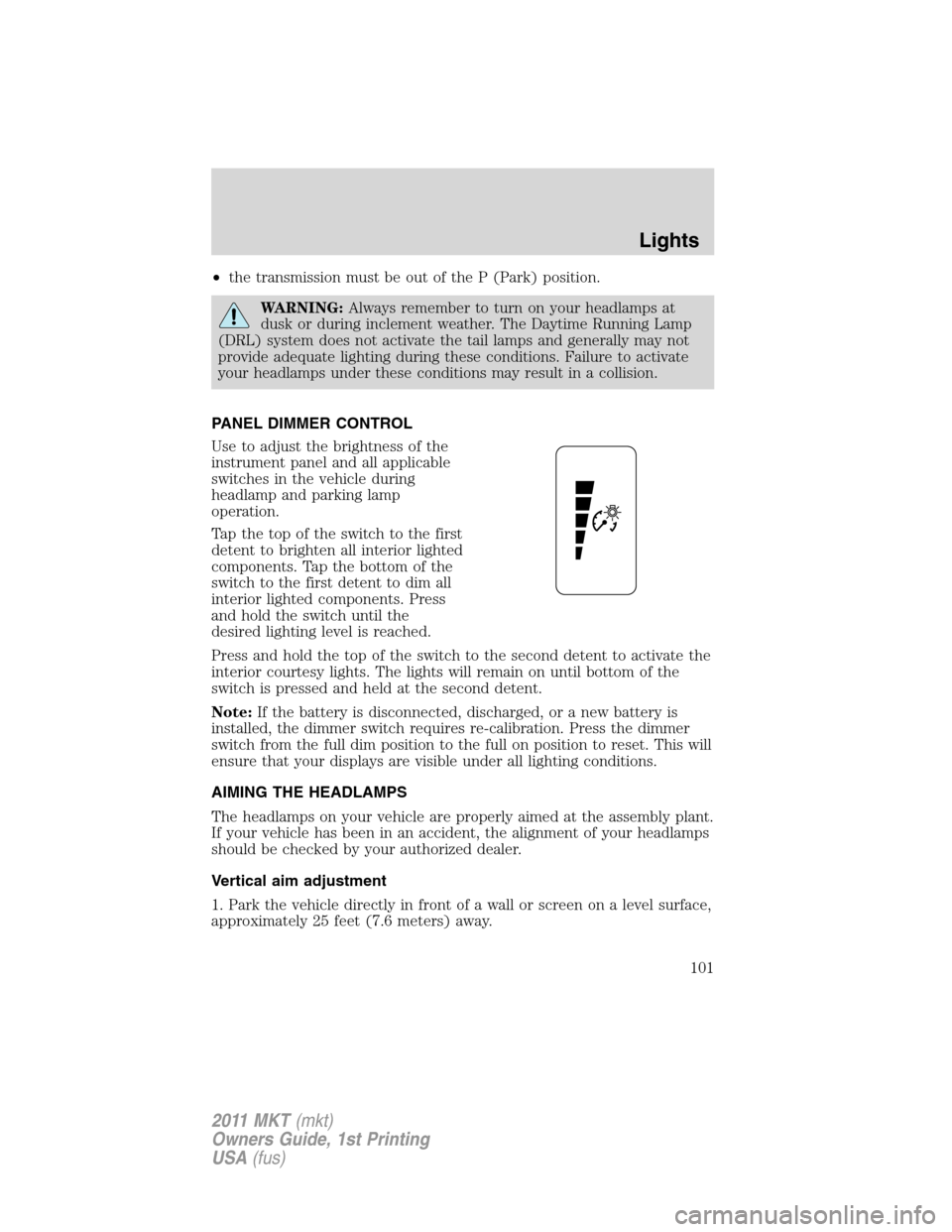
PANEL DIMMER CONTROL
Use to adjust the brightness of the
instrument panel and all applicable
switches in the vehicle during
headlamp and parking lamp
operation.
Tap the top of the switch to the first
detent to brighten all interior lighted
components. Tap the bottom of the
switch to the first detent to dim all
interior lighted components. Press
and hold the switch until the
desired lighting level is reached.
Press and hold the top of the switch to the second detent to activate the
interior courtesy lights. The lights will remain on until bottom of the
switch is pressed and held at the second detent.
Note:If the battery is disconnected, discharged, or a new battery is
installed, the dimmer switch requires re-calibration. Press the dimmer
switch from the full dim position to the full on position to reset. This will
ensure that your displays are visible under all lighting conditions.
AIMING THE HEADLAMPS
The headlamps on your vehicle are properly aimed at the assembly plant.
If your vehicle has been in an accident, the alignment of your headlamps
should be checked by your authorized dealer.
Vertical aim adjustment
1. Park the vehicle directly in front of a wall or screen on a level surface,
approximately 25 feet (7.6 meters) away.
Lights
101
2011 MKT(mkt)
Owners Guide, 1st Printing
USA(fus)
Page 110 of 454
The tilt function is adjusted by moving the control up or down.
During easy exit, when the ignition is switched off, the column will move
to the full in and up position. When the ignition is put in accessory
mode, the column will return to the previous setting.
WARNING:Never adjust the steering wheel when the vehicle is
moving.
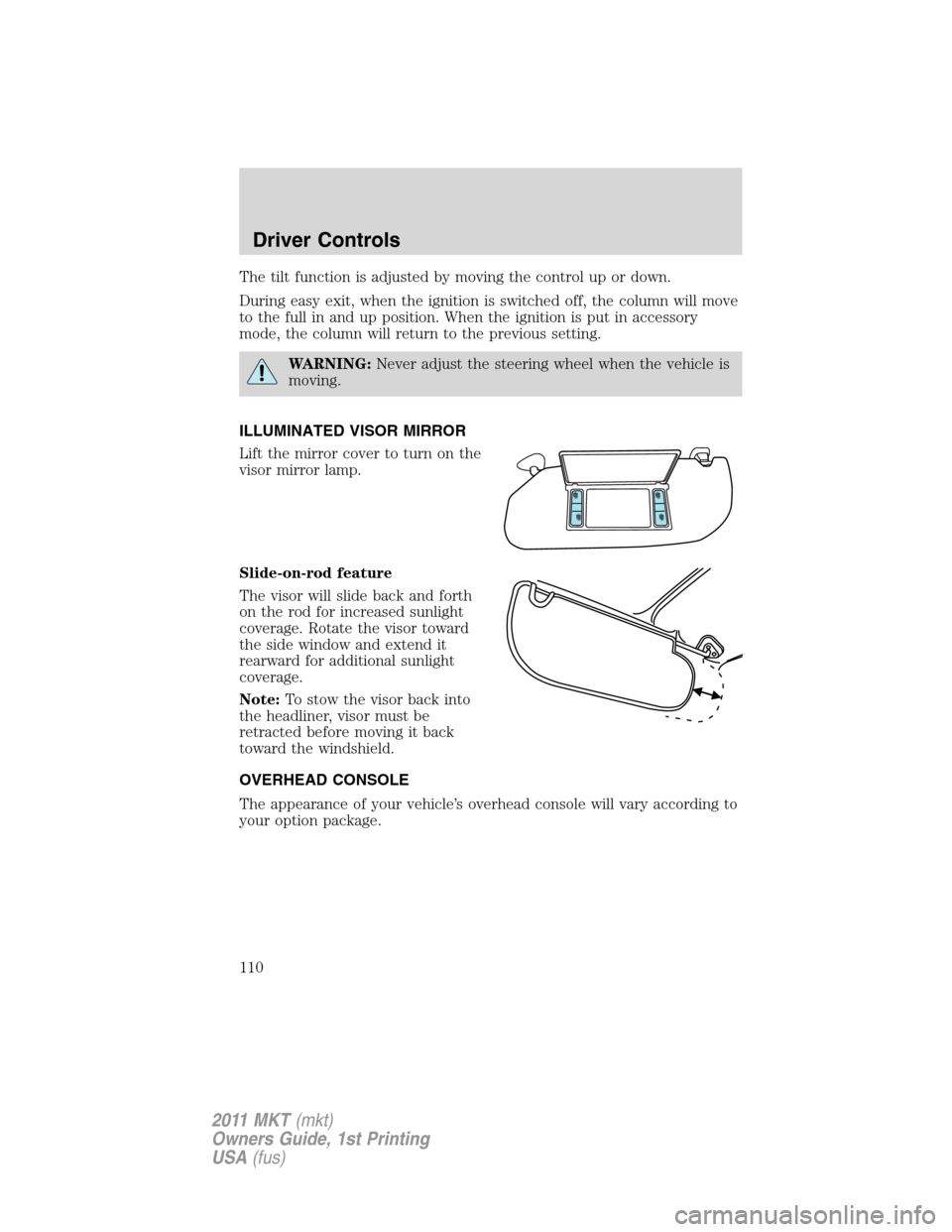
ILLUMINATED VISOR MIRROR
Lift the mirror cover to turn on the
visor mirror lamp.
Slide-on-rod feature
The visor will slide back and forth
on the rod for increased sunlight
coverage. Rotate the visor toward
the side window and extend it
rearward for additional sunlight
coverage.
Note:To stow the visor back into
the headliner, visor must be
retracted before moving it back
toward the windshield.
OVERHEAD CONSOLE
The appearance of your vehicle’s overhead console will vary according to
your option package.
Driver Controls
110
2011 MKT(mkt)
Owners Guide, 1st Printing
USA(fus)
Page 115 of 454
The power outlet is not designed for the following electric appliances;
they may not work properly:
•Cathode ray tube type televisions.
•Motor loads, such as vacuum cleaners, electric saws and other electric
power tools, compressor-driven refrigerators, etc.
•Measuring devices, which process precise data, such as medical
equipment, measuring equipment, etc.
•Other appliances requiring an extremely stable power supply:
microcomputer-controlled electric blankets, touch sensor lamps, etc.
WARNING:Do not keep electrical devices plugged in the power
point whenever the device is not in use. Do not use any
extension cord with the 110 VAC power point, since it will defeat the
safety protection design provided by the cap and twist tab. Doing so
my cause the power point to overload due to powering multiple
devices that can reach beyond the 150W load limit and could result in
fire or serious injury.
The power point can switch to a fault mode when it is overloaded,
overheated, or shorted. For overloading and shorting conditions, unplug
your device and turn the ignition key off then on. For an overheating
condition, let the system cool off, then turn the ignition key off then on.
The 110V AC power point can provide power whenever the vehicle
ignition is in the run position and the power point green indicator light
located in the top left corner is turned on. Refer to the indicator light
code below for the power point status.
Indicator light code
Green light is on — Power point is ready to supply power
Green light is off — Power point power supply is off. Ignition is not in
RUN position
Green light is blinking — Power point is in fault mode
POWER WINDOWS
WARNING:Do not leave children unattended in the vehicle and
do not let children play with the power windows. They may
seriously injure themselves.
Driver Controls
115
2011 MKT(mkt)
Owners Guide, 1st Printing
USA(fus)
Page 118 of 454
INTERIOR MIRROR
The interior rear view mirror has two pivot points on the support arm
which lets you adjust the mirror up or down and from side to side.
WARNING:Do not adjust the mirror while the vehicle is in
motion.
Automatic dimming interior rear view mirror
The interior rear view mirror and a driver’s side exterior mirror have an
auto-dimming function. The electronic day/night mirrors will change from
the normal (high reflective) state to the non-glare (darkened) state
when bright lights (glare) reach the interior mirror. When the interior
mirror detects bright light from behind the vehicle, the interior rear view
mirror and the driver’s side exterior mirror will automatically adjust
(darken) to minimize glare.
The mirrors will automatically return to the normal state whenever the
vehicle is placed in R (Reverse) to ensure a bright clear view when
backing up.
Do not block the sensors on the front and back of the interior
rear view mirror since this may impair proper mirror
performance.
Note:A rear center passenger and/or raised rear center headrest (if
equipped) may also block the light from reaching the sensor.
Do not clean the housing or glass of any mirror with harsh
abrasives, fuel or other petroleum-based cleaning products.
EXTERIOR MIRRORS
Power side view mirrors
WARNING:Do not adjust the mirror while the vehicle is in
motion.
Driver Controls
118
2011 MKT(mkt)
Owners Guide, 1st Printing
USA(fus)
Page 124 of 454
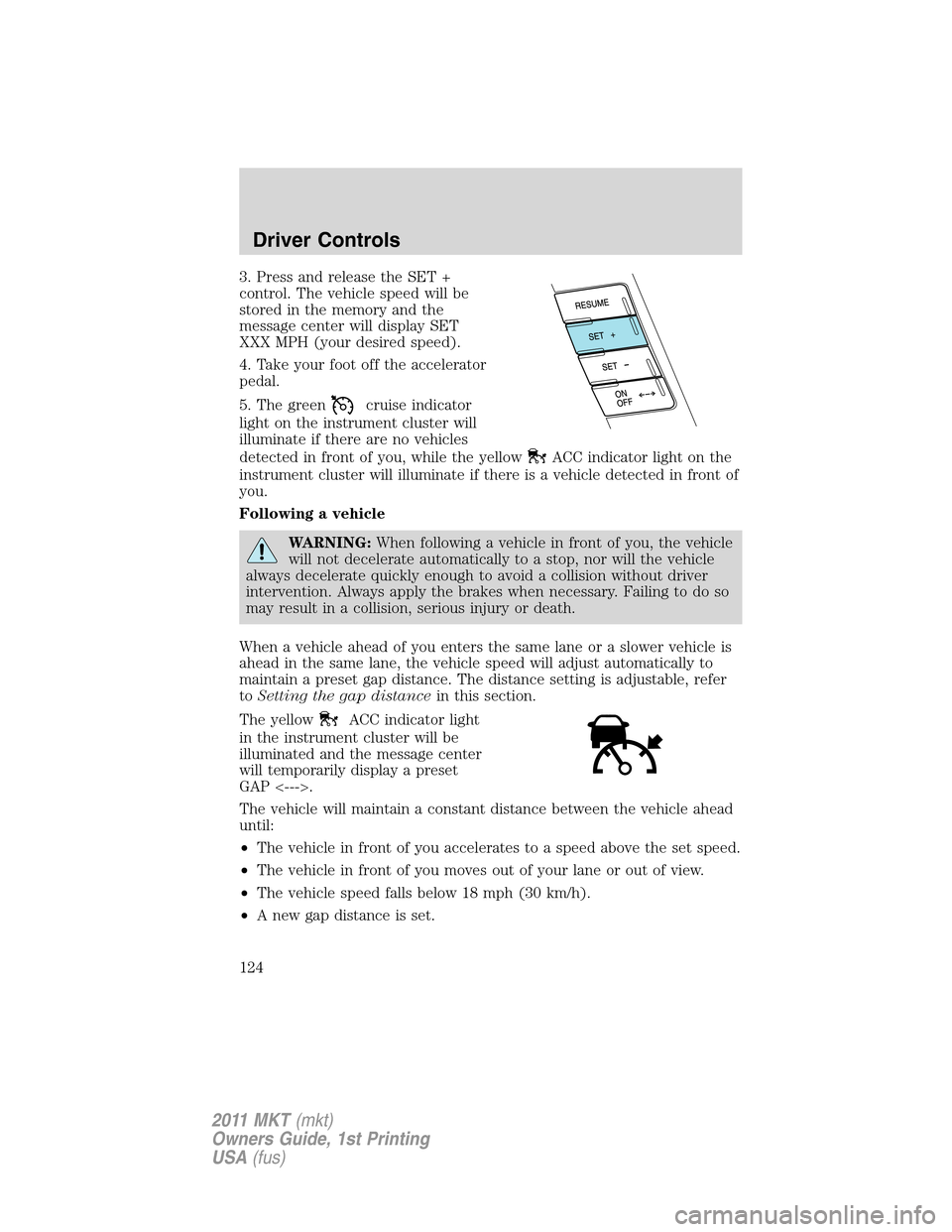
3. Press and release the SET +
control. The vehicle speed will be
stored in the memory and the
message center will display SET
XXX MPH (your desired speed).
4. Take your foot off the accelerator
pedal.
5. The green
cruise indicator
light on the instrument cluster will
illuminate if there are no vehicles
detected in front of you, while the yellow
ACC indicator light on the
instrument cluster will illuminate if there is a vehicle detected in front of
you.
Following a vehicle
WARNING:When following a vehicle in front of you, the vehicle
will not decelerate automatically to a stop, nor will the vehicle
always decelerate quickly enough to avoid a collision without driver
intervention. Always apply the brakes when necessary. Failing to do so
may result in a collision, serious injury or death.
When a vehicle ahead of you enters the same lane or a slower vehicle is
ahead in the same lane, the vehicle speed will adjust automatically to
maintain a preset gap distance. The distance setting is adjustable, refer
toSetting the gap distancein this section.
The yellow
ACC indicator light
in the instrument cluster will be
illuminated and the message center
will temporarily display a preset
GAP <--->.
The vehicle will maintain a constant distance between the vehicle ahead
until:
•The vehicle in front of you accelerates to a speed above the set speed.
•The vehicle in front of you moves out of your lane or out of view.
•The vehicle speed falls below 18 mph (30 km/h).
•A new gap distance is set.
Driver Controls
124
2011 MKT(mkt)
Owners Guide, 1st Printing
USA(fus)
Page 126 of 454
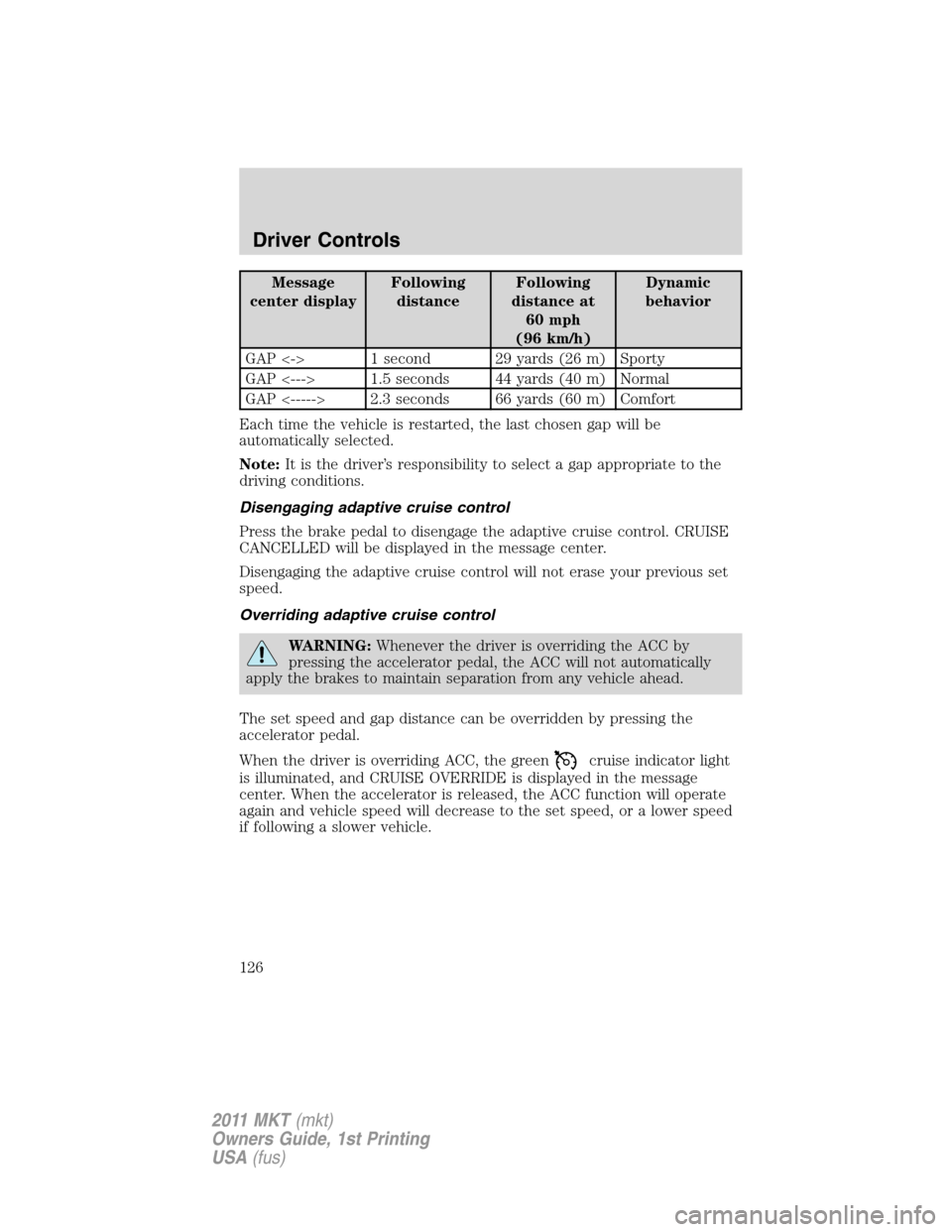
Message
center displayFollowing
distanceFollowing
distance at
60 mph
(96 km/h)Dynamic
behavior
GAP <-> 1 second 29 yards (26 m) Sporty
GAP <---> 1.5 seconds 44 yards (40 m) Normal
GAP <-----> 2.3 seconds 66 yards (60 m) Comfort
Each time the vehicle is restarted, the last chosen gap will be
automatically selected.
Note:It is the driver’s responsibility to select a gap appropriate to the
driving conditions.
Disengaging adaptive cruise control
Press the brake pedal to disengage the adaptive cruise control. CRUISE
CANCELLED will be displayed in the message center.
Disengaging the adaptive cruise control will not erase your previous set
speed.
Overriding adaptive cruise control
WARNING:Whenever the driver is overriding the ACC by
pressing the accelerator pedal, the ACC will not automatically
apply the brakes to maintain separation from any vehicle ahead.
The set speed and gap distance can be overridden by pressing the
accelerator pedal.
When the driver is overriding ACC, the green
cruise indicator light
is illuminated, and CRUISE OVERRIDE is displayed in the message
center. When the accelerator is released, the ACC function will operate
again and vehicle speed will decrease to the set speed, or a lower speed
if following a slower vehicle.
Driver Controls
126
2011 MKT(mkt)
Owners Guide, 1st Printing
USA(fus)