lock LINCOLN MKT 2011 Owner's Manual
[x] Cancel search | Manufacturer: LINCOLN, Model Year: 2011, Model line: MKT, Model: LINCOLN MKT 2011Pages: 454, PDF Size: 3.82 MB
Page 76 of 454
where indicated on the left and right hand sides of the system. Refer to
Wired Headphonesfollowing.
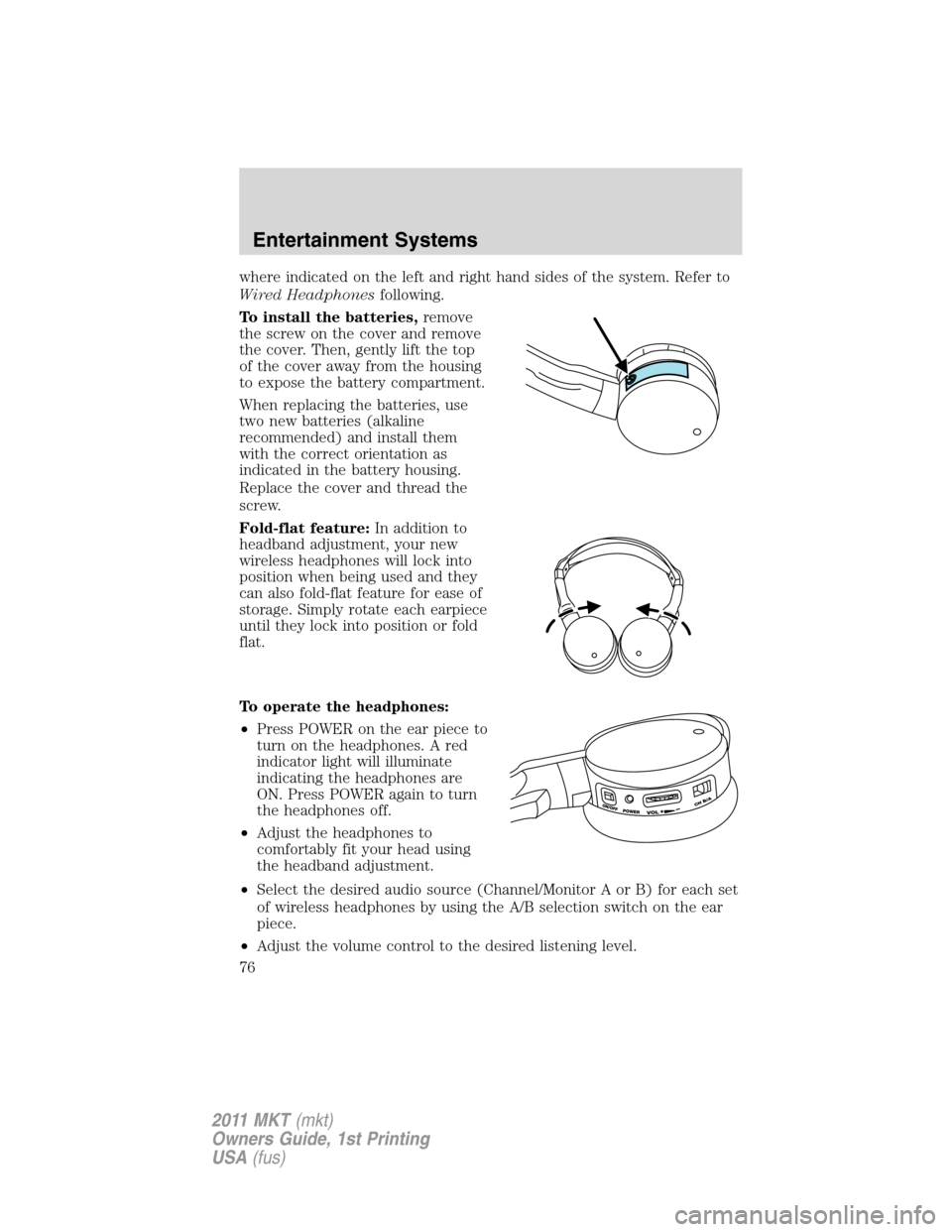
To install the batteries,remove
the screw on the cover and remove
the cover. Then, gently lift the top
of the cover away from the housing
to expose the battery compartment.
When replacing the batteries, use
two new batteries (alkaline
recommended) and install them
with the correct orientation as
indicated in the battery housing.
Replace the cover and thread the
screw.
Fold-flat feature:In addition to
headband adjustment, your new
wireless headphones will lock into
position when being used and they
can also fold-flat feature for ease of
storage. Simply rotate each earpiece
until they lock into position or fold
flat.
To operate the headphones:
•Press POWER on the ear piece to
turn on the headphones. A red
indicator light will illuminate
indicating the headphones are
ON. Press POWER again to turn
the headphones off.
•Adjust the headphones to
comfortably fit your head using
the headband adjustment.
•Select the desired audio source (Channel/Monitor A or B) for each set
of wireless headphones by using the A/B selection switch on the ear
piece.
•Adjust the volume control to the desired listening level.
Entertainment Systems
76
2011 MKT(mkt)
Owners Guide, 1st Printing
USA(fus)
Page 83 of 454
4. Press/to chose from Sharpness, Brightness, Contrast, Gamma
(Color), Hue, Saturation and Luma-Delay.
General setup — screen exit
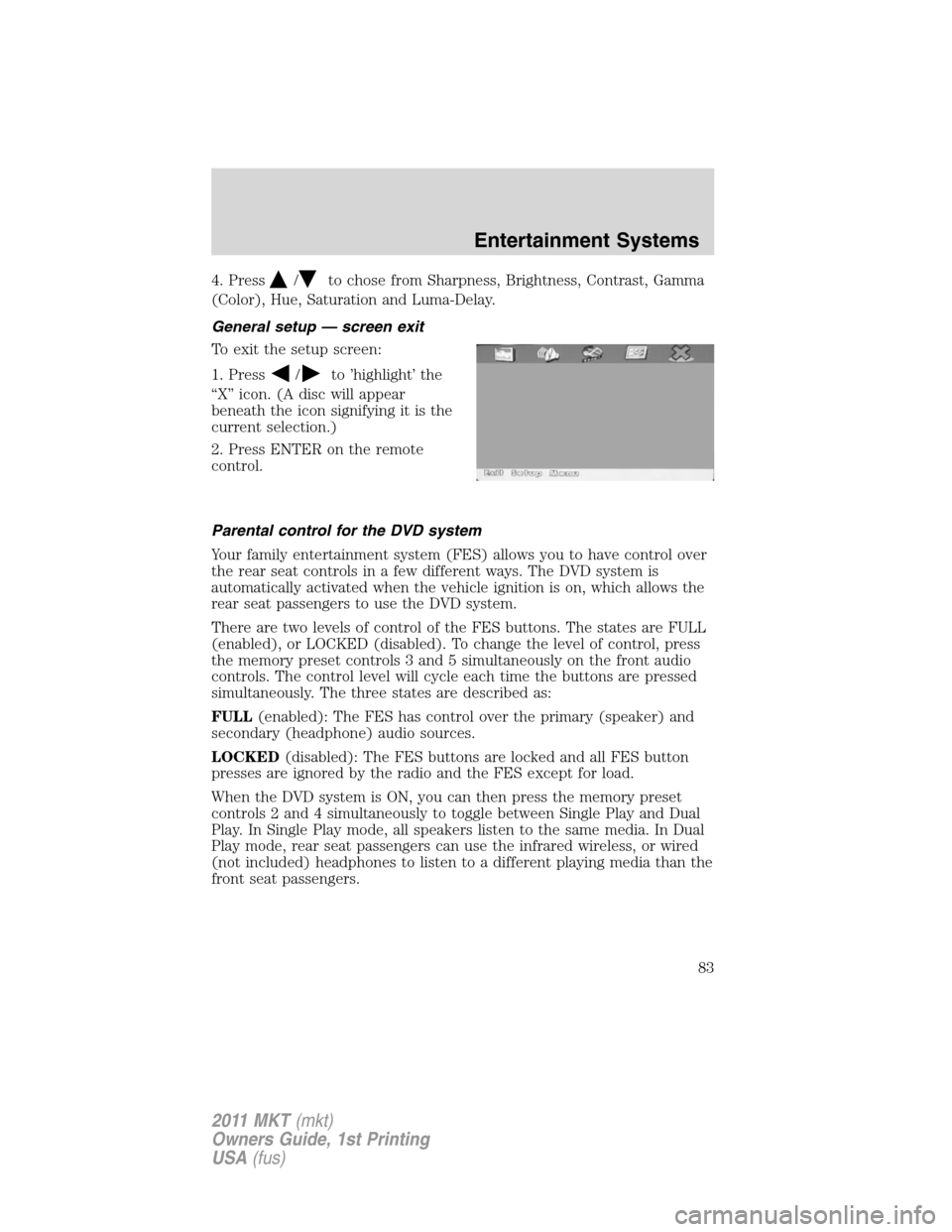
To exit the setup screen:
1. Press
/to ’highlight’ the
“X” icon. (A disc will appear
beneath the icon signifying it is the
current selection.)
2. Press ENTER on the remote
control.
Parental control for the DVD system
Your family entertainment system (FES) allows you to have control over
the rear seat controls in a few different ways. The DVD system is
automatically activated when the vehicle ignition is on, which allows the
rear seat passengers to use the DVD system.
There are two levels of control of the FES buttons. The states are FULL
(enabled), or LOCKED (disabled). To change the level of control, press
the memory preset controls 3 and 5 simultaneously on the front audio
controls. The control level will cycle each time the buttons are pressed
simultaneously. The three states are described as:
FULL(enabled): The FES has control over the primary (speaker) and
secondary (headphone) audio sources.
LOCKED(disabled): The FES buttons are locked and all FES button
presses are ignored by the radio and the FES except for load.
When the DVD system is ON, you can then press the memory preset
controls 2 and 4 simultaneously to toggle between Single Play and Dual
Play. In Single Play mode, all speakers listen to the same media. In Dual
Play mode, rear seat passengers can use the infrared wireless, or wired
(not included) headphones to listen to a different playing media than the
front seat passengers.
Entertainment Systems
83
2011 MKT(mkt)
Owners Guide, 1st Printing
USA(fus)
Page 94 of 454
6.Rear passenger side cooled seat control (if equipped):Press
to activate. Refer toRear seatsin theSeating and Safety Restraints
chapter for more information.
7.AUTO
:Press to activate automatic control of the airflow direction
in the rear of the vehicle. The system will automatically determine the
airflow distribution in order to reach and maintain the desired temperature.
8.REAR LOCK:Illuminates when the rear (auxiliary) climate system is
being controlled by the front controls. The rear (auxiliary) climate
controls will not work when this is illuminated.
9.
Rear driver side cooled seat control (if equipped):Press to
activate. Refer toRear seatsin theSeating and Safety Restraints
chapter for more information.
REAR WINDOW DEFROSTER
R
The rear defroster control is located on the climate control panel and
works to clear the rear window of fog and thin ice.
The ignition must be on to operate the rear window defroster.
The rear defroster turns off automatically after 10 minutes or when the
ignition is turned off. To manually turn off the defroster before
10 minutes have passed, press the control again.
Do not use razor blades or other sharp objects to clean the inside
of the rear window or to remove decals from the inside of the
rear window. This may cause damage to the heated grid lines and
will not be covered by your warranty.
CABIN AIR FILTER
The cabin air filter element is designed to reduce the concentration of
airborne particles such as dust, spores and pollen in the air being
supplied to the interior of the vehicle. The presence of a particulate filter
element provides the following benefits:
•Improves your driving comfort by reducing particle concentration.
•Improves the interior compartment cleanliness.
•Protects the climate control components from particle deposits.
Note:A cabin air filter must be installed at all times to prevent foreign
objects from entering the system. Running the system without a filter in
place could result in degradation or damage to the system.
The access door for the filter is located behind the glove box. For
replacement intervals regarding the cabin air filter, see thescheduled
maintenance information. For more information regarding your filter,
see your authorized dealer.
Climate Controls
94
2011 MKT(mkt)
Owners Guide, 1st Printing
USA(fus)
Page 96 of 454
Autolamp control
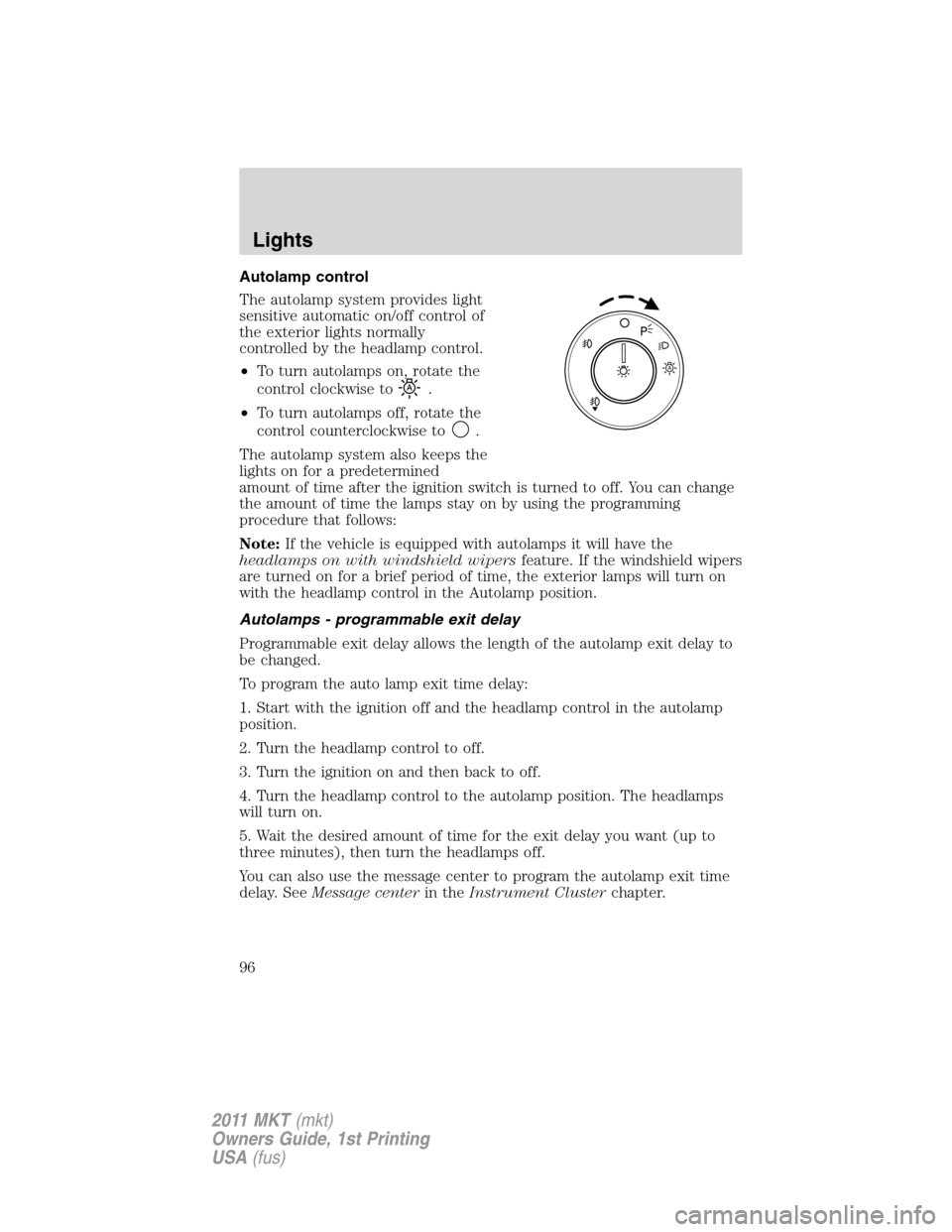
The autolamp system provides light
sensitive automatic on/off control of
the exterior lights normally
controlled by the headlamp control.
•To turn autolamps on, rotate the
control clockwise to
.
•To turn autolamps off, rotate the
control counterclockwise to
.
The autolamp system also keeps the
lights on for a predetermined
amount of time after the ignition switch is turned to off. You can change
the amount of time the lamps stay on by using the programming
procedure that follows:
Note:If the vehicle is equipped with autolamps it will have the
headlamps on with windshield wipersfeature. If the windshield wipers
are turned on for a brief period of time, the exterior lamps will turn on
with the headlamp control in the Autolamp position.
Autolamps - programmable exit delay
Programmable exit delay allows the length of the autolamp exit delay to
be changed.
To program the auto lamp exit time delay:
1. Start with the ignition off and the headlamp control in the autolamp
position.
2. Turn the headlamp control to off.
3. Turn the ignition on and then back to off.
4. Turn the headlamp control to the autolamp position. The headlamps
will turn on.
5. Wait the desired amount of time for the exit delay you want (up to
three minutes), then turn the headlamps off.
You can also use the message center to program the autolamp exit time
delay. SeeMessage centerin theInstrument Clusterchapter.
A
Lights
96
2011 MKT(mkt)
Owners Guide, 1st Printing
USA(fus)
Page 99 of 454
Deactivating high beams
The automatic high beams will deactivate if any of the following events
occur:
•An approaching vehicle’s headlights or a preceding vehicle’s tail lamps
are detected.
•The headlamp control is moved out of the autolamps position.
•The vehicle speed falls below 27 mph (43 km/h).
•The ambient light level is high enough that high beams are not
needed.
•Severe rain, snow or fog is detected.
•The camera is blocked.
Note:Activating the multi-function lever will put the headlamps in
manual high beam mode (constant or flash-to-pass) until the lever is
returned to the neutral position. To manually override the auto high
beam and go to low beam, the headlamp control must be taken out of
the
(autolamp) position. For severe fog on freeways, or severe fog
in low traffic situations, use of fog lamps is recommended.
Setting auto high beam sensitivity
The automatic high beam system has two sensitivity settings. The default
setting is near. If you would like the high beams to turn off when traffic
is further away, the sensitivity setting can be changed to far. The
procedure is as follows:
Preconditions:
•Vehicle is at a stop.
•Ignition is in the on position.
•The headlamp control is in the
position.
•High-beams are off.
Programming Sequence:
1. Turn the headlamp control from
(on) to(autolamp) three
times within two seconds, ending in
(on).
2. Cycle flash-to-pass three times using the multi-function lever.
3. The high beams will flash momentarily to confirm that the sensitivity
setting has been changed.
Lights
99
2011 MKT(mkt)
Owners Guide, 1st Printing
USA(fus)
Page 100 of 454
Note: The programming sequence will end if either of the following
occur:
•The vehicle speed is not zero.
•The battery voltage is out of normal range.
Troubleshooting
If the automatic high beam camera becomes blocked, the high beams
may not come on automatically. They will only activate when they are
manually turned on with the multi-function lever.
Typical road dust, dirt and water spots will not affect the automatic high
beam system’s performance. However, in cold or inclement weather
conditions, the automatic high beam system’s availability may be
decreased. In such conditions, the manual override may be used to turn
the high beams on or off.
For significant blockages (e.g. bird dropping, bug splatter, snow, or ice),
the automatic high beam system uses a blocked sensor computer
program. If a blockage is detected and no changes are observed, the
system will go into low beam mode until the blockage is cleared. If
blockages are repeatedly detected, the system will stay in low beam
mode for the remainder of the ignition cycle unless the system is able to
begin detecting other vehicles again.
If it appears that automatic control of the high beams is not functioning
properly, check the windshield in front of the camera for blockage.
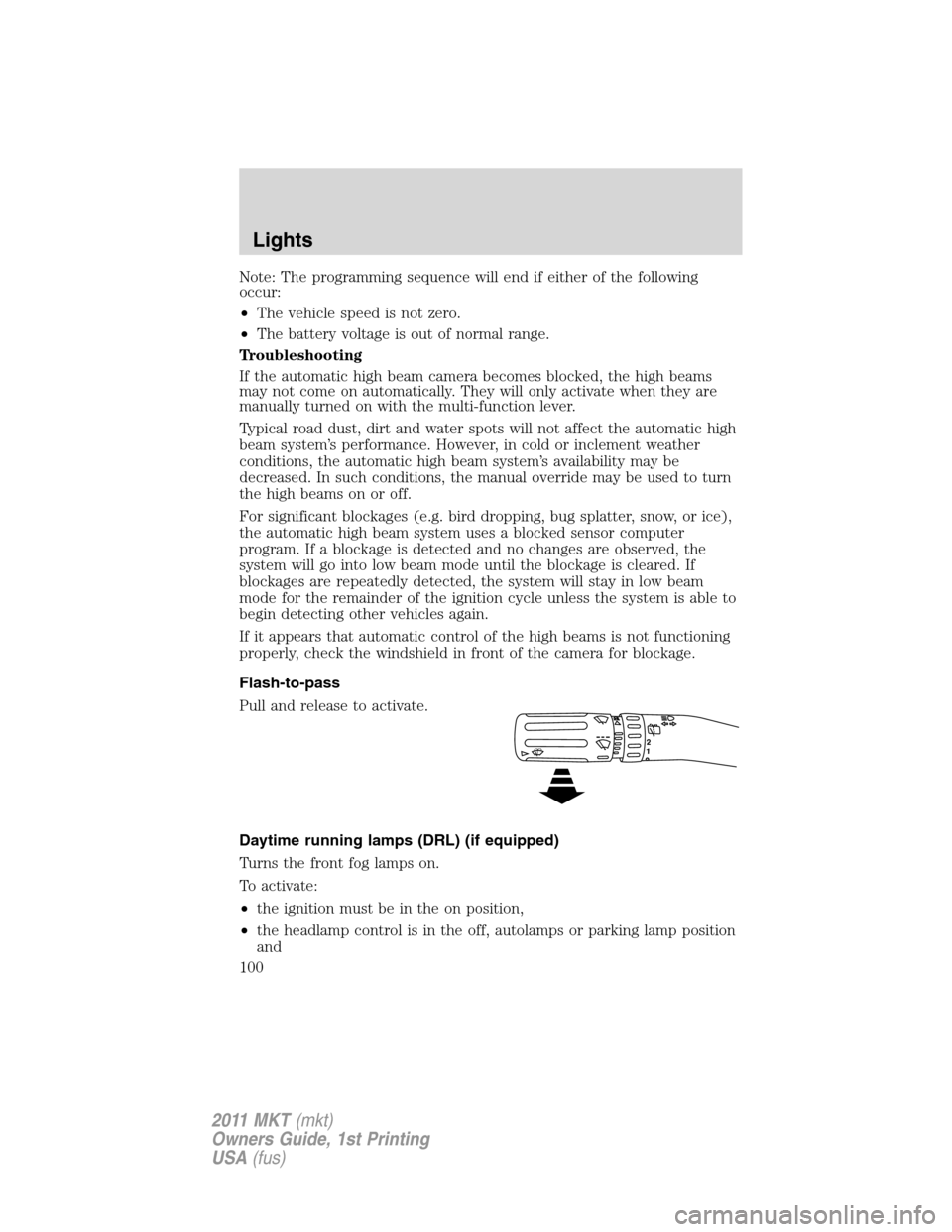
Flash-to-pass
Pull and release to activate.
Daytime running lamps (DRL) (if equipped)
Turns the front fog lamps on.
To activate:
•the ignition must be in the on position,
•the headlamp control is in the off, autolamps or parking lamp position
and
12
Lights
100
2011 MKT(mkt)
Owners Guide, 1st Printing
USA(fus)
Page 102 of 454
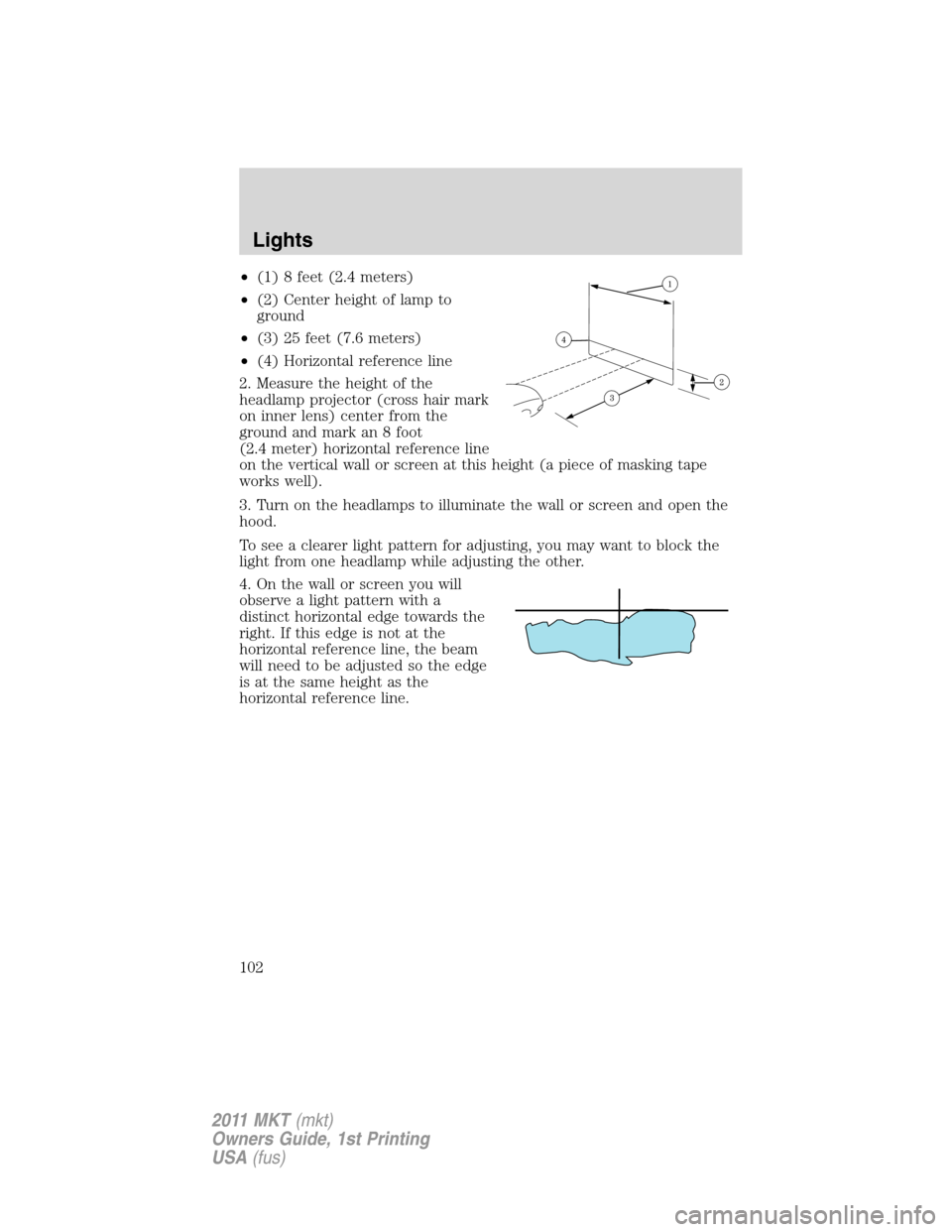
•(1) 8 feet (2.4 meters)
•(2) Center height of lamp to
ground
•(3) 25 feet (7.6 meters)
•(4) Horizontal reference line
2. Measure the height of the
headlamp projector (cross hair mark
on inner lens) center from the
ground and mark an 8 foot
(2.4 meter) horizontal reference line
on the vertical wall or screen at this height (a piece of masking tape
works well).
3. Turn on the headlamps to illuminate the wall or screen and open the
hood.
To see a clearer light pattern for adjusting, you may want to block the
light from one headlamp while adjusting the other.
4. On the wall or screen you will
observe a light pattern with a
distinct horizontal edge towards the
right. If this edge is not at the
horizontal reference line, the beam
will need to be adjusted so the edge
is at the same height as the
horizontal reference line.
Lights
102
2011 MKT(mkt)
Owners Guide, 1st Printing
USA(fus)
Page 103 of 454
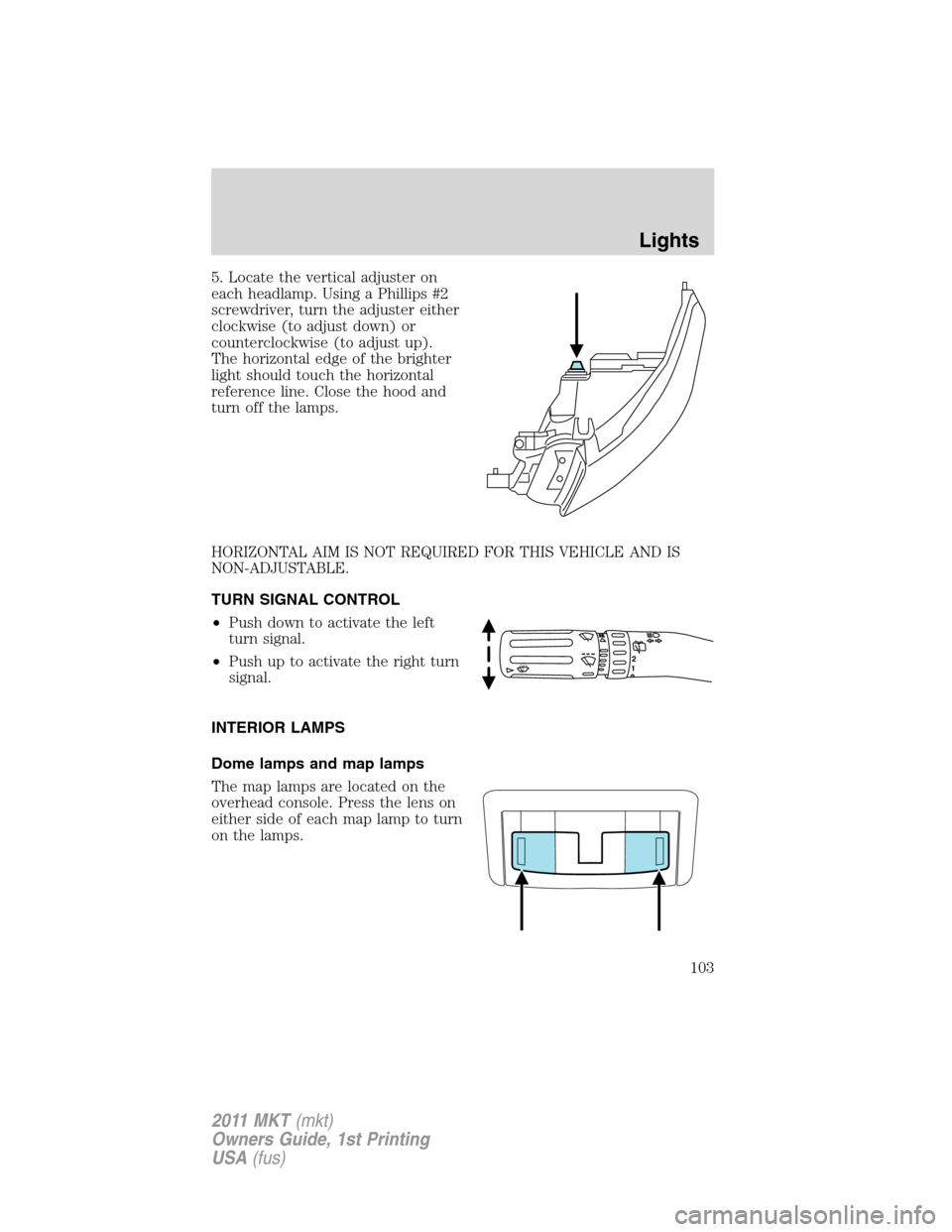
5. Locate the vertical adjuster on
each headlamp. Using a Phillips #2
screwdriver, turn the adjuster either
clockwise (to adjust down) or
counterclockwise (to adjust up).
The horizontal edge of the brighter
light should touch the horizontal
reference line. Close the hood and
turn off the lamps.
HORIZONTAL AIM IS NOT REQUIRED FOR THIS VEHICLE AND IS
NON-ADJUSTABLE.
TURN SIGNAL CONTROL
•Push down to activate the left
turn signal.
•Push up to activate the right turn
signal.
INTERIOR LAMPS
Dome lamps and map lamps
The map lamps are located on the
overhead console. Press the lens on
either side of each map lamp to turn
on the lamps.
12
Lights
103
2011 MKT(mkt)
Owners Guide, 1st Printing
USA(fus)
Page 107 of 454
Replacing front parking lamp/turn signal bulbs
For bulb replacement, see your authorized dealer.
Replacing rear stop/tail/turn/backup and side marker lamps
Your vehicle is equipped with stop/tail/turn/backup and side marker lamp
assemblies containing integral multiple light emitting diodes (LED). If
replacement is required, see your authorized dealer.
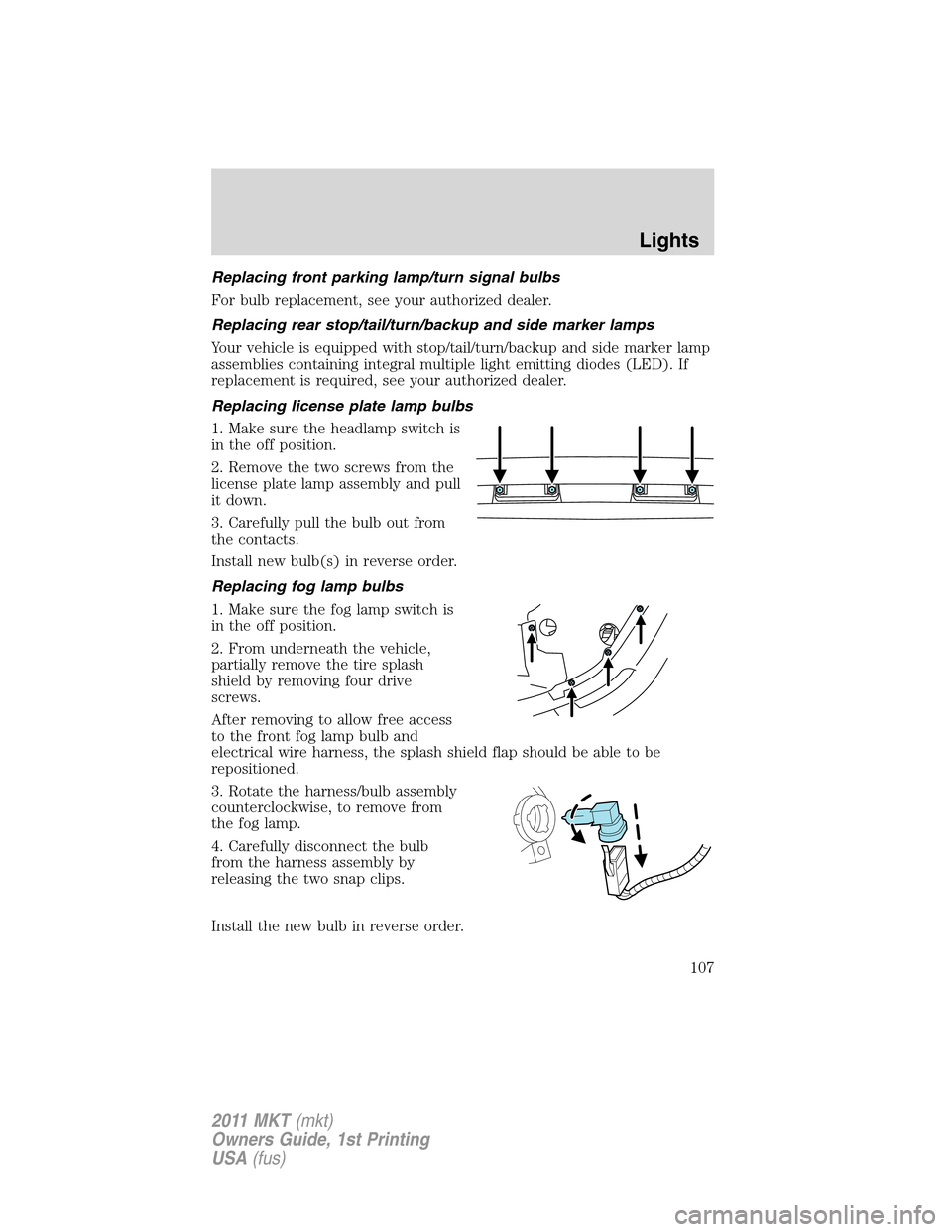
Replacing license plate lamp bulbs
1. Make sure the headlamp switch is
in the off position.
2. Remove the two screws from the
license plate lamp assembly and pull
it down.
3. Carefully pull the bulb out from
the contacts.
Install new bulb(s) in reverse order.
Replacing fog lamp bulbs
1. Make sure the fog lamp switch is
in the off position.
2. From underneath the vehicle,
partially remove the tire splash
shield by removing four drive
screws.
After removing to allow free access
to the front fog lamp bulb and
electrical wire harness, the splash shield flap should be able to be
repositioned.
3. Rotate the harness/bulb assembly
counterclockwise, to remove from
the fog lamp.
4. Carefully disconnect the bulb
from the harness assembly by
releasing the two snap clips.
Install the new bulb in reverse order.
Lights
107
2011 MKT(mkt)
Owners Guide, 1st Printing
USA(fus)
Page 117 of 454
Global close windows
You can close the vehicle’s windows by using the
control on the
remote transmitter.
Press and hold the
control on the transmitter to close the windows.
Note:The ignition must be off and the accessory delay feature must not
be activated in order for this feature to operate.
Note:This feature can be disabled or enabled by your authorized dealer.
WARNING:To avoid personal injury and vehicle damage, verify
that windows are free of obstructions before operating and
ensure that children and/or pets are not in the proximity of window
openings.
Bounce-back
When an obstacle has been detected in the window opening as the
window is moving upward, the window will automatically reverse
direction and move down. This is known as “bounce-back”. If the ignition
is turned off (without accessory delay being active) during bounce-back,
the window will move down until the bounce-back position is reached.
Security override
To override a bounce-back condition, within two seconds after the
window reaches the bounce-back position, pull and hold the switch up
andthe window will travel up with no bounce-back or pinch
protection.If the switch is released before the window is fully closed,
the window will stop. For example, this can be used to overcome the
resistance of ice on the window or seals.
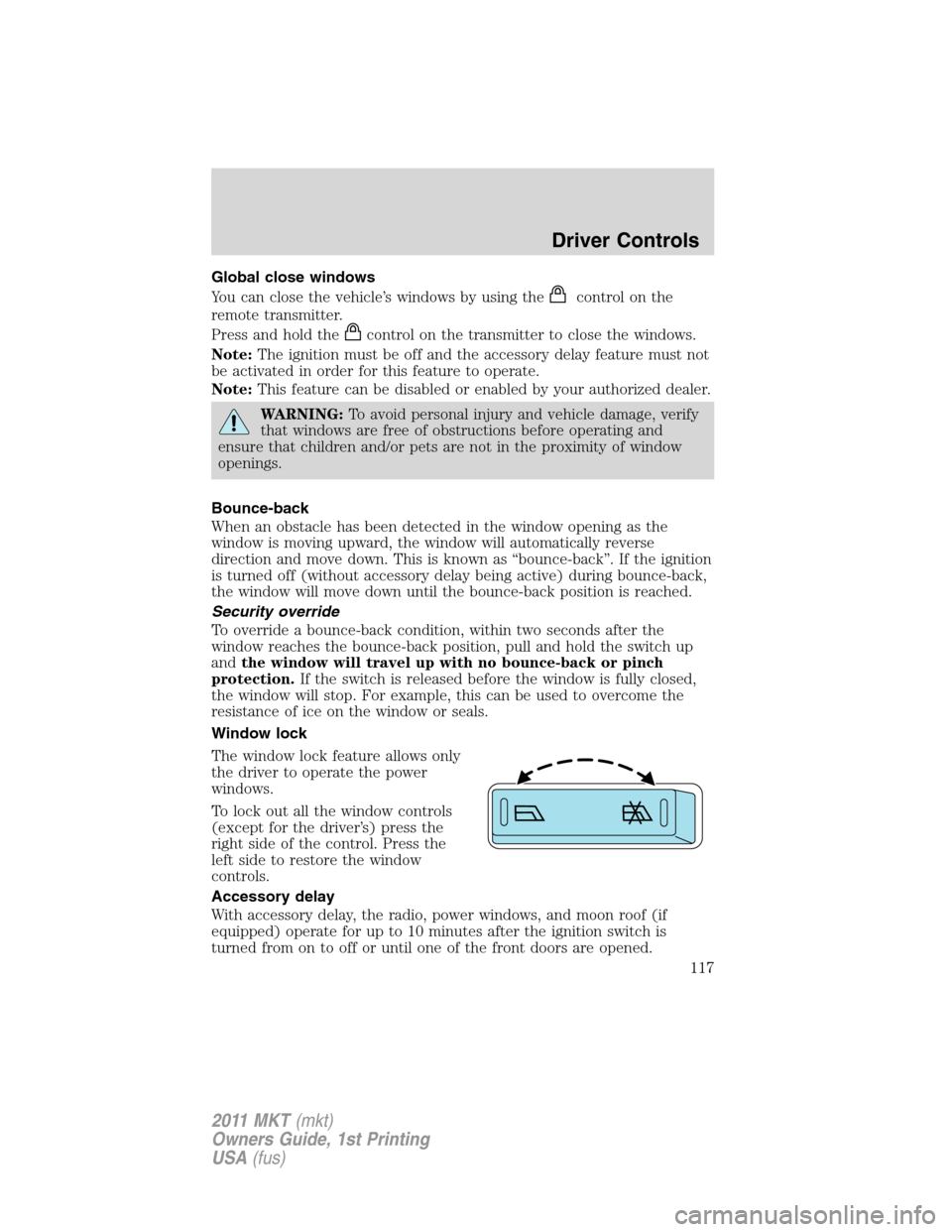
Window lock
The window lock feature allows only
the driver to operate the power
windows.
To lock out all the window controls
(except for the driver’s) press the
right side of the control. Press the
left side to restore the window
controls.
Accessory delay
With accessory delay, the radio, power windows, and moon roof (if
equipped) operate for up to 10 minutes after the ignition switch is
turned from on to off or until one of the front doors are opened.
Driver Controls
117
2011 MKT(mkt)
Owners Guide, 1st Printing
USA(fus)