power LINCOLN MKT 2013 User Guide
[x] Cancel search | Manufacturer: LINCOLN, Model Year: 2013, Model line: MKT, Model: LINCOLN MKT 2013Pages: 494, PDF Size: 5.97 MB
Page 74 of 494
Activating intelligent access
The intelligent access key must be within 3 feet (1 meter) of the vehicle.
At the front doors
Pull a front exterior door handle. The door will unlock and can be
opened.
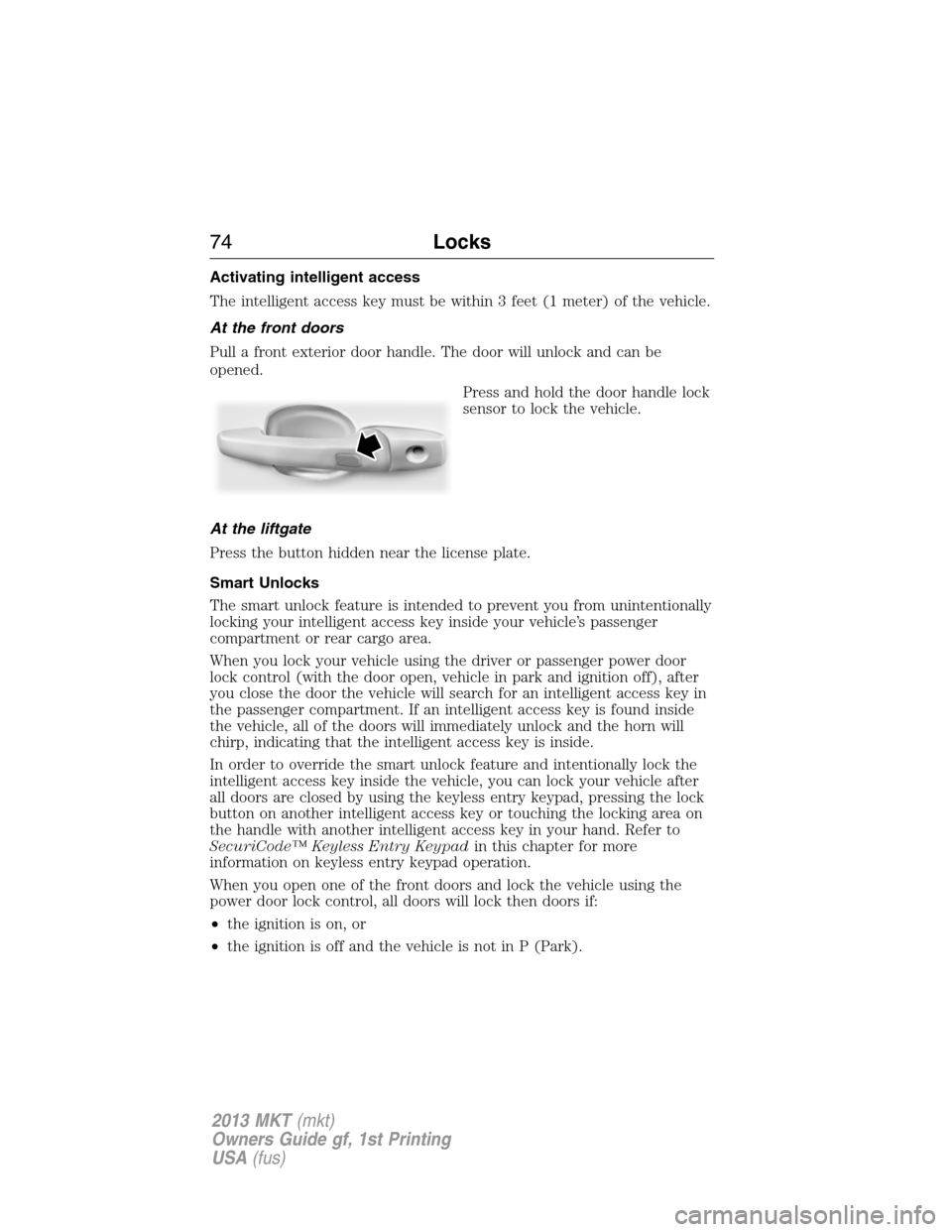
Press and hold the door handle lock
sensor to lock the vehicle.
At the liftgate
Press the button hidden near the license plate.
Smart Unlocks
The smart unlock feature is intended to prevent you from unintentionally
locking your intelligent access key inside your vehicle’s passenger
compartment or rear cargo area.
When you lock your vehicle using the driver or passenger power door
lock control (with the door open, vehicle in park and ignition off), after
you close the door the vehicle will search for an intelligent access key in
the passenger compartment. If an intelligent access key is found inside
the vehicle, all of the doors will immediately unlock and the horn will
chirp, indicating that the intelligent access key is inside.
In order to override the smart unlock feature and intentionally lock the
intelligent access key inside the vehicle, you can lock your vehicle after
all doors are closed by using the keyless entry keypad, pressing the lock
button on another intelligent access key or touching the locking area on
the handle with another intelligent access key in your hand. Refer to
SecuriCode™ Keyless Entry Keypadin this chapter for more
information on keyless entry keypad operation.
When you open one of the front doors and lock the vehicle using the
power door lock control, all doors will lock then doors if:
•the ignition is on, or
•the ignition is off and the vehicle is not in P (Park).
74Locks
2013 MKT(mkt)
Owners Guide gf, 1st Printing
USA(fus)
Page 76 of 494
•the vehicle is locked using the keyless entry keypad
•after 25 seconds of illumination.
The lights will not turn off if:
•they have been turned on with the dimmer control
•any door is open.
Illuminated Exit
The interior dome lamps, parking lamps and puddle lamps (if equipped)
will illuminate when all doors are closed and the ignition is turned off.
The lights will turn off if all the doors remain closed and:
•25 seconds elapse
•the START/STOP button is pressed.
Battery Saver
If the courtesy lamps, dome lamps or headlamps are left on, the battery
saver will shut them off 10 minutes after the ignition has been turned off.
Accessory Mode Battery Saver for Intelligent Access Keys
If you shut off the engine and leave the ignition in the on or accessory
mode, the ignition will shut off after 30 minutes.
LIFTGATE
WARNING:It is extremely dangerous to ride in a cargo area,
inside or outside of a vehicle. In a collision, people riding in these
areas are more likely to be seriously injured or killed. Do not allow
people to ride in any area of your vehicle that is not equipped with
seats and safety belts. Be sure everyone in your vehicle is in a seat and
using a safety belt properly.
Power Liftgate
WARNING:Make sure all persons are clear of the power liftgate
area before using the power liftgate control.
WARNING:Keep keys out of reach of children. Do not allow
children to play near an open or moving power liftgate.
76Locks
2013 MKT(mkt)
Owners Guide gf, 1st Printing
USA(fus)
Page 77 of 494
Note:Cycling the ignition while the liftgate is power closing and is
6–10 inches (15–24 cm) from being latched may cause the liftgate to
reverse to full open position. Make sure that the liftgate is closed before
operating or moving the vehicle, especially in an enclosure, like a garage
or a parking structure. The liftgate or its components could be damaged.
Note:Do not drive with the liftgate open without first disabling the
power function and securing the liftgate to the vehicle.
Note:In case of operation in extreme cold -40°F (-40°C), or on extreme
inclines, manual operation of the liftgate is suggested.
The power liftgate can be enabled or disabled using the information
display. The remote control and instrument panel button will still operate
the liftgate regardless of the setting.
Opening and Closing the Power Liftgate
Note:The liftgate movement direction can be reversed with a second
press of the instrument panel, or the control button on the liftgate, or a
second double press of the transmitter button.
The liftgate will only operate with the vehicle in P (Park).
A chime will sound three times as the liftgate begins to power close. A
single chime indicates a problem with the close request, caused by:
•the ignition is on and the transmission is not in P (Park);
•or the battery voltage is below the minimum operating voltage;
•or the vehicle speed is at or above 3 mph (5 km/h).
If the liftgate reverses and starts to close after an open request, a fast
continuous chime indicates excessive load on the gate or a possible strut
failure. See your authorized dealer if you still have a fast chime after the
load is removed.
To open or close from the instrument panel:Press the
instrument panel button.
To open or close with the remote control:Press the remote
control button twice within three seconds.
Locks77
2013 MKT(mkt)
Owners Guide gf, 1st Printing
USA(fus)
Page 78 of 494
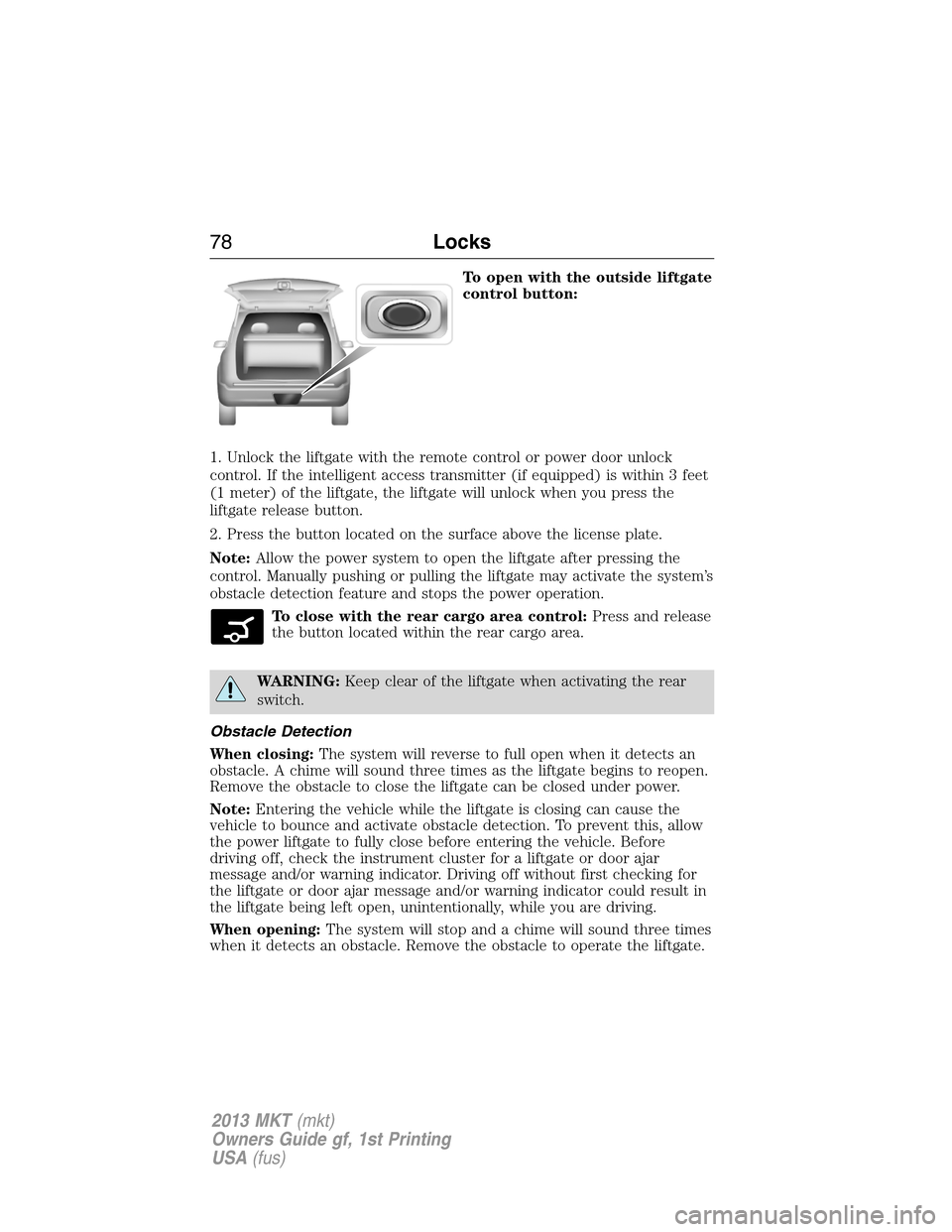
To open with the outside liftgate
control button:
1. Unlock the liftgate with the remote control or power door unlock
control. If the intelligent access transmitter (if equipped) is within 3 feet
(1 meter) of the liftgate, the liftgate will unlock when you press the
liftgate release button.
2. Press the button located on the surface above the license plate.
Note:Allow the power system to open the liftgate after pressing the
control. Manually pushing or pulling the liftgate may activate the system’s
obstacle detection feature and stops the power operation.
To close with the rear cargo area control:Press and release
the button located within the rear cargo area.
WARNING:Keep clear of the liftgate when activating the rear
switch.
Obstacle Detection
When closing:The system will reverse to full open when it detects an
obstacle. A chime will sound three times as the liftgate begins to reopen.
Remove the obstacle to close the liftgate can be closed under power.
Note:Entering the vehicle while the liftgate is closing can cause the
vehicle to bounce and activate obstacle detection. To prevent this, allow
the power liftgate to fully close before entering the vehicle. Before
driving off, check the instrument cluster for a liftgate or door ajar
message and/or warning indicator. Driving off without first checking for
the liftgate or door ajar message and/or warning indicator could result in
the liftgate being left open, unintentionally, while you are driving.
When opening:The system will stop and a chime will sound three times
when it detects an obstacle. Remove the obstacle to operate the liftgate.
78Locks
2013 MKT(mkt)
Owners Guide gf, 1st Printing
USA(fus)
Page 79 of 494
Resetting the Power Liftgate
The liftgate may not operate properly and may need to be reset if any of
these conditions occur:
•a low voltage or dead battery
•disconnected battery
•the liftgate is manually closed and left ajar (unlatched)
To reset the power liftgate:
1. Disconnect the battery for 20 seconds then, reconnect the battery.
2. Manually close and fully latch the liftgate.
3. Power open the liftgate by using the transmitter, or the instrument
panel control button.
Manual Operation
WARNING:Make sure that the liftgate is closed to prevent
exhaust fumes from being drawn into the vehicle. This will also
prevent passengers and cargo from falling out. If you must drive with
the liftgate door open, keep the vehicle well ventilated so outside air
comes into the vehicle.
Note:Be careful when opening or closing the liftgate in a garage or
other enclosed area to avoid damaging the liftgate.
Note:Do not hang anything (bike rack, etc.) from the spoiler, glass or
liftgate. This could damage the liftgate and its components.
Note:Do not leave the liftgate open while driving. This could damage
the liftgate and its components.
The liftgate area is only intended for cargo, not passengers.
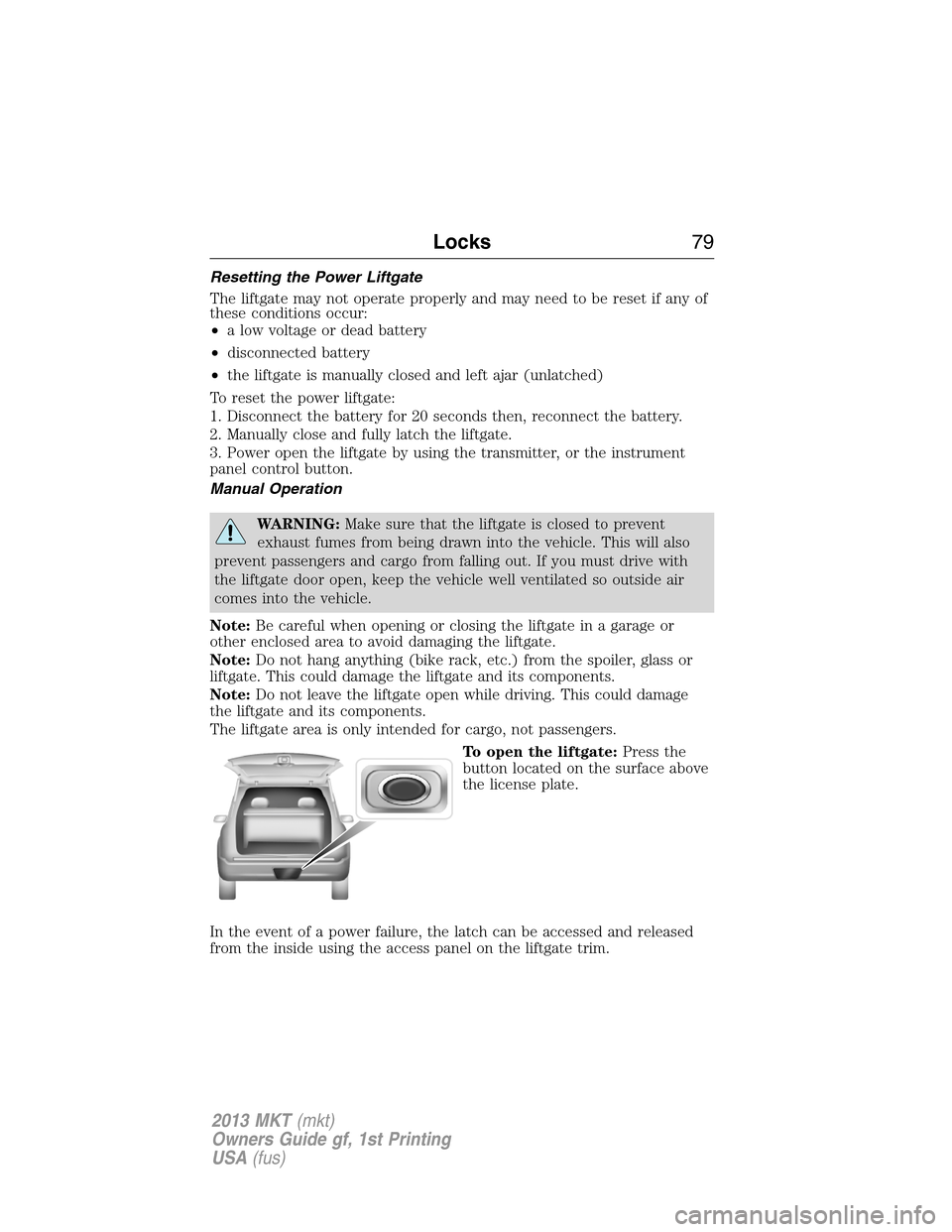
To open the liftgate:Press the
button located on the surface above
the license plate.
In the event of a power failure, the latch can be accessed and released
from the inside using the access panel on the liftgate trim.
Locks79
2013 MKT(mkt)
Owners Guide gf, 1st Printing
USA(fus)
Page 83 of 494
authorized dealer to be erased and reprogrammed if you would like to
replace a previously programmed access key with a new access key, or if
you already have four access keys programmed to your vehicle.
You must have two previously programmed intelligent access keys inside
the vehicle and the new unprogrammed intelligent access keys readily
accessible. See your authorized dealer to have the spare key programmed
if two previously programmed keys are not available.
Make sure that the vehicle is off before beginning this procedure. Make
sure that all doors are closed before beginning and that they remain
closed throughout the procedure. Perform all steps within 30 seconds of
starting the sequence. Stop and wait for at least one minute before
starting again if any steps are performed out of sequence.
Read and understand the entire procedure before you begin.
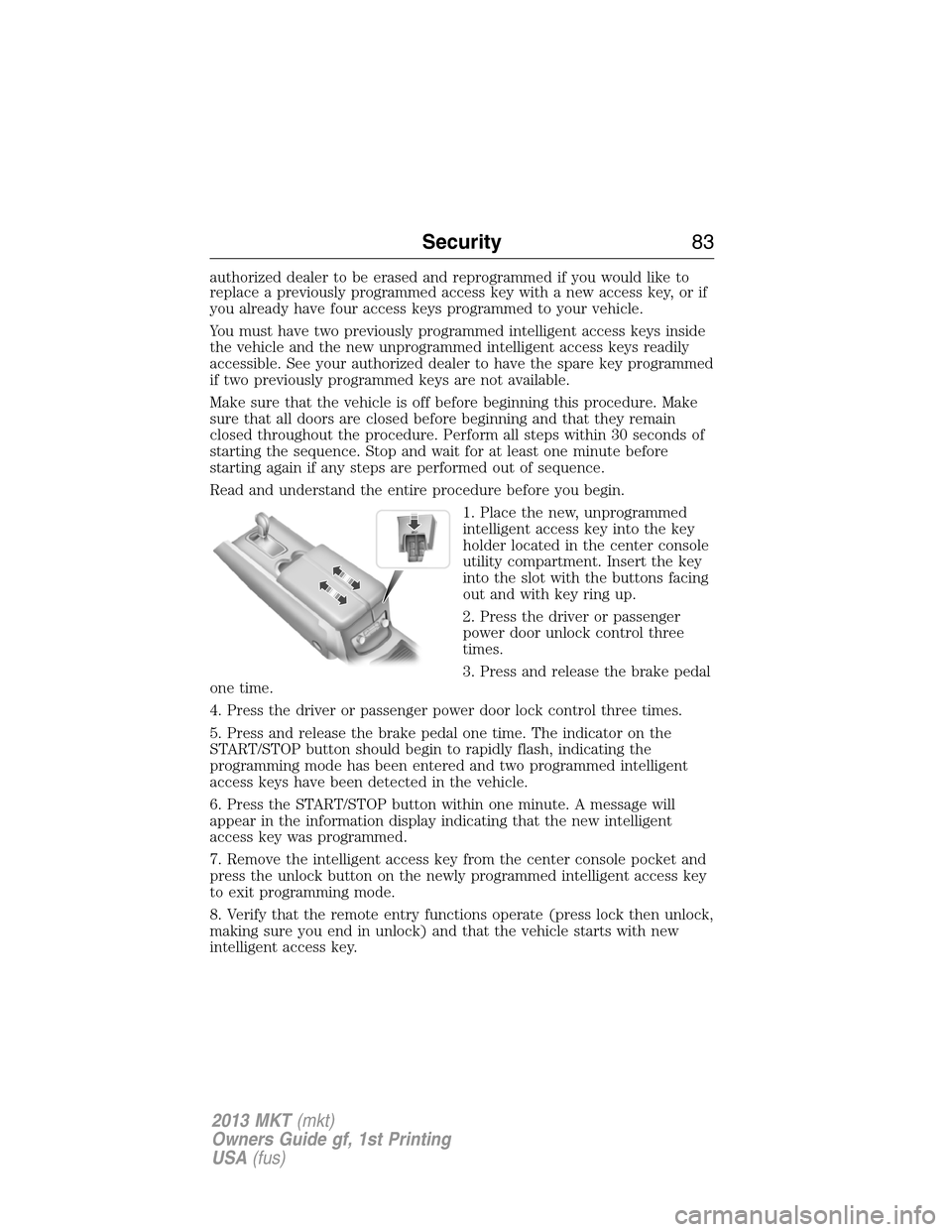
1. Place the new, unprogrammed
intelligent access key into the key
holder located in the center console
utility compartment. Insert the key
into the slot with the buttons facing
out and with key ring up.
2. Press the driver or passenger
power door unlock control three
times.
3. Press and release the brake pedal
one time.
4. Press the driver or passenger power door lock control three times.
5. Press and release the brake pedal one time. The indicator on the
START/STOP button should begin to rapidly flash, indicating the
programming mode has been entered and two programmed intelligent
access keys have been detected in the vehicle.
6. Press the START/STOP button within one minute. A message will
appear in the information display indicating that the new intelligent
access key was programmed.
7. Remove the intelligent access key from the center console pocket and
press the unlock button on the newly programmed intelligent access key
to exit programming mode.
8. Verify that the remote entry functions operate (press lock then unlock,
making sure you end in unlock) and that the vehicle starts with new
intelligent access key.
Security83
2013 MKT(mkt)
Owners Guide gf, 1st Printing
USA(fus)
Page 84 of 494
ANTI-THEFT ALARM
The system will warn you of unauthorized entry to your vehicle.
The turn signal lamps will flash and sound the horn up to a total of 10
times when:
•any door, the hood or the liftgate/trunk is opened without using the
keypad, the remote control or the intelligent access transmitter
•the ignition is turned on with an invalid key.
Take all keys and remote controls to your authorized dealer if there is
any potential alarm problem with your vehicle.
Arming the Alarm
The system is ready to arm whenever the ignition is off. Lock the vehicle
to arm the alarm.
The turn signal lamps will flash once after locking the vehicle to indicate
the alarm is in the pre-armed mode and will become fully armed in
20 seconds.
Once fully armed, any intelligent access keys found inside the vehicle are
disabled and will not start the engine. Press the unlock button to
re-enable them.
Disarming the Alarm
To disarm the alarm, do any of the following:
•Press the power door unlock button within the 20-second pre-armed
mode will.
•Press the unlock button on the remote control.
•Unlock the doors with the keyless entry pad.
•Enter the vehicle using intelligent access.
•Press the panic button on the remote control. The alarm system will
still be armed, but this shuts off the horn and turn lamps when the
alarm is sounding.
Note:If the driver’s door is unlocked with a key, a chime will sound
when you open the door and a message will appear in the information
display. You will have 12 seconds to disarm the alarm using any of the
actions above, otherwise the alarm will trigger.
84Security
2013 MKT(mkt)
Owners Guide gf, 1st Printing
USA(fus)
Page 97 of 494
ADAPTIVE HEADLAMPS (if equipped)
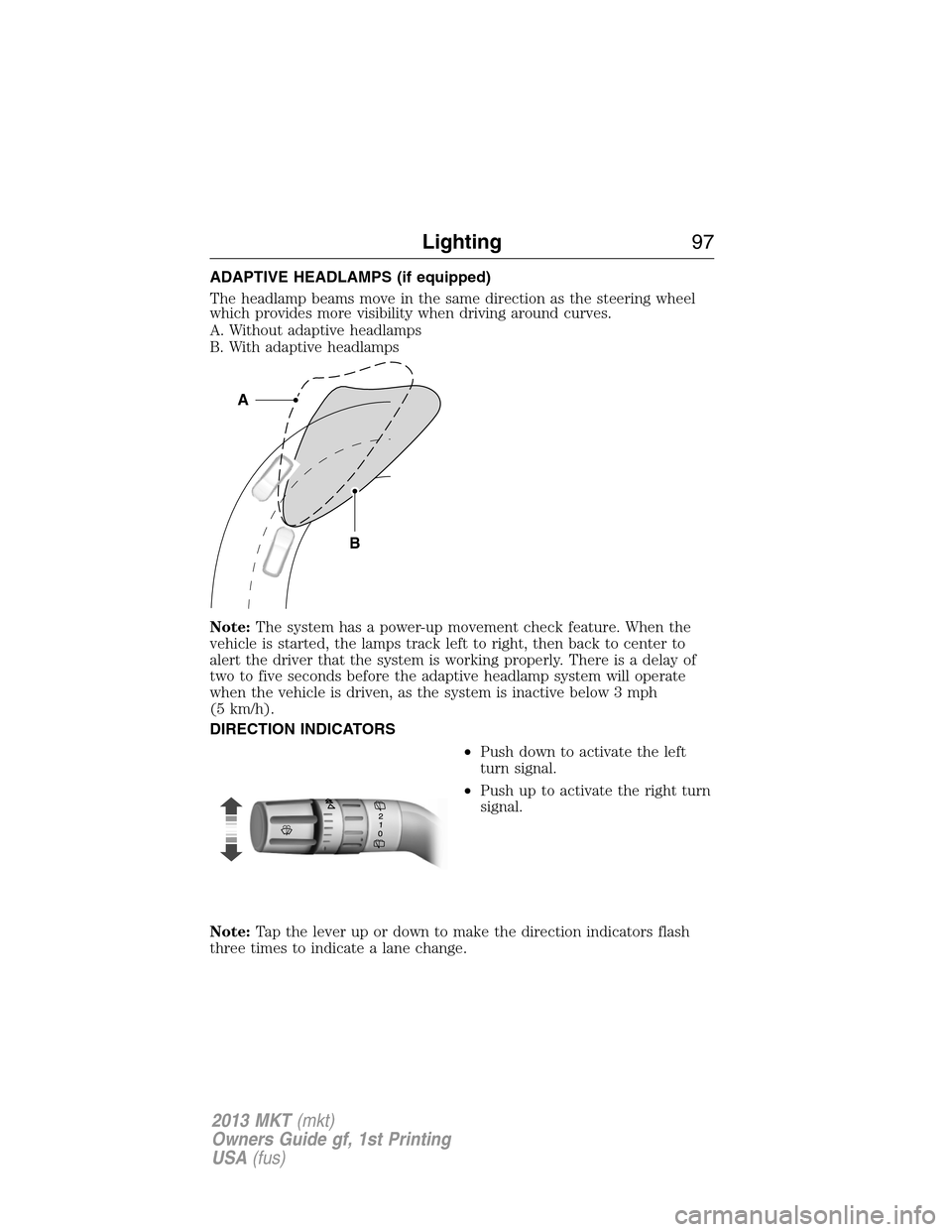
The headlamp beams move in the same direction as the steering wheel
which provides more visibility when driving around curves.
A. Without adaptive headlamps
B. With adaptive headlamps
Note:The system has a power-up movement check feature. When the
vehicle is started, the lamps track left to right, then back to center to
alert the driver that the system is working properly. There is a delay of
two to five seconds before the adaptive headlamp system will operate
when the vehicle is driven, as the system is inactive below 3 mph
(5 km/h).
DIRECTION INDICATORS
•Push down to activate the left
turn signal.
•Push up to activate the right turn
signal.
Note:Tap the lever up or down to make the direction indicators flash
three times to indicate a lane change.
B
A
Lighting97
2013 MKT(mkt)
Owners Guide gf, 1st Printing
USA(fus)
Page 100 of 494
POWER WINDOWS
WARNING:Do not leave children unattended in the vehicle and
do not let children play with the power windows. They may
seriously injure themselves.
WARNING:When closing the power windows, you should verify
they are free of obstructions and make sure that children and
pets are not in the proximity of the window openings.
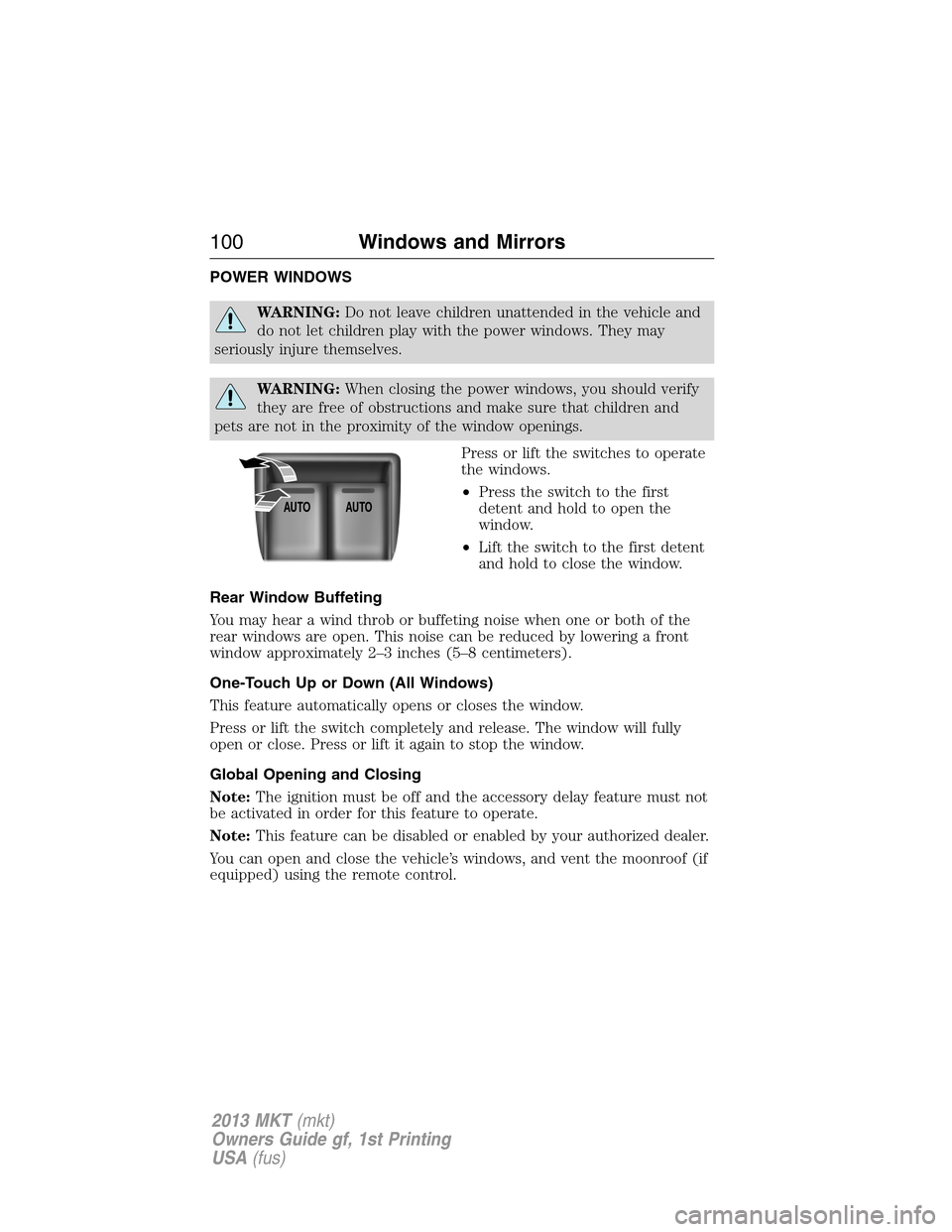
Press or lift the switches to operate
the windows.
•Press the switch to the first
detent and hold to open the
window.
•Lift the switch to the first detent
and hold to close the window.
Rear Window Buffeting
You may hear a wind throb or buffeting noise when one or both of the
rear windows are open. This noise can be reduced by lowering a front
window approximately 2–3 inches (5–8 centimeters).
One-Touch Up or Down (All Windows)
This feature automatically opens or closes the window.
Press or lift the switch completely and release. The window will fully
open or close. Press or lift it again to stop the window.
Global Opening and Closing
Note:The ignition must be off and the accessory delay feature must not
be activated in order for this feature to operate.
Note:This feature can be disabled or enabled by your authorized dealer.
You can open and close the vehicle’s windows, and vent the moonroof (if
equipped) using the remote control.
AUTOAUTO
100Windows and Mirrors
2013 MKT(mkt)
Owners Guide gf, 1st Printing
USA(fus)
Page 101 of 494
Opening the Windows
Press and hold the unlock button on the remote control to begin opening
the windows and venting the moonroof (if equipped). The power
sunscreen will also open.
Press the lock or unlock button on the remote control to stop motion.
Closing the Windows
WARNING:Before operating power windows and moonroof, you
should verify that they are free of obstructions and ensure that
children and/or pets are not in the proximity of window openings.
Press and hold the lock button on the remote control to begin closing the
windows and moonroof (if equipped).
Press the lock or unlock button the remote control to stop motion.
Bounce-Back
The window will stop automatically while closing and reverse some
distance if there is an obstacle in the way.
Overriding the Bounce-Back Feature
Pull up the window switch and hold within two seconds of the window
reaching the bounce-back position. The window will travel up with no
bounce-back protection. The window will stop if the switch is released
before the window is fully closed.
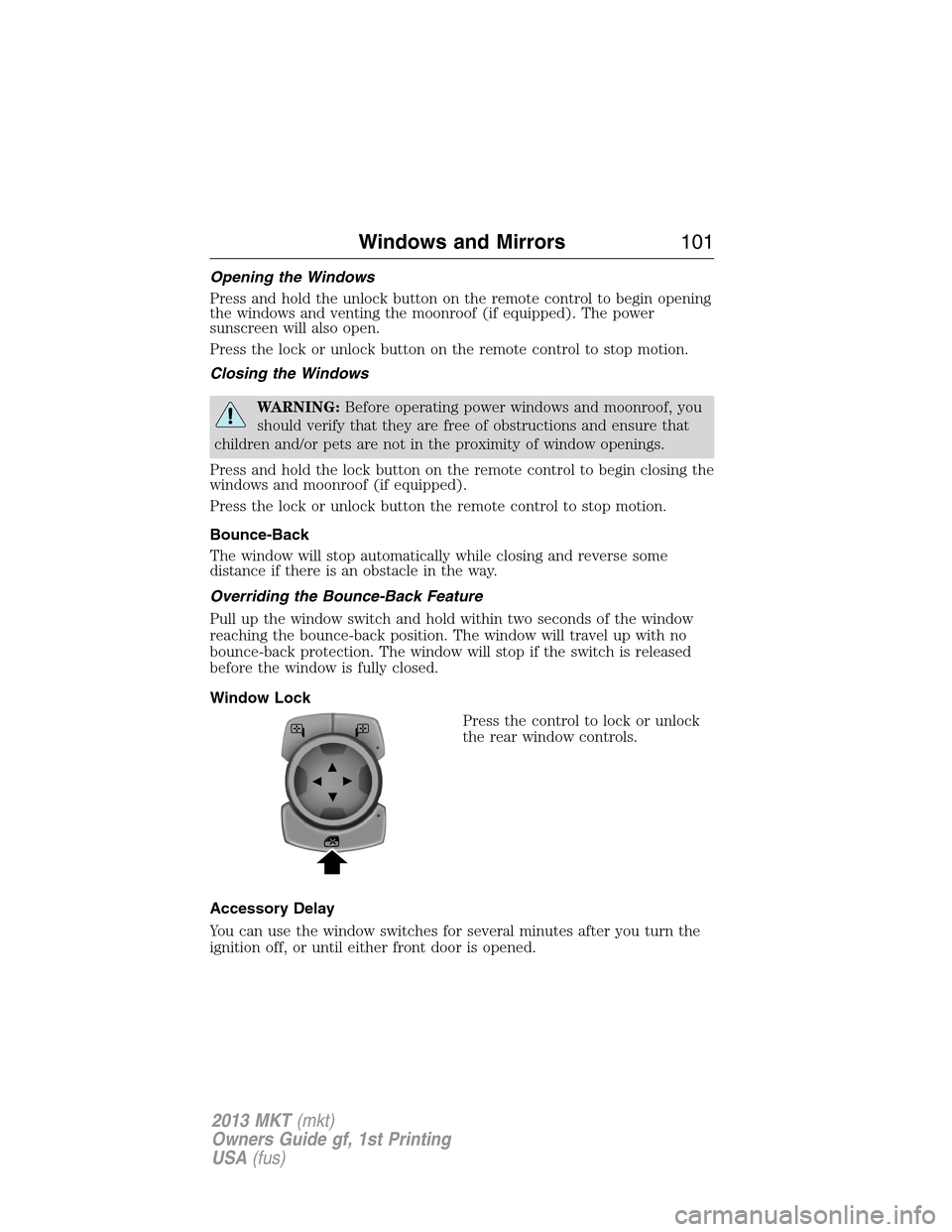
Window Lock
Press the control to lock or unlock
the rear window controls.
Accessory Delay
You can use the window switches for several minutes after you turn the
ignition off, or until either front door is opened.
Windows and Mirrors101
2013 MKT(mkt)
Owners Guide gf, 1st Printing
USA(fus)