steering LINCOLN MKT 2016 User Guide
[x] Cancel search | Manufacturer: LINCOLN, Model Year: 2016, Model line: MKT, Model: LINCOLN MKT 2016Pages: 452, PDF Size: 4.69 MB
Page 87 of 452
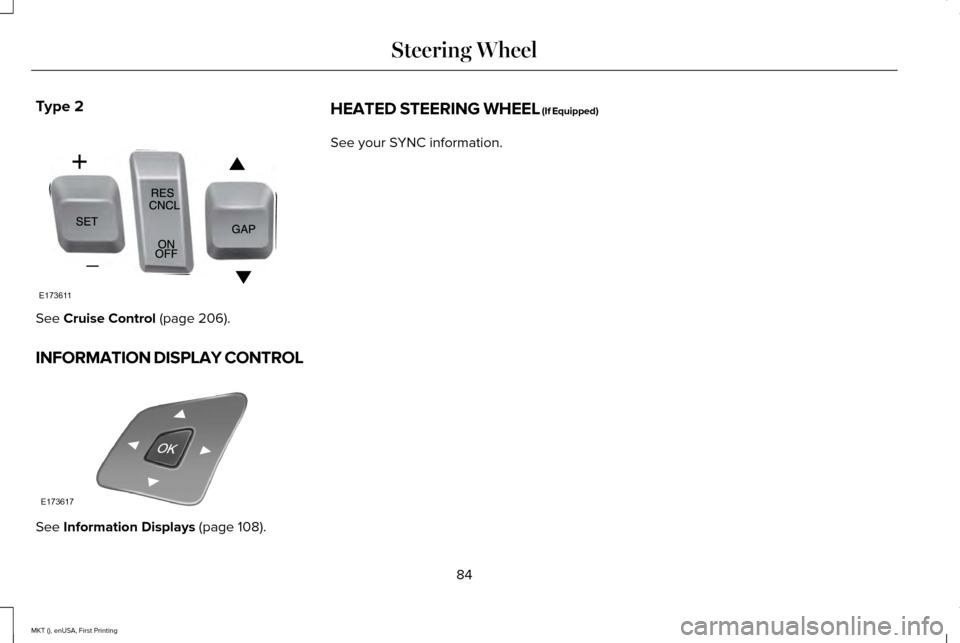
Type 2
See Cruise Control (page 206).
INFORMATION DISPLAY CONTROL See
Information Displays (page 108). HEATED STEERING WHEEL (If Equipped)
See your SYNC information.
84
MKT (), enUSA, First Printing Steering WheelE173611 E173617
Page 88 of 452
ADJUSTING THE PEDALS
WARNING
Never use the controls while your feet
are on the accelerator and brake
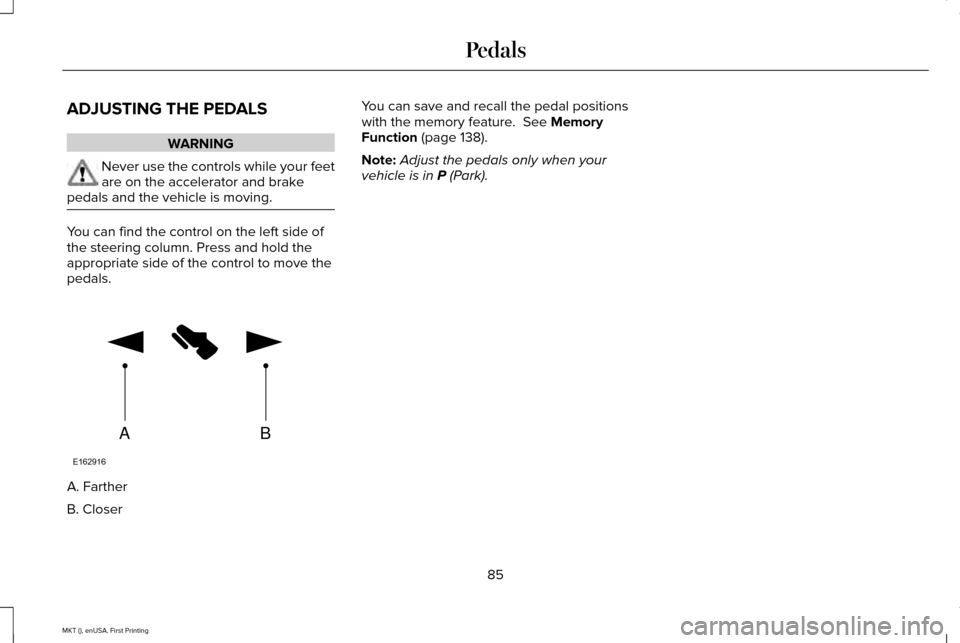
pedals and the vehicle is moving. You can find the control on the left side of
the steering column. Press and hold the
appropriate side of the control to move the
pedals.
A. Farther
B. Closer You can save and recall the pedal positions
with the memory feature. See Memory
Function (page 138).
Note: Adjust the pedals only when your
vehicle is in
P (Park).
85
MKT (), enUSA, First Printing PedalsAB
E162916
Page 97 of 452
FRONT FOG LAMPS
Pull the lighting control toward you to switch
the fog lamps on.
You can switch the fog lamps on when the
lighting control is in any position except off
and the high beam is not on.
HEADLAMP LEVELING
This vehicle is equipped with a dynamic
automatic leveling system. The headlamps
do not require additional aim adjustment. ADAPTIVE HEADLAMPS (If Equipped)
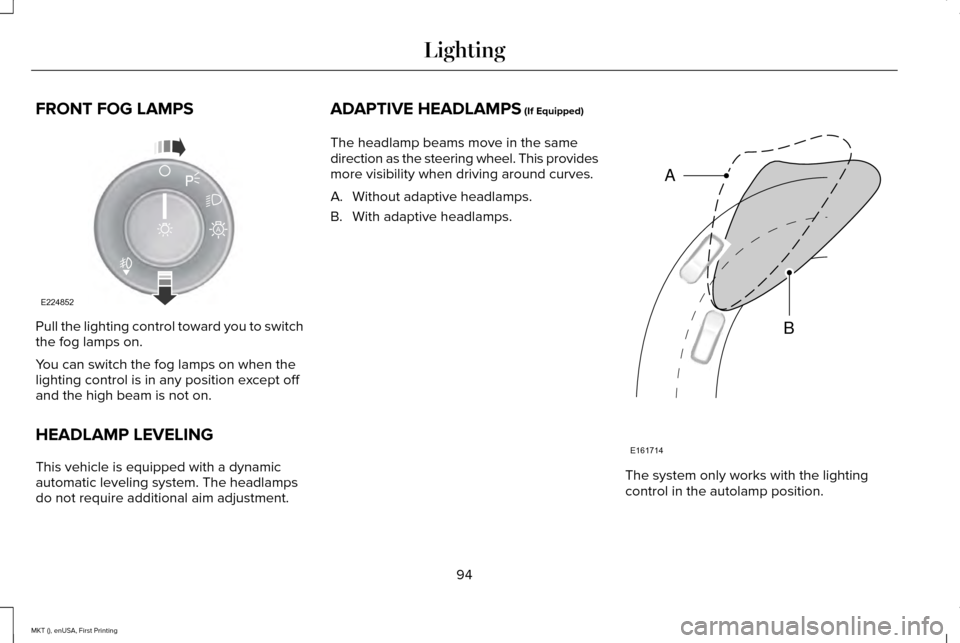
The headlamp beams move in the same
direction as the steering wheel. This provides
more visibility when driving around curves.
A. Without adaptive headlamps.
B. With adaptive headlamps. The system only works with the lighting
control in the autolamp position.
94
MKT (), enUSA, First Printing LightingE224852
A E161714
B
A
Page 111 of 452
GENERAL INFORMATION
WARNING
Driving while distracted can result in
loss of vehicle control, crash and injury.
We strongly recommend that you use
extreme caution when using any device that
may take your focus off the road. Your
primary responsibility is the safe operation
of your vehicle. We recommend against the
use of any hand-held device while driving
and encourage the use of voice-operated
systems when possible. Make sure you are
aware of all applicable local laws that may
affect the use of electronic devices while
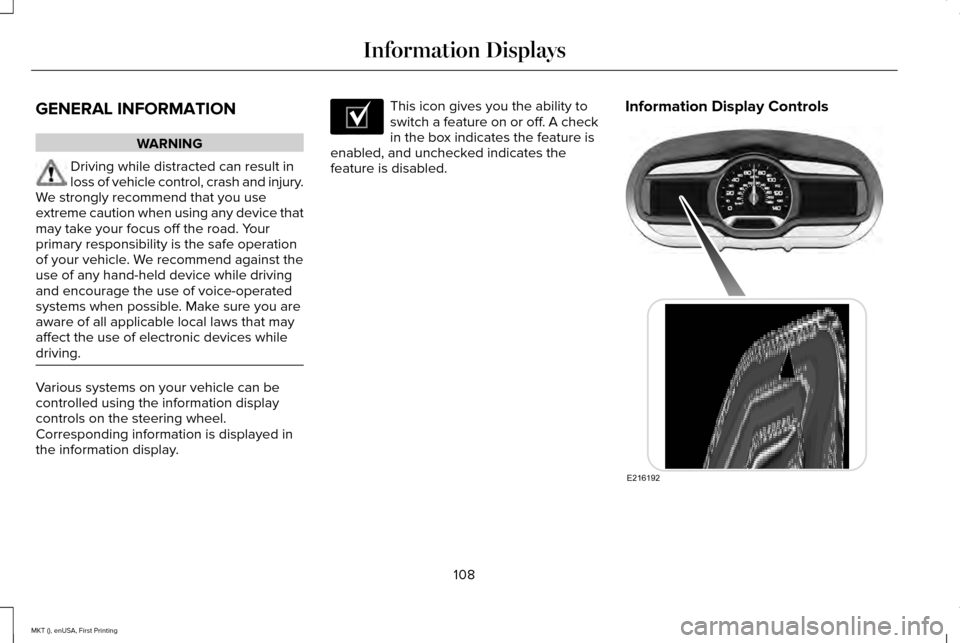
driving. Various systems on your vehicle can be
controlled using the information display
controls on the steering wheel.
Corresponding information is displayed in
the information display. This icon gives you the ability to
switch a feature on or off. A check
in the box indicates the feature is
enabled, and unchecked indicates the
feature is disabled. Information Display Controls
108
MKT (), enUSA, First Printing Information DisplaysE204495 E216192
Page 120 of 452

Alarm
Action
Message
Displayed when the perimeter alarm system is armed and the vehicle is en\
tered using the keyon the driver's side door. In order to prevent the perimeter alarm system from triggering, the
ignition must be turned to start or on before the 12 second chime expire\
s. See Anti-Theft Alarm (page 81).
Vehicle Alarm To Stop Alarm, Start Vehicle.
Automatic Engine Shutdown Action
Message
The engine is getting ready to shut off.
Engine Shuts Off In {seconds to shut off:#0}
Seconds
The engine has shut off to help increase fuel economy.
Engine Shut Off For Fuel Economy
The engine is getting ready to shut off. You can press OK on the left steering wheel button tooverride the shut down.
Engine Shuts Off in {seconds to shut off:#0}
Seconds Press Ok to Override
117
MKT (), enUSA, First Printing Information Displays
Page 125 of 452

Lane Keeping System
Action
Message
The system has malfunctioned. Contact an authorized dealer as soon as po\
ssible.
Lane Keeping Sys. Malfunction Service
Required
The system has detected a condition that has caused the system to be tem\
porarily unavailable.
Front Camera Temporarily Not Available
The system has detected a condition that requires the windshield to be c\
leaned to operateproperly.
Front Camera Low Visibility Clean Screen
The system has malfunctioned. Contact an authorized dealer as soon as po\
ssible.
Front Camera Malfunction Service
Required
The system requests the driver to keep their hands on the steering wheel.
Keep Hands on Steering Wheel
Maintenance Action
Message
Stop your vehicle as soon as safely possible, turn off the engine. Check the oil level. If the warningstays on or continues to come on with your engine running, contact an au\
thorized dealer as soon as possible.
Low Engine Oil Pressure
The engine oil life remaining is 10% or less. See Engine Oil Check (page 294).
Change Engine Oil Soon
The oil life left reaches 0%.
See Engine Oil Check (page 294).
Oil Change Required
122
MKT (), enUSA, First Printing Information Displays
Page 126 of 452
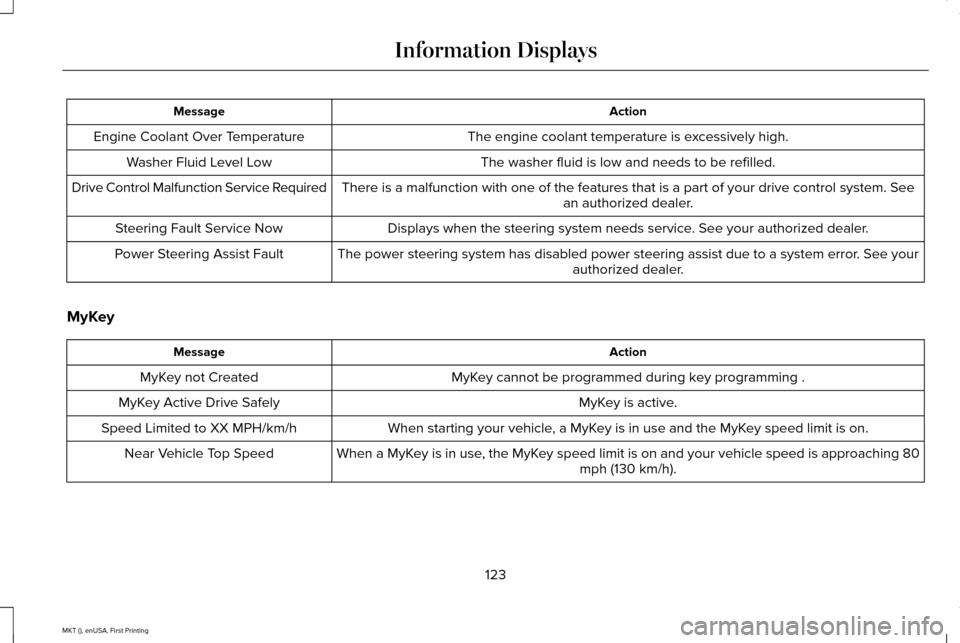
Action
Message
The engine coolant temperature is excessively high.
Engine Coolant Over Temperature
The washer fluid is low and needs to be refilled.
Washer Fluid Level Low
There is a malfunction with one of the features that is a part of your d\
rive control system. See an authorized dealer.
Drive Control Malfunction Service Required
Displays when the steering system needs service. See your authorized dealer.
Steering Fault Service Now
The power steering system has disabled power steering assist due to a sy\
stem error. See your authorized dealer.
Power Steering Assist Fault
MyKey Action
Message
MyKey cannot be programmed during key programming .
MyKey not Created
MyKey is active.
MyKey Active Drive Safely
When starting your vehicle, a MyKey is in use and the MyKey speed limit is on.
Speed Limited to XX MPH/km/h
When a MyKey is in use, the MyKey speed limit is on and your vehicle speed is approaching 80 mph (130 km/h).
Near Vehicle Top Speed
123
MKT (), enUSA, First Printing Information Displays
Page 128 of 452

Power Steering
Action
Message
The power steering system has detected a condition that requires service\
. See an authorized dealer.
Steering Fault Service Now
The power steering system is not working. Stop your vehicle a safe place. Contact an authorized dealer.
Service Power Steering Now
The power steering system has detected a condition within the power stee\
ring system or passiveentry or passive start system requires service. Contact an authorized dealer.
Steering Assist Fault Service Required
Seats Action
Message
Objects are by the passenger seat. After the objects are moved away from\
the seat, if the warningstays on or continues to come on contact an authorized dealer as soon as\
possible.
Occupant Sensor BLOCKED Remove
Objects Near Passenger Seat
125
MKT (), enUSA, First Printing Information Displays
Page 135 of 452
Note:
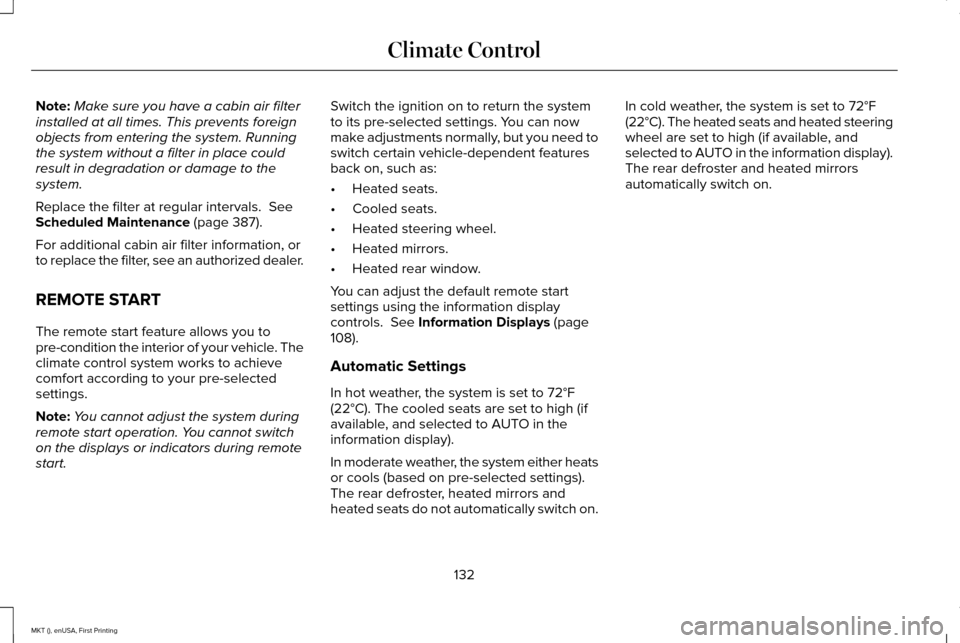
Make sure you have a cabin air filter
installed at all times. This prevents foreign
objects from entering the system. Running
the system without a filter in place could
result in degradation or damage to the
system.
Replace the filter at regular intervals. See
Scheduled Maintenance (page 387).
For additional cabin air filter information, or
to replace the filter, see an authorized dealer.
REMOTE START
The remote start feature allows you to
pre-condition the interior of your vehicle. The
climate control system works to achieve
comfort according to your pre-selected
settings.
Note: You cannot adjust the system during
remote start operation. You cannot switch
on the displays or indicators during remote
start. Switch the ignition on to return the system
to its pre-selected settings. You can now
make adjustments normally, but you need to
switch certain vehicle-dependent features
back on, such as:
•
Heated seats.
• Cooled seats.
• Heated steering wheel.
• Heated mirrors.
• Heated rear window.
You can adjust the default remote start
settings using the information display
controls.
See Information Displays (page
108).
Automatic Settings
In hot weather, the system is set to 72°F
(22°C). The cooled seats are set to high (if
available, and selected to AUTO in the
information display).
In moderate weather, the system either heats
or cools (based on pre-selected settings).
The rear defroster, heated mirrors and
heated seats do not automatically switch on. In cold weather, the system is set to 72°F
(22°C). The heated seats and heated steering
wheel are set to high (if available, and
selected to AUTO in the information display).
The rear defroster and heated mirrors
automatically switch on.
132
MKT (), enUSA, First Printing Climate Control
Page 136 of 452
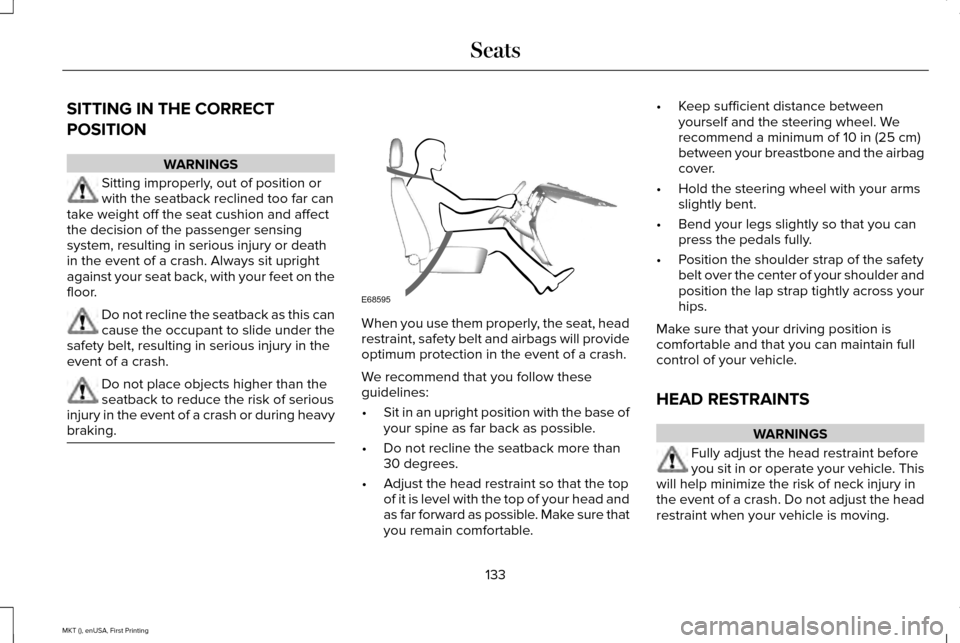
SITTING IN THE CORRECT
POSITION
WARNINGS
Sitting improperly, out of position or
with the seatback reclined too far can
take weight off the seat cushion and affect
the decision of the passenger sensing
system, resulting in serious injury or death
in the event of a crash. Always sit upright
against your seat back, with your feet on the
floor. Do not recline the seatback as this can
cause the occupant to slide under the
safety belt, resulting in serious injury in the
event of a crash. Do not place objects higher than the
seatback to reduce the risk of serious
injury in the event of a crash or during heavy
braking. When you use them properly, the seat, head
restraint, safety belt and airbags will provide
optimum protection in the event of a crash.
We recommend that you follow these
guidelines:
•
Sit in an upright position with the base of
your spine as far back as possible.
• Do not recline the seatback more than
30 degrees.
• Adjust the head restraint so that the top
of it is level with the top of your head and
as far forward as possible. Make sure that
you remain comfortable. •
Keep sufficient distance between
yourself and the steering wheel. We
recommend a minimum of 10 in (25 cm)
between your breastbone and the airbag
cover.
• Hold the steering wheel with your arms
slightly bent.
• Bend your legs slightly so that you can
press the pedals fully.
• Position the shoulder strap of the safety
belt over the center of your shoulder and
position the lap strap tightly across your
hips.
Make sure that your driving position is
comfortable and that you can maintain full
control of your vehicle.
HEAD RESTRAINTS WARNINGS
Fully adjust the head restraint before
you sit in or operate your vehicle. This
will help minimize the risk of neck injury in
the event of a crash. Do not adjust the head
restraint when your vehicle is moving.
133
MKT (), enUSA, First Printing SeatsE68595