change LINCOLN MKT 2019 User Guide
[x] Cancel search | Manufacturer: LINCOLN, Model Year: 2019, Model line: MKT, Model: LINCOLN MKT 2019Pages: 575, PDF Size: 4.66 MB
Page 104 of 575
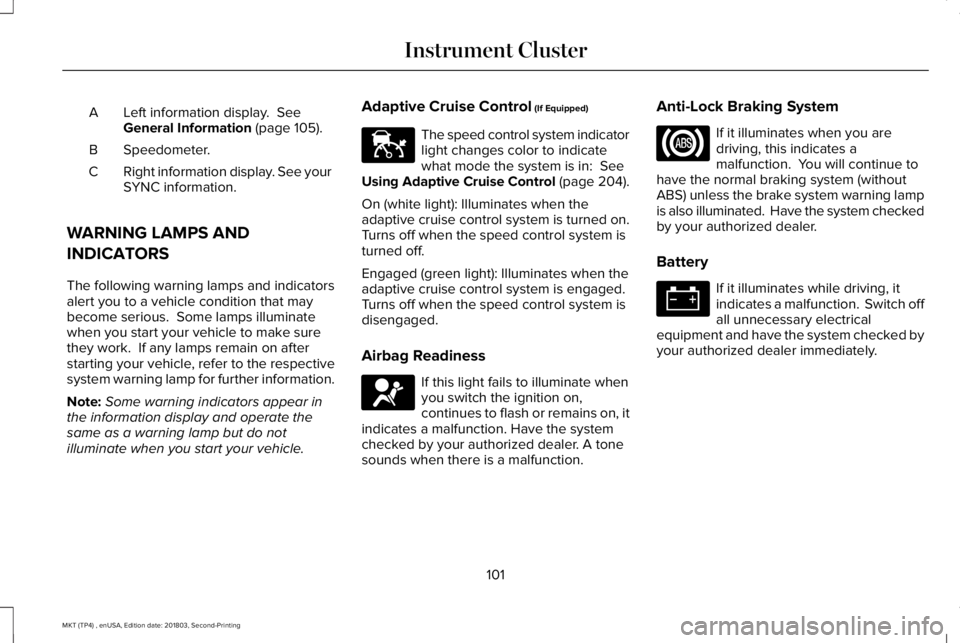
Left information display. SeeGeneral Information (page 105).A
Speedometer.B
Right information display. See yourSYNC information.C
WARNING LAMPS AND
INDICATORS
The following warning lamps and indicatorsalert you to a vehicle condition that maybecome serious. Some lamps illuminatewhen you start your vehicle to make surethey work. If any lamps remain on afterstarting your vehicle, refer to the respectivesystem warning lamp for further information.
Note:Some warning indicators appear inthe information display and operate thesame as a warning lamp but do notilluminate when you start your vehicle.
Adaptive Cruise Control (If Equipped)
The speed control system indicatorlight changes color to indicatewhat mode the system is in: SeeUsing Adaptive Cruise Control (page 204).
On (white light): Illuminates when theadaptive cruise control system is turned on.Turns off when the speed control system isturned off.
Engaged (green light): Illuminates when theadaptive cruise control system is engaged.Turns off when the speed control system isdisengaged.
Airbag Readiness
If this light fails to illuminate whenyou switch the ignition on,continues to flash or remains on, itindicates a malfunction. Have the systemchecked by your authorized dealer. A tonesounds when there is a malfunction.
Anti-Lock Braking System
If it illuminates when you aredriving, this indicates amalfunction. You will continue tohave the normal braking system (withoutABS) unless the brake system warning lampis also illuminated. Have the system checkedby your authorized dealer.
Battery
If it illuminates while driving, itindicates a malfunction. Switch offall unnecessary electricalequipment and have the system checked byyour authorized dealer immediately.
101
MKT (TP4) , enUSA, Edition date: 201803, Second-Printing
Instrument ClusterE144524 E67017
Page 109 of 575
•Driver Assist
•Settings
Display Mode
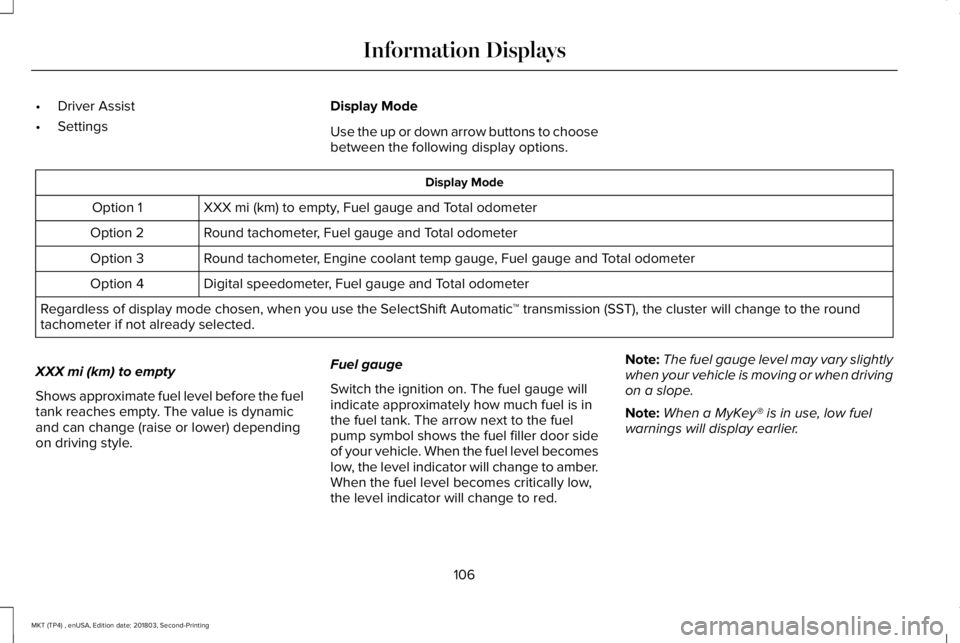
Use the up or down arrow buttons to choosebetween the following display options.
Display Mode
XXX mi (km) to empty, Fuel gauge and Total odometerOption 1
Round tachometer, Fuel gauge and Total odometerOption 2
Round tachometer, Engine coolant temp gauge, Fuel gauge and Total odometerOption 3
Digital speedometer, Fuel gauge and Total odometerOption 4
Regardless of display mode chosen, when you use the SelectShift Automatic™ transmission (SST), the cluster will change to the roundtachometer if not already selected.
XXX mi (km) to empty
Shows approximate fuel level before the fueltank reaches empty. The value is dynamicand can change (raise or lower) dependingon driving style.
Fuel gauge
Switch the ignition on. The fuel gauge willindicate approximately how much fuel is inthe fuel tank. The arrow next to the fuelpump symbol shows the fuel filler door sideof your vehicle. When the fuel level becomeslow, the level indicator will change to amber.When the fuel level becomes critically low,the level indicator will change to red.
Note:The fuel gauge level may vary slightlywhen your vehicle is moving or when drivingon a slope.
Note:When a MyKey® is in use, low fuelwarnings will display earlier.
106
MKT (TP4) , enUSA, Edition date: 201803, Second-Printing
Information Displays
Page 123 of 575
Lane Keeping System
ActionMessage
The system has malfunctioned. Contact an authorized dealer as soon as possible.Lane Keeping Sys. Malfunction ServiceRequired
The system has detected a condition that has caused the system to be temporarily unavailable.Front Camera Temporarily Not Available
The system has detected a condition that requires the windshield to be cleaned to operateproperly.Front Camera Low Visibility Clean Screen
The system has malfunctioned. Contact an authorized dealer as soon as possible.Front Camera Malfunction ServiceRequired
The system requests the driver to keep their hands on the steering wheel.Keep Hands on Steering Wheel
Maintenance
ActionMessage
Stop your vehicle as soon as safely possible, turn off the engine. Check the oil level. If the warningstays on or continues to come on with your engine running, contact an authorized dealer assoon as possible.
Low Engine Oil Pressure
The engine oil life remaining is 10% or less. See Engine Oil Check (page 286).Change Engine Oil Soon
The oil life left reaches 0%. See Engine Oil Check (page 286).Oil Change Required
120
MKT (TP4) , enUSA, Edition date: 201803, Second-Printing
Information Displays
Page 152 of 575
HomeLink Wireless Control System
WARNING: Do not use the systemwith any garage door opener that does nothave the safety stop and reverse featureas required by U.S. Federal SafetyStandards (this includes any garage dooropener manufactured before April 1, 1982).A garage door opener which cannot detectan object, signaling the door to stop andreverse, does not meet current federalsafety standards. Using a garage dooropener without these features increasesthe risk of serious injury or death.
Note:Make sure that the garage door andsecurity device are free from obstructionwhen you are programming. Do not programthe system with the vehicle in the garage.
Note:Make sure you keep the originalremote control transmitter for use in othervehicles as well as for future systemprogramming.
Note:We recommend that upon the sale orlease termination of your vehicle, you erasethe programmed function buttons for securityreasons. See Erasing the Function ButtonCodes.
Note:You can program a maximum of threedevices. To change or replace any of thethree devices after it has been initiallyprogrammed, you must first erase the currentsettings. See Erasing the Function ButtonCodes.
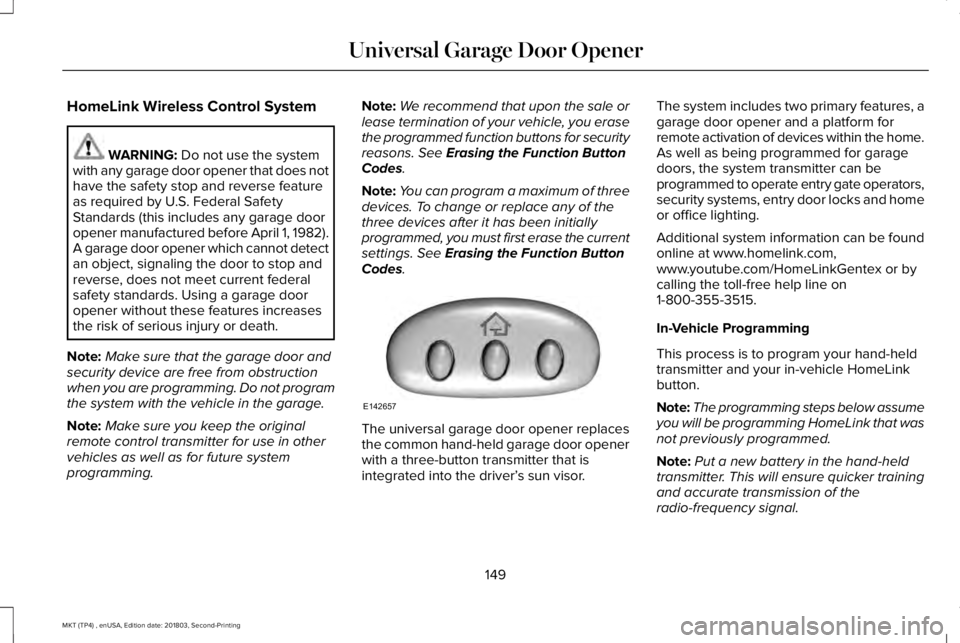
The universal garage door opener replacesthe common hand-held garage door openerwith a three-button transmitter that isintegrated into the driver’s sun visor.
The system includes two primary features, agarage door opener and a platform forremote activation of devices within the home.As well as being programmed for garagedoors, the system transmitter can beprogrammed to operate entry gate operators,security systems, entry door locks and homeor office lighting.
Additional system information can be foundonline at www.homelink.com,www.youtube.com/HomeLinkGentex or bycalling the toll-free help line on1-800-355-3515.
In-Vehicle Programming
This process is to program your hand-heldtransmitter and your in-vehicle HomeLinkbutton.
Note:The programming steps below assumeyou will be programming HomeLink that wasnot previously programmed.
Note:Put a new battery in the hand-heldtransmitter. This will ensure quicker trainingand accurate transmission of theradio-frequency signal.
149
MKT (TP4) , enUSA, Edition date: 201803, Second-Printing
Universal Garage Door OpenerE142657
Page 154 of 575
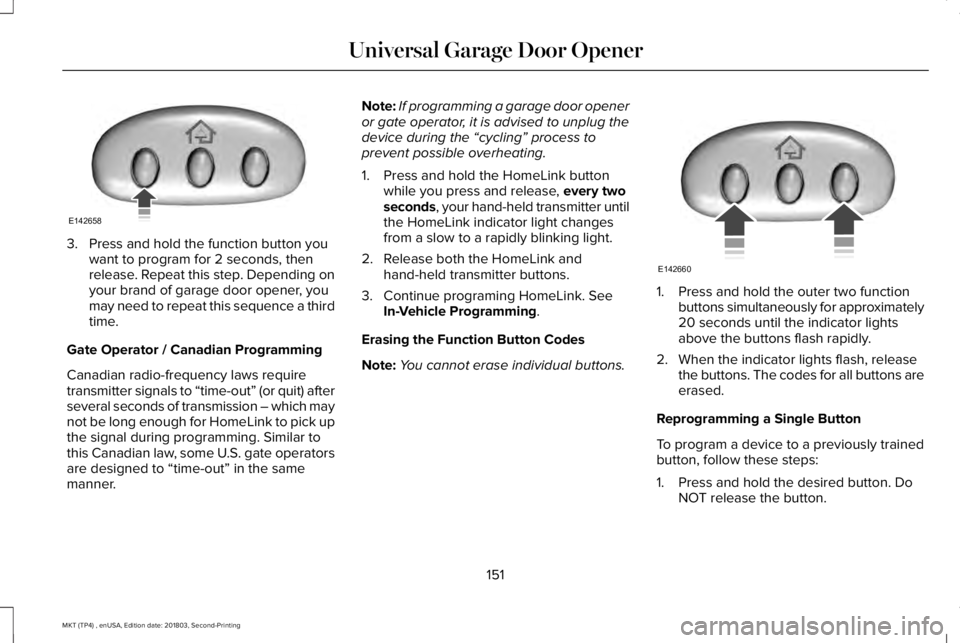
3. Press and hold the function button youwant to program for 2 seconds, thenrelease. Repeat this step. Depending onyour brand of garage door opener, youmay need to repeat this sequence a thirdtime.
Gate Operator / Canadian Programming
Canadian radio-frequency laws requiretransmitter signals to “time-out” (or quit) afterseveral seconds of transmission – which maynot be long enough for HomeLink to pick upthe signal during programming. Similar tothis Canadian law, some U.S. gate operatorsare designed to “time-out” in the samemanner.
Note:If programming a garage door openeror gate operator, it is advised to unplug thedevice during the “cycling” process toprevent possible overheating.
1. Press and hold the HomeLink buttonwhile you press and release, every twoseconds, your hand-held transmitter untilthe HomeLink indicator light changesfrom a slow to a rapidly blinking light.
2. Release both the HomeLink andhand-held transmitter buttons.
3. Continue programing HomeLink. SeeIn-Vehicle Programming.
Erasing the Function Button Codes
Note:You cannot erase individual buttons.
1. Press and hold the outer two functionbuttons simultaneously for approximately20 seconds until the indicator lightsabove the buttons flash rapidly.
2. When the indicator lights flash, releasethe buttons. The codes for all buttons areerased.
Reprogramming a Single Button
To program a device to a previously trainedbutton, follow these steps:
1. Press and hold the desired button. DoNOT release the button.
151
MKT (TP4) , enUSA, Edition date: 201803, Second-Printing
Universal Garage Door OpenerE142658 E142660
Page 155 of 575
2.The indicator light will begin to flash after20 seconds. Without releasing thebutton, follow Step 1 in the Programmingsection.
For questions or comments, contactHomeLink at www.homelink.com,www.youtube.com/HomeLinkGentex or1-800-355-3515.
Programming to a Genie Intellicode 2Garage Door Opener
Note:The Genie Intellicode 2 transmittermust already be programmed to operatewith the garage door opener.
Note:To program HomeLink to thetransmitter you must first put the transmitterinto programming mode.
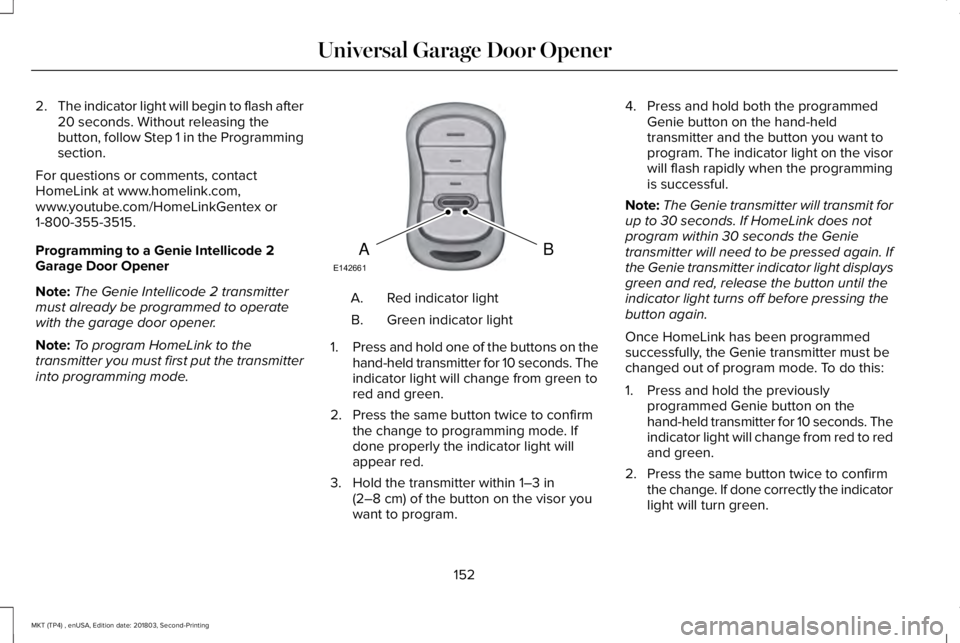
Red indicator lightA.
Green indicator lightB.
1.Press and hold one of the buttons on thehand-held transmitter for 10 seconds. Theindicator light will change from green tored and green.
2. Press the same button twice to confirmthe change to programming mode. Ifdone properly the indicator light willappear red.
3. Hold the transmitter within 1–3 in(2–8 cm) of the button on the visor youwant to program.
4. Press and hold both the programmedGenie button on the hand-heldtransmitter and the button you want toprogram. The indicator light on the visorwill flash rapidly when the programmingis successful.
Note:The Genie transmitter will transmit forup to 30 seconds. If HomeLink does notprogram within 30 seconds the Genietransmitter will need to be pressed again. Ifthe Genie transmitter indicator light displaysgreen and red, release the button until theindicator light turns off before pressing thebutton again.
Once HomeLink has been programmedsuccessfully, the Genie transmitter must bechanged out of program mode. To do this:
1. Press and hold the previouslyprogrammed Genie button on thehand-held transmitter for 10 seconds. Theindicator light will change from red to redand green.
2. Press the same button twice to confirmthe change. If done correctly the indicatorlight will turn green.
152
MKT (TP4) , enUSA, Edition date: 201803, Second-Printing
Universal Garage Door OpenerBAE142661
Page 156 of 575
Programming HomeLink to the GenieIntellicode Garage Door Opener Motor
Note:You may need a ladder to access thegarage door opener motor.
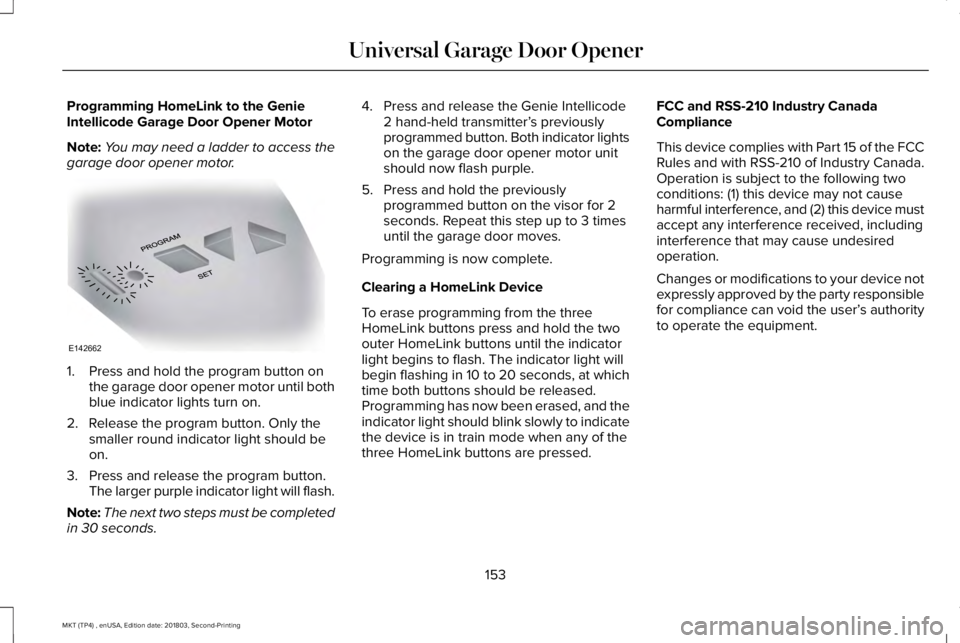
1. Press and hold the program button onthe garage door opener motor until bothblue indicator lights turn on.
2. Release the program button. Only thesmaller round indicator light should beon.
3. Press and release the program button.The larger purple indicator light will flash.
Note:The next two steps must be completedin 30 seconds.
4. Press and release the Genie Intellicode2 hand-held transmitter’s previouslyprogrammed button. Both indicator lightson the garage door opener motor unitshould now flash purple.
5. Press and hold the previouslyprogrammed button on the visor for 2seconds. Repeat this step up to 3 timesuntil the garage door moves.
Programming is now complete.
Clearing a HomeLink Device
To erase programming from the threeHomeLink buttons press and hold the twoouter HomeLink buttons until the indicatorlight begins to flash. The indicator light willbegin flashing in 10 to 20 seconds, at whichtime both buttons should be released.Programming has now been erased, and theindicator light should blink slowly to indicatethe device is in train mode when any of thethree HomeLink buttons are pressed.
FCC and RSS-210 Industry CanadaCompliance
This device complies with Part 15 of the FCCRules and with RSS-210 of Industry Canada.Operation is subject to the following twoconditions: (1) this device may not causeharmful interference, and (2) this device mustaccept any interference received, includinginterference that may cause undesiredoperation.
Changes or modifications to your device notexpressly approved by the party responsiblefor compliance can void the user’s authorityto operate the equipment.
153
MKT (TP4) , enUSA, Edition date: 201803, Second-Printing
Universal Garage Door OpenerE142662
Page 160 of 575
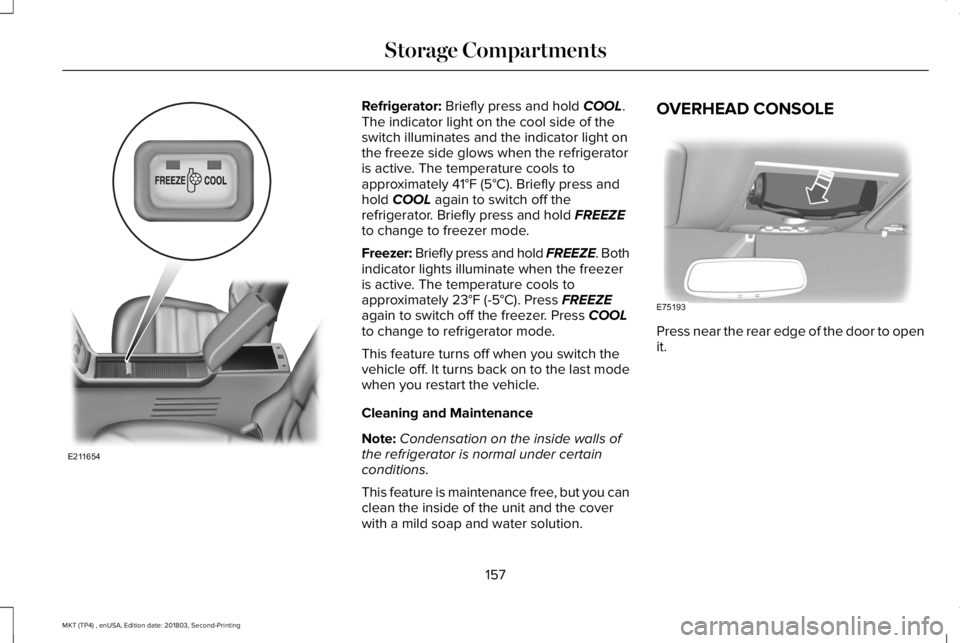
Refrigerator: Briefly press and hold COOL.The indicator light on the cool side of theswitch illuminates and the indicator light onthe freeze side glows when the refrigeratoris active. The temperature cools toapproximately 41°F (5°C). Briefly press andhold COOL again to switch off therefrigerator. Briefly press and hold FREEZEto change to freezer mode.
Freezer: Briefly press and hold FREEZE. Bothindicator lights illuminate when the freezeris active. The temperature cools toapproximately 23°F (-5°C). Press FREEZEagain to switch off the freezer. Press COOLto change to refrigerator mode.
This feature turns off when you switch thevehicle off. It turns back on to the last modewhen you restart the vehicle.
Cleaning and Maintenance
Note:Condensation on the inside walls ofthe refrigerator is normal under certainconditions.
This feature is maintenance free, but you canclean the inside of the unit and the coverwith a mild soap and water solution.
OVERHEAD CONSOLE
Press near the rear edge of the door to openit.
157
MKT (TP4) , enUSA, Edition date: 201803, Second-Printing
Storage CompartmentsE211654 E75193
Page 176 of 575
The scheduled maintenance items listed inscheduled maintenance information areessential to the life and performance of yourvehicle and to its emissions system.
If you use anything other than Lincoln,Motorcraft or Lincoln-authorized parts formaintenance replacements or for service ofcomponents affecting emission control, suchnon-Lincoln parts should be equivalent togenuine Lincoln Motor Company parts inperformance and durability.
Illumination of the service engine soonindicator, charging system warning light orthe temperature warning light, fluid leaks,strange odors, smoke or loss of enginepower could indicate that the emissioncontrol system is not working properly.
An improperly operating or damaged exhaustsystem may allow exhaust to enter thevehicle. Have a damaged or improperlyoperating exhaust system inspected andrepaired immediately.
Do not make any unauthorized changes toyour vehicle or engine. By law, vehicleowners and anyone who manufactures,repairs, services, sells, leases, tradesvehicles, or supervises a fleet of vehicles arenot permitted to intentionally remove anemission control device or prevent it fromworking. Information about your vehicle’semission system is on the Vehicle EmissionControl Information Decal located on or nearthe engine. This decal also lists enginedisplacement.
Please consult your warranty information forcomplete details.
On-Board Diagnostics (OBD-II)
Your vehicle has a computer known as theon-board diagnostics system (OBD-II) thatmonitors the engine’s emission controlsystem. The system protects the environmentby making sure that your vehicle continuesto meet government emission standards. TheOBD-II system also assists a servicetechnician in properly servicing your vehicle.
When the service engine soonindicator illuminates, the OBD-IIsystem has detected a malfunction.Temporary malfunctions may cause theservice engine soon indicator to illuminate.Examples are:
1. Your vehicle has run out of fuel—theengine may misfire or run poorly.
2.Poor fuel quality or water in the fuel—theengine may misfire or run poorly.
3. The fuel fill inlet may not have closedproperly. See Refueling (page 167).
4. Driving through deep water—theelectrical system may be wet.
You can correct these temporarymalfunctions by filling the fuel tank with goodquality fuel, properly closing the fuel fill inletor letting the electrical system dry out. Afterthree driving cycles without these or anyother temporary malfunctions present, theservice engine soon indicator should stay offthe next time you start the engine. A drivingcycle consists of a cold engine startupfollowed by mixed city and highway driving.No additional vehicle service is required.
173
MKT (TP4) , enUSA, Edition date: 201803, Second-Printing
Engine Emission Control
Page 179 of 575
SelectShift Automatic™ Transmission (If
Equipped)
Your vehicle is equipped with a SelectShiftAutomatic transmission. The SelectShiftAutomatic transmission gives you the abilityto change gears up or down (without aclutch) as desired.
In order to prevent the engine from runningat too low an RPM, which may cause it tostall, SelectShift still automatically makessome downshifts if it has determined thatyou have not downshifted in time. AlthoughSelectShift makes some downshifts for you,it still allows you to downshift at any time aslong as the SelectShift determines thatdamage will not be caused to the enginefrom over-revving.
Note:Engine damage may occur if youmaintain excessive engine revving withoutshifting.
SelectShift does not automatically upshift,even if the engine is approaching the RPMlimit. It must be shifted manually by pressingthe + button. Notice should be taken of theshift indicator lamp, which alerts you whento shift to make sure you achieve the highestlevel or efficiency and fuel economy.
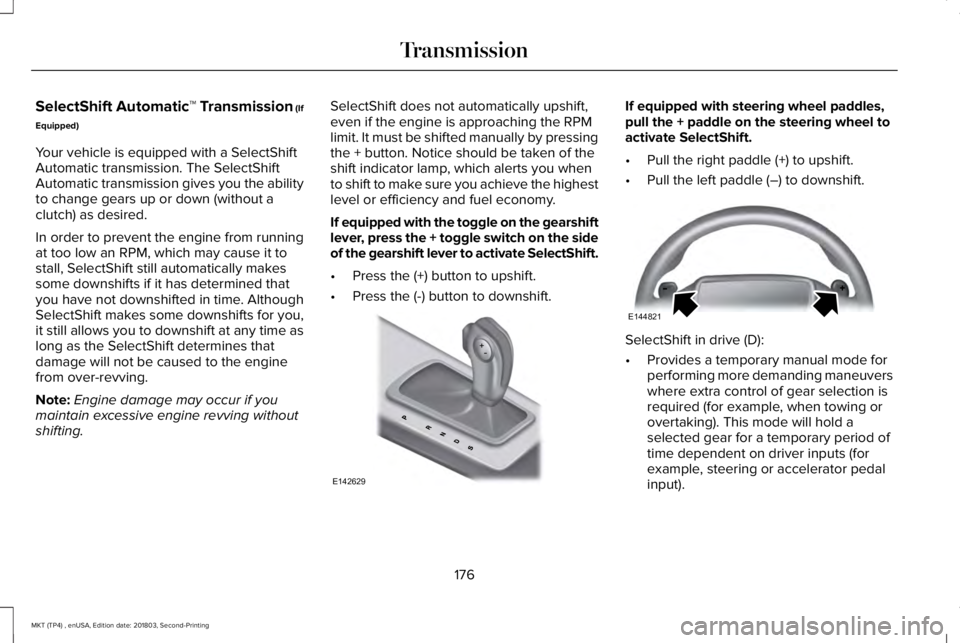
If equipped with the toggle on the gearshiftlever, press the + toggle switch on the sideof the gearshift lever to activate SelectShift.
•Press the (+) button to upshift.
•Press the (-) button to downshift.
If equipped with steering wheel paddles,pull the + paddle on the steering wheel toactivate SelectShift.
•Pull the right paddle (+) to upshift.
•Pull the left paddle (–) to downshift.
SelectShift in drive (D):
•Provides a temporary manual mode forperforming more demanding maneuverswhere extra control of gear selection isrequired (for example, when towing orovertaking). This mode will hold aselected gear for a temporary period oftime dependent on driver inputs (forexample, steering or accelerator pedalinput).
176
MKT (TP4) , enUSA, Edition date: 201803, Second-Printing
TransmissionE142629 E144821