ECU LINCOLN MKT 2019 Owner's Manual
[x] Cancel search | Manufacturer: LINCOLN, Model Year: 2019, Model line: MKT, Model: LINCOLN MKT 2019Pages: 575, PDF Size: 4.66 MB
Page 142 of 575

Note:When you switch the ignition off, thepower fold feature works until the batterysaver turns it off after 10 minutes. You canreactivate the power seats by pressing theunlock button on the remote entry key fobor by using the unlock procedure on thekeyless entry keypad. See Doors and Locks(page 68). Keep the key in the accessory orrun position to prevent the feature fromtiming out.
Rear Seat Armrest (Livery)
WARNING: Use only soft cups in thecup holders. Hard objects can injure youin a crash.
To access the cupholders, rotate the armrestinto the use position. To open the storagecompartment, pull the cupholder latchforward.
Third Row Seats (Accessing the Seat)
WARNING: Check under the seatcushion to make sure no cargo or objectsare under the seat cushion beforereturning the seat cushion to its originalposition, and that the seat cushion locksinto place. Failure to do so may preventthe seat from operating properly in theevent of a crash, which could increase therisk of serious injury.
WARNING: Do not adjust a seat orrelease a seat floor latch when the vehicleis moving. Failure to follow this instructioncould result in personal injury or death ina sudden stop or crash.
WARNING: Do not drive your vehiclewith a seat that is unlatched or in thefolded position. Failure to follow thisinstruction could result in personal injuryor death in the event of a sudden stop orcrash.
139
MKT (TP4) , enUSA, Edition date: 201803, Second-Printing
SeatsE210825
Page 145 of 575
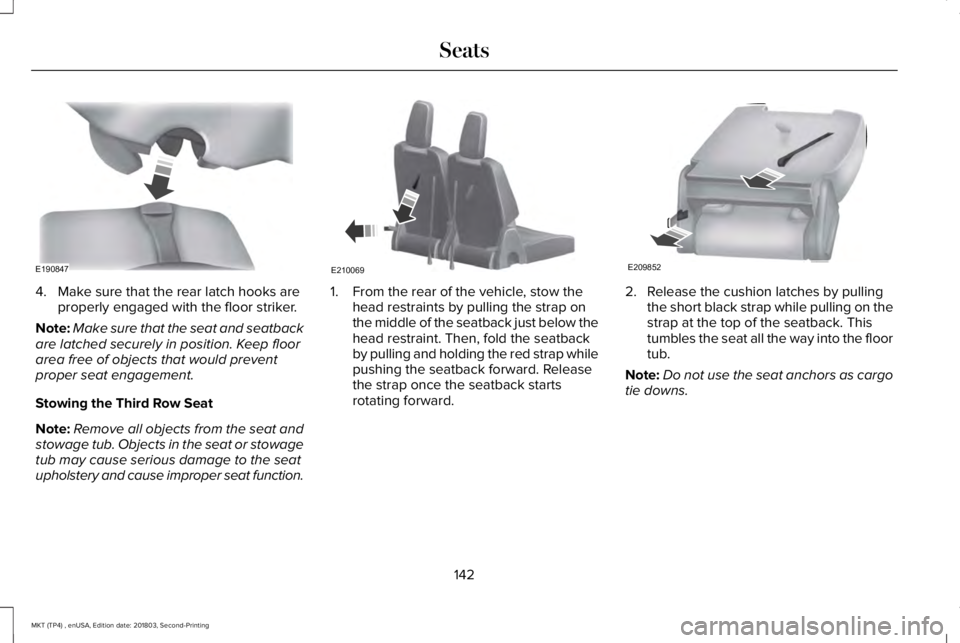
4. Make sure that the rear latch hooks areproperly engaged with the floor striker.
Note:Make sure that the seat and seatbackare latched securely in position. Keep floorarea free of objects that would preventproper seat engagement.
Stowing the Third Row Seat
Note:Remove all objects from the seat andstowage tub. Objects in the seat or stowagetub may cause serious damage to the seatupholstery and cause improper seat function.
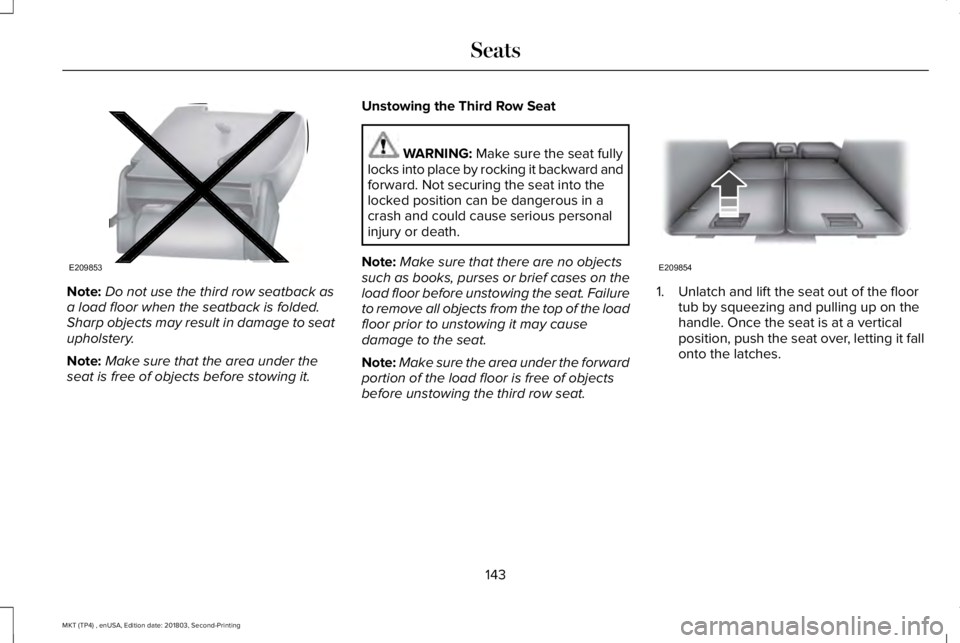
1. From the rear of the vehicle, stow thehead restraints by pulling the strap onthe middle of the seatback just below thehead restraint. Then, fold the seatbackby pulling and holding the red strap whilepushing the seatback forward. Releasethe strap once the seatback startsrotating forward.
2. Release the cushion latches by pullingthe short black strap while pulling on thestrap at the top of the seatback. Thistumbles the seat all the way into the floortub.
Note:Do not use the seat anchors as cargotie downs.
142
MKT (TP4) , enUSA, Edition date: 201803, Second-Printing
SeatsE190847 E210069 E209852
Page 146 of 575
Note:Do not use the third row seatback asa load floor when the seatback is folded.Sharp objects may result in damage to seatupholstery.
Note:Make sure that the area under theseat is free of objects before stowing it.
Unstowing the Third Row Seat
WARNING: Make sure the seat fullylocks into place by rocking it backward andforward. Not securing the seat into thelocked position can be dangerous in acrash and could cause serious personalinjury or death.
Note:Make sure that there are no objectssuch as books, purses or brief cases on theload floor before unstowing the seat. Failureto remove all objects from the top of the loadfloor prior to unstowing it may causedamage to the seat.
Note:Make sure the area under the forwardportion of the load floor is free of objectsbefore unstowing the third row seat.
1. Unlatch and lift the seat out of the floortub by squeezing and pulling up on thehandle. Once the seat is at a verticalposition, push the seat over, letting it fallonto the latches.
143
MKT (TP4) , enUSA, Edition date: 201803, Second-Printing
SeatsE209853 E209854
Page 152 of 575
HomeLink Wireless Control System
WARNING: Do not use the systemwith any garage door opener that does nothave the safety stop and reverse featureas required by U.S. Federal SafetyStandards (this includes any garage dooropener manufactured before April 1, 1982).A garage door opener which cannot detectan object, signaling the door to stop andreverse, does not meet current federalsafety standards. Using a garage dooropener without these features increasesthe risk of serious injury or death.
Note:Make sure that the garage door andsecurity device are free from obstructionwhen you are programming. Do not programthe system with the vehicle in the garage.
Note:Make sure you keep the originalremote control transmitter for use in othervehicles as well as for future systemprogramming.
Note:We recommend that upon the sale orlease termination of your vehicle, you erasethe programmed function buttons for securityreasons. See Erasing the Function ButtonCodes.
Note:You can program a maximum of threedevices. To change or replace any of thethree devices after it has been initiallyprogrammed, you must first erase the currentsettings. See Erasing the Function ButtonCodes.
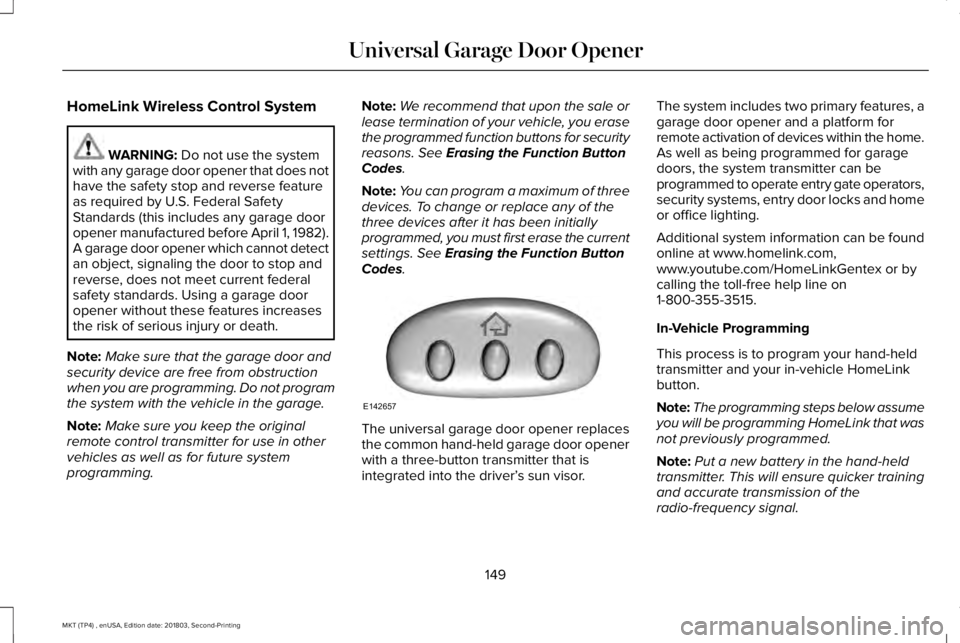
The universal garage door opener replacesthe common hand-held garage door openerwith a three-button transmitter that isintegrated into the driver’s sun visor.
The system includes two primary features, agarage door opener and a platform forremote activation of devices within the home.As well as being programmed for garagedoors, the system transmitter can beprogrammed to operate entry gate operators,security systems, entry door locks and homeor office lighting.
Additional system information can be foundonline at www.homelink.com,www.youtube.com/HomeLinkGentex or bycalling the toll-free help line on1-800-355-3515.
In-Vehicle Programming
This process is to program your hand-heldtransmitter and your in-vehicle HomeLinkbutton.
Note:The programming steps below assumeyou will be programming HomeLink that wasnot previously programmed.
Note:Put a new battery in the hand-heldtransmitter. This will ensure quicker trainingand accurate transmission of theradio-frequency signal.
149
MKT (TP4) , enUSA, Edition date: 201803, Second-Printing
Universal Garage Door OpenerE142657
Page 178 of 575
AUTOMATIC TRANSMISSION
WARNING: Always apply the parkingbrake fully and make sure you shift intopark (P). Switch the ignition off and removethe key whenever you leave your vehicle.
WARNING: Do not apply the brakepedal and accelerator pedalsimultaneously. Applying both pedalssimultaneously for more than a fewseconds will limit engine performance,which may result in difficulty maintainingspeed in traffic and could lead to seriousinjury.
Understanding the Positions of YourAutomatic Transmission
Putting your vehicle in gear:
1. Fully press down the brake pedal.
2.Move the gearshift lever into the desiredgear.
3. Come to a complete stop.
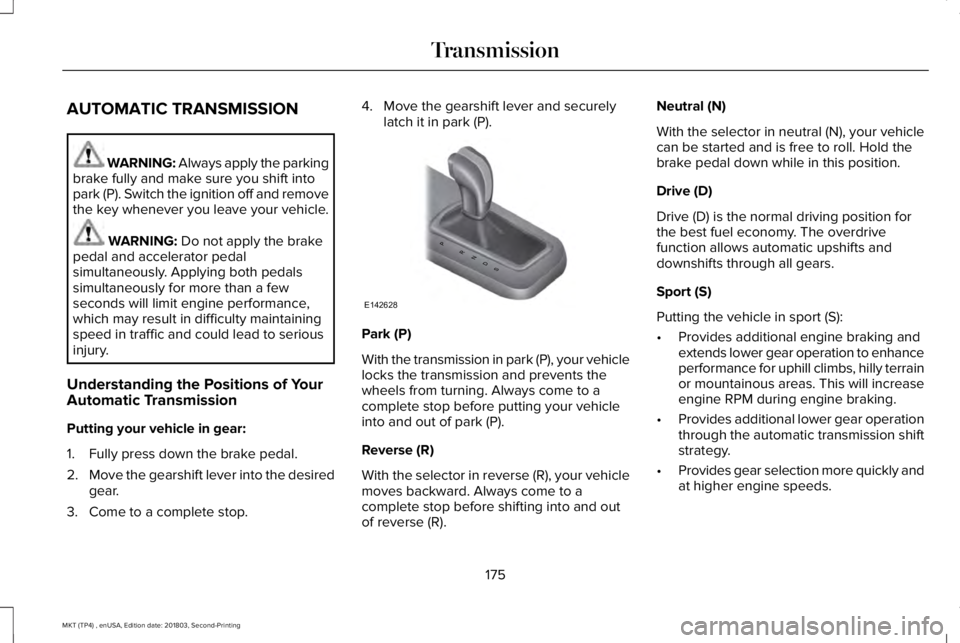
4. Move the gearshift lever and securelylatch it in park (P).
Park (P)
With the transmission in park (P), your vehiclelocks the transmission and prevents thewheels from turning. Always come to acomplete stop before putting your vehicleinto and out of park (P).
Reverse (R)
With the selector in reverse (R), your vehiclemoves backward. Always come to acomplete stop before shifting into and outof reverse (R).
Neutral (N)
With the selector in neutral (N), your vehiclecan be started and is free to roll. Hold thebrake pedal down while in this position.
Drive (D)
Drive (D) is the normal driving position forthe best fuel economy. The overdrivefunction allows automatic upshifts anddownshifts through all gears.
Sport (S)
Putting the vehicle in sport (S):
•Provides additional engine braking andextends lower gear operation to enhanceperformance for uphill climbs, hilly terrainor mountainous areas. This will increaseengine RPM during engine braking.
•Provides additional lower gear operationthrough the automatic transmission shiftstrategy.
•Provides gear selection more quickly andat higher engine speeds.
175
MKT (TP4) , enUSA, Edition date: 201803, Second-Printing
TransmissionPRNDS
E142628
Page 200 of 575
•Driving above 6 mph (9 km/h) duringautomatic steering.
•Switching off the traction control system.
Certain vehicle conditions can alsodeactivate the system, such as:
•Traction control has activated.
•There is an anti-lock brake systemactivation or failure.
If a problem occurs with the system, awarning message displays accompanied bya tone. Occasional system messages mayoccur in normal operation. For recurring orfrequent system faults, contact an authorizeddealer to have your vehicle serviced.
Troubleshooting the System
The system does not look for a space
The traction control system may be off.
The transmission is in reverse (R). Your vehicle must be moving forward to detect a parking space.
The system does not offer a particular space
The sensors may be covered. For example, with snow, ice or dirt. Covered sensors can affect the system's functionality
There is not enough room in the parking space for your vehicle to safely park.
There is not enough space for the parking maneuver on the opposite side of the parking space.
The parking space is farther than 5 ft (1.5 m) or closer than 16 in (40 cm) away.
Your vehicle is going faster than 22 mph (35 km/h).
You may have recently disconnected or replaced the battery. After a battery disconnect, the vehicle must be driven on a straight road fora short period of time.
197
MKT (TP4) , enUSA, Edition date: 201803, Second-Printing
Parking Aids
Page 234 of 575
REAR UNDER FLOOR STORAGE (If
Equipped)
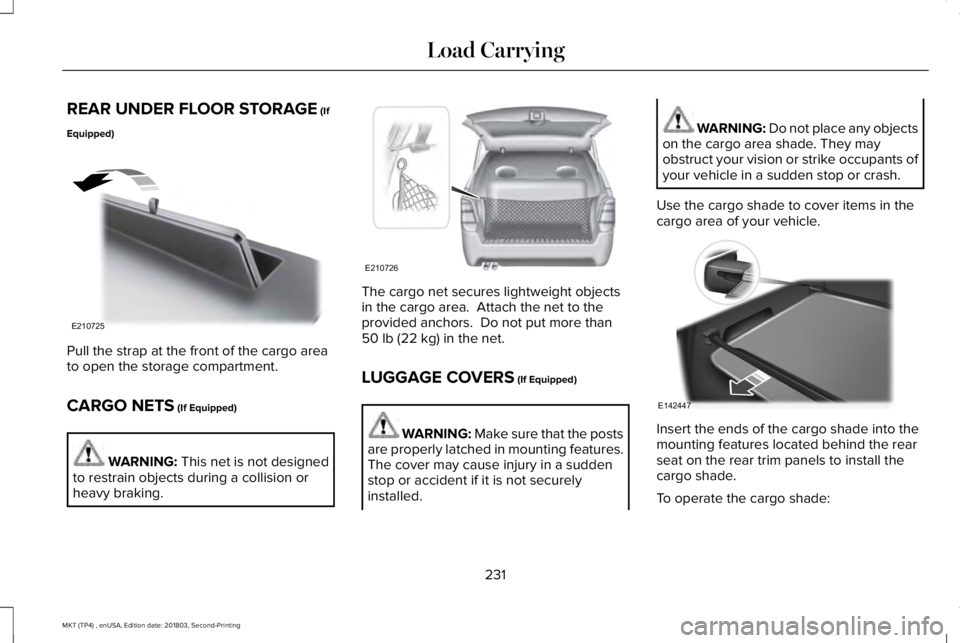
Pull the strap at the front of the cargo areato open the storage compartment.
CARGO NETS (If Equipped)
WARNING: This net is not designedto restrain objects during a collision orheavy braking.
The cargo net secures lightweight objectsin the cargo area. Attach the net to theprovided anchors. Do not put more than50 lb (22 kg) in the net.
LUGGAGE COVERS (If Equipped)
WARNING: Make sure that the postsare properly latched in mounting features.The cover may cause injury in a suddenstop or accident if it is not securelyinstalled.
WARNING: Do not place any objectson the cargo area shade. They mayobstruct your vision or strike occupants ofyour vehicle in a sudden stop or crash.
Use the cargo shade to cover items in thecargo area of your vehicle.
Insert the ends of the cargo shade into themounting features located behind the rearseat on the rear trim panels to install thecargo shade.
To operate the cargo shade:
231
MKT (TP4) , enUSA, Edition date: 201803, Second-Printing
Load CarryingE210725 E210726 E142447
Page 235 of 575
1. Pull the rear edge of the cargo shaderearward.
2.Secure both ends of the support rod intothe retention slots located on the rearquarter trim panels.
LOAD LIMIT
Vehicle Loading - with and without aTrailer
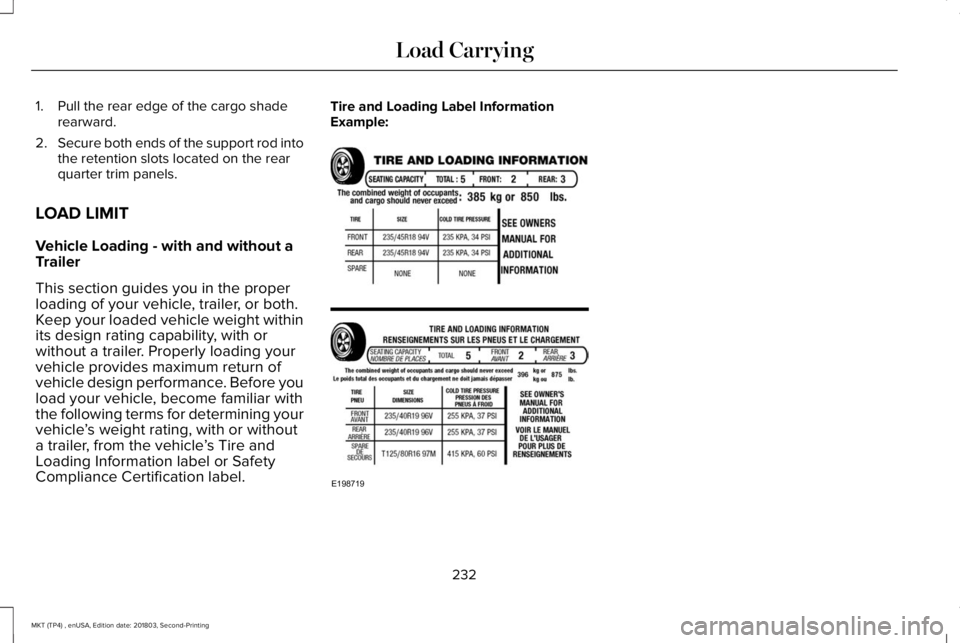
This section guides you in the properloading of your vehicle, trailer, or both.Keep your loaded vehicle weight withinits design rating capability, with orwithout a trailer. Properly loading yourvehicle provides maximum return ofvehicle design performance. Before youload your vehicle, become familiar withthe following terms for determining yourvehicle’s weight rating, with or withouta trailer, from the vehicle’s Tire andLoading Information label or SafetyCompliance Certification label.
Tire and Loading Label InformationExample:
232
MKT (TP4) , enUSA, Edition date: 201803, Second-Printing
Load CarryingE198719
Page 249 of 575
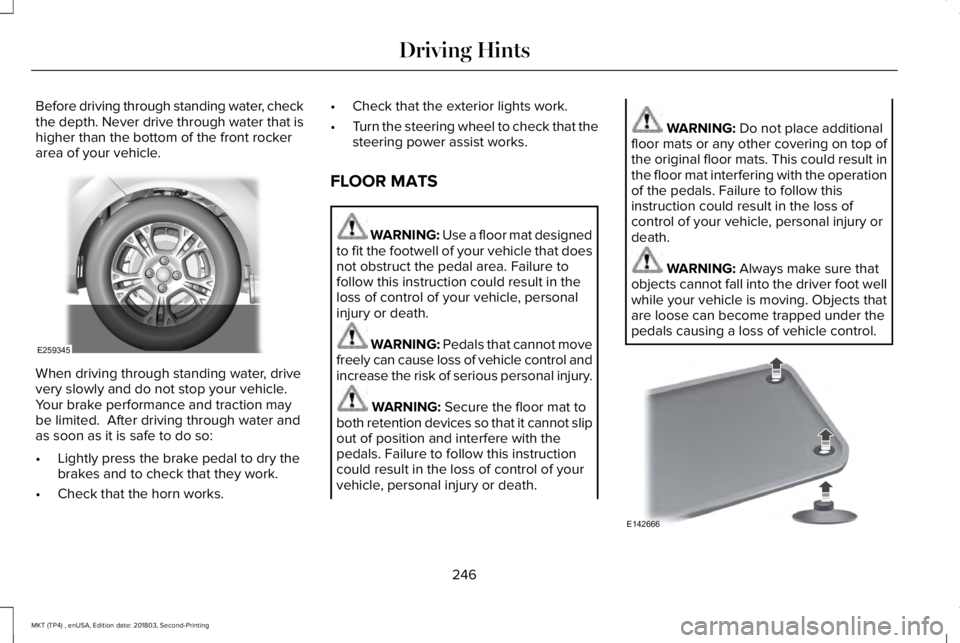
Before driving through standing water, checkthe depth. Never drive through water that ishigher than the bottom of the front rockerarea of your vehicle.
When driving through standing water, drivevery slowly and do not stop your vehicle. Your brake performance and traction maybe limited. After driving through water andas soon as it is safe to do so:
•Lightly press the brake pedal to dry thebrakes and to check that they work.
•Check that the horn works.
•Check that the exterior lights work.
•Turn the steering wheel to check that thesteering power assist works.
FLOOR MATS
WARNING: Use a floor mat designedto fit the footwell of your vehicle that doesnot obstruct the pedal area. Failure tofollow this instruction could result in theloss of control of your vehicle, personalinjury or death.
WARNING: Pedals that cannot movefreely can cause loss of vehicle control andincrease the risk of serious personal injury.
WARNING: Secure the floor mat toboth retention devices so that it cannot slipout of position and interfere with thepedals. Failure to follow this instructioncould result in the loss of control of yourvehicle, personal injury or death.
WARNING: Do not place additionalfloor mats or any other covering on top ofthe original floor mats. This could result inthe floor mat interfering with the operationof the pedals. Failure to follow thisinstruction could result in the loss ofcontrol of your vehicle, personal injury ordeath.
WARNING: Always make sure thatobjects cannot fall into the driver foot wellwhile your vehicle is moving. Objects thatare loose can become trapped under thepedals causing a loss of vehicle control.
246
MKT (TP4) , enUSA, Edition date: 201803, Second-Printing
Driving HintsE259345 E142666
Page 250 of 575
To install the floor mats, position the floormat eyelet over the retention post and pressdown to lock in position.
To remove the floor mat, reverse theinstallation procedure.
Note:Regularly check the floor mats to makesure they are secure.
247
MKT (TP4) , enUSA, Edition date: 201803, Second-Printing
Driving Hints