ECU LINCOLN MKT 2019 User Guide
[x] Cancel search | Manufacturer: LINCOLN, Model Year: 2019, Model line: MKT, Model: LINCOLN MKT 2019Pages: 575, PDF Size: 4.66 MB
Page 38 of 575
If the booster seat slides on the vehicle seatupon which it is being used, placing arubberized mesh sold as shelf or carpet linerunder the booster seat may improve thiscondition. Do not introduce any item thickerthan this under the booster seat. Check withthe booster seat manufacturer's instructions.
CHILD RESTRAINT POSITIONING
WARNING: Do not place a rearwardfacing child restraint in front of an activeairbag. Failure to follow this instructioncould result in personal injury or death.
WARNING: Properly secure children12 years old and under in a rear seatingposition whenever possible. If you areunable to properly secure all children in arear seating position, properly secure thelargest child on the front seat. If you mustuse a forward facing child restraint on thefront seat, move the seat as far back aspossible. Failure to follow theseinstructions could result in personal injuryor death.
WARNING: Always carefully followthe instructions and warnings provided bythe manufacturer of any child restraint todetermine if the restraint device isappropriate for your child's size, height,weight, or age. Follow the child restraintmanufacturer's instructions and warningsprovided for installation and use inconjunction with the instructions andwarnings provided by your vehicle
manufacturer. A safety seat that isimproperly installed or utilized, isinappropriate for your child's height, age,or weight or does not properly fit the childmay increase the risk of serious injury ordeath.
WARNING: Do not allow a passengerto hold a child on their lap when yourvehicle is moving. Failure to follow thisinstruction could result in personal injuryor death in the event of a sudden stop orcrash.
WARNING: Do not use pillows, booksor towels to boost your child's height.Failure to follow this instruction could resultin personal injury or death.
WARNING: Properly secure childrestraints or booster seats when they arenot in use. They could become projectilesin a sudden stop or crash. Failure to followthis instruction could result in personalinjury or death.
35
MKT (TP4) , enUSA, Edition date: 201803, Second-Printing
Child Safety
Page 42 of 575
•Height adjuster at the front outboardseating positions.
•Seatbelt pretensioner at the frontoutboard seating positions.
•Belt tension sensor at the front outboardpassenger seating position.
•Seatbelt warning light and chime.
•Crash sensors and monitoring systemwith readiness indicator.
The seatbelt pretensioners and rearinflatable seatbelts are designed to activatein frontal, near-frontal and side crashes, andin rollovers. The seatbelt pretensioners atthe front seating positions are designed totighten the seatbelts firmly against theoccupant’s body when activated. This helpsincrease the effectiveness of the seatbelts.In frontal crashes, the seatbelt pretensionerscan be activated alone or, if the crash is ofsufficient severity, together with the frontairbags.
FASTENING THE SEATBELTS
Standard belts shown, inflatable belts similar
The front outboard and rear safety restraintsin the vehicle are combination lap andshoulder belts.
1. Insert the belt tongue into the properbuckle (the buckle closest to the directionthe tongue is coming from) until you heara click and feel it latch. Make sure yousecurely fasten the tongue in the buckle.
2. To unfasten, press the release buttonand remove the tongue from the buckle.
Using Seatbelts During Pregnancy
WARNING: Always ride and drivewith your seatback upright and properlyfasten your seatbelt. Fit the lap portion ofthe seatbelt snugly and low across thehips. Position the shoulder portion of theseatbelt across your chest. Pregnantwomen must follow this practice. See thefollowing figure.
39
MKT (TP4) , enUSA, Edition date: 201803, Second-Printing
SeatbeltsE71880 E67017 E142587 E142588
Page 63 of 575
REMOTE CONTROL
Intelligent Access Key
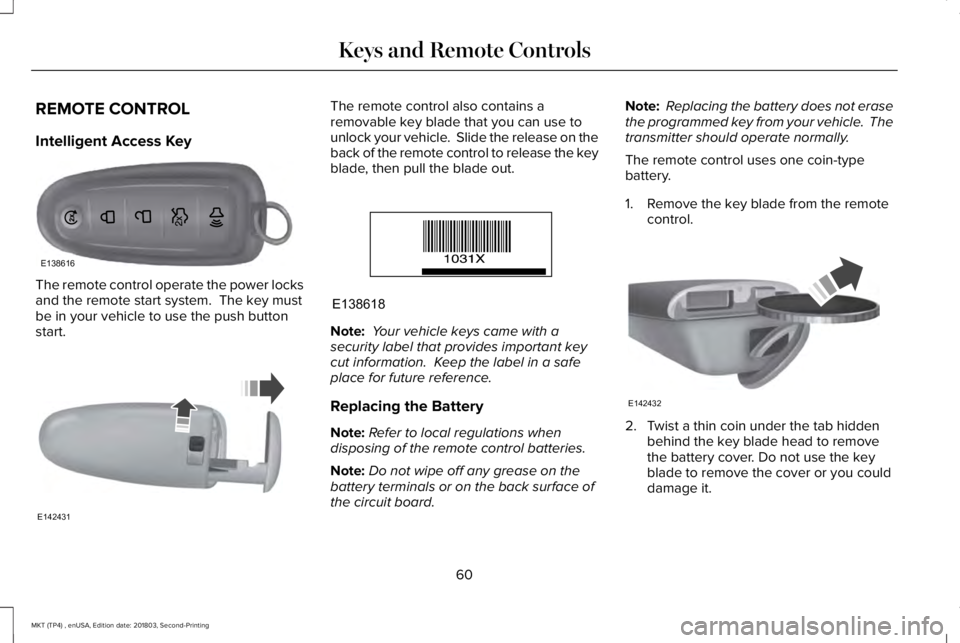
The remote control operate the power locksand the remote start system. The key mustbe in your vehicle to use the push buttonstart.
The remote control also contains aremovable key blade that you can use tounlock your vehicle. Slide the release on theback of the remote control to release the keyblade, then pull the blade out.
Note: Your vehicle keys came with asecurity label that provides important keycut information. Keep the label in a safeplace for future reference.
Replacing the Battery
Note:Refer to local regulations whendisposing of the remote control batteries.
Note:Do not wipe off any grease on thebattery terminals or on the back surface ofthe circuit board.
Note: Replacing the battery does not erasethe programmed key from your vehicle. Thetransmitter should operate normally.
The remote control uses one coin-typebattery.
1. Remove the key blade from the remotecontrol.
2. Twist a thin coin under the tab hiddenbehind the key blade head to removethe battery cover. Do not use the keyblade to remove the cover or you coulddamage it.
60
MKT (TP4) , enUSA, Edition date: 201803, Second-Printing
Keys and Remote ControlsE138616 E142431 E138618 E142432
Page 74 of 575
Illuminated Entry
The interior lamps and some exterior lampsilluminate when you unlock the doors withthe remote control.
The lamps turn off if:
•The ignition is on.
•You press the remote control lock button.
•25 seconds have elapsed.
The lamps do not turn off if:
•You switch them on with the lightingcontrol.
•Any door is open.
Illuminated Exit
The interior lamps and some exterior lampsilluminate when all doors are closed and youswitch the ignition off.
The lamps turn off if all the doors remainclosed and:
•25 seconds have elapsed.
•You lock your vehicle from the outside.
Battery Saver
If you leave the courtesy lamps, interiorlamps or headlamps on, the battery savershuts them off 10 minutes after you switchthe ignition off.
Battery Saver for Intelligent Access Keys
If you leave the ignition switched on and theengine is not running, the battery saver willturn the ignition off when it detects a certainamount of battery drain, or after 45 minuteshave elapsed.
KEYLESS ENTRY
SECURICODE™ Keyless Entry Keypad
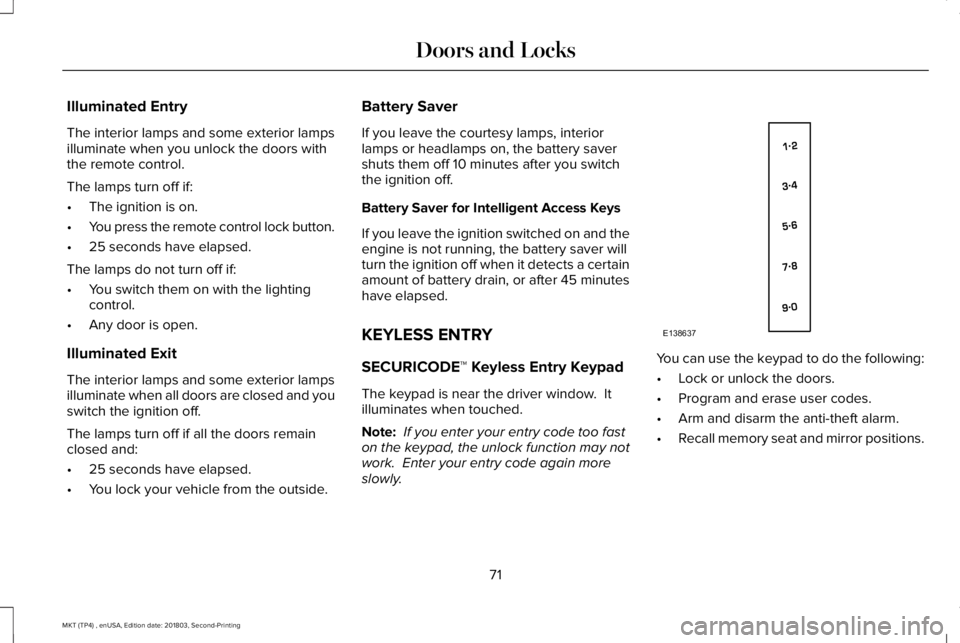
The keypad is near the driver window. Itilluminates when touched.
Note: If you enter your entry code too faston the keypad, the unlock function may notwork. Enter your entry code again moreslowly.
You can use the keypad to do the following:
•Lock or unlock the doors.
•Program and erase user codes.
•Arm and disarm the anti-theft alarm.
•Recall memory seat and mirror positions.
71
MKT (TP4) , enUSA, Edition date: 201803, Second-Printing
Doors and LocksE138637
Page 80 of 575
PASSIVE ANTI-THEFT SYSTEM
Note: The system is not compatible withnon-Ford aftermarket remote start systems. Use of these systems may result in enginestarting problems and a loss of securityprotection.
Note: Metallic objects, electronic devicesor a second coded key on the same keychain may result in vehicle starting problems,especially if they are too close to the keywhen starting your vehicle. Prevent theseobjects from touching the coded key whenstarting your vehicle. Switch the ignition off,move all objects on the key chain away fromthe coded key and restart your vehicle if aproblem occurs.
Note: Do not leave a duplicate coded keyin your vehicle. Always take your keys andlock all doors when leaving your vehicle.
SecuriLock®
The system helps prevent the engine fromstarting unless you use a coded keyprogrammed to your vehicle. Using thewrong key may prevent your vehicle fromstarting. A message may appear in theinformation display.
If you are unable to start your vehicle with acoded key, it is not operating correctly. Amessage may appear in the informationdisplay.
Automatic Arming
The system arms when you switch theignition off.
Automatic Disarming
The system disarms when you switch theignition on with a coded key.
Replacement Keys
Note:Your vehicle comes with two keys.
The intelligent access key functions as aprogrammed key that operates the driverdoor lock and turns on the intelligent accesswith push button start system, as well as aremote control.
If your coded keys are lost or stolen and youdo not have an extra coded key, you needto erase the key codes from your vehicle andprogram new coded keys. Contact anauthorized dealer.
Store a spare intelligent access key awayfrom your vehicle in a safe place. You canpurchase replacement keys or remotecontrols from an authorized dealer.
Programming a Spare Intelligent AccessKey
Note:You can program a maximum of fourkeys to your vehicle.
You must have two previously programmedintelligent access keys inside your vehicleand the new unprogrammed intelligentaccess keys readily accessible. Contact anauthorized dealer to have the spare keyprogrammed if two previously programmedkeys are not available.
77
MKT (TP4) , enUSA, Edition date: 201803, Second-Printing
Security
Page 81 of 575
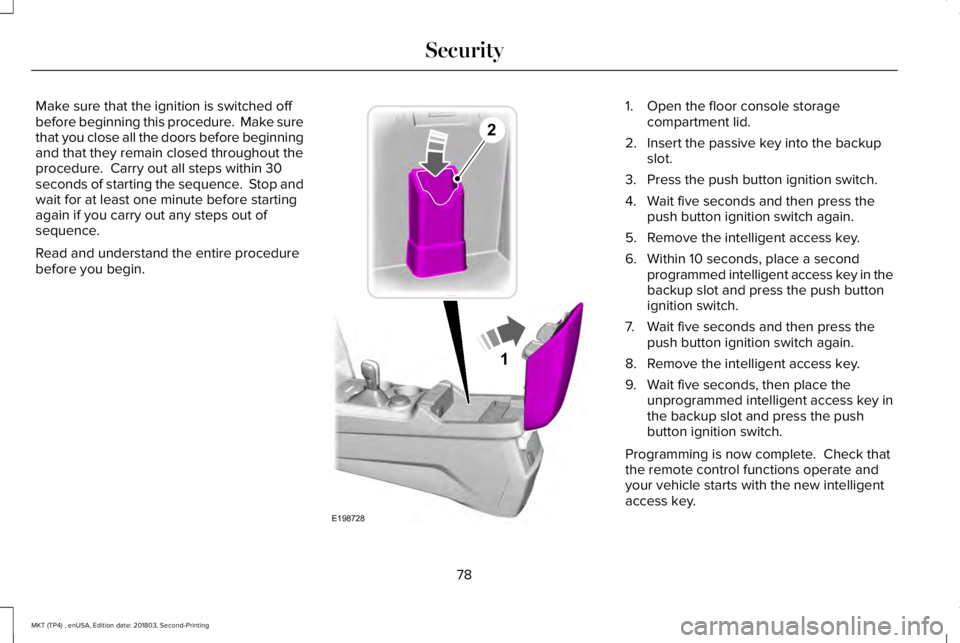
Make sure that the ignition is switched offbefore beginning this procedure. Make surethat you close all the doors before beginningand that they remain closed throughout theprocedure. Carry out all steps within 30seconds of starting the sequence. Stop andwait for at least one minute before startingagain if you carry out any steps out ofsequence.
Read and understand the entire procedurebefore you begin.
1. Open the floor console storagecompartment lid.
2. Insert the passive key into the backupslot.
3. Press the push button ignition switch.
4. Wait five seconds and then press thepush button ignition switch again.
5. Remove the intelligent access key.
6. Within 10 seconds, place a secondprogrammed intelligent access key in thebackup slot and press the push buttonignition switch.
7. Wait five seconds and then press thepush button ignition switch again.
8. Remove the intelligent access key.
9. Wait five seconds, then place theunprogrammed intelligent access key inthe backup slot and press the pushbutton ignition switch.
Programming is now complete. Check thatthe remote control functions operate andyour vehicle starts with the new intelligentaccess key.
78
MKT (TP4) , enUSA, Edition date: 201803, Second-Printing
Security1
E198728
2
Page 82 of 575
If programming was unsuccessful, wait 10seconds and repeat Steps 1 through 7. Ifprogramming remains unsuccessful, contactan authorized dealer.
ANTI-THEFT ALARM
The system will warn you of an unauthorizedentry to your vehicle. It will be triggered ifany door, the luggage compartment or thehood is opened without using the key,remote control or keyless entry keypad.
The direction indicators will flash and thehorn will sound if unauthorized entry isattempted while the alarm is armed.
Take all remote controls to an authorizeddealer if there is any potential alarm problemwith your vehicle.
Arming the Alarm
The alarm is ready to arm when there is nota key in your vehicle. Electronically lock yourvehicle to arm the alarm.
Disarming the Alarm
Disarm the alarm by any of the followingactions:
•Unlock the doors or luggagecompartment with the remote control orkeyless entry keypad.
•Switch your vehicle on or start yourvehicle.
•Use a key in the driver door to unlockyour vehicle, then switch your vehicle onwithin 12 seconds.
Note:Pressing the panic button on theremote control will stop the horn and signalindicators, but will not disarm the system.
79
MKT (TP4) , enUSA, Edition date: 201803, Second-Printing
Security
Page 85 of 575
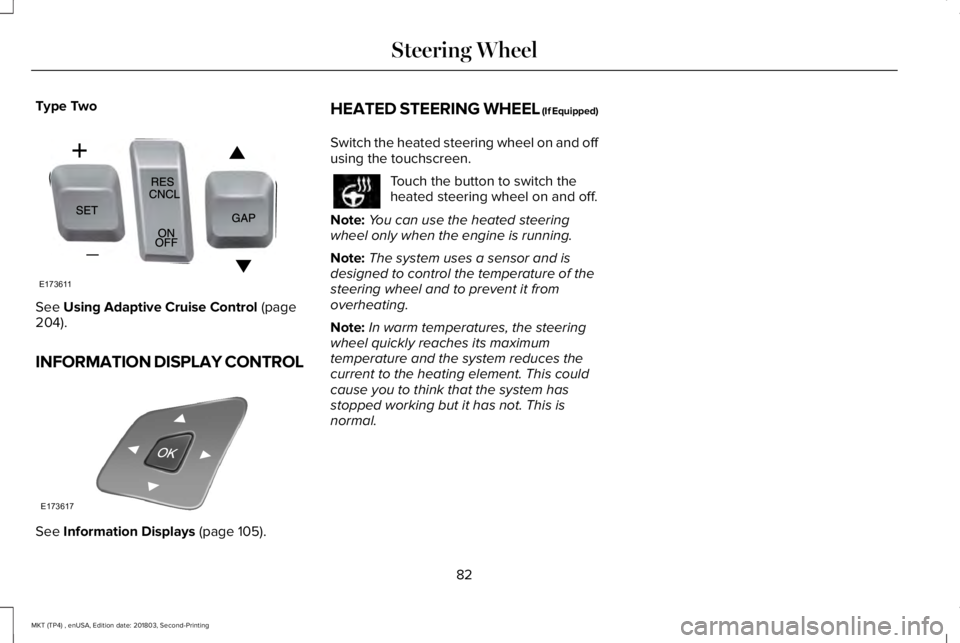
Type Two
See Using Adaptive Cruise Control (page204).
INFORMATION DISPLAY CONTROL
See Information Displays (page 105).
HEATED STEERING WHEEL (If Equipped)
Switch the heated steering wheel on and offusing the touchscreen.
Touch the button to switch theheated steering wheel on and off.
Note:You can use the heated steeringwheel only when the engine is running.
Note:The system uses a sensor and isdesigned to control the temperature of thesteering wheel and to prevent it fromoverheating.
Note:In warm temperatures, the steeringwheel quickly reaches its maximumtemperature and the system reduces thecurrent to the heating element. This couldcause you to think that the system hasstopped working but it has not. This isnormal.
82
MKT (TP4) , enUSA, Edition date: 201803, Second-Printing
Steering WheelE173611 E173617
Page 110 of 575
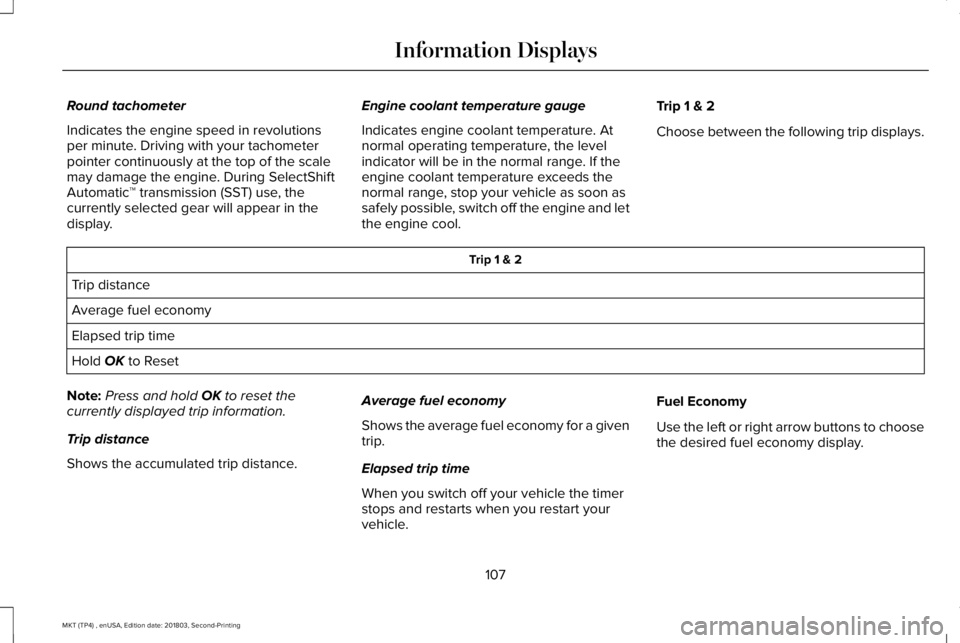
Round tachometer
Indicates the engine speed in revolutionsper minute. Driving with your tachometerpointer continuously at the top of the scalemay damage the engine. During SelectShiftAutomatic™ transmission (SST) use, thecurrently selected gear will appear in thedisplay.
Engine coolant temperature gauge
Indicates engine coolant temperature. Atnormal operating temperature, the levelindicator will be in the normal range. If theengine coolant temperature exceeds thenormal range, stop your vehicle as soon assafely possible, switch off the engine and letthe engine cool.
Trip 1 & 2
Choose between the following trip displays.
Trip 1 & 2
Trip distance
Average fuel economy
Elapsed trip time
Hold OK to Reset
Note:Press and hold OK to reset thecurrently displayed trip information.
Trip distance
Shows the accumulated trip distance.
Average fuel economy
Shows the average fuel economy for a giventrip.
Elapsed trip time
When you switch off your vehicle the timerstops and restarts when you restart yourvehicle.
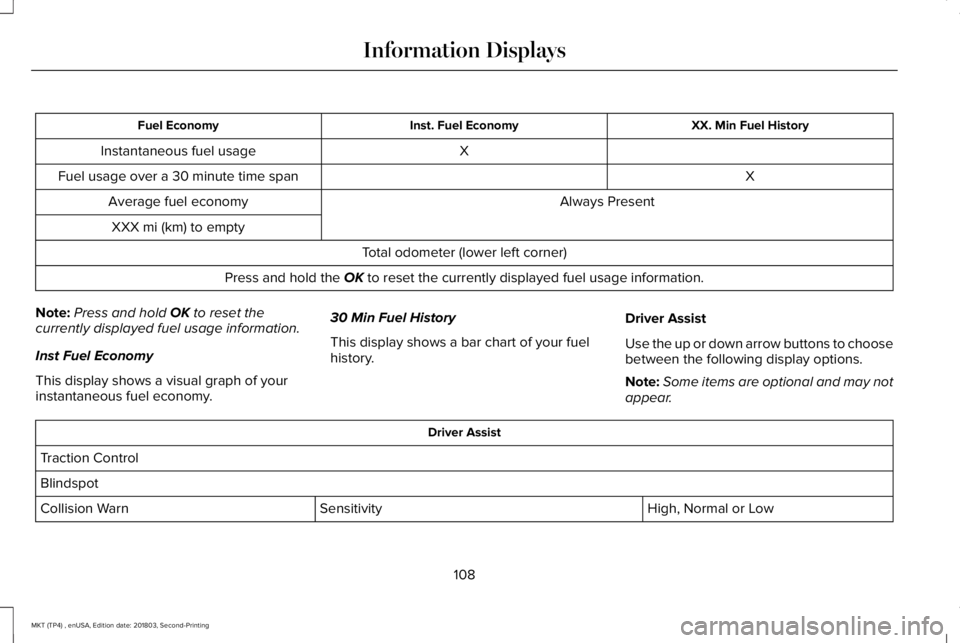
Fuel Economy
Use the left or right arrow buttons to choosethe desired fuel economy display.
107
MKT (TP4) , enUSA, Edition date: 201803, Second-Printing
Information Displays
Page 111 of 575
XX. Min Fuel HistoryInst. Fuel EconomyFuel Economy
XInstantaneous fuel usage
XFuel usage over a 30 minute time span
Always PresentAverage fuel economy
XXX mi (km) to empty
Total odometer (lower left corner)
Press and hold the OK to reset the currently displayed fuel usage information.
Note:Press and hold OK to reset thecurrently displayed fuel usage information.
Inst Fuel Economy
This display shows a visual graph of yourinstantaneous fuel economy.
30 Min Fuel History
This display shows a bar chart of your fuelhistory.
Driver Assist
Use the up or down arrow buttons to choosebetween the following display options.
Note:Some items are optional and may notappear.
Driver Assist
Traction Control
Blindspot
High, Normal or LowSensitivityCollision Warn
108
MKT (TP4) , enUSA, Edition date: 201803, Second-Printing
Information Displays