light LINCOLN MKT 2019 Owner's Manual
[x] Cancel search | Manufacturer: LINCOLN, Model Year: 2019, Model line: MKT, Model: LINCOLN MKT 2019Pages: 575, PDF Size: 4.66 MB
Page 94 of 575
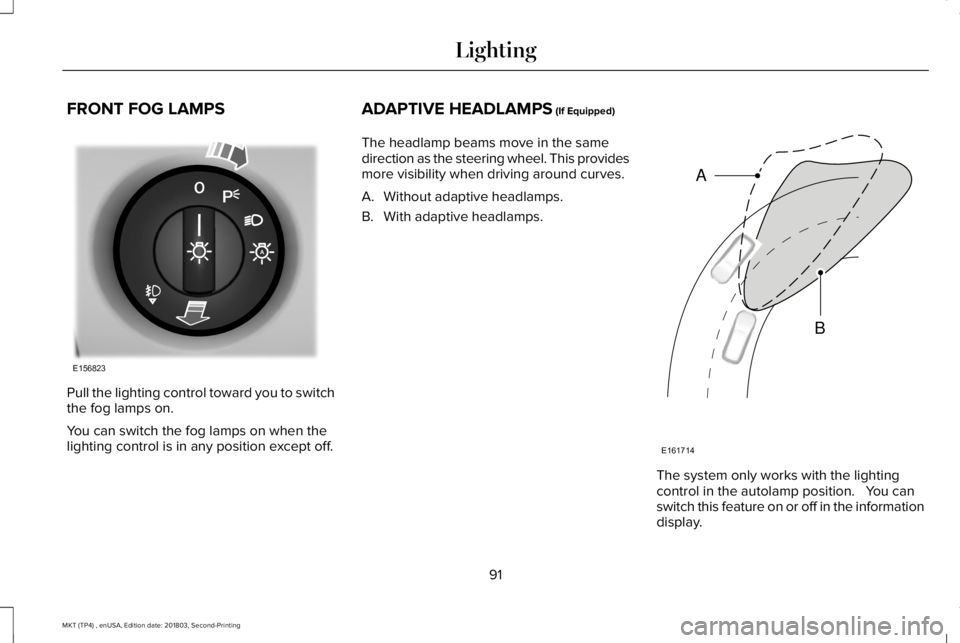
FRONT FOG LAMPS
Pull the lighting control toward you to switchthe fog lamps on.
You can switch the fog lamps on when thelighting control is in any position except off.
ADAPTIVE HEADLAMPS (If Equipped)
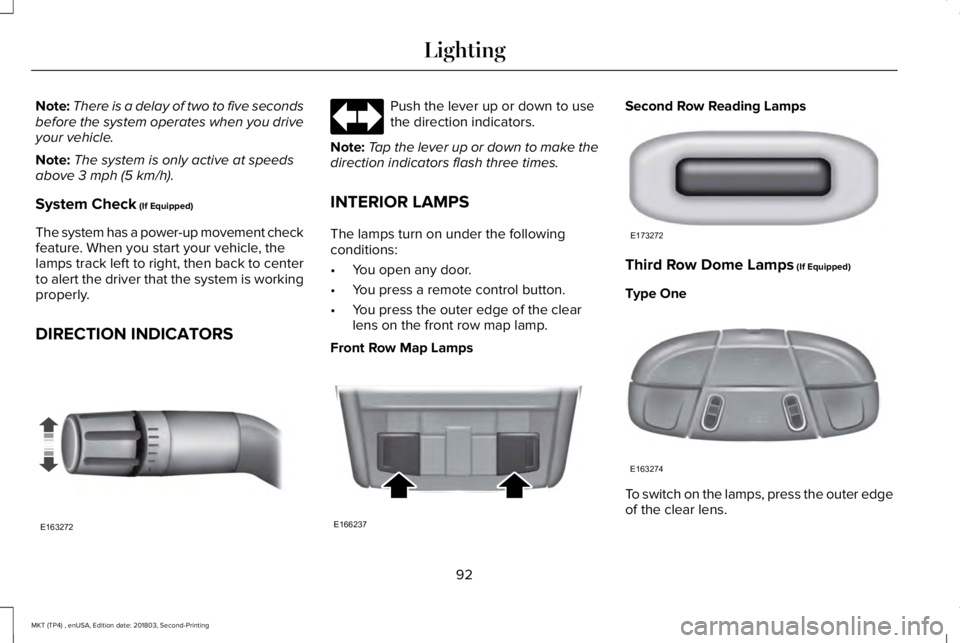
The headlamp beams move in the samedirection as the steering wheel. This providesmore visibility when driving around curves.
A. Without adaptive headlamps.
B. With adaptive headlamps.
The system only works with the lightingcontrol in the autolamp position. You canswitch this feature on or off in the informationdisplay.
91
MKT (TP4) , enUSA, Edition date: 201803, Second-Printing
LightingE156823 E161714
B
A
Page 95 of 575
Note:There is a delay of two to five secondsbefore the system operates when you driveyour vehicle.
Note:The system is only active at speedsabove 3 mph (5 km/h).
System Check (If Equipped)
The system has a power-up movement checkfeature. When you start your vehicle, thelamps track left to right, then back to centerto alert the driver that the system is workingproperly.
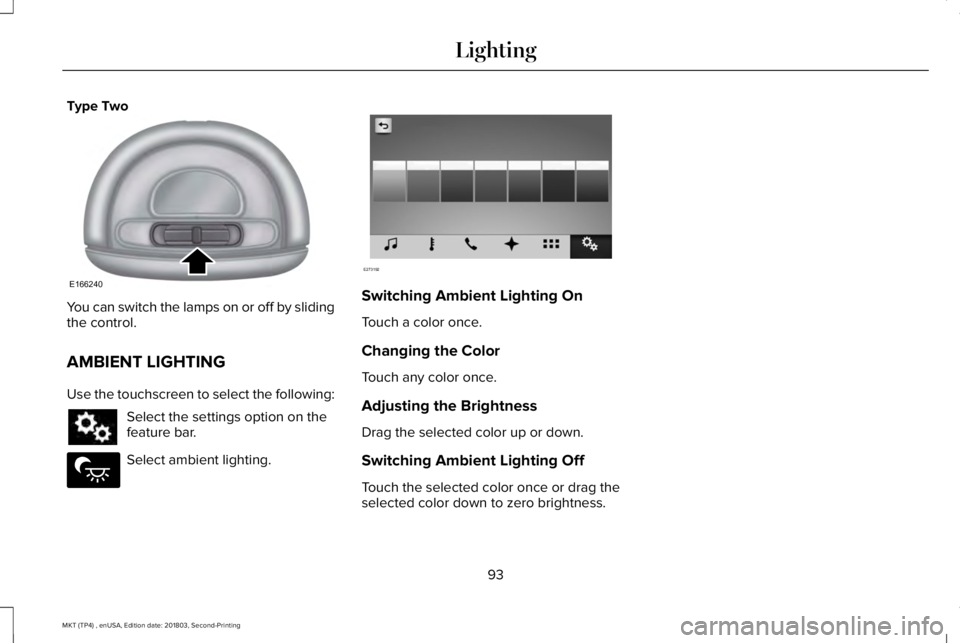
DIRECTION INDICATORS
Push the lever up or down to usethe direction indicators.
Note:Tap the lever up or down to make thedirection indicators flash three times.
INTERIOR LAMPS
The lamps turn on under the followingconditions:
•You open any door.
•You press a remote control button.
•You press the outer edge of the clearlens on the front row map lamp.
Front Row Map Lamps
Second Row Reading Lamps
Third Row Dome Lamps (If Equipped)
Type One
To switch on the lamps, press the outer edgeof the clear lens.
92
MKT (TP4) , enUSA, Edition date: 201803, Second-Printing
LightingE163272 E166237 E173272 E163274
Page 96 of 575
Type Two
You can switch the lamps on or off by slidingthe control.
AMBIENT LIGHTING
Use the touchscreen to select the following:
Select the settings option on thefeature bar.
Select ambient lighting.
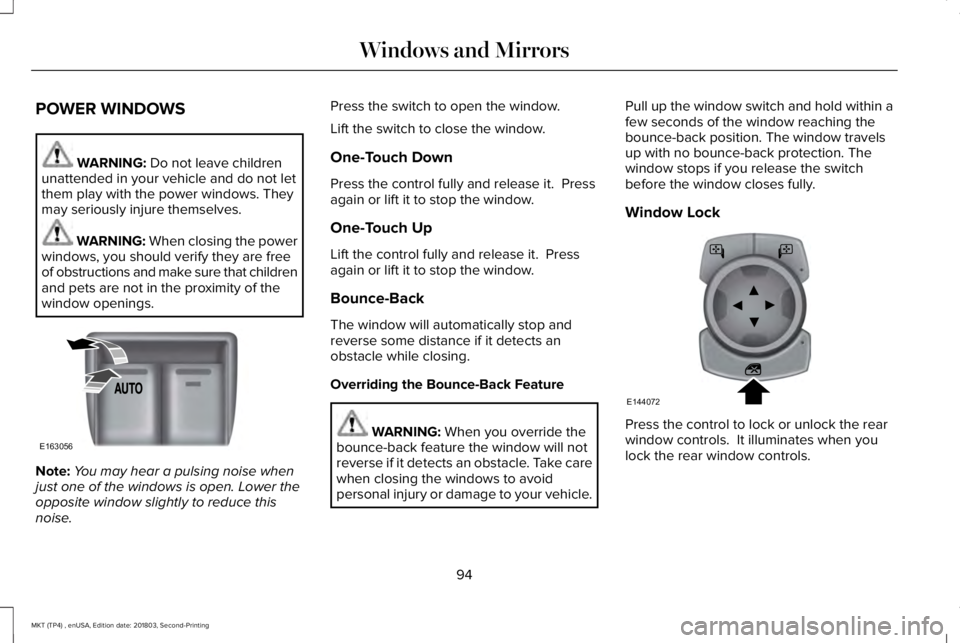
Switching Ambient Lighting On
Touch a color once.
Changing the Color
Touch any color once.
Adjusting the Brightness
Drag the selected color up or down.
Switching Ambient Lighting Off
Touch the selected color once or drag theselected color down to zero brightness.
93
MKT (TP4) , enUSA, Edition date: 201803, Second-Printing
LightingE166240 E279027 E273192
Page 97 of 575
POWER WINDOWS
WARNING: Do not leave childrenunattended in your vehicle and do not letthem play with the power windows. Theymay seriously injure themselves.
WARNING: When closing the powerwindows, you should verify they are freeof obstructions and make sure that childrenand pets are not in the proximity of thewindow openings.
Note:You may hear a pulsing noise whenjust one of the windows is open. Lower theopposite window slightly to reduce thisnoise.
Press the switch to open the window.
Lift the switch to close the window.
One-Touch Down
Press the control fully and release it. Pressagain or lift it to stop the window.
One-Touch Up
Lift the control fully and release it. Pressagain or lift it to stop the window.
Bounce-Back
The window will automatically stop andreverse some distance if it detects anobstacle while closing.
Overriding the Bounce-Back Feature
WARNING: When you override thebounce-back feature the window will notreverse if it detects an obstacle. Take carewhen closing the windows to avoidpersonal injury or damage to your vehicle.
Pull up the window switch and hold within afew seconds of the window reaching thebounce-back position. The window travelsup with no bounce-back protection. Thewindow stops if you release the switchbefore the window closes fully.
Window Lock
Press the control to lock or unlock the rearwindow controls. It illuminates when youlock the rear window controls.
94
MKT (TP4) , enUSA, Edition date: 201803, Second-Printing
Windows and MirrorsE163056 E144072
Page 98 of 575
Accessory Delay
The window switches remain operational forseveral minutes when you switch the ignitionoff or until you open either front door.
GLOBAL OPENING AND CLOSING
You can use the remote control to operatethe windows with the ignition off.
Note:You can enable or disable this featurein the information display or see anauthorized dealer. See General Information(page 105).
Note:To operate this feature, accessorydelay must not be active.
Opening the Windows
You can only open the windows for a shorttime after you unlock your vehicle with theremote control. After you unlock your vehicle,press and hold the remote control unlockbutton to open the windows and vent themoonroof. Release the button oncemovement starts. Press the lock or unlockbutton to stop movement.
Closing the Windows
WARNING: When closing thewindows and moonroof, you should verifythey are free of obstructions and makesure that children and pets are not in theproximity of the window openings.
To close the windows and moonroof, pressand hold the remote control lock button.Release the button once movement starts.Press the lock or unlock button to stopmovement.
EXTERIOR MIRRORS
Power Exterior Mirrors
WARNING: Do not adjust the mirrorswhen your vehicle is moving.
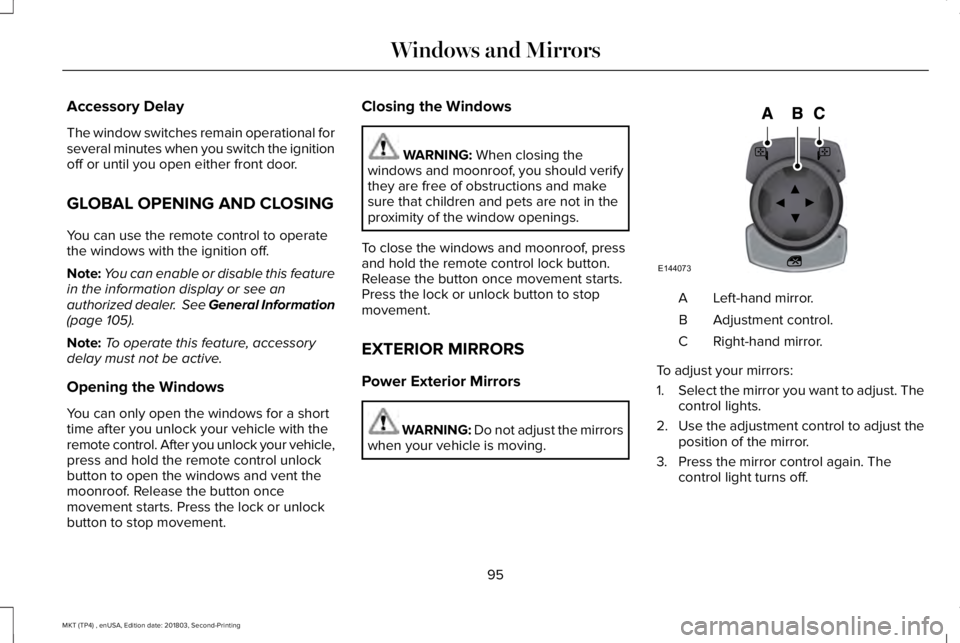
Left-hand mirror.A
Adjustment control.B
Right-hand mirror.C
To adjust your mirrors:
1.Select the mirror you want to adjust. Thecontrol lights.
2.Use the adjustment control to adjust theposition of the mirror.
3. Press the mirror control again. Thecontrol light turns off.
95
MKT (TP4) , enUSA, Edition date: 201803, Second-Printing
Windows and MirrorsE144073
Page 99 of 575
Fold-Away Exterior Mirrors
Push the mirror toward the door windowglass. Make sure that you fully engage themirror in its support when returning it to itsoriginal position.
Heated Exterior Mirrors
See Heated Exterior Mirrors (page 128).
Memory Mirrors
You can save and recall the mirror positionsthrough the memory function. See MemoryFunction (page 135).
Auto-dimming Feature
The driver exterior mirror automatically dimswith the auto-dimming interior mirror.
Direction Indicator Mirrors
While the vehicle is running, theforward-facing portion of the appropriatemirror housing blinks when you switch onthe direction indicator.
Puddle Lamps
The lamps on the bottom part of the mirrorhousing light when you use your transmitterto unlock the doors or when you open adoor.
Integrated Blind Spot Mirror (If Equipped)
WARNING: Objects in the blind spotmirror are closer than they appear.
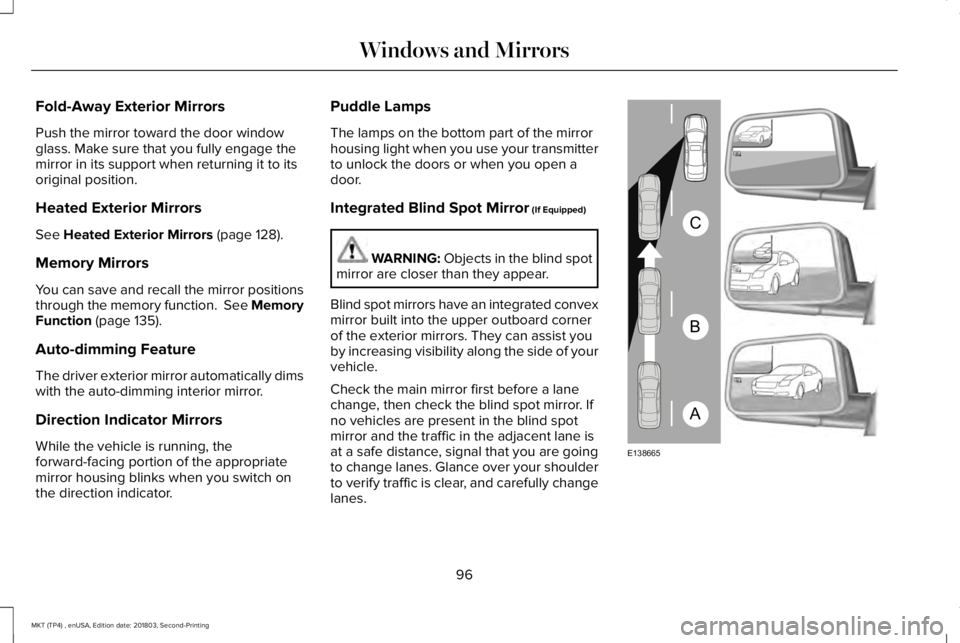
Blind spot mirrors have an integrated convexmirror built into the upper outboard cornerof the exterior mirrors. They can assist youby increasing visibility along the side of yourvehicle.
Check the main mirror first before a lanechange, then check the blind spot mirror. Ifno vehicles are present in the blind spotmirror and the traffic in the adjacent lane isat a safe distance, signal that you are goingto change lanes. Glance over your shoulderto verify traffic is clear, and carefully changelanes.
96
MKT (TP4) , enUSA, Edition date: 201803, Second-Printing
Windows and MirrorsA
B
C
E138665
Page 100 of 575
The image of the approaching vehicle issmall and near the inboard edge of the mainmirror when it is at a distance. The imagebecomes larger and begins to moveoutboard across the main mirror as thevehicle approaches (A). The image transitionsfrom the main mirror and begins to appearin the blind spot mirror as the vehicleapproaches (B). The vehicle transitions toyour peripheral field of view as it leaves theblind spot mirror (C).
Blind Spot Information System (If Equipped)
See Blind Spot Information System (page219).
INTERIOR MIRROR
WARNING: Do not adjust the mirrorwhen your vehicle is moving.
Note:Do not clean the housing or glass ofany mirror with harsh abrasives, fuel or otherpetroleum or ammonia-based cleaningproducts.
You can adjust the interior mirror to yourpreference. Some mirrors also have a secondpivot point. This lets you move the mirrorhead up or down and from side to side.
Auto-Dimming Mirror
Note:Do not block the sensors on the frontand back of the mirror. Mirror performancemay be affected. A rear center passengeror raised rear center head restraint may alsoblock light from reaching the sensor.
The mirror will dim automatically to reduceglare when bright lights are detected frombehind your vehicle. It will automaticallyreturn to normal reflection when you selectreverse gear to make sure you have a clearview when backing up.
Second Row Illuminated Vanity Mirror
(If Equipped)
Pull the cover down to turn on the lamp.
SUN VISORS
97
MKT (TP4) , enUSA, Edition date: 201803, Second-Printing
Windows and MirrorsE210723 E138666
Page 104 of 575
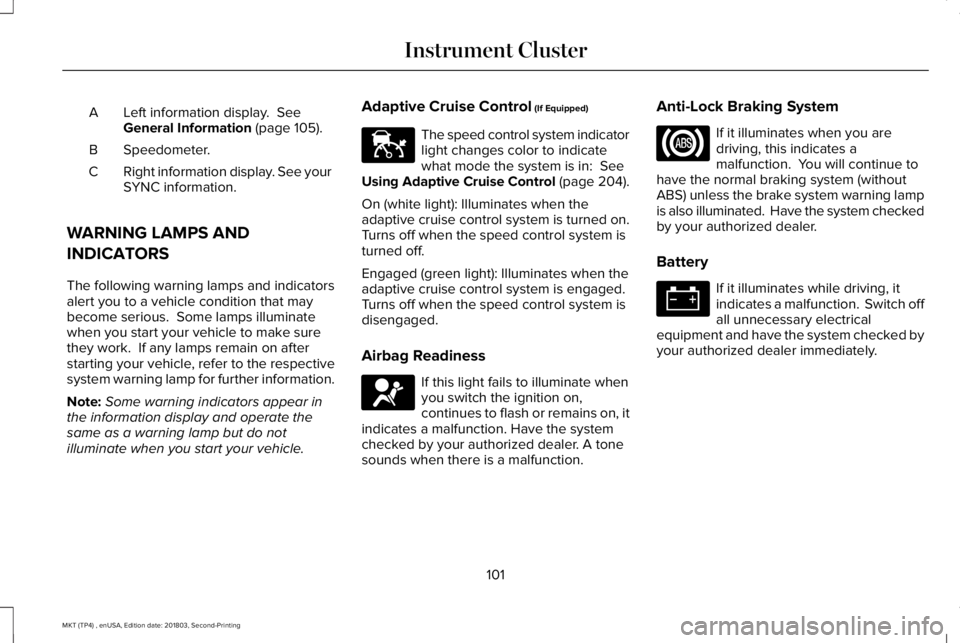
Left information display. SeeGeneral Information (page 105).A
Speedometer.B
Right information display. See yourSYNC information.C
WARNING LAMPS AND
INDICATORS
The following warning lamps and indicatorsalert you to a vehicle condition that maybecome serious. Some lamps illuminatewhen you start your vehicle to make surethey work. If any lamps remain on afterstarting your vehicle, refer to the respectivesystem warning lamp for further information.
Note:Some warning indicators appear inthe information display and operate thesame as a warning lamp but do notilluminate when you start your vehicle.
Adaptive Cruise Control (If Equipped)
The speed control system indicatorlight changes color to indicatewhat mode the system is in: SeeUsing Adaptive Cruise Control (page 204).
On (white light): Illuminates when theadaptive cruise control system is turned on.Turns off when the speed control system isturned off.
Engaged (green light): Illuminates when theadaptive cruise control system is engaged.Turns off when the speed control system isdisengaged.
Airbag Readiness
If this light fails to illuminate whenyou switch the ignition on,continues to flash or remains on, itindicates a malfunction. Have the systemchecked by your authorized dealer. A tonesounds when there is a malfunction.
Anti-Lock Braking System
If it illuminates when you aredriving, this indicates amalfunction. You will continue tohave the normal braking system (withoutABS) unless the brake system warning lampis also illuminated. Have the system checkedby your authorized dealer.
Battery
If it illuminates while driving, itindicates a malfunction. Switch offall unnecessary electricalequipment and have the system checked byyour authorized dealer immediately.
101
MKT (TP4) , enUSA, Edition date: 201803, Second-Printing
Instrument ClusterE144524 E67017
Page 105 of 575
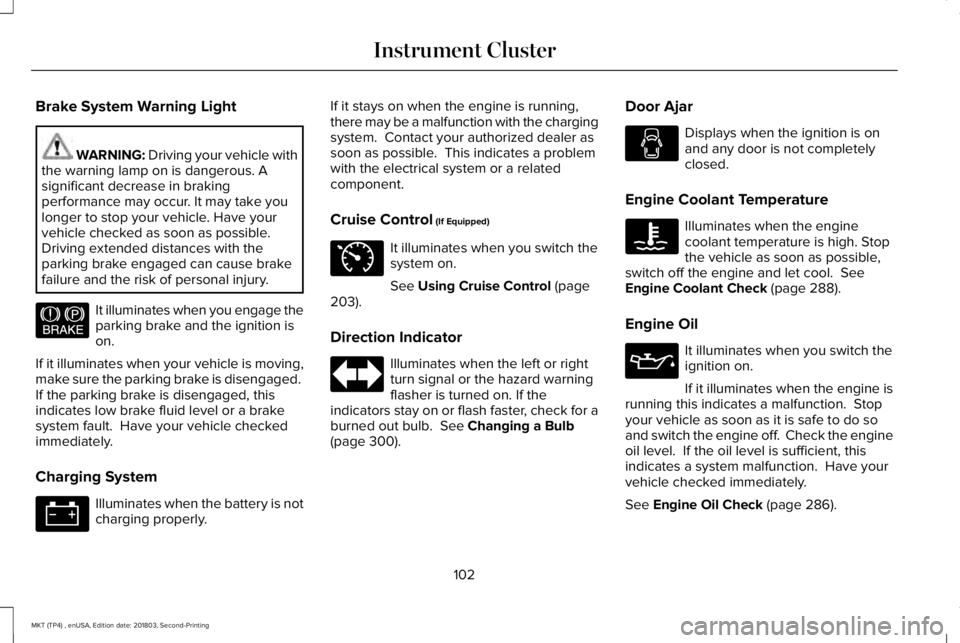
Brake System Warning Light
WARNING: Driving your vehicle withthe warning lamp on is dangerous. Asignificant decrease in brakingperformance may occur. It may take youlonger to stop your vehicle. Have yourvehicle checked as soon as possible.Driving extended distances with theparking brake engaged can cause brakefailure and the risk of personal injury.
It illuminates when you engage theparking brake and the ignition ison.
If it illuminates when your vehicle is moving,make sure the parking brake is disengaged. If the parking brake is disengaged, thisindicates low brake fluid level or a brakesystem fault. Have your vehicle checkedimmediately.
Charging System
Illuminates when the battery is notcharging properly.
If it stays on when the engine is running,there may be a malfunction with the chargingsystem. Contact your authorized dealer assoon as possible. This indicates a problemwith the electrical system or a relatedcomponent.
Cruise Control (If Equipped)
It illuminates when you switch thesystem on.
See Using Cruise Control (page203).
Direction Indicator
Illuminates when the left or rightturn signal or the hazard warningflasher is turned on. If theindicators stay on or flash faster, check for aburned out bulb. See Changing a Bulb(page 300).
Door Ajar
Displays when the ignition is onand any door is not completelyclosed.
Engine Coolant Temperature
Illuminates when the enginecoolant temperature is high. Stopthe vehicle as soon as possible,switch off the engine and let cool. SeeEngine Coolant Check (page 288).
Engine Oil
It illuminates when you switch theignition on.
If it illuminates when the engine isrunning this indicates a malfunction. Stopyour vehicle as soon as it is safe to do soand switch the engine off. Check the engineoil level. If the oil level is sufficient, thisindicates a system malfunction. Have yourvehicle checked immediately.
See Engine Oil Check (page 286).
102
MKT (TP4) , enUSA, Edition date: 201803, Second-Printing
Instrument ClusterE144522 E71340
Page 106 of 575
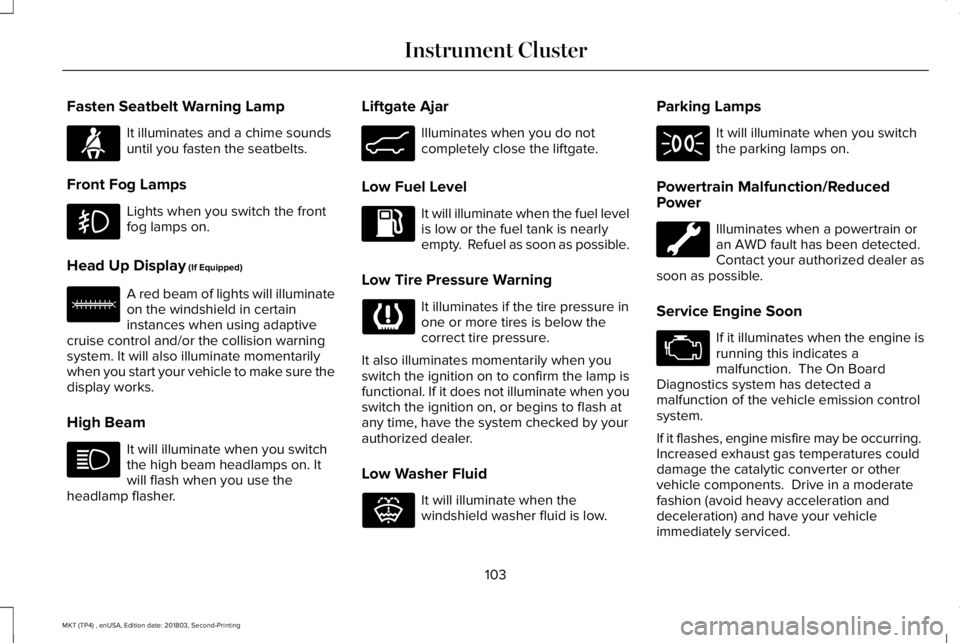
Fasten Seatbelt Warning Lamp
It illuminates and a chime soundsuntil you fasten the seatbelts.
Front Fog Lamps
Lights when you switch the frontfog lamps on.
Head Up Display (If Equipped)
A red beam of lights will illuminateon the windshield in certaininstances when using adaptivecruise control and/or the collision warningsystem. It will also illuminate momentarilywhen you start your vehicle to make sure thedisplay works.
High Beam
It will illuminate when you switchthe high beam headlamps on. Itwill flash when you use theheadlamp flasher.
Liftgate Ajar
Illuminates when you do notcompletely close the liftgate.
Low Fuel Level
It will illuminate when the fuel levelis low or the fuel tank is nearlyempty. Refuel as soon as possible.
Low Tire Pressure Warning
It illuminates if the tire pressure inone or more tires is below thecorrect tire pressure.
It also illuminates momentarily when youswitch the ignition on to confirm the lamp isfunctional. If it does not illuminate when youswitch the ignition on, or begins to flash atany time, have the system checked by yourauthorized dealer.
Low Washer Fluid
It will illuminate when thewindshield washer fluid is low.
Parking Lamps
It will illuminate when you switchthe parking lamps on.
Powertrain Malfunction/ReducedPower
Illuminates when a powertrain oran AWD fault has been detected. Contact your authorized dealer assoon as possible.
Service Engine Soon
If it illuminates when the engine isrunning this indicates amalfunction. The On BoardDiagnostics system has detected amalfunction of the vehicle emission controlsystem.
If it flashes, engine misfire may be occurring. Increased exhaust gas temperatures coulddamage the catalytic converter or othervehicle components. Drive in a moderatefashion (avoid heavy acceleration anddeceleration) and have your vehicleimmediately serviced.
103
MKT (TP4) , enUSA, Edition date: 201803, Second-Printing
Instrument ClusterE71880 E156133 E162453 E132353