alarm LINCOLN MKT 2019 Owners Manual
[x] Cancel search | Manufacturer: LINCOLN, Model Year: 2019, Model line: MKT, Model: LINCOLN MKT 2019Pages: 575, PDF Size: 4.66 MB
Page 5 of 575
Liftgate
Power Liftgate.................................................74
Security
Passive Anti-Theft System...........................77
Anti-Theft Alarm.............................................79
Steering Wheel
Adjusting the Steering Wheel....................80
Audio Control..................................................81
Voice Control...................................................81
Cruise Control.................................................81
Information Display Control........................82
Heated Steering Wheel...............................82
Pedals
Adjusting the Pedals.....................................83
Wipers and Washers
Autowipers......................................................84
Windshield Washers.....................................84
Rear Window Wiper and Washers............85
Lighting
General Information......................................86
Lighting Control.............................................86
Autolamps........................................................87
Instrument Lighting Dimmer.......................88
Headlamp Exit Delay....................................88
Daytime Running Lamps..............................89
Automatic High Beam Control...................89
Front Fog Lamps.............................................91
Adaptive Headlamps.....................................91
Direction Indicators.......................................92
Interior Lamps.................................................92
Ambient Lighting...........................................93
Windows and Mirrors
Power Windows.............................................94
Global Opening and Closing......................95
Exterior Mirrors...............................................95
Interior Mirror..................................................97
Sun Visors........................................................97
Moonroof.........................................................98
Instrument Cluster
Gauges...........................................................100
Warning Lamps and Indicators..................101
Audible Warnings and Indicators.............104
Information Displays
General Information....................................105
Information Messages.................................112
Climate Control
Automatic Climate Control........................125
Hints on Controlling the Interior Climate.......................................................................126
Rear Passenger Climate Controls............127
Heated Rear Window..................................128
Heated Exterior Mirrors..............................128
Cabin Air Filter..............................................129
Remote Start..................................................129
Seats
Sitting in the Correct Position...................130
Head Restraints.............................................131
Power Seats...................................................133
2
MKT (TP4) , enUSA, Edition date: 201803, Second-Printing
Table of Contents
Page 12 of 575
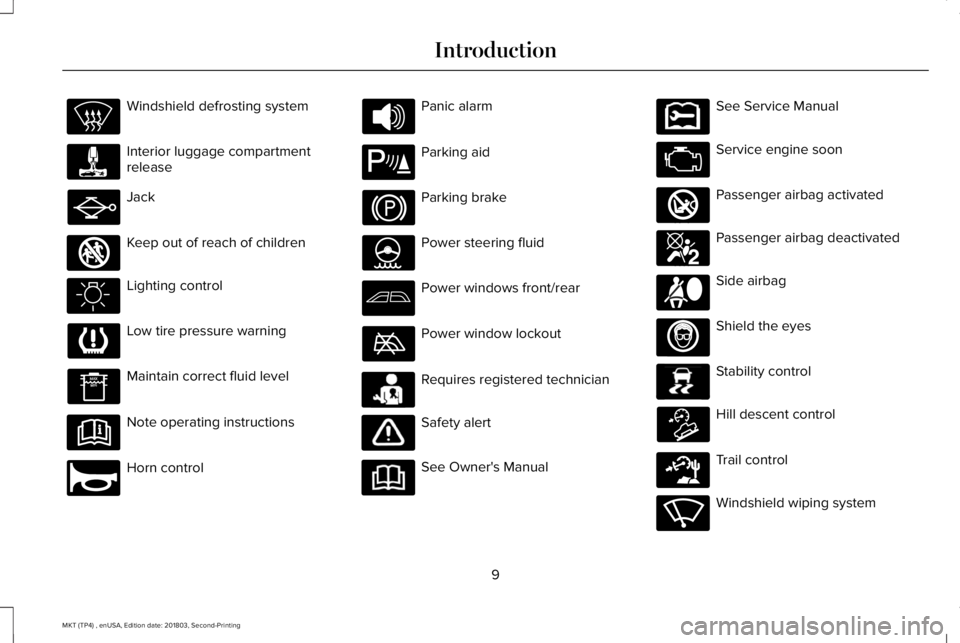
Windshield defrosting system
Interior luggage compartmentrelease
Jack
Keep out of reach of children
Lighting control
Low tire pressure warning
Maintain correct fluid level
Note operating instructions
Horn control
Panic alarm
Parking aid
Parking brake
Power steering fluid
Power windows front/rear
Power window lockout
Requires registered technician
Safety alert
See Owner's Manual
See Service Manual
Service engine soon
Passenger airbag activated
Passenger airbag deactivated
Side airbag
Shield the eyes
Stability control
Hill descent control
Trail control
Windshield wiping system
9
MKT (TP4) , enUSA, Edition date: 201803, Second-Printing
Introduction E161353 E270945 E139213 E231159 E231158 E270849 E270850 E167012 E138639 E163957 E271982 E270969
Page 62 of 575
GENERAL INFORMATION ON
RADIO FREQUENCIES
This device complies with Part 15 of the FCCRules and with Licence exempt RSSStandards of Industry Canada. Operation issubject to the following two conditions:
•This device may not cause harmfulinterference, and
•This device must accept any interferencereceived, including interference that maycause undesired operation.
WARNING: Changes or modificationsnot expressively approved by the partyresponsible for compliance could void theuser's authority to operate the equipment.The term "IC:" before the radio certificationnumber only signifies that Industry Canadatechnical specifications were met.
The typical operating range for yourtransmitter is approximately 33 ft (10 m).Vehicles with the remote start feature willhave a greater range. One of the followingcould cause a decrease in operating range:
•weather conditions
•nearby radio towers
•structures around the vehicle
•other vehicles parked next to yourvehicle
Other short-distance radio transmitters, suchas amateur radios, medical equipment,wireless headphones, remote controls andalarm systems may operate on the samefrequency as your remote control. If othertransmitters are operating on thosefrequencies, you may not be able to use yourremote control. Using your remote controlnear some types of electronic equipment,such as USB devices, computers or cellphones can interfere with remote operation.Operating your remote control near metal ormetallic-finished purses, bags or clothing caninterfere with remote operation. You can lockand unlock the doors with the key.
Note:Make sure to lock your vehicle beforeleaving it unattended.
Note:If you are in range, the remote controlwill operate if you press any buttonunintentionally.
Intelligent Access
The system uses a radio frequency signal tocommunicate with your vehicle and authorizeyour vehicle to unlock when one of thefollowing conditions are met:
•You touch the inside of any exterior doorhandle within 3 ft (1 m) proximity of anintelligent access key.
•You press the luggage compartmentbutton.
•You press a button on the transmitter.
If excessive radio frequency interference ispresent in the area or if the transmitterbattery is low, you may need to mechanicallyunlock your door. You can use themechanical key blade in your intelligentaccess key to open the driver door in thissituation. See Remote Control (page 60).
59
MKT (TP4) , enUSA, Edition date: 201803, Second-Printing
Keys and Remote Controls
Page 64 of 575
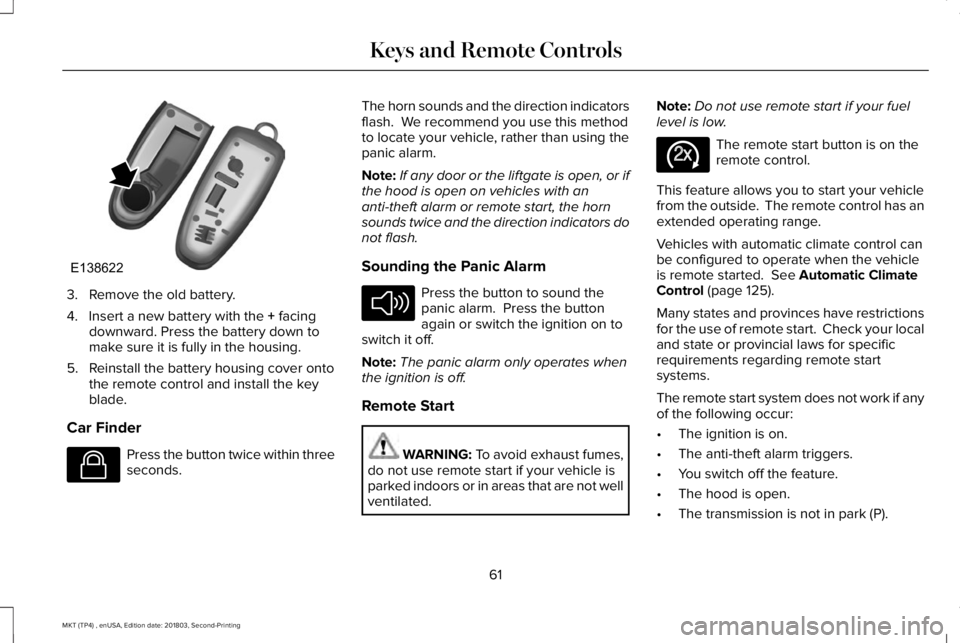
3. Remove the old battery.
4. Insert a new battery with the + facingdownward. Press the battery down tomake sure it is fully in the housing.
5. Reinstall the battery housing cover ontothe remote control and install the keyblade.
Car Finder
Press the button twice within threeseconds.
The horn sounds and the direction indicatorsflash. We recommend you use this methodto locate your vehicle, rather than using thepanic alarm.
Note:If any door or the liftgate is open, or ifthe hood is open on vehicles with ananti-theft alarm or remote start, the hornsounds twice and the direction indicators donot flash.
Sounding the Panic Alarm
Press the button to sound thepanic alarm. Press the buttonagain or switch the ignition on toswitch it off.
Note:The panic alarm only operates whenthe ignition is off.
Remote Start
WARNING: To avoid exhaust fumes,do not use remote start if your vehicle isparked indoors or in areas that are not wellventilated.
Note:Do not use remote start if your fuellevel is low.
The remote start button is on theremote control.
This feature allows you to start your vehiclefrom the outside. The remote control has anextended operating range.
Vehicles with automatic climate control canbe configured to operate when the vehicleis remote started. See Automatic ClimateControl (page 125).
Many states and provinces have restrictionsfor the use of remote start. Check your localand state or provincial laws for specificrequirements regarding remote startsystems.
The remote start system does not work if anyof the following occur:
•The ignition is on.
•The anti-theft alarm triggers.
•You switch off the feature.
•The hood is open.
•The transmission is not in park (P).
61
MKT (TP4) , enUSA, Edition date: 201803, Second-Printing
Keys and Remote ControlsE138622 E138623 E138624 E138625
Page 71 of 575
LOCKING AND UNLOCKING
You can use the power door lock control orthe remote control to lock and unlock yourvehicle.
Power Door Locks
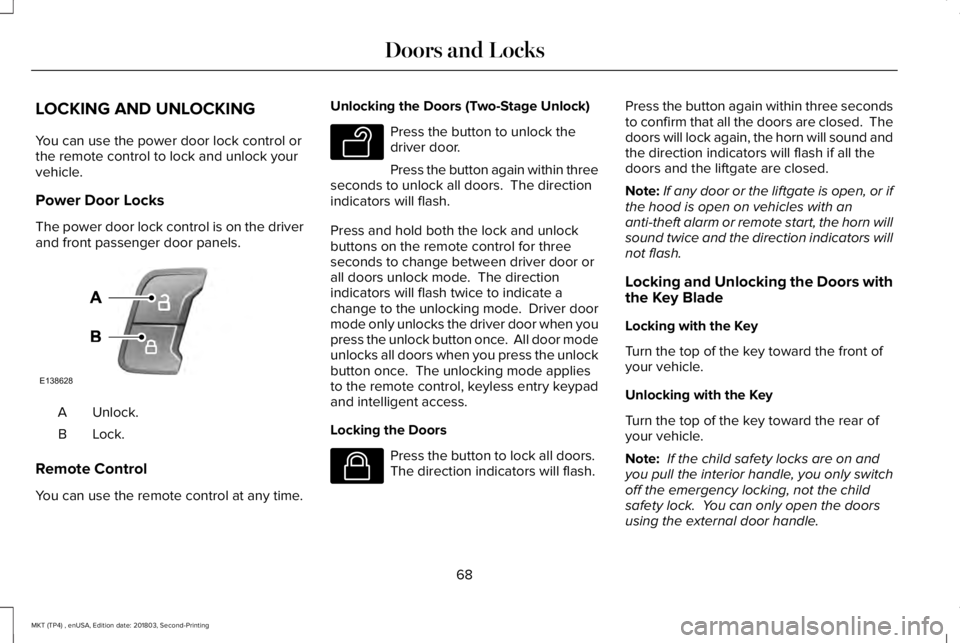
The power door lock control is on the driverand front passenger door panels.
Unlock.A
Lock.B
Remote Control
You can use the remote control at any time.
Unlocking the Doors (Two-Stage Unlock)
Press the button to unlock thedriver door.
Press the button again within threeseconds to unlock all doors. The directionindicators will flash.
Press and hold both the lock and unlockbuttons on the remote control for threeseconds to change between driver door orall doors unlock mode. The directionindicators will flash twice to indicate achange to the unlocking mode. Driver doormode only unlocks the driver door when youpress the unlock button once. All door modeunlocks all doors when you press the unlockbutton once. The unlocking mode appliesto the remote control, keyless entry keypadand intelligent access.
Locking the Doors
Press the button to lock all doors. The direction indicators will flash.
Press the button again within three secondsto confirm that all the doors are closed. Thedoors will lock again, the horn will sound andthe direction indicators will flash if all thedoors and the liftgate are closed.
Note:If any door or the liftgate is open, or ifthe hood is open on vehicles with ananti-theft alarm or remote start, the horn willsound twice and the direction indicators willnot flash.
Locking and Unlocking the Doors withthe Key Blade
Locking with the Key
Turn the top of the key toward the front ofyour vehicle.
Unlocking with the Key
Turn the top of the key toward the rear ofyour vehicle.
Note: If the child safety locks are on andyou pull the interior handle, you only switchoff the emergency locking, not the childsafety lock. You can only open the doorsusing the external door handle.
68
MKT (TP4) , enUSA, Edition date: 201803, Second-Printing
Doors and LocksE138628 E138629 E138623
Page 74 of 575
Illuminated Entry
The interior lamps and some exterior lampsilluminate when you unlock the doors withthe remote control.
The lamps turn off if:
•The ignition is on.
•You press the remote control lock button.
•25 seconds have elapsed.
The lamps do not turn off if:
•You switch them on with the lightingcontrol.
•Any door is open.
Illuminated Exit
The interior lamps and some exterior lampsilluminate when all doors are closed and youswitch the ignition off.
The lamps turn off if all the doors remainclosed and:
•25 seconds have elapsed.
•You lock your vehicle from the outside.
Battery Saver
If you leave the courtesy lamps, interiorlamps or headlamps on, the battery savershuts them off 10 minutes after you switchthe ignition off.
Battery Saver for Intelligent Access Keys
If you leave the ignition switched on and theengine is not running, the battery saver willturn the ignition off when it detects a certainamount of battery drain, or after 45 minuteshave elapsed.
KEYLESS ENTRY
SECURICODE™ Keyless Entry Keypad
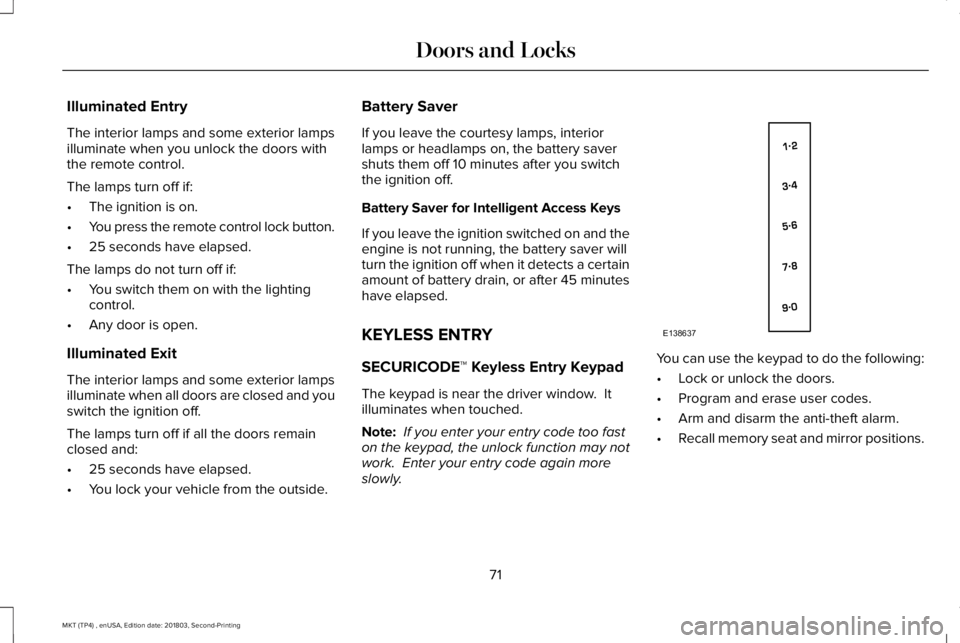
The keypad is near the driver window. Itilluminates when touched.
Note: If you enter your entry code too faston the keypad, the unlock function may notwork. Enter your entry code again moreslowly.
You can use the keypad to do the following:
•Lock or unlock the doors.
•Program and erase user codes.
•Arm and disarm the anti-theft alarm.
•Recall memory seat and mirror positions.
71
MKT (TP4) , enUSA, Edition date: 201803, Second-Printing
Doors and LocksE138637
Page 82 of 575
If programming was unsuccessful, wait 10seconds and repeat Steps 1 through 7. Ifprogramming remains unsuccessful, contactan authorized dealer.
ANTI-THEFT ALARM
The system will warn you of an unauthorizedentry to your vehicle. It will be triggered ifany door, the luggage compartment or thehood is opened without using the key,remote control or keyless entry keypad.
The direction indicators will flash and thehorn will sound if unauthorized entry isattempted while the alarm is armed.
Take all remote controls to an authorizeddealer if there is any potential alarm problemwith your vehicle.
Arming the Alarm
The alarm is ready to arm when there is nota key in your vehicle. Electronically lock yourvehicle to arm the alarm.
Disarming the Alarm
Disarm the alarm by any of the followingactions:
•Unlock the doors or luggagecompartment with the remote control orkeyless entry keypad.
•Switch your vehicle on or start yourvehicle.
•Use a key in the driver door to unlockyour vehicle, then switch your vehicle onwithin 12 seconds.
Note:Pressing the panic button on theremote control will stop the horn and signalindicators, but will not disarm the system.
79
MKT (TP4) , enUSA, Edition date: 201803, Second-Printing
Security
Page 117 of 575
Alarm
ActionMessage
Displayed when the perimeter alarm system is armed and the vehicle is entered using the keyon the driver's side door. In order to prevent the perimeter alarm system from triggering, theignition must be turned to start or on before the 12 second chime expires. See Anti-Theft Alarm(page 79).
Vehicle Alarm To Stop Alarm, Start Vehicle.
Automatic Engine Shutdown
ActionMessage
The engine is getting ready to shut off.Engine Shuts Off In {seconds to shut off:#0}Seconds
The engine has shut off to help increase fuel economy.Engine Shut Off For Fuel Economy
The engine is getting ready to shut off. You can press OK on the left steering wheel button tooverride the shut down.Engine Shuts Off in {seconds to shut off:#0}Seconds Press Ok to Override
114
MKT (TP4) , enUSA, Edition date: 201803, Second-Printing
Information Displays
Page 210 of 575
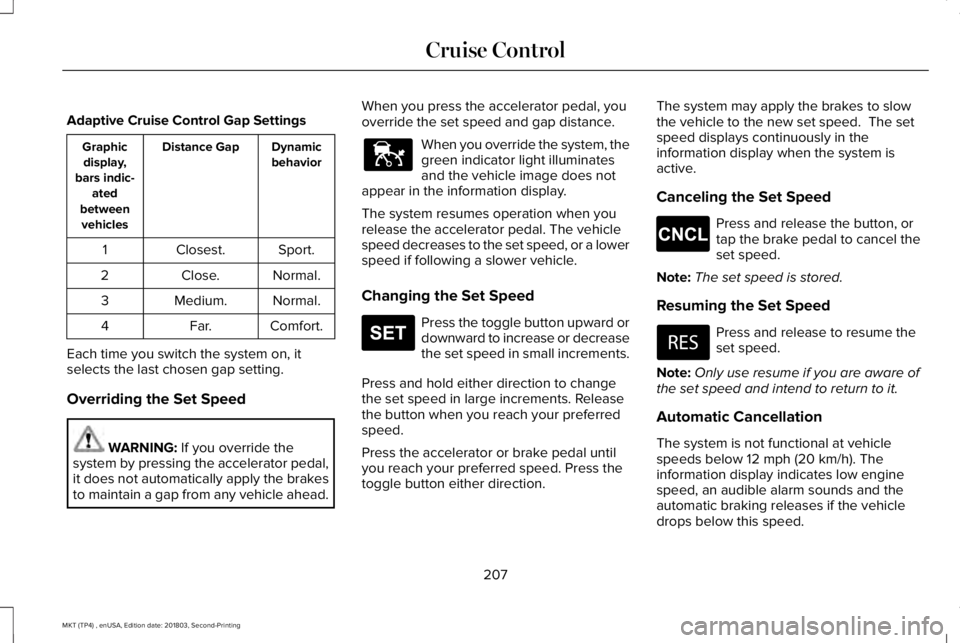
Adaptive Cruise Control Gap Settings
DynamicbehaviorDistance GapGraphicdisplay,bars indic-atedbetweenvehicles
Sport.Closest.1
Normal.Close.2
Normal.Medium.3
Comfort.Far.4
Each time you switch the system on, itselects the last chosen gap setting.
Overriding the Set Speed
WARNING: If you override thesystem by pressing the accelerator pedal,it does not automatically apply the brakesto maintain a gap from any vehicle ahead.
When you press the accelerator pedal, youoverride the set speed and gap distance.
When you override the system, thegreen indicator light illuminatesand the vehicle image does notappear in the information display.
The system resumes operation when yourelease the accelerator pedal. The vehiclespeed decreases to the set speed, or a lowerspeed if following a slower vehicle.
Changing the Set Speed
Press the toggle button upward ordownward to increase or decreasethe set speed in small increments.
Press and hold either direction to changethe set speed in large increments. Releasethe button when you reach your preferredspeed.
Press the accelerator or brake pedal untilyou reach your preferred speed. Press thetoggle button either direction.
The system may apply the brakes to slowthe vehicle to the new set speed. The setspeed displays continuously in theinformation display when the system isactive.
Canceling the Set Speed
Press and release the button, ortap the brake pedal to cancel theset speed.
Note:The set speed is stored.
Resuming the Set Speed
Press and release to resume theset speed.
Note:Only use resume if you are aware ofthe set speed and intend to return to it.
Automatic Cancellation
The system is not functional at vehiclespeeds below 12 mph (20 km/h). Theinformation display indicates low enginespeed, an audible alarm sounds and theautomatic braking releases if the vehicledrops below this speed.
207
MKT (TP4) , enUSA, Edition date: 201803, Second-Printing
Cruise ControlE144529 E265306 E265298
Page 211 of 575
Automatic cancellation can also occur when:
•The tires lose traction.
•The engine speed is too low.
•You apply the parking brake.
Hilly Condition Usage
Select a lower gear when the system isactive in situations such as prolongeddownhill driving on steep grades, forexample in mountainous areas. The systemneeds additional engine braking in thesesituations to reduce the load on the vehicle’sregular brake system to prevent it fromoverheating.
Note:An audible alarm sounds and thesystem shuts down if it applies brakes for anextended period of time. This allows thebrakes to cool. The system functionsnormally again after the brakes cool.
Switching Adaptive Cruise Control Off
Press and release the button whenthe system is in standby mode, orswitch the ignition off.
Note:You erase the set speed and gapsetting when you switch the system off.
Detection Issues
WARNING: On rare occasions,detection issues can occur due to the roadinfrastructures, for example bridges,tunnels and safety barriers. In these cases,the system may brake late orunexpectedly. At all times, you areresponsible for controlling your vehicle,supervising the system and intervening, ifrequired.
WARNING: If the systemmalfunctions, have your vehicle checkedas soon as possible.
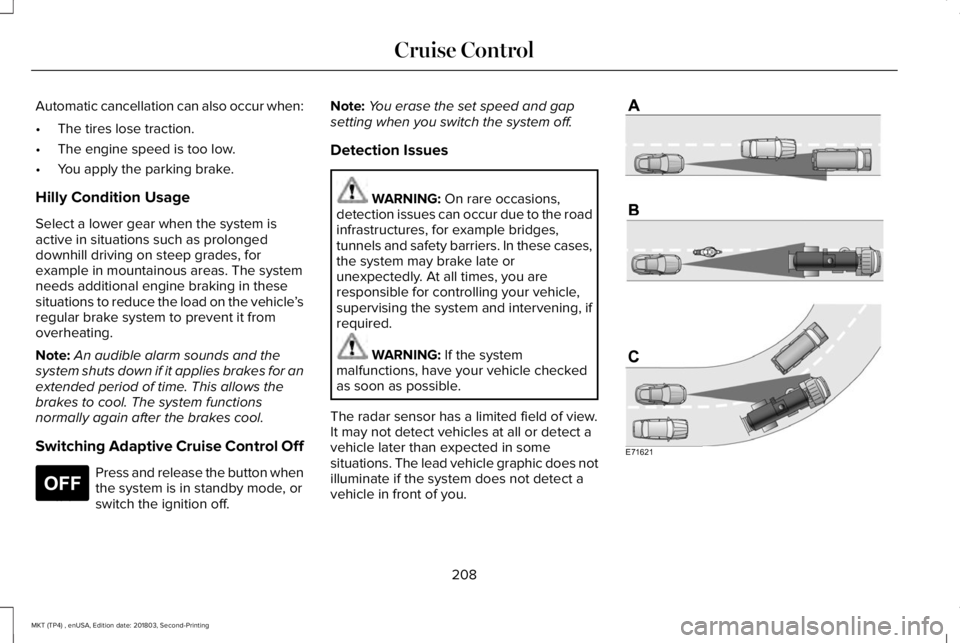
The radar sensor has a limited field of view.It may not detect vehicles at all or detect avehicle later than expected in somesituations. The lead vehicle graphic does notilluminate if the system does not detect avehicle in front of you.
208
MKT (TP4) , enUSA, Edition date: 201803, Second-Printing
Cruise ControlE265297 E71621