power steering LINCOLN MKT 2019 Owner's Manual
[x] Cancel search | Manufacturer: LINCOLN, Model Year: 2019, Model line: MKT, Model: LINCOLN MKT 2019Pages: 575, PDF Size: 4.66 MB
Page 294 of 575
How Fail-Safe Cooling Works
If the engine begins to overheat,the coolant temperature gaugemoves toward the red zone:
A warning lamp illuminates and amessage may appear in theinformation display.
If the engine reaches a presetover-temperature condition, the engineautomatically switches to alternating cylinderoperation. Each disabled cylinder acts as anair pump and cools the engine.
When this occurs, your vehicle still operates,however:
•Engine power is limited.
•The air conditioning system turns off.
Continued operation increases the enginetemperature, causing the engine tocompletely shut down. Your steering andbraking effort increases in this situation.
When the engine temperature cools, you canre-start the engine. Have your vehiclechecked as soon as possible to minimizeengine damage.
When Fail-Safe Mode Is Activated
WARNING: Fail-safe mode is for useduring emergencies only. Operate yourvehicle in fail-safe mode only as long asnecessary to bring your vehicle to rest ina safe location and seek immediate repairs.When in fail-safe mode, your vehicle willhave limited power, will not be able tomaintain high-speed operation, and maycompletely shut down without warning,potentially losing engine power, powersteering assist, and power brake assist,which may increase the possibility of acrash resulting in serious injury.
WARNING: Do not remove thecoolant reservoir cap when the engine ison or the cooling system is hot. Wait 10minutes for the cooling system to cooldown. Cover the coolant reservoir cap witha thick cloth to prevent the possibility ofscalding and slowly remove the cap.Failure to follow this instruction could resultin personal injury.
Your vehicle has limited engine power whenin the fail-safe mode, drive your vehicle withcaution. Your vehicle does not maintainhigh-speed operation and the engine mayoperate poorly.
Remember that the engine is capable ofautomatically shutting down to preventengine damage. In this situation:
1. Pull off the road as soon as safelypossible and switch the engine off.
2. If you are a member of a roadsideassistance program, we recommend thatyou contact your roadside assistanceservice provider.
3. If this is not possible, wait for a shortperiod of time for the engine to cool.
4. Check the coolant level. If the coolantlevel is at or below the minimum mark,add prediluted coolant immediately.
5.When the engine temperature cools, youcan re-start the engine. Have your vehiclechecked as soon as possible to minimizeengine damage.
Note:Driving your vehicle without repairincreases the chance of engine damage.
291
MKT (TP4) , enUSA, Edition date: 201803, Second-Printing
Maintenance
Page 298 of 575
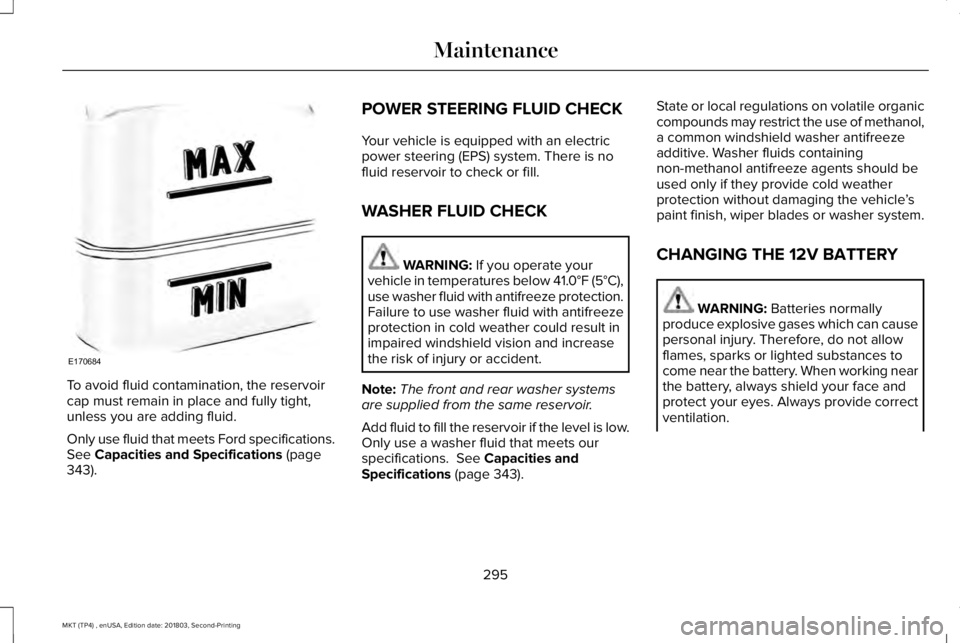
To avoid fluid contamination, the reservoircap must remain in place and fully tight,unless you are adding fluid.
Only use fluid that meets Ford specifications.See Capacities and Specifications (page343).
POWER STEERING FLUID CHECK
Your vehicle is equipped with an electricpower steering (EPS) system. There is nofluid reservoir to check or fill.
WASHER FLUID CHECK
WARNING: If you operate yourvehicle in temperatures below 41.0°F (5°C),use washer fluid with antifreeze protection.Failure to use washer fluid with antifreezeprotection in cold weather could result inimpaired windshield vision and increasethe risk of injury or accident.
Note:The front and rear washer systemsare supplied from the same reservoir.
Add fluid to fill the reservoir if the level is low.Only use a washer fluid that meets ourspecifications. See Capacities andSpecifications (page 343).
State or local regulations on volatile organiccompounds may restrict the use of methanol,a common windshield washer antifreezeadditive. Washer fluids containingnon-methanol antifreeze agents should beused only if they provide cold weatherprotection without damaging the vehicle’spaint finish, wiper blades or washer system.
CHANGING THE 12V BATTERY
WARNING: Batteries normallyproduce explosive gases which can causepersonal injury. Therefore, do not allowflames, sparks or lighted substances tocome near the battery. When working nearthe battery, always shield your face andprotect your eyes. Always provide correctventilation.
295
MKT (TP4) , enUSA, Edition date: 201803, Second-Printing
MaintenanceE170684
Page 331 of 575
USING SNOW CHAINS
WARNING: Snow tires must be thesame size, load index, and speed rating asthose originally provided by Ford. Use ofany tire or wheel not recommended byFord can affect the safety and performanceof your vehicle, which could result in anincreased risk of loss of vehicle control,vehicle rollover, personal injury, and death.Additionally, the use of non-recommendedtires and wheels could cause steering,suspension, axle, transfer case, or powertransfer unit failure. It is also stronglyadvised to follow the Ford recommendedtire inflation pressure found on the SafetyCompliance Certification Label (affixed toeither the door hinge pillar, door-latch post,or the door edge that meets the door-latchpost, next to the driver’s seating position),or Tire Label which is located on theB-Pillar or the edge of the driver door.Failure to follow the tire pressurerecommendations can cause uneventreadwear patterns and adversely affectthe way your vehicle handles.
Note:The suspension insulation andbumpers will help prevent vehicle damage.Do not remove these components from yourvehicle when using snow tires and chains.
The tires on your vehicle have all-weathertreads to provide traction in rain and snow.However, in some climates, you may needto use snow tires and cables. If you need touse cables, it is recommended that steelwheels (of the same size and specifications)be used, as cables may chip aluminumwheels.
Follow these guidelines when using snowtires and chains:
•If possible, avoid fully loading yourvehicle.
•Use only SAE Class S snow chains, snowcables or equivalent on the front axle forP235/55R19 equipped vehicles. The useof snow chains, snow cables or othertraction assist devices that are larger thanSAE Class S may cause damage to yourvehicle’s wheel house, suspension orbody.
•Do not install tire chains, cables, oroptional traction devices on the rear tires.This could cause damage to the vehicle’swheel house or body.
•Do not use tire chains, cables or optionaltraction devices with optional 255/45R20tires.
•Install cable chains securely, verifyingthat the cables do not touch any wiring,brake lines or fuel lines.
•Do not exceed 30 mph (48 km/h) withtire cables on your vehicle.
•Drive cautiously. If you hear the cablesrub or bang against your vehicle, stopand retighten the cables. If this does notwork, remove the cables to preventdamage to your vehicle.
•Remove the tire cables when they are nolonger needed. Do not use tire cables ondry roads.
328
MKT (TP4) , enUSA, Edition date: 201803, Second-Printing
Wheels and Tires
Page 380 of 575
Note:If your vehicle is not equipped withnavigation, compass appears in the displayinstead of navigation. If you press the rightarrow to go into the compass menu, you cansee the compass graphic. The compassdisplays the direction in which the vehicle istraveling, not true direction (for example, ifthe vehicle is traveling west, the middle ofthe compass graphic displays west; northdisplays to the left of west though its truedirection is to the right of west).
Using the Controls on the SteeringWheel
Depending on your vehicle and optionpackage, you can use different controls onyour steering wheel to interact with thetouchscreen system in different ways.
VOL: Control the volume of audio output.
Mute: Mute the audio output.
Voice: Press to start a voice session. Pressagain to stop the voice prompt andimmediately begin speaking. Press and holdto end a voice session.
SEEK NEXT:
•While in radio mode, press to seekbetween memory presets.
•While in USB, Bluetooth Audio or CDmode, press to seek between songs orpress and hold to fast seek.
SEEK PREVIOUS:
•While in radio mode, press to seekbetween memory presets.
•While in USB, Bluetooth Audio or CDmode, press to seek between songs orpress and hold to fast seek.
PHONE ACCEPT: Press to answer a call orswitch between calls.
PHONE REJECT: Press to end a call or rejectan incoming call.
Note:On some models, SEEK NEXT may becombined with PHONE REJECT and SEEKPREVIOUS may be combined with PHONEACCEPT.
M: Touch the control repeatedly to switchbetween media sources (modes).
See Steering Wheel (page 80).
Using Your Bezel Controls
Depending on your vehicle and optionpackage, you may also have these controlson your instrument panel:
•Power: Switch the audio system on andoff.
•VOL: Control the volume of playingaudio.
•Seek and Tune: Use as you normallywould in audio modes.
•Eject: Eject a CD from the audio system.
•SOURCE or MEDIA: Press repeatedly toadvance through available media modes.
•SOUND: Press to access the Soundmenu where you can adjust sound andother audio settings.
•1-6: Press and hold to store or press toselect an AM, FM or SIRIUS memorypreset. See Audio System (page 364).
377
MKT (TP4) , enUSA, Edition date: 201803, Second-Printing
SYNC™ 3
Page 382 of 575
To make sure that 911 Assist works correctly:
•SYNC must be powered and workingproperly at the time of the incident andthroughout feature activation and use.
•The 911 Assist feature must be set onbefore the incident.
•You must pair and connect a Bluetoothenabled and compatible cell phone toSYNC.
•A connected Bluetooth enabled phonemust have the ability to make andmaintain an outgoing call at the time ofthe incident.
•A connected Bluetooth enabled phonemust have adequate network coverage,battery power and signal strength.
•The vehicle must have battery power andbe located in the U.S., Canada or in aterritory in which 911 is the emergencynumber.
In the Event of a Crash
Not all crashes will deploy an airbag oractivate the fuel pump shut-off (the triggersfor 911 Assist). If a connected cell phonesustains damage or loses its connection toSYNC during a crash, SYNC will search forand try to connect to a previously paired cellphone; SYNC will then attempt to call theemergency services.
Before making the call:
•SYNC provides a short window of time(about 10 seconds) to cancel the call. Ifyou fail to cancel the call, SYNC attemptsto dial 911.
•SYNC says the following, or a similarmessage: "SYNC will attempt to call 911,to cancel the call, press Cancel on yourscreen or press and hold the phonebutton on your steering wheel."
If you do not cancel the call, and SYNCmakes a successful call, a pre-recordedmessage plays for the 911 operator, and thenthe occupant(s) in your vehicle is able to talkwith the operator. Be prepared to provideyour name, phone number and locationimmediately, because not all 911 systems arecapable of receiving this informationelectronically.
911 Assist May Not Work If
•Your cellular phone or 911 Assisthardware sustains damage in a crash.
•The vehicle's battery or the SYNC systemhas no power.
•The phone(s) thrown from your vehicleare the ones paired and connected tothe system.
911 Assist Privacy Notice
When you switch on 911 Assist, it maydisclose to emergency services that yourvehicle has been in a crash involving thedeployment of an airbag or activation of thefuel pump shut-off. Certain versions orupdates to 911 Assist may also be capable
379
MKT (TP4) , enUSA, Edition date: 201803, Second-Printing
SYNC™ 3
Page 415 of 575
Driver temperature: Touch up ordown to adjust the temperature.A
Heated steering wheel: Touch theheated steering wheel icon toswitch the heated steering wheelon and off (if equipped).
B
Defrost: A pop up appears on thescreen to display the defrostoptions.
C
MAX Defrost: Touch the button tomaximize defrosting. Outside airflows through the windshield vents,the fan automatically adjusts to thehighest speed and the temperaturedial returns to the full heat position.You can use this setting to defogor clear a thin covering of ice fromthe windshield. The heated rearwindow also automatically turns onwhen you select MAX Defrost.
Defrost: Touch to clear thewindshield of fog and thin ice.Touch again to return to theprevious airflow selection. Whenon, defrost provides outside air toreduce window fogging anddistributes air through thewindshield defroster vents anddemister vents.
Note: To prevent window fogging,you cannot select recirculated airwhen Defrost is on.
Heated rear window: Turns theheated rear window on and off.See the Heated Windows andMirrors chapter in your ownermanual.
AUTO: Touch the button to switchon automatic operation. Select thedesired temperature using thetemperature control. The systemadjusts fan speed, air distribution,air conditioning operation, andselects outside air or recirculatedair to heat or cool the vehicle inorder to maintain the desiredtemperature.
D
Power: Touch the button to switchthe system on and off. Switchingoff the climate control systemprevents outside air from enteringthe vehicle.
E
DUAL: This button lights up whenthe passenger controls are active.To switch the dual zone operationoff and link the passengertemperature to the drivertemperature, touch the DUALbutton to switch it off.
F
Passenger temperature: Touch upor down to adjust the temperature.G
412
MKT (TP4) , enUSA, Edition date: 201803, Second-Printing
SYNC™ 3
Page 568 of 575
Fog Lamps - FrontSee: Front Fog Lamps..........................................91
Foot PedalsSee: Adjusting the Pedals...................................83
Front Fog Lamps..............................................91Front Passenger Sensing System..............52Fuel and Refueling........................................164Fuel Consumption.........................................170Advertised Capacity...........................................170Fuel Economy.......................................................170
Fuel Filler Funnel Location.........................165Fuel Quality.....................................................165Choosing the Right Fuel....................................165
Fuel Shutoff...................................................249Fuses...............................................................262Fuse Specification Chart............................262Passenger Compartment Fuse Panel............271Power Distribution Box.....................................262
G
Garage Door OpenerSee: Universal Garage Door Opener.............149
Gauges............................................................100GearboxSee: Transmission................................................175
General Information on RadioFrequencies..................................................59Intelligent Access.................................................59
General Maintenance Information...........479Multi-Point Inspection........................................482Owner Checks and Services...........................480Protecting Your Investment..............................479Why Maintain Your Vehicle?.............................479Why Maintain Your Vehicle at YourDealership?......................................................479
Getting Assistance Outside the U.S. andCanada.........................................................258Getting the Services You Need................254Away From Home..............................................254
Global Opening and Closing.......................95Closing the Windows...........................................95Opening the Windows.........................................95
H
HandbrakeSee: Parking Brake.............................................188
Hazard Flashers............................................249Headlamp AdjustingSee: Adjusting the Headlamps.......................298
Headlamp Exit Delay.....................................88Headlamp RemovalSee: Removing a Headlamp............................300
HeadrestSee: Head Restraints...........................................131
Head Restraints..............................................131Adjusting the Head Restraint............................131Tilting Head Restraints ......................................133
Heated Exterior Mirrors...............................128Heated Rear Window...................................128Heated Seats..................................................146Front Seats............................................................146Second-Row Heated Seats...............................147
Heated Steering Wheel................................82HeatingSee: Climate Control..........................................125
Hints on Controlling the InteriorClimate..........................................................126Defogging the Side Windows in ColdWeather.............................................................127General Hints.......................................................126Quickly Cooling the Interior.............................126Quickly Heating the Interior.............................126Recommended Settings for Cooling..............127Recommended Settings for Heating..............126
Hints on Driving With Anti-LockBrakes...........................................................188Home Screen................................................384Hood LockSee: Opening and Closing the Hood............282
565
MKT (TP4) , enUSA, Edition date: 201803, Second-Printing
Index
Page 569 of 575
I
In California (U.S. Only)...............................255Information Display Control.........................82Information Displays.....................................105General Information............................................105
Information Messages..................................112Adaptive Cruise Control.....................................113AdvanceTrac™........................................................113Alarm........................................................................114Automatic Engine Shutdown.............................114AWD.........................................................................115Battery and Charging System...........................116Blind Spot Information and Cross Traffic AlertSystem................................................................117Brake System.........................................................117Collision Warning System..................................118Doors and Locks...................................................118Fuel..........................................................................119Keys and Intelligent Access...............................119Lane Keeping System........................................120Maintenance.........................................................120MyKey......................................................................121Park Aid..................................................................122Power Steering....................................................123Seats.......................................................................123Tire Pressure Monitoring System....................124Traction Control...................................................124
Transmission.........................................................124
Installing Child Restraints.............................20Child Seats.............................................................20Using Lap and Shoulder Belts...........................20Using Lower Anchors and Tethers forCHildren (LATCH).............................................26Using Tether Straps..............................................28
Instrument Cluster........................................100Instrument Lighting Dimmer........................88Instrument Panel Overview...........................16Interior Lamps..................................................92Third Row Dome Lamps......................................92
Interior Mirror...................................................97Auto-Dimming Mirror............................................97Second Row Illuminated Vanity Mirror............97
Introduction.........................................................7
J
Jump Starting the Vehicle..........................250Connecting the Jumper Cables.....................250Jump Starting.......................................................251Preparing Your Vehicle.....................................250Removing the Jumper Cables........................252
K
Keyless Entry.....................................................71SECURICODE™ Keyless Entry Keypad..............71
Keyless Starting.............................................158Ignition Modes.....................................................158
Keys and Remote Controls..........................59
L
Lane Keeping System..................................214Switching the System On and Off...................215
Liftgate...............................................................74Lighting Control..............................................86Flashing the Headlamp High Beam.................87Headlamp High Beam.........................................87
Lighting..............................................................86General Information.............................................86
Lincoln Automotive Financial Services......12Lincoln Protect..............................................476Lincoln Protect (CANADA ONLY)....................477Lincoln Protect Extended Service Plans (U.S.Only)..................................................................476
Load Carrying.................................................231Load Limit.......................................................232Special Loading Instructions for Owners ofPick-up Trucks and Utility-typeVehicles............................................................236
566
MKT (TP4) , enUSA, Edition date: 201803, Second-Printing
Index
Page 571 of 575
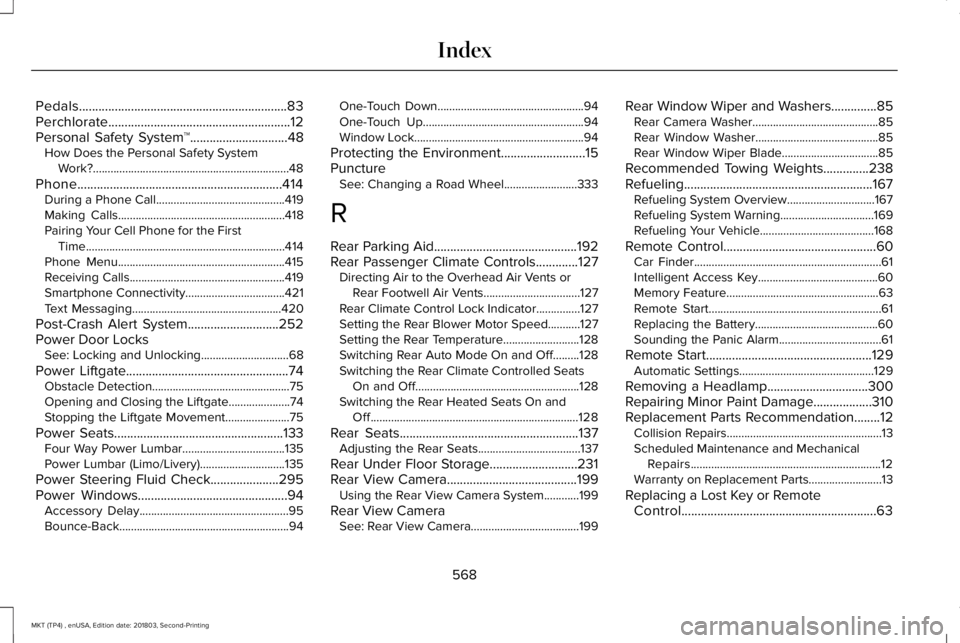
Pedals................................................................83Perchlorate........................................................12Personal Safety System™..............................48How Does the Personal Safety SystemWork?...................................................................48
Phone...............................................................414During a Phone Call............................................419Making Calls.........................................................418Pairing Your Cell Phone for the FirstTime....................................................................414Phone Menu.........................................................415Receiving Calls.....................................................419Smartphone Connectivity..................................421Text Messaging...................................................420
Post-Crash Alert System............................252Power Door LocksSee: Locking and Unlocking..............................68
Power Liftgate..................................................74Obstacle Detection...............................................75Opening and Closing the Liftgate.....................74Stopping the Liftgate Movement......................75
Power Seats....................................................133Four Way Power Lumbar...................................135Power Lumbar (Limo/Livery).............................135
Power Steering Fluid Check.....................295Power Windows..............................................94Accessory Delay...................................................95Bounce-Back..........................................................94
One-Touch Down..................................................94One-Touch Up.......................................................94Window Lock..........................................................94
Protecting the Environment..........................15PunctureSee: Changing a Road Wheel.........................333
R
Rear Parking Aid............................................192Rear Passenger Climate Controls.............127Directing Air to the Overhead Air Vents orRear Footwell Air Vents.................................127Rear Climate Control Lock Indicator...............127Setting the Rear Blower Motor Speed...........127Setting the Rear Temperature..........................128Switching Rear Auto Mode On and Off.........128Switching the Rear Climate Controlled SeatsOn and Off........................................................128Switching the Rear Heated Seats On andOff.......................................................................128
Rear Seats.......................................................137Adjusting the Rear Seats...................................137
Rear Under Floor Storage...........................231Rear View Camera........................................199Using the Rear View Camera System............199
Rear View CameraSee: Rear View Camera.....................................199
Rear Window Wiper and Washers..............85Rear Camera Washer...........................................85Rear Window Washer..........................................85Rear Window Wiper Blade.................................85
Recommended Towing Weights..............238Refueling..........................................................167Refueling System Overview..............................167Refueling System Warning................................169Refueling Your Vehicle.......................................168
Remote Control...............................................60Car Finder................................................................61Intelligent Access Key.........................................60Memory Feature....................................................63Remote Start...........................................................61Replacing the Battery..........................................60Sounding the Panic Alarm...................................61
Remote Start...................................................129Automatic Settings..............................................129
Removing a Headlamp...............................300Repairing Minor Paint Damage..................310Replacement Parts Recommendation........12Collision Repairs.....................................................13Scheduled Maintenance and MechanicalRepairs.................................................................12Warranty on Replacement Parts.........................13
Replacing a Lost Key or RemoteControl............................................................63
568
MKT (TP4) , enUSA, Edition date: 201803, Second-Printing
Index
Page 573 of 575
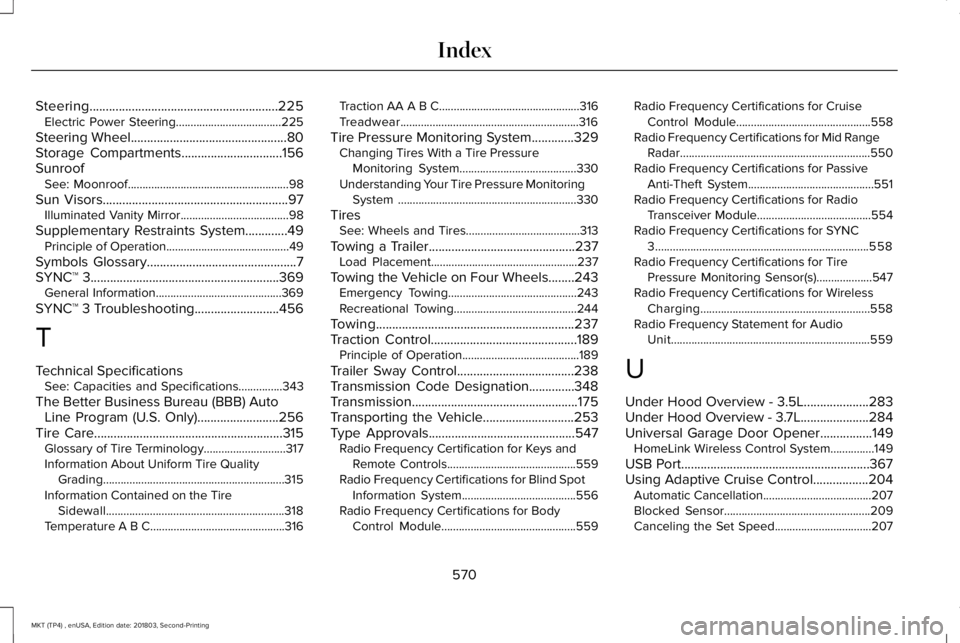
Steering..........................................................225Electric Power Steering....................................225
Steering Wheel................................................80Storage Compartments...............................156SunroofSee: Moonroof.......................................................98
Sun Visors.........................................................97Illuminated Vanity Mirror.....................................98
Supplementary Restraints System.............49Principle of Operation..........................................49
Symbols Glossary..............................................7SYNC™ 3..........................................................369General Information...........................................369
SYNC™ 3 Troubleshooting..........................456
T
Technical SpecificationsSee: Capacities and Specifications...............343
The Better Business Bureau (BBB) AutoLine Program (U.S. Only).........................256Tire Care..........................................................315Glossary of Tire Terminology............................317Information About Uniform Tire QualityGrading..............................................................315Information Contained on the TireSidewall.............................................................318Temperature A B C..............................................316
Traction AA A B C................................................316Treadwear.............................................................316
Tire Pressure Monitoring System.............329Changing Tires With a Tire PressureMonitoring System........................................330Understanding Your Tire Pressure MonitoringSystem .............................................................330
TiresSee: Wheels and Tires.......................................313
Towing a Trailer.............................................237Load Placement..................................................237
Towing the Vehicle on Four Wheels........243Emergency Towing............................................243Recreational Towing..........................................244
Towing.............................................................237Traction Control.............................................189Principle of Operation........................................189
Trailer Sway Control....................................238Transmission Code Designation..............348Transmission...................................................175Transporting the Vehicle............................253Type Approvals.............................................547Radio Frequency Certification for Keys andRemote Controls............................................559Radio Frequency Certifications for Blind SpotInformation System.......................................556Radio Frequency Certifications for BodyControl Module..............................................559
Radio Frequency Certifications for CruiseControl Module..............................................558Radio Frequency Certifications for Mid RangeRadar.................................................................550Radio Frequency Certifications for PassiveAnti-Theft System...........................................551Radio Frequency Certifications for RadioTransceiver Module.......................................554Radio Frequency Certifications for SYNC3.........................................................................558Radio Frequency Certifications for TirePressure Monitoring Sensor(s)...................547Radio Frequency Certifications for WirelessCharging..........................................................558Radio Frequency Statement for AudioUnit....................................................................559
U
Under Hood Overview - 3.5L....................283Under Hood Overview - 3.7L.....................284Universal Garage Door Opener................149HomeLink Wireless Control System...............149
USB Port..........................................................367Using Adaptive Cruise Control.................204Automatic Cancellation.....................................207Blocked Sensor..................................................209Canceling the Set Speed.................................207
570
MKT (TP4) , enUSA, Edition date: 201803, Second-Printing
Index