lock LINCOLN MKT 2019 Repair Manual
[x] Cancel search | Manufacturer: LINCOLN, Model Year: 2019, Model line: MKT, Model: LINCOLN MKT 2019Pages: 575, PDF Size: 4.66 MB
Page 195 of 575
PRINCIPLE OF OPERATION
WARNING: To help avoid personalinjury, always use caution when in reverse(R) and when using the sensing system.
WARNING: The system may notdetect objects with surfaces that absorbreflection. Always drive with due care andattention. Failure to take care may resultin a crash.
WARNING: Traffic control systems,inclement weather, air brakes, externalmotors and fans may affect the correctoperation of the sensing system.This maycause reduced performance or false alerts.
WARNING: The system may notdetect small or moving objects, particularlythose close to the ground.
Note:If your vehicle is equipped withMyKey™, the sensing system cannot beturned off when a MyKey™ is present. SeePrinciple of Operation (page 64).
Note:Keep the sensors, located on thebumper or fascia, free from snow, ice andlarge accumulations of dirt. If the sensorsare covered, the system’s accuracy can beaffected. Do not clean the sensors with sharpobjects.
Note:If your vehicle sustains damage to thebumper or fascia, leaving it misaligned orbent, the sensing zone may be alteredcausing inaccurate measurement ofobstacles or false alerts.
Note:Certain add-on devices installedaround the bumper or fascia may createfalse alerts. For example, large trailerhitches, bike or surfboard racks, license platebrackets, bumper covers or any other devicethat may block the normal detection zoneof the system. Remove the add-on device toprevent false alerts.
Note:When a trailer is connected to yourvehicle, the rear parking aid may detect thetrailer and therefore provide an alert. Disablethe rear parking aid when a trailer isconnected to prevent the alert.
The sensing system warns the driver ofobstacles within a certain range of yourvehicle. The system turns on automaticallywhenever you switch the ignition on.
The system can be switched off through theinformation display menu or from the pop-upmessage that appears once you shift thetransmission into reverse (R). See GeneralInformation (page 105).
If a fault is present in the system, a warningmessage appears in the information display.See Information Messages (page 112).
REAR PARKING AID
The rear sensors are only active when thetransmission is in reverse (R). As your vehiclemoves closer to the obstacle, the rate of theaudible warning increases. When theobstacle is less than 12 in (30 cm) away, thewarning sounds continuously. If the systemdetects a stationary or receding objectfarther than 12 in (30 cm) from the corners ofthe bumper, the tone sounds for only threeseconds. Once the system detects an objectapproaching, the warning sounds again.
192
MKT (TP4) , enUSA, Edition date: 201803, Second-Printing
Parking Aids
Page 200 of 575
•Driving above 6 mph (9 km/h) duringautomatic steering.
•Switching off the traction control system.
Certain vehicle conditions can alsodeactivate the system, such as:
•Traction control has activated.
•There is an anti-lock brake systemactivation or failure.
If a problem occurs with the system, awarning message displays accompanied bya tone. Occasional system messages mayoccur in normal operation. For recurring orfrequent system faults, contact an authorizeddealer to have your vehicle serviced.
Troubleshooting the System
The system does not look for a space
The traction control system may be off.
The transmission is in reverse (R). Your vehicle must be moving forward to detect a parking space.
The system does not offer a particular space
The sensors may be covered. For example, with snow, ice or dirt. Covered sensors can affect the system's functionality
There is not enough room in the parking space for your vehicle to safely park.
There is not enough space for the parking maneuver on the opposite side of the parking space.
The parking space is farther than 5 ft (1.5 m) or closer than 16 in (40 cm) away.
Your vehicle is going faster than 22 mph (35 km/h).
You may have recently disconnected or replaced the battery. After a battery disconnect, the vehicle must be driven on a straight road fora short period of time.
197
MKT (TP4) , enUSA, Edition date: 201803, Second-Printing
Parking Aids
Page 212 of 575
Detection issues can occur:
With vehicles that edge into yourlane that can only be detectedonce they have moved fully intoyour lane.
A
With motorcyclists that may bedetected late, or not at all.B
With vehicles in front of you whengoing into and coming out of abend. The detection beam doesnot follow sharp curves in the road.
C
In these cases, the system may brake late orunexpectedly. You should stay alert and takeaction when necessary.
If something hits the front end of your vehicleor damage occurs, the radar-sensing zonemay change. This could cause missed orfalse vehicle detection.
System Not Available
Conditions that can cause the system todeactivate or prevent the system fromactivating when requested include:
•A blocked sensor.
•High brake temperature.
•A failure in the system or a relatedsystem.
Blocked Sensor
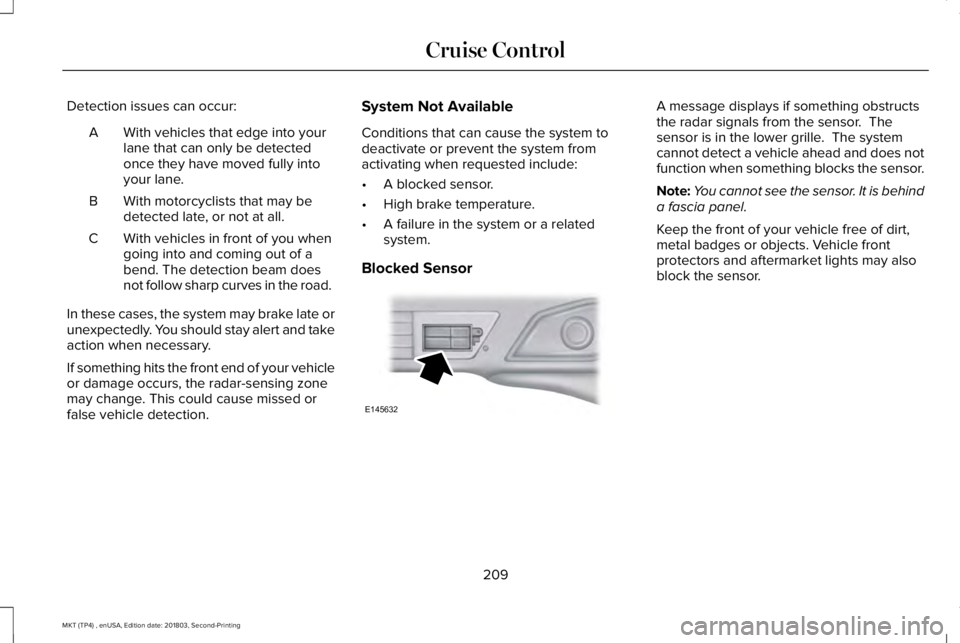
A message displays if something obstructsthe radar signals from the sensor. Thesensor is in the lower grille. The systemcannot detect a vehicle ahead and does notfunction when something blocks the sensor.
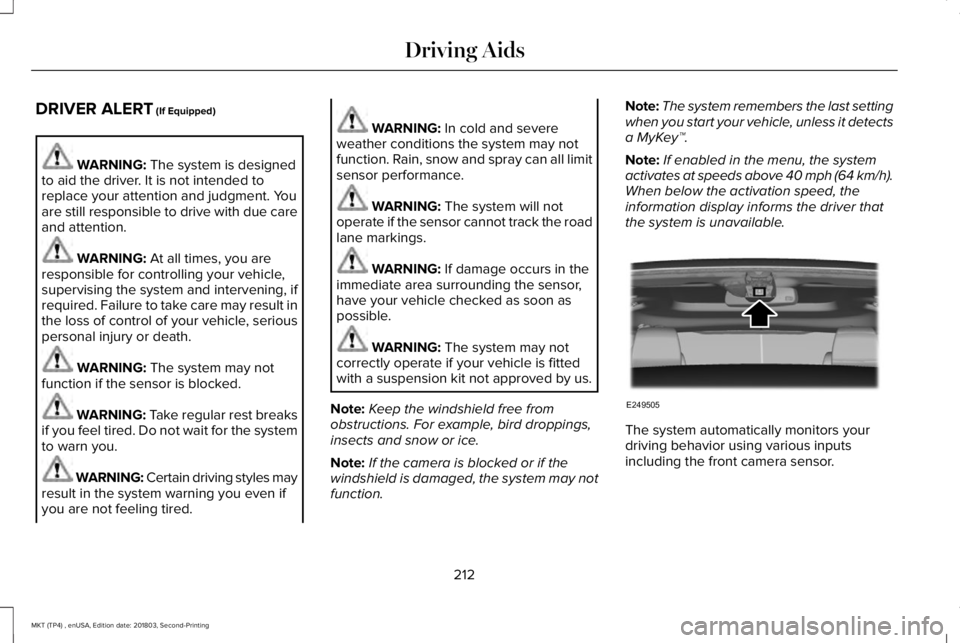
Note:You cannot see the sensor. It is behinda fascia panel.
Keep the front of your vehicle free of dirt,metal badges or objects. Vehicle frontprotectors and aftermarket lights may alsoblock the sensor.
209
MKT (TP4) , enUSA, Edition date: 201803, Second-Printing
Cruise ControlE145632
Page 213 of 575
Possible Causes and Actions for This Message Displaying:
ActionCause
Clean the grille surface in front of the radar or remove the objectcausing the obstruction.The surface of the radar is dirty or obstructed.
Wait a short time. It may take several minutes for the radar to detectthat it is free from obstruction.The surface of the radar is clean but the message remains in thedisplay.
Do not use the system in these conditions because it may not detectany vehicles ahead.Heavy rain or snow is interfering with the radar signals.
Do not use the system in these conditions because it may not detectany vehicles ahead.Water, snow or ice on the surface of the road may interfere with theradar signals.
Wait a short time or switch to normal cruise control.You are in a desert or remote area with no other vehicles and noroadside objects.
Due to the nature of radar technology, it is possible to get a blockage warning with no actual block. A false blocked condition either selfclears, or clears after you restart your vehicle.
210
MKT (TP4) , enUSA, Edition date: 201803, Second-Printing
Cruise Control
Page 215 of 575
DRIVER ALERT (If Equipped)
WARNING: The system is designedto aid the driver. It is not intended toreplace your attention and judgment. Youare still responsible to drive with due careand attention.
WARNING: At all times, you areresponsible for controlling your vehicle,supervising the system and intervening, ifrequired. Failure to take care may result inthe loss of control of your vehicle, seriouspersonal injury or death.
WARNING: The system may notfunction if the sensor is blocked.
WARNING: Take regular rest breaksif you feel tired. Do not wait for the systemto warn you.
WARNING: Certain driving styles mayresult in the system warning you even ifyou are not feeling tired.
WARNING: In cold and severeweather conditions the system may notfunction. Rain, snow and spray can all limitsensor performance.
WARNING: The system will notoperate if the sensor cannot track the roadlane markings.
WARNING: If damage occurs in theimmediate area surrounding the sensor,have your vehicle checked as soon aspossible.
WARNING: The system may notcorrectly operate if your vehicle is fittedwith a suspension kit not approved by us.
Note:Keep the windshield free fromobstructions. For example, bird droppings,insects and snow or ice.
Note:If the camera is blocked or if thewindshield is damaged, the system may notfunction.
Note:The system remembers the last settingwhen you start your vehicle, unless it detectsa MyKey™.
Note:If enabled in the menu, the systemactivates at speeds above 40 mph (64 km/h).When below the activation speed, theinformation display informs the driver thatthe system is unavailable.
The system automatically monitors yourdriving behavior using various inputsincluding the front camera sensor.
212
MKT (TP4) , enUSA, Edition date: 201803, Second-Printing
Driving AidsE249505
Page 217 of 575
Note:If the camera sensor cannot track theroad lane markings or if your vehicle speeddrops below approximately 40 mph(64 km/h), the alertness level will change togrey for a short time and the informationdisplay will inform you that the system isunavailable.
Resetting the System
You can reset the system by either:
•Switching the ignition off and on.
•Stopping the vehicle and then openingand closing the driver’s door.
LANE KEEPING SYSTEM (If Equipped)
WARNING: You are responsible forcontrolling your vehicle at all times. Thesystem is designed to be an aid and doesnot relieve you of your responsibility todrive with due care and attention. Failureto follow this instruction could result in theloss of control of your vehicle, personalinjury or death.
WARNING: Always drive with duecare and attention when using andoperating the controls and features on yourvehicle.
WARNING: In cold and severeweather conditions the system may notfunction. Rain, snow and spray can all limitsensor performance.
WARNING: The system will notoperate if the sensor cannot track the roadlane markings.
WARNING: The sensor mayincorrectly track lane markings as otherstructures or objects. This can result in afalse or missed warning.
WARNING: Large contrasts in outsidelighting can limit sensor performance.
WARNING: The system may notoperate properly if the sensor is blocked.Keep the windshield free from obstruction.
WARNING: If damage occurs in theimmediate area surrounding the sensor,have your vehicle checked as soon aspossible.
WARNING: The system may notcorrectly operate if your vehicle is fittedwith a suspension kit not approved by us.
Note:The system works above 40 mph(64 km/h).
Note:The system works as long as thecamera can detect one lane marking.
Note:When aid or alert and aid modes areselected and the system detects no steeringactivity for a short period, the system alertsyou to put your hands on the steering wheel.The system may detect a light grip or touchon the steering wheel as hands off driving.
Note:The system may not function with ablocked camera, or a damaged or dirtywindshield.
214
MKT (TP4) , enUSA, Edition date: 201803, Second-Printing
Driving Aids
Page 220 of 575
If you switch the system on in aid or alert andaid mode, a separate white icon alsoappears, or in some vehicles, arrows displaywith the lane markings.
When you switch the system off, the lanemarking graphics do not display.
When the system is on, the color of the lanemarkings change to indicate the systemstatus.
Gray: Indicates that the system is temporarilyunable to provide a warning or interventionon the indicated side. This may be because:
•Your vehicle is under the activationspeed.
•The direction indicator is active.
•Your vehicle is in a dynamic maneuver.
•The road has no or poor lane markingsin the camera field of view.
•The camera is obscured or unable todetect the lane markings due toenvironmental, traffic or vehicleconditions. For example, significant sunangles, shadows, snow, heavy rain or fog,following a large vehicle that is blockingor shadowing the lane or poor headlampillumination.
See Troubleshooting for additionalinformation.
Green: Indicates that the system is availableor ready to provide a warning or interventionon the indicated side.
Yellow: Indicates that the system is providingor has just provided a lane keeping aidintervention.
Red: Indicates that the system is providingor has just provided a lane keeping alertwarning.
The system can be temporarily suppressedat any time by the following:
•Quick braking.
•Fast acceleration.
•Using the turn signal indicator.
•Evasive steering maneuver.
•Driving too close to the lane marking.
Troubleshooting
Why is the feature not available (line markings are gray) when I can see the lane markings on the road?
Your vehicle speed is outside the operational range of the feature.
The sun is shining directly into the camera lens.
A quick intentional lane change has occurred.
217
MKT (TP4) , enUSA, Edition date: 201803, Second-Printing
Driving Aids
Page 221 of 575
Why is the feature not available (line markings are gray) when I can see the lane markings on the road?
Your vehicle stays too close to the lane markings.
Driving at high speeds in curves.
The last alert warning or aid intervention occurred a short time ago.
Ambiguous lane markings, for example in construction zones.
Rapid transition from light to dark, or from dark to light.
Sudden offset in lane markings.
ABS or AdvanceTrac™ is active.
There is a camera blockage due to dirt, grime, fog, frost or water on the windshield.
You are driving too close to the vehicle in front of you.
Transitioning between no lane markings to lane markings or vice versa.
There is standing water on the road.
Faint lane markings, for example partial yellow lane markings on concrete roads.
Lane width is too narrow or too wide.
The camera has not been calibrated after a windshield replacement.
Driving on tight roads or on uneven roads.
218
MKT (TP4) , enUSA, Edition date: 201803, Second-Printing
Driving Aids
Page 223 of 575
Note:When a vehicle passes quickly throughthe blind spot zone, typically fewer than twoseconds, the system does not trigger.
Using the System
The Blind Spot Information System turns onwhen you start the engine and you drive yourvehicle forward above 3 mph (5 km/h).
For automatic transmissions, the Blind SpotInformation System remains on while thetransmission is in drive (D). If shifted intoreverse (R) or park (P) the Blind SpotInformation System turns off. Once shiftedback into drive (D), the Blind Spot InformationSystem turns back on when you drive yourvehicle above 3 mph (5 km/h).
For manual transmissions, the Blind SpotInformation System is on for all gears exceptthe reverse (R).
Note:The Blind Spot Information Systemdoes not function in reverse (R) or park (P).
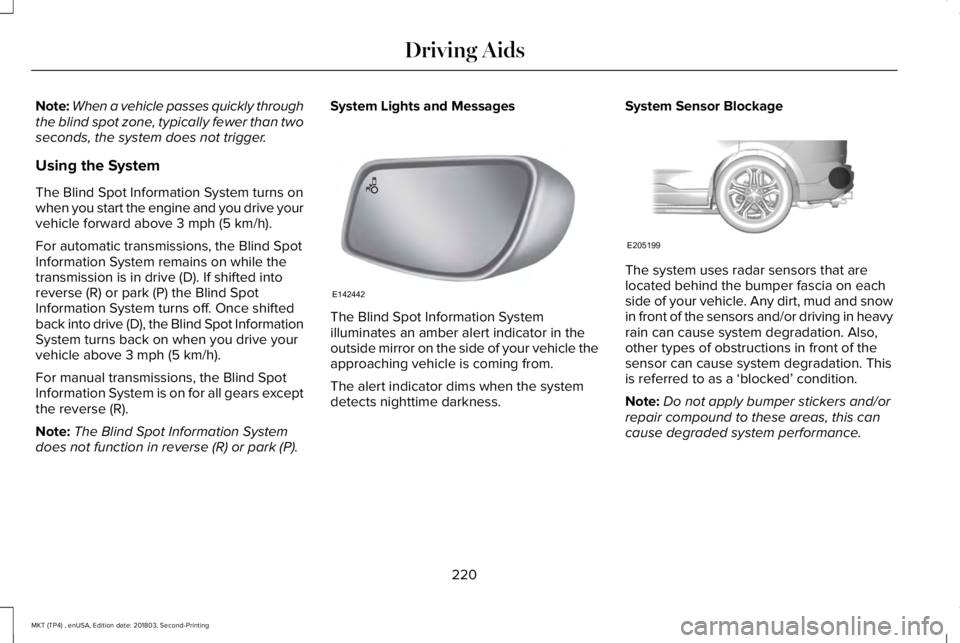
System Lights and Messages
The Blind Spot Information Systemilluminates an amber alert indicator in theoutside mirror on the side of your vehicle theapproaching vehicle is coming from.
The alert indicator dims when the systemdetects nighttime darkness.
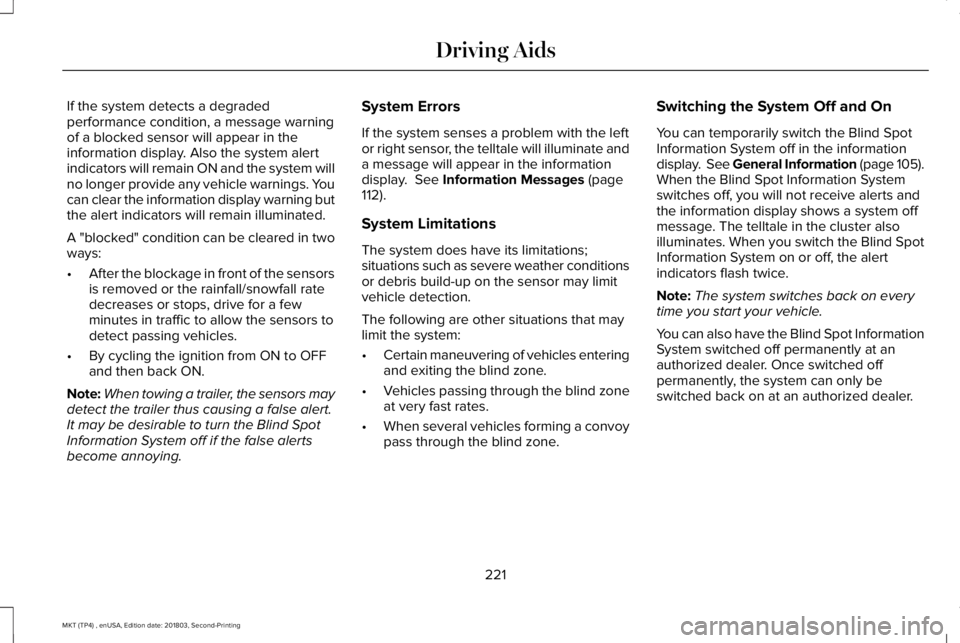
System Sensor Blockage
The system uses radar sensors that arelocated behind the bumper fascia on eachside of your vehicle. Any dirt, mud and snowin front of the sensors and/or driving in heavyrain can cause system degradation. Also,other types of obstructions in front of thesensor can cause system degradation. Thisis referred to as a ‘blocked’ condition.
Note:Do not apply bumper stickers and/orrepair compound to these areas, this cancause degraded system performance.
220
MKT (TP4) , enUSA, Edition date: 201803, Second-Printing
Driving AidsE142442 E205199
Page 224 of 575
If the system detects a degradedperformance condition, a message warningof a blocked sensor will appear in theinformation display. Also the system alertindicators will remain ON and the system willno longer provide any vehicle warnings. Youcan clear the information display warning butthe alert indicators will remain illuminated.
A "blocked" condition can be cleared in twoways:
•After the blockage in front of the sensorsis removed or the rainfall/snowfall ratedecreases or stops, drive for a fewminutes in traffic to allow the sensors todetect passing vehicles.
•By cycling the ignition from ON to OFFand then back ON.
Note:When towing a trailer, the sensors maydetect the trailer thus causing a false alert.It may be desirable to turn the Blind SpotInformation System off if the false alertsbecome annoying.
System Errors
If the system senses a problem with the leftor right sensor, the telltale will illuminate anda message will appear in the informationdisplay. See Information Messages (page112).
System Limitations
The system does have its limitations;situations such as severe weather conditionsor debris build-up on the sensor may limitvehicle detection.
The following are other situations that maylimit the system:
•Certain maneuvering of vehicles enteringand exiting the blind zone.
•Vehicles passing through the blind zoneat very fast rates.
•When several vehicles forming a convoypass through the blind zone.
Switching the System Off and On
You can temporarily switch the Blind SpotInformation System off in the informationdisplay. See General Information (page 105).When the Blind Spot Information Systemswitches off, you will not receive alerts andthe information display shows a system offmessage. The telltale in the cluster alsoilluminates. When you switch the Blind SpotInformation System on or off, the alertindicators flash twice.
Note:The system switches back on everytime you start your vehicle.
You can also have the Blind Spot InformationSystem switched off permanently at anauthorized dealer. Once switched offpermanently, the system can only beswitched back on at an authorized dealer.
221
MKT (TP4) , enUSA, Edition date: 201803, Second-Printing
Driving Aids