climate control LINCOLN MKT 2019 Owners Manual
[x] Cancel search | Manufacturer: LINCOLN, Model Year: 2019, Model line: MKT, Model: LINCOLN MKT 2019Pages: 575, PDF Size: 4.66 MB
Page 5 of 575
Liftgate
Power Liftgate.................................................74
Security
Passive Anti-Theft System...........................77
Anti-Theft Alarm.............................................79
Steering Wheel
Adjusting the Steering Wheel....................80
Audio Control..................................................81
Voice Control...................................................81
Cruise Control.................................................81
Information Display Control........................82
Heated Steering Wheel...............................82
Pedals
Adjusting the Pedals.....................................83
Wipers and Washers
Autowipers......................................................84
Windshield Washers.....................................84
Rear Window Wiper and Washers............85
Lighting
General Information......................................86
Lighting Control.............................................86
Autolamps........................................................87
Instrument Lighting Dimmer.......................88
Headlamp Exit Delay....................................88
Daytime Running Lamps..............................89
Automatic High Beam Control...................89
Front Fog Lamps.............................................91
Adaptive Headlamps.....................................91
Direction Indicators.......................................92
Interior Lamps.................................................92
Ambient Lighting...........................................93
Windows and Mirrors
Power Windows.............................................94
Global Opening and Closing......................95
Exterior Mirrors...............................................95
Interior Mirror..................................................97
Sun Visors........................................................97
Moonroof.........................................................98
Instrument Cluster
Gauges...........................................................100
Warning Lamps and Indicators..................101
Audible Warnings and Indicators.............104
Information Displays
General Information....................................105
Information Messages.................................112
Climate Control
Automatic Climate Control........................125
Hints on Controlling the Interior Climate.......................................................................126
Rear Passenger Climate Controls............127
Heated Rear Window..................................128
Heated Exterior Mirrors..............................128
Cabin Air Filter..............................................129
Remote Start..................................................129
Seats
Sitting in the Correct Position...................130
Head Restraints.............................................131
Power Seats...................................................133
2
MKT (TP4) , enUSA, Edition date: 201803, Second-Printing
Table of Contents
Page 6 of 575
Memory Function.........................................135
Rear Seats......................................................137
Heated Seats.................................................146
Climate Controlled Seats...........................147
Universal Garage Door Opener
Universal Garage Door Opener...............149
Auxiliary Power Points
Auxiliary Power Points................................154
Storage Compartments
Center Console............................................156
Overhead Console.......................................157
Starting and Stopping the Engine
General Information....................................158
Keyless Starting............................................158
Starting a Gasoline Engine........................159
Engine Block Heater...................................162
Fuel and Refueling
Safety Precautions.......................................164
Fuel Quality...................................................165
Fuel Filler Funnel Location........................165
Running Out of Fuel....................................166
Refueling.........................................................167
Fuel Consumption........................................170
Engine Emission Control
Emission Law..................................................171
Catalytic Converter......................................172
Transmission
Automatic Transmission..............................175
All-Wheel Drive
Using All-Wheel Drive.................................179
Brakes
General Information.....................................187
Hints on Driving With Anti-Lock Brakes.......................................................................188
Parking Brake................................................188
Traction Control
Principle of Operation.................................189
Using Traction Control................................189
Stability Control
Principle of Operation.................................190
Using Stability Control.................................191
Parking Aids
Principle of Operation.................................192
Rear Parking Aid...........................................192
Active Park Assist.........................................193
Rear View Camera.......................................199
Cruise Control
Principle of Operation................................203
Using Cruise Control..................................203
Using Adaptive Cruise Control................204
Driving Aids
Driver Alert.....................................................212
Lane Keeping System.................................214
Blind Spot Information System.................219
3
MKT (TP4) , enUSA, Edition date: 201803, Second-Printing
Table of Contents
Page 20 of 575
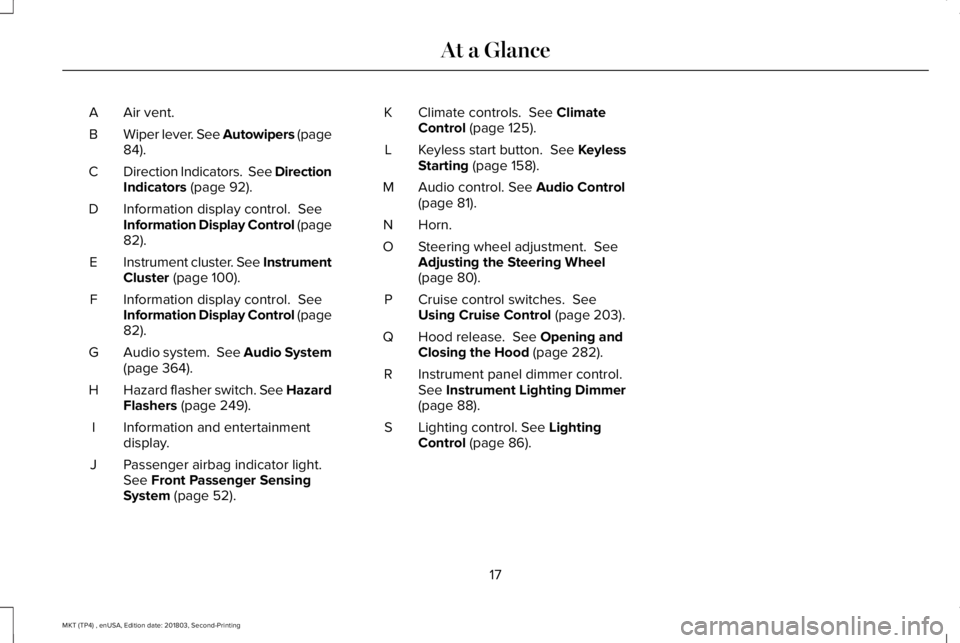
Air vent.A
Wiper lever. See Autowipers (page84).B
Direction Indicators. See DirectionIndicators (page 92).C
Information display control. SeeInformation Display Control (page82).
D
Instrument cluster. See InstrumentCluster (page 100).E
Information display control. SeeInformation Display Control (page82).
F
Audio system. See Audio System(page 364).G
Hazard flasher switch. See HazardFlashers (page 249).H
Information and entertainmentdisplay.I
Passenger airbag indicator light.See Front Passenger SensingSystem (page 52).
J
Climate controls. See ClimateControl (page 125).K
Keyless start button. See KeylessStarting (page 158).L
Audio control. See Audio Control(page 81).M
Horn.N
Steering wheel adjustment. SeeAdjusting the Steering Wheel(page 80).
O
Cruise control switches. SeeUsing Cruise Control (page 203).P
Hood release. See Opening andClosing the Hood (page 282).Q
Instrument panel dimmer control.See Instrument Lighting Dimmer(page 88).
R
Lighting control. See LightingControl (page 86).S
17
MKT (TP4) , enUSA, Edition date: 201803, Second-Printing
At a Glance
Page 64 of 575
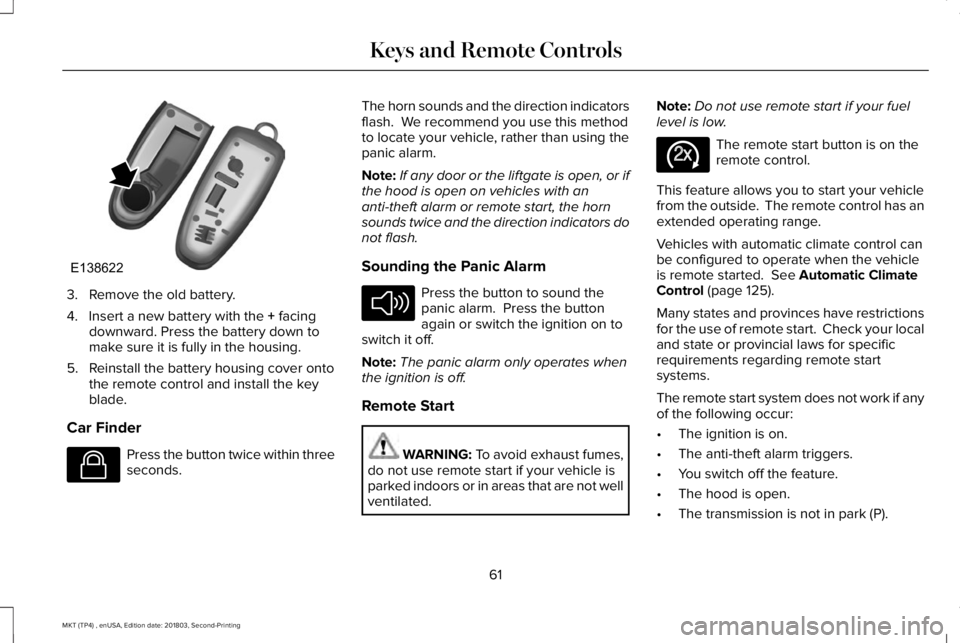
3. Remove the old battery.
4. Insert a new battery with the + facingdownward. Press the battery down tomake sure it is fully in the housing.
5. Reinstall the battery housing cover ontothe remote control and install the keyblade.
Car Finder
Press the button twice within threeseconds.
The horn sounds and the direction indicatorsflash. We recommend you use this methodto locate your vehicle, rather than using thepanic alarm.
Note:If any door or the liftgate is open, or ifthe hood is open on vehicles with ananti-theft alarm or remote start, the hornsounds twice and the direction indicators donot flash.
Sounding the Panic Alarm
Press the button to sound thepanic alarm. Press the buttonagain or switch the ignition on toswitch it off.
Note:The panic alarm only operates whenthe ignition is off.
Remote Start
WARNING: To avoid exhaust fumes,do not use remote start if your vehicle isparked indoors or in areas that are not wellventilated.
Note:Do not use remote start if your fuellevel is low.
The remote start button is on theremote control.
This feature allows you to start your vehiclefrom the outside. The remote control has anextended operating range.
Vehicles with automatic climate control canbe configured to operate when the vehicleis remote started. See Automatic ClimateControl (page 125).
Many states and provinces have restrictionsfor the use of remote start. Check your localand state or provincial laws for specificrequirements regarding remote startsystems.
The remote start system does not work if anyof the following occur:
•The ignition is on.
•The anti-theft alarm triggers.
•You switch off the feature.
•The hood is open.
•The transmission is not in park (P).
61
MKT (TP4) , enUSA, Edition date: 201803, Second-Printing
Keys and Remote ControlsE138622 E138623 E138624 E138625
Page 113 of 575
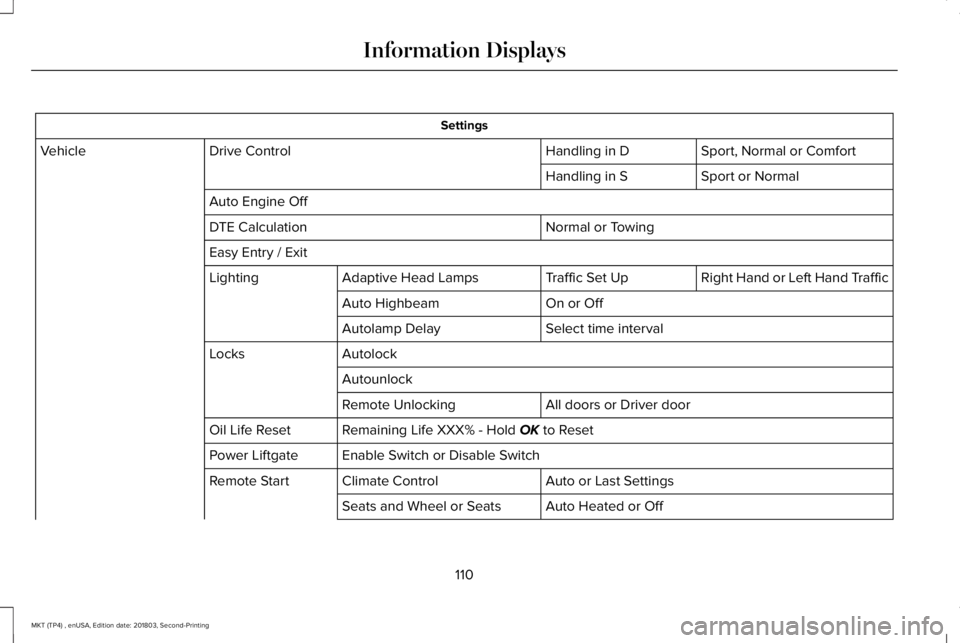
Settings
Sport, Normal or ComfortHandling in DDrive ControlVehicle
Sport or NormalHandling in S
Auto Engine Off
Normal or TowingDTE Calculation
Easy Entry / Exit
Right Hand or Left Hand TrafficTraffic Set UpAdaptive Head LampsLighting
On or OffAuto Highbeam
Select time intervalAutolamp Delay
AutolockLocks
Autounlock
All doors or Driver doorRemote Unlocking
Remaining Life XXX% - Hold OK to ResetOil Life Reset
Enable Switch or Disable SwitchPower Liftgate
Auto or Last SettingsClimate ControlRemote Start
Auto Heated or OffSeats and Wheel or Seats
110
MKT (TP4) , enUSA, Edition date: 201803, Second-Printing
Information Displays
Page 128 of 575
AUTOMATIC CLIMATE CONTROL
Note: You can switch temperature unitsbetween Fahrenheit and Celsius.
Setting the Blower Motor Speed
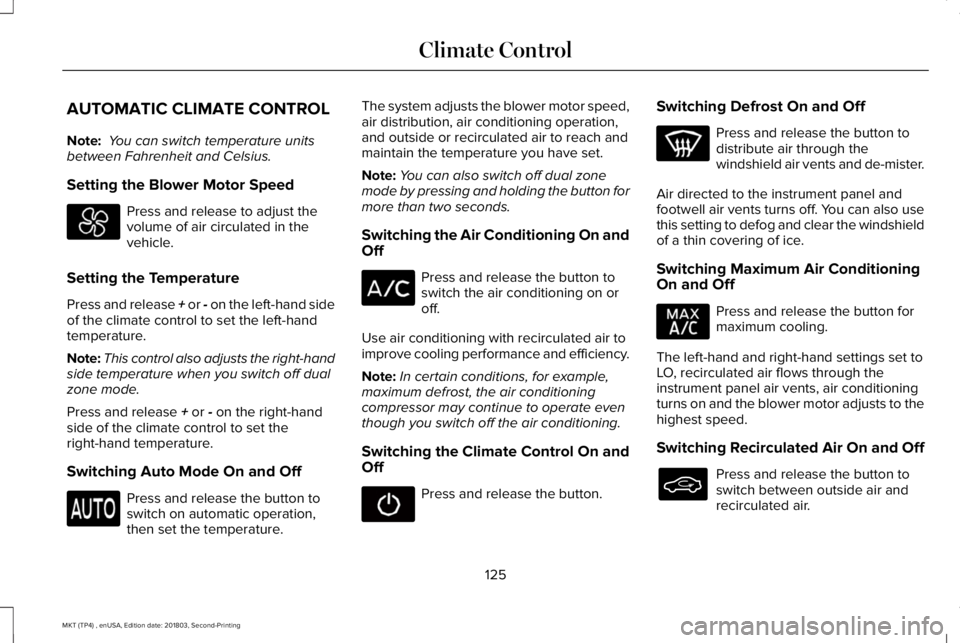
Press and release to adjust thevolume of air circulated in thevehicle.
Setting the Temperature
Press and release + or - on the left-hand sideof the climate control to set the left-handtemperature.
Note:This control also adjusts the right-handside temperature when you switch off dualzone mode.
Press and release + or - on the right-handside of the climate control to set theright-hand temperature.
Switching Auto Mode On and Off
Press and release the button toswitch on automatic operation,then set the temperature.
The system adjusts the blower motor speed,air distribution, air conditioning operation,and outside or recirculated air to reach andmaintain the temperature you have set.
Note:You can also switch off dual zonemode by pressing and holding the button formore than two seconds.
Switching the Air Conditioning On andOff
Press and release the button toswitch the air conditioning on oroff.
Use air conditioning with recirculated air toimprove cooling performance and efficiency.
Note:In certain conditions, for example,maximum defrost, the air conditioningcompressor may continue to operate eventhough you switch off the air conditioning.
Switching the Climate Control On andOff
Press and release the button.
Switching Defrost On and Off
Press and release the button todistribute air through thewindshield air vents and de-mister.
Air directed to the instrument panel andfootwell air vents turns off. You can also usethis setting to defog and clear the windshieldof a thin covering of ice.
Switching Maximum Air ConditioningOn and Off
Press and release the button formaximum cooling.
The left-hand and right-hand settings set toLO, recirculated air flows through theinstrument panel air vents, air conditioningturns on and the blower motor adjusts to thehighest speed.
Switching Recirculated Air On and Off
Press and release the button toswitch between outside air andrecirculated air.
125
MKT (TP4) , enUSA, Edition date: 201803, Second-Printing
Climate Control
Page 129 of 575
The air currently in the passengercompartment recirculates. This may reducethe time needed to cool the interior, whenused with A/C, and reduce unwanted odorsfrom entering your vehicle.
Note:Recirculated air may turn off, orprevent you from switching on, in all air flowmodes except MAX A/C to reduce the riskof fogging. Recirculation may also turn onand off in various air distribution controlcombinations during hot weather in order toimprove cooling efficiency.
HINTS ON CONTROLLING THE
INTERIOR CLIMATE
General Hints
Note:Prolonged use of recirculated air maycause the windows to fog up.
Note:You may feel a small amount of airfrom the footwell air vents regardless of theair distribution setting.
Note:To reduce humidity build-up insideyour vehicle, do not drive with the systemswitched off or with recirculated air alwaysswitched on.
Note:Do not place objects under the frontseats as this may interfere with the airflowto the rear seats.
Note:Remove any snow, ice or leaves fromthe air intake area at the base of thewindshield.
Note:To improve the time to reach acomfortable temperature in hot weather,drive with the windows open until you feelcold air through the air vents.
Automatic Climate Control
Note:Adjusting the settings when yourvehicle interior is extremely hot or cold is notnecessary.
Note:The system adjusts to heat or cool theinterior to the temperature you select asquickly as possible.
Note:For the system to function efficiently,the instrument panel and side air ventsshould be fully open.
Note:If you select AUTO during cold outsidetemperatures, the system directs air flow tothe windshield and side window air vents. Inaddition, the blower motor may run at aslower speed until the engine warms up.
Note:If you select AUTO during hottemperatures and the inside of the vehicleis hot, the system uses recirculated air tomaximize interior cooling. Blower motorspeed may also reduce until the air cools.
Quickly Heating the Interior
1. Press and release AUTO.
2. Adjust the temperature function to thesetting you prefer.
Recommended Settings for Heating
1. Press and release AUTO.
2. Adjust the temperature function to thesetting you prefer. Use 72°F (22°C) as astarting point, then adjust the setting asnecessary.
Quickly Cooling the Interior
1. Press and release MAX A/C.
126
MKT (TP4) , enUSA, Edition date: 201803, Second-Printing
Climate Control
Page 130 of 575
Recommended Settings for Cooling
1. Press and release AUTO.
2. Adjust the temperature function to thesetting you prefer. Use 72°F (22°C) as astarting point, then adjust the setting asnecessary.
Defogging the Side Windows in ColdWeather
1. Press and release defrost.
2. Adjust the temperature control to thesetting you prefer. Use 72°F (22°C) as astarting point, then adjust the setting asnecessary.
REAR PASSENGER CLIMATE
CONTROLS
Directing Air to the Overhead Air Ventsor Rear Footwell Air Vents
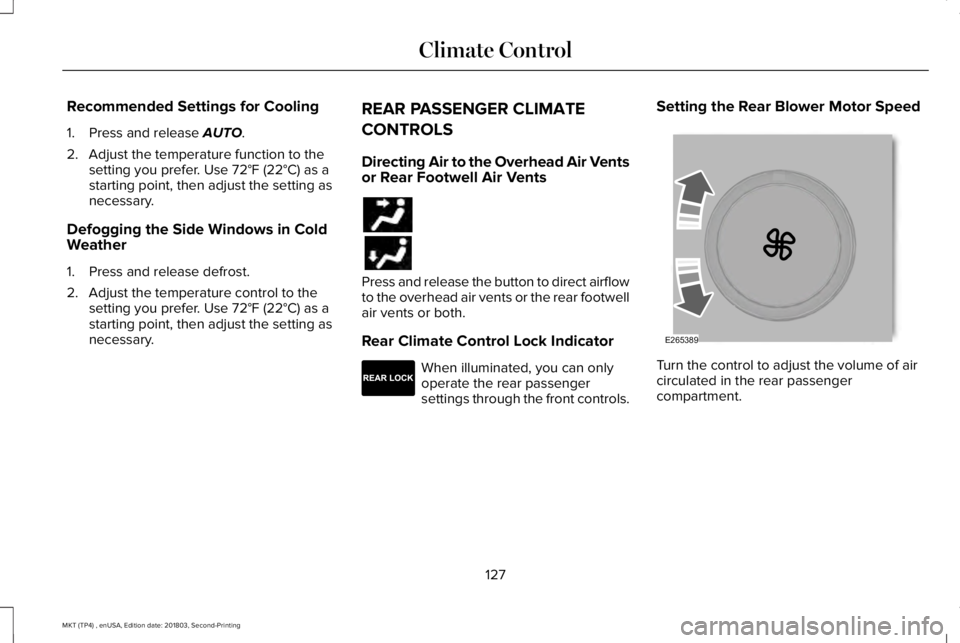
Press and release the button to direct airflowto the overhead air vents or the rear footwellair vents or both.
Rear Climate Control Lock Indicator
When illuminated, you can onlyoperate the rear passengersettings through the front controls.
Setting the Rear Blower Motor Speed
Turn the control to adjust the volume of aircirculated in the rear passengercompartment.
127
MKT (TP4) , enUSA, Edition date: 201803, Second-Printing
Climate Control E265289 E265389
Page 131 of 575
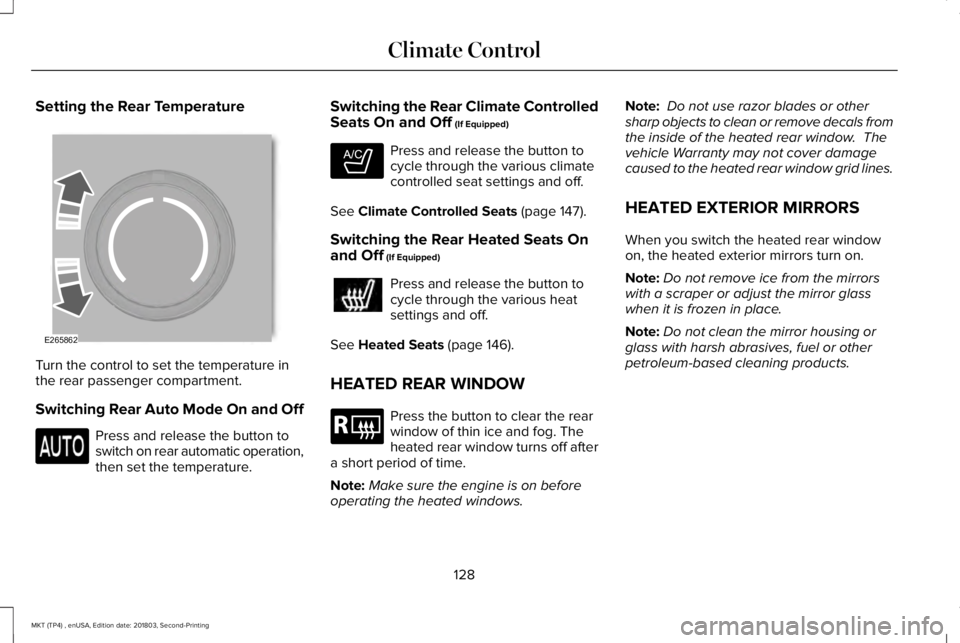
Setting the Rear Temperature
Turn the control to set the temperature inthe rear passenger compartment.
Switching Rear Auto Mode On and Off
Press and release the button toswitch on rear automatic operation,then set the temperature.
Switching the Rear Climate ControlledSeats On and Off (If Equipped)
Press and release the button tocycle through the various climatecontrolled seat settings and off.
See Climate Controlled Seats (page 147).
Switching the Rear Heated Seats Onand Off (If Equipped)
Press and release the button tocycle through the various heatsettings and off.
See Heated Seats (page 146).
HEATED REAR WINDOW
Press the button to clear the rearwindow of thin ice and fog. Theheated rear window turns off aftera short period of time.
Note:Make sure the engine is on beforeoperating the heated windows.
Note: Do not use razor blades or othersharp objects to clean or remove decals fromthe inside of the heated rear window. Thevehicle Warranty may not cover damagecaused to the heated rear window grid lines.
HEATED EXTERIOR MIRRORS
When you switch the heated rear windowon, the heated exterior mirrors turn on.
Note:Do not remove ice from the mirrorswith a scraper or adjust the mirror glasswhen it is frozen in place.
Note:Do not clean the mirror housing orglass with harsh abrasives, fuel or otherpetroleum-based cleaning products.
128
MKT (TP4) , enUSA, Edition date: 201803, Second-Printing
Climate ControlE265862 E265282 E184884
Page 132 of 575
CABIN AIR FILTER
Your vehicle is equipped with a cabin airfilter, which gives you and your passengersthe following benefits:
•It improves your driving comfort byreducing particle concentration.
•It improves the interior compartmentcleanliness.
•It protects the climate controlcomponents from particle deposits.
You can locate the cabin air filter behind theglove box.
Note:Make sure you have a cabin air filterinstalled at all times. This prevents foreignobjects from entering the system. Runningthe system without a filter in place couldresult in degradation or damage to thesystem.
Replace the filter at regular intervals. SeeScheduled Maintenance (page 479).
For additional cabin air filter information, orto replace the filter, see an authorized dealer.
REMOTE START
You can switch this feature on or off andadjust the settings using the informationdisplay.
The system adjusts the interior temperaturedepending on your chosen settings duringremote start.
You cannot adjust the climate control settingduring remote start operation. When youswitch the ignition on, the climate controlsystem returns to the previous settings. Youcan now make adjustments.
You need to switch on certainvehicle-dependent features, such as:
•Heated seats.
•Cooled seats.
•Heated steering wheel.
•Heated mirrors.
•Heated rear window.
Automatic Settings
In hot weather, the system sets to 72°F(22°C). The cooled seats are set to high (ifavailable, and AUTO is on in the informationdisplay).
In moderate weather, the system either heatsor cools (based on previous settings). Therear defroster, heated mirrors and heated orcooled seats do not turn on.
In cold weather, the system sets to 72°F(22°C). The heated seats are set to high (ifavailable, and AUTO is on in the informationdisplay). The heated rear window and heatedmirrors turn on.
129
MKT (TP4) , enUSA, Edition date: 201803, Second-Printing
Climate Control