stop start LINCOLN MKT 2019 Owners Manual
[x] Cancel search | Manufacturer: LINCOLN, Model Year: 2019, Model line: MKT, Model: LINCOLN MKT 2019Pages: 575, PDF Size: 4.66 MB
Page 6 of 575
Memory Function.........................................135
Rear Seats......................................................137
Heated Seats.................................................146
Climate Controlled Seats...........................147
Universal Garage Door Opener
Universal Garage Door Opener...............149
Auxiliary Power Points
Auxiliary Power Points................................154
Storage Compartments
Center Console............................................156
Overhead Console.......................................157
Starting and Stopping the Engine
General Information....................................158
Keyless Starting............................................158
Starting a Gasoline Engine........................159
Engine Block Heater...................................162
Fuel and Refueling
Safety Precautions.......................................164
Fuel Quality...................................................165
Fuel Filler Funnel Location........................165
Running Out of Fuel....................................166
Refueling.........................................................167
Fuel Consumption........................................170
Engine Emission Control
Emission Law..................................................171
Catalytic Converter......................................172
Transmission
Automatic Transmission..............................175
All-Wheel Drive
Using All-Wheel Drive.................................179
Brakes
General Information.....................................187
Hints on Driving With Anti-Lock Brakes.......................................................................188
Parking Brake................................................188
Traction Control
Principle of Operation.................................189
Using Traction Control................................189
Stability Control
Principle of Operation.................................190
Using Stability Control.................................191
Parking Aids
Principle of Operation.................................192
Rear Parking Aid...........................................192
Active Park Assist.........................................193
Rear View Camera.......................................199
Cruise Control
Principle of Operation................................203
Using Cruise Control..................................203
Using Adaptive Cruise Control................204
Driving Aids
Driver Alert.....................................................212
Lane Keeping System.................................214
Blind Spot Information System.................219
3
MKT (TP4) , enUSA, Edition date: 201803, Second-Printing
Table of Contents
Page 65 of 575
•The battery voltage is below theminimum operating voltage.
•The service engine soon indicator wason the last time your vehicle was driven.
Remote Starting your Vehicle
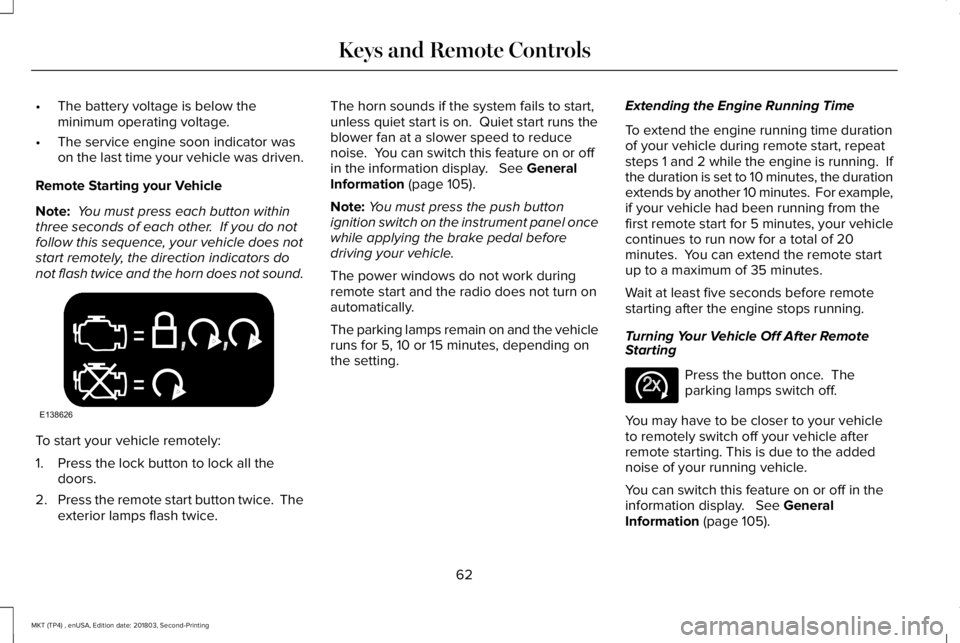
Note: You must press each button withinthree seconds of each other. If you do notfollow this sequence, your vehicle does notstart remotely, the direction indicators donot flash twice and the horn does not sound.
To start your vehicle remotely:
1. Press the lock button to lock all thedoors.
2.Press the remote start button twice. Theexterior lamps flash twice.
The horn sounds if the system fails to start,unless quiet start is on. Quiet start runs theblower fan at a slower speed to reducenoise. You can switch this feature on or offin the information display. See GeneralInformation (page 105).
Note:You must press the push buttonignition switch on the instrument panel oncewhile applying the brake pedal beforedriving your vehicle.
The power windows do not work duringremote start and the radio does not turn onautomatically.
The parking lamps remain on and the vehicleruns for 5, 10 or 15 minutes, depending onthe setting.
Extending the Engine Running Time
To extend the engine running time durationof your vehicle during remote start, repeatsteps 1 and 2 while the engine is running. Ifthe duration is set to 10 minutes, the durationextends by another 10 minutes. For example,if your vehicle had been running from thefirst remote start for 5 minutes, your vehiclecontinues to run now for a total of 20minutes. You can extend the remote startup to a maximum of 35 minutes.
Wait at least five seconds before remotestarting after the engine stops running.
Turning Your Vehicle Off After RemoteStarting
Press the button once. Theparking lamps switch off.
You may have to be closer to your vehicleto remotely switch off your vehicle afterremote starting. This is due to the addednoise of your running vehicle.
You can switch this feature on or off in theinformation display. See GeneralInformation (page 105).
62
MKT (TP4) , enUSA, Edition date: 201803, Second-Printing
Keys and Remote ControlsE138626 E138625
Page 81 of 575
Make sure that the ignition is switched offbefore beginning this procedure. Make surethat you close all the doors before beginningand that they remain closed throughout theprocedure. Carry out all steps within 30seconds of starting the sequence. Stop andwait for at least one minute before startingagain if you carry out any steps out ofsequence.
Read and understand the entire procedurebefore you begin.
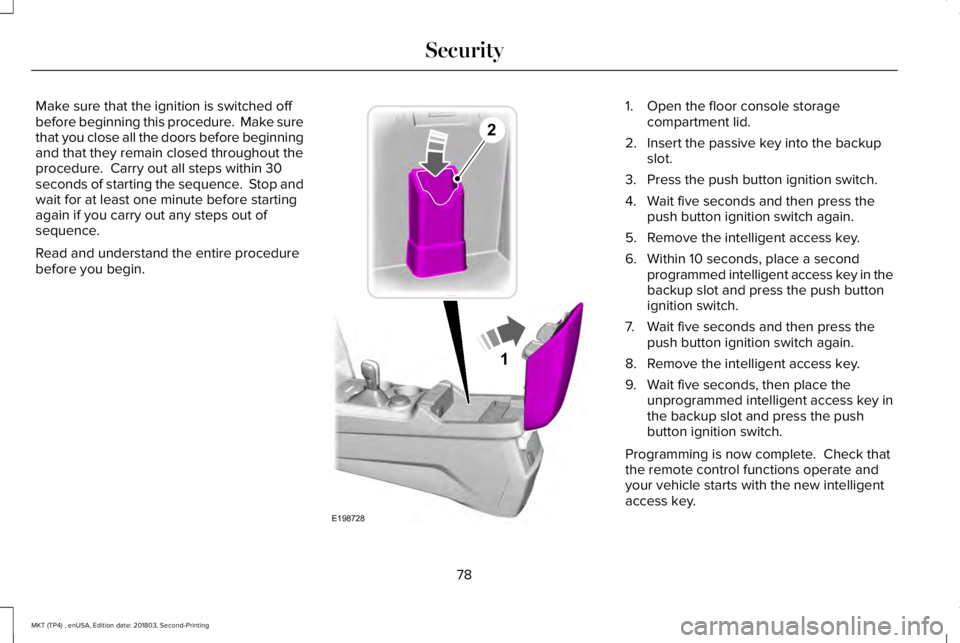
1. Open the floor console storagecompartment lid.
2. Insert the passive key into the backupslot.
3. Press the push button ignition switch.
4. Wait five seconds and then press thepush button ignition switch again.
5. Remove the intelligent access key.
6. Within 10 seconds, place a secondprogrammed intelligent access key in thebackup slot and press the push buttonignition switch.
7. Wait five seconds and then press thepush button ignition switch again.
8. Remove the intelligent access key.
9. Wait five seconds, then place theunprogrammed intelligent access key inthe backup slot and press the pushbutton ignition switch.
Programming is now complete. Check thatthe remote control functions operate andyour vehicle starts with the new intelligentaccess key.
78
MKT (TP4) , enUSA, Edition date: 201803, Second-Printing
Security1
E198728
2
Page 82 of 575
If programming was unsuccessful, wait 10seconds and repeat Steps 1 through 7. Ifprogramming remains unsuccessful, contactan authorized dealer.
ANTI-THEFT ALARM
The system will warn you of an unauthorizedentry to your vehicle. It will be triggered ifany door, the luggage compartment or thehood is opened without using the key,remote control or keyless entry keypad.
The direction indicators will flash and thehorn will sound if unauthorized entry isattempted while the alarm is armed.
Take all remote controls to an authorizeddealer if there is any potential alarm problemwith your vehicle.
Arming the Alarm
The alarm is ready to arm when there is nota key in your vehicle. Electronically lock yourvehicle to arm the alarm.
Disarming the Alarm
Disarm the alarm by any of the followingactions:
•Unlock the doors or luggagecompartment with the remote control orkeyless entry keypad.
•Switch your vehicle on or start yourvehicle.
•Use a key in the driver door to unlockyour vehicle, then switch your vehicle onwithin 12 seconds.
Note:Pressing the panic button on theremote control will stop the horn and signalindicators, but will not disarm the system.
79
MKT (TP4) , enUSA, Edition date: 201803, Second-Printing
Security
Page 98 of 575
Accessory Delay
The window switches remain operational forseveral minutes when you switch the ignitionoff or until you open either front door.
GLOBAL OPENING AND CLOSING
You can use the remote control to operatethe windows with the ignition off.
Note:You can enable or disable this featurein the information display or see anauthorized dealer. See General Information(page 105).
Note:To operate this feature, accessorydelay must not be active.
Opening the Windows
You can only open the windows for a shorttime after you unlock your vehicle with theremote control. After you unlock your vehicle,press and hold the remote control unlockbutton to open the windows and vent themoonroof. Release the button oncemovement starts. Press the lock or unlockbutton to stop movement.
Closing the Windows
WARNING: When closing thewindows and moonroof, you should verifythey are free of obstructions and makesure that children and pets are not in theproximity of the window openings.
To close the windows and moonroof, pressand hold the remote control lock button.Release the button once movement starts.Press the lock or unlock button to stopmovement.
EXTERIOR MIRRORS
Power Exterior Mirrors
WARNING: Do not adjust the mirrorswhen your vehicle is moving.
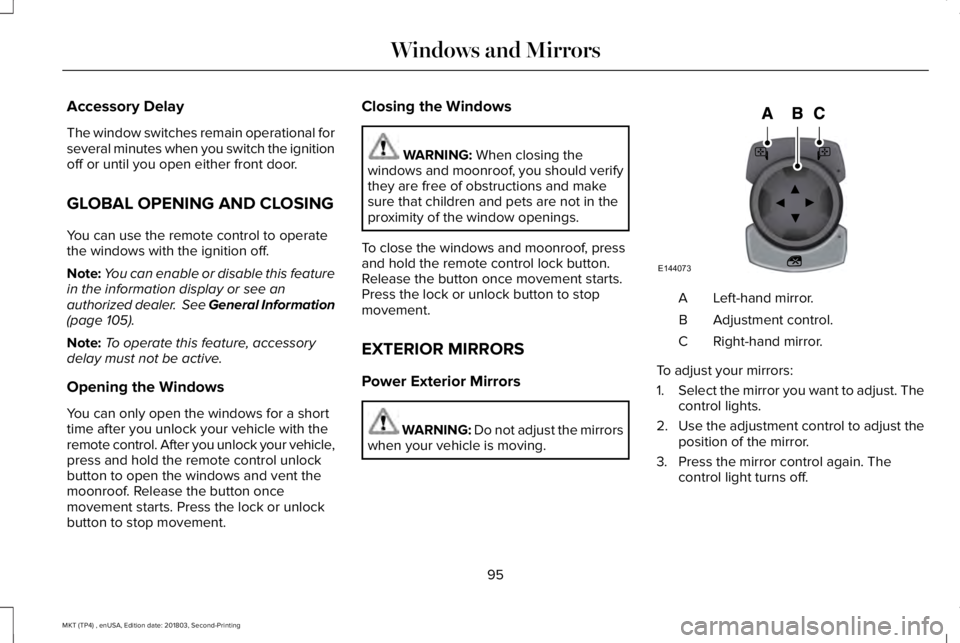
Left-hand mirror.A
Adjustment control.B
Right-hand mirror.C
To adjust your mirrors:
1.Select the mirror you want to adjust. Thecontrol lights.
2.Use the adjustment control to adjust theposition of the mirror.
3. Press the mirror control again. Thecontrol light turns off.
95
MKT (TP4) , enUSA, Edition date: 201803, Second-Printing
Windows and MirrorsE144073
Page 110 of 575
Round tachometer
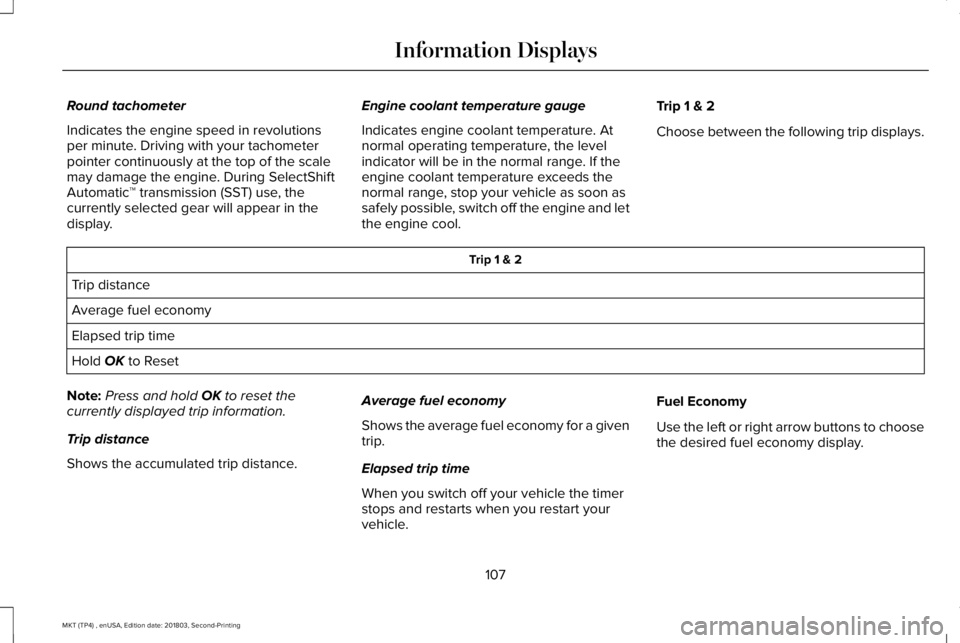
Indicates the engine speed in revolutionsper minute. Driving with your tachometerpointer continuously at the top of the scalemay damage the engine. During SelectShiftAutomatic™ transmission (SST) use, thecurrently selected gear will appear in thedisplay.
Engine coolant temperature gauge
Indicates engine coolant temperature. Atnormal operating temperature, the levelindicator will be in the normal range. If theengine coolant temperature exceeds thenormal range, stop your vehicle as soon assafely possible, switch off the engine and letthe engine cool.
Trip 1 & 2
Choose between the following trip displays.
Trip 1 & 2
Trip distance
Average fuel economy
Elapsed trip time
Hold OK to Reset
Note:Press and hold OK to reset thecurrently displayed trip information.
Trip distance
Shows the accumulated trip distance.
Average fuel economy
Shows the average fuel economy for a giventrip.
Elapsed trip time
When you switch off your vehicle the timerstops and restarts when you restart yourvehicle.
Fuel Economy
Use the left or right arrow buttons to choosethe desired fuel economy display.
107
MKT (TP4) , enUSA, Edition date: 201803, Second-Printing
Information Displays
Page 117 of 575
Alarm
ActionMessage
Displayed when the perimeter alarm system is armed and the vehicle is entered using the keyon the driver's side door. In order to prevent the perimeter alarm system from triggering, theignition must be turned to start or on before the 12 second chime expires. See Anti-Theft Alarm(page 79).
Vehicle Alarm To Stop Alarm, Start Vehicle.
Automatic Engine Shutdown
ActionMessage
The engine is getting ready to shut off.Engine Shuts Off In {seconds to shut off:#0}Seconds
The engine has shut off to help increase fuel economy.Engine Shut Off For Fuel Economy
The engine is getting ready to shut off. You can press OK on the left steering wheel button tooverride the shut down.Engine Shuts Off in {seconds to shut off:#0}Seconds Press Ok to Override
114
MKT (TP4) , enUSA, Edition date: 201803, Second-Printing
Information Displays
Page 122 of 575
Fuel
ActionMessage
An early reminder of a low fuel condition.Fuel Level Low
The fuel fill inlet may not be properly closed.Check Fuel Fill Inlet
Keys and Intelligent Access
ActionMessage
A reminder to press the brake while starting your vehicle.To START Press Brake
The key is not detected by the system. See Keyless Starting (page 158).No Key Detected
The Start Stop button is pressed to shut off the engine and an Intelligent Access key is notdetected inside your vehicle.Restart Now or Key is Needed
Your vehicle is in the accessory ignition state.Accessory Power is Active
There is a problem with your vehicle’s starting system. See an authorized dealer for service.Starting System Fault
During spare key programming, an intelligent access key is programmed to the system.Key Programmed x Keys Total
During spare key programming, the maximum number of keys have been programmed.Max Number of Keys Learned
119
MKT (TP4) , enUSA, Edition date: 201803, Second-Printing
Information Displays
Page 126 of 575
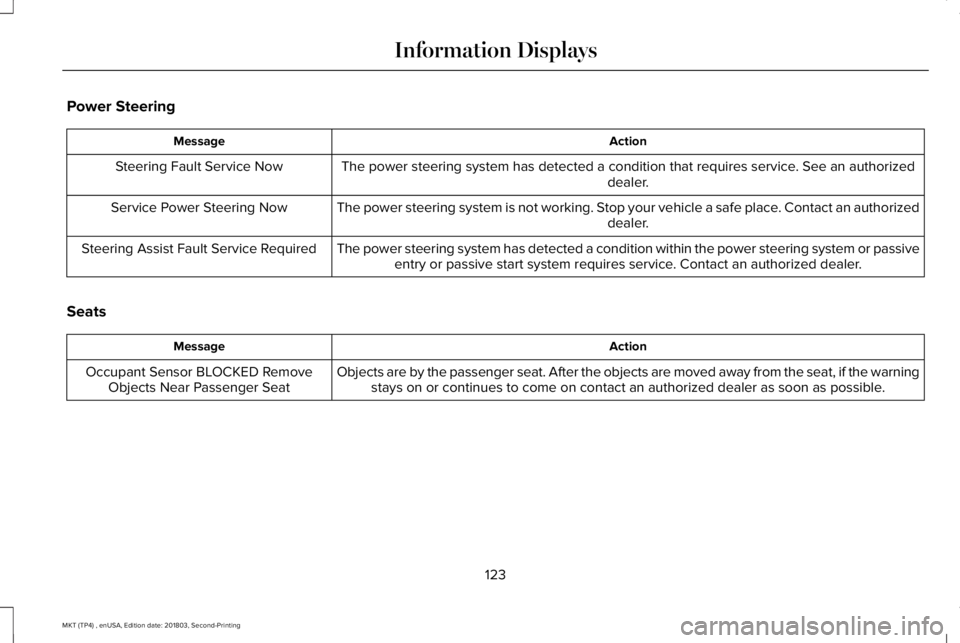
Power Steering
ActionMessage
The power steering system has detected a condition that requires service. See an authorizeddealer.Steering Fault Service Now
The power steering system is not working. Stop your vehicle a safe place. Contact an authorizeddealer.Service Power Steering Now
The power steering system has detected a condition within the power steering system or passiveentry or passive start system requires service. Contact an authorized dealer.Steering Assist Fault Service Required
Seats
ActionMessage
Objects are by the passenger seat. After the objects are moved away from the seat, if the warningstays on or continues to come on contact an authorized dealer as soon as possible.Occupant Sensor BLOCKED RemoveObjects Near Passenger Seat
123
MKT (TP4) , enUSA, Edition date: 201803, Second-Printing
Information Displays
Page 161 of 575
GENERAL INFORMATION
WARNING: Extended idling at highengine speeds can produce very hightemperatures in the engine and exhaustsystem, creating the risk of fire or otherdamage.
WARNING: Do not park, idle or driveyour vehicle on dry grass or other dryground cover. The emission system heatsup the engine compartment and exhaustsystem, creating the risk of fire.
WARNING: Do not start the enginein a closed garage or in other enclosedareas. Exhaust fumes can be toxic. Alwaysopen the garage door before you start theengine.
WARNING: Exhaust leaks may resultin entry of harmful and potentially lethalfumes into the passenger compartment. Ifyou smell exhaust fumes inside yourvehicle, have your vehicle inspectedimmediately. Do not drive if you smellexhaust fumes.
If you disconnect the battery, your vehiclemay exhibit some unusual drivingcharacteristics for approximately 5 mi (8 km)after you reconnect it. This is because theengine management system must realignitself with the engine. You can disregard anyunusual driving characteristics during thisperiod.
The powertrain control system meets allCanadian interference-causing equipmentstandard requirements regulating theimpulse electrical field or radio noise.
When you start the engine, avoid pressingthe accelerator pedal before and duringoperation. Only use the accelerator pedalwhen you have difficulty starting the engine.
KEYLESS STARTING
Note:The keyless starting system may notfunction if the key is close to metal objectsor electronic devices such as cellularphones.
Note:A valid key must be located insideyour vehicle to switch the ignition on andstart the engine.
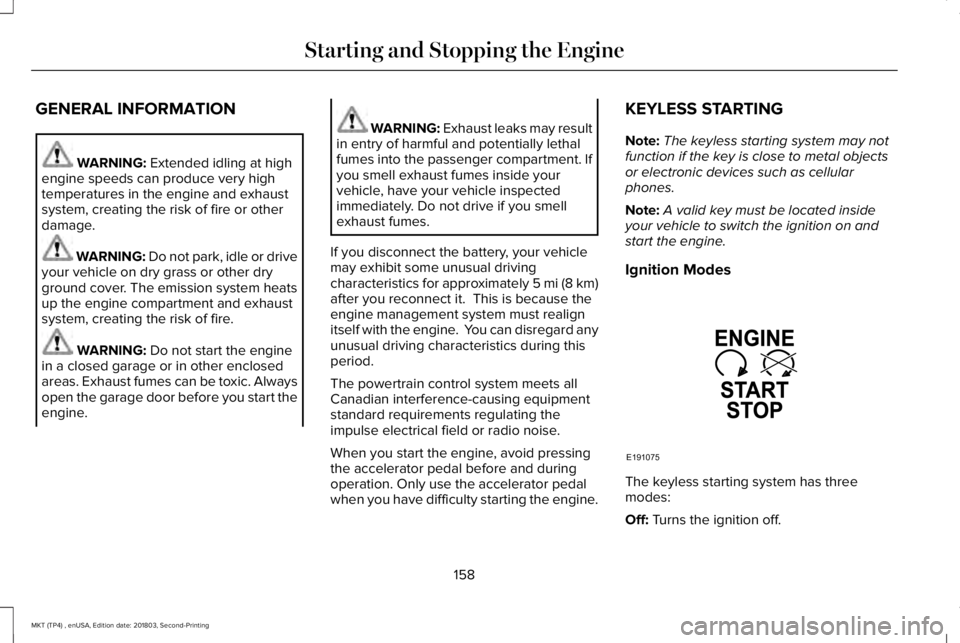
Ignition Modes
The keyless starting system has threemodes:
Off: Turns the ignition off.
158
MKT (TP4) , enUSA, Edition date: 201803, Second-Printing
Starting and Stopping the EngineE191075