key battery LINCOLN MKX 2018 User Guide
[x] Cancel search | Manufacturer: LINCOLN, Model Year: 2018, Model line: MKX, Model: LINCOLN MKX 2018Pages: 603, PDF Size: 4.94 MB
Page 175 of 603
Note:You may have to press the pushbutton ignition switch twice to switch theignition on.
Start: Starts the engine.
•Press the brake pedal, and then pressthe button for any length of time. Anindicator light on the button illuminateswhen then ignition is on and when theengine starts.
STARTING A GASOLINE ENGINE
When you start the engine, the idle speedincreases. This helps to warm up theengine. If the engine idle speed does notslow down automatically, have your vehiclechecked by an authorized dealer.
Note: You can crank the engine for a totalof 60 seconds without the engine startingbefore the starting system temporarilydisables. The 60 seconds does not have tobe all at once. For example, if you crank theengine three times for 20 seconds each time,without the engine starting, you reached the60-second time limit. A message appearsin the information display alerting you thatyou exceeded the cranking time. Youcannot attempt to start the engine for atleast 15 minutes. After 15 minutes, you arelimited to a 15-second engine cranking time. You need to wait 60 minutes before you cancrank the engine for 60 seconds again.
Before starting the engine check thefollowing:
•Make sure all occupants have fastenedtheir seatbelts.
•Make sure the headlamps and electricalaccessories are off.
•Make sure the parking brake is on.
•Make sure the transmission is in park (P)or neutral (N).
Keyless Starting
Note:Do not touch the accelerator pedal.
Note:A valid passive key must be locatedinside your vehicle to switch the power onand start your vehicle.
1. Fully depress the brake pedal.
2. Briefly press the push button ignitionswitch.
The system does not function if:
•The passive key frequencies are jammed.
•The key battery has no charge.
If you are unable to start the engine, do thefollowing:
172
MKX (CD9) Canada/United States of America, enUSA, Edition date: 201707, First Printing
Starting and Stopping the Engine
Page 190 of 603
If the service engine soon indicator remainson, have your vehicle serviced at the firstavailable opportunity. Although somemalfunctions detected by the OBD-II may nothave symptoms that are apparent, continueddriving with the service engine soon indicatoron can result in increased emissions, lowerfuel economy, reduced engine andtransmission smoothness and lead to morecostly repairs.
Readiness for Inspection andMaintenance (I/M) Testing
Some state and provincial and localgovernments may haveInspection/Maintenance (I/M) programs toinspect the emission control equipment onyour vehicle. Failure to pass this inspectioncould prevent you from getting a vehicleregistration.
If the service engine soon indicatoris on or the bulb does not work,your vehicle may need service.See On-Board Diagnostics.
Your vehicle may not pass the I/M test if theservice engine soon indicator is on or notworking properly (bulb is burned out), or ifthe OBD-II system has determined that someof the emission control systems have notbeen properly checked. In this case, thevehicle is not ready for I/M testing.
If the vehicle’s engine or transmission hasjust been serviced, or the battery hasrecently run down or been replaced, theOBD-II system may indicate that the vehicleis not ready for I/M testing. To determine ifthe vehicle is ready for I/M testing, turn theignition key to the on position for 15 secondswithout cranking the engine. If the serviceengine soon indicator blinks eight times, itmeans that the vehicle is not ready for I/Mtesting; if the service engine soon indicatorstays on solid, it means that your vehicle isready for I/M testing.
The OBD-II system checks the emissioncontrol system during normal driving. Acomplete check may take several days.
If the vehicle is not ready for I/M testing, youcan perform the following driving cycleconsisting of mixed city and highway driving:
1. 15 minutes of steady driving on anexpressway or highway followed by 20minutes of stop-and-go driving with atleast four 30-second idle periods.
2.Allow your vehicle to sit for at least eighthours with the ignition off. Then, start thevehicle and complete the above drivingcycle. The vehicle must warm up to itsnormal operating temperature. Oncestarted, do not turn off the vehicle untilthe above driving cycle is complete.
If the vehicle is still not ready for I/M testing,you need to repeat the above driving cycle.
187
MKX (CD9) Canada/United States of America, enUSA, Edition date: 201707, First Printing
Engine Emission Control
Page 277 of 603
ROADSIDE ASSISTANCE
Vehicles Sold in the United States:Getting Roadside Assistance
To fully assist you should you have a vehicleconcern, Lincoln Motor Company offers acomplimentary roadside assistance program. This program is separate from the NewVehicle Limited Warranty.
The service is available:
•Throughout the life of the vehicle fororiginal owners.
•For six years or 70,000 mi (110,000 km)(whichever comes first) for subsequentowners.
Roadside Assistance covers:
•A flat tire change with a good spare(except vehicles supplied with a tireinflation kit).
•Battery jump start.
•Lock-out assistance (key replacementcost is the client's responsibility).
•Fuel delivery — independent servicecontractors, if not prohibited by state,local or municipal law shall deliver up to2 gal (8 L) of gasoline or 5 gal (20 L) ofdiesel fuel to a disabled vehicle.Roadside Assistance limits fuel deliveryservice to two no-charge occurrenceswithin a 12-month period.
•Winch out — available within 100 ft (30 m)of a paved or county maintained road,no recoveries.
•Towing — independent servicecontractors, if not prohibited by state,local or municipal law shall tow Lincolneligible vehicles to the client's selling orpreferred dealer within 100 mi (160 km)of the disablement location or to thenearest Lincoln dealer. If a client requestsa tow to a selling or preferred dealer thatis more than 100 mi (160 km) from thedisablement location, the client isresponsible for any mileage costs inexcess of 100 mi (160 km).
•Roadside Assistance includes up to $200for a towed trailer if the disabled eligiblevehicle requires service at the nearestauthorized dealer. If the towing vehicleis operational but the trailer is not, thenthe trailer does not qualify for anyroadside services.
Vehicles Sold in the United States:Using Roadside Assistance
United States clients who require roadsideassistance, call 1-800-521-4140.
274
MKX (CD9) Canada/United States of America, enUSA, Edition date: 201707, First Printing
Roadside Emergencies
Page 278 of 603
If you need to arrange roadside assistancefor yourself, Lincoln Motor Companyreimburses a reasonable amount for towingto the nearest Lincoln dealership within100 mi (160 km). To obtain reimbursementinformation, United States clients, call1-800-521-4140. Clients need to submit theiroriginal receipts.
Vehicles Sold in Canada: GettingRoadside Assistance
To fully assist you should you have a vehicleconcern, Lincoln Motor Company offers acomplimentary roadside assistance program. This program is eligible within Canada or thecontinental United States.
This program is separate from the NewVehicle Limited Warranty, beginning fromthe original warranty start date and lasts thelife of the vehicle for the original owner.Subsequent owners receive coverage thatis concurrent with the 6 years or 70,000 mi(110,000 km) (whichever occurs first)powertrain warranty coverage period.
If you purchased your vehicle in Canada andrequire roadside assistance, please call1-800-387-9333.
Vehicles Sold in Canada: UsingRoadside Assistance
Complete the roadside assistanceidentification card and place it in your walletfor quick reference.
In Canada, this card is found in the WarrantyGuide in the glove compartment of yourvehicle.
Vehicles Sold in Canada: RoadsideAssistance Program Coverage
The service is available 24 hours a day,seven days a week.
Canadian roadside coverage and benefitsmay differ from the U.S. coverage.
For complete program coverage detailsreview your warranty guide, contact yourdealer, call us in Canada at 1-800-387-9333,or visit our website atwww.lincolncanada.com.
HAZARD FLASHERS
Note:The hazard flashers operate when theignition is in any position, or if the key is notin the ignition. If used when the vehicle is notrunning, the battery loses charge. As a result,there may be insufficient power to restartyour vehicle.
The flasher control is on theinstrument panel. Use your hazardflashers when your vehicle iscreating a safety hazard for other motorists.
•Press the flasher control and all front andrear direction indicators flash.
•Press the button again to switch them off.
FUEL SHUTOFF
WARNING
If your vehicle has been involved in acrash, have the fuel system checked.Failure to follow this instruction could resultin fire, personal injury or death.
275
MKX (CD9) Canada/United States of America, enUSA, Edition date: 201707, First Printing
Roadside Emergencies
Page 461 of 603
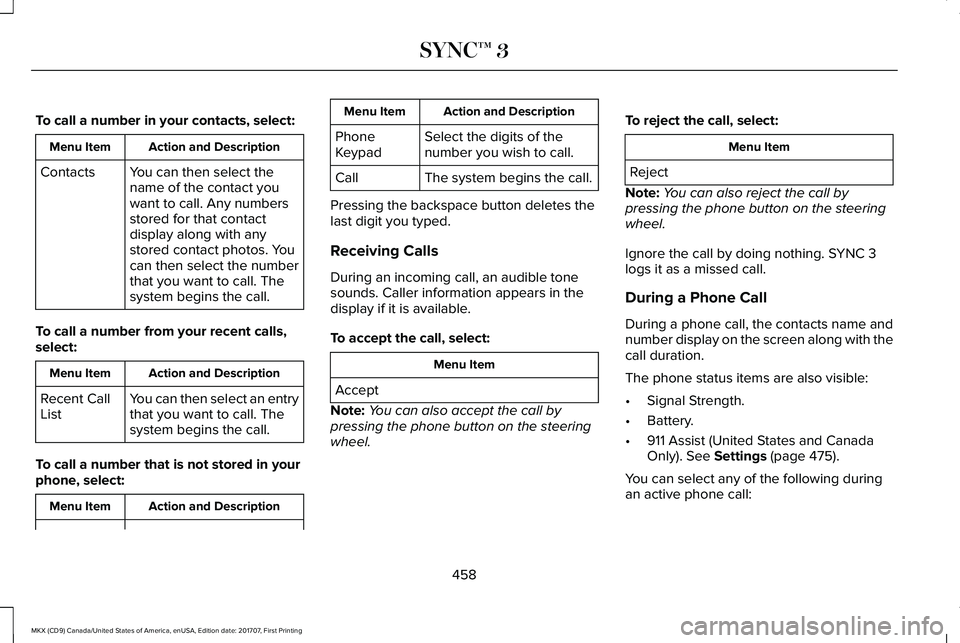
To call a number in your contacts, select:
Action and DescriptionMenu Item
You can then select thename of the contact youwant to call. Any numbersstored for that contactdisplay along with anystored contact photos. Youcan then select the numberthat you want to call. Thesystem begins the call.
Contacts
To call a number from your recent calls,select:
Action and DescriptionMenu Item
You can then select an entrythat you want to call. Thesystem begins the call.
Recent CallList
To call a number that is not stored in yourphone, select:
Action and DescriptionMenu Item
Action and DescriptionMenu Item
Select the digits of thenumber you wish to call.PhoneKeypad
The system begins the call.Call
Pressing the backspace button deletes thelast digit you typed.
Receiving Calls
During an incoming call, an audible tonesounds. Caller information appears in thedisplay if it is available.
To accept the call, select:
Menu Item
Accept
Note:You can also accept the call bypressing the phone button on the steeringwheel.
To reject the call, select:
Menu Item
Reject
Note:You can also reject the call bypressing the phone button on the steeringwheel.
Ignore the call by doing nothing. SYNC 3logs it as a missed call.
During a Phone Call
During a phone call, the contacts name andnumber display on the screen along with thecall duration.
The phone status items are also visible:
•Signal Strength.
•Battery.
•911 Assist (United States and CanadaOnly). See Settings (page 475).
You can select any of the following duringan active phone call:
458
MKX (CD9) Canada/United States of America, enUSA, Edition date: 201707, First Printing
SYNC™ 3
Page 593 of 603
Automatic Transmission..............................188Automatic Transmission AdaptiveLearning............................................................192Brake-Shift Interlock Override..........................191If Your Vehicle Gets Stuck In Mud orSnow..................................................................192Push Button Shift Transmission.......................188SelectShift Automatic™ Transmission.............190
Automatic Transmission Fluid Check - 2.7LEcoBoost™/3.7L............................................321Adding Transmission Fluid ..............................322Checking the Transmission Fluid Level ........321
Autowipers.......................................................94Autowipers Settings.............................................94
Auxiliary Power Points..................................167110 Volt AC Power Point.....................................16712 Volt DC Power Point......................................167Locations................................................................167
AWDSee: All-Wheel Drive...........................................193
B
BatterySee: Changing the 12V Battery.......................324
Blind Spot Information System.................244Switching the System Off and On..................245System Errors......................................................245
Using the Blind Spot InformationSystem..............................................................244
Body Styling Kits...........................................342Bonnet LockSee: Opening and Closing the Hood............308
Booster Seats..................................................30Types of Booster Seats........................................31
Brake Fluid Check........................................323Brakes..............................................................199General Information............................................199
Breaking-In......................................................271Bulb Specification Chart.............................329
C
Cabin Air Filter...............................................148California Proposition 65...............................12Capacities and Specifications - 2.7LEcoBoost™....................................................387Alternative Engine Oil for Extremely ColdClimates...........................................................392Specifications......................................................388
Capacities and Specifications - 3.7L........394Alternative Engine Oil for Extremely ColdClimates...........................................................399Specifications......................................................395
Capacities and Specifications....................381Cargo Nets.....................................................257
Car WashSee: Cleaning the Exterior...............................334
Catalytic Converter.......................................185On-Board Diagnostics (OBD-II)........................186Readiness for Inspection and Maintenance(I/M) Testing.......................................................187
Center Console.............................................169Changing a Bulb...........................................328Headlamp.............................................................329LED Lamps...........................................................329
Changing a Fuse..........................................305Fuses.....................................................................305
Changing a Road Wheel.............................373Dissimilar Spare Wheel and Tire AssemblyInformation.......................................................374Stowing the flat tire ...........................................377Tire Change Procedure....................................375
Changing the 12V Battery..........................324Changing the Engine Air Filter..................332Changing the Wiper Blades......................326Changing the Rear Window WiperBlade.................................................................326Changing the Windshield Wiper Blades......326
Checking MyKey System Status.................69Checking the Wiper Blades.......................326Child Restraint and SeatbeltMaintenance..................................................44Child Restraint Positioning...........................33
590
MKX (CD9) Canada/United States of America, enUSA, Edition date: 201707, First Printing
Index
Page 594 of 603
Child Safety.......................................................19General Information..............................................19
Child Safety Locks..........................................34Left-Hand Side.......................................................35Right-Hand Side....................................................35
Cleaning Leather Seats..............................339Cleaning Products........................................333Materials................................................................333
Cleaning the Engine....................................335Cleaning the Exterior...................................334Cleaning the Headlamps..................................334Exterior Chrome Parts.......................................334Exterior Plastic Parts..........................................335Stripes or Graphics............................................335Underbody...........................................................335Under Hood.........................................................335
Cleaning the Instrument Panel andInstrument Cluster Lens...........................338Cleaning the Interior....................................336Cleaning Black Label or PresidentialInterior...............................................................337
Cleaning the Wheels...................................339Cleaning the Windows and WiperBlades...........................................................336Clearing All MyKeys.......................................67Climate............................................................449Climate Control..............................................145
Climate Controlled Seats.............................161Cooled Seats........................................................162
Coolant CheckSee: Engine Coolant Check..............................316
Crash Sensors and Airbag Indicator..........55Creating a MyKey...........................................66Programming/Changing ConfigurableSettings...............................................................66
Cross Traffic Alert.........................................246Blocked Sensors................................................249Switching the System Off and On..................249System Errors......................................................249System Lights, Messages and AudibleAlerts.................................................................249System Limitations.............................................249Using the Cross Traffic Alert System.............246
Cruise Control.................................................92Principle of Operation.......................................229
Cruise controlSee: Using Cruise Control...............................229
Customer Assistance..................................280
D
Data Recording..................................................9Event Data Recording...........................................10Service Data Recording.........................................9
Daytime Running Lamps...............................98Type One - Conventional(Non-Configurable)..........................................99Type Two - Configurable....................................99
Direction Indicators.......................................101Doors and Locks.............................................72Drive Control.................................................255LINCOLN DRIVE CONTROL............................255
Driver Alert.....................................................237PRINCIPLE OF OPERATION.............................237USING DRIVER ALERT......................................237
Driver and Passenger Airbags....................48Children and Airbags...........................................49Proper Driver and Front Passenger SeatingAdjustment.........................................................49
Driver and Passenger Knee Airbags.........54Driving Aids....................................................237Driving Hints...................................................271Driving Through Water................................272DRLSee: Daytime Running Lamps...........................98
E
Economical Driving.......................................271Electric Parking Brake................................200Applying the Electric Parking Brake.............200Battery With No Charge...................................202
591
MKX (CD9) Canada/United States of America, enUSA, Edition date: 201707, First Printing
Index
Page 597 of 603
I
In California (U.S. Only)................................281Information Display Control.........................92Information Displays......................................118General Information.............................................118
Information Messages.................................125Active Park............................................................125Adaptive Cruise Control....................................126Adaptive Steering................................................127AdvanceTrac™.......................................................127Airbag.....................................................................128Alarm......................................................................128Automatic Engine Shutdown............................128AWD........................................................................129Battery and Charging System..........................130Blind Spot Information and Cross Traffic AlertSystem................................................................131Collision Warning System..................................132Doors and Locks..................................................132Driver Alert............................................................133Fuel.........................................................................133Hill Start Assist.....................................................134Keys and Intelligent Access..............................134Lane Keeping System........................................135Maintenance.........................................................136MyKey.....................................................................137Park Aid..................................................................138
Park Brake.............................................................138Power Steering....................................................139Remote Start.........................................................140Seats.......................................................................140Starting System ...................................................140Tire Pressure Monitoring System.....................141Traction Control....................................................141Transmission.........................................................142
Installing Child Restraints..............................21Child Seats..............................................................21Using Lap and Shoulder Belts............................21Using Lower Anchors and Tethers forCHildren (LATCH).............................................27Using Tether Straps..............................................29
Instrument Cluster...........................................111Instrument Lighting Dimmer........................98Instrument Panel Overview...........................17Interior Lamps................................................102Front Interior Lamp.............................................102Rear Interior Lamp...............................................103
Interior Mirror.................................................108Auto-Dimming Mirror..........................................108
Introduction.........................................................7
J
Jump Starting the Vehicle..........................276Connecting the Jumper Cables......................277
Jump Starting.......................................................277Preparing Your Vehicle.....................................276Removing the Jumper Cables.........................278
K
Keyless Entry....................................................77SECURICODE™ Keyless Entry Keypad.............77
Keyless Starting..............................................171Ignition Modes.......................................................171
Keys and Remote Controls..........................58
L
Lane Keeping System.................................239Switching the System On and Off..................239
Liftgate...............................................................80Lighting Control..............................................96Headlamp Flasher.................................................97Headlamp High Beam.........................................97
Lighting..............................................................96General Information.............................................96
Lincoln Automotive Financial Services......12Lincoln Protect...............................................514Lincoln Protect (CANADA ONLY)....................515Lincoln Protect Extended Service Plans (U.S.Only)...................................................................514
594
MKX (CD9) Canada/United States of America, enUSA, Edition date: 201707, First Printing
Index
Page 598 of 603
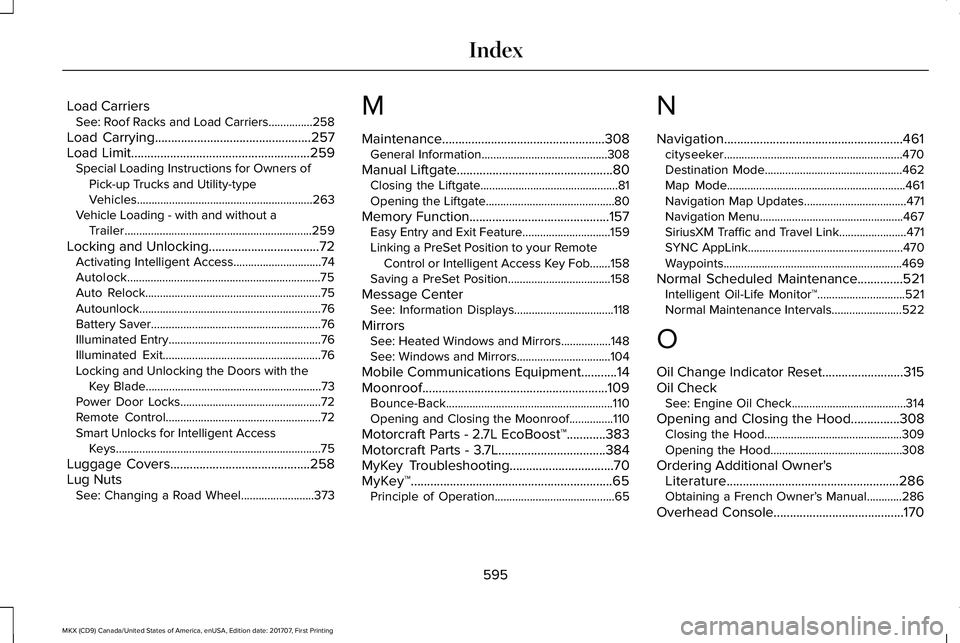
Load CarriersSee: Roof Racks and Load Carriers...............258
Load Carrying................................................257Load Limit.......................................................259Special Loading Instructions for Owners ofPick-up Trucks and Utility-typeVehicles............................................................263Vehicle Loading - with and without aTrailer................................................................259
Locking and Unlocking..................................72Activating Intelligent Access..............................74Autolock..................................................................75Auto Relock............................................................75Autounlock..............................................................76Battery Saver..........................................................76Illuminated Entry....................................................76Illuminated Exit......................................................76Locking and Unlocking the Doors with theKey Blade............................................................73Power Door Locks................................................72Remote Control.....................................................72Smart Unlocks for Intelligent AccessKeys......................................................................75
Luggage Covers...........................................258Lug NutsSee: Changing a Road Wheel.........................373
M
Maintenance..................................................308General Information...........................................308
Manual Liftgate................................................80Closing the Liftgate...............................................81Opening the Liftgate............................................80
Memory Function...........................................157Easy Entry and Exit Feature..............................159Linking a PreSet Position to your RemoteControl or Intelligent Access Key Fob.......158Saving a PreSet Position...................................158
Message CenterSee: Information Displays..................................118
MirrorsSee: Heated Windows and Mirrors.................148See: Windows and Mirrors................................104
Mobile Communications Equipment...........14Moonroof.........................................................109Bounce-Back.........................................................110Opening and Closing the Moonroof...............110
Motorcraft Parts - 2.7L EcoBoost™............383Motorcraft Parts - 3.7L.................................384MyKey Troubleshooting................................70MyKey™..............................................................65Principle of Operation.........................................65
N
Navigation.......................................................461cityseeker.............................................................470Destination Mode...............................................462Map Mode.............................................................461Navigation Map Updates...................................471Navigation Menu.................................................467SiriusXM Traffic and Travel Link.......................471SYNC AppLink.....................................................470Waypoints.............................................................469
Normal Scheduled Maintenance..............521Intelligent Oil-Life Monitor™..............................521Normal Maintenance Intervals........................522
O
Oil Change Indicator Reset.........................315Oil CheckSee: Engine Oil Check.......................................314
Opening and Closing the Hood...............308Closing the Hood...............................................309Opening the Hood.............................................308
Ordering Additional Owner'sLiterature.....................................................286Obtaining a French Owner’s Manual............286
Overhead Console........................................170
595
MKX (CD9) Canada/United States of America, enUSA, Edition date: 201707, First Printing
Index
Page 599 of 603
P
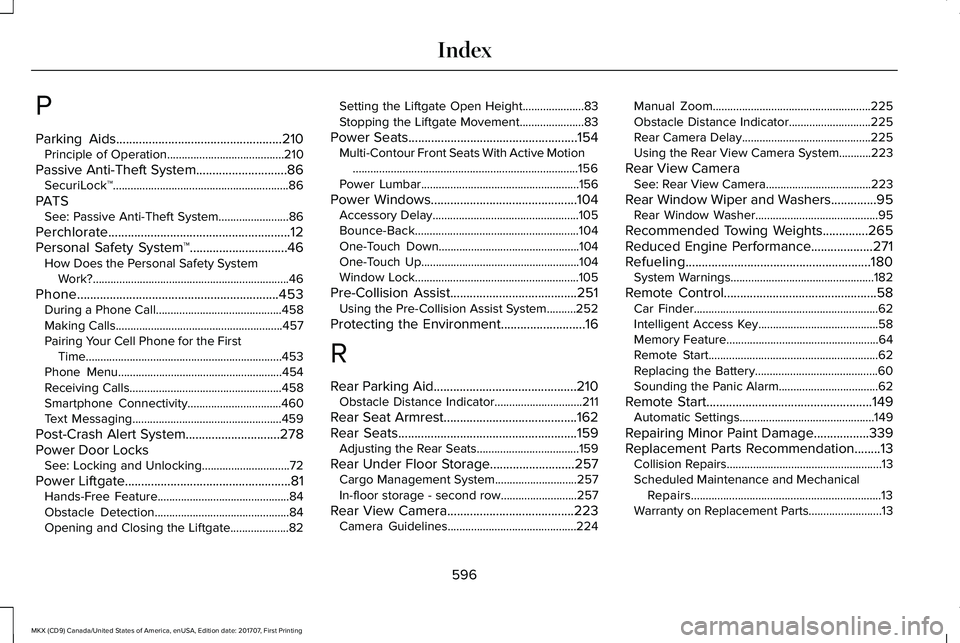
Parking Aids...................................................210Principle of Operation........................................210
Passive Anti-Theft System............................86SecuriLock™............................................................86
PATSSee: Passive Anti-Theft System........................86
Perchlorate........................................................12Personal Safety System™..............................46How Does the Personal Safety SystemWork?...................................................................46
Phone..............................................................453During a Phone Call...........................................458Making Calls.........................................................457Pairing Your Cell Phone for the FirstTime...................................................................453Phone Menu........................................................454Receiving Calls....................................................458Smartphone Connectivity................................460Text Messaging...................................................459
Post-Crash Alert System.............................278Power Door LocksSee: Locking and Unlocking..............................72
Power Liftgate...................................................81Hands-Free Feature.............................................84Obstacle Detection..............................................84Opening and Closing the Liftgate....................82
Setting the Liftgate Open Height.....................83Stopping the Liftgate Movement......................83
Power Seats....................................................154Multi-Contour Front Seats With Active Motion.............................................................................156Power Lumbar......................................................156
Power Windows.............................................104Accessory Delay..................................................105Bounce-Back........................................................104One-Touch Down................................................104One-Touch Up......................................................104Window Lock........................................................105
Pre-Collision Assist.......................................251Using the Pre-Collision Assist System..........252
Protecting the Environment..........................16
R
Rear Parking Aid............................................210Obstacle Distance Indicator..............................211
Rear Seat Armrest.........................................162Rear Seats.......................................................159Adjusting the Rear Seats...................................159
Rear Under Floor Storage..........................257Cargo Management System............................257In-floor storage - second row..........................257
Rear View Camera.......................................223Camera Guidelines............................................224
Manual Zoom......................................................225Obstacle Distance Indicator............................225Rear Camera Delay............................................225Using the Rear View Camera System...........223
Rear View CameraSee: Rear View Camera....................................223
Rear Window Wiper and Washers..............95Rear Window Washer..........................................95
Recommended Towing Weights..............265Reduced Engine Performance...................271Refueling.........................................................180System Warnings.................................................182
Remote Control...............................................58Car Finder...............................................................62Intelligent Access Key.........................................58Memory Feature....................................................64Remote Start..........................................................62Replacing the Battery..........................................60Sounding the Panic Alarm..................................62
Remote Start...................................................149Automatic Settings..............................................149
Repairing Minor Paint Damage.................339Replacement Parts Recommendation........13Collision Repairs.....................................................13Scheduled Maintenance and MechanicalRepairs.................................................................13Warranty on Replacement Parts.........................13
596
MKX (CD9) Canada/United States of America, enUSA, Edition date: 201707, First Printing
Index