lock LINCOLN MKX 2018 Owner's Manual
[x] Cancel search | Manufacturer: LINCOLN, Model Year: 2018, Model line: MKX, Model: LINCOLN MKX 2018Pages: 603, PDF Size: 4.94 MB
Page 75 of 603
LOCKING AND UNLOCKING
You can use the power door lock control orthe remote control to lock and unlock yourvehicle.
Power Door Locks
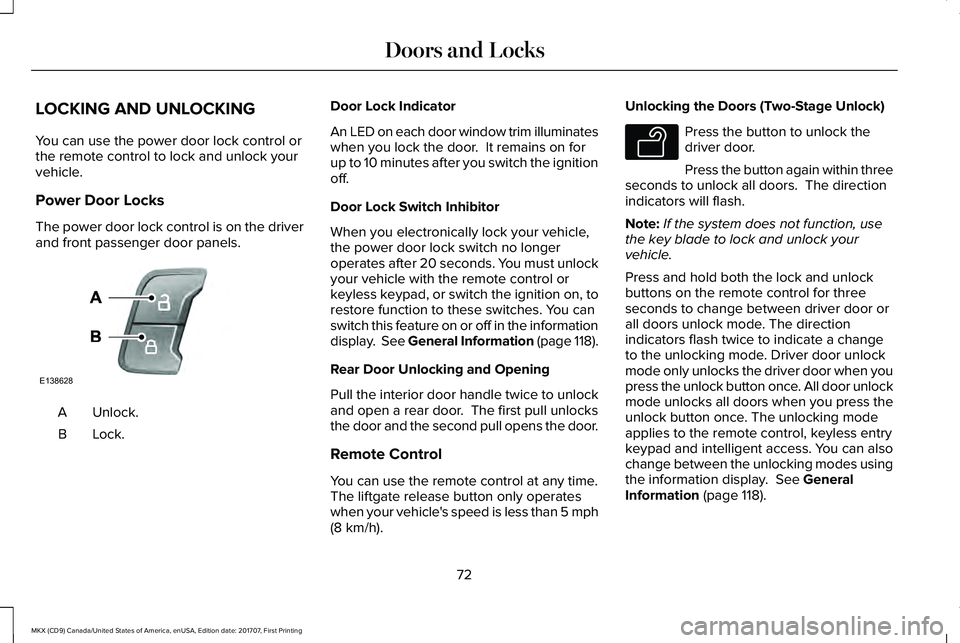
The power door lock control is on the driverand front passenger door panels.
Unlock.A
Lock.B
Door Lock Indicator
An LED on each door window trim illuminateswhen you lock the door. It remains on forup to 10 minutes after you switch the ignitionoff.
Door Lock Switch Inhibitor
When you electronically lock your vehicle,the power door lock switch no longeroperates after 20 seconds. You must unlockyour vehicle with the remote control orkeyless keypad, or switch the ignition on, torestore function to these switches. You canswitch this feature on or off in the informationdisplay. See General Information (page 118).
Rear Door Unlocking and Opening
Pull the interior door handle twice to unlockand open a rear door. The first pull unlocksthe door and the second pull opens the door.
Remote Control
You can use the remote control at any time.The liftgate release button only operateswhen your vehicle's speed is less than 5 mph(8 km/h).
Unlocking the Doors (Two-Stage Unlock)
Press the button to unlock thedriver door.
Press the button again within threeseconds to unlock all doors. The directionindicators will flash.
Note:If the system does not function, usethe key blade to lock and unlock yourvehicle.
Press and hold both the lock and unlockbuttons on the remote control for threeseconds to change between driver door orall doors unlock mode. The directionindicators flash twice to indicate a changeto the unlocking mode. Driver door unlockmode only unlocks the driver door when youpress the unlock button once. All door unlockmode unlocks all doors when you press theunlock button once. The unlocking modeapplies to the remote control, keyless entrykeypad and intelligent access. You can alsochange between the unlocking modes usingthe information display. See GeneralInformation (page 118).
72
MKX (CD9) Canada/United States of America, enUSA, Edition date: 201707, First Printing
Doors and LocksE138628 E138629
Page 76 of 603
Reprogramming the Unlocking Function
Note: When you press the unlock button,either all the doors are unlocked or only thedriver door is unlocked. Pressing the unlockbutton again unlocks all the doors.
Press and hold the unlock and lock buttonson the remote control simultaneously for atleast four seconds with the ignition off. Thedirection indicators flash twice to confirm thechange.
To return to the original unlocking function,repeat the process.
Locking the Doors
Press the button to lock all doors. The direction indicators will flash.
Press the button again within threeseconds to confirm that all the doors areclosed. The doors will lock again, a tonesounds and the direction indicators will flashif all the doors and the liftgate are closed.
Note:If the system does not function, usethe key blade to lock and unlock yourvehicle.
Mislock
If any door or the liftgate is open, or if thehood is open on vehicles with an anti-theftalarm or remote start, a tone sounds and thedirection indicators do not flash. You canswitch this feature on or off in the informationdisplay. See General Information (page 118).
Opening the Liftgate
Press twice within three secondsto open the liftgate.
Locking and Unlocking the Doors withthe Key Blade
Locking the Doors
If the central locking function does notoperate, lock the doors individually using thekey in the position shown.
73
MKX (CD9) Canada/United States of America, enUSA, Edition date: 201707, First Printing
Doors and LocksE138623 E138630 E112203
Page 77 of 603
Left-Hand Side
Turn clockwise to lock.
Right-Hand Side
Turn counterclockwise to lock.
Unlocking the Doors
If the central locking function does notoperate, unlock the driver door and thenunlock all other doors individually by pullingthe interior door handles.
Note:When the doors have been unlockedusing this method, the doors must be lockedindividually until the central locking functionhas been repaired.
Activating Intelligent Access
General Information
You can unlock and lock the vehicle withouttaking the keys out of your pocket or pursewhen your intelligent access key is within3 ft (1 m) of your vehicle. Intelligent accessuses a sensor on the back of the door handlefor unlocking and a separate sensor on theface of each door handle for locking.
The system will not function if:
•Your vehicle battery has no charge.
•The key battery has no charge.
•The passive key frequencies are jammed.
Note:The system may not function if thepassive key is close to metal objects orelectronic devices, for example keys or acell phone.
Note:If the system does not function, usethe key blade to lock and unlock yourvehicle. See Remote Control (page 58).
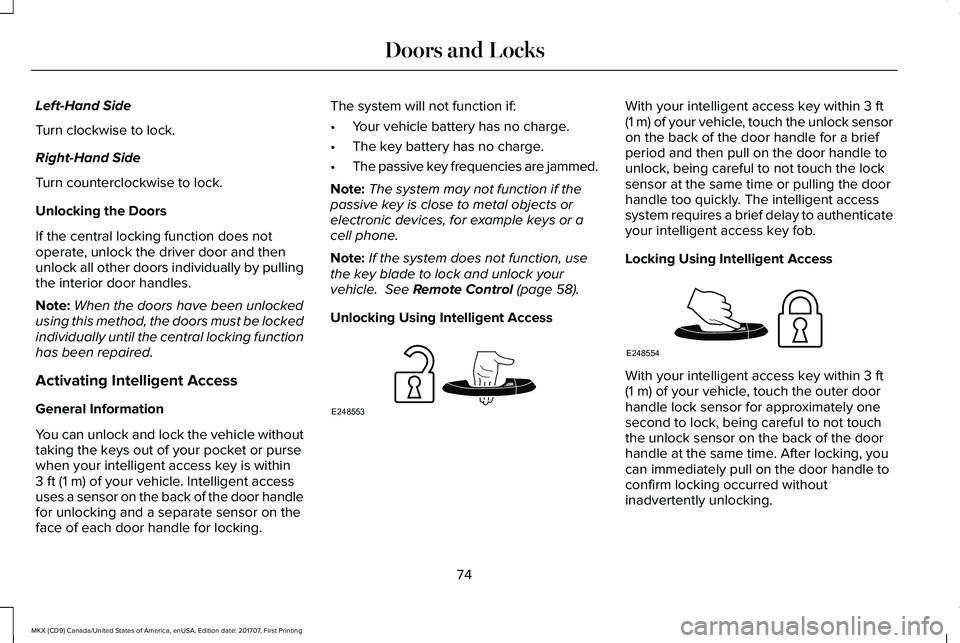
Unlocking Using Intelligent Access
With your intelligent access key within 3 ft(1 m) of your vehicle, touch the unlock sensoron the back of the door handle for a briefperiod and then pull on the door handle tounlock, being careful to not touch the locksensor at the same time or pulling the doorhandle too quickly. The intelligent accesssystem requires a brief delay to authenticateyour intelligent access key fob.
Locking Using Intelligent Access
With your intelligent access key within 3 ft(1 m) of your vehicle, touch the outer doorhandle lock sensor for approximately onesecond to lock, being careful to not touchthe unlock sensor on the back of the doorhandle at the same time. After locking, youcan immediately pull on the door handle toconfirm locking occurred withoutinadvertently unlocking.
74
MKX (CD9) Canada/United States of America, enUSA, Edition date: 201707, First Printing
Doors and LocksE248553 E248554
Page 78 of 603
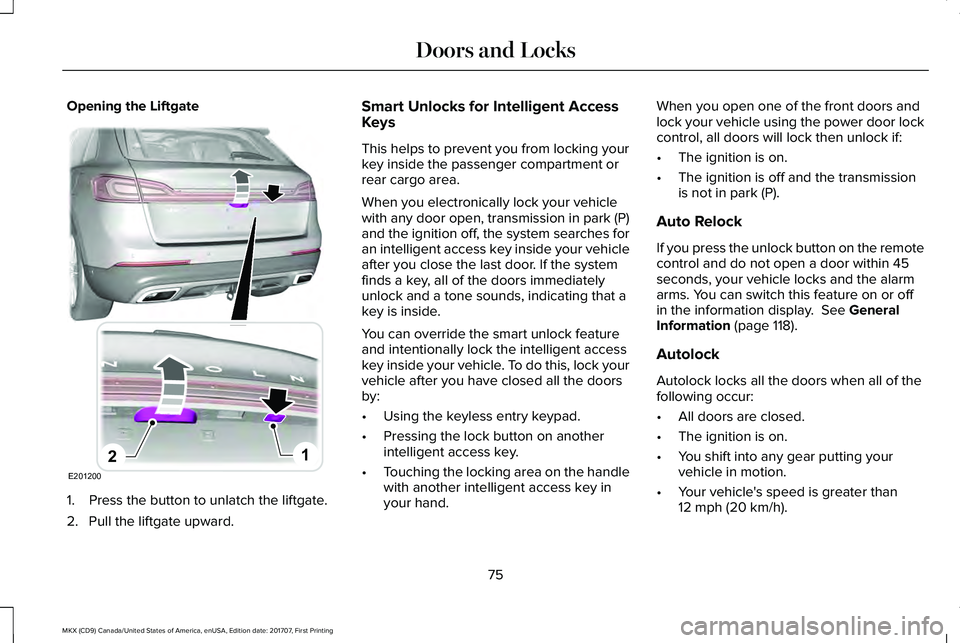
Opening the Liftgate
1. Press the button to unlatch the liftgate.
2. Pull the liftgate upward.
Smart Unlocks for Intelligent AccessKeys
This helps to prevent you from locking yourkey inside the passenger compartment orrear cargo area.
When you electronically lock your vehiclewith any door open, transmission in park (P)and the ignition off, the system searches foran intelligent access key inside your vehicleafter you close the last door. If the systemfinds a key, all of the doors immediatelyunlock and a tone sounds, indicating that akey is inside.
You can override the smart unlock featureand intentionally lock the intelligent accesskey inside your vehicle. To do this, lock yourvehicle after you have closed all the doorsby:
•Using the keyless entry keypad.
•Pressing the lock button on anotherintelligent access key.
•Touching the locking area on the handlewith another intelligent access key inyour hand.
When you open one of the front doors andlock your vehicle using the power door lockcontrol, all doors will lock then unlock if:
•The ignition is on.
•The ignition is off and the transmissionis not in park (P).
Auto Relock
If you press the unlock button on the remotecontrol and do not open a door within 45seconds, your vehicle locks and the alarmarms. You can switch this feature on or offin the information display. See GeneralInformation (page 118).
Autolock
Autolock locks all the doors when all of thefollowing occur:
•All doors are closed.
•The ignition is on.
•You shift into any gear putting yourvehicle in motion.
•Your vehicle's speed is greater than12 mph (20 km/h).
75
MKX (CD9) Canada/United States of America, enUSA, Edition date: 201707, First Printing
Doors and LocksE201200
12
Page 79 of 603
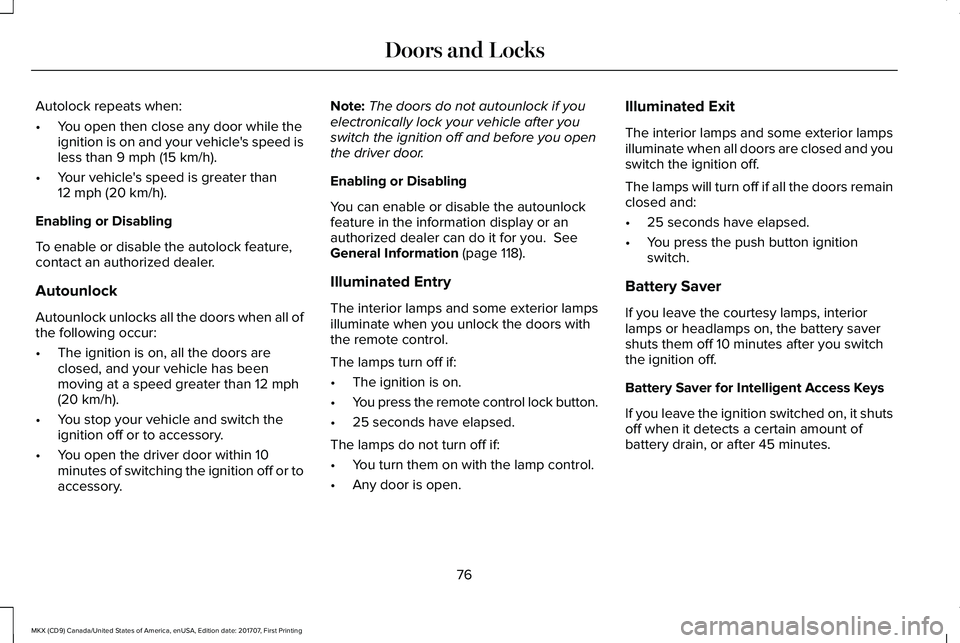
Autolock repeats when:
•You open then close any door while theignition is on and your vehicle's speed isless than 9 mph (15 km/h).
•Your vehicle's speed is greater than12 mph (20 km/h).
Enabling or Disabling
To enable or disable the autolock feature,contact an authorized dealer.
Autounlock
Autounlock unlocks all the doors when all ofthe following occur:
•The ignition is on, all the doors areclosed, and your vehicle has beenmoving at a speed greater than 12 mph(20 km/h).
•You stop your vehicle and switch theignition off or to accessory.
•You open the driver door within 10minutes of switching the ignition off or toaccessory.
Note:The doors do not autounlock if youelectronically lock your vehicle after youswitch the ignition off and before you openthe driver door.
Enabling or Disabling
You can enable or disable the autounlockfeature in the information display or anauthorized dealer can do it for you. SeeGeneral Information (page 118).
Illuminated Entry
The interior lamps and some exterior lampsilluminate when you unlock the doors withthe remote control.
The lamps turn off if:
•The ignition is on.
•You press the remote control lock button.
•25 seconds have elapsed.
The lamps do not turn off if:
•You turn them on with the lamp control.
•Any door is open.
Illuminated Exit
The interior lamps and some exterior lampsilluminate when all doors are closed and youswitch the ignition off.
The lamps will turn off if all the doors remainclosed and:
•25 seconds have elapsed.
•You press the push button ignitionswitch.
Battery Saver
If you leave the courtesy lamps, interiorlamps or headlamps on, the battery savershuts them off 10 minutes after you switchthe ignition off.
Battery Saver for Intelligent Access Keys
If you leave the ignition switched on, it shutsoff when it detects a certain amount ofbattery drain, or after 45 minutes.
76
MKX (CD9) Canada/United States of America, enUSA, Edition date: 201707, First Printing
Doors and Locks
Page 80 of 603
KEYLESS ENTRY
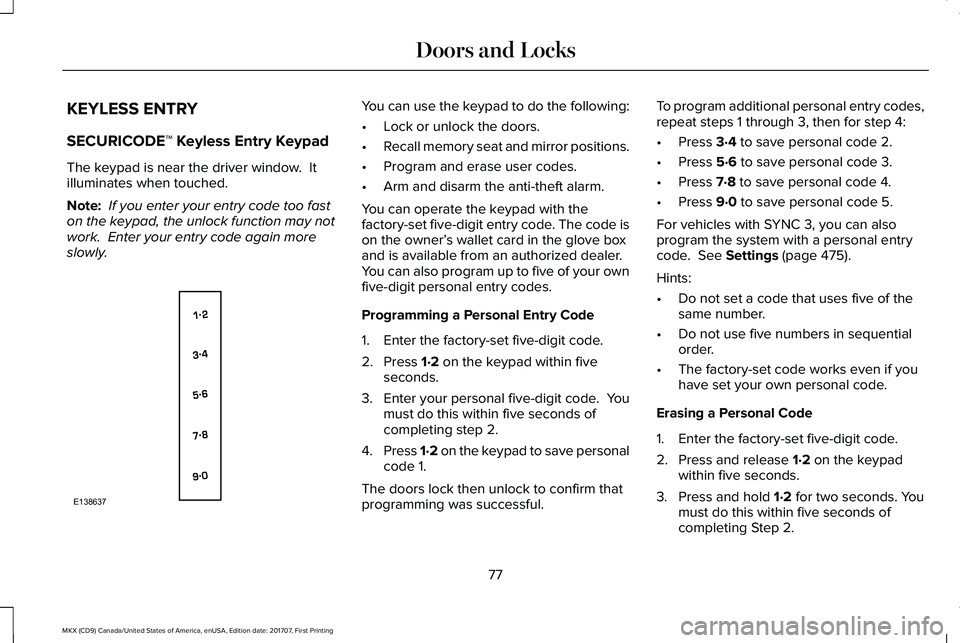
SECURICODE™ Keyless Entry Keypad
The keypad is near the driver window. Itilluminates when touched.
Note: If you enter your entry code too faston the keypad, the unlock function may notwork. Enter your entry code again moreslowly.
You can use the keypad to do the following:
•Lock or unlock the doors.
•Recall memory seat and mirror positions.
•Program and erase user codes.
•Arm and disarm the anti-theft alarm.
You can operate the keypad with thefactory-set five-digit entry code. The code ison the owner’s wallet card in the glove boxand is available from an authorized dealer.You can also program up to five of your ownfive-digit personal entry codes.
Programming a Personal Entry Code
1. Enter the factory-set five-digit code.
2. Press 1·2 on the keypad within fiveseconds.
3.Enter your personal five-digit code. Youmust do this within five seconds ofcompleting step 2.
4.Press 1·2 on the keypad to save personalcode 1.
The doors lock then unlock to confirm thatprogramming was successful.
To program additional personal entry codes,repeat steps 1 through 3, then for step 4:
•Press 3·4 to save personal code 2.
•Press 5·6 to save personal code 3.
•Press 7·8 to save personal code 4.
•Press 9·0 to save personal code 5.
For vehicles with SYNC 3, you can alsoprogram the system with a personal entrycode. See Settings (page 475).
Hints:
•Do not set a code that uses five of thesame number.
•Do not use five numbers in sequentialorder.
•The factory-set code works even if youhave set your own personal code.
Erasing a Personal Code
1. Enter the factory-set five-digit code.
2. Press and release 1·2 on the keypadwithin five seconds.
3. Press and hold 1·2 for two seconds. Youmust do this within five seconds ofcompleting Step 2.
77
MKX (CD9) Canada/United States of America, enUSA, Edition date: 201707, First Printing
Doors and LocksE138637
Page 81 of 603
All personal codes erase and only thefactory-set five-digit code works.
Anti-Scan Feature
The keypad goes into an anti-scan mode ifyou enter the wrong code seven times. Thismode turns off the keypad for one minuteand the keypad lamp flashes.
The anti-scan feature turns off after:
•One minute of keypad inactivity.
•You press the unlock button on theremote control.
•You switch the ignition on.
•You unlock your vehicle using intelligentaccess.
Locking and Unlocking the Doors
Locking All Doors
Press and hold 7·8 and 9·0 simultaneouslywith the driver door closed. You do not needto enter the keypad code first.
Unlocking the Driver Door
Enter the factory-set or your personalfive-digit code. You must press each numberwithin five seconds of each other. Theinterior lamps illuminate.
Note:All doors unlock if you switch on theall-door unlocking mode. See Locking andUnlocking (page 72).
Unlocking All Doors
Enter the factory-set or your personalfive-digit code, then press 3·4 within fiveseconds.
Displaying the Factory-Set Code
Note:You need to have two programmedintelligent access keys for this procedure.
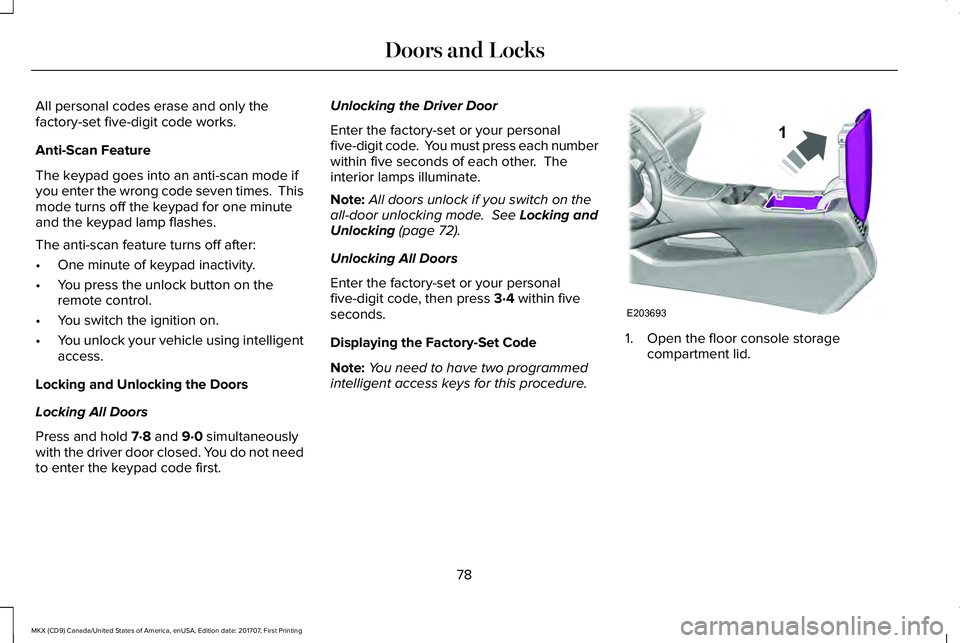
1. Open the floor console storagecompartment lid.
78
MKX (CD9) Canada/United States of America, enUSA, Edition date: 201707, First Printing
Doors and LocksE203693
1
Page 82 of 603
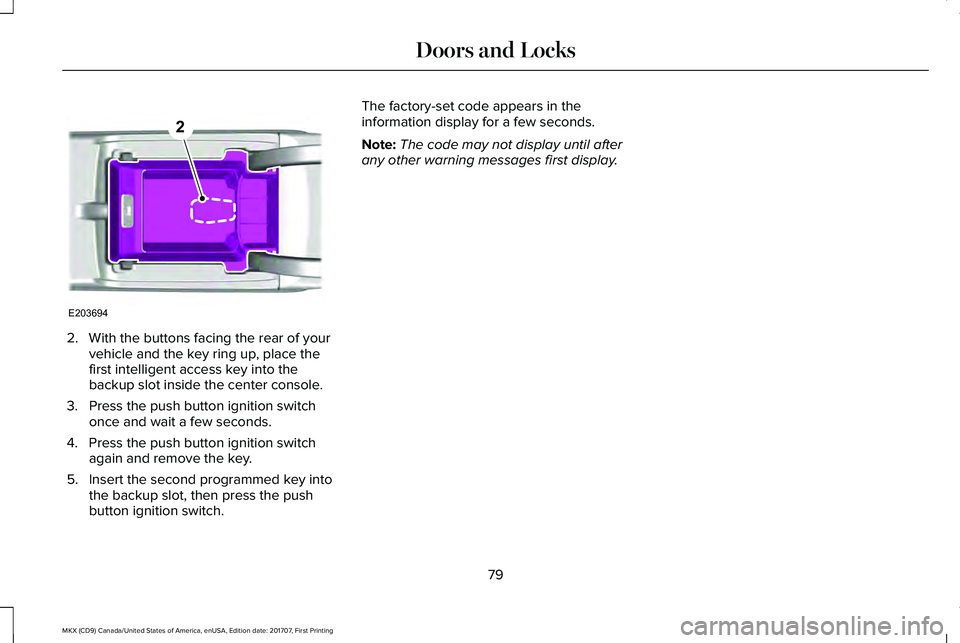
2. With the buttons facing the rear of yourvehicle and the key ring up, place thefirst intelligent access key into thebackup slot inside the center console.
3. Press the push button ignition switchonce and wait a few seconds.
4. Press the push button ignition switchagain and remove the key.
5. Insert the second programmed key intothe backup slot, then press the pushbutton ignition switch.
The factory-set code appears in theinformation display for a few seconds.
Note:The code may not display until afterany other warning messages first display.
79
MKX (CD9) Canada/United States of America, enUSA, Edition date: 201707, First Printing
Doors and LocksE203694
2
Page 85 of 603
Three warning tones sound as the liftgatebegins to power close. If there is a problemwith the open or close request, one of thefollowing may occur:
•A tone sounds if the ignition is on andthe transmission is not in park (P).
•A tone sounds if the battery voltage isbelow the minimum operating voltage.
•A tone sounds if the liftgate is not fullyclosed and your vehicle is moving at aspeed greater than 3 mph (5 km/h).
If the liftgate starts to close after it has fullyopened, this indicates there may beexcessive weight on the liftgate or a possiblestrut failure. A repetitive tone sounds andthe liftgate closes under control. Removeany excessive weight from the liftgate. If theliftgate continues to close after opening,have the system checked by an authorizeddealer.
Opening and Closing the Liftgate
WARNING
Make sure all persons are clear of thepower liftgate area before using thepower liftgate control.
Note: Make sure the area behind yourvehicle is free from obstruction and thatthere is enough room for you to operate theliftgate. Objects too close to your vehicle,for example a wall, garage door or anothervehicle may come into contact with themoving liftgate. This could damage theliftgate and its components.
Note:Be careful when opening or closingthe liftgate in a garage or other enclosedarea to avoid damaging the liftgate.
Note: Do not leave the liftgate open whiledriving. This could damage the liftgate andits components.
From the Instrument Panel
With the transmission in park (P),press the button on the instrumentpanel.
Remote Control
Press the button twice within threeseconds.
Outside Control Button
Opening the Liftgate
1. Unlock the liftgate with the remotecontrol or power door unlock control. Ifa passive key is within 3 ft (1 m) of theliftgate, the liftgate unlocks when youpress the liftgate release button.
82
MKX (CD9) Canada/United States of America, enUSA, Edition date: 201707, First Printing
LiftgateE138633 E138630
Page 89 of 603
PASSIVE ANTI-THEFT SYSTEM
Note: The system is not compatible withnon-Ford aftermarket remote start systems. Use of these systems may result in enginestarting problems and a loss of securityprotection.
Note: Metallic objects, electronic devicesor a second coded key on the same keychain may result in vehicle starting problems,especially if they are too close to the keywhen starting your vehicle. Prevent theseobjects from touching the coded key whenstarting your vehicle. Switch the ignition off,move all objects on the key chain away fromthe coded key and restart your vehicle if aproblem occurs.
Note: Do not leave a duplicate coded keyin your vehicle. Always take your keys andlock all doors when leaving your vehicle.
SecuriLock™
The system helps prevent the engine fromstarting unless you use a coded keyprogrammed to your vehicle. Using thewrong key may prevent your vehicle fromstarting. A message may appear in theinformation display.
If you are unable to start your vehicle with acoded key, it is not operating correctly. Amessage may appear in the informationdisplay.
Automatic Arming
The system arms when you switch theignition off.
Automatic Disarming
The system disarms when you switch theignition on with a coded key.
Replacement Keys
Note:Your vehicle comes with two keys.
The intelligent access key functions as aprogrammed key that operates the driverdoor lock and turns on the intelligent accesswith push button start system, as well as aremote control.
If your coded keys are lost or stolen and youdo not have an extra coded key, you needto erase the key codes from your vehicle andprogram new coded keys. Contact anauthorized dealer.
Store a spare intelligent access key awayfrom your vehicle in a safe place. You canpurchase replacement keys or remotecontrols from an authorized dealer.
Programming a Spare Intelligent AccessKey
Note:You can program a maximum of fourintelligent access keys to your vehicle.
You must have two previously programmedintelligent access keys inside your vehicleand the new unprogrammed intelligentaccess keys readily accessible. Contact anauthorized dealer to have the spare keyprogrammed if two previously programmedkeys are not available.
86
MKX (CD9) Canada/United States of America, enUSA, Edition date: 201707, First Printing
Security