instrument panel LINCOLN MKZ 2013 User Guide
[x] Cancel search | Manufacturer: LINCOLN, Model Year: 2013, Model line: MKZ, Model: LINCOLN MKZ 2013Pages: 474, PDF Size: 3.79 MB
Page 153 of 474
GENERAL INFORMATION
If you disconnect the battery, your
vehicle may exhibit some unusual
driving characteristics for
approximately 5 miles (8 kilometers)
after you reconnect it. This is because
the engine management system must
realign itself with the engine. You can
disregard any unusual driving
characteristics during this period.
WARNINGS
Extended idling at high engine
speeds can produce very high
temperatures in the engine and
exhaust system, creating the risk of
fire or other damage. Do not park, idle or drive your
vehicle on dry grass or other dry
ground cover. The emission system
heats up the engine compartment and
exhaust system, creating the risk of
fire. Do not start the engine in a
closed garage or in other
enclosed areas. Exhaust fumes can
be toxic. Always open the garage door
before you start the engine. If you smell exhaust fumes inside
your vehicle, have your vehicle
checked by your authorized dealer
immediately. Do not drive your vehicle
if you smell exhaust fumes. The powertrain control system meets
all Canadian interference-causing
equipment standard requirements
regulating the impulse electrical field
or radio noise. When you start the engine, avoid
pressing the accelerator pedal before
and during operation. Only use the
accelerator pedal when you have
difficulty starting the engine.
KEYLESS STARTING
WARNING
The keyless starting system may
not function if the key is close to
metal objects or electronic devices
such as mobile phones. Note:
A valid key must be located
inside your vehicle to switch the ignition
on and start the engine.
Switching the Ignition On
(Accessory Mode) Press the START button once. It is
located on the instrument panel near
the steering wheel. All electrical
circuits and accessories are
operational and the warning lamps
and indicators illuminate.
Starting Your Vehicle
Carry out the following steps to start
your vehicle:
1. Fully press the brake pedal.
150
Starting and Stopping the EngineE146431
Page 181 of 474
If the system is disabled,
normal braking is still
effective. If the brake
warning lamp illuminates with the
parking brake released, have your
brake system serviced immediately.
HINTS ON DRIVING WITH
ANTI-LOCK BRAKES
Note: When the system is operating,
the brake pedal will pulse and may
travel further. Maintain pressure on the
brake pedal. You may also hear a noise
from the system. This is normal.
The ABS will not eliminate the risks
when:
• you drive too closely to the vehicle
in front of you
• your vehicle is hydroplaning
• you take corners too fast
• the road surface is poor.
ELECTRIC PARKING BRAKE
The electric parking brake replaces
the conventional handbrake. The
operating switch is located on the
instrument panel to the left of the
steering wheel. WARNING
Always set the parking brake and
leave your vehicle with the
transmission selector lever in position
P. Note:
When you apply the electric
parking brake in certain conditions e.g.
on a steep hill, the electric parking
brake may reapply the brakes within
three to ten minutes.
Note: You may notice various noises
when you apply and release the electric
parking brake. This is normal and no
cause for concern.
Applying the electric parking
brake WARNING
If the brake system warning lamp
does not illuminate or flashes,
there could be a problem with your
electric parking brake. Have the
system checked by an authorized
dealer as soon as possible. Note:
The brake system warning lamp
will illuminate for ten seconds, if the
ignition is turned off after the electric
parking brake has been applied, or the
electric parking brake has been applied
after the ignition has been turned off.
Note: The electric parking brake will
not automatically apply. You must
apply the electric parking brake using
the electric parking brake switch.
178
BrakesE144522
Page 194 of 474
REAR VIEW CAMERA (IF
EQUIPPED) WARNINGS
The rear view camera system is
a reverse aid supplement device
that still requires the driver to use it in
conjunction with the interior and
exterior mirrors for maximum
coverage. Objects that are close to either
corner of the bumper or under
the bumper, might not be seen on the
screen due to the limited coverage of
the camera system. Back up as slow as possible
since higher speeds might limit
your reaction time to stop the vehicle. Use caution when using the rear
video camera and the trunk is
ajar. If the trunk is ajar, the camera will
be out of position and the video image
may be incorrect. All guidelines (if
enabled) have been removed when
the trunk is ajar. Use caution when turning
camera features on or off while
in R (Reverse). Make sure the vehicle
is not moving. The rear view camera system provides
a video image of the area behind the
vehicle. The image will be displayed
in either in the rear view mirror or the
display in the center of the instrument
panel. During operation, lines appear in the
display which represent your vehicle
’s
path and proximity to objects behind
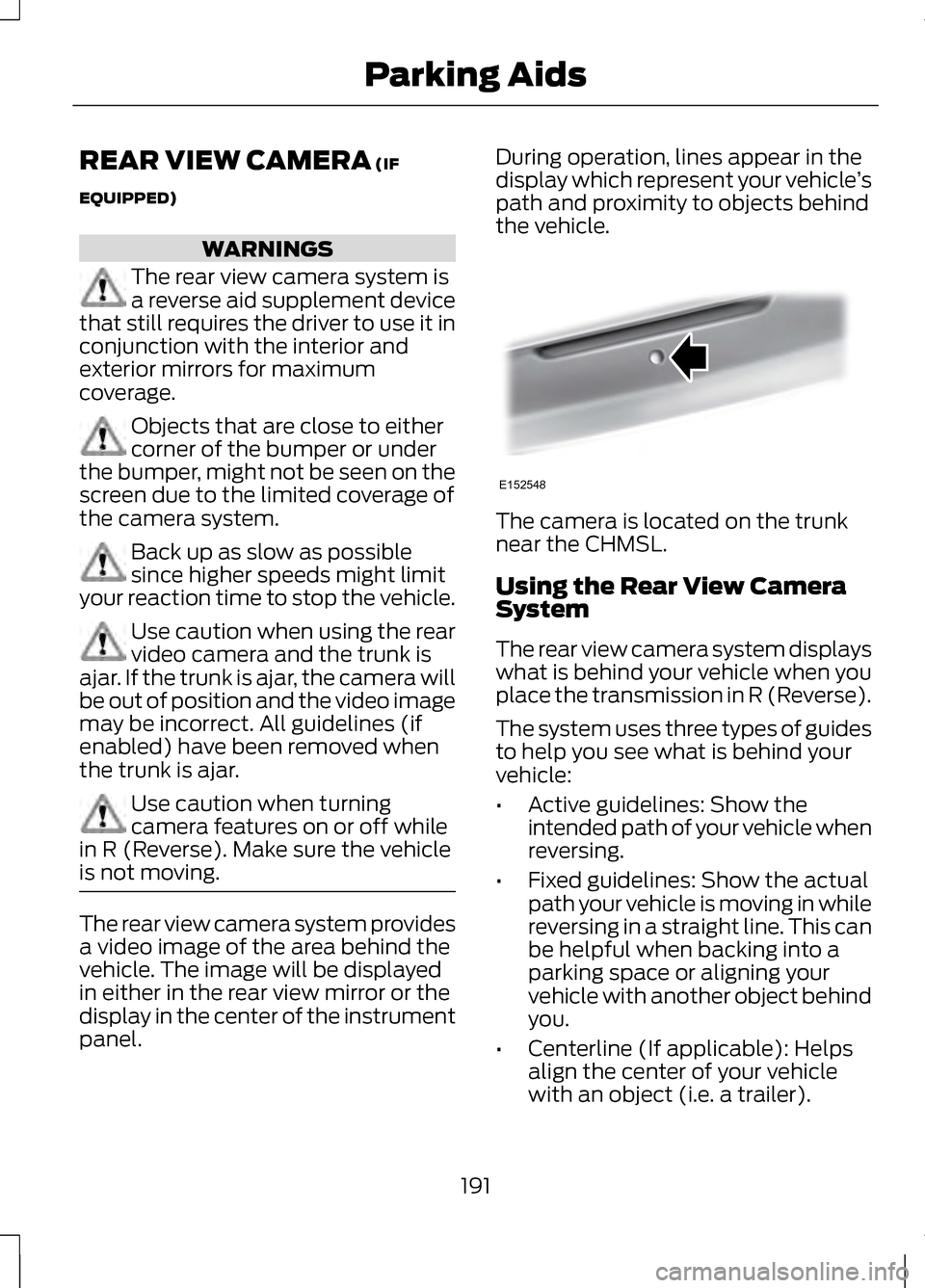
the vehicle. The camera is located on the trunk
near the CHMSL.
Using the Rear View Camera
System
The rear view camera system displays
what is behind your vehicle when you
place the transmission in R (Reverse).
The system uses three types of guides
to help you see what is behind your
vehicle:
•
Active guidelines: Show the
intended path of your vehicle when
reversing.
• Fixed guidelines: Show the actual
path your vehicle is moving in while
reversing in a straight line. This can
be helpful when backing into a
parking space or aligning your
vehicle with another object behind
you.
• Centerline (If applicable): Helps
align the center of your vehicle
with an object (i.e. a trailer).
191
Parking AidsE152548
Page 242 of 474
If you need to arrange roadside
assistance for yourself, Ford Motor
Company will reimburse a reasonable
amount for towing to the nearest
dealership within 35 miles (56 km).
To obtain reimbursement information,
U.S. Lincoln vehicle customers call
1-800-521-4140. Customers will be
asked to submit their original receipts.
Vehicles Sold In Canada :
Getting Roadside Assistance
Canadian customers who require
roadside assistance, call
1-800-665-2006.
Vehicles Sold In Canada : Using
Roadside Assistance
Complete the roadside assistance
identification card and place it in your
wallet for quick reference. In Canada,
the card is found in the Warranty
Guide in the glove box.
Canadian Roadside coverage and
benefits may differ from the U.S.
coverage. Please refer to your
Warranty Guide or visit our website at
www.ford.ca for information on
Canadian services and benefits.
Canadian customers who need to
obtain roadside information, call
1-800-665-2006 or visit our website
at www.ford.ca.
HAZARD WARNING
FLASHERS
Note:
If used when the engine is not
running, the battery will lose charge.
There may be insufficient power to
restart your engine. The hazard warning button
is located on the instrument
panel. Use it when your
vehicle is creating a safety hazard for
other motorists.
• Press the button to turn on the
hazard warning function, and the
front and rear direction indicators
will flash.
• Press the button again to turn
them off.
FUEL CUT-OFF SWITCH WARNING
Failure to inspect and if
necessary repair fuel leaks after
a collision may increase the risk of fire
and serious injury. Ford Motor
Company recommends that the fuel
system be inspected by an authorized
dealer after any collision. In the event of a moderate to severe
collision, this vehicle is equipped with
a fuel pump shut-off feature that
stops the flow of fuel to the engine.
Not every impact will cause a shut-off.
Should your vehicle shut off after a
collision, you may restart your vehicle
by doing the following:
239
Roadside Emergencies
Page 262 of 474
Protected components
Fuse amp rating
Fuse or relay
number
Starter solenoid
30A 1
84
Panoramic roof #2
30A 1
85
1 M-type fuse
2 J-type fuse
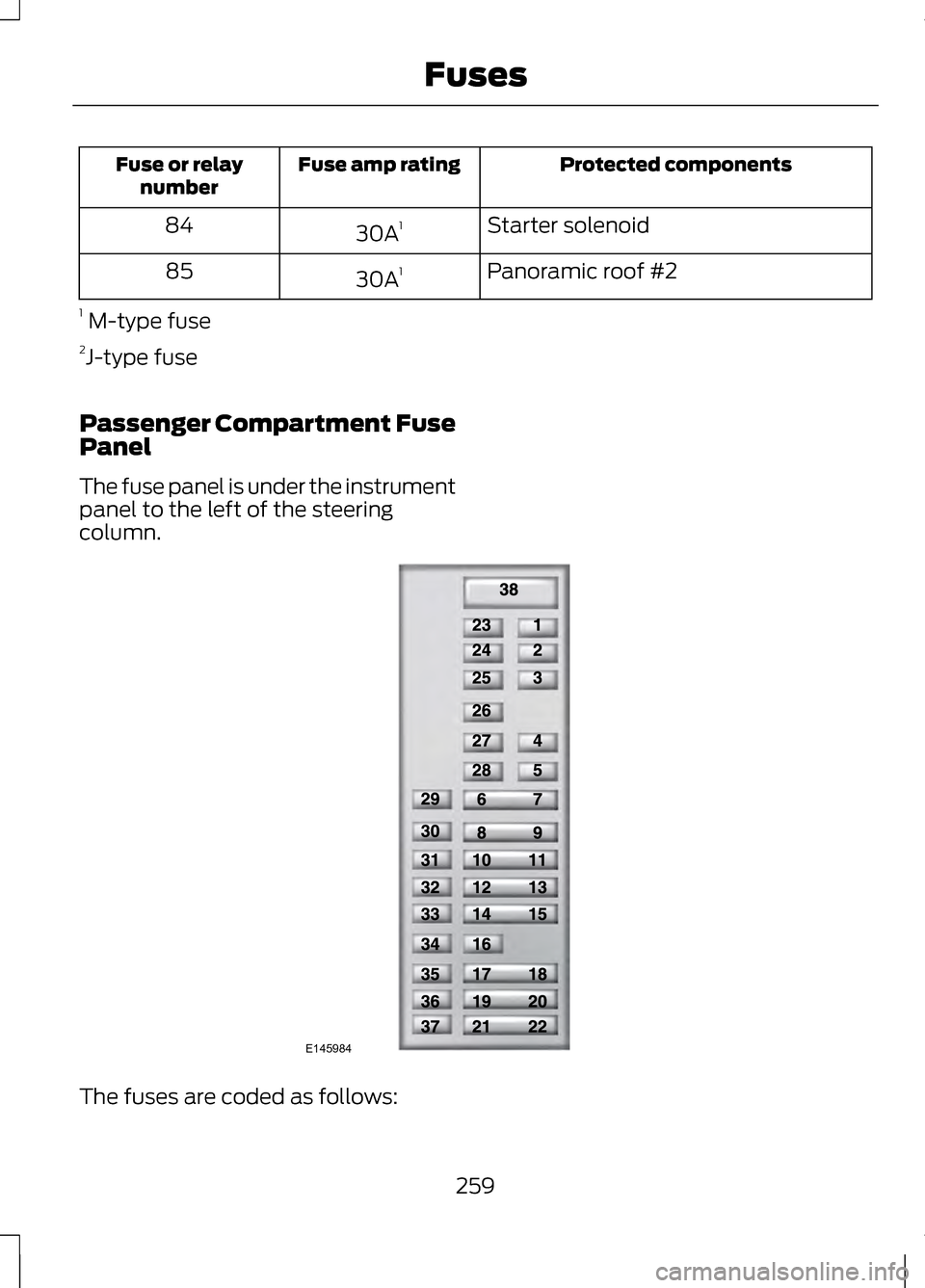
Passenger Compartment Fuse
Panel
The fuse panel is under the instrument
panel to the left of the steering
column. The fuses are coded as follows:
259
FusesE145984
Page 267 of 474
OPENING AND CLOSING
THE HOOD
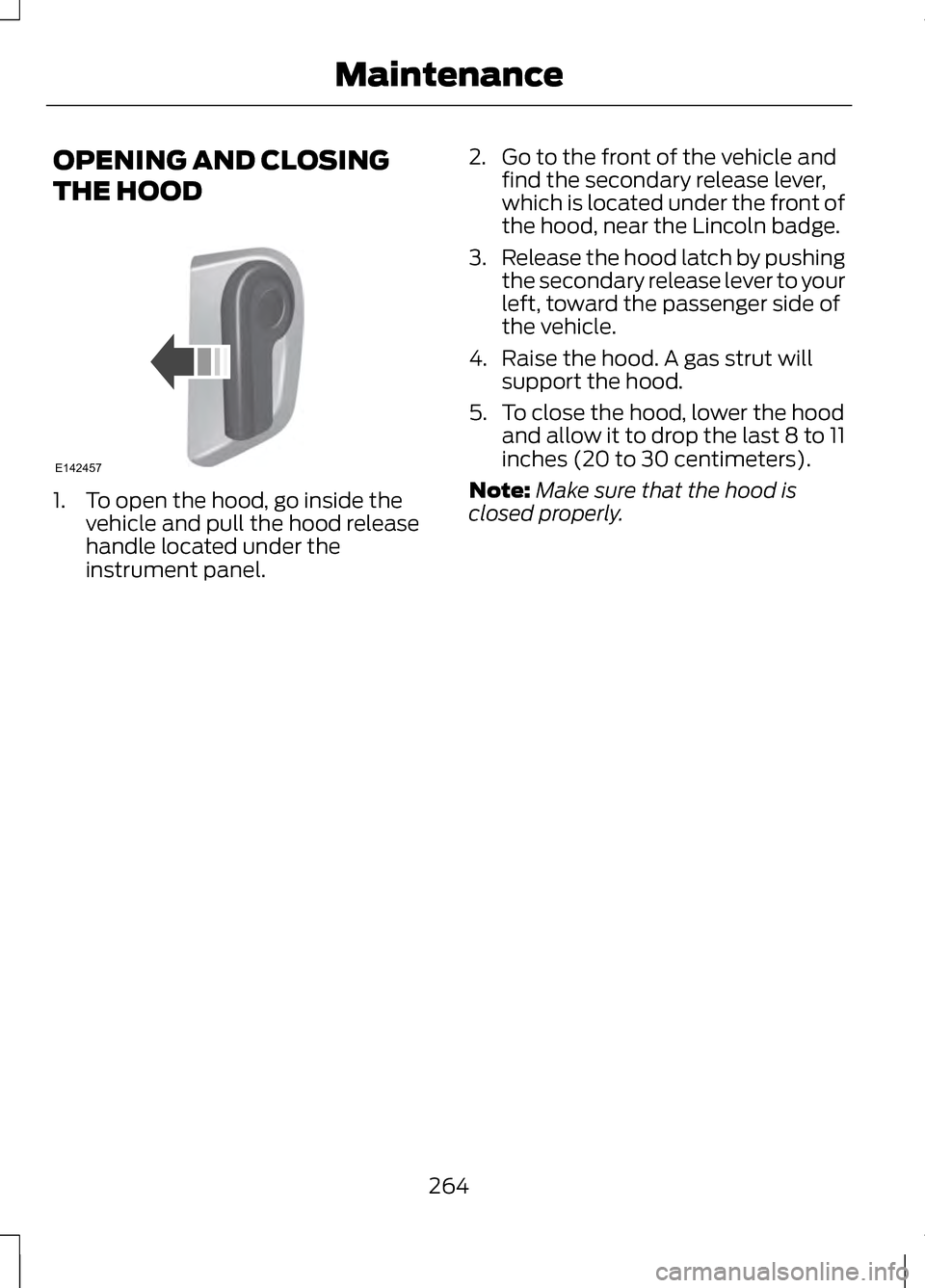
1. To open the hood, go inside the
vehicle and pull the hood release
handle located under the
instrument panel. 2. Go to the front of the vehicle and
find the secondary release lever,
which is located under the front of
the hood, near the Lincoln badge.
3. Release the hood latch by pushing
the secondary release lever to your
left, toward the passenger side of
the vehicle.
4. Raise the hood. A gas strut will support the hood.
5. To close the hood, lower the hood and allow it to drop the last 8 to 11
inches (20 to 30 centimeters).
Note: Make sure that the hood is
closed properly.
264
MaintenanceE142457
Page 290 of 474
If you cannot remove those streaks
after cleaning with the glass cleaner
or if the wipers chatter and move in a
jerky motion, clean the outer surface
of the windshield and the wiper
blades using a sponge or soft cloth
with a neutral detergent or
mild-abrasive cleaning solution. After
cleaning, rinse the windshield and
wiper blades with clean water. The
windshield is clean if beads do not
form when you rinse the windshield
with water.
Note:
Do not use sharp objects, such
as a razor blade, to clean the inside of
the rear window or to remove decals,
as it may cause damage to the rear
window defroster ’s heated grid lines.
CLEANING THE INTERIOR WARNINGS
Do not use cleaning solvents,
bleach or dye on the vehicle
’s
safety belts, as these actions may
weaken the belt webbing. On vehicles equipped with
seat-mounted airbags, do not
use chemical solvents or strong
detergents. Such products could
contaminate the side airbag system
and affect performance of the side
airbag in a collision. For fabric, carpets, cloth seats, safety
belts and seats equipped with side
airbags:
•
Remove dust and loose dirt with a
vacuum cleaner.
• Remove light stains and soil with
Motorcraft® Professional Strength
Carpet & Upholstery Cleaner.
• If grease or tar is present on the
material, spot-clean the area first
with Motorcraft® Spot and Stain
Remover. In Canada, use
Motorcraftt Multi-Purpose Cleaner.
• If a ring forms on the fabric after
spot cleaning, clean the entire area
immediately (but do not
oversaturate) or the ring will set.
• Do not use household cleaning
products or glass cleaners, which
can stain and discolor the fabric
and affect the flame retardant
abilities of the seat materials.
CLEANING THE
INSTRUMENT PANEL AND
INSTRUMENT CLUSTER
LENS WARNING
Do not use chemical solvents or
strong detergents when cleaning
the steering wheel or instrument panel
to avoid contamination of the airbag
system. 287
Vehicle Care
Page 291 of 474
Clean the instrument panel and
cluster lens with a clean, damp, white
cotton cloth, then use a clean and dry
white cotton cloth to dry these areas.
•
Avoid cleaners or polishes that
increase the gloss of the upper
portion of the instrument panel.
The dull finish in this area helps
protect you from undesirable
windshield reflection.
• Be certain to wash or wipe your
hands clean if you have been in
contact with certain products such
as insect repellent and suntan
lotion in order to avoid possible
damage to the interior painted
surfaces.
• Do not use household or glass
cleaners as these may damage the
finish of the instrument panel,
interior trim and cluster lens.
• Do not allow air fresheners and
hand sanitizers to spill onto interior
surfaces. If a spill occurs, wipe off
immediately. Damage may not be
covered by your warranty.
If a staining liquid like coffee or juice
has been spilled on the instrument
panel or on interior trim surfaces,
clean as follows:
1. Wipe up spilled liquid using a clean, white, cotton cloth. 2. Wipe the surface with a damp,
clean, white cotton cloth. For more
thorough cleaning, use a mild soap
and water solution. If the spot
cannot be completely cleaned by
this method, the area may be
cleaned using a commercially
available cleaning product
designed for automotive interiors.
3. If necessary, apply more soap and
water solution or cleaning product
to a clean, white, cotton cloth and
press the cloth onto the soiled
area. Allow this to set at room
temperature for 30 minutes.
4. Remove the soaked cloth and if it is not soiled badly, use this cloth
to clean the area by using a
rubbing motion for 60 seconds.
5. Following this, wipe area dry with a clean, white, cotton cloth.
CLEANING LEATHER SEATS
(IF EQUIPPED)
For routine cleaning, wipe the surface
with a soft, damp cloth. For more
thorough cleaning, wipe the surface
with a mild soap and water solution.
Dry the area with a soft cloth. In
Canada, use Motorcraft® Vinyl
Cleaner.
If the leather cannot be completely
cleaned using a mild soap and water
solution, the leather may be cleaned
using a commercially available leather
cleaning product designed for
automotive interiors.
288
Vehicle Care
Page 298 of 474
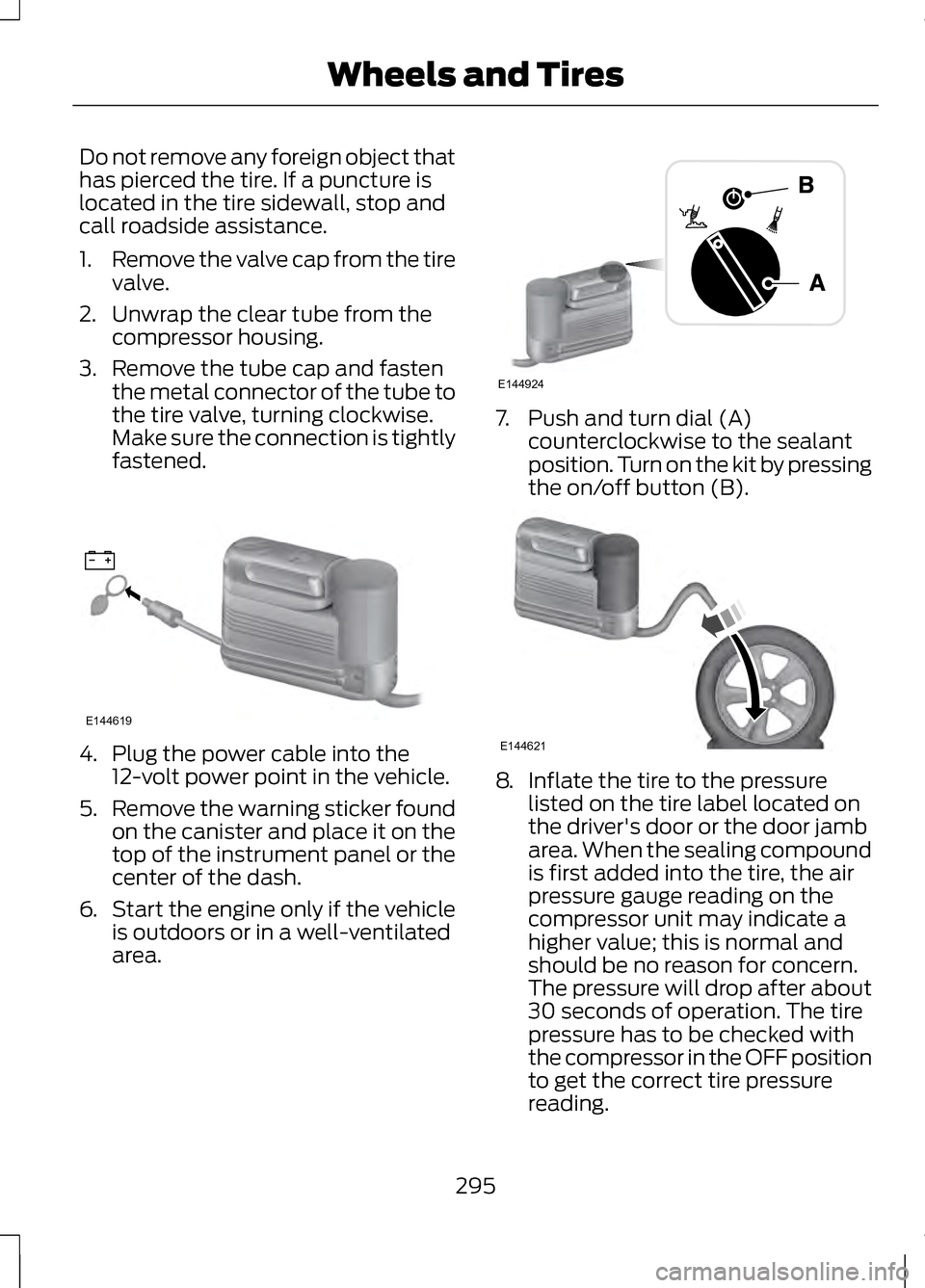
Do not remove any foreign object that
has pierced the tire. If a puncture is
located in the tire sidewall, stop and
call roadside assistance.
1.
Remove the valve cap from the tire
valve.
2. Unwrap the clear tube from the compressor housing.
3. Remove the tube cap and fasten the metal connector of the tube to
the tire valve, turning clockwise.
Make sure the connection is tightly
fastened. 4. Plug the power cable into the
12-volt power point in the vehicle.
5. Remove the warning sticker found
on the canister and place it on the
top of the instrument panel or the
center of the dash.
6. Start the engine only if the vehicle
is outdoors or in a well-ventilated
area. 7. Push and turn dial (A)
counterclockwise to the sealant
position. Turn on the kit by pressing
the on/off button (B). 8.
Inflate the tire to the pressure
listed on the tire label located on
the driver's door or the door jamb
area. When the sealing compound
is first added into the tire, the air
pressure gauge reading on the
compressor unit may indicate a
higher value; this is normal and
should be no reason for concern.
The pressure will drop after about
30 seconds of operation. The tire
pressure has to be checked with
the compressor in the OFF position
to get the correct tire pressure
reading.
295
Wheels and TiresE144619 E144924 E144621
Page 330 of 474
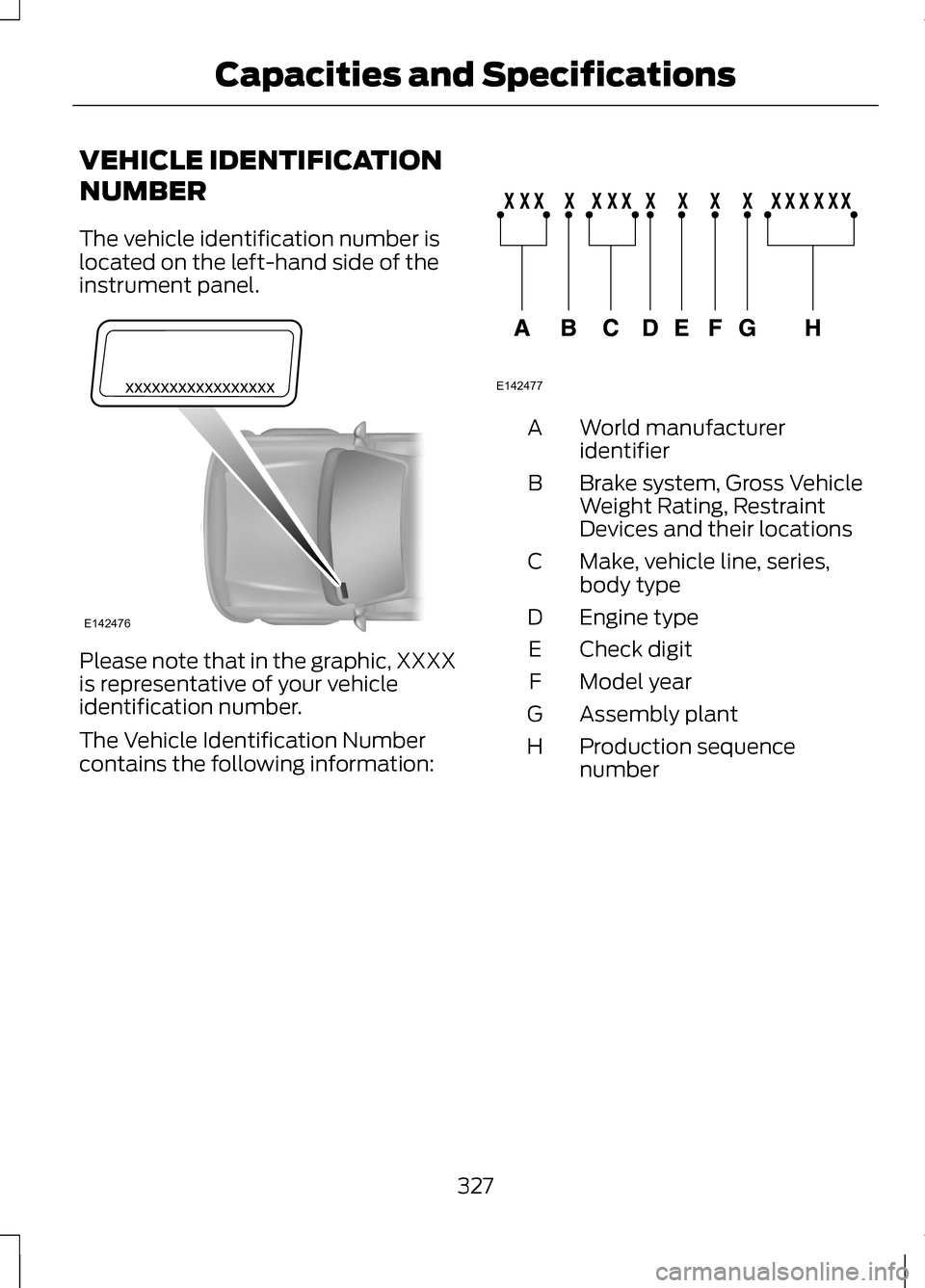
VEHICLE IDENTIFICATION
NUMBER
The vehicle identification number is
located on the left-hand side of the
instrument panel.
Please note that in the graphic, XXXX
is representative of your vehicle
identification number.
The Vehicle Identification Number
contains the following information: World manufacturer
identifier
A
Brake system, Gross Vehicle
Weight Rating, Restraint
Devices and their locations
B
Make, vehicle line, series,
body type
C
Engine type
D
Check digit
E
Model year
F
Assembly plant
G
Production sequence
number
H
327
Capacities and SpecificationsE142476 E142477