radio LINCOLN MKZ 2013 User Guide
[x] Cancel search | Manufacturer: LINCOLN, Model Year: 2013, Model line: MKZ, Model: LINCOLN MKZ 2013Pages: 474, PDF Size: 3.79 MB
Page 146 of 474
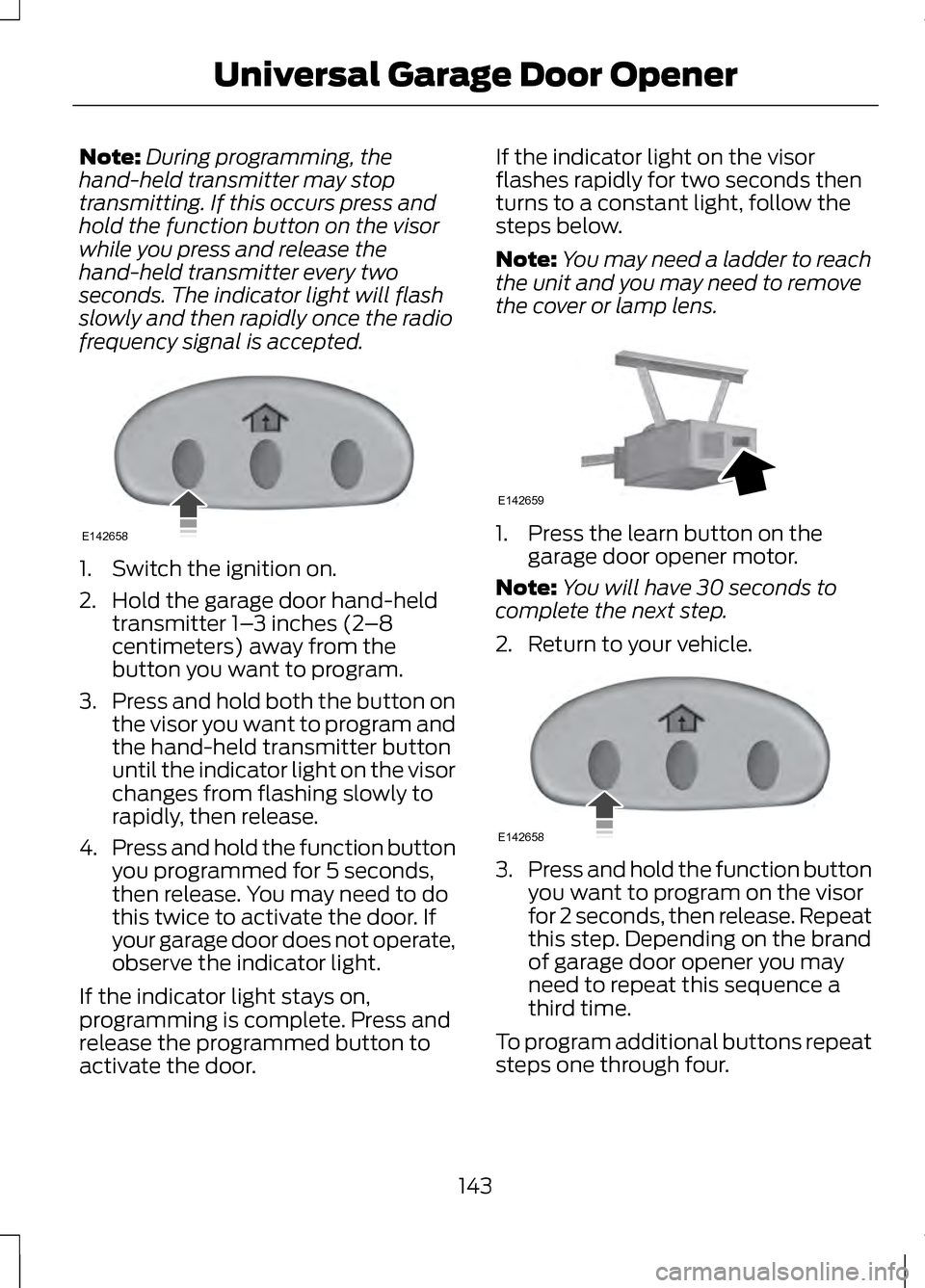
Note:
During programming, the
hand-held transmitter may stop
transmitting. If this occurs press and
hold the function button on the visor
while you press and release the
hand-held transmitter every two
seconds. The indicator light will flash
slowly and then rapidly once the radio
frequency signal is accepted. 1. Switch the ignition on.
2. Hold the garage door hand-held
transmitter 1– 3 inches (2–8
centimeters) away from the
button you want to program.
3. Press and hold both the button on
the visor you want to program and
the hand-held transmitter button
until the indicator light on the visor
changes from flashing slowly to
rapidly, then release.
4. Press and hold the function button
you programmed for 5 seconds,
then release. You may need to do
this twice to activate the door. If
your garage door does not operate,
observe the indicator light.
If the indicator light stays on,
programming is complete. Press and
release the programmed button to
activate the door. If the indicator light on the visor
flashes rapidly for two seconds then
turns to a constant light, follow the
steps below.
Note:
You may need a ladder to reach
the unit and you may need to remove
the cover or lamp lens. 1. Press the learn button on the
garage door opener motor.
Note: You will have 30 seconds to
complete the next step.
2. Return to your vehicle. 3.
Press and hold the function button
you want to program on the visor
for 2 seconds, then release. Repeat
this step. Depending on the brand
of garage door opener you may
need to repeat this sequence a
third time.
To program additional buttons repeat
steps one through four.
143
Universal Garage Door OpenerE142658 E142659 E142658
Page 153 of 474
GENERAL INFORMATION
If you disconnect the battery, your
vehicle may exhibit some unusual
driving characteristics for
approximately 5 miles (8 kilometers)
after you reconnect it. This is because
the engine management system must
realign itself with the engine. You can
disregard any unusual driving
characteristics during this period.
WARNINGS
Extended idling at high engine
speeds can produce very high
temperatures in the engine and
exhaust system, creating the risk of
fire or other damage. Do not park, idle or drive your
vehicle on dry grass or other dry
ground cover. The emission system
heats up the engine compartment and
exhaust system, creating the risk of
fire. Do not start the engine in a
closed garage or in other
enclosed areas. Exhaust fumes can
be toxic. Always open the garage door
before you start the engine. If you smell exhaust fumes inside
your vehicle, have your vehicle
checked by your authorized dealer
immediately. Do not drive your vehicle
if you smell exhaust fumes. The powertrain control system meets
all Canadian interference-causing
equipment standard requirements
regulating the impulse electrical field
or radio noise. When you start the engine, avoid
pressing the accelerator pedal before
and during operation. Only use the
accelerator pedal when you have
difficulty starting the engine.
KEYLESS STARTING
WARNING
The keyless starting system may
not function if the key is close to
metal objects or electronic devices
such as mobile phones. Note:
A valid key must be located
inside your vehicle to switch the ignition
on and start the engine.
Switching the Ignition On
(Accessory Mode) Press the START button once. It is
located on the instrument panel near
the steering wheel. All electrical
circuits and accessories are
operational and the warning lamps
and indicators illuminate.
Starting Your Vehicle
Carry out the following steps to start
your vehicle:
1. Fully press the brake pedal.
150
Starting and Stopping the EngineE146431
Page 187 of 474
PARKING AID (IF EQUIPPED)
WARNINGS
To help avoid personal injury,
please read and understand the
limitations of the system as contained
in this section. Sensing is only an aid
for some (generally large and fixed)
objects when moving in reverse on a
flat surface at parking speeds. Traffic
control systems, inclement weather,
air brakes, and external motors and
fans may also affect the function of
the sensing system; this may include
reduced performance or a false
activation. To help avoid personal injury,
always use caution when in R
(Reverse) and when using the sensing
system. This system is not designed to
prevent contact with small or
moving objects. The system is
designed to provide a warning to
assist the driver in detecting large
stationary objects to avoid damaging
the vehicle. The system may not
detect smaller objects, particularly
those close to the ground. Certain add-on devices such as
large trailer hitches, bike or
surfboard racks and any device that
may block the normal detection zone
of the system, may create false beeps. Note:
Keep the sensors, located on the
bumper or fascia, free from snow, ice
and large accumulations of dirt. If the
sensors are covered, the system ’s
accuracy can be affected. Do not clean
the sensors with sharp objects.
Note: If your vehicle sustains damage
to the bumper or fascia, leaving it
misaligned or bent, the sensing zone
may be altered causing inaccurate
measurement of obstacles or false
alarms.
Note: If your vehicle is equipped with
MyKey®, it is possible to prevent
turning the sensing system off. See
MyKey®
(page 58).
The sensing system warns the driver
of obstacles within a certain range of
the bumper area. The system turns on
automatically whenever the ignition
is switched on.
When receiving a detection warning,
the radio volume is reduced to a
predetermined level. After the warning
goes away, the radio volume returns
to the previous level.
The system can be switched off
through the information display menu
or from the pop-up message that
appears once the transmission is
shifted into
R. See General
Information (page 100).
If a fault is present in the system, a
warning message appears in the
information display and does not
allow the driver to switch the faulted
system on. See
Information
Messages (page 105).
184
Parking Aids
Page 189 of 474
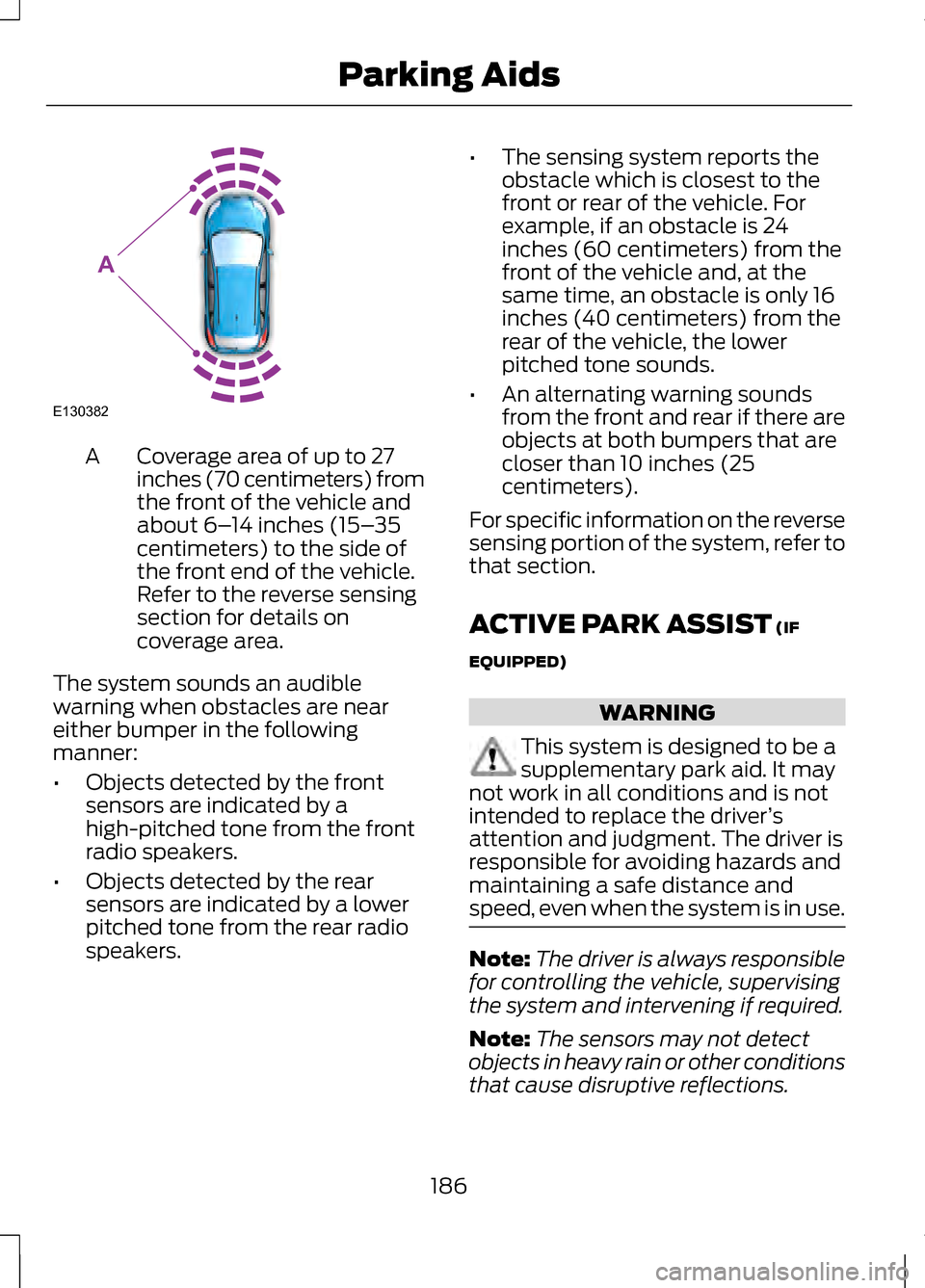
Coverage area of up to 27
inches (70 centimeters) from
the front of the vehicle and
about 6–
14 inches (15– 35
centimeters) to the side of
the front end of the vehicle.
Refer to the reverse sensing
section for details on
coverage area.
A
The system sounds an audible
warning when obstacles are near
either bumper in the following
manner:
• Objects detected by the front
sensors are indicated by a
high-pitched tone from the front
radio speakers.
• Objects detected by the rear
sensors are indicated by a lower
pitched tone from the rear radio
speakers. •
The sensing system reports the
obstacle which is closest to the
front or rear of the vehicle. For
example, if an obstacle is 24
inches (60 centimeters) from the
front of the vehicle and, at the
same time, an obstacle is only 16
inches (40 centimeters) from the
rear of the vehicle, the lower
pitched tone sounds.
• An alternating warning sounds
from the front and rear if there are
objects at both bumpers that are
closer than 10 inches (25
centimeters).
For specific information on the reverse
sensing portion of the system, refer to
that section.
ACTIVE PARK ASSIST (IF
EQUIPPED) WARNING
This system is designed to be a
supplementary park aid. It may
not work in all conditions and is not
intended to replace the driver ’s
attention and judgment. The driver is
responsible for avoiding hazards and
maintaining a safe distance and
speed, even when the system is in use. Note:
The driver is always responsible
for controlling the vehicle, supervising
the system and intervening if required.
Note: The sensors may not detect
objects in heavy rain or other conditions
that cause disruptive reflections.
186
Parking AidsE130382
A
Page 197 of 474
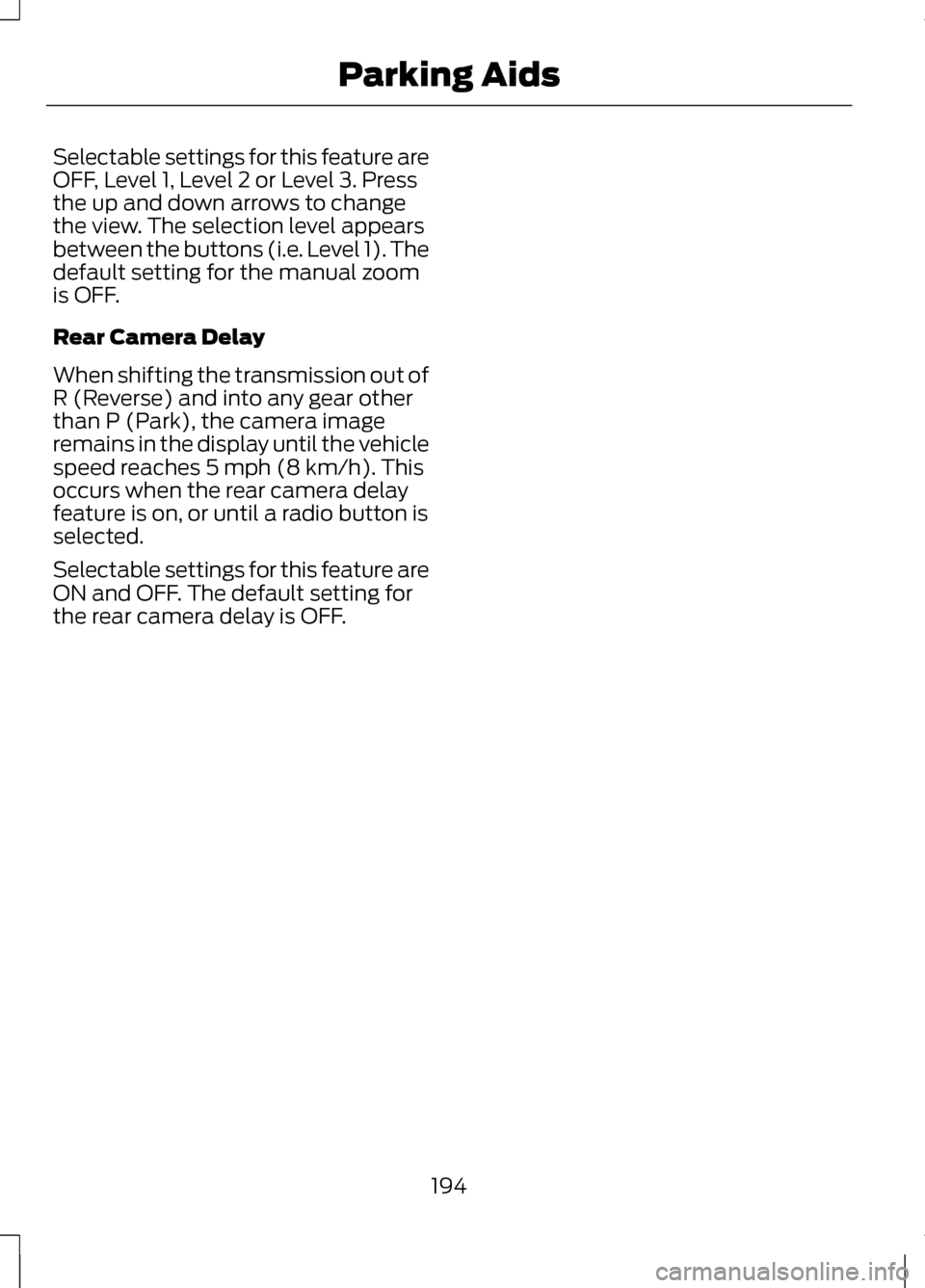
Selectable settings for this feature are
OFF, Level 1, Level 2 or Level 3. Press
the up and down arrows to change
the view. The selection level appears
between the buttons (i.e. Level 1). The
default setting for the manual zoom
is OFF.
Rear Camera Delay
When shifting the transmission out of
R (Reverse) and into any gear other
than P (Park), the camera image
remains in the display until the vehicle
speed reaches 5 mph (8 km/h). This
occurs when the rear camera delay
feature is on, or until a radio button is
selected.
Selectable settings for this feature are
ON and OFF. The default setting for
the rear camera delay is OFF.
194
Parking Aids
Page 264 of 474
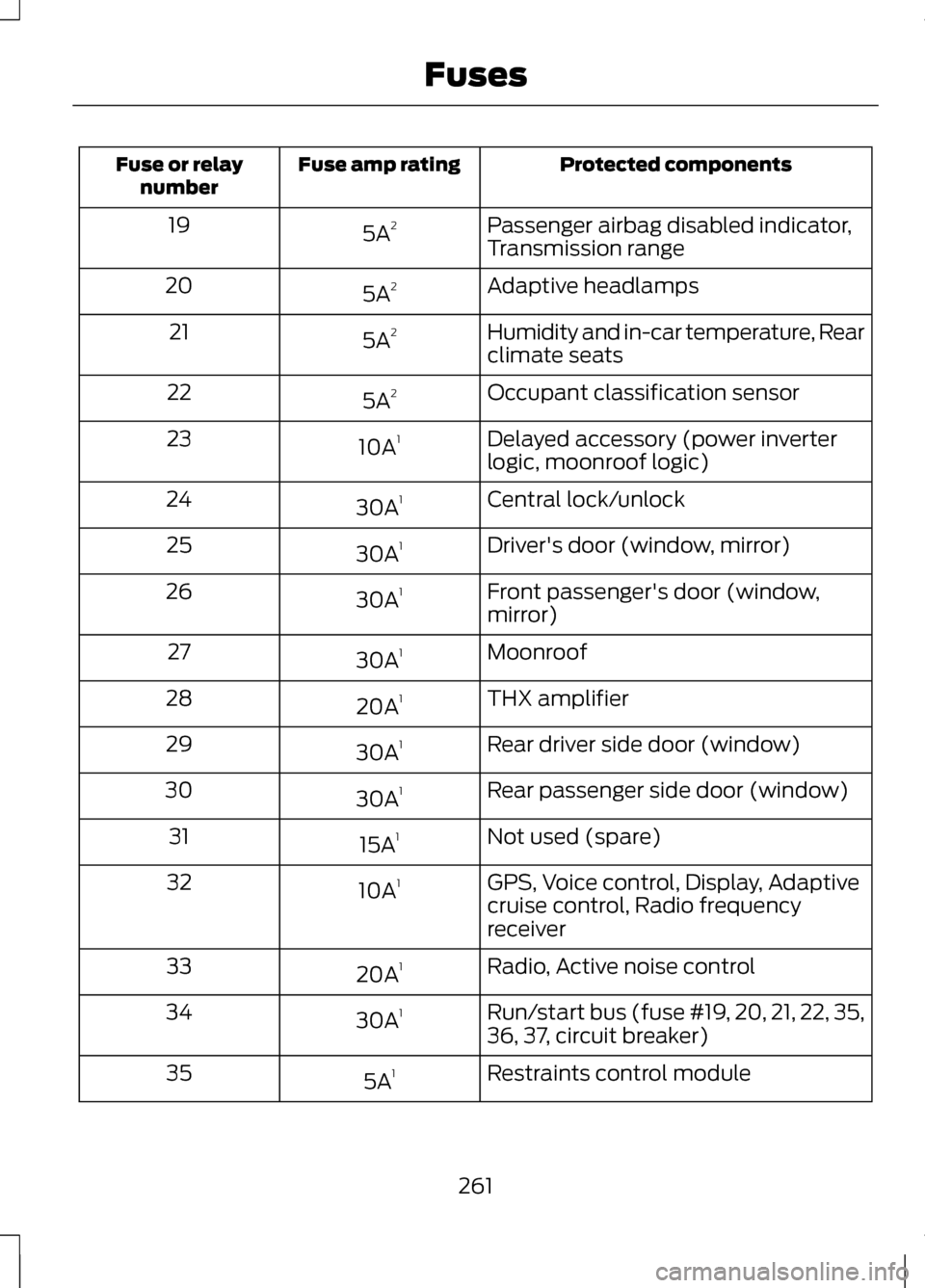
Protected components
Fuse amp rating
Fuse or relay
number
Passenger airbag disabled indicator,
Transmission range
5A
2
19
Adaptive headlamps
5A 2
20
Humidity and in-car temperature, Rear
climate seats
5A
2
21
Occupant classification sensor
5A 2
22
Delayed accessory (power inverter
logic, moonroof logic)
10A
1
23
Central lock/unlock
30A 1
24
Driver's door (window, mirror)
30A 1
25
Front passenger's door (window,
mirror)
30A
1
26
Moonroof
30A 1
27
THX amplifier
20A 1
28
Rear driver side door (window)
30A 1
29
Rear passenger side door (window)
30A 1
30
Not used (spare)
15A 1
31
GPS, Voice control, Display, Adaptive
cruise control, Radio frequency
receiver
10A
1
32
Radio, Active noise control
20A 1
33
Run/start bus (fuse #19, 20, 21, 22, 35,
36, 37, circuit breaker)
30A
1
34
Restraints control module
5A 1
35
261
Fuses
Page 281 of 474
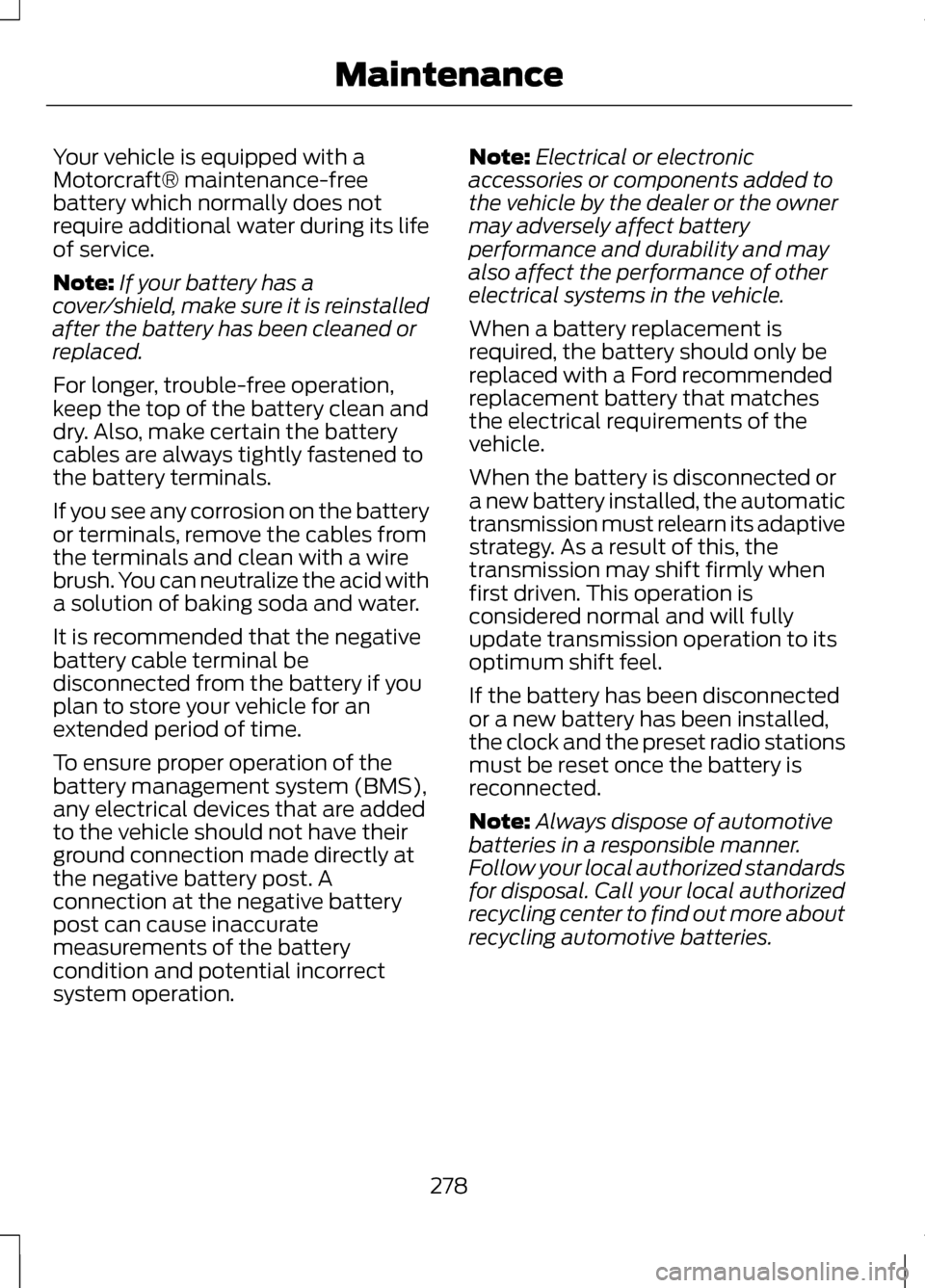
Your vehicle is equipped with a
Motorcraft® maintenance-free
battery which normally does not
require additional water during its life
of service.
Note:
If your battery has a
cover/shield, make sure it is reinstalled
after the battery has been cleaned or
replaced.
For longer, trouble-free operation,
keep the top of the battery clean and
dry. Also, make certain the battery
cables are always tightly fastened to
the battery terminals.
If you see any corrosion on the battery
or terminals, remove the cables from
the terminals and clean with a wire
brush. You can neutralize the acid with
a solution of baking soda and water.
It is recommended that the negative
battery cable terminal be
disconnected from the battery if you
plan to store your vehicle for an
extended period of time.
To ensure proper operation of the
battery management system (BMS),
any electrical devices that are added
to the vehicle should not have their
ground connection made directly at
the negative battery post. A
connection at the negative battery
post can cause inaccurate
measurements of the battery
condition and potential incorrect
system operation. Note:
Electrical or electronic
accessories or components added to
the vehicle by the dealer or the owner
may adversely affect battery
performance and durability and may
also affect the performance of other
electrical systems in the vehicle.
When a battery replacement is
required, the battery should only be
replaced with a Ford recommended
replacement battery that matches
the electrical requirements of the
vehicle.
When the battery is disconnected or
a new battery installed, the automatic
transmission must relearn its adaptive
strategy. As a result of this, the
transmission may shift firmly when
first driven. This operation is
considered normal and will fully
update transmission operation to its
optimum shift feel.
If the battery has been disconnected
or a new battery has been installed,
the clock and the preset radio stations
must be reset once the battery is
reconnected.
Note: Always dispose of automotive
batteries in a responsible manner.
Follow your local authorized standards
for disposal. Call your local authorized
recycling center to find out more about
recycling automotive batteries.
278
Maintenance
Page 297 of 474
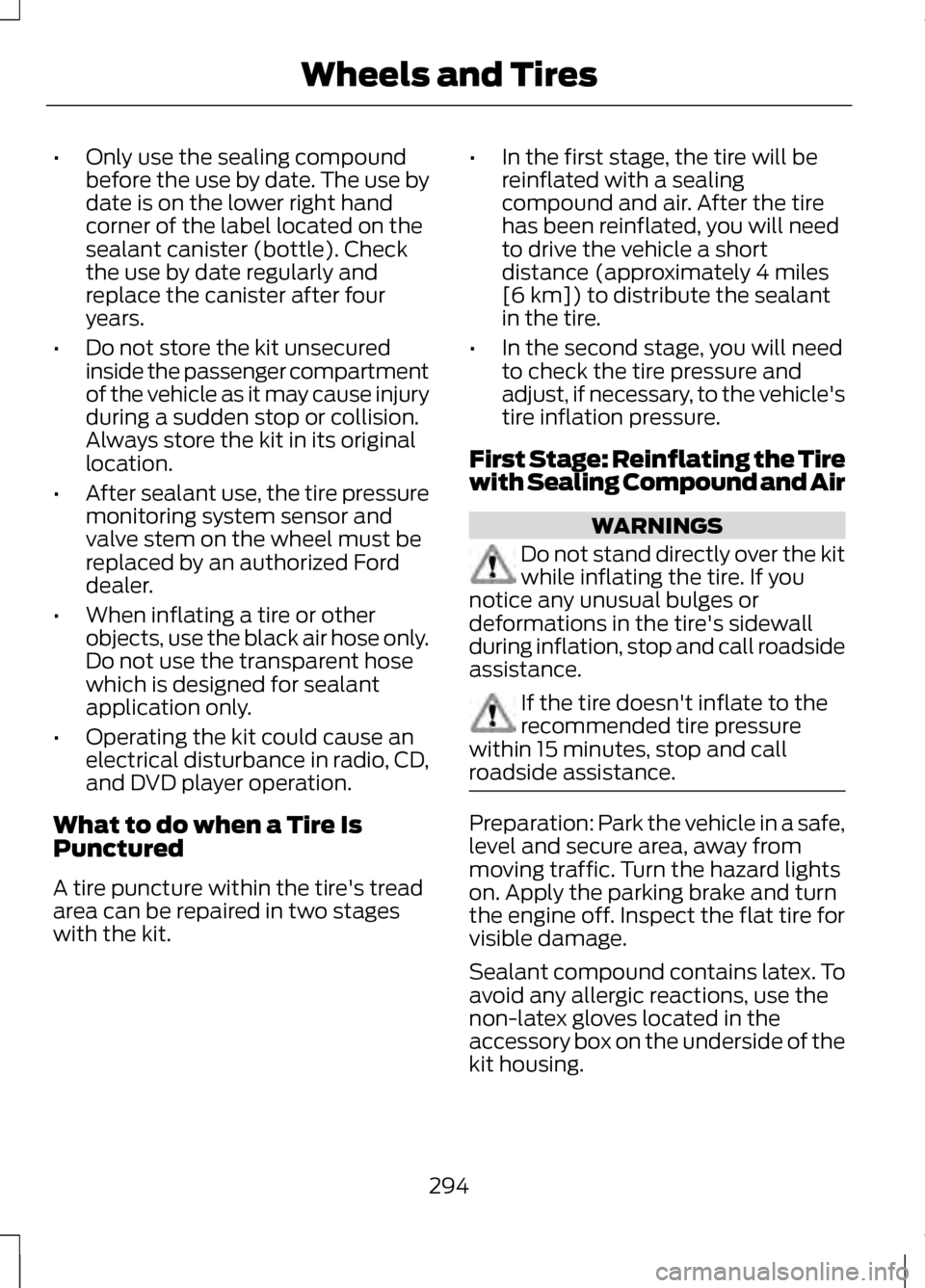
•
Only use the sealing compound
before the use by date. The use by
date is on the lower right hand
corner of the label located on the
sealant canister (bottle). Check
the use by date regularly and
replace the canister after four
years.
• Do not store the kit unsecured
inside the passenger compartment
of the vehicle as it may cause injury
during a sudden stop or collision.
Always store the kit in its original
location.
• After sealant use, the tire pressure
monitoring system sensor and
valve stem on the wheel must be
replaced by an authorized Ford
dealer.
• When inflating a tire or other
objects, use the black air hose only.
Do not use the transparent hose
which is designed for sealant
application only.
• Operating the kit could cause an
electrical disturbance in radio, CD,
and DVD player operation.
What to do when a Tire Is
Punctured
A tire puncture within the tire's tread
area can be repaired in two stages
with the kit. •
In the first stage, the tire will be
reinflated with a sealing
compound and air. After the tire
has been reinflated, you will need
to drive the vehicle a short
distance (approximately 4 miles
[6 km]) to distribute the sealant
in the tire.
• In the second stage, you will need
to check the tire pressure and
adjust, if necessary, to the vehicle's
tire inflation pressure.
First Stage: Reinflating the Tire
with Sealing Compound and Air WARNINGS
Do not stand directly over the kit
while inflating the tire. If you
notice any unusual bulges or
deformations in the tire's sidewall
during inflation, stop and call roadside
assistance. If the tire doesn't inflate to the
recommended tire pressure
within 15 minutes, stop and call
roadside assistance. Preparation: Park the vehicle in a safe,
level and secure area, away from
moving traffic. Turn the hazard lights
on. Apply the parking brake and turn
the engine off. Inspect the flat tire for
visible damage.
Sealant compound contains latex. To
avoid any allergic reactions, use the
non-latex gloves located in the
accessory box on the underside of the
kit housing.
294
Wheels and Tires
Page 336 of 474
•
When adding accessories,
equipment, passengers and
luggage to your vehicle, do not
exceed the total weight capacity
of the vehicle or of the front or rear
axle (GVWR or GAWR as indicated
on the Safety Compliance
Certification label). Consult your
authorized dealer for specific
weight information.
• The Federal Communications
Commission (FCC) and Canadian
Radio Telecommunications
Commission (CRTC) regulate the
use of mobile communications
systems — such as two-way
radios, telephones and theft
alarms - that are equipped with
radio transmitters. Any such
equipment installed in your vehicle
should comply with FCC or CRTC
regulations and should be installed
only by a qualified service
technician.
• Mobile communications systems
may harm the operation of your
vehicle, particularly if they are not
properly designed for automotive
use. •
To avoid interference with other
vehicle functions, such as anti-lock
braking systems, amateur radio
users who install radios and
antennas onto their vehicle should
not locate the amateur radio
antennas in the area of the driver's
side hood.
• Any non-Lincoln custom electrical
or electronic accessories or
components that are added to the
vehicle by the authorized dealer or
the owner, may adversely affect
battery performance and
durability, and may also adversely
affect the performance of other
electrical systems in the vehicle.
333
Accessories
Page 349 of 474
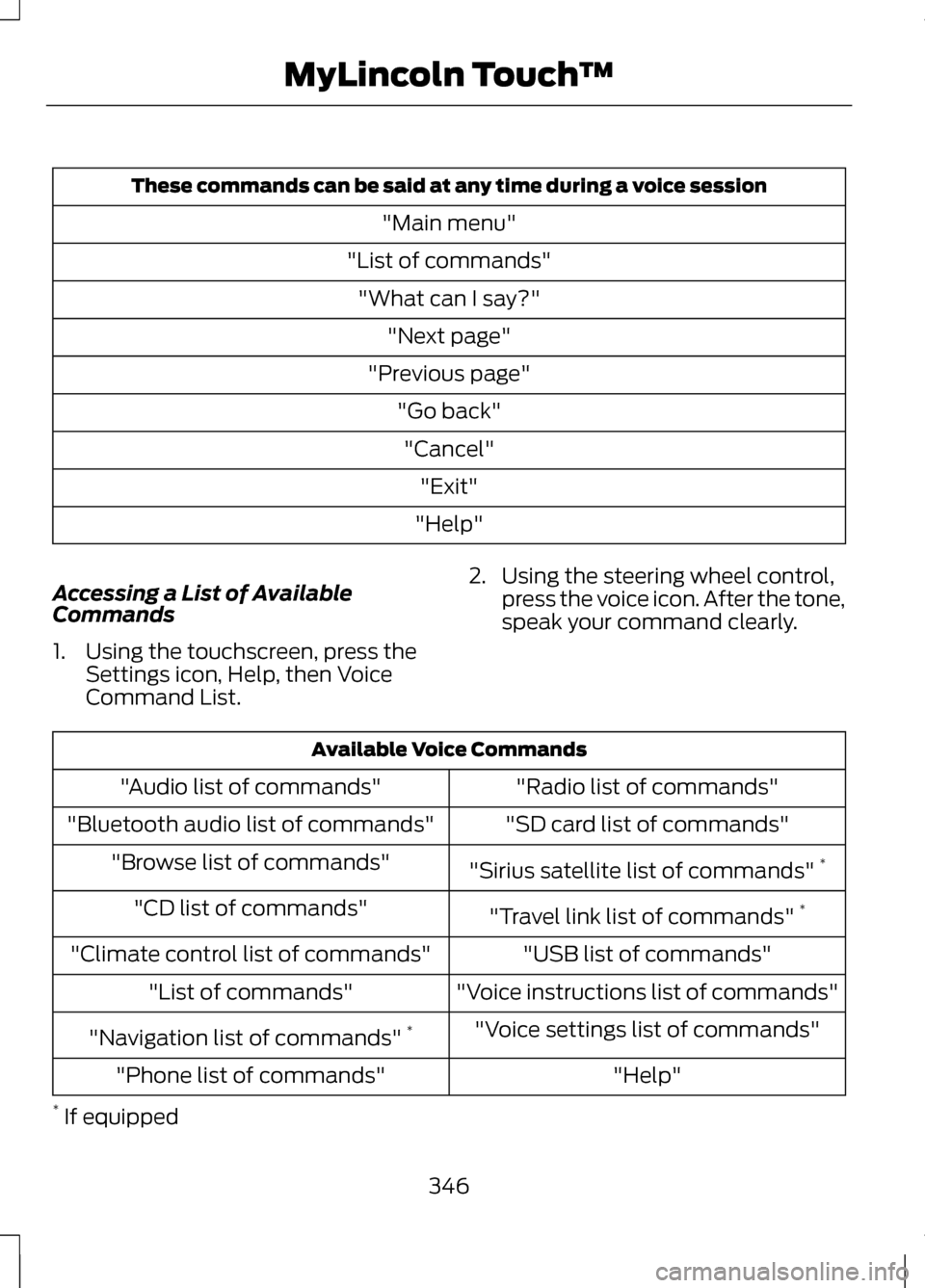
These commands can be said at any time during a voice session
"Main menu"
"List of commands" "What can I say?" "Next page"
"Previous page" "Go back""Cancel" "Exit"
"Help"
Accessing a List of Available
Commands
1. Using the touchscreen, press the Settings icon, Help, then Voice
Command List. 2. Using the steering wheel control,
press the voice icon. After the tone,
speak your command clearly. Available Voice Commands
"Radio list of commands"
"Audio list of commands"
"SD card list of commands"
"Bluetooth audio list of commands"
"Sirius satellite list of commands" *
"Browse list of commands"
"Travel link list of commands" *
"CD list of commands"
"USB list of commands"
"Climate control list of commands"
"Voice instructions list of commands"
"List of commands"
"Voice settings list of commands"
"Navigation list of commands" *
"Help"
"Phone list of commands"
* If equipped
346
MyLincoln Touch
™