air condition LINCOLN MKZ 2013 Owner's Manual
[x] Cancel search | Manufacturer: LINCOLN, Model Year: 2013, Model line: MKZ, Model: LINCOLN MKZ 2013Pages: 474, PDF Size: 3.79 MB
Page 343 of 474
Safety Information
WARNING
Driving while distracted can
result in loss of vehicle control,
accident and injury. Ford strongly
recommends that drivers use extreme
caution when using any device or
feature that may take their focus off
the road. Your primary responsibility
is the safe operation of the vehicle.
We recommend against the use of any
handheld device while driving,
encourage the use of voice-operated
systems when possible and that you
become aware of applicable state
and local laws that may affect use of
electronic devices while driving. When using SYNC:
•
Do not operate playing devices if
the power cords or cables are
broken, split or damaged. Carefully
place cords and cables where they
cannot be stepped on or interfere
with the operation of pedals, seats,
compartments or safe driving
abilities.
• Do not leave playing devices in the
vehicle during extreme conditions
as it could cause them damage.
See your device's user guide for
further information. •
Do not attempt to service or repair
the system. See your authorized
dealer.
• For your safety, some SYNC
functions are speed-dependent
and cannot be performed when
the vehicle is traveling at speeds
greater than 3 mph (5 km/h).
Make sure that you review your
device's user guide before using it with
SYNC.
Speed-Restricted Features
Some features of this system may be
too difficult to use while the vehicle is
in motion so they are restricted from
being modified unless the vehicle is
not moving. Some examples of these
are listed below:
• Screens that are too crowded with
information, such as Point of
Interest (POI) reviews and ratings,
SIRIUS Travel Link sports scores,
movie times, ski conditions, etc.
• Any action that requires using a
keyboard, such as entering a
navigation destination or editing
information.
• All lists are limited so the user can
view fewer entries (e.g., phone
contacts, recent phone call
entries).
Listed below are more specific
features that can only be modified
while the vehicle is not moving:
340
MyLincoln Touch
™
Page 396 of 474
Note:
The driver is ultimately
responsible for the safe operation of
the vehicle, and therefore, must
evaluate whether it is safe to follow
the suggested directions. Any
navigation features are provided only
as an aid. Make your driving decisions
based on your observations of local
conditions and existing traffic
regulations. Do not follow the route
suggestions if doing so would result in
an unsafe or illegal maneuver, if you
would be placed in an unsafe situation,
or if you would be directed into an area
that you consider unsafe. Maps used
by this system may be inaccurate
because of errors, changes in roads,
traffic conditions or driving conditions.
Note: When you connect, the service
uses GPS technology and advanced
vehicle sensors to collect the vehicle's
current location, travel direction and
speed to help provide you with the
directions, traffic reports, or business
searches you request. Further, to
provide the services you request and
for continuous improvement, the
service may collect and record call
details and voice communications. For
more information, see SYNC Services
Terms and Conditions at
www.SYNCMyRide.com. If you do not
want Ford or its service providers to
collect the vehicle travel information
or other information identified in the
Terms and Conditions, do not activate
or use the service. SYNC Services uses advanced vehicle
sensors, integrated GPS technology
and comprehensive map and traffic
data, to give you personalized traffic
reports, precise turn-by-turn
directions, business search, news,
sports, weather and more. For a
complete list of services, or to learn
more, please visit
www.SYNCMyRide.com.
Connecting to SYNC Services
Using Voice Commands
1. Press the voice button.
2. When prompted, say "Services".
This initiates an outgoing call to
SYNC Services using your paired
and connected Bluetooth-enabled
cellular phone.
3. Once you are connected to the service, follow the voice prompts
to request the desired service, such
as "Traffic" or "Directions". You
can also say "What are my
choices?" to receive a complete
list of available services from
which to choose.
4. Say "Services" to return to the Services main menu or for help,
say "Help".
Connecting to SYNC Services
Using the Touchscreen
If your vehicle is equipped with
Navigation, press the Information
button.
If your vehicle is not equipped with
Navigation, press the green tab on
your touchscreen.
393
MyLincoln Touch
™
Page 407 of 474
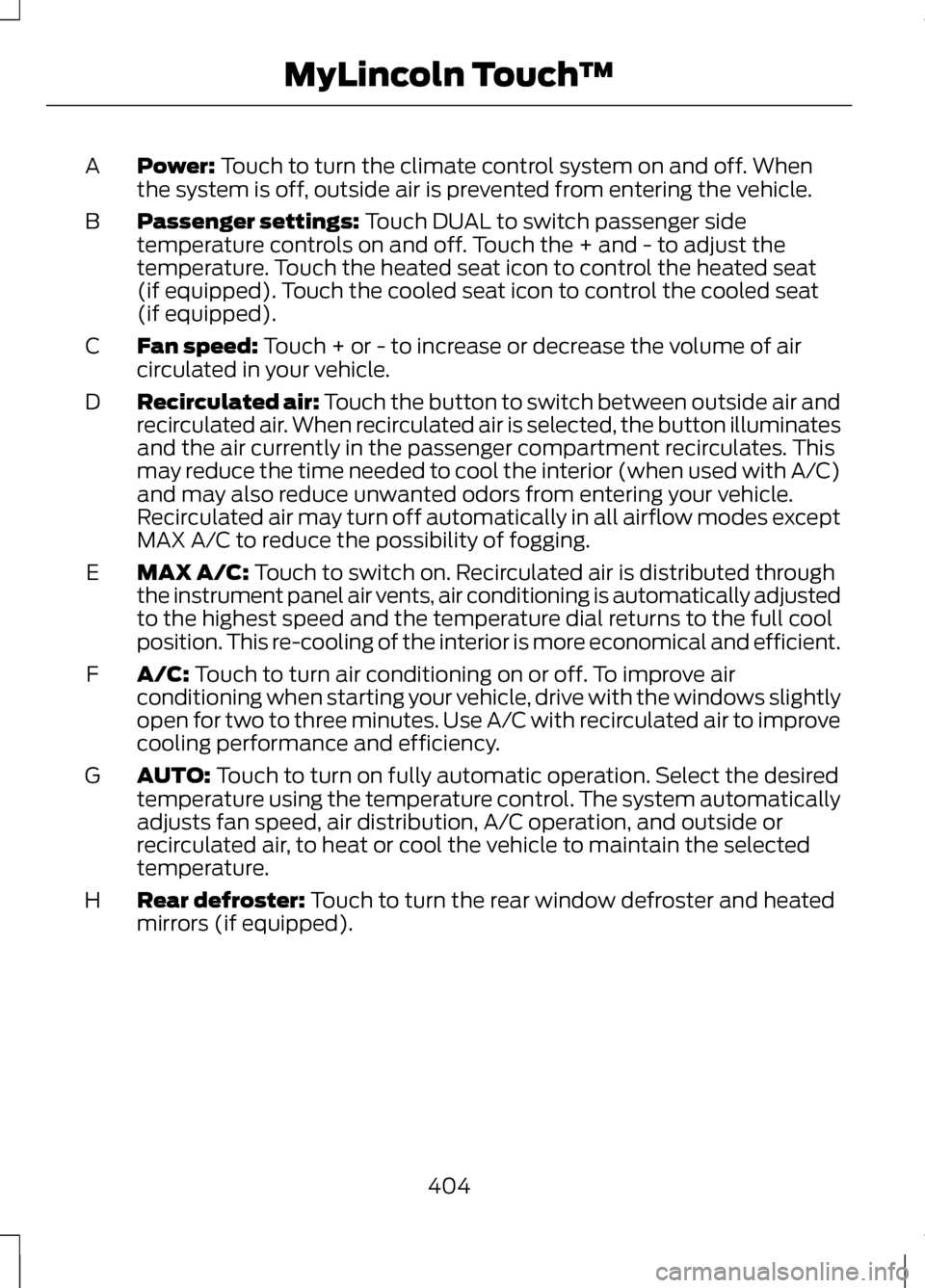
Power: Touch to turn the climate control system on and off. When
the system is off, outside air is prevented from entering the vehicle.
A
Passenger settings:
Touch DUAL to switch passenger side
temperature controls on and off. Touch the + and - to adjust the
temperature. Touch the heated seat icon to control the heated seat
(if equipped). Touch the cooled seat icon to control the cooled seat
(if equipped).
B
Fan speed:
Touch + or - to increase or decrease the volume of air
circulated in your vehicle.
C
Recirculated air: Touch the button to switch between outside air and
recirculated air. When recirculated air is selected, the button illuminates
and the air currently in the passenger compartment recirculates. This
may reduce the time needed to cool the interior (when used with A/C)
and may also reduce unwanted odors from entering your vehicle.
Recirculated air may turn off automatically in all airflow modes except
MAX A/C to reduce the possibility of fogging.
D
MAX A/C:
Touch to switch on. Recirculated air is distributed through
the instrument panel air vents, air conditioning is automatically adjusted
to the highest speed and the temperature dial returns to the full cool
position. This re-cooling of the interior is more economical and efficient.
E
A/C:
Touch to turn air conditioning on or off. To improve air
conditioning when starting your vehicle, drive with the windows slightly
open for two to three minutes. Use A/C with recirculated air to improve
cooling performance and efficiency.
F
AUTO:
Touch to turn on fully automatic operation. Select the desired
temperature using the temperature control. The system automatically
adjusts fan speed, air distribution, A/C operation, and outside or
recirculated air, to heat or cool the vehicle to maintain the selected
temperature.
G
Rear defroster:
Touch to turn the rear window defroster and heated
mirrors (if equipped).
H
404
MyLincoln Touch
™
Page 430 of 474
TeleNav Software End User
License Agreement
Please read these terms and
conditions carefully before you use
the TeleNav Software. Your use of the
TeleNav Software indicates that you
accept these terms and conditions. If
you do not accept these terms and
conditions, do not break the seal of
the package, launch, or otherwise use
the TeleNav Software.
TeleNav may revise this Agreement
and the privacy policy at any time,
with or without notice to you. You
agree to visit http://www.telenav.com
from time to time to review the then
current version of this Agreement and
of the privacy policy.
1. Safe and Lawful Use
You acknowledge that devoting
attention to the TeleNav Software
may pose a risk of injury or death to
you and others in situations that
otherwise require your undivided
attention, and you therefore agree to
comply with the following when using
the TeleNav Software: (a) observe all
traffic laws and otherwise drive safely;
(b) use your own personal judgment
while driving. If you feel that a route
suggested by the TeleNav Software
instructs you to perform an unsafe or
illegal maneuver, places you in an
unsafe situation, or directs you into an
area that you consider to be unsafe,
do not follow such instructions; (c) do
not input destinations, or otherwise
manipulate the TeleNav Software,
unless your vehicle is stationary and
parked; (d) do not use the TeleNav
Software for any illegal, unauthorized,
unintended, unsafe, hazardous, or
unlawful purposes, or in any manner
inconsistent with this Agreement; (e)
arrange all GPS and wireless devices
and cables necessary for use of the
TeleNav Software in a secure manner
in your vehicle so that they will not
interfere with your driving and will not
prevent the operation of any safety
device (such as an airbag).
You agree to indemnify and hold
TeleNav harmless against all claims
resulting from any dangerous or
otherwise inappropriate use of the
TeleNav Software in any moving
vehicle, including as a result of your
failure to comply with the directions
above.
427
Appendices
Page 454 of 474
Special Operating Conditions
If you operate your vehicle primarily
in any of the following conditions, you
need to perform extra maintenance
as indicated. If you operate your
vehicle
occasionally under any of
these conditions, it is not necessary
to perform the extra maintenance. For
specific recommendations, see your
dealership service advisor or
technician. Perform the services shown in the
following tables when specified or
within 3000 miles (4800 kilometers)
of the OIL CHANGE REQUIRED
message appearing in the information
display.
•
Example 1: The OIL CHANGE
REQUIRED message comes on at
28751 miles (46270 kilometers).
Perform the 30000 mile (48000
kilometer) automatic transmission
fluid replacement.
• Example 2
: The OIL CHANGE
REQUIRED message has not come
on, but the odometer reads 30000
miles (48000 kilometers) (for
example, the Intelligent Oil-Life
Monitor® was reset at 25000
miles [40000 kilometers]).
Perform the engine air filter
replacement.
451
Scheduled MaintenanceE146852
Repair Order #:Distance:
Engine hours (optional): Multi-point inspection (recommended): Signature:
Dealer stamp
Page 455 of 474
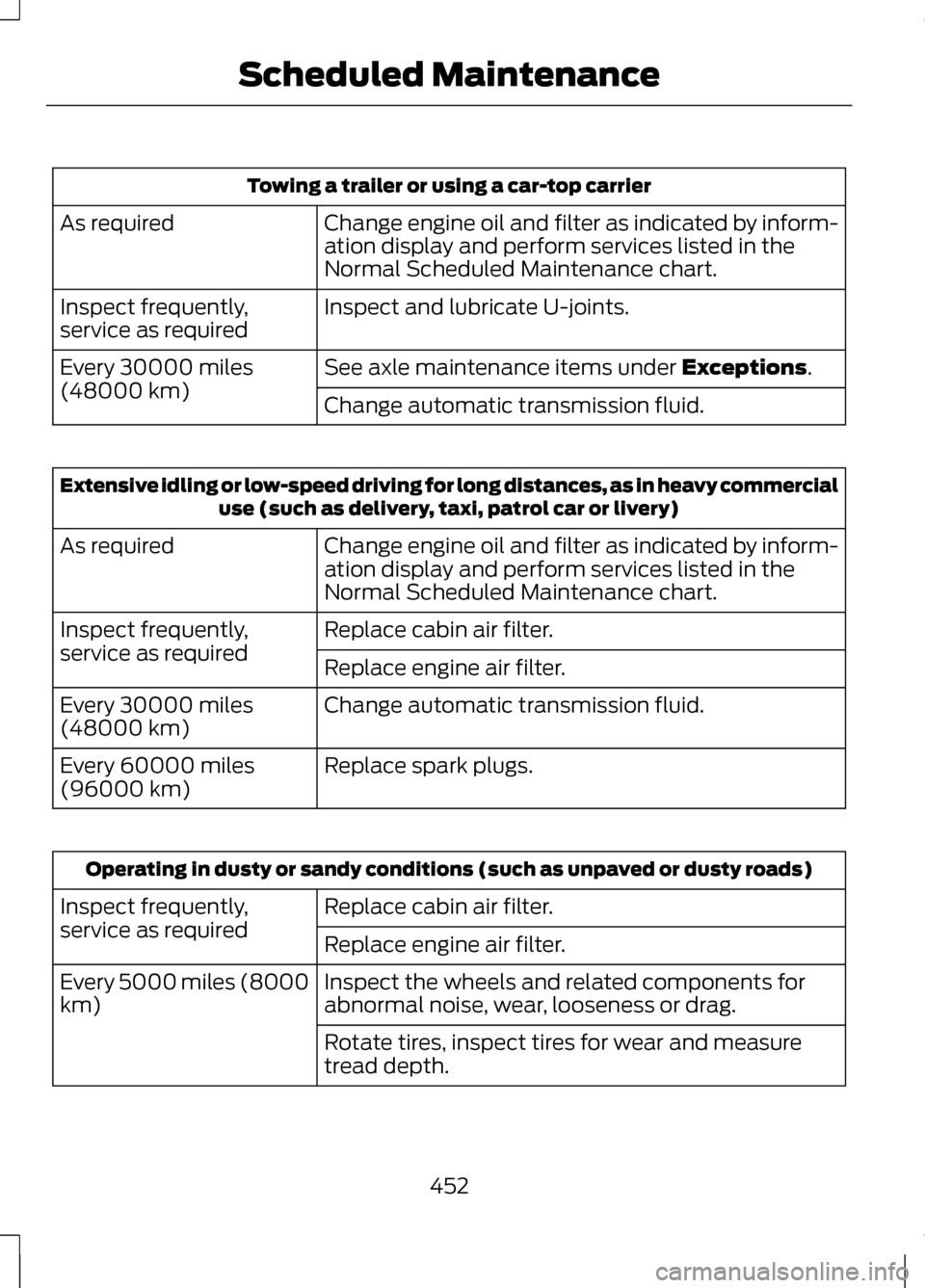
Towing a trailer or using a car-top carrier
Change engine oil and filter as indicated by inform-
ation display and perform services listed in the
Normal Scheduled Maintenance chart.
As required
Inspect and lubricate U-joints.
Inspect frequently,
service as required
See axle maintenance items under Exceptions.
Every 30000 miles
(48000 km)
Change automatic transmission fluid.Extensive idling or low-speed driving for long distances, as in heavy commercial
use (such as delivery, taxi, patrol car or livery)
Change engine oil and filter as indicated by inform-
ation display and perform services listed in the
Normal Scheduled Maintenance chart.
As required
Replace cabin air filter.
Inspect frequently,
service as required
Replace engine air filter.
Change automatic transmission fluid.
Every 30000 miles
(48000 km)
Replace spark plugs.
Every 60000 miles
(96000 km) Operating in dusty or sandy conditions (such as unpaved or dusty roads)
Replace cabin air filter.
Inspect frequently,
service as required
Replace engine air filter.
Inspect the wheels and related components for
abnormal noise, wear, looseness or drag.
Every 5000 miles (8000
km)
Rotate tires, inspect tires for wear and measure
tread depth.
452
Scheduled Maintenance
Page 456 of 474
Operating in dusty or sandy conditions (such as unpaved or dusty roads)
Change engine oil and filter. *
Every 5000 miles (8000
km) or six months
Perform multi-point inspection.
Change automatic transmission fluid.
Every 30000 miles
(48000 km)
* Reset your Intelligent Oil-Life Monitor after engine oil and filter changes. See
Engine Oil Check (page 267). Exclusive use of E85 (flex fuel vehicles only)
If ran exclusively on E85, fill the fuel tank full with
regular unleaded fuel.
Every oil change
Special Operating Condition Log 453
Scheduled MaintenanceE146852
Repair Order #:Distance:
Engine hours (optional): Multi-point inspection (recommended): Signature:
Dealer stamp
Page 459 of 474
Hot climate oil change intervals:
Vehicles operating in the Middle East,
North Africa, Sub-Saharan Africa or
locations with similar climates using
an American Petroleum Institute (API)
Certified for Gasoline Engines
(Certification mark) oil of SM or SN
quality, the normal oil change interval
is 5000 miles (8000 kilometers).
If the available API SM or SN oils are
not available, then the oil change
interval is 3000 miles (4800
kilometers). Engine air filter and cabin air filter
replacement: The life of the engine
air filter and cabin air filter is
dependent on exposure to dusty and
dirty conditions. Vehicles operated in
these conditions require frequent
inspection and replacement of the
engine air filter and cabin air filter.
Engine Coolant Change Record
Initial change
: Six years or 100000
miles (160000 kilometers)
(whichever comes first).
After initial change
: Every three
years or 50000 miles (80000
kilometers).
Engine Coolant Change Log 456
Scheduled MaintenanceE146852
Repair Order #:Distance:
Engine hours (optional): Multi-point inspection (recommended): Signature:
Dealer stamp
Page 462 of 474
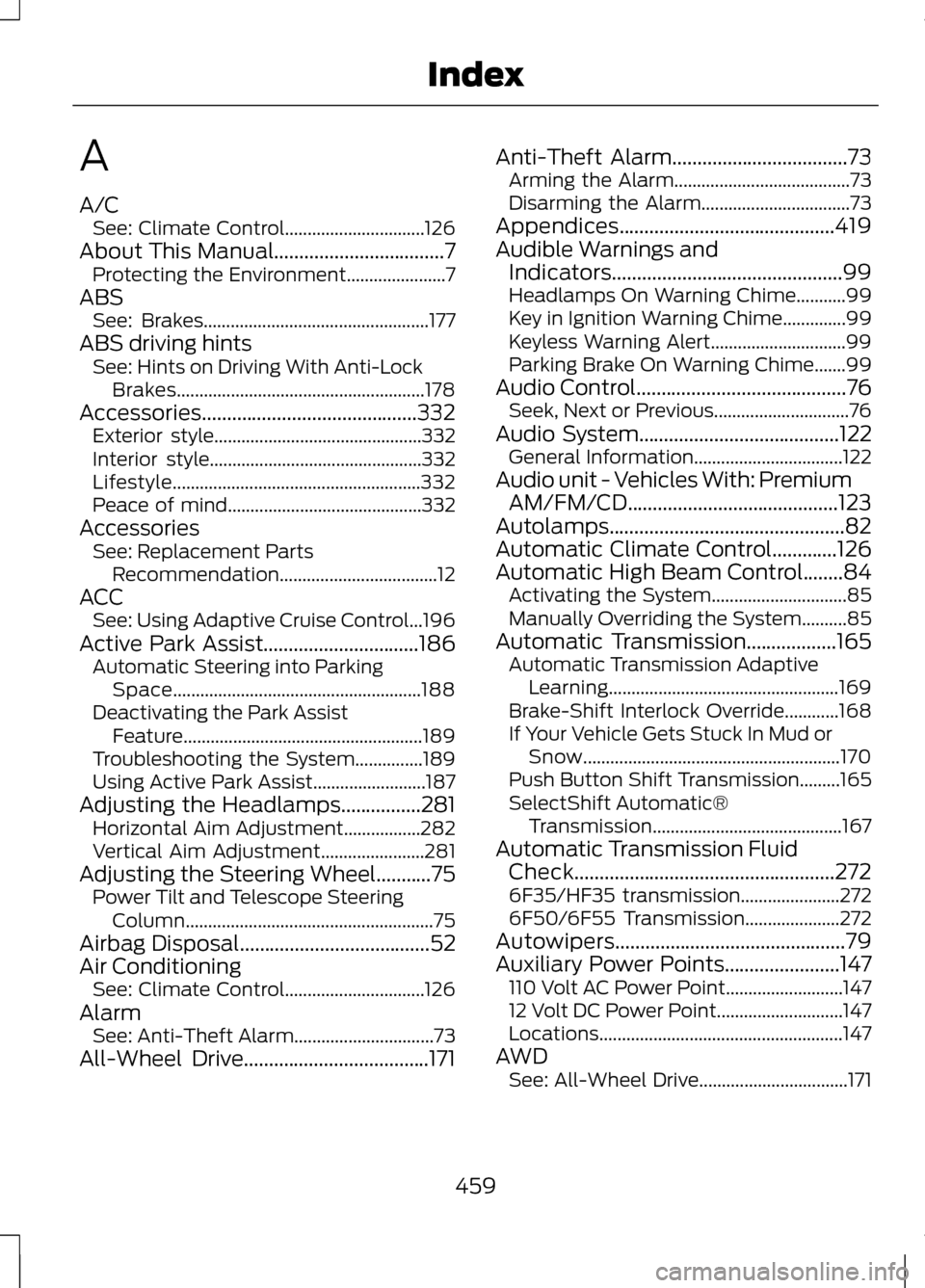
A
A/C
See: Climate Control...............................126
About This Manual..................................7
Protecting the Environment......................7
ABS See: Brakes.................................................. 177
ABS driving hints See: Hints on Driving With Anti-Lock
Brakes....................................................... 178
Accessories...........................................332 Exterior style.............................................. 332
Interior style............................................... 332
Lifestyle....................................................... 332
Peace of mind........................................... 332
Accessories See: Replacement Parts
Recommendation...................................12
ACC See: Using Adaptive Cruise Control...196
Active Park Assist...............................186 Automatic Steering into Parking
Space....................................................... 188
Deactivating the Park Assist Feature..................................................... 189
Troubleshooting the System...............189
Using Active Park Assist.........................187
Adjusting the Headlamps
................281
Horizontal Aim Adjustment.................282
Vertical Aim Adjustment.......................281
Adjusting the Steering Wheel...........75 Power Tilt and Telescope Steering
Column....................................................... 75
Airbag Disposal
......................................52
Air Conditioning See: Climate Control...............................126
Alarm See: Anti-Theft Alarm...............................73
All-Wheel Drive
.....................................171 Anti-Theft Alarm...................................73
Arming the Alarm.......................................73
Disarming the Alarm.................................73
Appendices...........................................419
Audible Warnings and Indicators..............................................99
Headlamps On Warning Chime...........99
Key in Ignition Warning Chime ..............99
Keyless Warning Alert..............................99
Parking Brake On Warning Chime.......99
Audio Control..........................................76 Seek, Next or Previous..............................76
Audio System........................................122 General Information.................................122
Audio unit - Vehicles With: Premium AM/FM/CD..........................................123
Autolamps...............................................82
Automatic Climate Control.............126
Automatic High Beam Control
........84
Activating the System..............................85
Manually Overriding the System..........85
Automatic Transmission..................165 Automatic Transmission Adaptive
Learning................................................... 169
Brake-Shift Interlock Override............168
If Your Vehicle Gets Stuck In Mud or Snow......................................................... 170
Push Button Shift Transmission.........165
SelectShift Automatic® Transmission.......................................... 167
Automatic Transmission Fluid Check....................................................272
6F35/HF35 transmission......................272
6F50/6F55 Transmission.....................272
Autowipers..............................................79
Auxiliary Power Points.......................147 110 Volt AC Power Point..........................147
12 Volt DC Power Point............................147
Locations...................................................... 147
AWD See: All-Wheel Drive.................................171
459
Index
Page 469 of 474
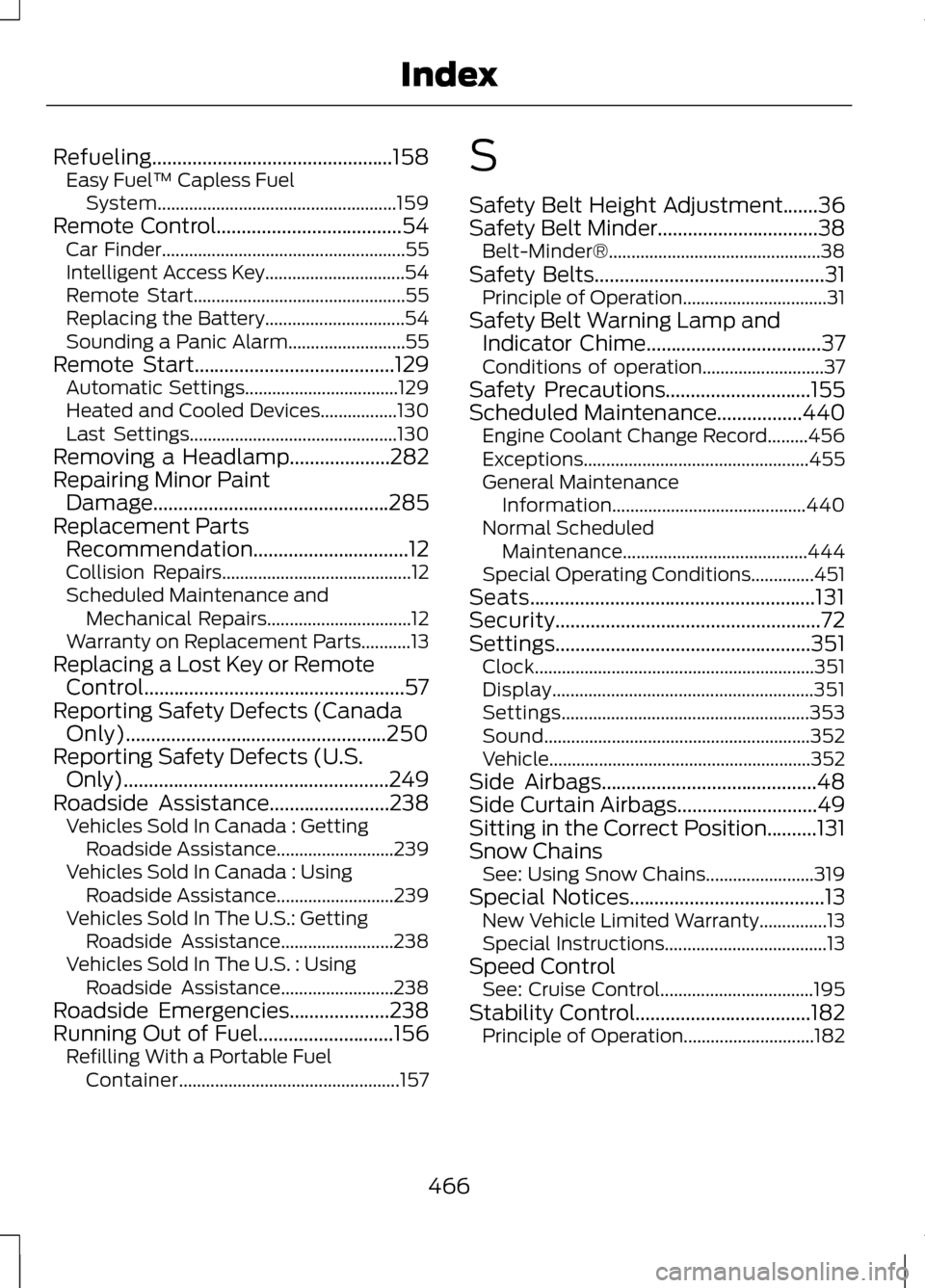
Refueling................................................158
Easy Fuel ™ Capless Fuel
System..................................................... 159
Remote Control.....................................54
Car Finder...................................................... 55
Intelligent Access Key...............................54
Remote Start............................................... 55
Replacing the Battery...............................54
Sounding a Panic Alarm..........................55
Remote Start........................................129 Automatic Settings..................................129
Heated and Cooled Devices.................130
Last Settings.............................................. 130
Removing a Headlamp
....................282
Repairing Minor Paint Damage...............................................285
Replacement Parts Recommendation
...............................12
Collision Repairs.......................................... 12
Scheduled Maintenance and Mechanical Repairs................................12
Warranty on Replacement Parts...........13
Replacing a Lost Key or Remote Control....................................................57
Reporting Safety Defects (Canada Only)....................................................250
Reporting Safety Defects (U.S. Only).....................................................249
Roadside Assistance
........................238
Vehicles Sold In Canada : Getting
Roadside Assistance..........................239
Vehicles Sold In Canada : Using Roadside Assistance..........................239
Vehicles Sold In The U.S.: Getting Roadside Assistance.........................238
Vehicles Sold In The U.S. : Using Roadside Assistance.........................238
Roadside Emergencies....................238
Running Out of Fuel...........................156 Refilling With a Portable Fuel
Container................................................. 157S
Safety Belt Height Adjustment.......36
Safety Belt Minder
................................38
Belt-Minder®............................................... 38
Safety Belts
..............................................31
Principle of Operation................................31
Safety Belt Warning Lamp and Indicator Chime
...................................37
Conditions of operation...........................37
Safety Precautions
.............................155
Scheduled Maintenance.................440
Engine Coolant Change Record.........456
Exceptions.................................................. 455
General Maintenance Information........................................... 440
Normal Scheduled Maintenance.........................................444
Special Operating Conditions..............451
Seats.........................................................131
Security.....................................................72
Settings...................................................351 Clock.............................................................. 351
Display.......................................................... 351
Settings....................................................... 353
Sound........................................................... 352
Vehicle.......................................................... 352
Side Airbags
...........................................48
Side Curtain Airbags............................49
Sitting in the Correct Position..........131
Snow Chains See: Using Snow Chains........................319
Special Notices
.......................................13
New Vehicle Limited Warranty...............13
Special Instructions....................................13
Speed Control See: Cruise Control..................................195
Stability Control...................................182 Principle of Operation.............................182
466
Index