remote start LINCOLN MKZ 2013 Owner's Manual
[x] Cancel search | Manufacturer: LINCOLN, Model Year: 2013, Model line: MKZ, Model: LINCOLN MKZ 2013Pages: 474, PDF Size: 3.79 MB
Page 140 of 474
Note:
If more than one linked remote
control or IA key is in range, the memory
function will move to the settings of
the first key stored.
Easy Entry and Exit Function
If the easy entry and exit feature is
enabled, this feature automatically
moves the driver seat position
rearward up to five centimeters when
the transmission selector lever is in
position P and the key is removed or
the keyless start ignition is turned off.
The driver seat will return to the
previous position when the key is put
in the ignition or the keyless start
ignition is activated.
The easy entry and exit feature can
be turned on or off using the driver
information display.
REAR SEATS
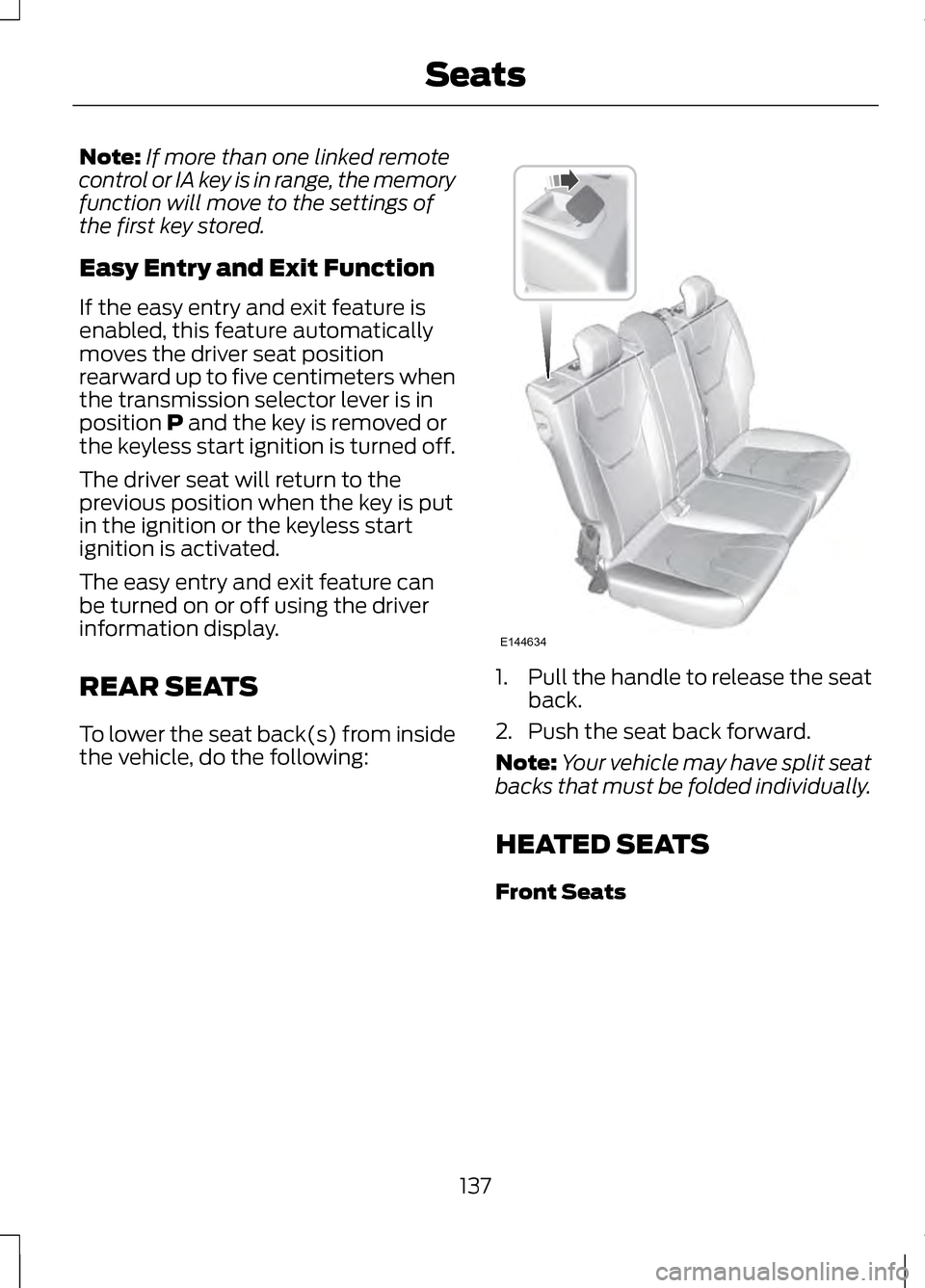
To lower the seat back(s) from inside
the vehicle, do the following: 1.
Pull the handle to release the seat
back.
2. Push the seat back forward.
Note: Your vehicle may have split seat
backs that must be folded individually.
HEATED SEATS
Front Seats
137
SeatsE144634
Page 154 of 474
2.
Put the transmission in position P.
3. Press the START button.
The system does not function if:
• The key frequencies are jammed.
• The key battery has no charge.
If you are unable to start your vehicle,
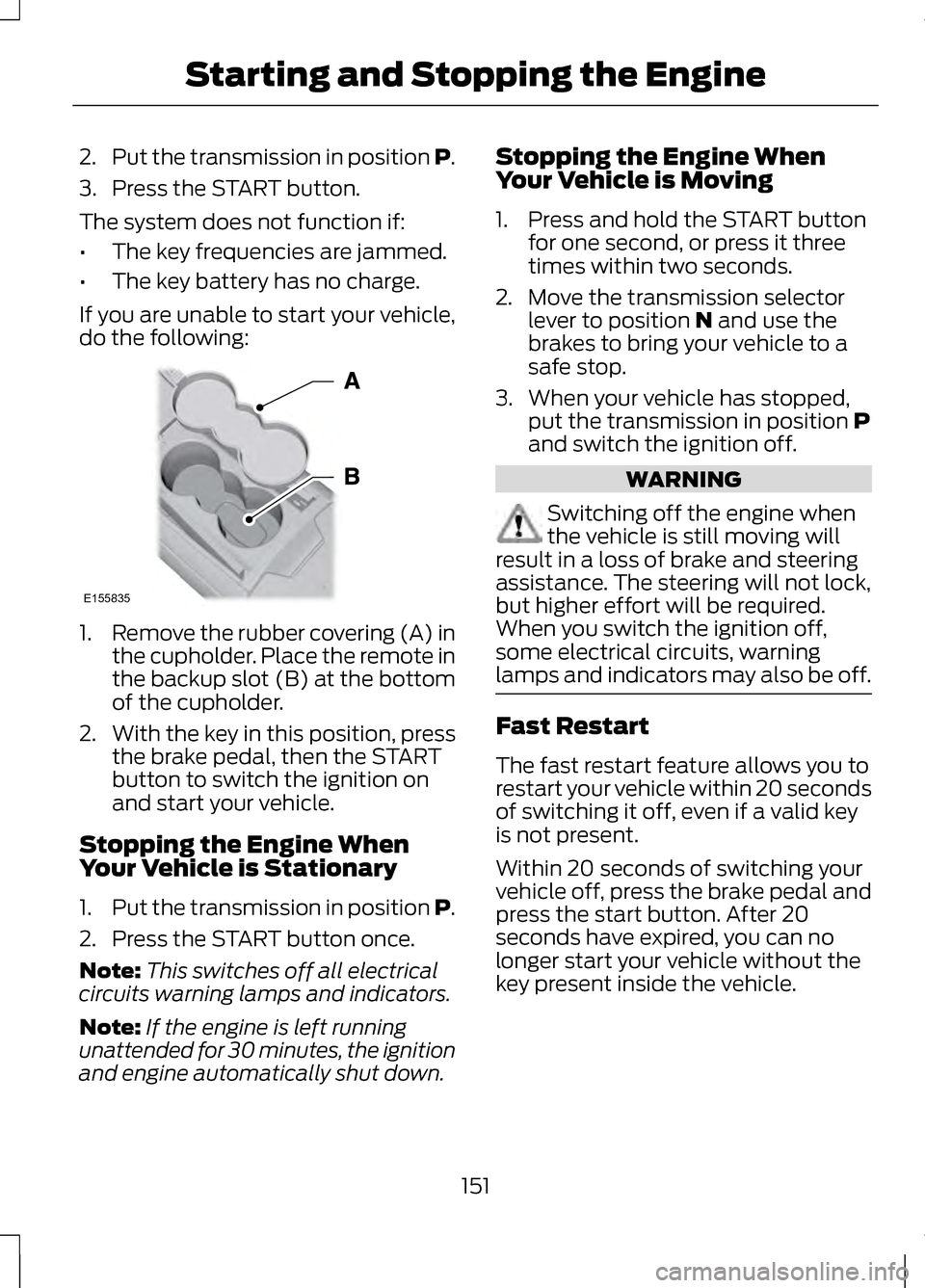
do the following: 1.
Remove the rubber covering (A) in
the cupholder. Place the remote in
the backup slot (B) at the bottom
of the cupholder.
2. With the key in this position, press
the brake pedal, then the START
button to switch the ignition on
and start your vehicle.
Stopping the Engine When
Your Vehicle is Stationary
1. Put the transmission in position P.
2. Press the START button once.
Note: This switches off all electrical
circuits warning lamps and indicators.
Note: If the engine is left running
unattended for 30 minutes, the ignition
and engine automatically shut down. Stopping the Engine When
Your Vehicle is Moving
1. Press and hold the START button
for one second, or press it three
times within two seconds.
2. Move the transmission selector lever to position N and use the
brakes to bring your vehicle to a
safe stop.
3. When your vehicle has stopped, put the transmission in position
P
and switch the ignition off. WARNING
Switching off the engine when
the vehicle is still moving will
result in a loss of brake and steering
assistance. The steering will not lock,
but higher effort will be required.
When you switch the ignition off,
some electrical circuits, warning
lamps and indicators may also be off. Fast Restart
The fast restart feature allows you to
restart your vehicle within 20 seconds
of switching it off, even if a valid key
is not present.
Within 20 seconds of switching your
vehicle off, press the brake pedal and
press the start button. After 20
seconds have expired, you can no
longer start your vehicle without the
key present inside the vehicle.
151
Starting and Stopping the EngineE155835
Page 205 of 474
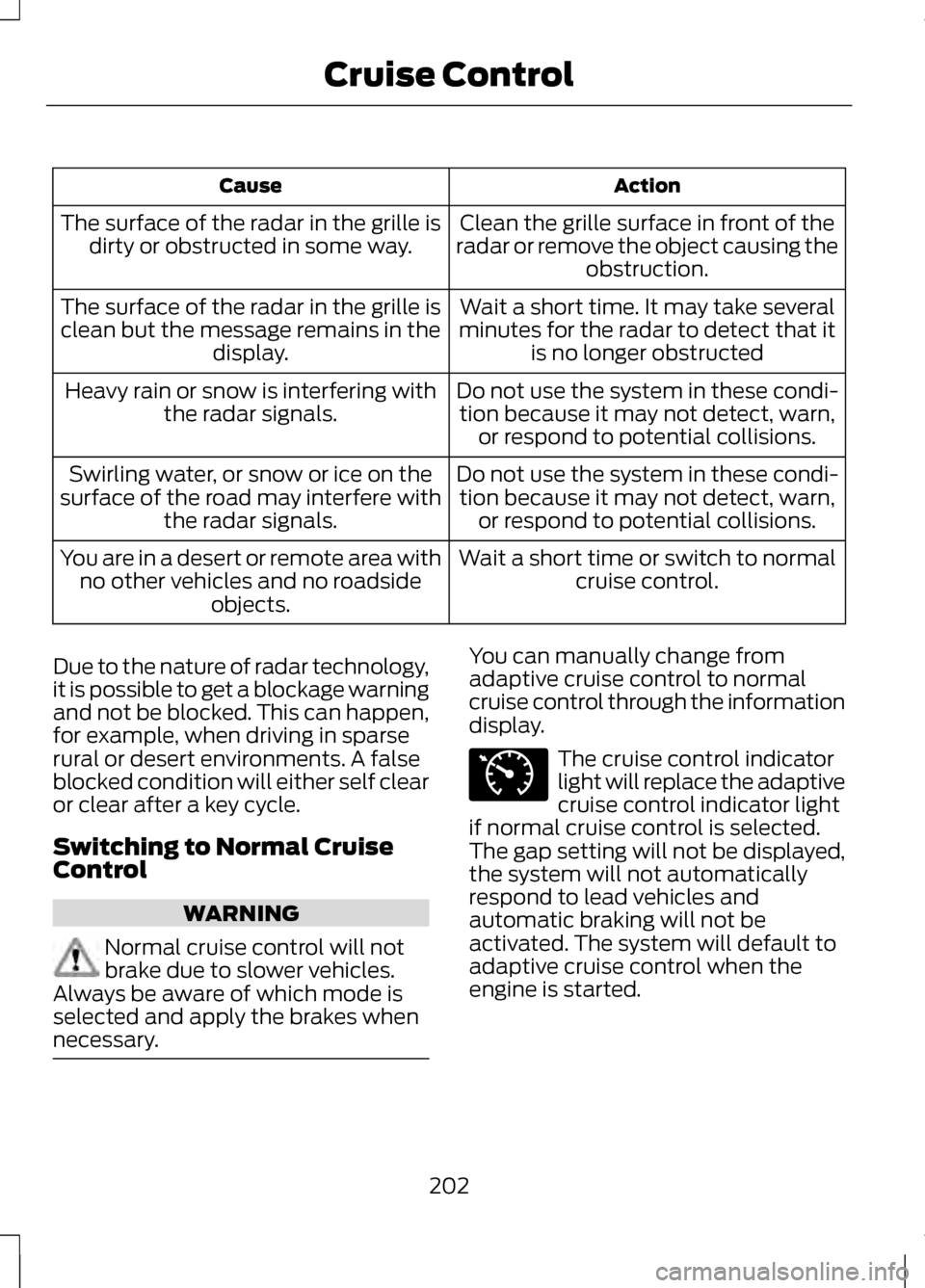
Action
Cause
Clean the grille surface in front of the
radar or remove the object causing the obstruction.
The surface of the radar in the grille is
dirty or obstructed in some way.
Wait a short time. It may take several
minutes for the radar to detect that it is no longer obstructed
The surface of the radar in the grille is
clean but the message remains in the display.
Do not use the system in these condi-tion because it may not detect, warn, or respond to potential collisions.
Heavy rain or snow is interfering with
the radar signals.
Do not use the system in these condi-tion because it may not detect, warn, or respond to potential collisions.
Swirling water, or snow or ice on the
surface of the road may interfere with the radar signals.
Wait a short time or switch to normalcruise control.
You are in a desert or remote area with
no other vehicles and no roadside objects.
Due to the nature of radar technology,
it is possible to get a blockage warning
and not be blocked. This can happen,
for example, when driving in sparse
rural or desert environments. A false
blocked condition will either self clear
or clear after a key cycle.
Switching to Normal Cruise
Control WARNING
Normal cruise control will not
brake due to slower vehicles.
Always be aware of which mode is
selected and apply the brakes when
necessary. You can manually change from
adaptive cruise control to normal
cruise control through the information
display.
The cruise control indicator
light will replace the adaptive
cruise control indicator light
if normal cruise control is selected.
The gap setting will not be displayed,
the system will not automatically
respond to lead vehicles and
automatic braking will not be
activated. The system will default to
adaptive cruise control when the
engine is started.
202
Cruise ControlE71340
Page 466 of 474
Hints on Controlling the Interior
Climate..................................................127
Cooling the Interior Quickly..................128
General Hints.............................................. 127
Heating the Interior Quickly..................128
Recommended Settings for Cooling ..................................................................... 128
Recommended Settings for Heating..................................................... 128
Side Window Defogging in Cold Weather................................................... 128
Hints on Driving With Anti-Lock Brakes....................................................178
Hood Lock See: Opening and Closing the
Hood........................................................ 264
I
In California (U.S. Only)...................244
Information Display Control..............77 Cluster Display Control Features..........77
Information Displays.........................100
General Information...............................100
Information...........................................392 911 Assist®................................................. 399
Alerts............................................................ 399
Calendar..................................................... 399
SIRIUS Travel Link...................................396
SYNC Services (If Equipped, U.S. Only)........................................................ 392
Vehicle Health Report...........................402 Information Messages
......................105
Active Park.................................................. 105
Adaptive Cruise Control........................106
AdvanceTrac®........................................... 107
Airbag............................................................ 107
Alarm............................................................. 107
Automatic Engine Shutdown...............107
AWD.............................................................. 108
Battery and Charging System.............109
Blind Spot Information and Cross Traffic Alert System.............................110
Collision Warning System......................110
Doors and Locks.......................................... 111
Driver Alert..................................................... 111
Engine.............................................................. 111
Fuel.................................................................. 112
Hill Start Assist........................................... 112
Keys and Intelligent Access...................112
Lane Keeping System..............................113
Maintenance................................................ 114
MyKey............................................................. 115
Park Aid......................................................... 116
Park Brake.................................................... 116
Power Steering............................................ 117
Remote Start............................................... 117
Starting System ........................................118
Tire Pressure Monitoring System........118
Traction Control......................................... 119
Transmission............................................... 119
Installing Child Seats
............................21
Child Seats..................................................... 21
Using Lap and Shoulder Belts................21
Using Lower Anchors and Tethers for CHildren (LATCH)..................................26
Using Tether Straps...................................28
Instrument Cluster...............................94
Instrument Lighting Dimmer............83
Interior Lamps
........................................85
Front Interior Lamp...................................86
Rear Interior Lamp.....................................86
Interior Luggage Compartment Release...................................................70
463
Index
Page 467 of 474
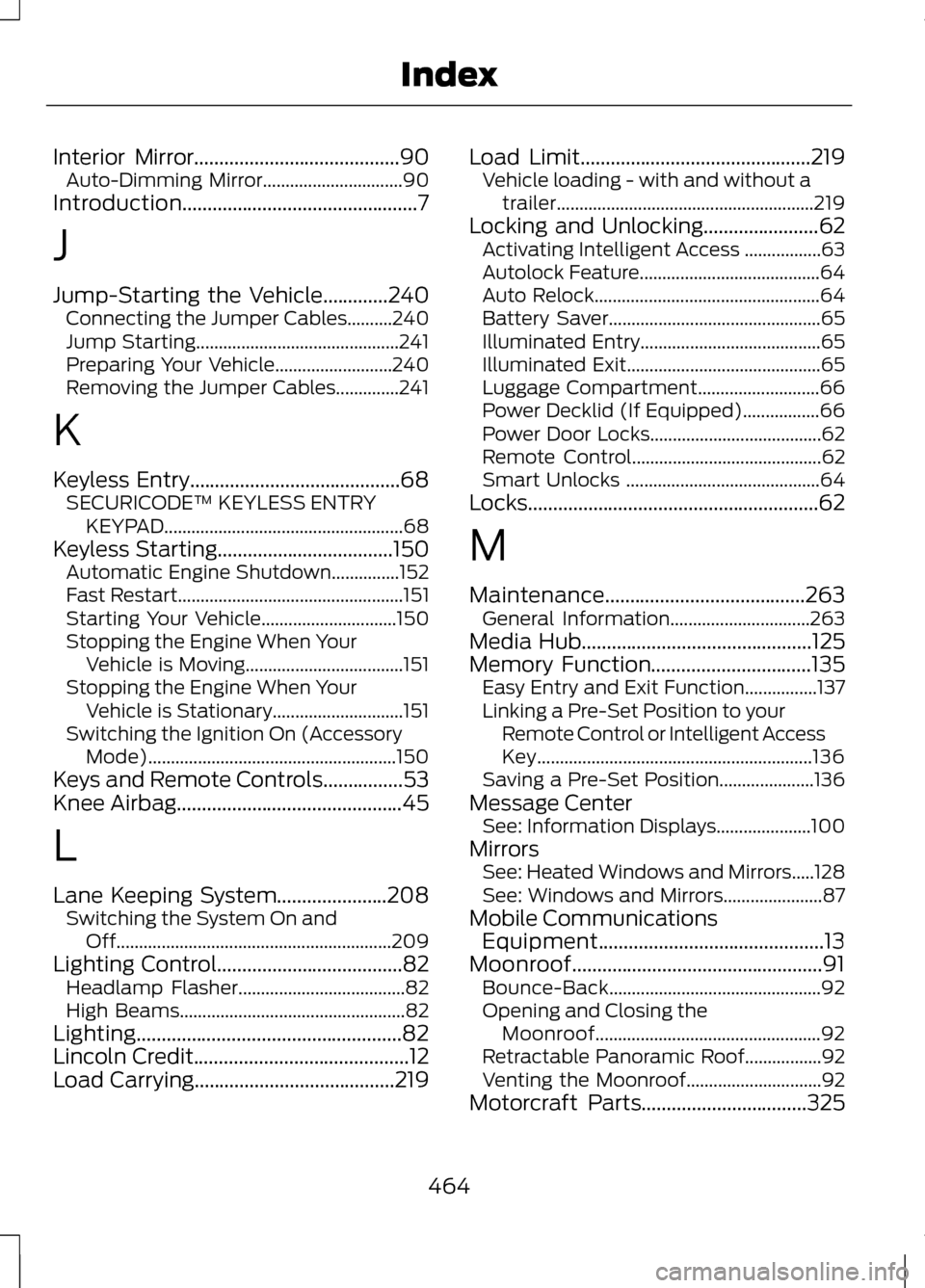
Interior Mirror.........................................90
Auto-Dimming Mirror...............................90
Introduction...............................................7
J
Jump-Starting the Vehicle
.............240
Connecting the Jumper Cables..........240
Jump Starting............................................. 241
Preparing Your Vehicle..........................240
Removing the Jumper Cables..............241
K
Keyless Entry..........................................68 SECURICODE™ KEYLESS ENTRY
KEYPAD..................................................... 68
Keyless Starting...................................150 Automatic Engine Shutdown...............152
Fast Restart.................................................. 151
Starting Your Vehicle..............................150
Stopping the Engine When Your Vehicle is Moving...................................151
Stopping the Engine When Your Vehicle is Stationary.............................151
Switching the Ignition On (Accessory Mode)....................................................... 150
Keys and Remote Controls................53
Knee Airbag
.............................................45
L
Lane Keeping System......................208 Switching the System On and
Off............................................................. 209
Lighting Control
.....................................82
Headlamp Flasher.....................................82
High Beams.................................................. 82
Lighting.....................................................82
Lincoln Credit
...........................................12
Load Carrying........................................219 Load Limit
..............................................219
Vehicle loading - with and without a
trailer......................................................... 219
Locking and Unlocking.......................62 Activating Intelligent Access .................63
Autolock Feature........................................64
Auto Relock.................................................. 64
Battery Saver............................................... 65
Illuminated Entry........................................65
Illuminated Exit........................................... 65
Luggage Compartment...........................66
Power Decklid (If Equipped).................66
Power Door Locks......................................62
Remote Control.......................................... 62
Smart Unlocks ........................................... 64
Locks..........................................................62
M
Maintenance........................................263 General Information...............................263
Media Hub
..............................................125
Memory Function................................135 Easy Entry and Exit Function................137
Linking a Pre-Set Position to your
Remote Control or Intelligent Access
Key............................................................. 136
Saving a Pre-Set Position.....................136
Message Center See: Information Displays.....................100
Mirrors See: Heated Windows and Mirrors.....128
See: Windows and Mirrors......................87
Mobile Communications Equipment.............................................13
Moonroof..................................................91 Bounce-Back............................................... 92
Opening and Closing the Moonroof.................................................. 92
Retractable Panoramic Roof.................92
Venting the Moonroof..............................92
Motorcraft Parts.................................325
464
Index
Page 469 of 474
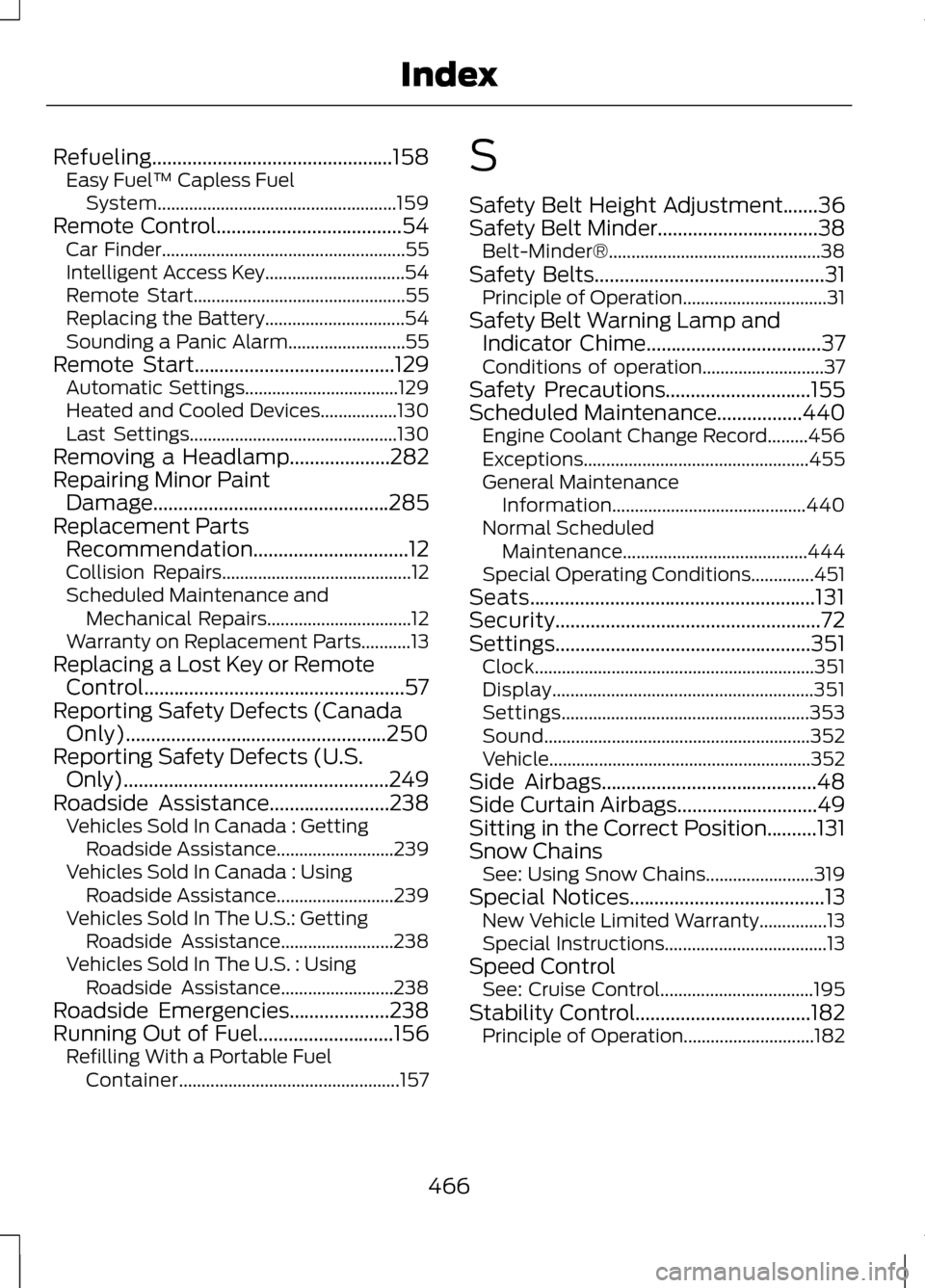
Refueling................................................158
Easy Fuel ™ Capless Fuel
System..................................................... 159
Remote Control.....................................54
Car Finder...................................................... 55
Intelligent Access Key...............................54
Remote Start............................................... 55
Replacing the Battery...............................54
Sounding a Panic Alarm..........................55
Remote Start........................................129 Automatic Settings..................................129
Heated and Cooled Devices.................130
Last Settings.............................................. 130
Removing a Headlamp
....................282
Repairing Minor Paint Damage...............................................285
Replacement Parts Recommendation
...............................12
Collision Repairs.......................................... 12
Scheduled Maintenance and Mechanical Repairs................................12
Warranty on Replacement Parts...........13
Replacing a Lost Key or Remote Control....................................................57
Reporting Safety Defects (Canada Only)....................................................250
Reporting Safety Defects (U.S. Only).....................................................249
Roadside Assistance
........................238
Vehicles Sold In Canada : Getting
Roadside Assistance..........................239
Vehicles Sold In Canada : Using Roadside Assistance..........................239
Vehicles Sold In The U.S.: Getting Roadside Assistance.........................238
Vehicles Sold In The U.S. : Using Roadside Assistance.........................238
Roadside Emergencies....................238
Running Out of Fuel...........................156 Refilling With a Portable Fuel
Container................................................. 157S
Safety Belt Height Adjustment.......36
Safety Belt Minder
................................38
Belt-Minder®............................................... 38
Safety Belts
..............................................31
Principle of Operation................................31
Safety Belt Warning Lamp and Indicator Chime
...................................37
Conditions of operation...........................37
Safety Precautions
.............................155
Scheduled Maintenance.................440
Engine Coolant Change Record.........456
Exceptions.................................................. 455
General Maintenance Information........................................... 440
Normal Scheduled Maintenance.........................................444
Special Operating Conditions..............451
Seats.........................................................131
Security.....................................................72
Settings...................................................351 Clock.............................................................. 351
Display.......................................................... 351
Settings....................................................... 353
Sound........................................................... 352
Vehicle.......................................................... 352
Side Airbags
...........................................48
Side Curtain Airbags............................49
Sitting in the Correct Position..........131
Snow Chains See: Using Snow Chains........................319
Special Notices
.......................................13
New Vehicle Limited Warranty...............13
Special Instructions....................................13
Speed Control See: Cruise Control..................................195
Stability Control...................................182 Principle of Operation.............................182
466
Index
Page 471 of 474
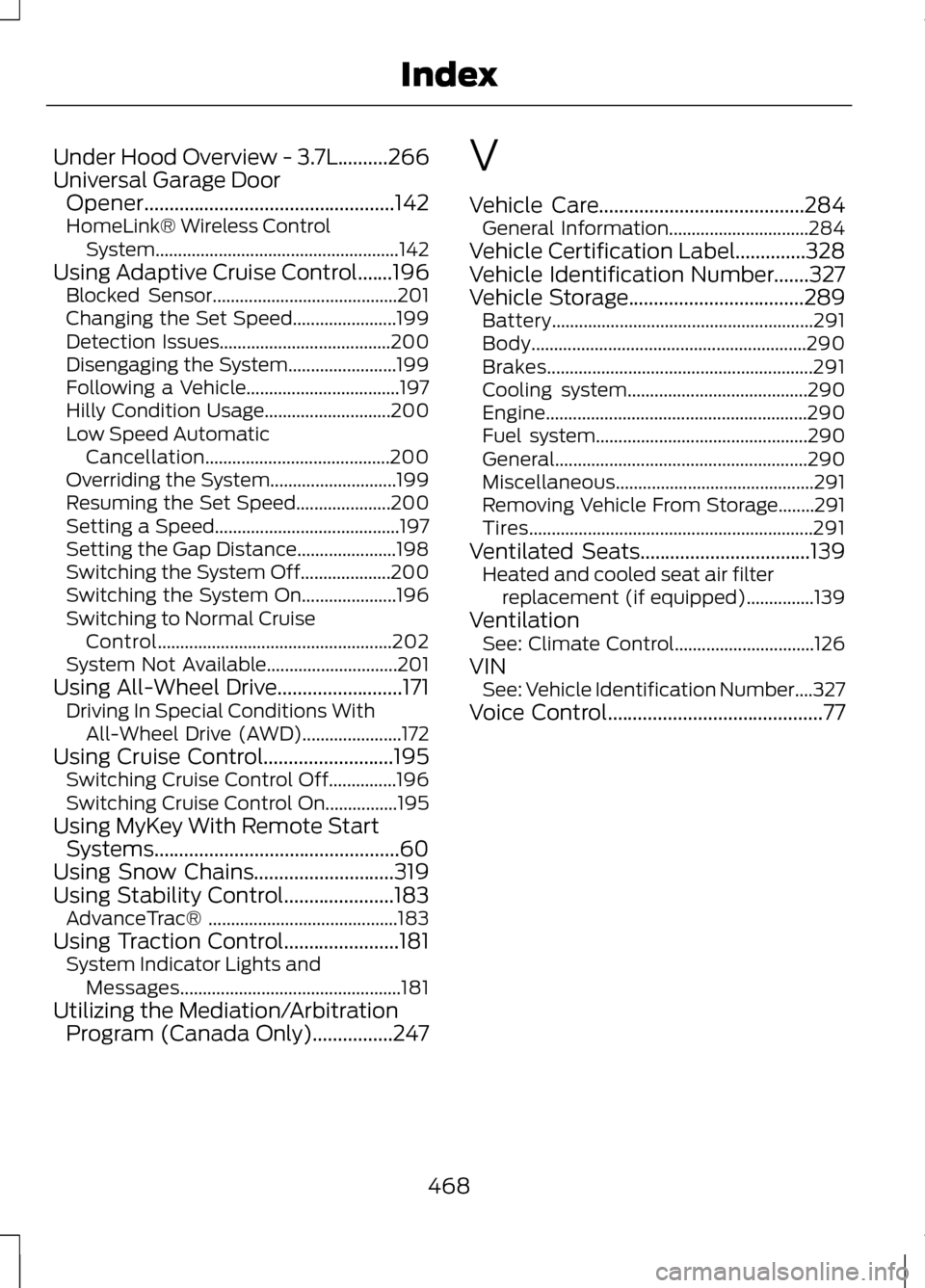
Under Hood Overview - 3.7L..........266
Universal Garage Door
Opener..................................................142
HomeLink® Wireless Control System...................................................... 142
Using Adaptive Cruise Control.......196 Blocked Sensor.........................................201
Changing the Set Speed.......................199
Detection Issues......................................200
Disengaging the System........................199
Following a Vehicle..................................197
Hilly Condition Usage............................200
Low Speed Automatic
Cancellation.........................................200
Overriding the System............................199
Resuming the Set Speed.....................200
Setting a Speed......................................... 197
Setting the Gap Distance......................198
Switching the System Off....................200
Switching the System On.....................196
Switching to Normal Cruise Control.................................................... 202
System Not Available.............................201
Using All-Wheel Drive.........................171 Driving In Special Conditions With
All-Wheel Drive (AWD)......................172
Using Cruise Control..........................195 Switching Cruise Control Off...............196
Switching Cruise Control On................195
Using MyKey With Remote Start Systems.................................................60
Using Snow Chains............................319
Using Stability Control......................183 AdvanceTrac® .......................................... 183
Using Traction Control.......................181 System Indicator Lights and
Messages................................................. 181
Utilizing the Mediation/Arbitration Program (Canada Only)................247 V
Vehicle Care.........................................284
General Information...............................284
Vehicle Certification Label..............328
Vehicle Identification Number.......327
Vehicle Storage...................................289 Battery.......................................................... 291
Body............................................................. 290
Brakes........................................................... 291
Cooling system........................................290
Engine.......................................................... 290
Fuel system............................................... 290
General........................................................ 290
Miscellaneous............................................ 291
Removing Vehicle From Storage........291
Tires............................................................... 291
Ventilated Seats..................................139 Heated and cooled seat air filter
replacement (if equipped)...............139
Ventilation See: Climate Control...............................126
VIN See: Vehicle Identification Number....327
Voice Control
...........................................77
468
Index