heating LINCOLN MKZ 2013 Owners Manual
[x] Cancel search | Manufacturer: LINCOLN, Model Year: 2013, Model line: MKZ, Model: LINCOLN MKZ 2013Pages: 474, PDF Size: 3.79 MB
Page 111 of 474
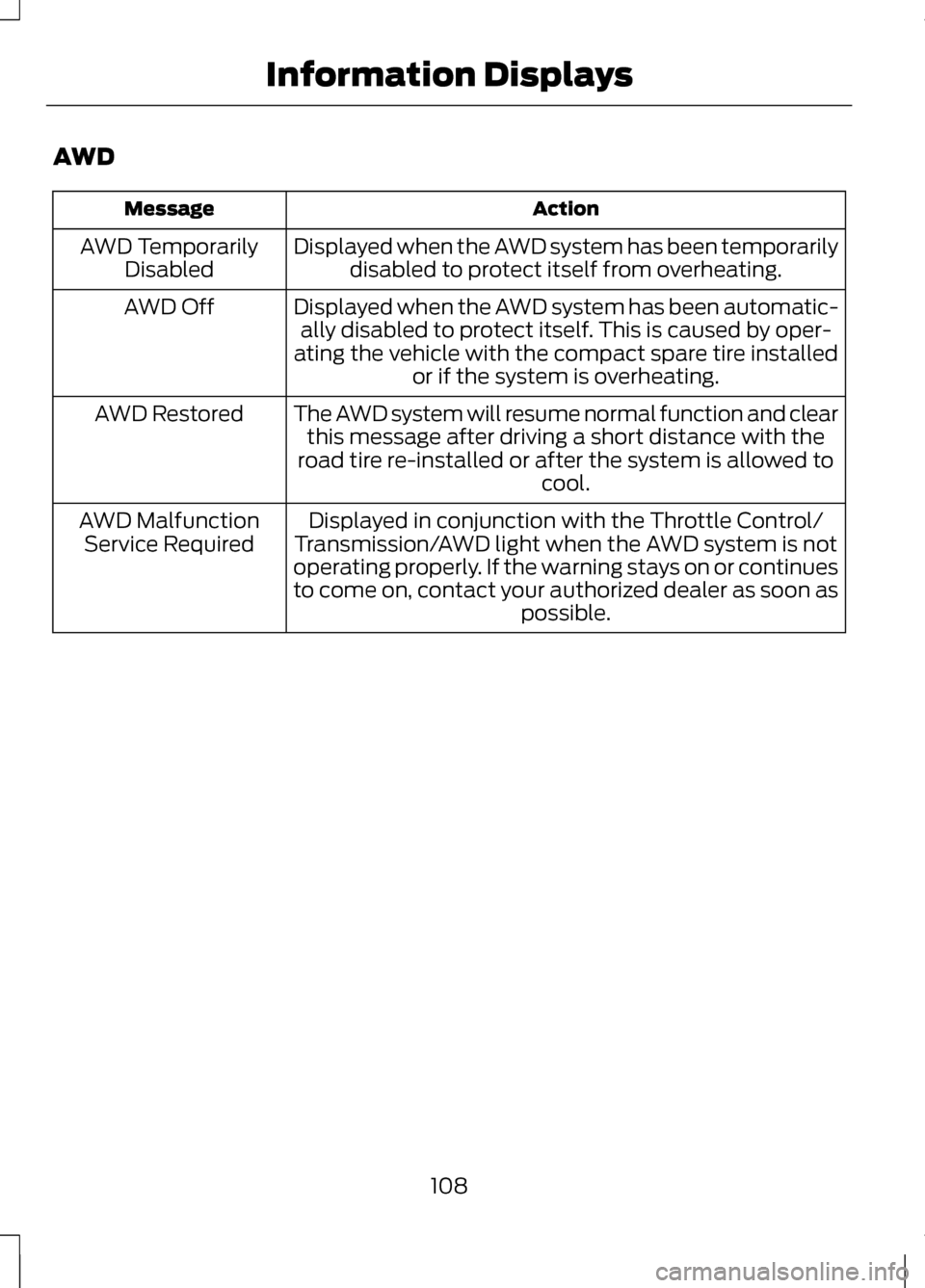
AWD
Action
Message
Displayed when the AWD system has been temporarilydisabled to protect itself from overheating.
AWD Temporarily
Disabled
Displayed when the AWD system has been automatic-ally disabled to protect itself. This is caused by oper-
ating the vehicle with the compact spare tire installed or if the system is overheating.
AWD Off
The AWD system will resume normal function and clearthis message after driving a short distance with the
road tire re-installed or after the system is allowed to cool.
AWD Restored
Displayed in conjunction with the Throttle Control/
Transmission/AWD light when the AWD system is not
operating properly. If the warning stays on or continues
to come on, contact your authorized dealer as soon as possible.
AWD Malfunction
Service Required
108
Information Displays
Page 122 of 474
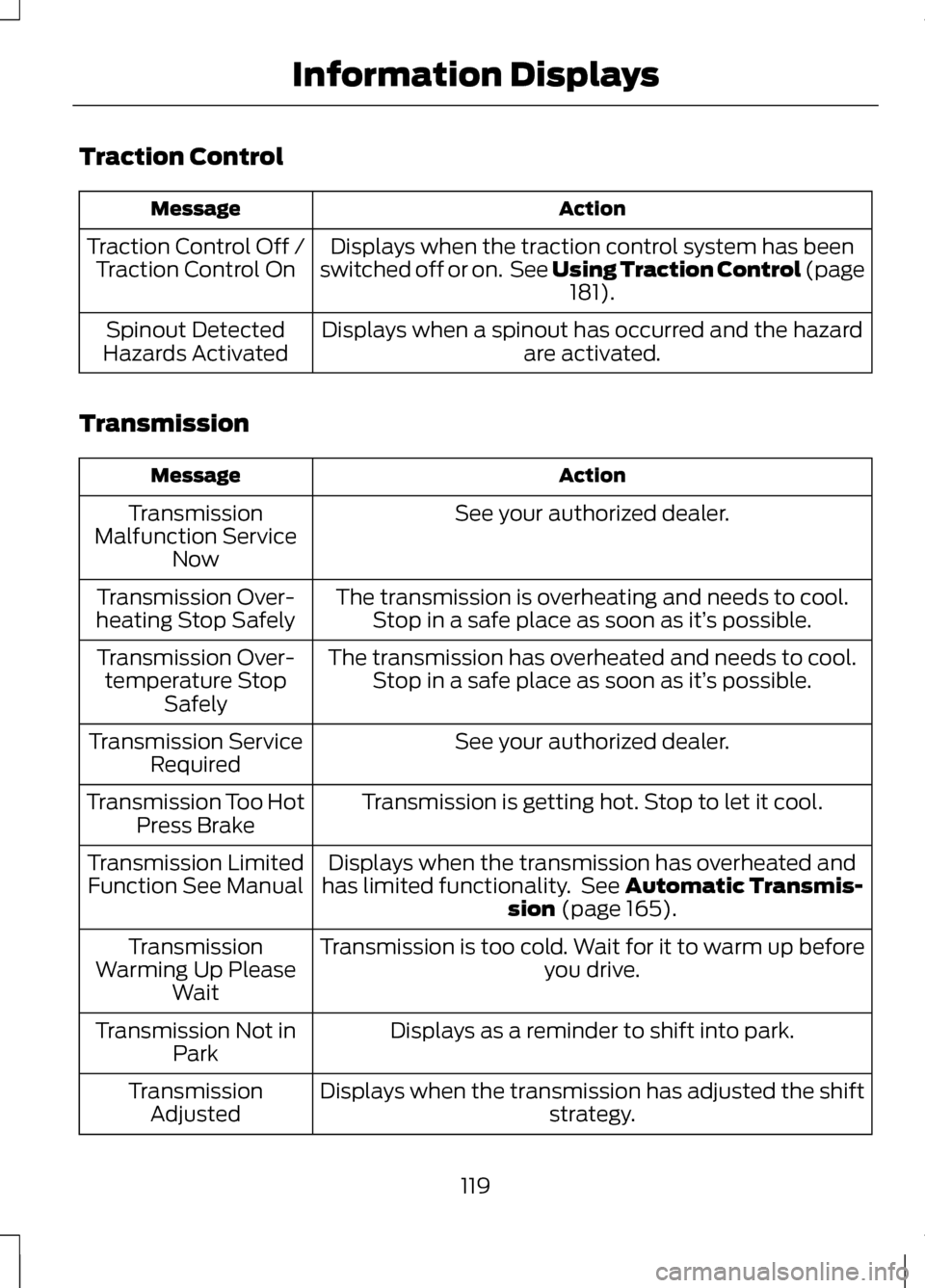
Traction Control
Action
Message
Displays when the traction control system has been
switched off or on. See Using Traction Control (page 181).
Traction Control Off /
Traction Control On
Displays when a spinout has occurred and the hazardare activated.
Spinout Detected
Hazards Activated
Transmission Action
Message
See your authorized dealer.
Transmission
Malfunction Service Now
The transmission is overheating and needs to cool.Stop in a safe place as soon as it’ s possible.
Transmission Over-
heating Stop Safely
The transmission has overheated and needs to cool.Stop in a safe place as soon as it’ s possible.
Transmission Over-
temperature Stop Safely
See your authorized dealer.
Transmission Service
Required
Transmission is getting hot. Stop to let it cool.
Transmission Too Hot
Press Brake
Displays when the transmission has overheated and
has limited functionality. See
Automatic Transmis-
sion (page 165).
Transmission Limited
Function See Manual
Transmission is too cold. Wait for it to warm up beforeyou drive.
Transmission
Warming Up Please Wait
Displays as a reminder to shift into park.
Transmission Not in
Park
Displays when the transmission has adjusted the shift strategy.
Transmission
Adjusted
119
Information Displays
Page 131 of 474
Note:
When the system is in AUTO
mode, and the interior and exterior
temperatures are high, the system
automatically selects recirculated air
to maximize cooling of the interior.
When the system reaches the selected
air temperature, it automatically
switches to outside air.
Note: When you select windshield
defrosting and defogging, the
instrument panel and footwell level
functions automatically switch off and
air conditioning switches on. Outside
air flows into your vehicle.
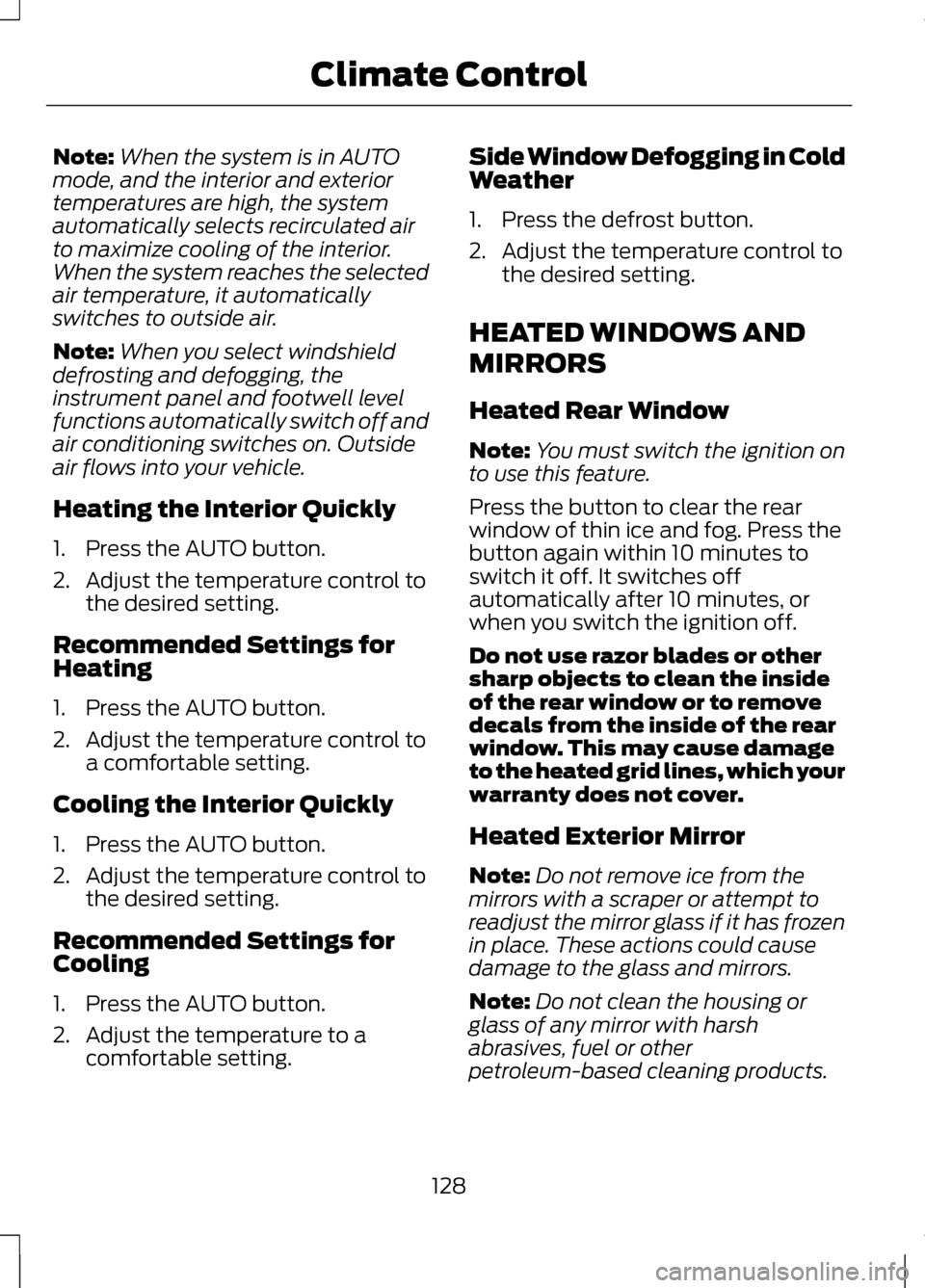
Heating the Interior Quickly
1. Press the AUTO button.
2. Adjust the temperature control to the desired setting.
Recommended Settings for
Heating
1. Press the AUTO button.
2. Adjust the temperature control to a comfortable setting.
Cooling the Interior Quickly
1. Press the AUTO button.
2. Adjust the temperature control to the desired setting.
Recommended Settings for
Cooling
1. Press the AUTO button.
2. Adjust the temperature to a comfortable setting. Side Window Defogging in Cold
Weather
1. Press the defrost button.
2. Adjust the temperature control to
the desired setting.
HEATED WINDOWS AND
MIRRORS
Heated Rear Window
Note: You must switch the ignition on
to use this feature.
Press the button to clear the rear
window of thin ice and fog. Press the
button again within 10 minutes to
switch it off. It switches off
automatically after 10 minutes, or
when you switch the ignition off.
Do not use razor blades or other
sharp objects to clean the inside
of the rear window or to remove
decals from the inside of the rear
window. This may cause damage
to the heated grid lines, which your
warranty does not cover.
Heated Exterior Mirror
Note: Do not remove ice from the
mirrors with a scraper or attempt to
readjust the mirror glass if it has frozen
in place. These actions could cause
damage to the glass and mirrors.
Note: Do not clean the housing or
glass of any mirror with harsh
abrasives, fuel or other
petroleum-based cleaning products.
128
Climate Control
Page 141 of 474
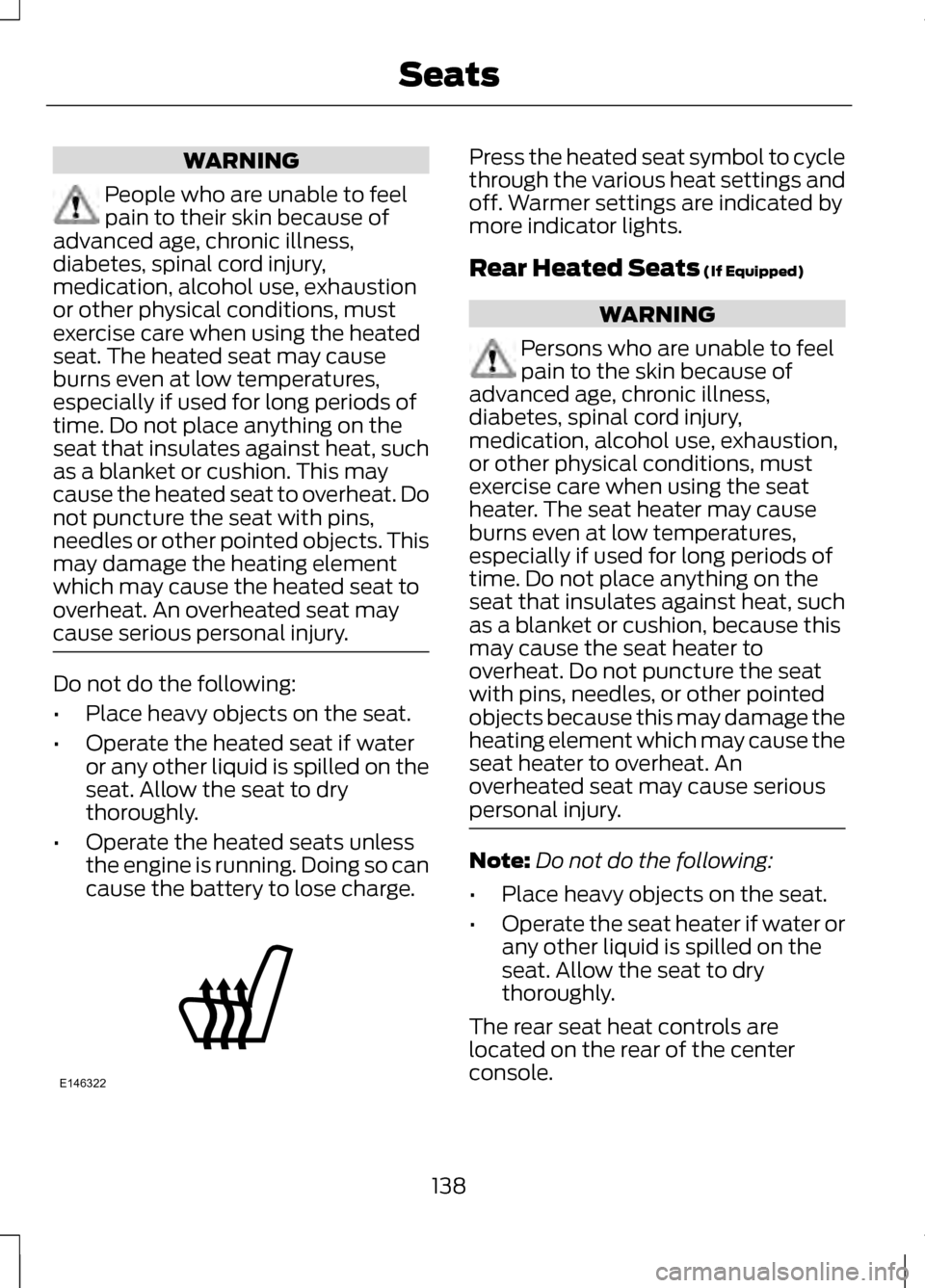
WARNING
People who are unable to feel
pain to their skin because of
advanced age, chronic illness,
diabetes, spinal cord injury,
medication, alcohol use, exhaustion
or other physical conditions, must
exercise care when using the heated
seat. The heated seat may cause
burns even at low temperatures,
especially if used for long periods of
time. Do not place anything on the
seat that insulates against heat, such
as a blanket or cushion. This may
cause the heated seat to overheat. Do
not puncture the seat with pins,
needles or other pointed objects. This
may damage the heating element
which may cause the heated seat to
overheat. An overheated seat may
cause serious personal injury. Do not do the following:
•
Place heavy objects on the seat.
• Operate the heated seat if water
or any other liquid is spilled on the
seat. Allow the seat to dry
thoroughly.
• Operate the heated seats unless
the engine is running. Doing so can
cause the battery to lose charge. Press the heated seat symbol to cycle
through the various heat settings and
off. Warmer settings are indicated by
more indicator lights.
Rear Heated Seats (If Equipped)
WARNING
Persons who are unable to feel
pain to the skin because of
advanced age, chronic illness,
diabetes, spinal cord injury,
medication, alcohol use, exhaustion,
or other physical conditions, must
exercise care when using the seat
heater. The seat heater may cause
burns even at low temperatures,
especially if used for long periods of
time. Do not place anything on the
seat that insulates against heat, such
as a blanket or cushion, because this
may cause the seat heater to
overheat. Do not puncture the seat
with pins, needles, or other pointed
objects because this may damage the
heating element which may cause the
seat heater to overheat. An
overheated seat may cause serious
personal injury. Note:
Do not do the following:
• Place heavy objects on the seat.
• Operate the seat heater if water or
any other liquid is spilled on the
seat. Allow the seat to dry
thoroughly.
The rear seat heat controls are
located on the rear of the center
console.
138
SeatsE146322
Page 142 of 474
The heated seats only operate when
the ignition is on.
•
Press the heated seat
symbol/button to cycle through
the various heat settings and off.
Warmer settings are indicated by
more indicator lights.
• Press again to deactivate.
The heated seat module resets at
every ignition run cycle. While the
ignition is on, activating the high or low
heated seat switch enables heating
mode. When activated, they will turn
off automatically when the engine is
turned off.
VENTILATED SEATS (IF
EQUIPPED)
The cooled seats will only function
when the engine is running.
To operate the cooled seats: Press the cooled seat symbol to cycle
through the various cooling settings
and off. Cooler settings are indicated
by more indicator lights.
If the engine falls below 350 rpms
while the cooled seats are on, the
feature will turn itself off and will need
to be reactivated.
Heated and cooled seat air
filter replacement (if
equipped)
The climate controlled seat system
includes air filters that must be
replaced periodically.
The filters are located under each
front seat and can be accessed from
the second row foot-well area. Move
the front seats all the way forward
and to the full up positions to ease
access.
139
SeatsE146322 E146309 E146319
Page 151 of 474
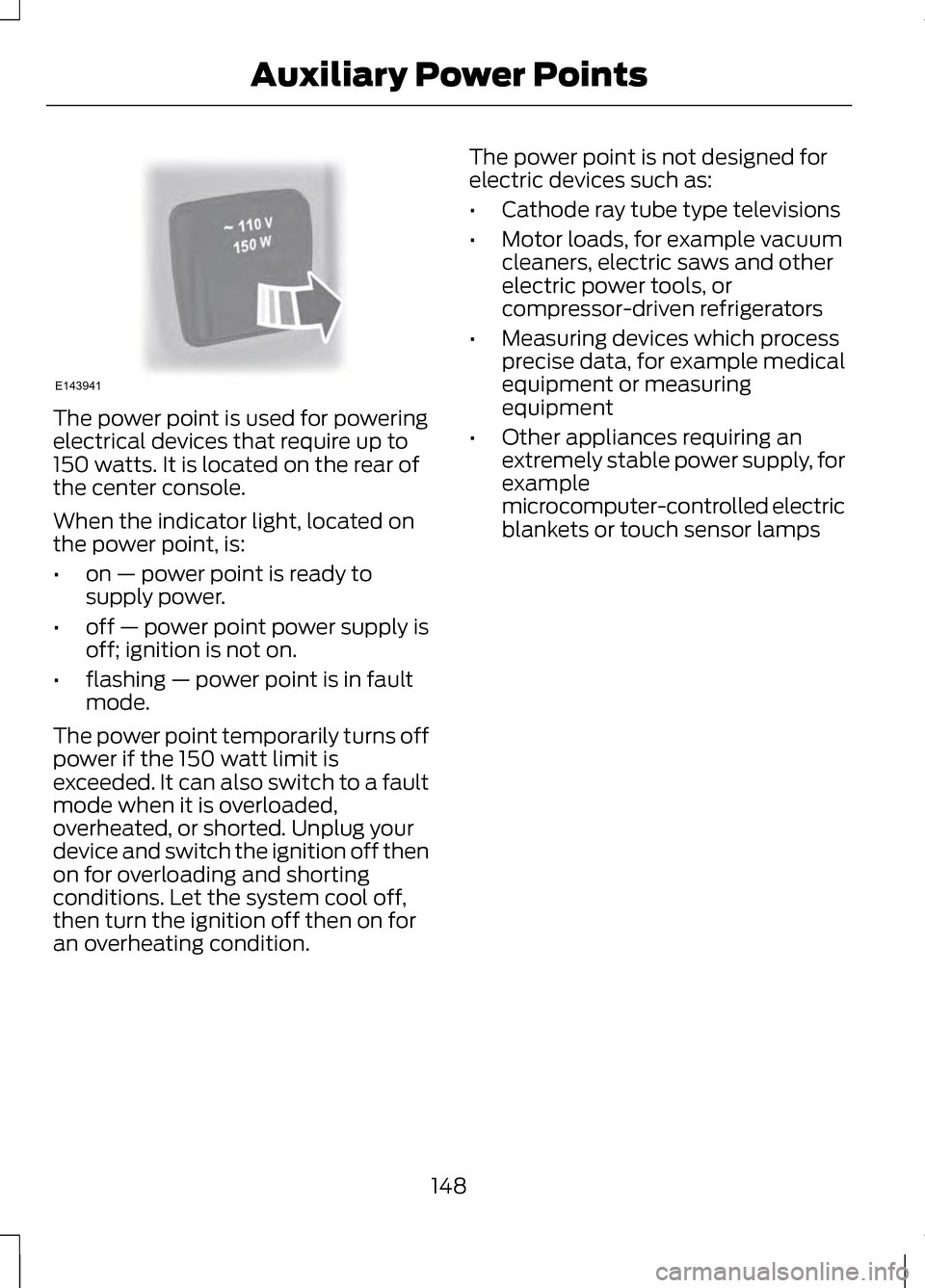
The power point is used for powering
electrical devices that require up to
150 watts. It is located on the rear of
the center console.
When the indicator light, located on
the power point, is:
•
on — power point is ready to
supply power.
• off — power point power supply is
off; ignition is not on.
• flashing — power point is in fault
mode.
The power point temporarily turns off
power if the 150 watt limit is
exceeded. It can also switch to a fault
mode when it is overloaded,
overheated, or shorted. Unplug your
device and switch the ignition off then
on for overloading and shorting
conditions. Let the system cool off,
then turn the ignition off then on for
an overheating condition. The power point is not designed for
electric devices such as:
•
Cathode ray tube type televisions
• Motor loads, for example vacuum
cleaners, electric saws and other
electric power tools, or
compressor-driven refrigerators
• Measuring devices which process
precise data, for example medical
equipment or measuring
equipment
• Other appliances requiring an
extremely stable power supply, for
example
microcomputer-controlled electric
blankets or touch sensor lamps
148
Auxiliary Power PointsE143941
Page 175 of 474
Driving In Special Conditions
With All-Wheel Drive (AWD)
AWD vehicles are equipped for driving
on sand, snow, mud and rough roads
and have operating characteristics
that are somewhat different from
conventional vehicles, both on and off
the highway.
Under severe operating conditions,
the A/C may cycle on and off to
protect overheating of the engine.
Basic operating principles in
special conditions
•
Drive slower in strong crosswinds
which can affect the normal
steering characteristics of your
vehicle.
• Be extremely careful when driving
on pavement made slippery by
loose sand, water, gravel, snow or
ice. If Your Vehicle Goes Off the Edge of
the Pavement
•
If your vehicle goes off the edge of
the pavement, slow down, but
avoid severe brake application,
ease the vehicle back onto the
pavement only after reducing your
speed. Do not turn the steering
wheel too sharply while returning
to the road surface.
• It may be safer to stay on the
apron or shoulder of the road and
slow down gradually before
returning to the pavement. You
may lose control if you do not slow
down or if you turn the steering
wheel too sharply or abruptly.
• It often may be less risky to strike
small objects, such as highway
reflectors, with minor damage to
your vehicle rather than attempt a
sudden return to the pavement
which could cause the vehicle to
slide sideways out of control or
rollover. Remember, your safety
and the safety of others should be
your primary concern.
If Your Vehicle Gets Stuck WARNINGS
Always set the parking brake
fully and make sure the gearshift
is latched in P (Park). Turn the ignition
to the lock position and remove the
key whenever you leave your vehicle. If the parking brake is fully
released, but the brake warning
lamp remains illuminated, the brakes
may not be working properly. See your
authorized dealer.
172
All-Wheel Drive (If Equipped)
Page 176 of 474
WARNINGS
Do not spin the wheels at over
35 mph (56 km/h). The tires may
fail and injure a passenger or
bystander. Note:
Do not rock the vehicle if the
engine is not at normal operating
temperature or damage to the
transmission may occur.
Note: Do not rock the vehicle for more
than a few minutes or damage to the
transmission and tires may occur or the
engine may overheat.
If your vehicle gets stuck in mud or
snow it may be rocked out by shifting
between forward and reverse gears,
stopping between shifts, in a steady
pattern. Press lightly on the
accelerator in each gear.
If your vehicle is equipped with
AdvanceTrac® with Roll Stability
Control ™, it may be beneficial to
disengage the AdvanceTrac® with
Roll Stability Control ™ system while
attempting to rock the vehicle.
Emergency Maneuvers
• In an unavoidable emergency
situation where a sudden sharp
turn must be made, remember to
avoid "over-driving" your vehicle
(i.e., turn the steering wheel only
as rapidly and as far as required to
avoid the emergency). Excessive
steering will result in less vehicle
control, not more. Additionally,
smooth variations of the
accelerator and/or brake pedal
pressure should be utilized if changes in vehicle speed are called
for. Avoid abrupt steering,
acceleration or braking which
could result in an increased risk of
loss of vehicle control, vehicle
rollover and/or personal injury. Use
all available road surface to return
the vehicle to a safe direction of
travel.
• In the event of an emergency stop,
avoid skidding the tires and do not
attempt any sharp steering wheel
movements.
• If the vehicle goes from one type
of surface to another (i.e., from
concrete to gravel) there will be a
change in the way the vehicle
responds to a maneuver (steering,
acceleration or braking). Again,
avoid these abrupt inputs.
Sand
When driving over sand, try to keep all
four wheels on the most solid area of
the trail. Avoid reducing the tire
pressures but shift to a lower gear and
drive steadily through the terrain.
Apply the accelerator slowly and
avoid spinning the wheels.
Do not drive your AWD vehicle in deep
sand. This will cause the AWD system
to overheat. After the system has
cooled down, normal AWD function
will return.
Under severe operating conditions,
the A/C may cycle on and off to
protect overheating of the engine.
173
All-Wheel Drive (If Equipped)
Page 178 of 474
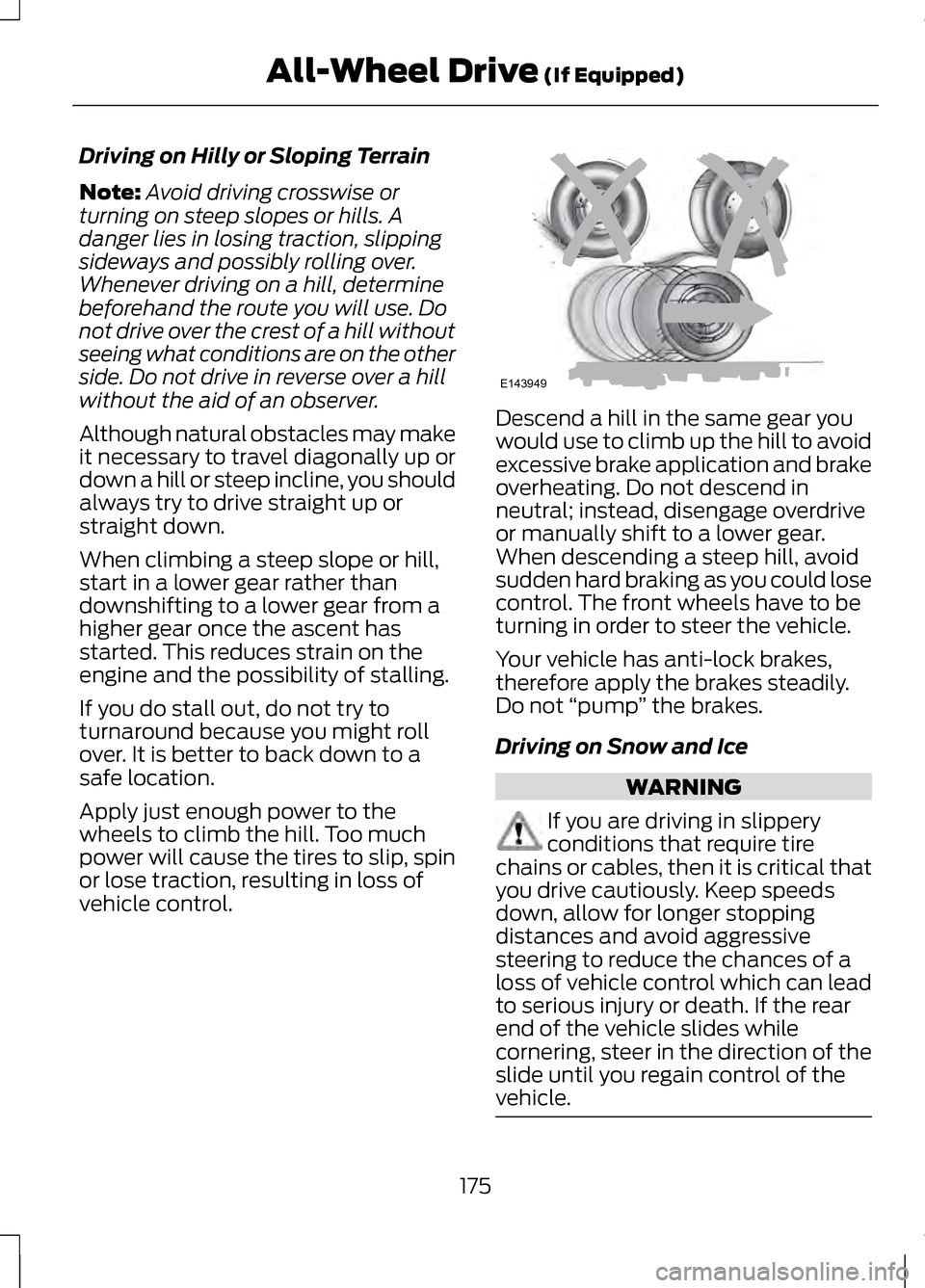
Driving on Hilly or Sloping Terrain
Note:
Avoid driving crosswise or
turning on steep slopes or hills. A
danger lies in losing traction, slipping
sideways and possibly rolling over.
Whenever driving on a hill, determine
beforehand the route you will use. Do
not drive over the crest of a hill without
seeing what conditions are on the other
side. Do not drive in reverse over a hill
without the aid of an observer.
Although natural obstacles may make
it necessary to travel diagonally up or
down a hill or steep incline, you should
always try to drive straight up or
straight down.
When climbing a steep slope or hill,
start in a lower gear rather than
downshifting to a lower gear from a
higher gear once the ascent has
started. This reduces strain on the
engine and the possibility of stalling.
If you do stall out, do not try to
turnaround because you might roll
over. It is better to back down to a
safe location.
Apply just enough power to the
wheels to climb the hill. Too much
power will cause the tires to slip, spin
or lose traction, resulting in loss of
vehicle control. Descend a hill in the same gear you
would use to climb up the hill to avoid
excessive brake application and brake
overheating. Do not descend in
neutral; instead, disengage overdrive
or manually shift to a lower gear.
When descending a steep hill, avoid
sudden hard braking as you could lose
control. The front wheels have to be
turning in order to steer the vehicle.
Your vehicle has anti-lock brakes,
therefore apply the brakes steadily.
Do not
“pump” the brakes.
Driving on Snow and Ice WARNING
If you are driving in slippery
conditions that require tire
chains or cables, then it is critical that
you drive cautiously. Keep speeds
down, allow for longer stopping
distances and avoid aggressive
steering to reduce the chances of a
loss of vehicle control which can lead
to serious injury or death. If the rear
end of the vehicle slides while
cornering, steer in the direction of the
slide until you regain control of the
vehicle. 175
All-Wheel Drive (If Equipped)E143949
Page 203 of 474
Resuming the Set Speed
Note:
Resume should only be used if
you are aware of the set speed and
intend to return to it.
Press and release RES. The vehicle
will return to the previously set speed.
The set speed will display
continuously in the information
display while the system is active.
Low Speed Automatic
Cancellation
The system is not functional at vehicle
speeds below 12 mph (20 km/h). An
audible alarm will sound and the
automatic braking will be released if
the vehicle drops below this speed.
Hilly Condition Usage
Note: An audible alarm will sound and
the system will shut down if it is
applying brakes for an extended period
of time. This allows the brakes to cool
down. The system will function
normally again when the brakes have
cooled down.
You should select a lower gear
position when the system is active in
situations such as prolonged downhill
driving on steep grades (i.e., driving in
mountainous areas). Additional
engine braking is needed in these
situations to reduce the load on the
vehicle ’s regular brake system to
prevent them from overheating.
Switching the System Off
Note: The set speed memory is erased
when you switch off the system. Press and release
OFF or turn off the
ignition.
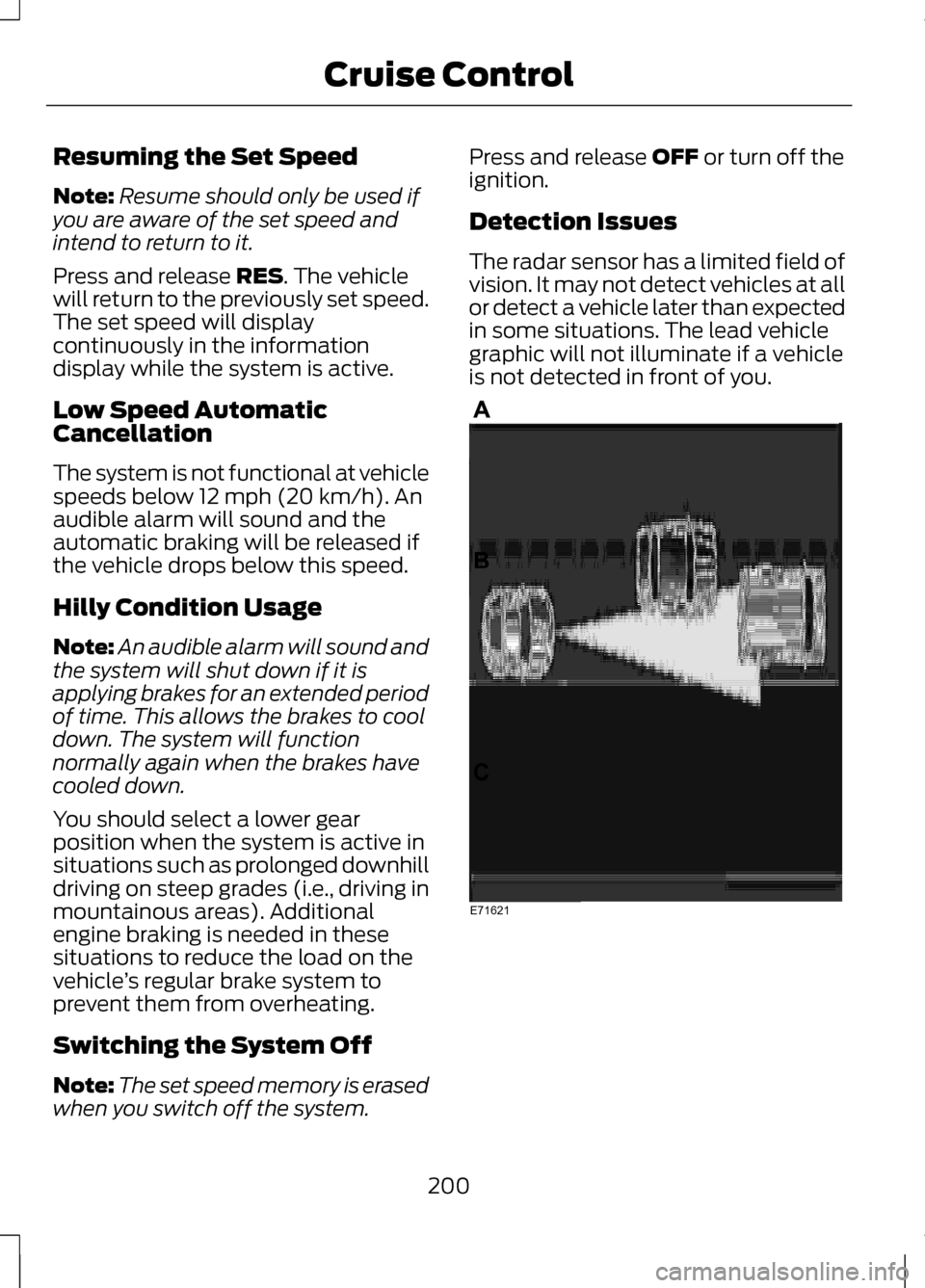
Detection Issues
The radar sensor has a limited field of
vision. It may not detect vehicles at all
or detect a vehicle later than expected
in some situations. The lead vehicle
graphic will not illuminate if a vehicle
is not detected in front of you. 200
Cruise ControlE71621