lane assist LINCOLN MKZ 2013 Owners Manual
[x] Cancel search | Manufacturer: LINCOLN, Model Year: 2013, Model line: MKZ, Model: LINCOLN MKZ 2013Pages: 474, PDF Size: 3.79 MB
Page 6 of 474
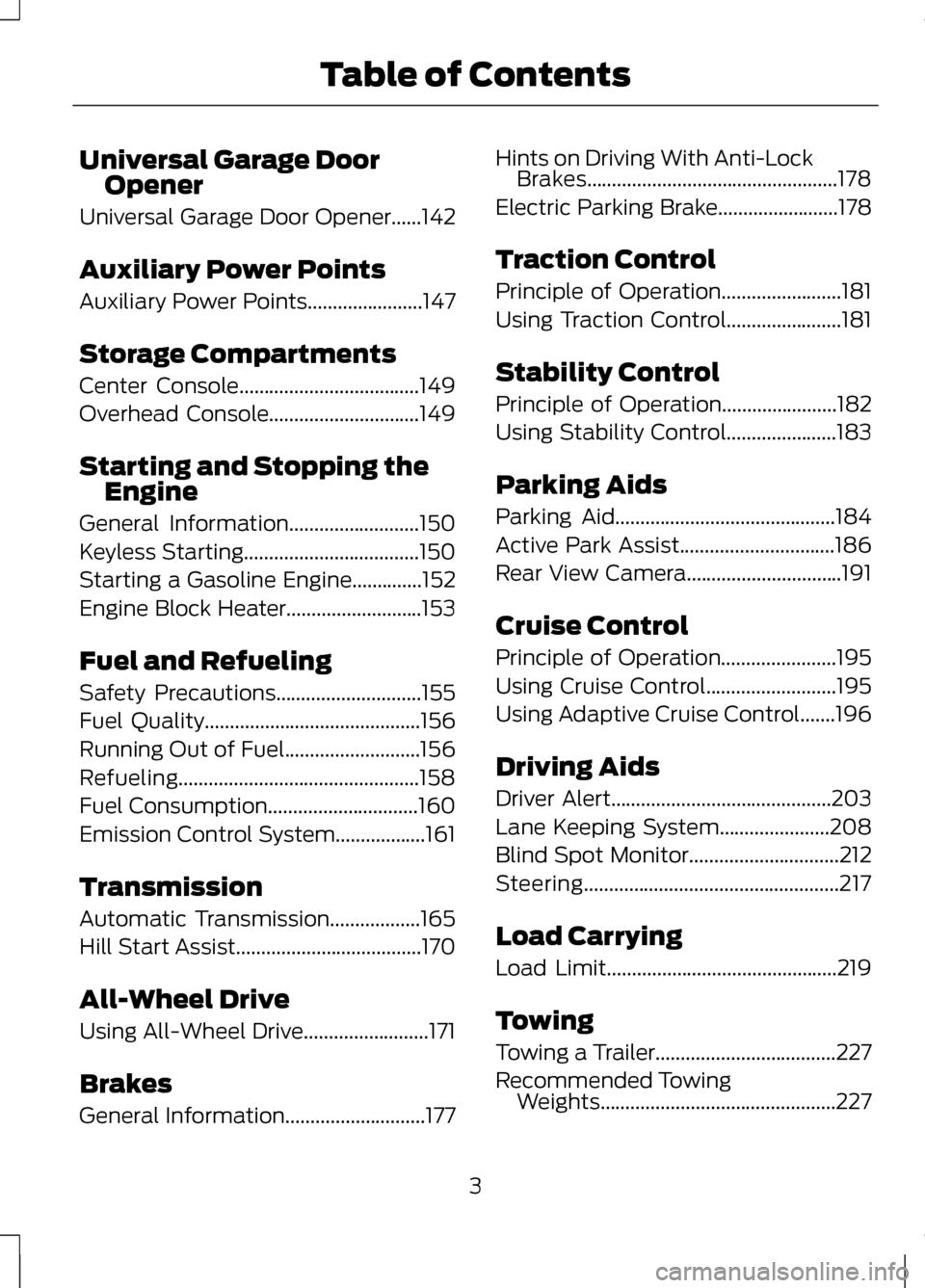
Universal Garage Door
Opener
Universal Garage Door Opener......142
Auxiliary Power Points
Auxiliary Power Points.......................147
Storage Compartments
Center Console....................................149
Overhead Console..............................149
Starting and Stopping the Engine
General Information
..........................150
Keyless Starting...................................150
Starting a Gasoline Engine..............152
Engine Block Heater
...........................153
Fuel and Refueling
Safety Precautions
.............................155
Fuel Quality
...........................................156
Running Out of Fuel...........................156
Refueling................................................158
Fuel Consumption
..............................160
Emission Control System..................161
Transmission
Automatic Transmission
..................165
Hill Start Assist
.....................................170
All-Wheel Drive
Using All-Wheel Drive.........................171
Brakes
General Information............................177 Hints on Driving With Anti-Lock
Brakes..................................................178
Electric Parking Brake
........................178
Traction Control
Principle of Operation
........................181
Using Traction Control.......................181
Stability Control
Principle of Operation.......................182
Using Stability Control......................183
Parking Aids
Parking Aid
............................................184
Active Park Assist...............................186
Rear View Camera...............................191
Cruise Control
Principle of Operation.......................195
Using Cruise Control..........................195
Using Adaptive Cruise Control
.......196
Driving Aids
Driver Alert............................................203
Lane Keeping System......................208
Blind Spot Monitor..............................212
Steering...................................................217
Load Carrying
Load Limit..............................................219
Towing
Towing a Trailer
....................................227
Recommended Towing Weights...............................................227
3
Table of Contents
Page 61 of 474
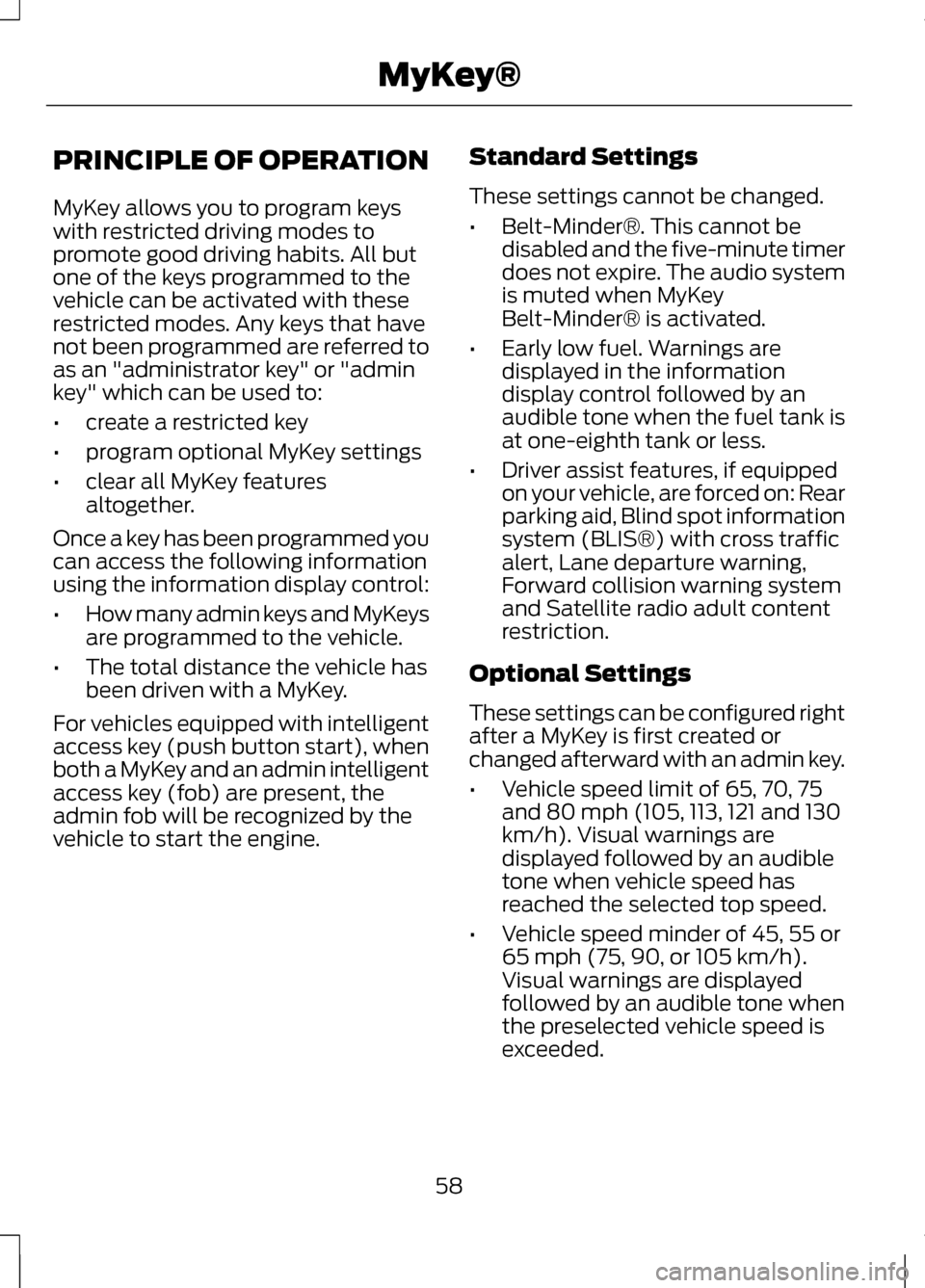
PRINCIPLE OF OPERATION
MyKey allows you to program keys
with restricted driving modes to
promote good driving habits. All but
one of the keys programmed to the
vehicle can be activated with these
restricted modes. Any keys that have
not been programmed are referred to
as an "administrator key" or "admin
key" which can be used to:
•
create a restricted key
• program optional MyKey settings
• clear all MyKey features
altogether.
Once a key has been programmed you
can access the following information
using the information display control:
• How many admin keys and MyKeys
are programmed to the vehicle.
• The total distance the vehicle has
been driven with a MyKey.
For vehicles equipped with intelligent
access key (push button start), when
both a MyKey and an admin intelligent
access key (fob) are present, the
admin fob will be recognized by the
vehicle to start the engine. Standard Settings
These settings cannot be changed.
•
Belt-Minder®. This cannot be
disabled and the five-minute timer
does not expire. The audio system
is muted when MyKey
Belt-Minder® is activated.
• Early low fuel. Warnings are
displayed in the information
display control followed by an
audible tone when the fuel tank is
at one-eighth tank or less.
• Driver assist features, if equipped
on your vehicle, are forced on: Rear
parking aid, Blind spot information
system (BLIS®) with cross traffic
alert, Lane departure warning,
Forward collision warning system
and Satellite radio adult content
restriction.
Optional Settings
These settings can be configured right
after a MyKey is first created or
changed afterward with an admin key.
• Vehicle speed limit of 65, 70, 75
and 80 mph (105, 113, 121 and 130
km/h). Visual warnings are
displayed followed by an audible
tone when vehicle speed has
reached the selected top speed.
• Vehicle speed minder of 45, 55 or
65 mph (75, 90, or 105 km/h).
Visual warnings are displayed
followed by an audible tone when
the preselected vehicle speed is
exceeded.
58
MyKey®
Page 105 of 474
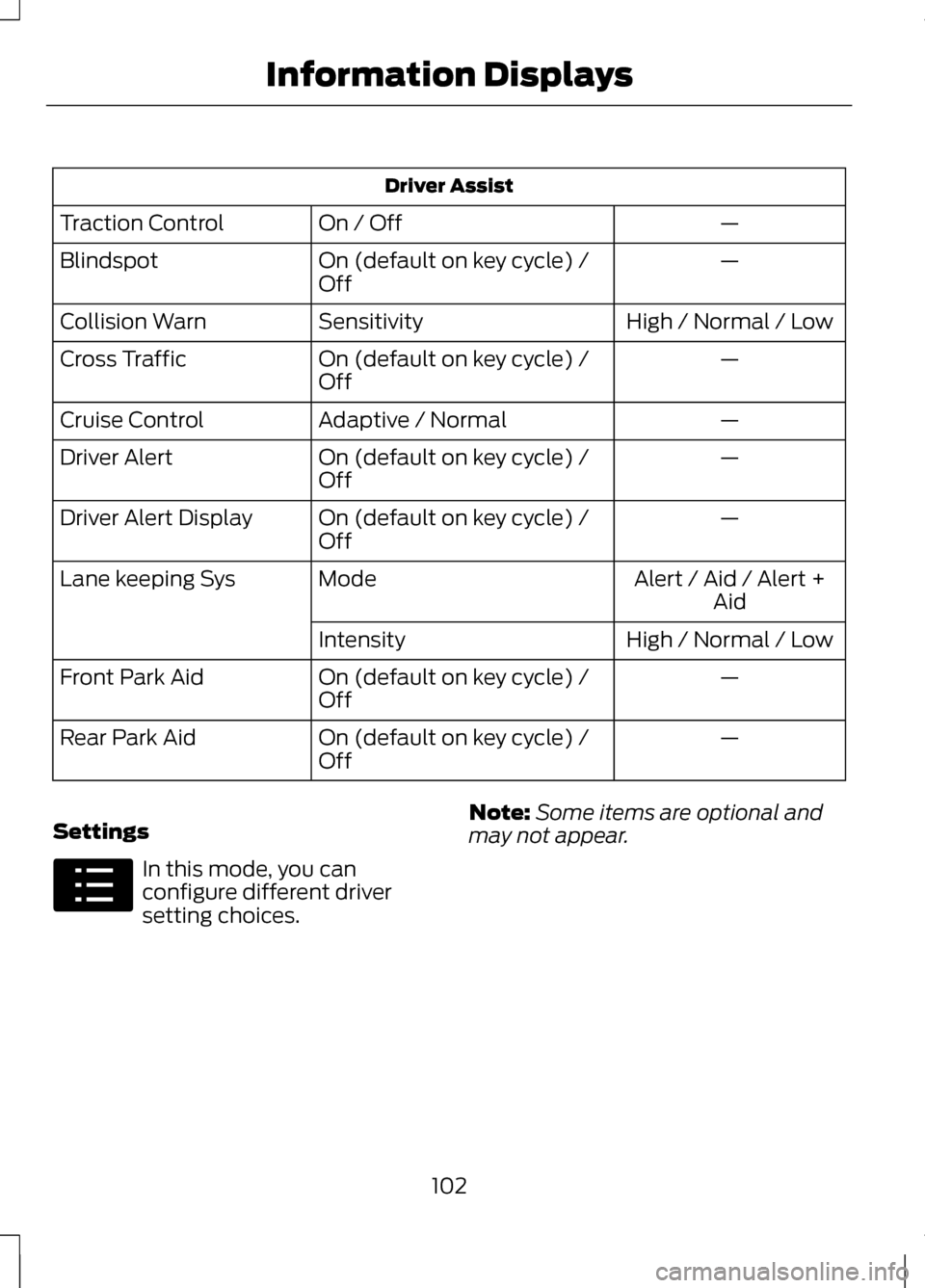
Driver Assist
—
On / Off
Traction Control
—
On (default on key cycle) /
Off
Blindspot
High / Normal / Low
Sensitivity
Collision Warn
—
On (default on key cycle) /
Off
Cross Traffic
—
Adaptive / Normal
Cruise Control
—
On (default on key cycle) /
Off
Driver Alert
—
On (default on key cycle) /
Off
Driver Alert Display
Alert / Aid / Alert +Aid
Mode
Lane keeping Sys
High / Normal / Low
Intensity
—
On (default on key cycle) /
Off
Front Park Aid
—
On (default on key cycle) /
Off
Rear Park Aid
Settings In this mode, you can
configure different driver
setting choices.
Note:
Some items are optional and
may not appear.
102
Information DisplaysE100023
Page 206 of 474
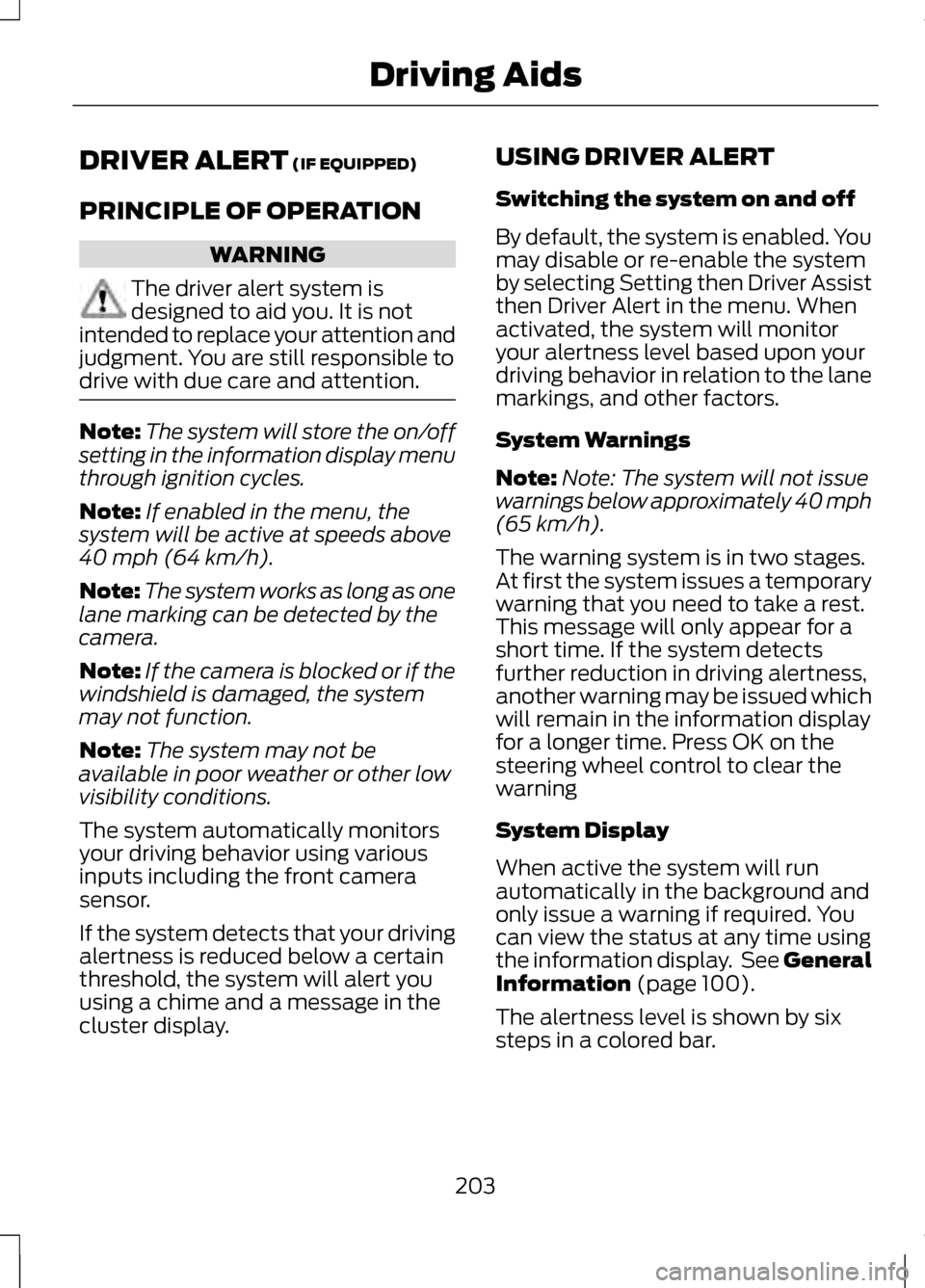
DRIVER ALERT (IF EQUIPPED)
PRINCIPLE OF OPERATION WARNING
The driver alert system is
designed to aid you. It is not
intended to replace your attention and
judgment. You are still responsible to
drive with due care and attention. Note:
The system will store the on/off
setting in the information display menu
through ignition cycles.
Note: If enabled in the menu, the
system will be active at speeds above
40 mph (64 km/h).
Note: The system works as long as one
lane marking can be detected by the
camera.
Note: If the camera is blocked or if the
windshield is damaged, the system
may not function.
Note: The system may not be
available in poor weather or other low
visibility conditions.
The system automatically monitors
your driving behavior using various
inputs including the front camera
sensor.
If the system detects that your driving
alertness is reduced below a certain
threshold, the system will alert you
using a chime and a message in the
cluster display. USING DRIVER ALERT
Switching the system on and off
By default, the system is enabled. You
may disable or re-enable the system
by selecting Setting then Driver Assist
then Driver Alert in the menu. When
activated, the system will monitor
your alertness level based upon your
driving behavior in relation to the lane
markings, and other factors.
System Warnings
Note:
Note: The system will not issue
warnings below approximately 40 mph
(65 km/h).
The warning system is in two stages.
At first the system issues a temporary
warning that you need to take a rest.
This message will only appear for a
short time. If the system detects
further reduction in driving alertness,
another warning may be issued which
will remain in the information display
for a longer time. Press OK on the
steering wheel control to clear the
warning
System Display
When active the system will run
automatically in the background and
only issue a warning if required. You
can view the status at any time using
the information display. See General
Information
(page 100).
The alertness level is shown by six
steps in a colored bar.
203
Driving Aids
Page 210 of 474
System Limitations
WARNING
The collision warning system
’s
brake support can only help
reduce the speed at which a collision
occurs if the driver applies the
vehicle ’s brakes. The brake pedal
must be pressed just like any typical
braking situation. Due to the nature of radar technology,
there may be certain instances where
vehicles do not provide a collision
warning. These include:
•
Stationary vehicles or vehicles
moving below 6 mph (10 km/h).
• Pedestrians or objects in the
roadway.
• Oncoming vehicles in the same
lane.
• Severe weather conditions (see
blocked sensor section).
• Debris build-up on the grille near
the headlamps (see blocked
sensor section).
• Small distance to vehicle ahead.
• Steering wheel and pedal
movements are large (very active
driving style).
•
Certain conditions may reduce the
visibility of the warning lamp;
therefore, it is recommended to keep
the audible warning on. If the front end of the vehicle is hit or
damaged, the radar sensing zone may
be altered causing missed or false
collision warnings. See your
authorized dealer to have your
collision warning radar checked for
proper coverage and operation.
LINCOLN DRIVE CONTROL
The Lincoln driving experience is
delivered through a suite of
sophisticated electronic vehicle
systems that continuously monitor
both your inputs and the road
conditions to optimize ride comfort,
steering, handling, and powertrain
response and sound.
These systems include:
•
Continuously Controlled Damping
which dynamically adjusts the
shock absorbers in real time to
match the road surface and your
inputs.
• Electronically Power-Assisted
Steering which adjusts steering
effort and feel based on vehicle
speed and your inputs.
• Active Noise Control which utilizes
vehicle electronics to enhance the
acoustic experience.
• Electronic Stability Control and
Traction Control which maintain
vehicle control in adverse
conditions or high performance
driving.
• Electronic Throttle Control which
enhances the powertrain response
to your inputs.
207
Driving Aids
Page 212 of 474
Switching the System On and
Off
Note:
The system defaults to off each
time the vehicle is started, unless a
MyKey® is detected. If a MyKey® is
detected, the system is defaulted to
on and the Alert mode is automatically
selected.
Note: If a MyKey® is detected,
pressing the button will not affect the
on/off status of the system. Only the
Mode, Sensitivity and Intensity settings
can be changed when a MyKey® is
present. To turn the system on, press
the button located on the left
steering wheel stalk. The
button must be pressed each time the
vehicle is started. The system can be
turned off by pressing the button
again.
System Settings
The system has three optional setting
menus available. To view or adjust
them, select Settings > Vehicle
Settings > Driver Assist > Lane
Keeping Sys in the left-hand
instrument cluster display using the
OK button on the steering wheel. The
last-known selection for each of these
settings is stored by the system. You
do not need to readjust your settings
each time you turn on the system.
Mode: This setting allows the driver
to select which of the system features
will be enabled and turned on when
the button is pressed. •
Alert only – Provides a steering
wheel vibration when an
unintended lane departure is
detected.
• Aid only – Provides a steering input
toward the lane center when an
unintended lane departure is
detected.
• Both Alert + Aid
Intensity:
This setting affects the
intensity of the steering wheel
vibration used for the alert and alert
+ aid modes. This setting does not
impact the aid mode.
• Low
• Medium
• High
System Display When the system is turned on, an
overhead graphic of a vehicle with
lane markings will be displayed in the
left-hand instrument cluster display.
If the aid mode is selected when the
system is turned on, a separate white
icon will also appear in the instrument
cluster.
209
Driving Aids E151660
Page 215 of 474
Why does the vehicle not come back into the middle of the lane always, as
expected, in the Aid or Aid + Alert mode?
High cross winds
Large road crown
Rough roads, grooves, shoulder drop-offs
Heavy uneven loading of the vehicle or improper tire inflation pressure
If the tires have been exchanged (including snow tires), or the suspension has
been modified
BLIND SPOT MONITOR
Blind Spot Information System
(BLIS®) with Cross Traffic
Alert (If Equipped) WARNING
To help avoid injuries, NEVER use
the BLIS as a replacement for
using the interior and exterior mirrors
and looking over your shoulder before
changing lanes. BLIS is not a
replacement for careful driving and
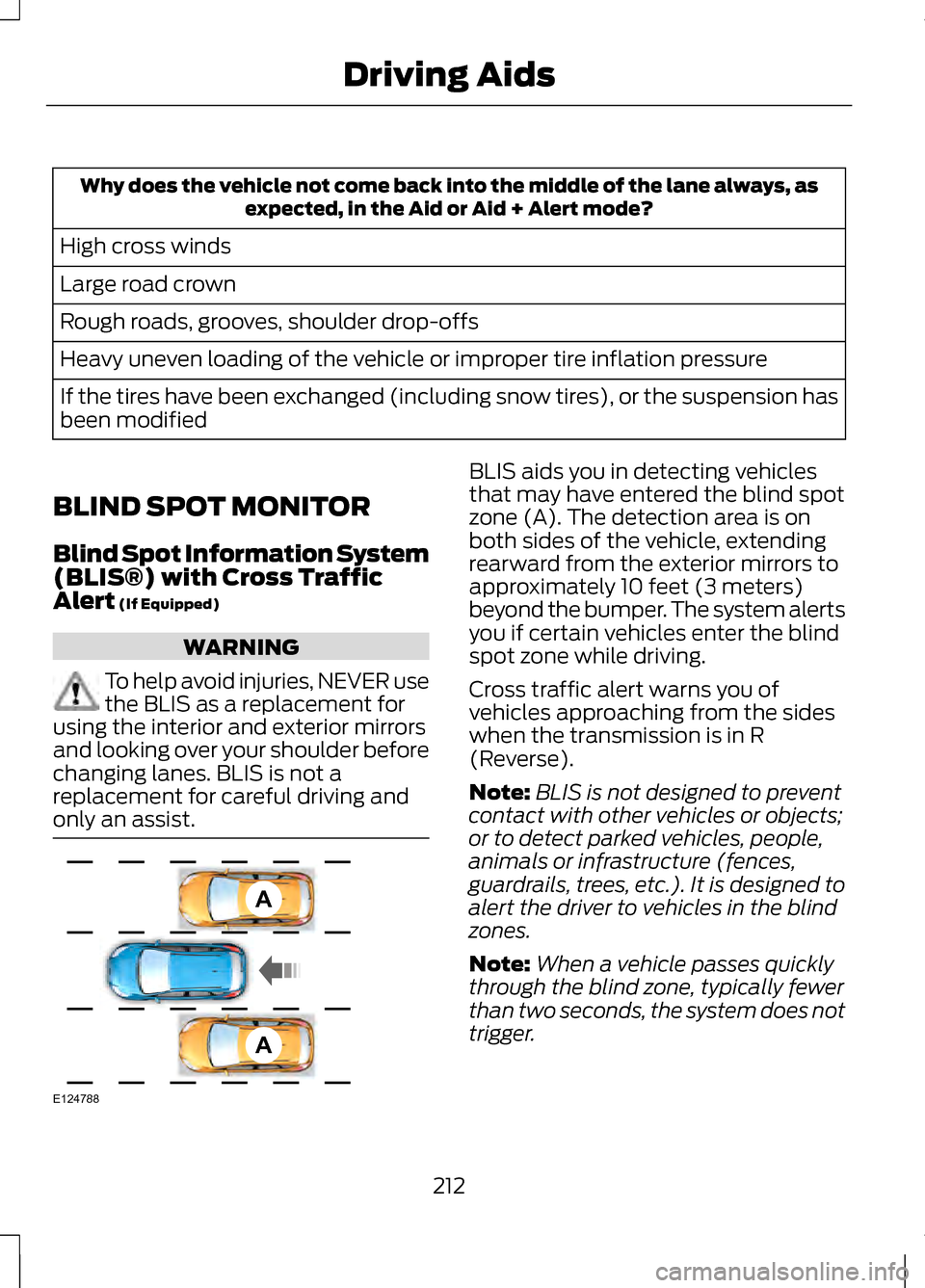
only an assist. BLIS aids you in detecting vehicles
that may have entered the blind spot
zone (A). The detection area is on
both sides of the vehicle, extending
rearward from the exterior mirrors to
approximately 10 feet (3 meters)
beyond the bumper. The system alerts
you if certain vehicles enter the blind
spot zone while driving.
Cross traffic alert warns you of
vehicles approaching from the sides
when the transmission is in R
(Reverse).
Note:
BLIS is not designed to prevent
contact with other vehicles or objects;
or to detect parked vehicles, people,
animals or infrastructure (fences,
guardrails, trees, etc.). It is designed to
alert the driver to vehicles in the blind
zones.
Note: When a vehicle passes quickly
through the blind zone, typically fewer
than two seconds, the system does not
trigger.
212
Driving AidsA
A
E124788
Page 217 of 474
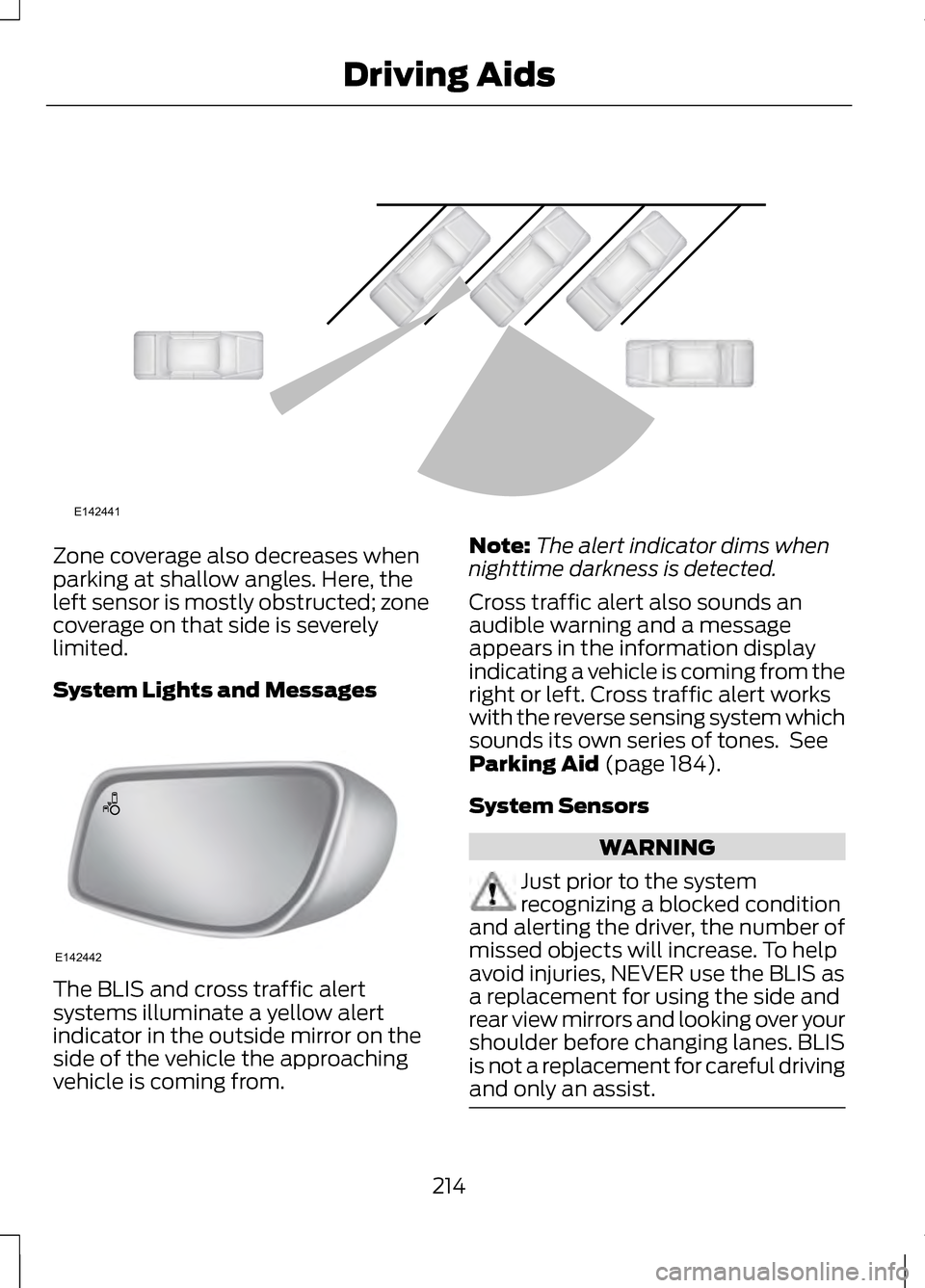
Zone coverage also decreases when
parking at shallow angles. Here, the
left sensor is mostly obstructed; zone
coverage on that side is severely
limited.
System Lights and Messages
The BLIS and cross traffic alert
systems illuminate a yellow alert
indicator in the outside mirror on the
side of the vehicle the approaching
vehicle is coming from. Note:
The alert indicator dims when
nighttime darkness is detected.
Cross traffic alert also sounds an
audible warning and a message
appears in the information display
indicating a vehicle is coming from the
right or left. Cross traffic alert works
with the reverse sensing system which
sounds its own series of tones. See
Parking Aid (page 184).
System Sensors WARNING
Just prior to the system
recognizing a blocked condition
and alerting the driver, the number of
missed objects will increase. To help
avoid injuries, NEVER use the BLIS as
a replacement for using the side and
rear view mirrors and looking over your
shoulder before changing lanes. BLIS
is not a replacement for careful driving
and only an assist. 214
Driving AidsE142441 E142442
Page 251 of 474
If your vehicle must be serviced while
you are traveling or living in
Asia-Pacific Region, Sub-Saharan
Africa, U.S. Virgin Islands, Central
America, the Caribbean, and Israel,
contact the nearest authorized dealer.
If the authorized dealer cannot help
you, contact:
FORD MOTOR COMPANY
FORD EXPORT OPERATIONS &
GLOBAL INITIATIVES
1555 Fairlane Drive
Fairlane Business Park #3
Allen Park, Michigan 48101
U.S.A.
Telephone: (313) 594-4857
For customers in Guam, the
Commonwealth of the Northern
Mariana Islands (CNMI), America
Samoa, and the U.S. Virgin Islands,
please feel free to call our Toll-Free
Number: (800) 841-FORD (3673).
FAX: (313) 390-0804
Email: [email protected]
If your vehicle must be serviced while
you are traveling or living in Puerto
Rico, contact the nearest authorized
dealer. If the authorized dealer cannot
help you, contact:
Ford International Business
Development Inc.
Customer Relationship Center
P.O. Box 11957
Caparra Heights Station
San Juan, Puerto Rico 00922-1957
Telephone: (800) 841-FORD (3673)
FAX: (313) 390-0804
Email: [email protected]
www.ford.com.pr
If your vehicle must be serviced while
you are traveling or living in the Middle
East, contact the nearest authorized
dealer. If the authorized dealer cannot
help you, contact:
Ford Middle East
Customer Relationship Center
P.O. Box 21470
Dubai, United Arab Emirates
Telephone: +971 4 3326084
Toll-Free Number for the Kingdom of
Saudi Arabia: 800 8971409
Local Telephone Number for Kuwait:
24810575
FAX: +971 4 3327299
Email: [email protected]
www.me.ford.com
If you buy your vehicle in North
America and then relocate to any of
the above locations, register your
vehicle identification number (VIN)
and new address with Ford Motor
Company Export Operations & Global
Growth Initiatives by emailing
[email protected].
If you are in another foreign country,
contact the nearest authorized dealer.
If the authorized dealer employees
cannot help you, they can direct you
to the nearest Ford affiliate office.
Customers in the U.S. should call
1-800-392-3673.
ORDERING ADDITIONAL
OWNER'S LITERATURE
To order the publications in this
portfolio, contact Helm, Incorporated
at:
248
Customer Assistance
Page 466 of 474
Hints on Controlling the Interior
Climate..................................................127
Cooling the Interior Quickly..................128
General Hints.............................................. 127
Heating the Interior Quickly..................128
Recommended Settings for Cooling ..................................................................... 128
Recommended Settings for Heating..................................................... 128
Side Window Defogging in Cold Weather................................................... 128
Hints on Driving With Anti-Lock Brakes....................................................178
Hood Lock See: Opening and Closing the
Hood........................................................ 264
I
In California (U.S. Only)...................244
Information Display Control..............77 Cluster Display Control Features..........77
Information Displays.........................100
General Information...............................100
Information...........................................392 911 Assist®................................................. 399
Alerts............................................................ 399
Calendar..................................................... 399
SIRIUS Travel Link...................................396
SYNC Services (If Equipped, U.S. Only)........................................................ 392
Vehicle Health Report...........................402 Information Messages
......................105
Active Park.................................................. 105
Adaptive Cruise Control........................106
AdvanceTrac®........................................... 107
Airbag............................................................ 107
Alarm............................................................. 107
Automatic Engine Shutdown...............107
AWD.............................................................. 108
Battery and Charging System.............109
Blind Spot Information and Cross Traffic Alert System.............................110
Collision Warning System......................110
Doors and Locks.......................................... 111
Driver Alert..................................................... 111
Engine.............................................................. 111
Fuel.................................................................. 112
Hill Start Assist........................................... 112
Keys and Intelligent Access...................112
Lane Keeping System..............................113
Maintenance................................................ 114
MyKey............................................................. 115
Park Aid......................................................... 116
Park Brake.................................................... 116
Power Steering............................................ 117
Remote Start............................................... 117
Starting System ........................................118
Tire Pressure Monitoring System........118
Traction Control......................................... 119
Transmission............................................... 119
Installing Child Seats
............................21
Child Seats..................................................... 21
Using Lap and Shoulder Belts................21
Using Lower Anchors and Tethers for CHildren (LATCH)..................................26
Using Tether Straps...................................28
Instrument Cluster...............................94
Instrument Lighting Dimmer............83
Interior Lamps
........................................85
Front Interior Lamp...................................86
Rear Interior Lamp.....................................86
Interior Luggage Compartment Release...................................................70
463
Index