radio LINCOLN MKZ 2014 User Guide
[x] Cancel search | Manufacturer: LINCOLN, Model Year: 2014, Model line: MKZ, Model: LINCOLN MKZ 2014Pages: 468, PDF Size: 4.49 MB
Page 154 of 468
GENERAL INFORMATION
WARNINGS
Extended idling at high engine
speeds can produce very high
temperatures in the engine and
exhaust system, creating the risk of
fire or other damage.
Do not park, idle or drive your
vehicle on dry grass or other dry
ground cover. The emission system
heats up the engine compartment and
exhaust system, creating the risk of
fire.
Do not start the engine in a
closed garage or in other
enclosed areas. Exhaust fumes can
be toxic. Always open the garage door
before you start the engine.
If you smell exhaust fumes inside
your vehicle, have your vehicle
checked by an authorized dealer
immediately. Do not drive your vehicle
if you smell exhaust fumes.
If you disconnect the battery, your
vehicle may exhibit some unusual
driving characteristics for
approximately 5 miles (8 kilometers)
after you reconnect it. This is because
the engine management system must
realign itself with the engine. You can
disregard any unusual driving
characteristics during this period.
The powertrain control system meets
all Canadian interference-causing
equipment standard requirements
regulating the impulse electrical field
or radio noise. When you start the engine, avoid
pressing the accelerator pedal before
and during operation. Only use the
accelerator pedal when you have
difficulty starting the engine.
KEYLESS STARTING
Note:
The keyless starting system may
not function if the key is close to metal
objects or electronic devices such as
cellular phones.
Note: A valid key must be located
inside your vehicle to switch the ignition
on and start the engine.
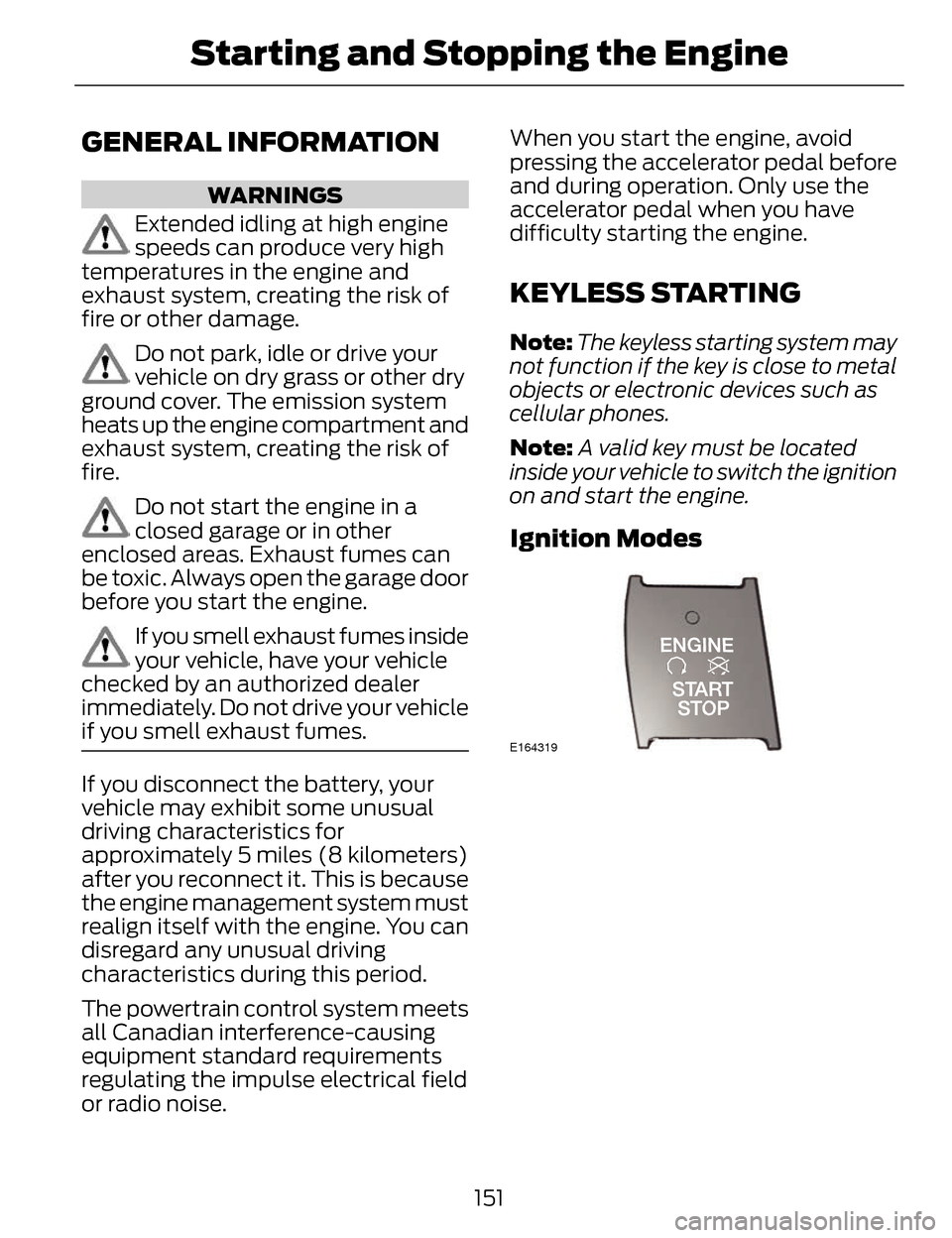
Ignition Modes
E164319
151
Starting and Stopping the Engine
Page 190 of 468
PARKING AID (IF EQUIPPED)
WARNINGS
To help avoid personal injury,
please read and understand the
limitations of the system as contained
in this section. Sensing is only an aid
for some (generally large and fixed)
objects when moving in reverse on a
flat surface at parking speeds. Traffic
control systems, inclement weather,
air brakes, and external motors and
fans may also affect the function of
the sensing system; this may include
reduced performance or a false
activation.
To help avoid personal injury,
always use caution when in R
(Reverse) and when using the sensing
system.
This system is not designed to
prevent contact with small or
moving objects. The system is
designed to provide a warning to
assist the driver in detecting large
stationary objects to avoid damaging
the vehicle. The system may not
detect smaller objects, particularly
those close to the ground.
Certain add-on devices such as
large trailer hitches, bike or
surfboard racks and any device that
may block the normal detection zone
of the system, may create false beeps.
Note: Keep the sensors, located on the
bumper or fascia, free from snow, ice
and large accumulations of dirt. If the
sensors are covered, the system’s
accuracy can be affected. Do not clean
the sensors with sharp objects.
Note: If your vehicle sustains damage
to the bumper or fascia, leaving it
misaligned or bent, the sensing zone
may be altered causing inaccurate
measurement of obstacles or false
alarms.
Note: If your vehicle is equipped with
MyKey®, it is possible to prevent
turning the sensing system off. See
MyKey™ (page 57).
The sensing system warns the driver
of obstacles within a certain range of
the bumper area. The system turns on
automatically whenever the ignition
is switched on.
When receiving a detection warning,
the radio volume is reduced to a
predetermined level. After the warning
goes away, the radio volume returns
to the previous level.
The system can be switched off
through the information display menu
or from the pop-up message that
appears once the transmission is
shifted into R. See General
Information (page 101).
If a fault is present in the system, a
warning message appears in the
information display and does not
allow the driver to switch the faulted
system on. See Information
Messages (page 106).
187
Parking Aids
Page 192 of 468
E130382
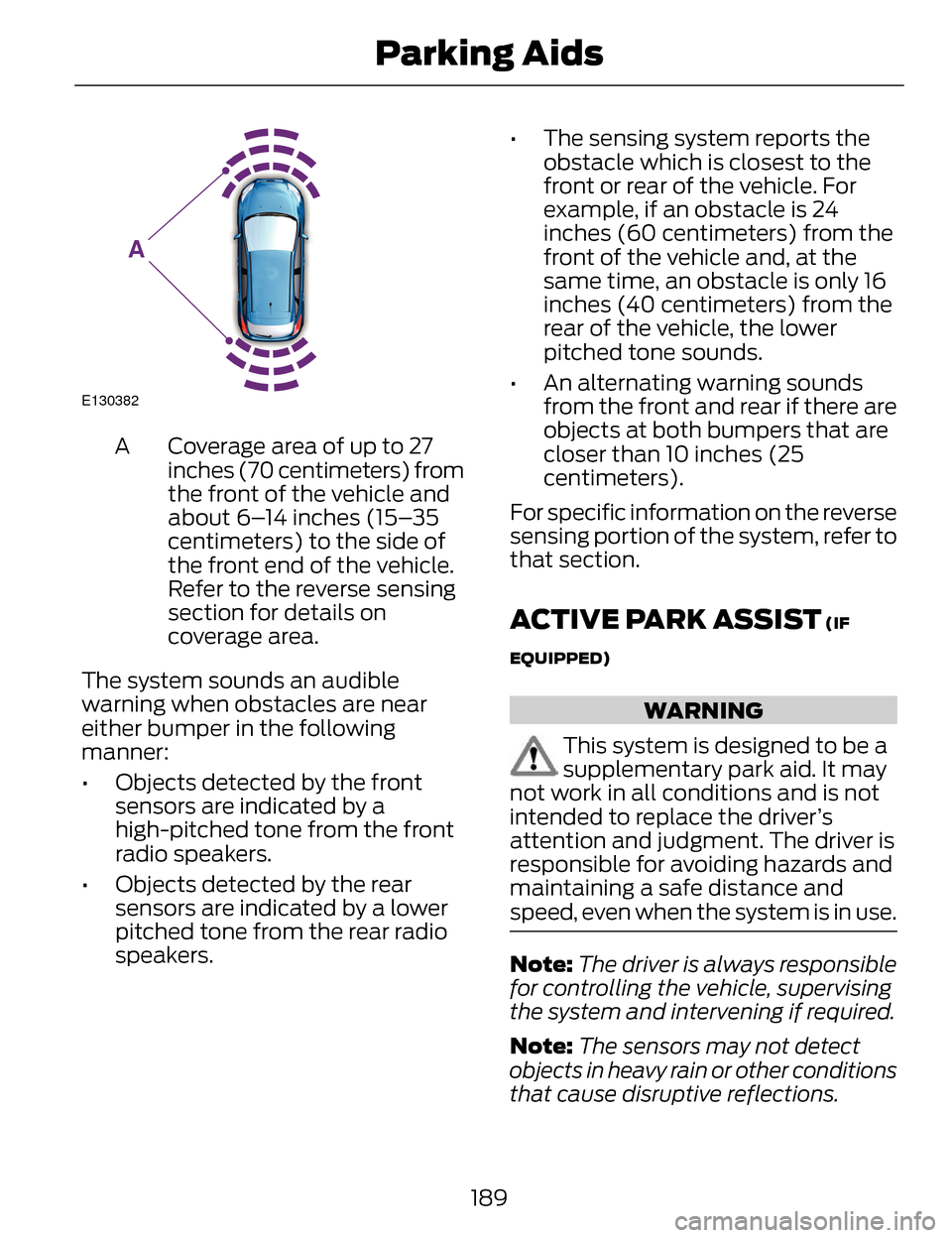
A
Coverage area of up to 27
inches (70 centimeters) from
the front of the vehicle and
about 6–14 inches (15–35
centimeters) to the side of
the front end of the vehicle.
Refer to the reverse sensing
section for details on
coverage area.
A
The system sounds an audible
warning when obstacles are near
either bumper in the following
manner:
• Objects detected by the front sensors are indicated by a
high-pitched tone from the front
radio speakers.
• Objects detected by the rear sensors are indicated by a lower
pitched tone from the rear radio
speakers. • The sensing system reports the
obstacle which is closest to the
front or rear of the vehicle. For
example, if an obstacle is 24
inches (60 centimeters) from the
front of the vehicle and, at the
same time, an obstacle is only 16
inches (40 centimeters) from the
rear of the vehicle, the lower
pitched tone sounds.
• An alternating warning sounds from the front and rear if there are
objects at both bumpers that are
closer than 10 inches (25
centimeters).
For specific information on the reverse
sensing portion of the system, refer to
that section.
ACTIVE PARK ASSIST (IF
EQUIPPED)
WARNING
This system is designed to be a
supplementary park aid. It may
not work in all conditions and is not
intended to replace the driver’s
attention and judgment. The driver is
responsible for avoiding hazards and
maintaining a safe distance and
speed, even when the system is in use.
Note: The driver is always responsible
for controlling the vehicle, supervising
the system and intervening if required.
Note: The sensors may not detect
objects in heavy rain or other conditions
that cause disruptive reflections.
189
Parking Aids
Page 200 of 468
Rear Camera Delay
When shifting the transmission out of
R (Reverse) and into any gear other
than P (Park), the camera image
remains in the display until the vehicle
speed reaches 5 mph (8 km/h). This
occurs when the rear camera delay
feature is on, or until a radio button is
selected.
Selectable settings for this feature are
ON and OFF. The default setting for
the rear camera delay is OFF.197
Parking Aids
Page 268 of 468
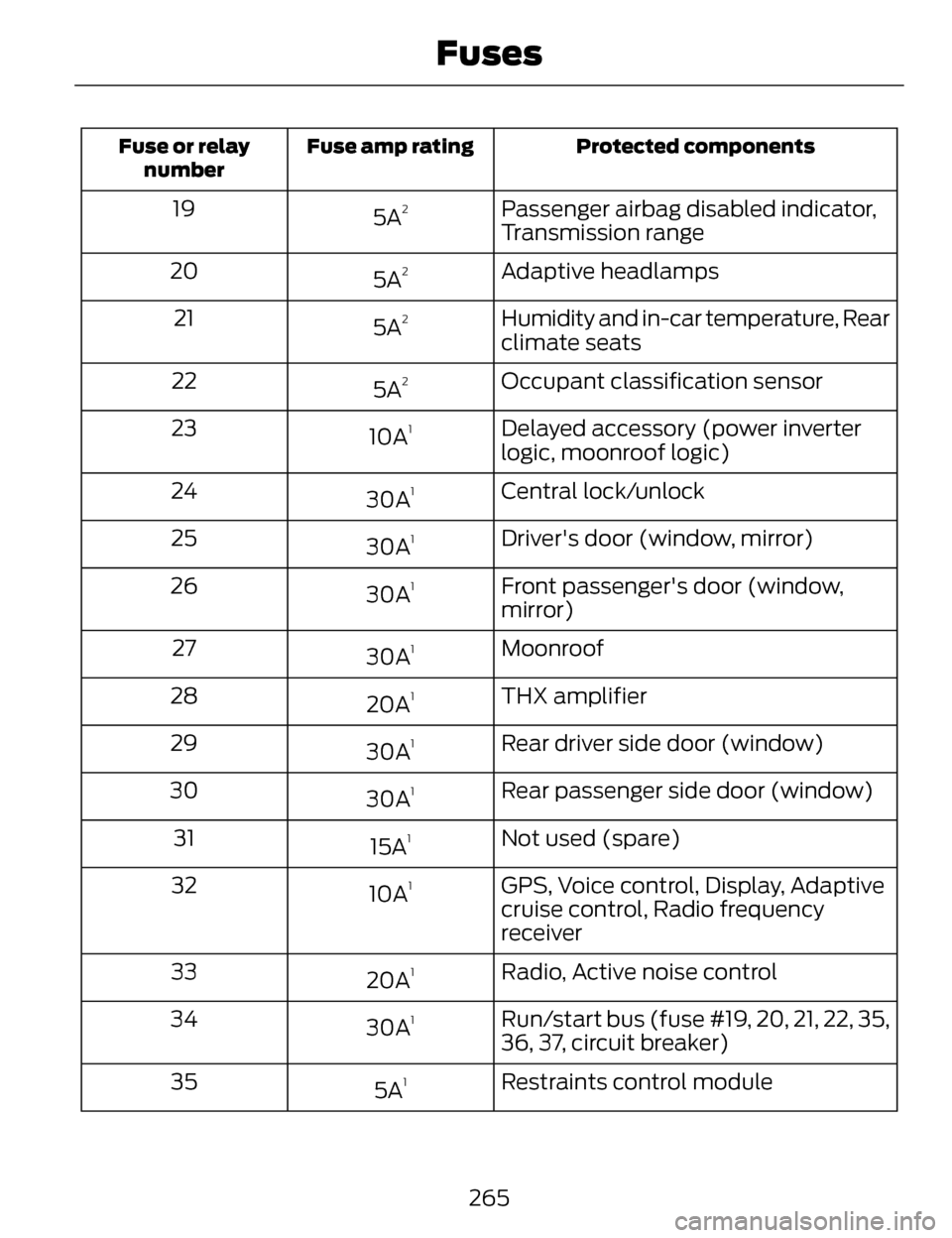
Protected components
Fuse amp rating
Fuse or relay
number
Passenger airbag disabled indicator,
Transmission range
5A219
Adaptive headlamps
5A
220
Humidity and in-car temperature, Rear
climate seats
5A
221
Occupant classification sensor
5A
222
Delayed accessory (power inverter
logic, moonroof logic)
10A
123
Central lock/unlock
30A
124
Driver's door (window, mirror)
30A
125
Front passenger's door (window,
mirror)
30A
126
Moonroof
30A
127
THX amplifier
20A
128
Rear driver side door (window)
30A
129
Rear passenger side door (window)
30A
130
Not used (spare)
15A
131
GPS, Voice control, Display, Adaptive
cruise control, Radio frequency
receiver
10A
132
Radio, Active noise control
20A
133
Run/start bus (fuse #19, 20, 21, 22, 35,
36, 37, circuit breaker)
30A
134
Restraints control module
5A
135
265
Fuses
Page 285 of 468
If you see any corrosion on the battery
or terminals, remove the cables from
the terminals and clean with a wire
brush. You can neutralize the acid with
a solution of baking soda and water.
When a battery replacement is
required, the battery should only be
replaced with a Ford recommended
replacement battery that matches
the electrical requirements of the
vehicle.
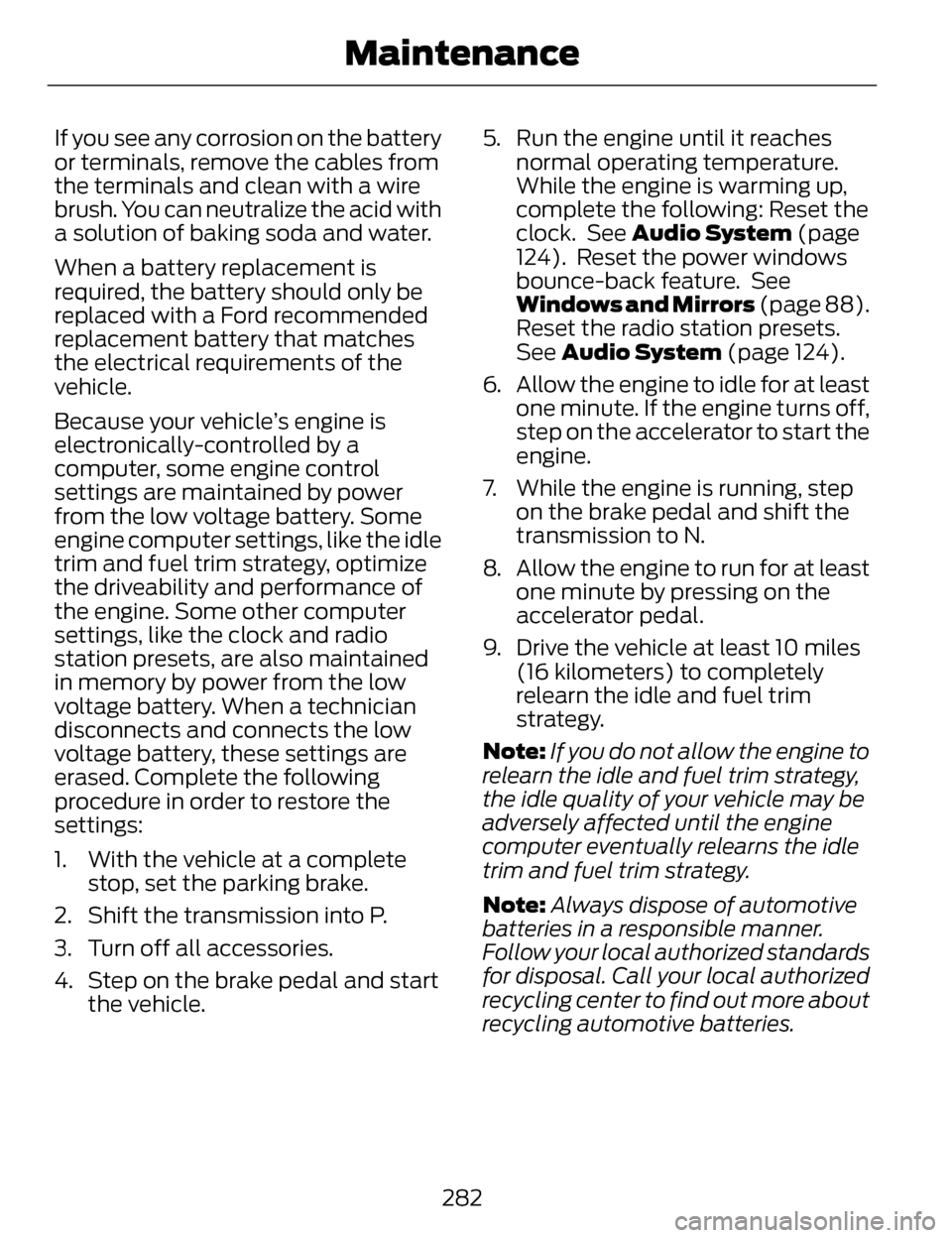
Because your vehicle’s engine is
electronically-controlled by a
computer, some engine control
settings are maintained by power
from the low voltage battery. Some
engine computer settings, like the idle
trim and fuel trim strategy, optimize
the driveability and performance of
the engine. Some other computer
settings, like the clock and radio
station presets, are also maintained
in memory by power from the low
voltage battery. When a technician
disconnects and connects the low
voltage battery, these settings are
erased. Complete the following
procedure in order to restore the
settings:
1. With the vehicle at a completestop, set the parking brake.
2. Shift the transmission into P.
3. Turn off all accessories.
4. Step on the brake pedal and start the vehicle. 5. Run the engine until it reaches
normal operating temperature.
While the engine is warming up,
complete the following: Reset the
clock. See Audio System (page
124). Reset the power windows
bounce-back feature. See
Windows and Mirrors (page 88).
Reset the radio station presets.
See Audio System (page 124).
6. Allow the engine to idle for at least one minute. If the engine turns off,
step on the accelerator to start the
engine.
7. While the engine is running, step on the brake pedal and shift the
transmission to N.
8. Allow the engine to run for at least one minute by pressing on the
accelerator pedal.
9. Drive the vehicle at least 10 miles (16 kilometers) to completely
relearn the idle and fuel trim
strategy.
Note: If you do not allow the engine to
relearn the idle and fuel trim strategy,
the idle quality of your vehicle may be
adversely affected until the engine
computer eventually relearns the idle
trim and fuel trim strategy.
Note: Always dispose of automotive
batteries in a responsible manner.
Follow your local authorized standards
for disposal. Call your local authorized
recycling center to find out more about
recycling automotive batteries.
282
Maintenance
Page 302 of 468
• Only use the sealing compoundbefore the use by date. The use by
date is on the lower right hand
corner of the label located on the
sealant canister (bottle). Check
the use by date regularly and
replace the canister after four
years.
• Do not store the kit unsecured inside the passenger compartment
of the vehicle as it may cause injury
during a sudden stop or crash.
Always store the kit in its original
location.
• After sealant use, the tire pressure monitoring system sensor and
valve stem on the wheel must be
replaced by an authorized Ford
dealer.
• When inflating a tire or other objects, use the black air hose only.
Do not use the transparent hose
which is designed for sealant
application only.
• Operating the kit could cause an electrical disturbance in radio, CD,
and DVD player operation.
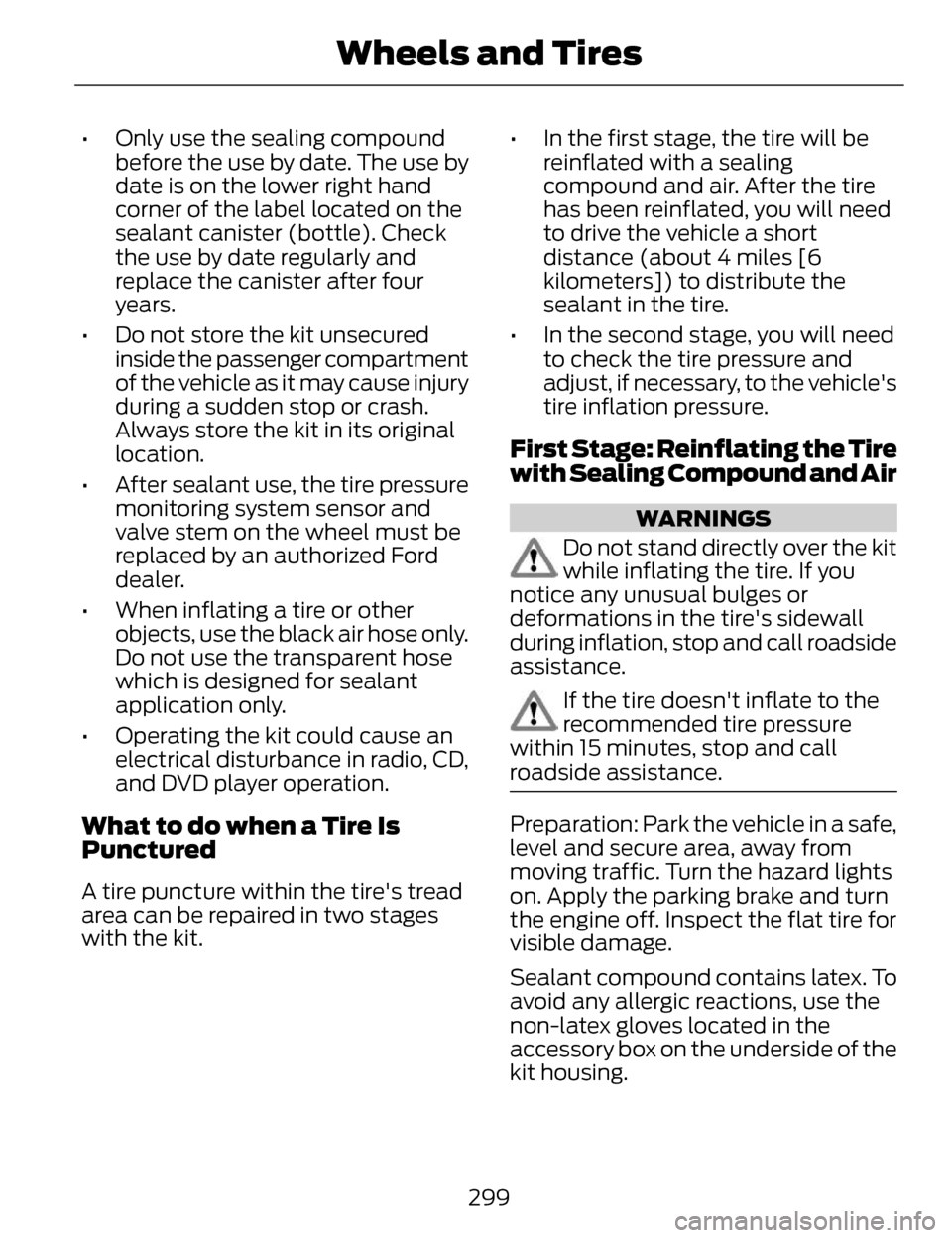
What to do when a Tire Is
Punctured
A tire puncture within the tire's tread
area can be repaired in two stages
with the kit. • In the first stage, the tire will be
reinflated with a sealing
compound and air. After the tire
has been reinflated, you will need
to drive the vehicle a short
distance (about 4 miles [6
kilometers]) to distribute the
sealant in the tire.
• In the second stage, you will need to check the tire pressure and
adjust, if necessary, to the vehicle's
tire inflation pressure.
First Stage: Reinflating the Tire
with Sealing Compound and Air
WARNINGS
Do not stand directly over the kit
while inflating the tire. If you
notice any unusual bulges or
deformations in the tire's sidewall
during inflation, stop and call roadside
assistance.
If the tire doesn't inflate to the
recommended tire pressure
within 15 minutes, stop and call
roadside assistance.
Preparation: Park the vehicle in a safe,
level and secure area, away from
moving traffic. Turn the hazard lights
on. Apply the parking brake and turn
the engine off. Inspect the flat tire for
visible damage.
Sealant compound contains latex. To
avoid any allergic reactions, use the
non-latex gloves located in the
accessory box on the underside of the
kit housing.
299
Wheels and Tires
Page 341 of 468
For maximum vehicle performance,
keep the following information in mind
when adding accessories or
equipment to your vehicle:
• When adding accessories,equipment, passengers and
luggage to your vehicle, do not
exceed the total weight capacity
of the vehicle or of the front or rear
axle (GVWR or GAWR as indicated
on the Safety Compliance
Certification label). Consult an
authorized dealer for specific
weight information.
• The Federal Communications Commission (FCC) and Canadian
Radio Telecommunications
Commission (CRTC) regulate the
use of mobile communications
systems that are equipped with
radio transmitters, for example,
two-way radios, telephones and
theft alarms. Any such equipment
installed in your vehicle should
comply with the Federal
Communications Commission
(FCC) and Canadian Radio
Telecommunications Commission
(CRTC) regulations and should be
installed only by an authorized
dealer.
• Mobile communications systems may harm the operation of your
vehicle, particularly if their
manufacturer did not design them
specifically for automotive use. • To avoid interference with other
vehicle functions, for example
anti-lock brake systems, do not
locate amateur radio antennas in
the area of the driver side hood.
• If you or an authorized Lincoln dealer add any non-Lincoln
custom electrical or electronic
accessories or components to your
vehicle, you may adversely affect
battery performance and
durability. In addition, you may also
adversely affect the performance
of other electrical systems in the
vehicle.
338
Accessories
Page 353 of 468
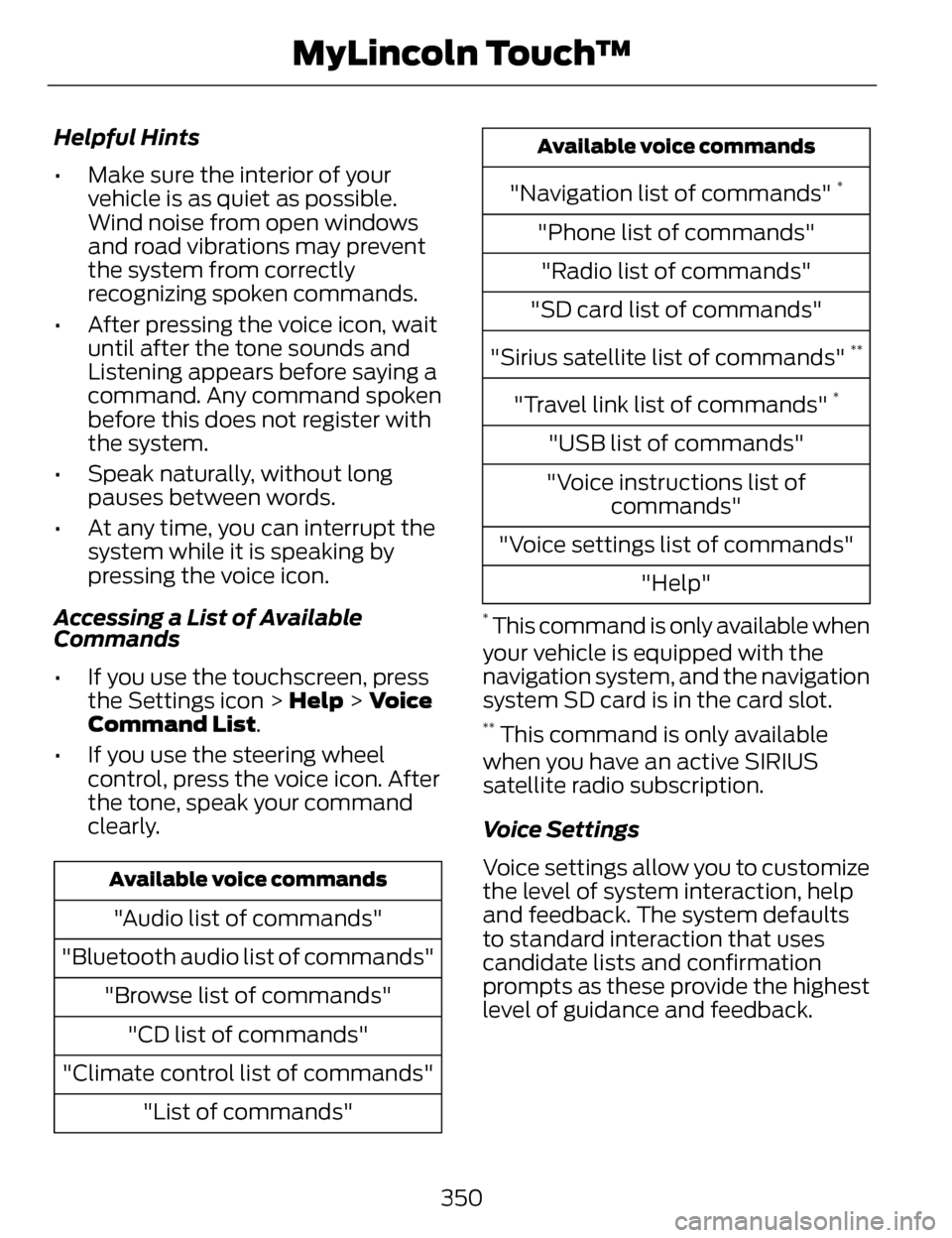
Helpful Hints
• Make sure the interior of yourvehicle is as quiet as possible.
Wind noise from open windows
and road vibrations may prevent
the system from correctly
recognizing spoken commands.
• After pressing the voice icon, wait until after the tone sounds and
Listening appears before saying a
command. Any command spoken
before this does not register with
the system.
• Speak naturally, without long pauses between words.
• At any time, you can interrupt the system while it is speaking by
pressing the voice icon.
Accessing a List of Available
Commands
• If you use the touchscreen, press the Settings icon > Help > Voice
Command List.
• If you use the steering wheel control, press the voice icon. After
the tone, speak your command
clearly.
Available voice commands
"Audio list of commands"
"Bluetooth audio list of commands" "Browse list of commands""CD list of commands"
"Climate control list of commands" "List of commands"
Available voice commands
"Navigation list of commands" *
"Phone list of commands""Radio list of commands"
"SD card list of commands"
"Sirius satellite list of commands"
**
"Travel link list of commands" *
"USB list of commands"
"Voice instructions list of commands"
"Voice settings list of commands" "Help"
* This command is only available when
your vehicle is equipped with the
navigation system, and the navigation
system SD card is in the card slot.
** This command is only available
when you have an active SIRIUS
satellite radio subscription.
Voice Settings
Voice settings allow you to customize
the level of system interaction, help
and feedback. The system defaults
to standard interaction that uses
candidate lists and confirmation
prompts as these provide the highest
level of guidance and feedback.
350
MyLincoln Touch™
Page 362 of 468
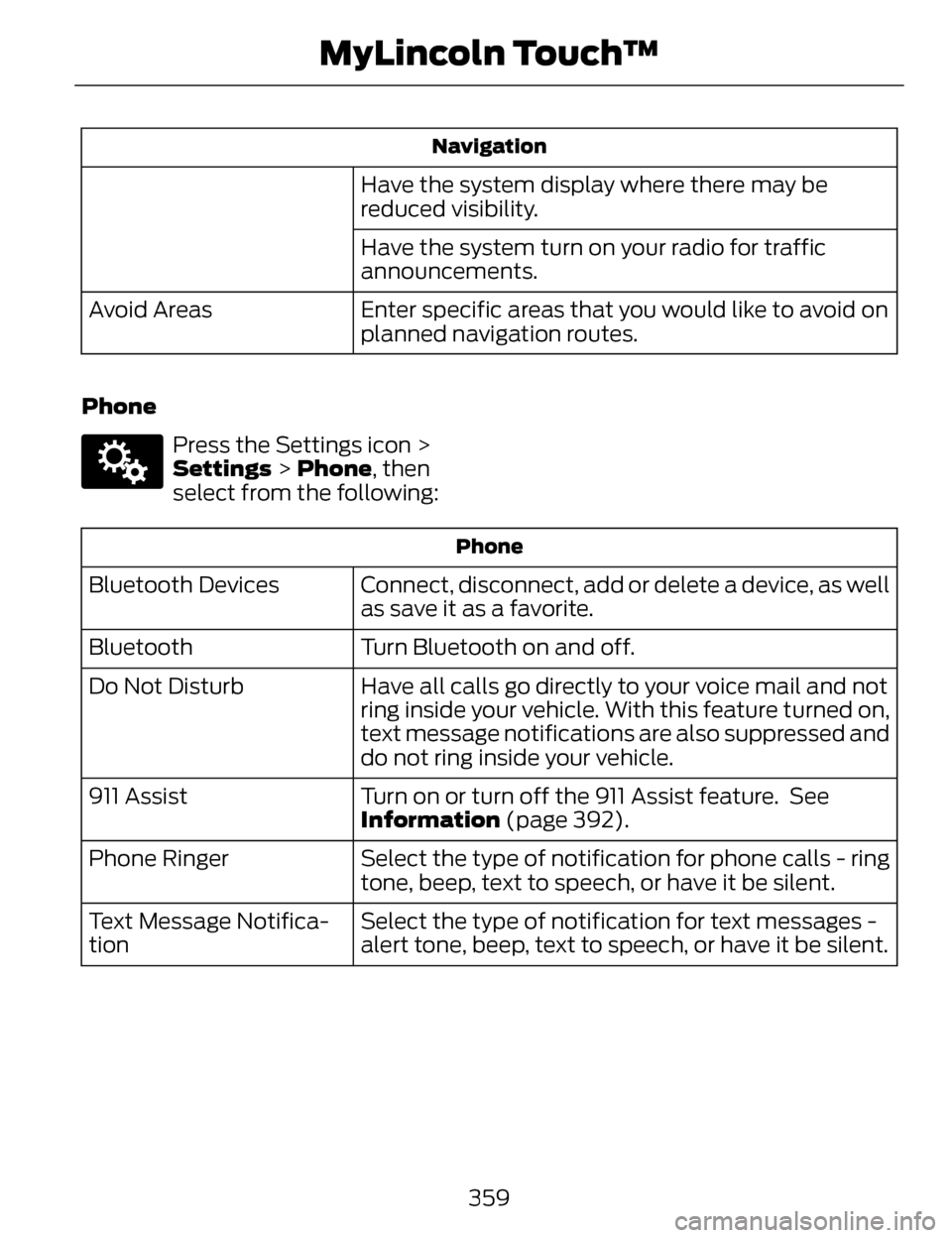
Navigation
Have the system display where there may be
reduced visibility.
Have the system turn on your radio for traffic
announcements.
Enter specific areas that you would like to avoid on
planned navigation routes.
Avoid Areas
Phone
E142607
Press the Settings icon >
Settings > Phone, then
select from the following:
Phone
Connect, disconnect, add or delete a device, as well
as save it as a favorite.
Bluetooth Devices
Turn Bluetooth on and off.
Bluetooth
Have all calls go directly to your voice mail and not
ring inside your vehicle. With this feature turned on,
text message notifications are also suppressed and
do not ring inside your vehicle.
Do Not Disturb
Turn on or turn off the 911 Assist feature. See
Information (page 392).
911 Assist
Select the type of notification for phone calls - ring
tone, beep, text to speech, or have it be silent.
Phone Ringer
Select the type of notification for text messages -
alert tone, beep, text to speech, or have it be silent.
Text Message Notifica-
tion
359
MyLincoln Touch™