remote control LINCOLN MKZ 2014 User Guide
[x] Cancel search | Manufacturer: LINCOLN, Model Year: 2014, Model line: MKZ, Model: LINCOLN MKZ 2014Pages: 468, PDF Size: 4.49 MB
Page 67 of 468
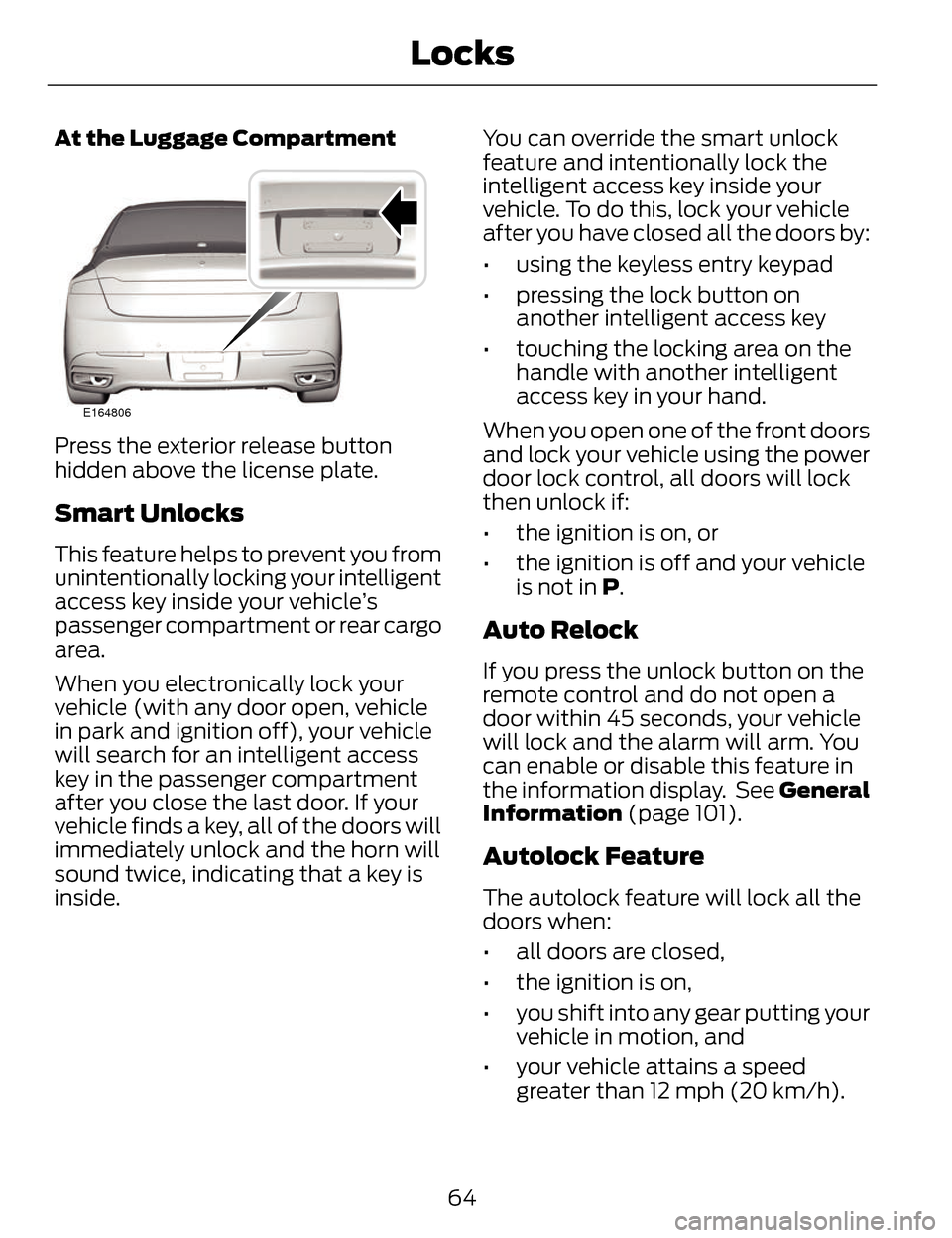
At the Luggage Compartment
E164806
Press the exterior release button
hidden above the license plate.
Smart Unlocks
This feature helps to prevent you from
unintentionally locking your intelligent
access key inside your vehicle’s
passenger compartment or rear cargo
area.
When you electronically lock your
vehicle (with any door open, vehicle
in park and ignition off), your vehicle
will search for an intelligent access
key in the passenger compartment
after you close the last door. If your
vehicle finds a key, all of the doors will
immediately unlock and the horn will
sound twice, indicating that a key is
inside.You can override the smart unlock
feature and intentionally lock the
intelligent access key inside your
vehicle. To do this, lock your vehicle
after you have closed all the doors by:
• using the keyless entry keypad
• pressing the lock button on
another intelligent access key
• touching the locking area on the handle with another intelligent
access key in your hand.
When you open one of the front doors
and lock your vehicle using the power
door lock control, all doors will lock
then unlock if:
• the ignition is on, or
• the ignition is off and your vehicle is not in P.
Auto Relock
If you press the unlock button on the
remote control and do not open a
door within 45 seconds, your vehicle
will lock and the alarm will arm. You
can enable or disable this feature in
the information display. See General
Information (page 101).
Autolock Feature
The autolock feature will lock all the
doors when:
• all doors are closed,
• the ignition is on,
• you shift into any gear putting your vehicle in motion, and
• your vehicle attains a speed greater than 12 mph (20 km/h).
64
Locks
Page 68 of 468
The autolock feature repeats when:
• you open then close any door whilethe ignition is on and your vehicle
speed is 9 mph (15 km/h) or lower,
and
• your vehicle then attains a speed greater than 12 mph (20 km/h).
Autounlock Feature
The autounlock feature will unlock all
the doors when:
• the ignition is on, all the doors are closed, and your vehicle has been
in motion at a speed greater than
12 mph (20 km/h);
• your vehicle comes to a stop and you switch the ignition off or to
accessory; and
• you open the driver door within 10 minutes of switching the ignition
off or to accessory.
Note: The doors will not autounlock if
you electronically lock your vehicle
after you switch the ignition off and
before you open the driver door.
Enabling or Disabling
Note: You can enable or disable the
autolock and autounlock features
independently of each other.
You can enable or disable these
features in the information display or
your authorized dealer can do it for
you. See General Information (page
101).Illuminated Entry
The interior lamps and select exterior
lamps will illuminate when you unlock
the doors with the remote entry
system.
The illuminated entry system will turn
off the lights if:
• the ignition is on,
• you press the remote control lock button, or
• after 25 seconds of illumination.
The lights will not turn off if:
• you turn them on with the lamp control, or
• any door is open.
Illuminated Exit
The interior lamps and select exterior
lamps will illuminate when all doors
are closed and you switch the ignition
off.
The lamps will turn off if all the doors
remain closed and:
• 25 seconds elapse
• you press the START/STOP button.
Battery Saver
If you leave the courtesy lamps, dome
lamps or headlamps on, the battery
saver will shut them off 10 minutes
after you switch the ignition off.
65
Locks
Page 69 of 468
Accessory Mode Battery Saver for
Intelligent Access Keys
If you leave your vehicle in the run
ignition state, it will shut off once it
detects a certain amount of battery
drain or after 45 minutes.
Luggage Compartment
From Inside Your Vehicle
E138633
Press the button on the
instrument panel to unlatch
the trunk.
With the Remote Control
E138630
Press twice within three
seconds to unlatch the trunk.
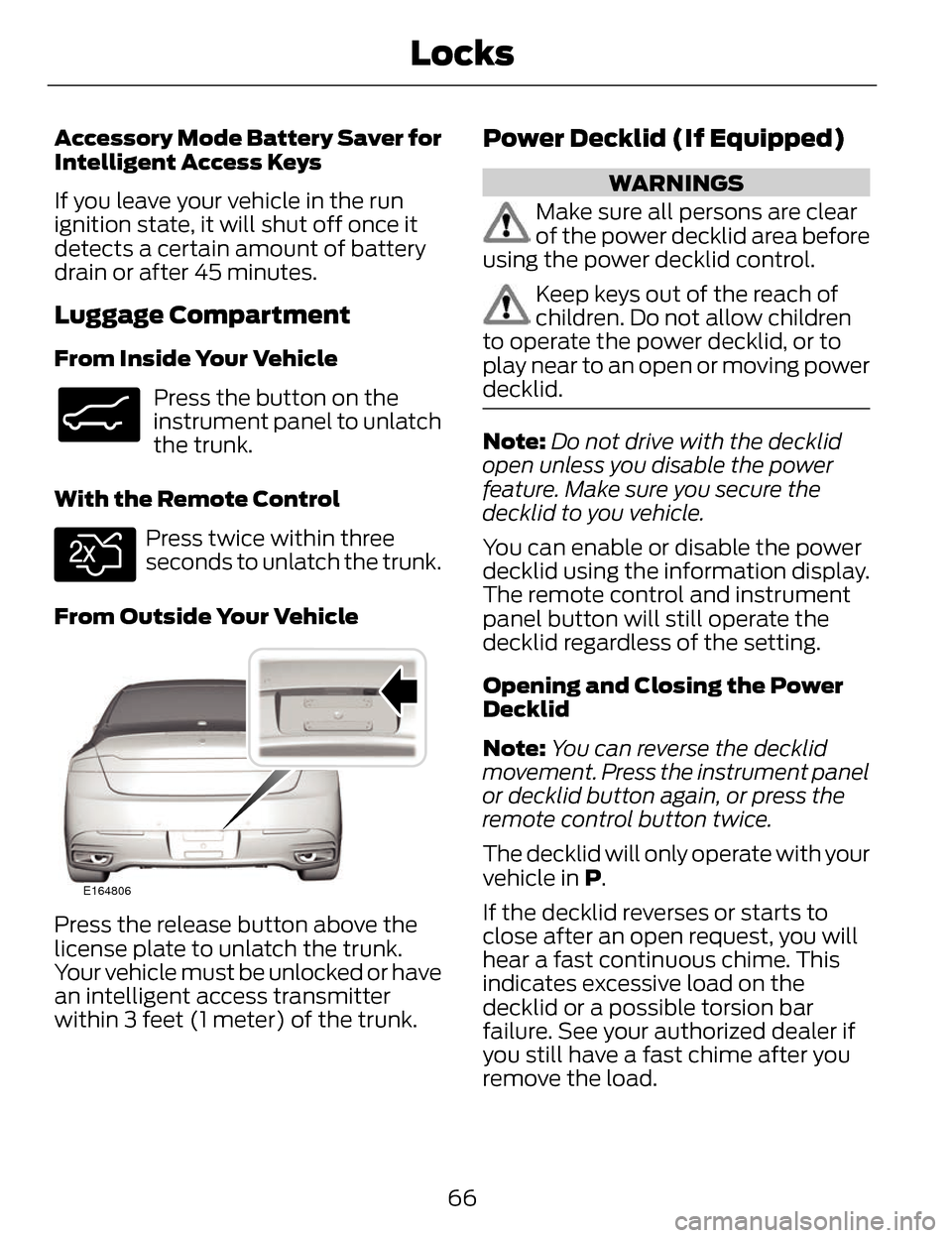
From Outside Your Vehicle
E164806
Press the release button above the
license plate to unlatch the trunk.
Your vehicle must be unlocked or have
an intelligent access transmitter
within 3 feet (1 meter) of the trunk.
Power Decklid (If Equipped)
WARNINGS
Make sure all persons are clear
of the power decklid area before
using the power decklid control.
Keep keys out of the reach of
children. Do not allow children
to operate the power decklid, or to
play near to an open or moving power
decklid.
Note: Do not drive with the decklid
open unless you disable the power
feature. Make sure you secure the
decklid to you vehicle.
You can enable or disable the power
decklid using the information display.
The remote control and instrument
panel button will still operate the
decklid regardless of the setting.
Opening and Closing the Power
Decklid
Note: You can reverse the decklid
movement. Press the instrument panel
or decklid button again, or press the
remote control button twice.
The decklid will only operate with your
vehicle in P.
If the decklid reverses or starts to
close after an open request, you will
hear a fast continuous chime. This
indicates excessive load on the
decklid or a possible torsion bar
failure. See your authorized dealer if
you still have a fast chime after you
remove the load.
66
Locks
Page 70 of 468
From Inside Your Vehicle
E138633
Press the button on the
instrument panel.
With the Remote Control
E138630
Press twice within three
seconds.
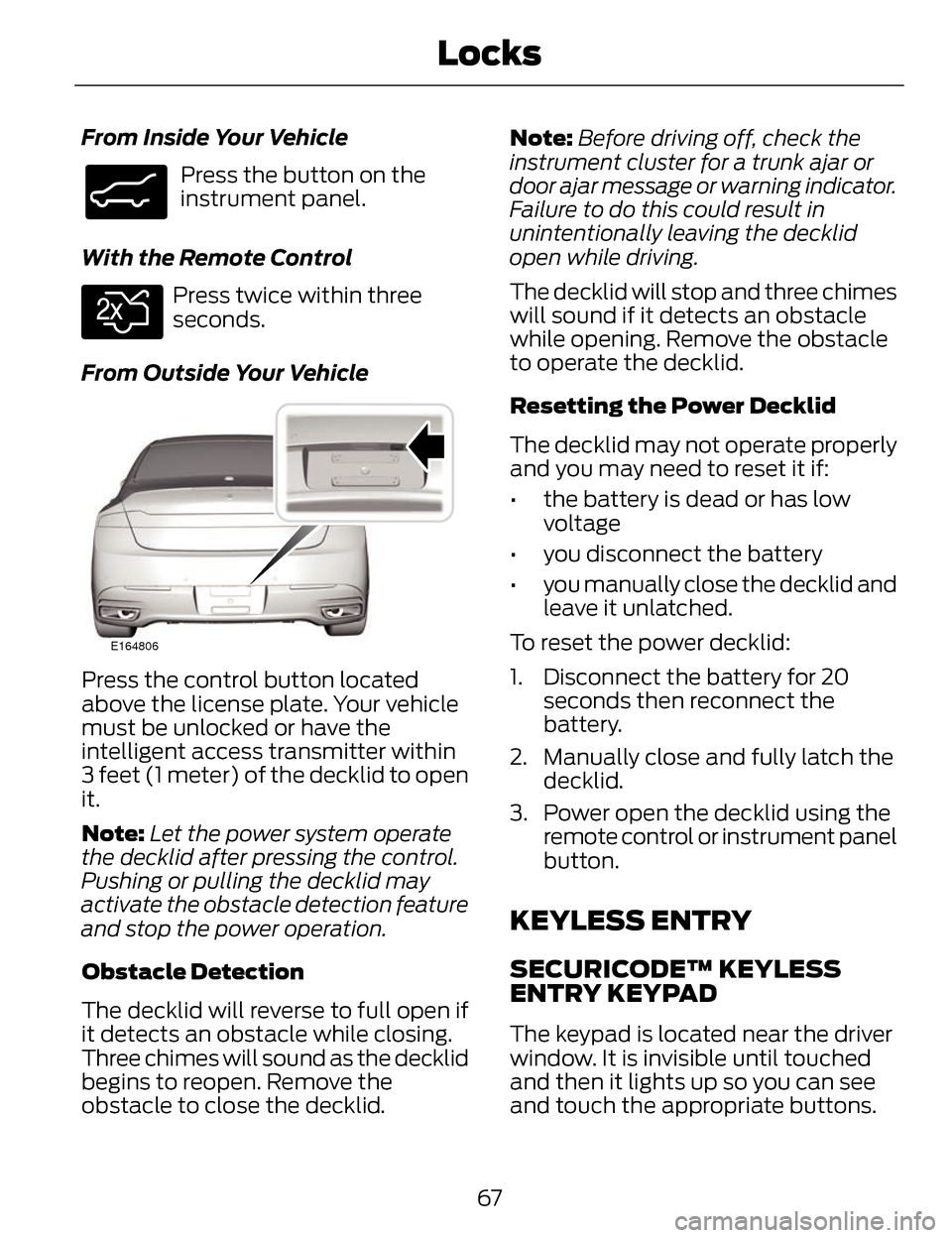
From Outside Your Vehicle
E164806
Press the control button located
above the license plate. Your vehicle
must be unlocked or have the
intelligent access transmitter within
3 feet (1 meter) of the decklid to open
it.
Note: Let the power system operate
the decklid after pressing the control.
Pushing or pulling the decklid may
activate the obstacle detection feature
and stop the power operation.
Obstacle Detection
The decklid will reverse to full open if
it detects an obstacle while closing.
Three chimes will sound as the decklid
begins to reopen. Remove the
obstacle to close the decklid. Note:
Before driving off, check the
instrument cluster for a trunk ajar or
door ajar message or warning indicator.
Failure to do this could result in
unintentionally leaving the decklid
open while driving.
The decklid will stop and three chimes
will sound if it detects an obstacle
while opening. Remove the obstacle
to operate the decklid.
Resetting the Power Decklid
The decklid may not operate properly
and you may need to reset it if:
• the battery is dead or has low voltage
• you disconnect the battery
• you manually close the decklid and leave it unlatched.
To reset the power decklid:
1. Disconnect the battery for 20 seconds then reconnect the
battery.
2. Manually close and fully latch the decklid.
3. Power open the decklid using the remote control or instrument panel
button.
KEYLESS ENTRY
SECURICODE™ KEYLESS
ENTRY KEYPAD
The keypad is located near the driver
window. It is invisible until touched
and then it lights up so you can see
and touch the appropriate buttons.
67
Locks
Page 72 of 468
Recalling Memory Positions
The programmed entry codes will
recall driver memory positions as
follows:
• Entry code 1 will recall driver 1memory positions.
• Entry code 2 will recall driver 2 memory positions.
• Entry code 3 will recall driver 3 memory positions.
Note: Personal entry codes 4 and 5
will not recall memory positions.
Erasing a Personal Code
1. Enter the factory-set 5-digit code.
2. Press and release 1·2 on the keypad within five seconds.
3. Press and hold 1·2 for two seconds. You must do this within
five seconds of completing Step 2.
All personal codes are now erased
and only the factory-set 5–digit code
will work.
Anti-Scan Feature
The keypad will go into an anti-scan
mode if you enter the wrong code
seven times (35 consecutive button
presses). This mode disables the
keypad for one minute and the keypad
lamp will flash.
The anti-scan feature will turn off
after:
• one minute of keypad inactivity
• pressing the unlock button on the remote control • switching the ignition on
• unlocking your vehicle using
intelligent access.
Unlocking and Locking the Doors
To Unlock the Driver Door
Enter the factory-set 5-digit code or
your personal code. You must press
each number within five seconds of
each other. The interior lamps will
illuminate.
Note: All doors will unlock if you
enable the all-door unlocking mode.
See Locking and Unlocking (page 62).
To Unlock All Doors
Enter the factory-set code or your
personal code, then press 3·4 within
five seconds.
To Lock All Doors
Press and hold 7·8 and 9·0 at the
same time (with the driver door
closed). You do not need to enter the
keypad code first.
To Release the Trunk
Enter the factory-set code or your
personal code, then press 5·6 within
five seconds.
Displaying the Factory Set Code
Note: You will need to have two
programmed intelligent access keys
for this procedure.
To display the factory-set code in the
information display:
69
Locks
Page 75 of 468
PASSIVE ANTI-THEFT
SYSTEM
Note:The system is not compatible
with non-Ford aftermarket remote start
systems. Use of these systems may
result in vehicle starting problems and
a loss of security protection.
Note: Metallic objects, electronic
devices or a second coded key on the
same key chain may cause vehicle
starting problems if they are too close
to the key when starting your vehicle.
Prevent these objects from touching
the coded key while starting your
vehicle. Switch the ignition off, move
all objects on the key chain away from
the coded key and restart your vehicle
if a problem occurs.
Note: Do not leave a duplicate coded
key in your vehicle. Always take your
keys and lock all doors when leaving
your vehicle.
SecuriLock®
The system helps prevent your vehicle
from starting unless you use a coded
key programmed to your vehicle.
Using the wrong key may prevent your
vehicle from starting. A message may
appear in the information display.
If you are unable to start your vehicle
with a correctly coded key, a
malfunction has happened. A
message may appear in the
information display. Automatic Arming
Your vehicle arms immediately after
switching the ignition off.
Automatic Disarming
Switching the ignition on with a coded
key disarms your vehicle.
Replacement Keys
Note:
Your vehicle comes equipped
with two intelligent access keys.
The intelligent access key functions
as a programmed key that operates
the driver door lock and activates the
intelligent access with push button
start system, as well as a remote
control.
If your programmed transmitters are
lost or stolen and you do not have an
extra coded key, you will need to have
your vehicle towed to an authorized
dealer. You need to erase the key
codes from your vehicle and program
new coded keys.
Store an extra programmed key away
from your vehicle in a safe place to
help prevent any inconveniences. See
your authorized dealer to purchase
additional spare or replacement keys.
Programming a Spare Intelligent
Access Key
Note: You can program a maximum
for four intelligent access keys to your
vehicle.
72
Security
Page 76 of 468
You must have two previously
programmed intelligent access keys
inside your vehicle and the new
unprogrammed intelligent access keys
readily accessible. See an authorized
dealer to have the spare key
programmed if two previously
programmed keys are not available.
Make sure that your vehicle is off
before beginning this procedure. Make
sure that you close all the doors
before beginning and that they remain
closed throughout the procedure.
Perform all steps within 30 seconds
of starting the sequence. Stop and
wait for at least one minute before
starting again if you perform any steps
out of sequence.
Read and understand the entire
procedure before you begin.
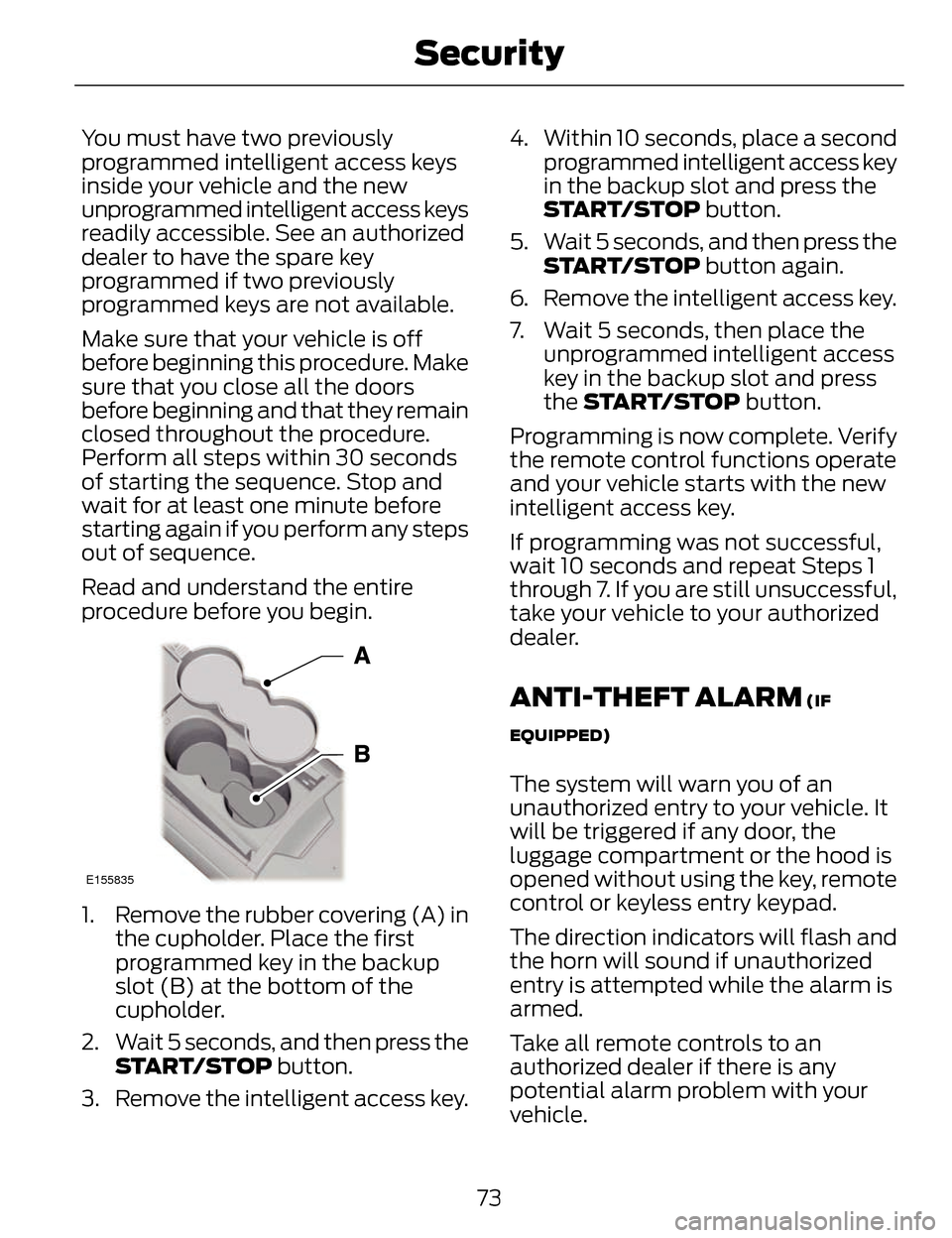
E155835
1. Remove the rubber covering (A) inthe cupholder. Place the first
programmed key in the backup
slot (B) at the bottom of the
cupholder.
2. Wait 5 seconds, and then press the START/STOP button.
3. Remove the intelligent access key. 4. Within 10 seconds, place a second
programmed intelligent access key
in the backup slot and press the
START/STOP button.
5. Wait 5 seconds, and then press the START/STOP button again.
6. Remove the intelligent access key.
7. Wait 5 seconds, then place the unprogrammed intelligent access
key in the backup slot and press
the START/STOP button.
Programming is now complete. Verify
the remote control functions operate
and your vehicle starts with the new
intelligent access key.
If programming was not successful,
wait 10 seconds and repeat Steps 1
through 7. If you are still unsuccessful,
take your vehicle to your authorized
dealer.
ANTI-THEFT ALARM (IF
EQUIPPED)
The system will warn you of an
unauthorized entry to your vehicle. It
will be triggered if any door, the
luggage compartment or the hood is
opened without using the key, remote
control or keyless entry keypad.
The direction indicators will flash and
the horn will sound if unauthorized
entry is attempted while the alarm is
armed.
Take all remote controls to an
authorized dealer if there is any
potential alarm problem with your
vehicle.
73
Security
Page 77 of 468
Arming the Alarm
The alarm is ready to arm when there
is not a key in the ignition.
Electronically lock the vehicle to arm
the alarm.
Disarming the Alarm
Disarm the alarm by any of the
following actions:
• Unlock the doors or luggagecompartment with the remote
control or keyless entry keypad.
• Switch the ignition on or start the vehicle.
• Use a key in the driver’s door to unlock the vehicle, then switch the
ignition on within 12 seconds.
Note: Pressing the panic button on the
remote control will stop the horn and
signal indicators, but will not disarm
the system.
74
Security
Page 88 of 468
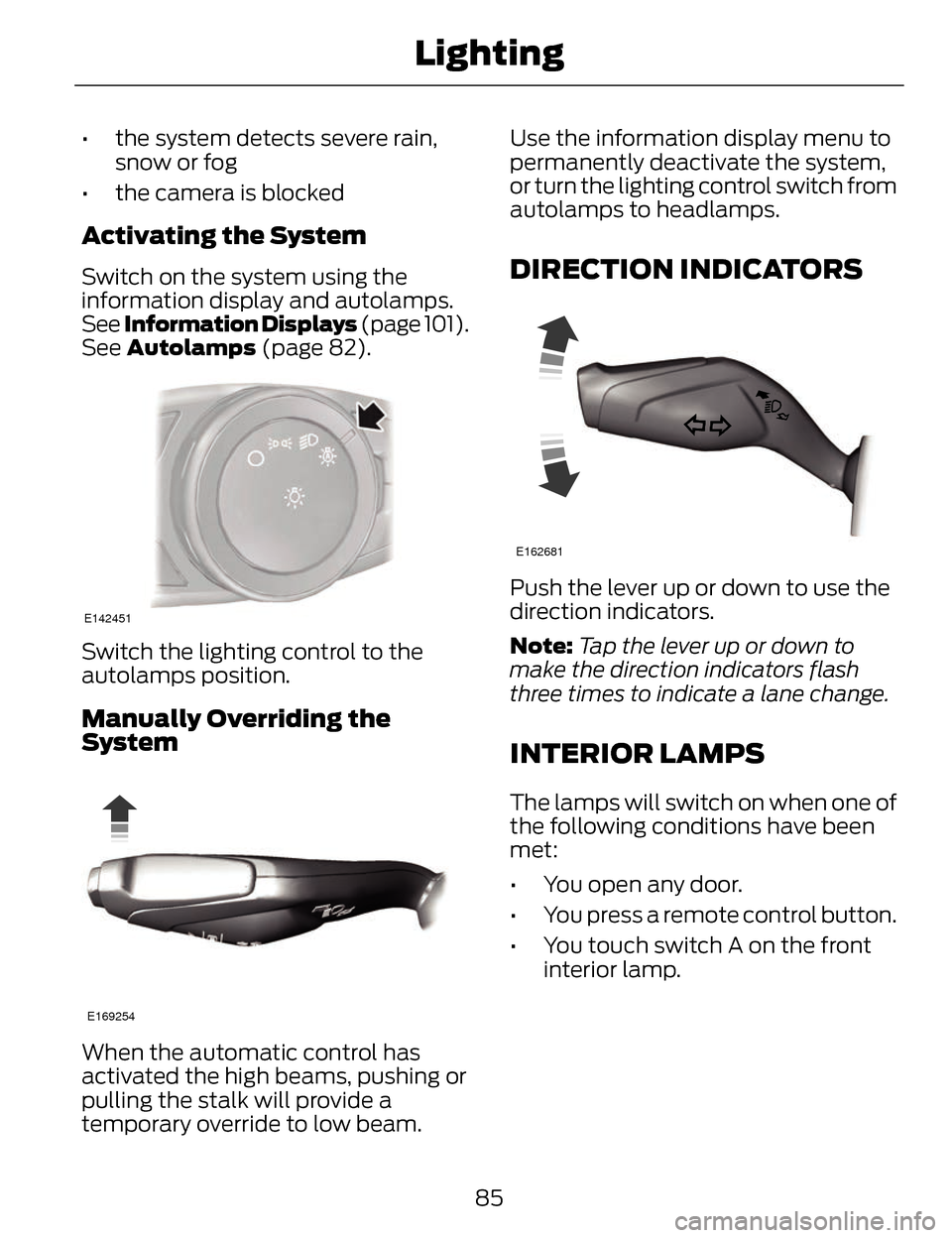
• the system detects severe rain,snow or fog
• the camera is blocked
Activating the System
Switch on the system using the
information display and autolamps.
See Information Displays (page 101).
See Autolamps (page 82).
E142451
Switch the lighting control to the
autolamps position.
Manually Overriding the
System
E169254
When the automatic control has
activated the high beams, pushing or
pulling the stalk will provide a
temporary override to low beam. Use the information display menu to
permanently deactivate the system,
or turn the lighting control switch from
autolamps to headlamps.
DIRECTION INDICATORS
E162681
Push the lever up or down to use the
direction indicators.
Note:
Tap the lever up or down to
make the direction indicators flash
three times to indicate a lane change.
INTERIOR LAMPS
The lamps will switch on when one of
the following conditions have been
met:
• You open any door.
• You press a remote control button.
• You touch switch A on the front interior lamp.
85
Lighting
Page 92 of 468
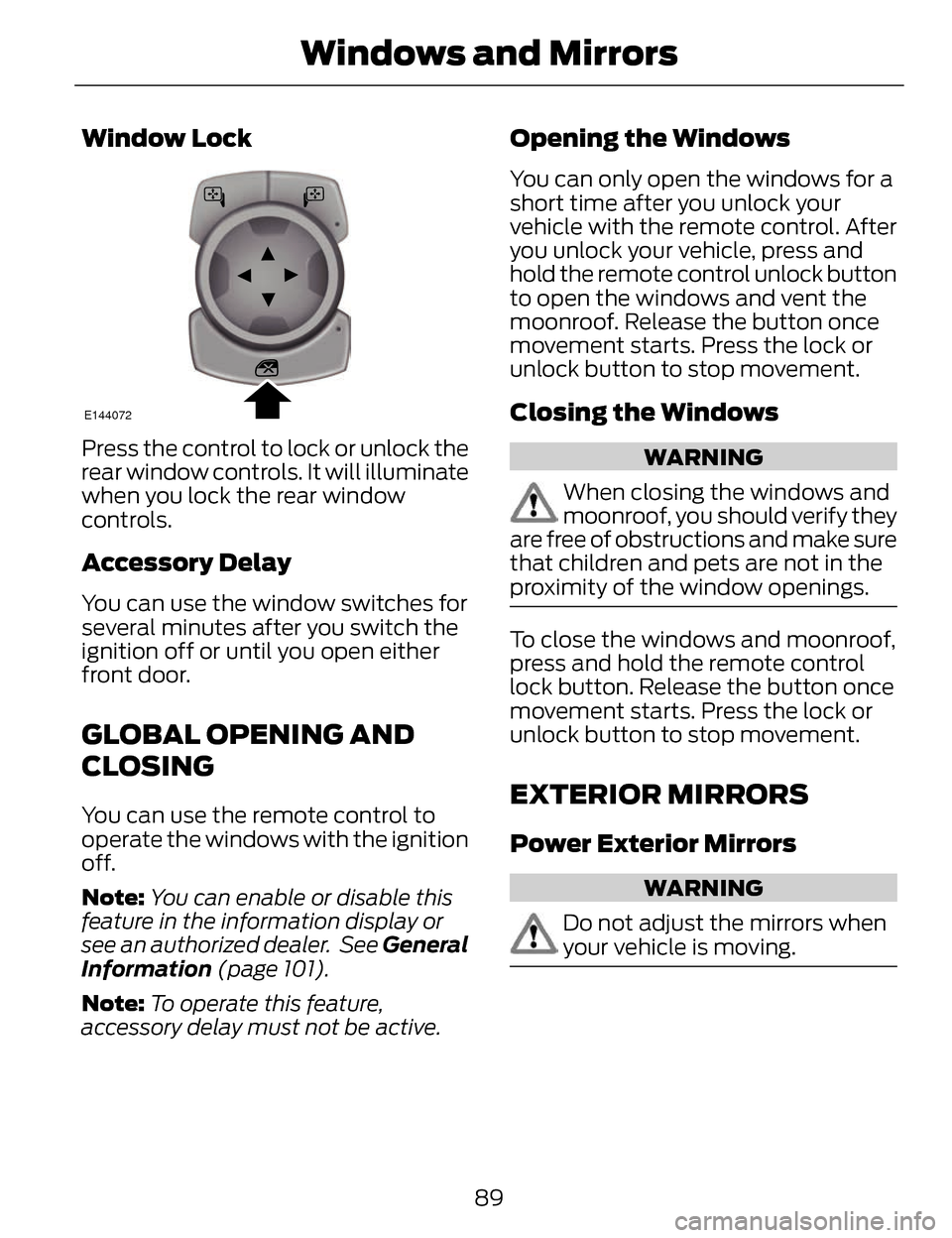
Window Lock
E144072
Press the control to lock or unlock the
rear window controls. It will illuminate
when you lock the rear window
controls.
Accessory Delay
You can use the window switches for
several minutes after you switch the
ignition off or until you open either
front door.
GLOBAL OPENING AND
CLOSING
You can use the remote control to
operate the windows with the ignition
off.
Note:You can enable or disable this
feature in the information display or
see an authorized dealer. See General
Information (page 101).
Note: To operate this feature,
accessory delay must not be active.
Opening the Windows
You can only open the windows for a
short time after you unlock your
vehicle with the remote control. After
you unlock your vehicle, press and
hold the remote control unlock button
to open the windows and vent the
moonroof. Release the button once
movement starts. Press the lock or
unlock button to stop movement.
Closing the Windows
WARNING
When closing the windows and
moonroof, you should verify they
are free of obstructions and make sure
that children and pets are not in the
proximity of the window openings.
To close the windows and moonroof,
press and hold the remote control
lock button. Release the button once
movement starts. Press the lock or
unlock button to stop movement.
EXTERIOR MIRRORS
Power Exterior Mirrors
WARNING
Do not adjust the mirrors when
your vehicle is moving.
89
Windows and Mirrors