brake LINCOLN MKZ 2016 Owners Manual
[x] Cancel search | Manufacturer: LINCOLN, Model Year: 2016, Model line: MKZ, Model: LINCOLN MKZ 2016Pages: 544, PDF Size: 5.77 MB
Page 6 of 544
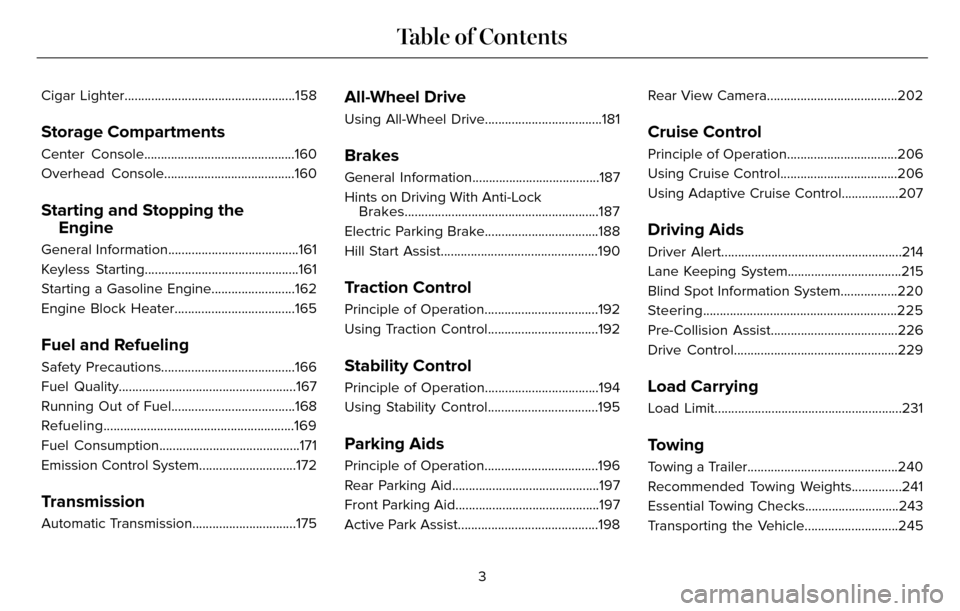
Cigar Lighter...................................................158
Storage Compartments
Center Console.............................................160
Overhead Console.......................................160
Starting and Stopping theEngine
General Information.......................................161
Keyless Starting..............................................161
Starting a Gasoline Engine.........................162
Engine Block Heater....................................165
Fuel and Refueling
Safety Precautions........................................166
Fuel Quality.....................................................167
Running Out of Fuel.....................................168
Refueling.........................................................169
Fuel Consumption..........................................171
Emission Control System.............................172
Transmission
Automatic Transmission...............................175
All-Wheel Drive
Using All-Wheel Drive...................................181
Brakes
General Information......................................187
Hints on Driving With Anti-LockBrakes..........................................................187
Electric Parking Brake..................................188
Hill Start Assist...............................................190
Traction Control
Principle of Operation..................................192
Using Traction Control.................................192
Stability Control
Principle of Operation..................................194
Using Stability Control.................................195
Parking Aids
Principle of Operation..................................196
Rear Parking Aid............................................197
Front Parking Aid...........................................197
Active Park Assist..........................................198 Rear View Camera.......................................202
Cruise Control
Principle of Operation.................................206
Using Cruise Control...................................206
Using Adaptive Cruise Control.................207
Driving Aids
Driver Alert......................................................214
Lane Keeping System..................................215
Blind Spot Information System.................220
Steering..........................................................225
Pre-Collision Assist......................................226
Drive Control.................................................229
Load Carrying
Load Limit........................................................231
Towing
Towing a Trailer.............................................240
Recommended Towing Weights...............241
Essential Towing Checks............................243
Transporting the Vehicle............................245
3
Table of Contents
Page 7 of 544
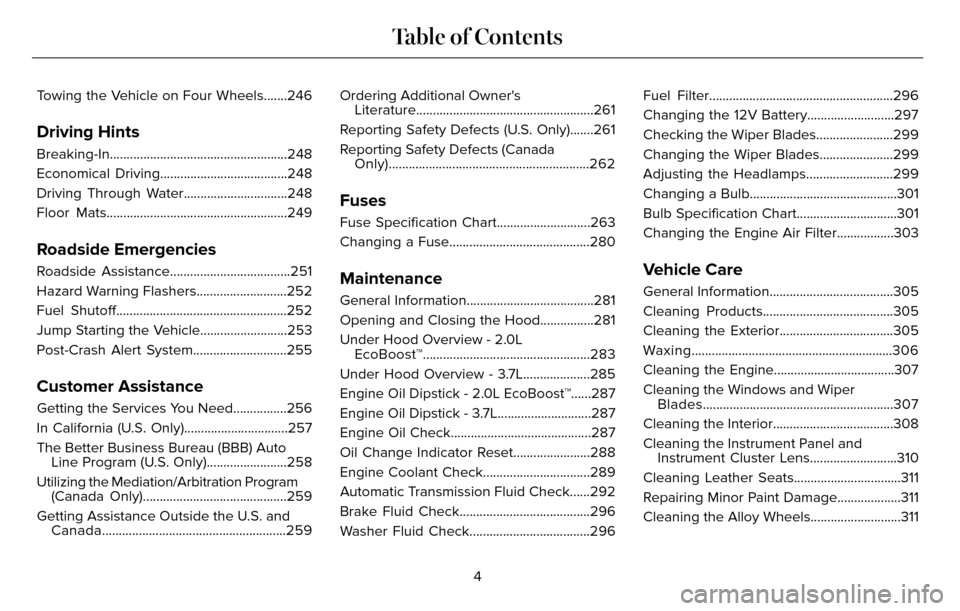
Towing the Vehicle on Four Wheels.......246
Driving Hints
Breaking-In.....................................................248
Economical Driving......................................248
Driving Through Water...............................248
Floor Mats......................................................249
Roadside Emergencies
Roadside Assistance....................................251
Hazard Warning Flashers...........................252
Fuel Shutoff...................................................252
Jump Starting the Vehicle..........................253
Post-Crash Alert System............................255
Customer Assistance
Getting the Services You Need................256
In California (U.S. Only)...............................257
The Better Business Bureau (BBB) AutoLine Program (U.S. Only)........................258
Utilizing the Mediation/Arbitration Program (Canada Only)...........................................259
Getting Assistance Outside the U.S. and Canada.......................................................259 Ordering Additional Owner's
Literature.....................................................261
Reporting Safety Defects (U.S. Only).......261
Reporting Safety Defects (Canada Only)............................................................262
Fuses
Fuse Specification Chart............................263
Changing a Fuse..........................................280
Maintenance
General Information......................................281
Opening and Closing the Hood................281
Under Hood Overview - 2.0LEcoBoost™..................................................283
Under Hood Overview - 3.7L....................285
Engine Oil Dipstick - 2.0L EcoBoost™......287
Engine Oil Dipstick - 3.7L............................287
Engine Oil Check..........................................287
Oil Change Indicator Reset.......................288
Engine Coolant Check................................289
Automatic Transmission Fluid Check......292
Brake Fluid Check.......................................296
Washer Fluid Check....................................296 Fuel Filter.......................................................296
Changing the 12V Battery..........................297
Checking the Wiper Blades.......................299
Changing the Wiper Blades......................299
Adjusting the Headlamps..........................299
Changing a Bulb............................................301
Bulb Specification Chart..............................301
Changing the Engine Air Filter.................303
Vehicle Care
General Information.....................................305
Cleaning Products.......................................305
Cleaning the Exterior..................................305
Waxing............................................................306
Cleaning the Engine....................................307
Cleaning the Windows and Wiper
Blades.........................................................307
Cleaning the Interior....................................308
Cleaning the Instrument Panel and Instrument Cluster Lens..........................310
Cleaning Leather Seats................................311
Repairing Minor Paint Damage...................311
Cleaning the Alloy Wheels...........................311
4
Table of Contents
Page 11 of 544
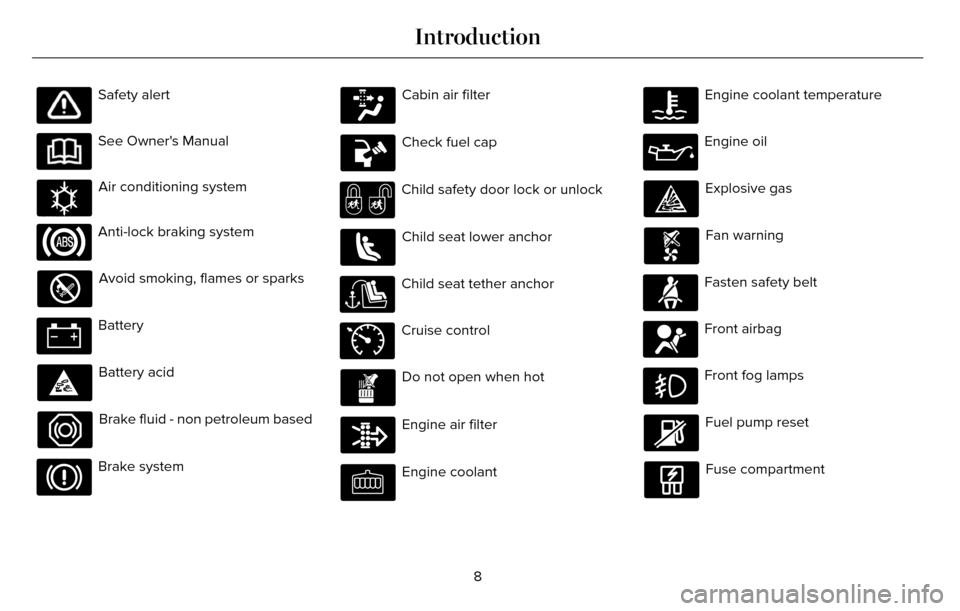
Safety alert
See Owner's Manual
E162384
Air conditioning system
Anti-lock braking system
Avoid smoking, flames or sparks
Battery
Battery acid
Brake fluid - non petroleum based
Brake system
Cabin air filter
Check fuel cap
Child safety door lock or unlock
Child seat lower anchor
Child seat tether anchor
E71340
Cruise control
Do not open when hot
Engine air filter
Engine coolant
Engine coolant temperature
Engine oil
Explosive gas
Fan warning
Fasten safety belt
Front airbag
Front fog lamps
Fuel pump reset
Fuse compartment
8
Introduction
Page 12 of 544
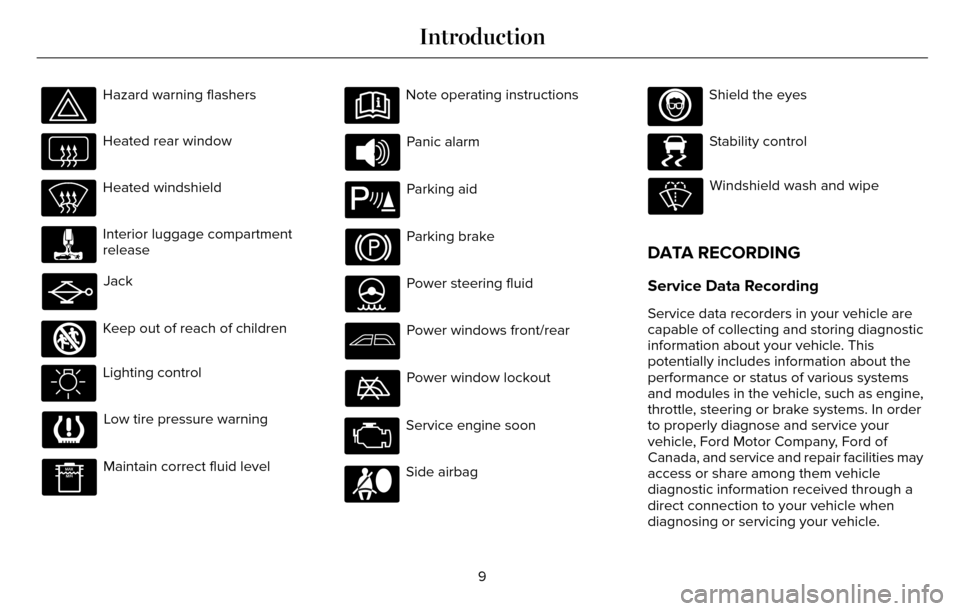
Hazard warning flashers
Heated rear window
Heated windshield
Interior luggage compartment
release
Jack
E161353
Keep out of reach of children
Lighting control
Low tire pressure warning
Maintain correct fluid level
Note operating instructions
Panic alarm
E139213
Parking aid
Parking brake
Power steering fluid
Power windows front/rear
Power window lockout
Service engine soon
Side airbag
Shield the eyes
E138639
Stability control
Windshield wash and wipe
DATA RECORDING
Service Data Recording
Service data recorders in your vehicle are
capable of collecting and storing diagnostic
information about your vehicle. This
potentially includes information about the
performance or status of various systems
and modules in the vehicle, such as engine,
throttle, steering or brake systems. In order
to properly diagnose and service your
vehicle, Ford Motor Company, Ford of
Canada, and service and repair facilities may
access or share among them vehicle
diagnostic information received through a
direct connection to your vehicle when
diagnosing or servicing your vehicle.
9
Introduction
Page 13 of 544
Additionally, when your vehicle is in for
service or repair, Ford Motor Company, Ford
of Canada, and service and repair facilities
may access or share among them data for
vehicle improvement purposes. For U.S. only
(if equipped), if you choose to use the SYNC
Vehicle Health Report, you consent that
certain diagnostic information may also be
accessed electronically by Ford Motor
Company and Ford authorized service
facilities, and that the diagnostic information
may be used for any purpose. See
MyLincoln Touch™ (page 373).
Event Data Recording
This vehicle is equipped with an event data
recorder. The main purpose of an event
data recorder is to record, in certain crash
or near crash-like situations, such as an
airbag deployment or hitting a road
obstacle; this data will assist in
understanding how a vehicle’s systems
performed. The event data recorder is
designed to record data related to vehicle
dynamics and safety systems for a short
period of time, typically 30 seconds or less.The event data recorder in this vehicle is
designed to record such data as:
•
How various systems in your vehicle
were operating;
• Whether or not the driver and
passenger safety belts were
buckled/fastened;
• How far (if at all) the driver was
depressing the accelerator and/or the
brake pedal; and
• How fast the vehicle was traveling; and
• Where the driver was positioning the
steering wheel.
This data can help provide a better
understanding of the circumstances in
which crashes and injuries occur. Note:
Event data recorder data is recorded
by your vehicle only if a non-trivial crash
situation occurs; no data is recorded by the
event data recorder under normal driving
conditions and no personal data or
information (e.g., name, gender, age, and
crash location) is recorded (see limitations
regarding 911 Assist and Traffic, directions
and Information privacy below). However,
parties, such as law enforcement, could
combine the event data recorder data with
the type of personally identifying data
routinely acquired during a crash
investigation.
To read data recorded by an event data
recorder, special equipment is required,
and access to the vehicle or the event data
recorder is needed. In addition to the
vehicle manufacturer, other parties, such
as law enforcement, that have such special
equipment, can read the information if they
have access to the vehicle or the event data
recorder. Ford Motor Company and Ford
of Canada do not access event data
recorder information without obtaining
consent, unless pursuant to court order or
10
Introduction
Page 38 of 544
E142590
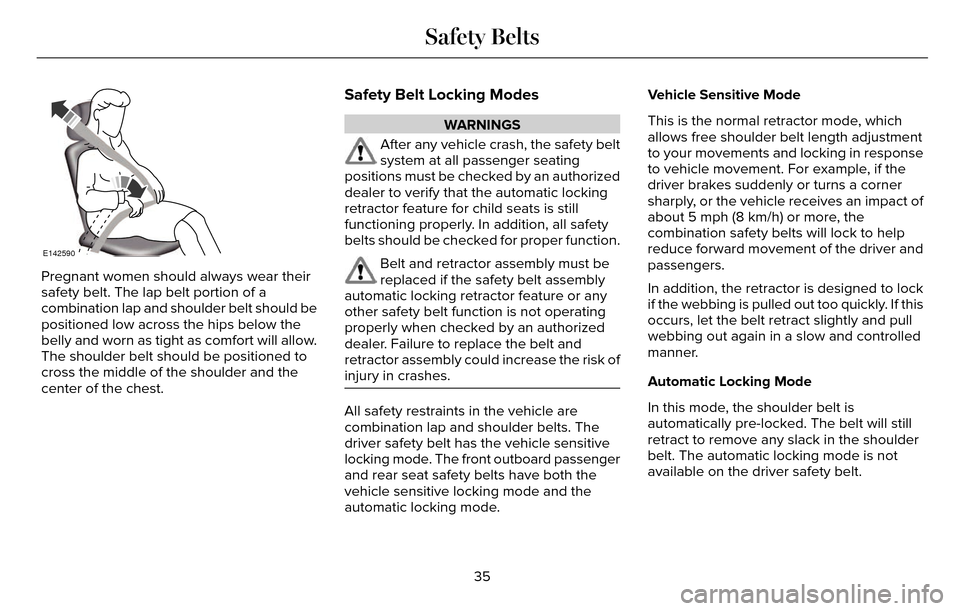
Pregnant women should always wear their
safety belt. The lap belt portion of a
combination lap and shoulder belt should be
positioned low across the hips below the
belly and worn as tight as comfort will allow.
The shoulder belt should be positioned to
cross the middle of the shoulder and the
center of the chest.
Safety Belt Locking Modes
WARNINGS
After any vehicle crash, the safety belt
system at all passenger seating
positions must be checked by an authorized
dealer to verify that the automatic locking
retractor feature for child seats is still
functioning properly. In addition, all safety
belts should be checked for proper function.
Belt and retractor assembly must be
replaced if the safety belt assembly
automatic locking retractor feature or any
other safety belt function is not operating
properly when checked by an authorized
dealer. Failure to replace the belt and
retractor assembly could increase the risk of
injury in crashes.
All safety restraints in the vehicle are
combination lap and shoulder belts. The
driver safety belt has the vehicle sensitive
locking mode. The front outboard passenger
and rear seat safety belts have both the
vehicle sensitive locking mode and the
automatic locking mode. Vehicle Sensitive Mode
This is the normal retractor mode, which
allows free shoulder belt length adjustment
to your movements and locking in response
to vehicle movement. For example, if the
driver brakes suddenly or turns a corner
sharply, or the vehicle receives an impact of
about 5 mph (8 km/h) or more, the
combination safety belts will lock to help
reduce forward movement of the driver and
passengers.
In addition, the retractor is designed to lock
if the webbing is pulled out too quickly. If this
occurs, let the belt retract slightly and pull
webbing out again in a slow and controlled
manner.
Automatic Locking Mode
In this mode, the shoulder belt is
automatically pre-locked. The belt will still
retract to remove any slack in the shoulder
belt. The automatic locking mode is not
available on the driver safety belt.
35
Safety Belts
Page 44 of 544
Deactivating and Activating the Belt-Minder
Feature
WARNING
While the system allows you to
deactivate it, this system is designed
to improve your chances of being safely
belted and surviving an accident. We
recommend you leave the system activated
for yourself and others who may use the
vehicle.
Note: The driver and front passenger
warnings switch on and off independently.
When you perform this procedure for one
seating position, do not buckle the other
position as this will terminate the process.
Read Steps 1 - 4 thoroughly before
proceeding with the programming
procedure.
Before following the procedure, make sure
that:
• The parking brake is set.
• The transmission is in park (P) or neutral (N). • The ignition is off.
• The driver and front passenger safety
belts are unbuckled.
1. Switch the ignition on. Do not start the vehicle.
2. Wait until the safety belt warning light turns off (about one minute). After Step
2, wait an additional 5 seconds before
proceeding with Step 3. Once you start
Step 3, you must complete the procedure
within 30 seconds.
3. For the seating position you are switching off, buckle then unbuckle the safety belt
three times at a moderate speed, ending
in the unbuckled state. After Step 3, the
safety belt warning light turns on.
4. While the safety belt warning light is on, buckle and then unbuckle the safety belt.
After Step 4, the safety belt warning light
flashes for confirmation.
• This will switch the feature off for that seating position if it is currently on.
• This will switch the feature on for that seating position if it is currently off.
CHILD RESTRAINT AND SAFETY
BELT MAINTENANCE
Inspect the vehicle safety belts and child
safety seat systems periodically to make sure
they work properly and are not damaged.
Inspect the vehicle and child seat safety belts
to make sure there are no nicks, tears or
cuts. Replace if necessary. All vehicle safety
belt assemblies, including retractors, buckles,
front safety belt buckle assemblies, buckle
support assemblies (slide bar-if equipped),
shoulder belt height adjusters (if equipped),
shoulder belt guide on seat back (if
equipped), rear inflatable safety belts (if
equipped), child safety seat LATCH and
tether anchors, and attaching hardware,
should be inspected after a crash. Read the
child restraint manufacturer's instructions for
additional inspection and maintenance
information specific to the child restraint.
41
Safety Belts
Page 61 of 544
Remote Starting the Vehicle
Note:You must press each button within
three seconds of each other. Your vehicle
will not remote start if you do not follow this
sequence.
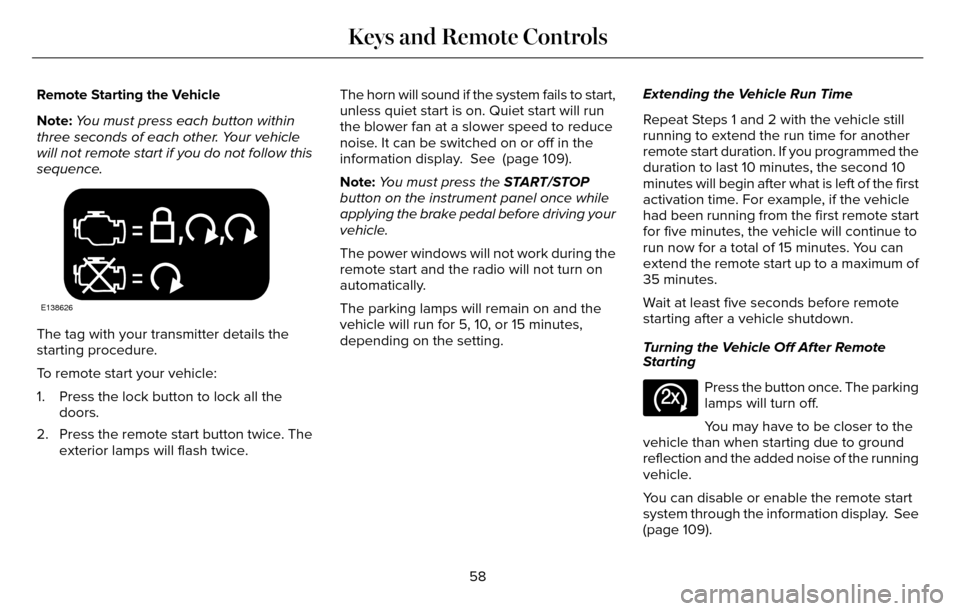
E138626
The tag with your transmitter details the
starting procedure.
To remote start your vehicle:
1. Press the lock button to lock all the doors.
2. Press the remote start button twice. The exterior lamps will flash twice. The horn will sound if the system fails to start,
unless quiet start is on. Quiet start will run
the blower fan at a slower speed to reduce
noise. It can be switched on or off in the
information display. See (page 109).
Note:
You must press the START/STOP
button on the instrument panel once while
applying the brake pedal before driving your
vehicle.
The power windows will not work during the
remote start and the radio will not turn on
automatically.
The parking lamps will remain on and the
vehicle will run for 5, 10, or 15 minutes,
depending on the setting. Extending the Vehicle Run Time
Repeat Steps 1 and 2 with the vehicle still
running to extend the run time for another
remote start duration. If you programmed the
duration to last 10 minutes, the second 10
minutes will begin after what is left of the first
activation time. For example, if the vehicle
had been running from the first remote start
for five minutes, the vehicle will continue to
run now for a total of 15 minutes. You can
extend the remote start up to a maximum of
35 minutes.
Wait at least five seconds before remote
starting after a vehicle shutdown.
Turning the Vehicle Off After Remote
Starting
E138625
Press the button once. The parking
lamps will turn off.
You may have to be closer to the
vehicle than when starting due to ground
reflection and the added noise of the running
vehicle.
You can disable or enable the remote start
system through the information display. See
(page 109).
58
Keys and Remote Controls
Page 92 of 544
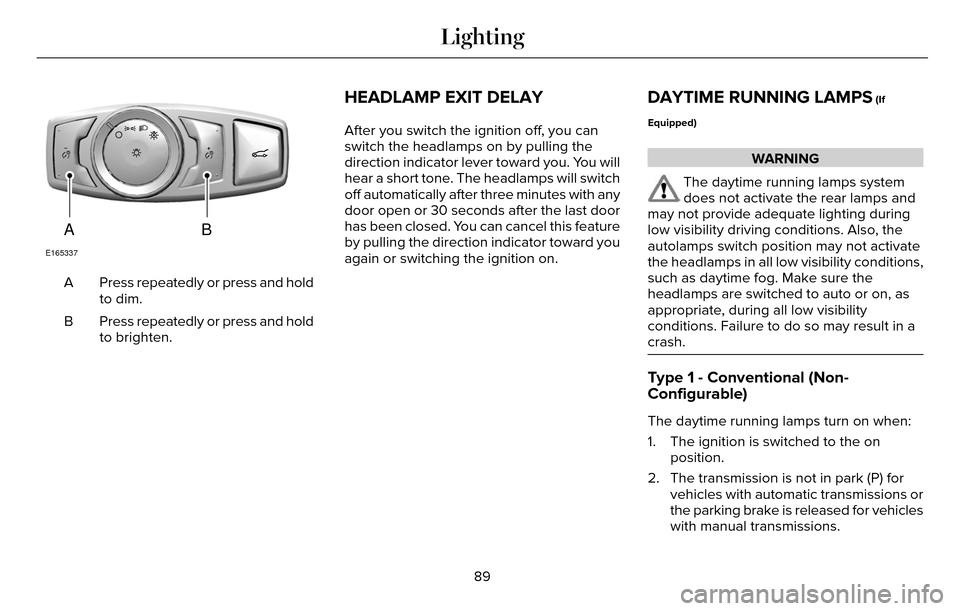
AB
E165337
Press repeatedly or press and hold
to dim.
A
Press repeatedly or press and hold
to brighten.
B
HEADLAMP EXIT DELAY
After you switch the ignition off, you can
switch the headlamps on by pulling the
direction indicator lever toward you. You will
hear a short tone. The headlamps will switch
off automatically after three minutes with any
door open or 30 seconds after the last door
has been closed. You can cancel this feature
by pulling the direction indicator toward you
again or switching the ignition on.
DAYTIME RUNNING LAMPS (If
Equipped)
WARNING
The daytime running lamps system
does not activate the rear lamps and
may not provide adequate lighting during
low visibility driving conditions. Also, the
autolamps switch position may not activate
the headlamps in all low visibility conditions,
such as daytime fog. Make sure the
headlamps are switched to auto or on, as
appropriate, during all low visibility
conditions. Failure to do so may result in a
crash.
Type 1 - Conventional (Non-
Configurable)
The daytime running lamps turn on when:
1. The ignition is switched to the on position.
2. The transmission is not in park (P) for vehicles with automatic transmissions or
the parking brake is released for vehicles
with manual transmissions.
89
Lighting
Page 93 of 544
3. The lighting control is in the off, parkinglamp or autolamps positions.
4. The headlamps are off.
Type 2 - Configurable
Switch the daytime running lamps on or off
using the information display controls. See
Information Displays (page 109).
The daytime running lamps turn on when:
1. They are switched on in the information display. See Information Displays (page
109).
2. The ignition is switched to the on position.
3. The transmission is not in park (P) for vehicles with automatic transmissions or
the parking brake is released for vehicles
with manual transmissions.
4. The lighting control is in the autolamps position.
5. The headlamps are off.
The other lighting control switch positions
do not activate the daytime running lamps,
and you can use them to temporarily override
autolamp control. When switched off in the information display,
the daytime running lamps are off in all
lighting control switch positions.
AUTOMATIC HIGH BEAM
CONTROL
(If Equipped)
The system will automatically turn on your
high beams if it is dark enough and no other
traffic is present. When it detects the
headlights of an approaching vehicle, the tail
lamps of the preceding vehicle or street
lighting, the system will turn off the high
beams before they distract other drivers. The
low beams remain on.
Note:
If it appears that automatic control of
the high beams is not functioning properly,
check the windshield in front of the camera
for a blockage. A clear view of the road is
required for proper system operation. Have
any windshield damage in the area of the
camera’s field-of-view repaired. Note:
If the system detects a blockage, for
example bird droppings, bug splatter, snow
or ice, the system will go into low beam
mode until you clear the blockage. A
message may also appear in the instrument
cluster display noting the front camera is
blocked.
Note: Typical road dust, dirt and water spots
will not affect the performance of the
automatic high beam system . However, in
cold or inclement weather conditions, you
will notice a decrease in the availability of
the high beam system, especially at start up.
If you want to change the beam state
independently of the system, you may switch
the high beams on or off using the
multifunction switch. Automatic control will
resume when conditions are correct.
Note: Modification of the vehicle ride height
such as using much larger tires, may
degrade feature performance.
A camera sensor, centrally mounted behind
the windshield of your vehicle, continuously
monitors conditions to decide when to switch
the high beams off and on.
90
Lighting