Tension LINCOLN MKZ 2017 User Guide
[x] Cancel search | Manufacturer: LINCOLN, Model Year: 2017, Model line: MKZ, Model: LINCOLN MKZ 2017Pages: 564, PDF Size: 5.54 MB
Page 267 of 564
2. Remove the jumper cable on the
negative (-) terminal of the booster
vehicle battery.
3. Remove the jumper cable from the positive (+) terminal of the booster vehicle
battery.
4. Remove the jumper cable from the positive (+) terminal of the disabled
vehicle battery.
5. Allow the engine to idle for at least one minute.
POST-CRASH ALERT SYSTEM
The system flashes the direction indicators
and sounds the horn (intermittently) in the
event of a serious impact that deploys an
airbag (front, side, side curtain or Safety
Canopy) or the safety belt pretensioners.
The horn and indicators will turn off when:
• You press the hazard control button.
• You press the panic button on the remote
entry transmitter (if equipped).
• Your vehicle runs out of power. Spinout Detection
If a spinout is detected, the vehicle comes
to a stop and the hazard warning flashers
come on. A message that states the spinout
hazards are activated will appear on the
instrument cluster. The message may not
appear if your vehicle runs out of power.
Once the hazard warning flashers have been
activated, you can turn them off by:
•
Pressing the hazard warning flasher
button.
• Pressing the remote control unlock
button.
• Pressing the remote control panic button.
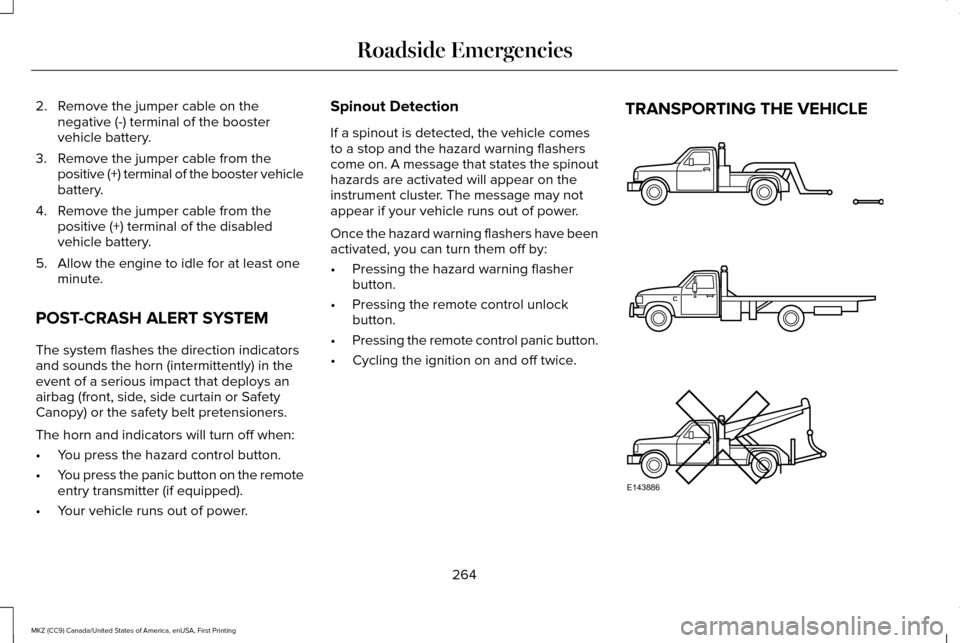
• Cycling the ignition on and off twice. TRANSPORTING THE VEHICLE
264
MKZ (CC9) Canada/United States of America, enUSA, First Printing Roadside EmergenciesE143886
Page 356 of 564
The tires on your vehicle may have
all-weather treads to provide traction in rain
and snow. However, in some climates you
may need to use snow chains.
Your vehicle may not be compatible with
snow chain or cable usage with the
factory-fitted wheels and tires. Only certain
chains or snow cables have been approved
by Ford as safe for use on your vehicle with
the following tire size: 225/55R17. You
should only install chains or cables sized at
10 mm or less in dimension as measured on
the sidewall of your tire. Not all S-class snow
chains meet these restrictions. Chains of this
size restriction will include a tensioning
device. The chains should be mounted in
pairs on the front tires only. If you need to
use chains, it is recommended that steel
wheels (of the same size and specification)
be used, as chains may chip aluminum
wheels.
Follow these guidelines when using traction
devices:
•
If possible, avoid fully loading your
vehicle
• Purchase chains or cables from a
manufacturer that clearly labels body to
tire dimension restrictions.
• When driving with snow chains or cables,
do not exceed 30 mph (48 km/h) or the
maximum speed recommended by the
chain manufacturer; whichever is less.
• Drive cautiously. If you hear the chains
or cables rub or bang against the vehicle,
stop and retighten them. If this does not
work, remove the chains or cables and
prevent vehicle damage.
• Remove the chains or cables when they
are no longer needed. Do not use the
chains or cables on dry roads.
• If a temporary spare tire is mounted on
your vehicle, do not use snow chains on
the axle with the temporary spare tire.
If you have any questions regarding snow
tires or snow chains, please contact your
authorized dealer. TIRE PRESSURE MONITORING
SYSTEM WARNING
The tire pressure monitoring system is
not a substitute for manually checking
tire pressures. You should periodically check
tire pressures using a pressure gauge.
Failure to correctly maintain tire pressures
could increase the risk of tire failure, loss of
control, vehicle rollover and personal injury. Each tire, including the spare (if
provided), should be checked
monthly when cold and inflated to
the inflation pressure recommended by the
vehicle manufacturer on the vehicle placard
or tire inflation pressure label. (If your vehicle
has tires of a different size than the size
indicated on the vehicle placard or tire
inflation pressure label, you should
determine the proper tire inflation pressure
for those tires.)
353
MKZ (CC9) Canada/United States of America, enUSA, First Printing Wheels and Tires
Page 390 of 564
Do not expose discs to direct sunlight or heat
sources for extended periods.
MP3 and WMA Track and Folder
Structure
Audio systems capable of recognizing and
playing MP3 and WMA individual tracks and
folder structures work as follows:
•
There are two different modes for MP3
and WMA disc playback: MP3 and WMA
track mode (system default) and MP3 and
WMA folder mode.
• MP3 and WMA track mode ignores any
folder structure on the MP3 and WMA
disc. The player numbers each MP3 and
WMA track on the disc (noted by the MP3
or WMA file extension) from T001 to a
maximum of T255. The maximum number
of playable MP3 and WMA files may be
less depending on the structure of the
CD and exact model of radio present. •
MP3 and WMA folder mode represents
a folder structure consisting of one level
of folders. The CD player numbers all
MP3 and WMA tracks on the disc (noted
by the MP3 or WMA file extension) and
all folders containing MP3 and WMA files,
from F001 (folder) T001 (track) to F253
T255.
• Creating discs with only one level of
folders helps with navigation through the
disc files.
If you are burning your own MP3 and WMA
discs, it is important to understand how the
system reads the structures you create. While
various files may be present (files with
extensions other than MP3 and WMA), only
files with the MP3 and WMA extension are
played; other files are ignored by the system.
This enables you to use the same MP3 and
WMA disc for a variety of tasks on your work
computer, home computer and your
in-vehicle system. In track mode, the system displays and plays
the structure as if it were only one level deep
(all MP3 and WMA files play, regardless of
being in a specific folder). In folder mode,
the system only plays the MP3 and WMA files
in the current folder.
AUDIO UNIT - VEHICLES WITH:
PREMIUM AM/FM/CD
WARNING
Driving while distracted can result in
loss of vehicle control, crash and injury.
We strongly recommend that you use
extreme caution when using any device that
may take your focus off the road. Your
primary responsibility is the safe operation
of your vehicle. We recommend against the
use of any hand-held device while driving
and encourage the use of voice-operated
systems when possible. Make sure you are
aware of all applicable local laws that may
affect the use of electronic devices while
driving. 387
MKZ (CC9) Canada/United States of America, enUSA, First Printing Audio System
Page 435 of 564
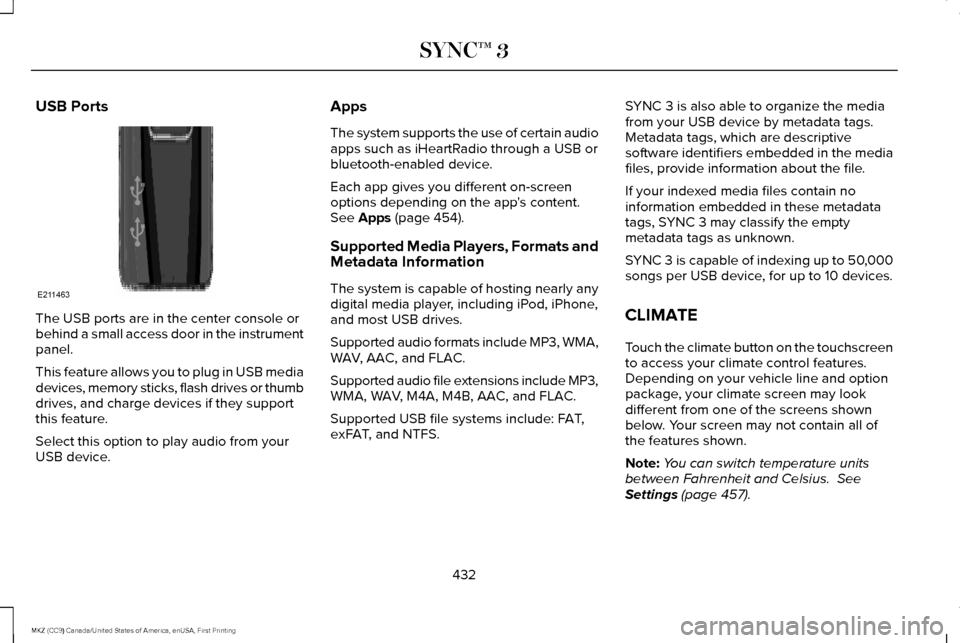
USB Ports
The USB ports are in the center console or
behind a small access door in the instrument
panel.
This feature allows you to plug in USB media
devices, memory sticks, flash drives or thumb
drives, and charge devices if they support
this feature.
Select this option to play audio from your
USB device. Apps
The system supports the use of certain audio
apps such as iHeartRadio through a USB or
bluetooth-enabled device.
Each app gives you different on-screen
options depending on the app's content.
See Apps (page 454).
Supported Media Players, Formats and
Metadata Information
The system is capable of hosting nearly any
digital media player, including iPod, iPhone,
and most USB drives.
Supported audio formats include MP3, WMA,
WAV, AAC, and FLAC.
Supported audio file extensions include MP3,
WMA, WAV, M4A, M4B, AAC, and FLAC.
Supported USB file systems include: FAT,
exFAT, and NTFS. SYNC 3 is also able to organize the media
from your USB device by metadata tags.
Metadata tags, which are descriptive
software identifiers embedded in the media
files, provide information about the file.
If your indexed media files contain no
information embedded in these metadata
tags, SYNC 3 may classify the empty
metadata tags as unknown.
SYNC 3 is capable of indexing up to 50,000
songs per USB device, for up to 10 devices.
CLIMATE
Touch the climate button on the touchscreen
to access your climate control features.
Depending on your vehicle line and option
package, your climate screen may look
different from one of the screens shown
below. Your screen may not contain all of
the features shown.
Note:
You can switch temperature units
between Fahrenheit and Celsius.
See
Settings (page 457).
432
MKZ (CC9) Canada/United States of America, enUSA, First Printing SYNC™ 3E211463
Page 561 of 564
R
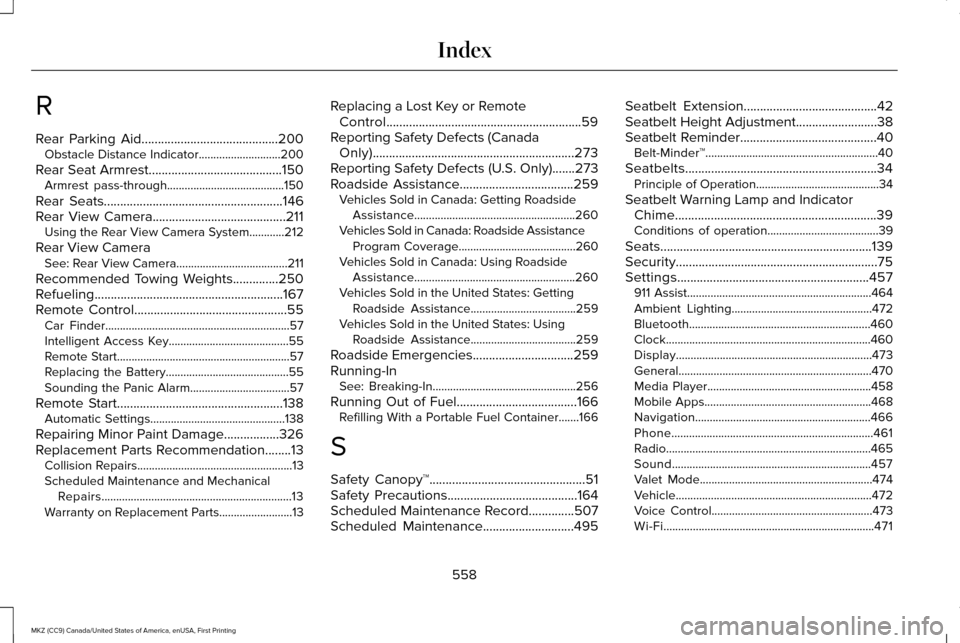
Rear Parking Aid..........................................200
Obstacle Distance Indicator............................200
Rear Seat Armrest.........................................150
Armrest pass-through........................................150
Rear Seats.......................................................146
Rear View Camera.........................................211 Using the Rear View Camera System............212
Rear View Camera See: Rear View Camera......................................211
Recommended Towing Weights
..............250
Refueling..........................................................167
Remote Control...............................................55 Car Finder...............................................................57
Intelligent Access Key.........................................55
Remote Start...........................................................57
Replacing the Battery..........................................55
Sounding the Panic Alarm..................................57
Remote Start...................................................138 Automatic Settings..............................................138
Repairing Minor Paint Damage.................326
Replacement Parts Recommendation........13 Collision Repairs.....................................................13
Scheduled Maintenance and Mechanical
Repairs.................................................................13
Warranty on Replacement Parts.........................
13 Replacing a Lost Key or Remote
Control............................................................59
Reporting Safety Defects (Canada Only)..............................................................273
Reporting Safety Defects (U.S. Only).......273
Roadside Assistance
...................................259
Vehicles Sold in Canada: Getting Roadside
Assistance.......................................................260
Vehicles Sold in Canada: Roadside Assistance Program Coverage........................................260
Vehicles Sold in Canada: Using Roadside Assistance.......................................................260
Vehicles Sold in the United States: Getting Roadside Assistance....................................259
Vehicles Sold in the United States: Using Roadside Assistance....................................259
Roadside Emergencies...............................259
Running-In See: Breaking-In.................................................256
Running Out of Fuel
.....................................166
Refilling With a Portable Fuel Container.......166
S
Safety Canopy™................................................51
Safety Precautions
........................................164
Scheduled Maintenance Record..............507
Scheduled Maintenance............................495 Seatbelt Extension
.........................................42
Seatbelt Height Adjustment.........................38
Seatbelt Reminder..........................................40 Belt-Minder™...........................................................40
Seatbelts...........................................................34 Principle of Operation..........................................34
Seatbelt Warning Lamp and Indicator Chime..............................................................39
Conditions of operation......................................39
Seats.................................................................139
Security..............................................................75
Settings...........................................................457 911 Assist...............................................................464
Ambient Lighting................................................472
Bluetooth..............................................................460
Clock......................................................................460
Display...................................................................473
General..................................................................470
Media Player........................................................458
Mobile Apps.........................................................468
Navigation............................................................466
Phone.....................................................................461
Radio......................................................................465
Sound....................................................................457
Valet Mode...........................................................474
Vehicle...................................................................472
Voice Control.......................................................473
Wi-Fi........................................................................\
471
558
MKZ (CC9) Canada/United States of America, enUSA, First Printing Index