change time LINCOLN MKZ 2018 Owner's Manual
[x] Cancel search | Manufacturer: LINCOLN, Model Year: 2018, Model line: MKZ, Model: LINCOLN MKZ 2018Pages: 595, PDF Size: 5.06 MB
Page 266 of 595
BREAKING-IN
You need to break in new tires forapproximately 300 mi (480 km). During thistime, your vehicle may exhibit some unusualdriving characteristics.
Avoid driving too fast during the first 1,000 mi(1,600 km). Vary your speed frequently andchange up through the gears early. Do notlabor the engine.
Do not tow during the first 1,000 mi(1,600 km).
ECONOMICAL DRIVING
Fuel economy is affected by several thingssuch as how you drive, the conditions youdrive under and how you maintain yourvehicle.
There are some things to keep in mind thatmay improve your fuel economy:
•Accelerate and slow down in a smooth,moderate fashion.
•Drive at steady speeds.
•Anticipate stops; slowing down mayeliminate the need to stop.
•Combine errands and minimizestop-and-go driving (When runningerrands, go to the furthest destinationfirst and then work your way back home).
•Close the windows for high-speeddriving.
•Drive at reasonable speeds.
•Keep the tires properly inflated and useonly the recommended size.
•Use the recommended engine oil.
•Perform all regularly scheduledmaintenance.
There are also some things you may want toavoid doing because they reduce your fueleconomy:
•Avoid sudden or hard accelerations.
•Avoid revving the engine before turningoff the car.
•Avoid long idle periods.
•Do not warm up your vehicle on coldmornings.
•Reduce the use of air conditioning andheat.
•Avoid using speed control in hilly terrain.
•Do not rest your foot on the brake pedalwhile driving.
•Avoid carrying unnecessary weight.
•Avoid adding particular accessories toyour vehicle (e.g. bug deflectors,rollbars/light bars, running boards, skiracks).
•Avoid driving with the wheels out ofalignment.
DRIVING THROUGH WATER
WARNING
Do not drive through flowing or deepwater as you may lose control of yourvehicle.
Note:Driving through standing water cancause vehicle damage.
Note:Engine damage can occur if waterenters the air filter.
263
MKZ (CC9) Canada/United States of America, enUSA, Edition date: 201706, First Printing
Driving Hints
Page 280 of 595
Disputes submitted to the BBB AUTO LINEprogram are usually decided within forty daysafter you file your claim with the BBB. Youare not bound by the decision, and mayreject the decision and proceed to courtwhere all findings of the BBB Auto Linedispute, and decision, are admissible in thecourt action. Should you choose to acceptthe BBB AUTO LINE decision, Ford is thenbound by the decision, and must comply withthe decision within 30 days of receipt of youracceptance letter.
BBB AUTO LINE Application: Using theinformation provided below, please call orwrite to request a program application. Youwill be asked for your name and address,general information about your new vehicle,information about your warranty concerns,and any steps you have already taken to tryto resolve them. A Customer Claim Form willbe mailed that will need to be completed,signed and returned to the BBB along withproof of ownership. Upon receipt, the BBBwill review the claim for eligibility under theProgram Summary Guidelines.
You can get more information by callingBBB AUTO LINE at 1-800-955-5100, orwriting to:
BBB AUTO LINE3033 Wilson Boulevard, Suite 600Arlington, Virginia 22201
BBB AUTO LINE applications can also berequested by calling the Ford MotorCompany Customer Relationship Center at1-800-392-3673.
Note:Ford Motor Company reserves theright to change eligibility limitations, modifyprocedures, or to discontinue this processat any time without notice and withoutobligation.
UTILIZING THE
MEDIATION/ARBITRATION
PROGRAM (CANADA ONLY)
For vehicles delivered to authorizedCanadian dealers. In those cases where youcontinue to feel that the efforts by Ford ofCanada and the authorized dealer to resolvea factory-related vehicle service concernhave been unsatisfactory, Ford of Canadaparticipates in an impartial third partymediation/arbitration program administeredby the Canadian Motor Vehicle ArbitrationPlan (CAMVAP).
The CAMVAP program is a straight forwardand relatively speedy alternative to resolvea disagreement when all other efforts toproduce a settlement have failed. Thisprocedure is without cost to you and isdesigned to eliminate the need for lengthyand expensive legal proceedings.
277
MKZ (CC9) Canada/United States of America, enUSA, Edition date: 201706, First Printing
Customer Assistance
Page 314 of 595
Note:Automotive fluids are notinterchangeable. Do not use coolant orwindshield washer fluid outside of itsspecified function and vehicle location.
Note: Do not use stop leak pellets, coolingsystem sealants, or non-specified additivesas they can cause damage to the enginecooling or heating systems. Resultingcomponent damage may not be covered bythe vehicle Warranty.
Adding Coolant
WARNINGS
Do not add engine coolant when theengine is hot. Failure to follow thisinstruction could result in personal injury.
Never remove the coolant reservoircap when the engine is running or hot.
It is very important to use prediluted coolantmeeting the correct specification in order toavoid plugging the small passageways in theengine cooling system. See Capacities andSpecifications (page 380). Incorrectprediluted coolant use can cause damagenot covered by the vehicle Warranty.
If the coolant level is at or below theminimum mark, add prediluted coolantimmediately.
To top up the coolant level do the following:
1. Unscrew the cap slowly. Any pressureescapes as you unscrew the cap.
2. Add prediluted coolant meeting thecorrect specification. See Capacities andSpecifications (page 373).
3.Add enough prediluted coolant to reachthe correct level.
4. Replace the coolant reservoir cap, turnit clockwise until you feel a strongresistance.
5. Check the coolant level in the coolantreservoir the next few times you driveyour vehicle.
Note:During normal vehicle operation, thecoolant may change color from orange topink or light red. As long as the coolant isclear and uncontaminated, this color changedoes not indicate the coolant has degradednor does it require the coolant to be drained,the system to be flushed, or the coolant tobe replaced.
Do not mix different colors or types ofprediluted coolant in your vehicle. Mixing ofprediluted coolant or using an incorrectprediluted coolant may harm the engine orcooling system components and may not becovered by the vehicle Warranty.
In case of emergency, you can add a largeamount of water without engine coolant inorder to reach a vehicle service location. Inthis instance, qualified personnel:
1. Must drain the cooling system.
2. Chemically clean the cooling system.
3. Refill with prediluted coolant as soon aspossible.
Water alone, without prediluted coolant, cancause engine damage from corrosion,overheating or freezing.
Do not use the following as a coolantsubstitute:
•Alcohol.
•Methanol.
•Brine.
•Any coolant mixed with alcohol ormethanol antifreeze.
311
MKZ (CC9) Canada/United States of America, enUSA, Edition date: 201706, First Printing
Maintenance
Page 317 of 595
If you tow a trailer with your vehicle, theengine may temporarily reach a highertemperature during severe operatingconditions, for example ascending a long orsteep grade in high ambient temperatures.
At this time, you may notice the coolanttemperature gauge moves toward the redzone and a message may appear in theinformation display.
You may notice a reduction in vehicle speedcaused by reduced engine power in orderto manage the engine coolant temperature. Your vehicle may enter this mode if certainhigh-temperature and high-load conditionstake place. The amount of speed reductiondepends on vehicle loading, grade andambient temperature. If this occurs, there isno need to pull off the road. You cancontinue to drive your vehicle.
The air conditioning may automatically turnon and off during severe operatingconditions to protect the engine fromoverheating. When the coolant temperaturedecreases to the normal operatingtemperature, the air conditioning turns on.
If the coolant temperature gauge moves fullyinto the red zone, or if the coolanttemperature warning or service engine soonmessages appear in your information display,do the following:
1. Pull off the road as soon as safelypossible and shift the transmission intopark (P).
2. Leave the engine running until thecoolant temperature gauge needlereturns to the normal position. If thetemperature does not drop after severalminutes, follow the remaining steps.
3. Switch the engine off and wait for it tocool. Check the coolant level.
4. If the coolant level is at or below theminimum mark, add prediluted coolantimmediately.
5. If the coolant level is normal, restart theengine and continue.
AUTOMATIC TRANSMISSION
FLUID CHECK
6F35/HF35 transmission (If Equipped)
Note:Transmission fluid should be checkedby an authorized dealer. If required, fluidshould be added by an authorized dealer.
The automatic transmission does not havea transmission fluid dipstick.
Refer to your scheduled maintenanceinformation for scheduled intervals for fluidchecks and changes. Your transmission doesnot consume fluid. However, the fluid levelshould be checked if the transmission is notworking properly, (For example: if thetransmission slips or shifts slowly) or if younotice some sign of fluid leakage. SeeScheduled Maintenance (page 509).
Do not use supplemental transmission fluidadditives, treatments or cleaning agents. Theuse of these materials may affecttransmission operation and result in damageto internal transmission components.
314
MKZ (CC9) Canada/United States of America, enUSA, Edition date: 201706, First Printing
Maintenance
Page 318 of 595
6F50/6F55 Transmission (If Equipped)
WARNINGS
The dipstick cap and surroundingcomponents may be hot; gloves arerecommended.
Use gloves when moving the air filterassembly. Components will be hot.
Note:Automatic transmission fluid expandswhen warmed. To obtain an accurate fluidcheck, drive the vehicle until it is warmed up(approximately 20 miles [30 kilometers]). Ifyour vehicle has been operated for anextended period at high speeds, in city trafficduring hot weather or pulling a trailer, thevehicle should be turned off until normaloperating temperatures are reached to allowthe fluid to cool before checking. Dependingon vehicle use, cooling times could take upto 30 minutes or longer.
Refer to your scheduled maintenanceinformation for scheduled intervals for fluidchecks and changes. Your transmission doesnot consume fluid. However, the fluid levelshould be checked if the transmission is notworking properly. For example, if thetransmission slips or shifts slowly or if younotice some sign of fluid leakage.
1.Drive the vehicle 20 miles (30 kilometers)or until it reaches normal operatingtemperature
2. Park the vehicle on a level surface andengage the parking brake.
3.With the parking brake engaged and yourfoot on the brake pedal, start the engineand move the gearshift lever through allof the gear ranges. Allow a minimum of10 seconds for each gear to engage.
4. Put the gearshift lever in P (Park) andleave the engine running.
Note:You will need to move the air filterassembly to access the transmissiondipstick.
5.Remove the dipstick, wiping it clean witha clean, dry lint free rag. If necessary,refer to Under hood overview in thischapter for the location of the dipstick.
6. Install the dipstick making sure it is fullyseated in the filler tube by turning it tothe locked position.
7.Remove the dipstick and inspect the fluidlevel. The fluid should be in thedesignated areas for normal operatingtemperature.
Moving the Air Filter Assembly (Accessingthe Dipstick)
WARNING
Do not run engine with the air filterdisconnected.
315
MKZ (CC9) Canada/United States of America, enUSA, Edition date: 201706, First Printing
Maintenance
Page 350 of 595
A. P: Indicates a tire, designated by theTire and Rim Association, that may beused for service on cars, sport utilityvehicles, minivans and light trucks. Note:If your tire size does not begin with aletter this may mean it is designated byeither the European Tire and RimTechnical Organization or the Japan TireManufacturing Association.
B. 215: Indicates the nominal width ofthe tire in millimeters from sidewall edgeto sidewall edge. In general, the largerthe number, the wider the tire.
C. 65: Indicates the aspect ratio whichgives the tire's ratio of height to width.
D. R: Indicates a radial type tire.
E. 15: Indicates the wheel or rim
diameter in inches. If you change yourwheel size, you will have to purchasenew tires to match the new wheeldiameter.
F. 95: Indicates the tire's load index. Itis an index that relates to how muchweight a tire can carry. You may find thisinformation in your owner’s manual. Ifnot, contact a local tire dealer.
Note:You may not find this informationon all tires because it is not required byfederal law.
G. H: Indicates the tire's speed rating.The speed rating denotes the speed atwhich a tire is designed to be driven forextended periods of time under astandard condition of load and inflationpressure. The tires on your vehicle mayoperate at different conditions for loadand inflation pressure. These speedratings may need to be adjusted for thedifference in conditions. The ratings
range from 81–186 mph (130–299 km/h).These ratings are listed in the followingchart.
Note:You may not find this informationon all tires because it is not required byfederal law.
mph ( km/h)Letter rating
81 mph (130 km/h)M
87 mph (140 km/h)N
99 mph (159 km/h)Q
106 mph (171 km/h)R
112 mph (180 km/h)S
118 mph (190 km/h)T
124 mph (200 km/h)U
130 mph (210 km/h)H
149 mph (240 km/h)V
347
MKZ (CC9) Canada/United States of America, enUSA, Edition date: 201706, First Printing
Wheels and Tires
Page 401 of 595
GENERAL INFORMATION
WARNING
Driving while distracted can result inloss of vehicle control, crash and injury.We strongly recommend that you useextreme caution when using any device thatmay take your focus off the road. Yourprimary responsibility is the safe operationof your vehicle. We recommend against theuse of any hand-held device while drivingand encourage the use of voice-operatedsystems when possible. Make sure you areaware of all applicable local laws that mayaffect the use of electronic devices whiledriving.
Getting to Know Your System
The SYNC 3 system allows you to interactwith a variety of features using thetouchscreen and voice commands. Byintegrating with your Bluetooth-enabledphone, the touchscreen provides easyinteraction with audio, multimedia, climatecontrol, navigation, and your phone's SYNC3 compatible apps.
Using the Touchscreen
To operate the touchscreen, you can simplytouch the item or option that you want toselect. The button changes color when youselect it.
The SYNC 3 layout allows you to quicklyselect the feature you wish to use.
398
MKZ (CC9) Canada/United States of America, enUSA, Edition date: 201706, First Printing
SYNC™ 3
Page 416 of 595
To connect your system to Wi-Fi, select:
Menu Item
Settings
Wi-Fi
You can then select your Wi-Fi network. You may haveto enter the security code ifthe network is secured. Thesystem confirms when it hasconnected to the network.
Available Wi-Fi Networks
You must also give the system permissionto update automatically. Upon vehicledelivery, the System asks you if you wouldlike to use the automatic update feature. Ifyou agree to automatic updates, you canpress OK to confirm. If this selection doesnot appear upon vehicle delivery you canaccess it through the General Settings. SeeSettings (page 466). You can also perform amaster reset. See SYNC™ 3 Troubleshooting(page 486).
If you would like to switch this feature onlater, select:
Menu Item
Settings
General
From this menu, you canenable automatic updates.If you have not done soalready, the system promptsyou to set up a Wi-Ficonnection when youenable this feature.
AutomaticSystemUpdates
When Wi-Fi and automatic updates areenabled, your system checks for softwareupdates periodically. If a new version isavailable, it downloads at that time. Softwaredownloads can take place for up to 30minutes after you have switched your vehicleoff. The updates do not interrupt the normaluse of your SYNC 3 system. If a downloaddoes not complete for any reason, the
download continues where it left off at thenext Wi-Fi connected opportunity. Uponactivation of an update, a banner displayson the touchscreen indicating the systemupdate. Select the icon to see more detail.This icon displays for two ignition cycles.
To switch this feature off:
Menu Item
Settings
General
In this menu selection, youcan change the selection forautomatic updates to OFF.
AutomaticSystemUpdates
Support
The SYNC support team is available to helpyou with any questions you are not able toanswer on your own.
Monday-Saturday, 8:30am-8:00pm EST.
United States: 1-800-521-4140.
Canada: 1-800-387-9333.
Times are subject to change due to holidays.
413
MKZ (CC9) Canada/United States of America, enUSA, Edition date: 201706, First Printing
SYNC™ 3
Page 433 of 595
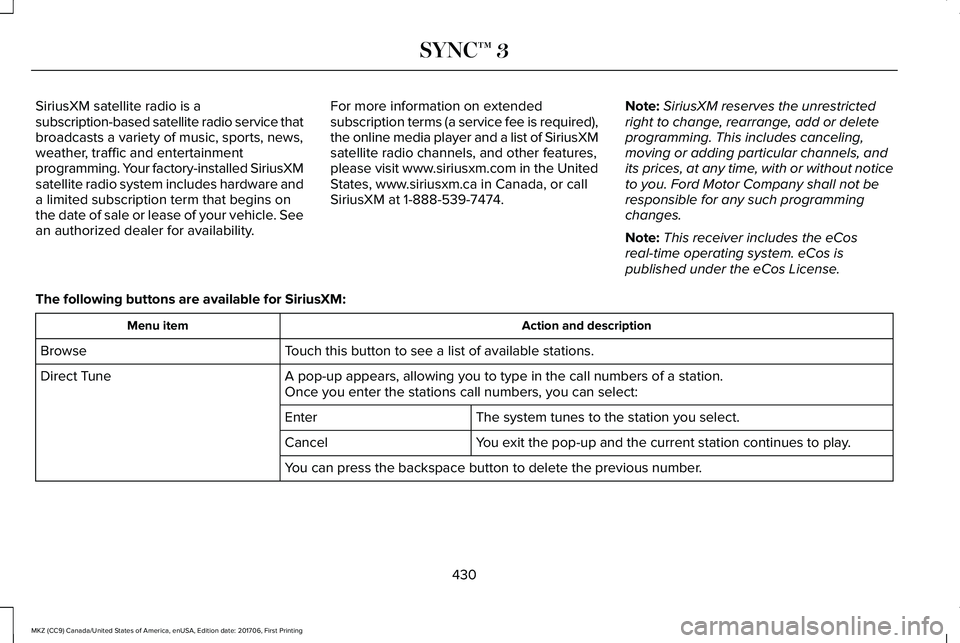
SiriusXM satellite radio is asubscription-based satellite radio service thatbroadcasts a variety of music, sports, news,weather, traffic and entertainmentprogramming. Your factory-installed SiriusXMsatellite radio system includes hardware anda limited subscription term that begins onthe date of sale or lease of your vehicle. Seean authorized dealer for availability.
For more information on extendedsubscription terms (a service fee is required),the online media player and a list of SiriusXMsatellite radio channels, and other features,please visit www.siriusxm.com in the UnitedStates, www.siriusxm.ca in Canada, or callSiriusXM at 1-888-539-7474.
Note:SiriusXM reserves the unrestrictedright to change, rearrange, add or deleteprogramming. This includes canceling,moving or adding particular channels, andits prices, at any time, with or without noticeto you. Ford Motor Company shall not beresponsible for any such programmingchanges.
Note:This receiver includes the eCosreal-time operating system. eCos ispublished under the eCos License.
The following buttons are available for SiriusXM:
Action and descriptionMenu item
Touch this button to see a list of available stations.Browse
A pop-up appears, allowing you to type in the call numbers of a station.Direct TuneOnce you enter the stations call numbers, you can select:
The system tunes to the station you select.Enter
You exit the pop-up and the current station continues to play.Cancel
You can press the backspace button to delete the previous number.
430
MKZ (CC9) Canada/United States of America, enUSA, Edition date: 201706, First Printing
SYNC™ 3
Page 440 of 595
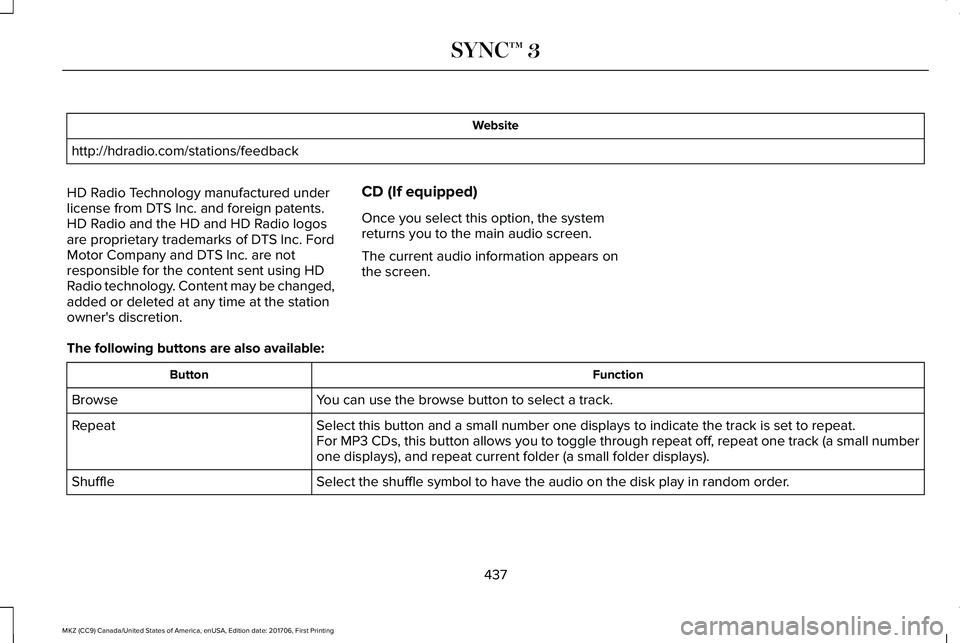
Website
http://hdradio.com/stations/feedback
HD Radio Technology manufactured underlicense from DTS Inc. and foreign patents.HD Radio and the HD and HD Radio logosare proprietary trademarks of DTS Inc. FordMotor Company and DTS Inc. are notresponsible for the content sent using HDRadio technology. Content may be changed,added or deleted at any time at the stationowner's discretion.
CD (If equipped)
Once you select this option, the systemreturns you to the main audio screen.
The current audio information appears onthe screen.
The following buttons are also available:
FunctionButton
You can use the browse button to select a track.Browse
Select this button and a small number one displays to indicate the track is set to repeat.RepeatFor MP3 CDs, this button allows you to toggle through repeat off, repeat one track (a small numberone displays), and repeat current folder (a small folder displays).
Select the shuffle symbol to have the audio on the disk play in random order.Shuffle
437
MKZ (CC9) Canada/United States of America, enUSA, Edition date: 201706, First Printing
SYNC™ 3