traction control LINCOLN MKZ 2018 Owner's Manual
[x] Cancel search | Manufacturer: LINCOLN, Model Year: 2018, Model line: MKZ, Model: LINCOLN MKZ 2018Pages: 595, PDF Size: 5.06 MB
Page 252 of 595
Note:If something hits the front end of yourvehicle or damage occurs, the radar sensingzone may change. This could cause missedor false vehicle detections. Contact anauthorized dealer to have the radar checkedfor proper coverage and operation.
Note:If your vehicle detects excessive heatat the camera or a potential misalignmentcondition, a message may display in theinformation display indicating temporarysensor unavailability. This messagedeactivates automatically when operationalconditions are correct. For example, whenthe ambient temperature around the sensordecreases or the sensor automaticallyrecalibrates.
DRIVE CONTROL
LINCOLN DRIVE CONTROL
Lincoln Drive Control delivers the Lincolndriving experience through a suite ofsophisticated electronic vehicle systems.These systems continuously monitor yourdriving inputs and the road conditions tooptimize ride comfort, steering, handling,
powertrain response and sound. You canpreset your preferences for these systemswithin the information display. Lincoln DriveControl will respond to your preferencesbased on what gear position you select. Thisprovides a single location to control multiplesystems performance settings.
Lincoln Drive Control consists of thefollowing systems:
•Continuously controlled dampingdynamically adjusts the shock absorbersstiffness in real time to match the roadsurface and driver inputs. This systemcontinuously monitors your vehicle’smotion (roll, pitch, bounce), suspensionposition, load, speed, road conditions,and steering to adjust the suspensiondamping for optimal vehicle control.
•Electronically power-assisted steeringadjusts steering effort and feel based onyour vehicle speed and your inputs.
•Active noise control utilizes your vehicleelectronics to enhance the acousticexperience.
•Electronic stability control and tractioncontrol maintain your vehicle control inadverse conditions or high performancedriving.
•Electronic throttle control enhances thepowertrain response to your inputs.
Using Lincoln Drive Control
You can configure which of the Drive Controlmodes are active when your vehicle is indrive (D) or in sport (S). The configurationremains active until modified from the mainmenu on the information display.
249
MKZ (CC9) Canada/United States of America, enUSA, Edition date: 201706, First Printing
Driving Aids
Page 267 of 595
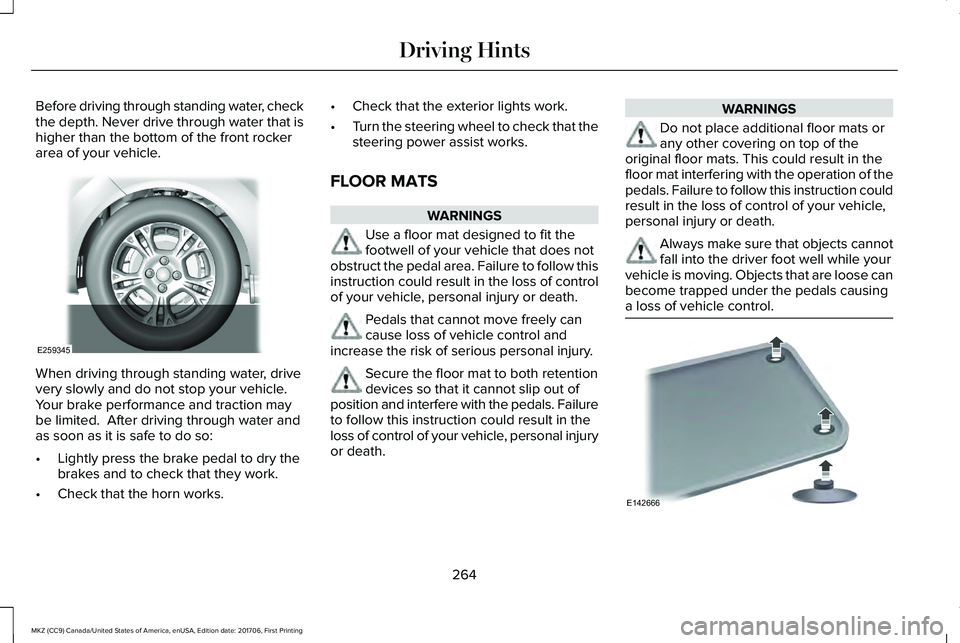
Before driving through standing water, checkthe depth. Never drive through water that ishigher than the bottom of the front rockerarea of your vehicle.
When driving through standing water, drivevery slowly and do not stop your vehicle. Your brake performance and traction maybe limited. After driving through water andas soon as it is safe to do so:
•Lightly press the brake pedal to dry thebrakes and to check that they work.
•Check that the horn works.
•Check that the exterior lights work.
•Turn the steering wheel to check that thesteering power assist works.
FLOOR MATS
WARNINGS
Use a floor mat designed to fit thefootwell of your vehicle that does notobstruct the pedal area. Failure to follow thisinstruction could result in the loss of controlof your vehicle, personal injury or death.
Pedals that cannot move freely cancause loss of vehicle control andincrease the risk of serious personal injury.
Secure the floor mat to both retentiondevices so that it cannot slip out ofposition and interfere with the pedals. Failureto follow this instruction could result in theloss of control of your vehicle, personal injuryor death.
WARNINGS
Do not place additional floor mats orany other covering on top of theoriginal floor mats. This could result in thefloor mat interfering with the operation of thepedals. Failure to follow this instruction couldresult in the loss of control of your vehicle,personal injury or death.
Always make sure that objects cannotfall into the driver foot well while yourvehicle is moving. Objects that are loose canbecome trapped under the pedals causinga loss of vehicle control.
264
MKZ (CC9) Canada/United States of America, enUSA, Edition date: 201706, First Printing
Driving HintsE259345 E142666
Page 347 of 595
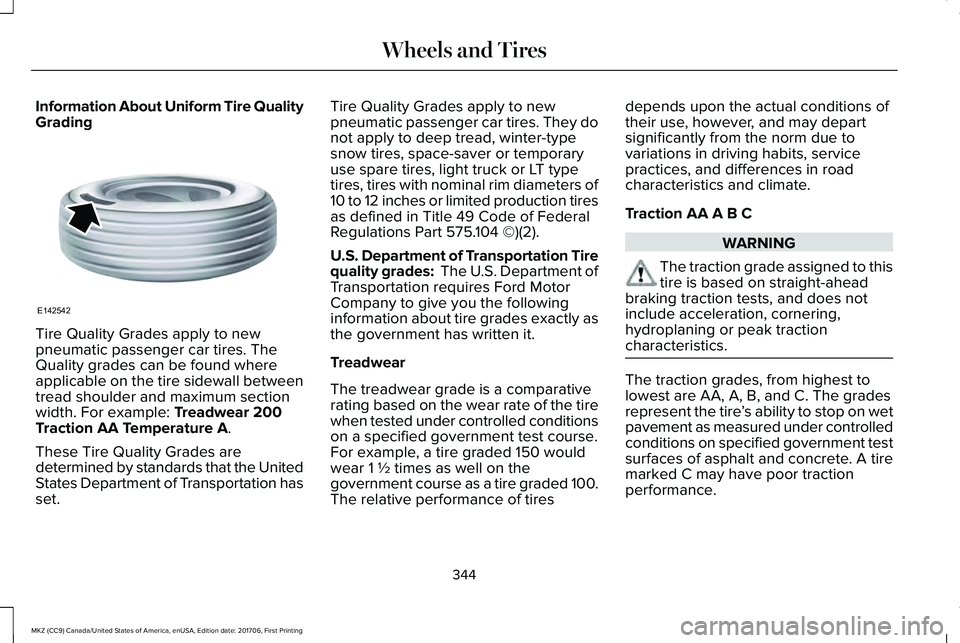
Information About Uniform Tire QualityGrading
Tire Quality Grades apply to newpneumatic passenger car tires. TheQuality grades can be found whereapplicable on the tire sidewall betweentread shoulder and maximum sectionwidth. For example: Treadwear 200Traction AA Temperature A.
These Tire Quality Grades aredetermined by standards that the UnitedStates Department of Transportation hasset.
Tire Quality Grades apply to newpneumatic passenger car tires. They donot apply to deep tread, winter-typesnow tires, space-saver or temporaryuse spare tires, light truck or LT typetires, tires with nominal rim diameters of10 to 12 inches or limited production tiresas defined in Title 49 Code of FederalRegulations Part 575.104 ©)(2).
U.S. Department of Transportation Tirequality grades: The U.S. Department ofTransportation requires Ford MotorCompany to give you the followinginformation about tire grades exactly asthe government has written it.
Treadwear
The treadwear grade is a comparativerating based on the wear rate of the tirewhen tested under controlled conditionson a specified government test course.For example, a tire graded 150 wouldwear 1 ½ times as well on thegovernment course as a tire graded 100.The relative performance of tires
depends upon the actual conditions oftheir use, however, and may departsignificantly from the norm due tovariations in driving habits, servicepractices, and differences in roadcharacteristics and climate.
Traction AA A B C
WARNING
The traction grade assigned to thistire is based on straight-aheadbraking traction tests, and does notinclude acceleration, cornering,hydroplaning or peak tractioncharacteristics.
The traction grades, from highest tolowest are AA, A, B, and C. The gradesrepresent the tire’s ability to stop on wetpavement as measured under controlledconditions on specified government testsurfaces of asphalt and concrete. A tiremarked C may have poor tractionperformance.
344
MKZ (CC9) Canada/United States of America, enUSA, Edition date: 201706, First Printing
Wheels and TiresE142542
Page 352 of 595
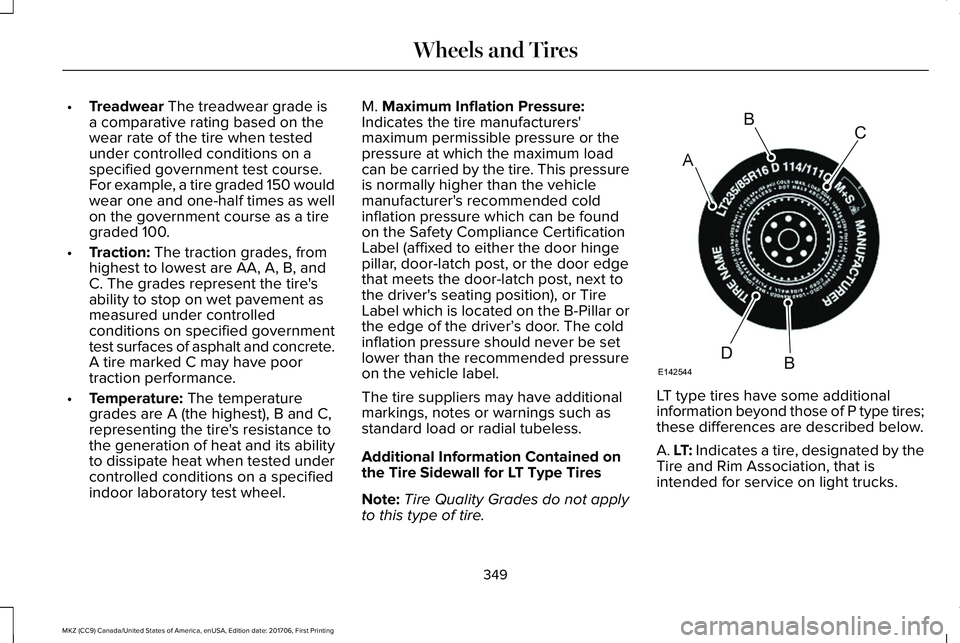
•Treadwear The treadwear grade isa comparative rating based on thewear rate of the tire when testedunder controlled conditions on aspecified government test course.For example, a tire graded 150 wouldwear one and one-half times as wellon the government course as a tiregraded 100.
•Traction: The traction grades, fromhighest to lowest are AA, A, B, andC. The grades represent the tire'sability to stop on wet pavement asmeasured under controlledconditions on specified governmenttest surfaces of asphalt and concrete.A tire marked C may have poortraction performance.
•Temperature: The temperaturegrades are A (the highest), B and C,representing the tire's resistance tothe generation of heat and its abilityto dissipate heat when tested undercontrolled conditions on a specifiedindoor laboratory test wheel.
M. Maximum Inflation Pressure:Indicates the tire manufacturers'maximum permissible pressure or thepressure at which the maximum loadcan be carried by the tire. This pressureis normally higher than the vehiclemanufacturer's recommended coldinflation pressure which can be foundon the Safety Compliance CertificationLabel (affixed to either the door hingepillar, door-latch post, or the door edgethat meets the door-latch post, next tothe driver's seating position), or TireLabel which is located on the B-Pillar orthe edge of the driver’s door. The coldinflation pressure should never be setlower than the recommended pressureon the vehicle label.
The tire suppliers may have additional
markings, notes or warnings such asstandard load or radial tubeless.
Additional Information Contained onthe Tire Sidewall for LT Type Tires
Note:Tire Quality Grades do not applyto this type of tire.
LT type tires have some additional
information beyond those of P type tires;these differences are described below.
A. LT: Indicates a tire, designated by theTire and Rim Association, that isintended for service on light trucks.
349
MKZ (CC9) Canada/United States of America, enUSA, Edition date: 201706, First Printing
Wheels and TiresA
BC
BDE142544
Page 361 of 595
USING SNOW CHAINS
WARNINGS
If you choose to install snow tires onyour vehicle, they must be the samesize, construction, and load range as theoriginal tires listed on the tire placard, andthey must be installed on all four wheels.Mixing tires of different size or constructionon your vehicle can adversely affect yourvehicle's handling and braking, and may leadto loss of vehicle control.
The use of non-recommended tires andwheels could cause steering,suspension, axle, transfer case or powertransfer unit failure. If you have questionsregarding tire replacement, contact yourauthorized dealer as soon as possible.
The tires on your vehicle may haveall-weather treads to provide traction in rainand snow. However, in some climates youmay need to use snow chains.
Your vehicle may not be compatible withsnow chain or cable usage with thefactory-fitted wheels and tires. Only certainchains or snow cables have been approvedby Lincoln as safe for use on your vehiclewith the following tire size: 225/55R17. Youshould only install chains or cables sized at10 mm or less in dimension as measured onthe sidewall of your tire. Not all S-class snowchains meet these restrictions. Chains of thissize restriction will include a tensioningdevice. The chains should be mounted inpairs on the front tires only. If you need touse chains, it is recommended that steelwheels (of the same size and specification)be used, as chains may chip aluminumwheels.
Follow these guidelines when using tractiondevices:
•If possible, avoid fully loading yourvehicle
•Purchase chains or cables from amanufacturer that clearly labels body totire dimension restrictions.
•When driving with snow chains or cables,do not exceed 30 mph (48 km/h) or themaximum speed recommended by thechain manufacturer; whichever is less.
•Drive cautiously. If you hear the chainsor cables rub or bang against the vehicle,stop and retighten them. If this does notwork, remove the chains or cables andprevent vehicle damage.
•Remove the chains or cables when theyare no longer needed. Do not use thechains or cables on dry roads.
•If a temporary spare tire is mounted onyour vehicle, do not use snow chains onthe axle with the temporary spare tire.
If you have any questions regarding snowtires or snow chains, please contact yourauthorized dealer.
358
MKZ (CC9) Canada/United States of America, enUSA, Edition date: 201706, First Printing
Wheels and Tires
Page 554 of 595
•Navigation Features: Any navigationfeatures included in the system areintended to provide turn by turninstructions to get you to a desireddestination. Please make certain allpersons using this system carefully readand follow instructions and safetyinformation fully.
•Distraction Hazard: Any navigationfeatures may require manual (non-verbal)setup. Attempting to perform such set-upor insert data while driving can distractyour attention and could cause anaccident or other serious injury. Stop thevehicle in a safe and legal manner beforeattempting these operations.
•Let Your Judgment Prevail: Anynavigation features are provided only asan aid. Make your driving decisionsbased on your observations of localconditions and existing traffic regulations.Any such feature is not a substitute foryour personal judgment. Any routesuggestions made by this system shouldnever replace any local traffic regulationsor your personal judgment or knowledgeof safe driving practices.
•Route Safety: Do not follow the routesuggestions if doing so would result inan unsafe or illegal maneuver, if youwould be placed in an unsafe situation,or if you would be directed into an areathat you consider unsafe. The driver isultimately responsible for the safeoperation of the vehicle and therefore,must evaluate whether it is safe to followthe suggested directions.
•Potential Map Inaccuracy: Maps usedby this system may be inaccuratebecause of changes in roads, trafficcontrols or driving conditions. Always usegood judgment and common sense whenfollowing the suggested routes.
•Emergency Services: Do not rely on anynavigation features included in thesystem to route you to emergencyservices. Ask local authorities or anemergency services operator for theselocations. Not all emergency servicessuch as police, fire stations, hospitals andclinics are likely to be contained in themap database for such navigationfeatures.
551
MKZ (CC9) Canada/United States of America, enUSA, Edition date: 201706, First Printing
Appendices
Page 589 of 595
Adaptive Headlamps...........................................119AdvanceTrac™........................................................119Airbag......................................................................119Alarm......................................................................120Automatic Engine Shutdown...........................120AWD.........................................................................121Battery and Charging System..........................122Blind Spot Information and Cross Traffic AlertSystem...............................................................123Doors and Locks..................................................123Driver Alert............................................................124Fuel.........................................................................124Hill Start Assist.....................................................125Keys and Intelligent Access.............................125Lane Keeping System........................................126Maintenance.........................................................127MyKey.....................................................................128Park Aid..................................................................129Park Brake.............................................................129Power Steering....................................................130Pre-Collision Assist..............................................131Remote Start..........................................................131Seats.......................................................................132Starting System ...................................................132Tire Pressure Monitoring System....................133Traction Control...................................................133Transmission.........................................................134
Installing Child Restraints..............................21Child Seats..............................................................21Using Lap and Shoulder Belts............................21Using Lower Anchors and Tethers forCHildren (LATCH).............................................27Using Tether Straps..............................................29
Instrument Cluster.........................................104Instrument Lighting Dimmer........................90Instrument Panel Overview...........................17Interior Lamps..................................................94Front Interior Lamp...............................................94Rear Interior Lamp................................................95
Interior Luggage CompartmentRelease...........................................................76Interior Mirror.................................................100Auto-Dimming Mirror..........................................100
Introduction.........................................................7
J
Jump Starting the Vehicle..........................268Connecting the Jumper Cables.....................269Jump Starting......................................................270Preparing Your Vehicle.....................................268Removing the Jumper Cables.........................270
K
Keyless Entry....................................................74SECURICODE™ KEYLESS ENTRYKEYPAD...............................................................74
Keyless Starting.............................................163Ignition Modes.....................................................163
Keys and Remote Controls...........................57
L
Lane Keeping System.................................233Switching the System On and Off..................234
Lighting Control...............................................88Headlamp Flasher................................................89Headlamp High Beam.........................................89
Lighting..............................................................88General Information.............................................88
Lincoln Automotive Financial Services......12Lincoln Protect..............................................506Lincoln Protect (CANADA ONLY)....................507Lincoln Protect Extended Service Plans (U.S.Only)..................................................................506
Load Carrying.................................................251Load Limit........................................................251Special Loading Instructions for Owners ofPick-up Trucks and Utility-typeVehicles............................................................255
586
MKZ (CC9) Canada/United States of America, enUSA, Edition date: 201706, First Printing
Index
Page 593 of 595
The Better Business Bureau (BBB) AutoLine Program (U.S. Only)..........................276Tire Care.........................................................343Glossary of Tire Terminology..........................345Information About Uniform Tire QualityGrading.............................................................344Information Contained on the TireSidewall............................................................346Temperature A B C.............................................345Traction AA A B C...............................................344Treadwear.............................................................344
Tire Inflation When PuncturedSee: Tire Sealant and Inflator Kit....................336
Tire Pressure Monitoring System.............359Changing Tires With a Tire PressureMonitoring System........................................360Understanding Your Tire Pressure MonitoringSystem .............................................................360
Tire Repair KitSee: Tire Sealant and Inflator Kit....................336
Tire Sealant and Inflator Kit.......................336First Stage: Reinflating the Tire with SealingCompound and Air........................................338General Information...........................................336Second Stage: Checking Tire Pressure.........341Tips for Use of the Kit........................................337What to do after the Tire has beenSealed................................................................341
What to do when a Tire Is Punctured............338
TiresSee: Wheels and Tires......................................336
Towing a Trailer............................................256Load Placement..................................................256
Towing Points................................................272Installing the Recovery Hook..........................272Recovery Hook Location..................................272
Towing the Vehicle on Four Wheels........261Emergency Towing.............................................261Recreational Towing...........................................261
Towing.............................................................256Traction Control.............................................201Principle of Operation........................................201
Transmission Code Designation...............379Transmission...................................................180Transporting the Vehicle.............................271Type Approvals.............................................577RF Certification Logos for Tire PressureMonitoring Sensor(s).....................................577
U
Under Hood Overview - 2.0L....................304Under Hood Overview - 3.0L....................306Universal Garage Door Opener................155HomeLink Wireless Control System...............155
USB Port..........................................................397
Using Adaptive Cruise Control.................223Automatic Cancellation....................................226Blocked Sensor..................................................228Canceling the Set Speed.................................226Changing the Set Speed..................................226Detection Issues.................................................227Following a Vehicle............................................224Following a Vehicle to a CompleteStop...................................................................225Hilly Condition Usage........................................227Overriding the Set Speed................................226Park Brake Application......................................227Resuming the Set Speed.................................226Setting the Adaptive Cruise Speed...............224Setting the Adaptive Cruise Speed When YourVehicle is Stationary......................................224Setting the Gap Distance.................................225Switching Adaptive Cruise Control Off.........227Switching Adaptive Cruise Control On.........223Switching to Normal Cruise Control..............230System Not Available........................................228
Using All-Wheel Drive..................................186Driving In Special Conditions With All-WheelDrive (AWD)......................................................188Operating AWD Vehicles With Spare orMismatched Tires...........................................188
Using Cruise Control...................................222Switching Cruise Control Off...........................223
590
MKZ (CC9) Canada/United States of America, enUSA, Edition date: 201706, First Printing
Index
Page 594 of 595
Switching Cruise Control On...........................222
Using MyKey With Remote StartSystems..........................................................66Using Snow Chains......................................358Using Stability Control................................204Using Summer Tires....................................357Using Traction Control.................................201Switching the System Off..................................201System Indicator Lights and Messages.........201Using a Switch.....................................................201Using the Information Display Controls........201
Using Voice Recognition.............................416Audio Voice Commands....................................418Climate Voice Commands.................................419Mobile App Voice Commands........................424Navigation Voice Commands..........................422Phone Voice Commands...................................419SiriusXM Traffic and Travel Link VoiceCommands......................................................424Voice Settings Commands..............................425
Utilizing the Mediation/Arbitration Program(Canada Only).............................................277
V
Vehicle Care..................................................326General Information...........................................326
Vehicle Certification Label.........................378
Vehicle Identification Number...................378Vehicle Storage.............................................333Battery...................................................................334Body.......................................................................333Brakes....................................................................334Cooling system...................................................334Engine....................................................................334Fuel system..........................................................334General..................................................................333Miscellaneous......................................................334Removing Vehicle From Storage....................334Tires.......................................................................334
VentilationSee: Climate Control...........................................137
VINSee: Vehicle Identification Number...............378
Voice Control...................................................83
W
Warning Lamps and Indicators..................106Adaptive Cruise Control Indicator..................106Anti-Lock Brake System Warning Lamp........106Auto Hold Active.................................................106Auto Hold Unavailable.......................................106Automatic Headlamp High BeamIndicator.............................................................107Battery....................................................................107
Blind Spot Monitor..............................................107Brake System Warning Lamp...........................107Cruise Control Indicator.....................................107Direction Indicator...............................................107Door Ajar................................................................107Electric Park Brake..............................................107Engine Coolant Temperature WarningLamp..................................................................108Engine Oil..............................................................108Fasten Seatbelt Warning Lamp.......................108Front Airbag..........................................................108Headlamp High Beam Indicator......................108Heads Up Display...............................................108Hood Ajar..............................................................108Lane Keeping Aid Warning Lamp...................108Low Fuel Level Warning Lamp.........................108Low Tire Pressure Warning Lamp...................108Low Washer Fluid Level Warning Lamp........109Parking Lamps.....................................................109Powertrain Fault..................................................109Service Engine Soon..........................................109Stability Control...................................................109Stability Control Off............................................109Trunk Ajar..............................................................109
Washer Fluid Check......................................319WashersSee: Cleaning the Exterior...............................327See: Wipers and Washers..................................85
591
MKZ (CC9) Canada/United States of America, enUSA, Edition date: 201706, First Printing
Index