steering wheel LINCOLN MKZ 2020 User Guide
[x] Cancel search | Manufacturer: LINCOLN, Model Year: 2020, Model line: MKZ, Model: LINCOLN MKZ 2020Pages: 561, PDF Size: 5.7 MB
Page 84 of 561
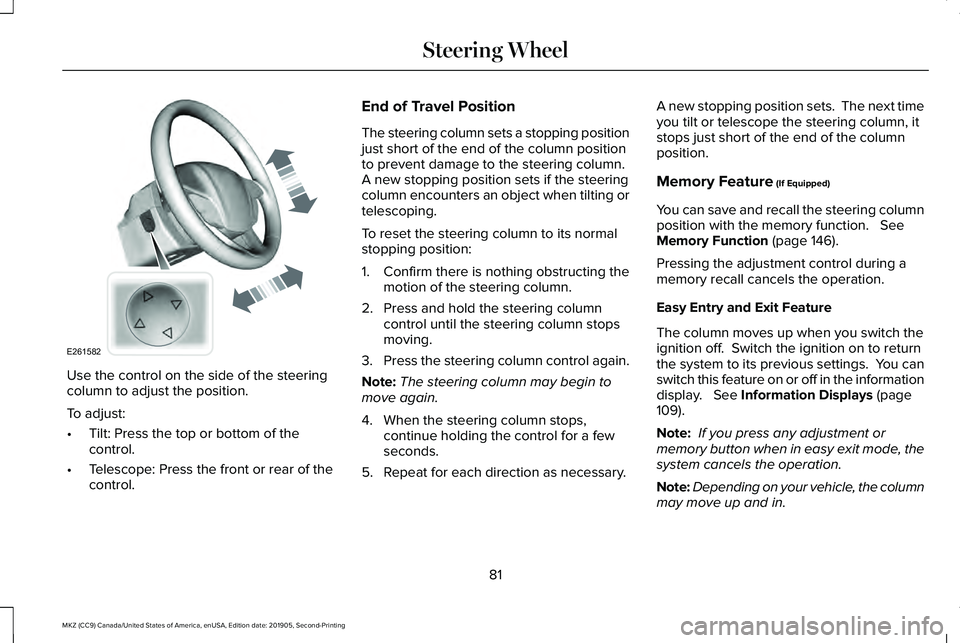
Use the control on the side of the steering
column to adjust the position.
To adjust:
•
Tilt: Press the top or bottom of the
control.
• Telescope: Press the front or rear of the
control. End of Travel Position
The steering column sets a stopping position
just short of the end of the column position
to prevent damage to the steering column.
A new stopping position sets if the steering
column encounters an object when tilting or
telescoping.
To reset the steering column to its normal
stopping position:
1. Confirm there is nothing obstructing the
motion of the steering column.
2. Press and hold the steering column control until the steering column stops
moving.
3. Press the steering column control again.
Note: The steering column may begin to
move again.
4. When the steering column stops, continue holding the control for a few
seconds.
5. Repeat for each direction as necessary. A new stopping position sets. The next time
you tilt or telescope the steering column, it
stops just short of the end of the column
position.
Memory Feature (If Equipped)
You can save and recall the steering column
position with the memory function.
See
Memory Function (page 146).
Pressing the adjustment control during a
memory recall cancels the operation.
Easy Entry and Exit Feature
The column moves up when you switch the
ignition off. Switch the ignition on to return
the system to its previous settings. You can
switch this feature on or off in the information
display.
See Information Displays (page
109).
Note: If you press any adjustment or
memory button when in easy exit mode, the
system cancels the operation.
Note: Depending on your vehicle, the column
may move up and in.
81
MKZ (CC9) Canada/United States of America, enUSA, Edition date: 201905, Second-Printing Steering WheelE261582
Page 85 of 561
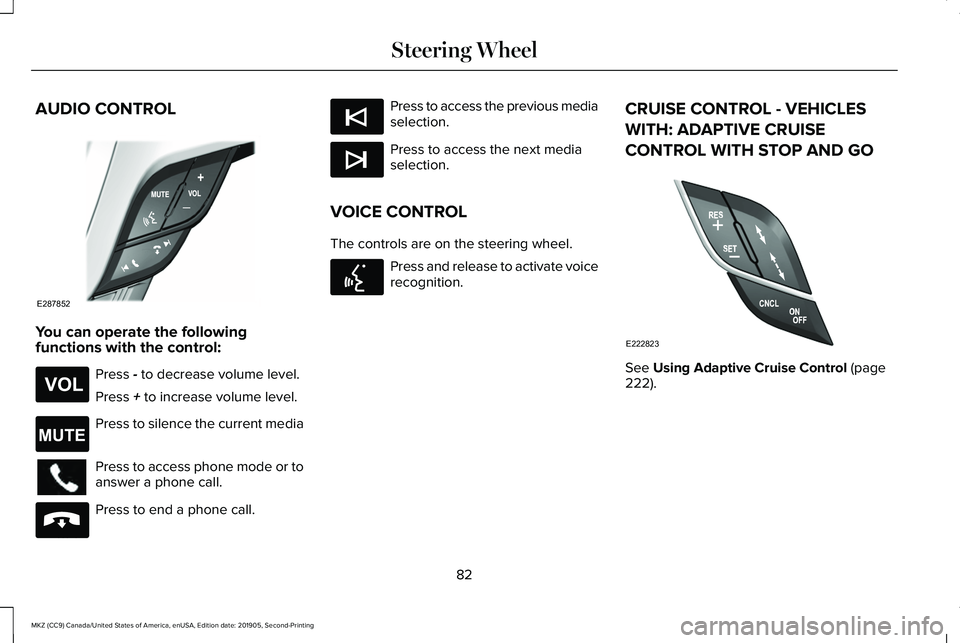
AUDIO CONTROL
You can operate the following
functions with the control:
Press - to decrease volume level.
Press
+ to increase volume level. Press to silence the current media
Press to access phone mode or to
answer a phone call.
Press to end a phone call. Press to access the previous media
selection.
Press to access the next media
selection.
VOICE CONTROL
The controls are on the steering wheel. Press and release to activate voice
recognition.
CRUISE CONTROL - VEHICLES
WITH: ADAPTIVE CRUISE
CONTROL WITH STOP AND GO See
Using Adaptive Cruise Control (page
222).
82
MKZ (CC9) Canada/United States of America, enUSA, Edition date: 201905, Second-Printing Steering WheelE287852 E265304 E265043 E265040 E265045 E265044 E142599 E222823
Page 86 of 561
CRUISE CONTROL - VEHICLES
WITH: CRUISE CONTROL
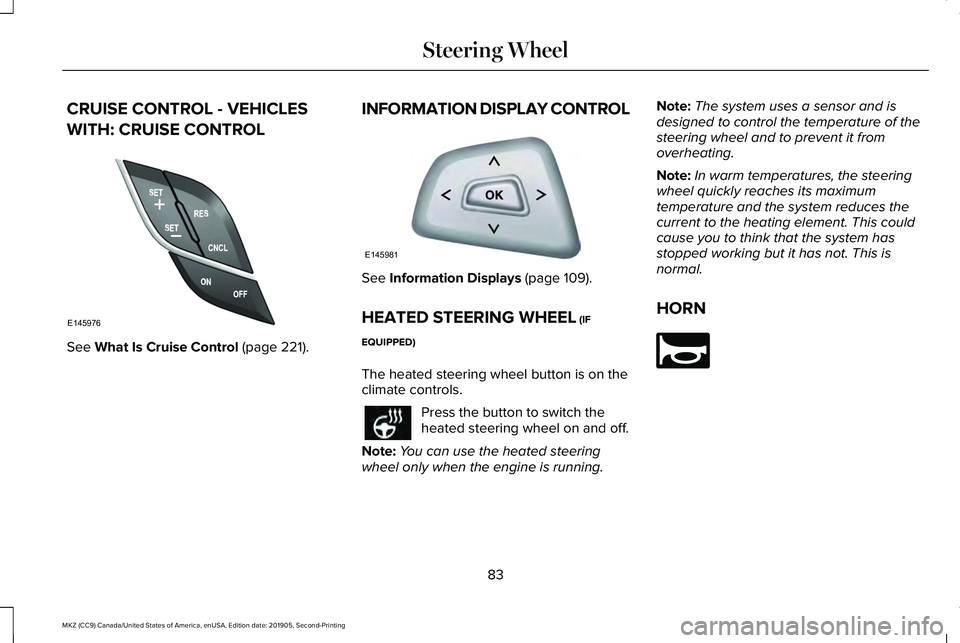
See What Is Cruise Control (page 221).
INFORMATION DISPLAY CONTROL See
Information Displays (page 109).
HEATED STEERING WHEEL
(IF
EQUIPPED)
The heated steering wheel button is on the
climate controls. Press the button to switch the
heated steering wheel on and off.
Note: You can use the heated steering
wheel only when the engine is running. Note:
The system uses a sensor and is
designed to control the temperature of the
steering wheel and to prevent it from
overheating.
Note: In warm temperatures, the steering
wheel quickly reaches its maximum
temperature and the system reduces the
current to the heating element. This could
cause you to think that the system has
stopped working but it has not. This is
normal.
HORN 83
MKZ (CC9) Canada/United States of America, enUSA, Edition date: 201905, Second-Printing Steering WheelE145976 E145981 E270945
Page 93 of 561
4. The lighting control is in the autolamps
position.
5. The headlamps are off.
The other lighting control switch positions
do not turn on the daytime running lamps.
If the daytime running lamps are off in the
information display, the lamps stay off in all
switch positions.
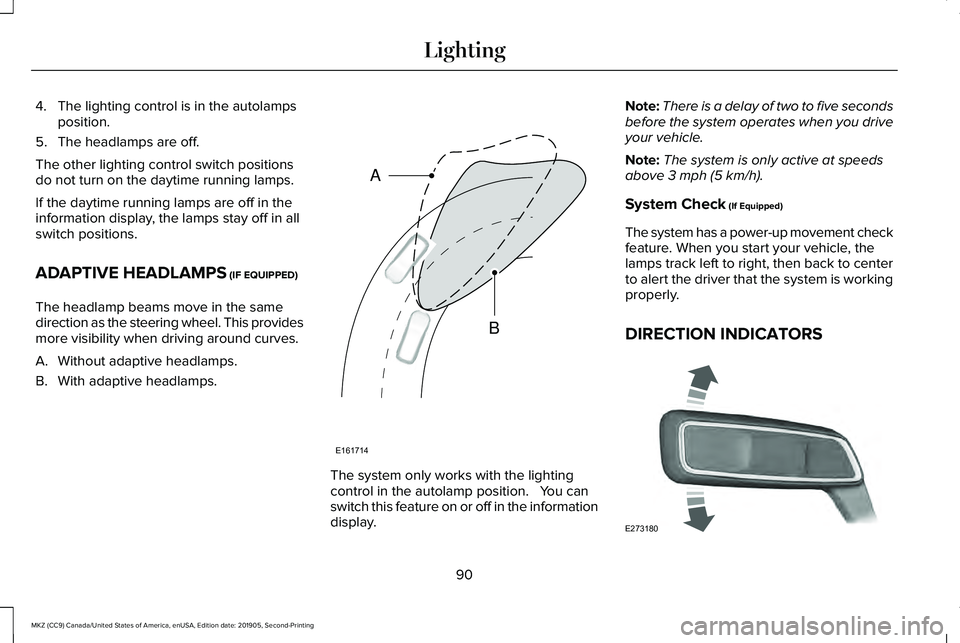
ADAPTIVE HEADLAMPS (IF EQUIPPED)
The headlamp beams move in the same
direction as the steering wheel. This provides
more visibility when driving around curves.
A. Without adaptive headlamps.
B. With adaptive headlamps. The system only works with the lighting
control in the autolamp position. You can
switch this feature on or off in the information
display.Note:
There is a delay of two to five seconds
before the system operates when you drive
your vehicle.
Note: The system is only active at speeds
above
3 mph (5 km/h).
System Check
(If Equipped)
The system has a power-up movement check
feature. When you start your vehicle, the
lamps track left to right, then back to center
to alert the driver that the system is working
properly.
DIRECTION INDICATORS 90
MKZ (CC9) Canada/United States of America, enUSA, Edition date: 201905, Second-Printing LightingE161714
B
A E273180
Page 112 of 561
GENERAL INFORMATION
WARNING: Driving while distracted
can result in loss of vehicle control, crash
and injury. We strongly recommend that
you use extreme caution when using any
device that may take your focus off the
road. Your primary responsibility is the safe
operation of your vehicle. We recommend
against the use of any hand-held device
while driving and encourage the use of
voice-operated systems when possible.
Make sure you are aware of all applicable
local laws that may affect the use of
electronic devices while driving.
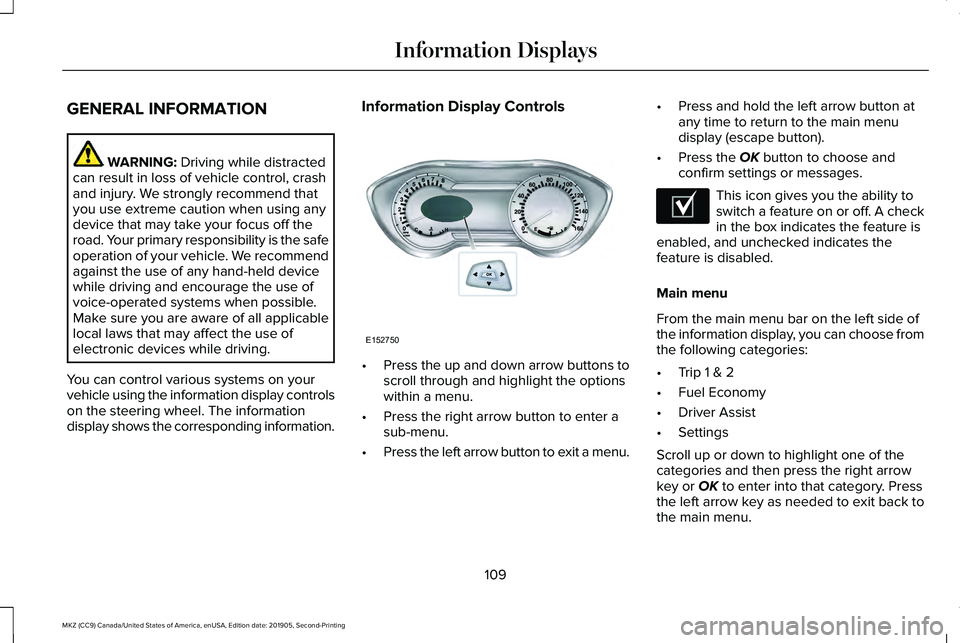
You can control various systems on your
vehicle using the information display controls
on the steering wheel. The information
display shows the corresponding information. Information Display Controls
•
Press the up and down arrow buttons to
scroll through and highlight the options
within a menu.
• Press the right arrow button to enter a
sub-menu.
• Press the left arrow button to exit a menu. •
Press and hold the left arrow button at
any time to return to the main menu
display (escape button).
• Press the OK button to choose and
confirm settings or messages. This icon gives you the ability to
switch a feature on or off. A check
in the box indicates the feature is
enabled, and unchecked indicates the
feature is disabled.
Main menu
From the main menu bar on the left side of
the information display, you can choose from
the following categories:
• Trip 1 & 2
• Fuel Economy
• Driver Assist
• Settings
Scroll up or down to highlight one of the
categories and then press the right arrow
key or
OK to enter into that category. Press
the left arrow key as needed to exit back to
the main menu.
109
MKZ (CC9) Canada/United States of America, enUSA, Edition date: 201905, Second-Printing Information DisplaysE152750 E204495
Page 121 of 561
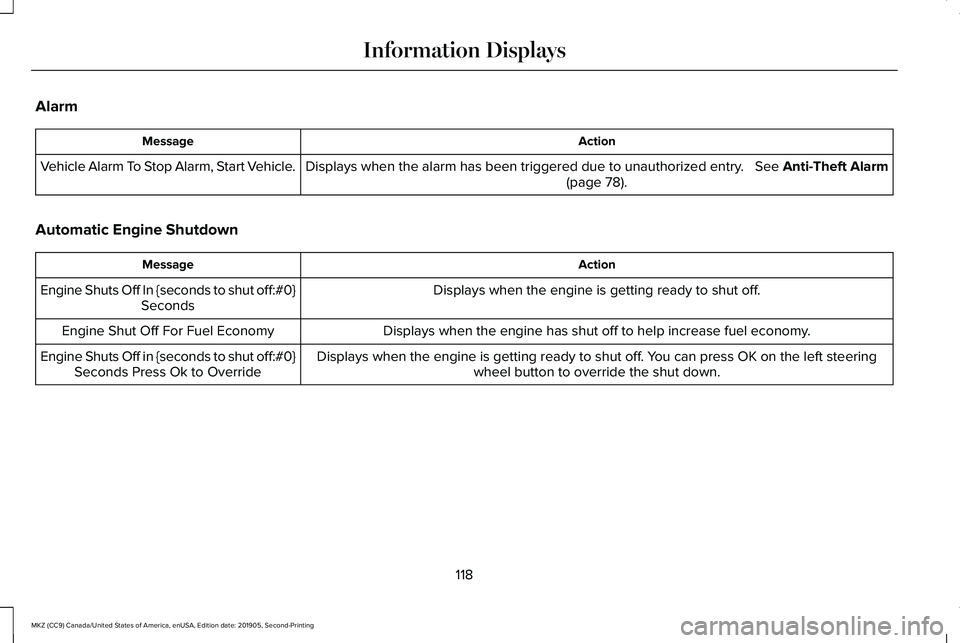
Alarm
Action
Message
Displays when the alarm has been triggered due to unauthorized entry. See Anti-Theft Alarm (page 78).
Vehicle Alarm To Stop Alarm, Start Vehicle.
Automatic Engine Shutdown Action
Message
Displays when the engine is getting ready to shut off.
Engine Shuts Off In {seconds to shut off:#0}
Seconds
Displays when the engine has shut off to help increase fuel economy.
Engine Shut Off For Fuel Economy
Displays when the engine is getting ready to shut off. You can press OK on the left steeringwheel button to override the shut down.
Engine Shuts Off in {seconds to shut off:#0}
Seconds Press Ok to Override
118
MKZ (CC9) Canada/United States of America, enUSA, Edition date: 201905, Second-Printing Information Displays
Page 127 of 561
Action
Message
Displayed during spare key programming when the maximum number of keys have been programmed.
Max Number of Keys Learned
Displayed during spare key programming when not enough keys have been programmed.
Not Enough Keys Learned
Displays when the key battery is low. Change the battery as soon as possible.
Key Battery Low Replace Soon
Displayed when an attempt is made to program a spare key using two existing MyKeys.
Could Not Program Integrated Key
Displays to inform the driver that they are exiting the vehicle and the \
engine is on.
Vehicle is ON
Lane Keeping System Action
Message
The system has malfunctioned. Contact your authorized dealer as soon as \
possible.
Lane Keeping Sys. Malfunction Service
Required
The system has detected a condition that has caused the system to be tem\
porarily unavailable.
Front Camera Temporarily Not Available
The system has detected a condition that requires the windshield to be c\
leaned to operateproperly.
Front Camera Low Visibility Clean Screen
The system has malfunctioned. Contact your authorized dealer as soon as \
possible.
Front Camera Malfunction Service
Required
Displayed when the system requests the driver to keep their hands on the steering wheel.
Keep Hands on Steering Wheel
124
MKZ (CC9) Canada/United States of America, enUSA, Edition date: 201905, Second-Printing Information Displays
Page 142 of 561
Note:
Do not clean the mirror housing or
glass with harsh abrasives, fuel or other
petroleum-based cleaning products. The
vehicle warranty may not cover damage
caused to the mirror housing or glass.
CABIN AIR FILTER
Your vehicle is equipped with a cabin air
filter, which gives you and your passengers
the following benefits:
• It improves your driving comfort by
reducing particle and odor concentration.
• It improves the interior compartment
cleanliness.
• It protects the climate control
components from particle deposits.
You can locate the cabin air filter behind the
glove box.
Note: Make sure you have a cabin air filter
installed at all times. This prevents foreign
objects from entering the system. Running
the system without a filter in place could
result in degradation or damage to the
system. Replace the filter at regular intervals. See
Scheduled Maintenance (page 475).
For additional cabin air filter information, or
to replace the filter, see a qualified
technician.
REMOTE START
You can switch this feature on or off and
adjust the settings using the information
display controls.
See Information Displays
(page 109).
The climate control system adjusts the
interior temperature during remote start.
You cannot adjust the climate control setting
during remote start operation. Switch the
ignition on to make adjustments.
Based on your remote start settings, the
following vehicle-dependent features may
or may not remain on after remote starting
your vehicle:
• Climate controlled seats.
• Heated steering wheel.
• Heated mirrors. •
Heated rear window.
• Windshield wiper de-icer.
Note: For dual zone climate controlled seats,
the passenger seat setting defaults to match
the driver seat during remote start.
Automatic Settings
If
Auto is on, the system sets the interior
temperature to 72°F (22°C) and heats or
cools the vehicle interior as required to
achieve comfort.
Note: In cold weather, the heated rear
window and heated mirrors turn on.
Last Settings
If
Last Settings is on, the system uses the
settings last selected before you turned off
the vehicle.
Heated and Cooled Features
In
Auto mode, certain heated features may
switch on during cold weather, and cooled
features during hot weather.
139
MKZ (CC9) Canada/United States of America, enUSA, Edition date: 201905, Second-Printing Climate Control
Page 143 of 561
SITTING IN THE CORRECT
POSITION
WARNING: Sitting improperly, out of
position or with the seatback reclined too
far can take weight off the seat cushion
and affect the decision of the passenger
sensing system, resulting in serious injury
or death in the event of a crash. Always sit
upright against your seat back, with your
feet on the floor. WARNING: Do not recline the
seatback too far as this can cause the
occupant to slide under the seatbelt,
resulting in serious injury in the event of a
collision. WARNING:
Do not place objects
higher than the top of the seat backrest.
Failure to follow this instruction could result
in personal injury or death in the event of
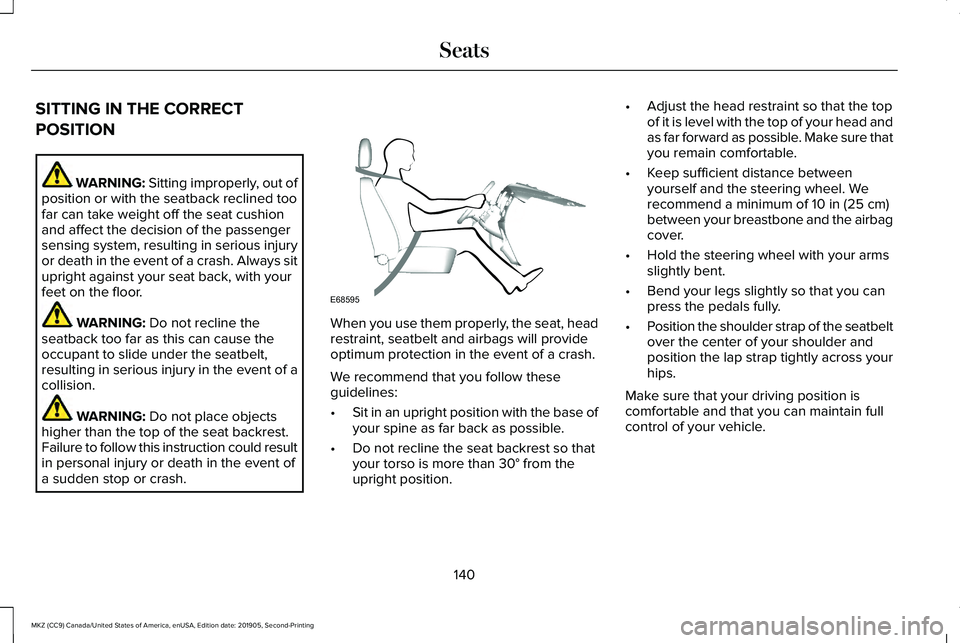
a sudden stop or crash. When you use them properly, the seat, head
restraint, seatbelt and airbags will provide
optimum protection in the event of a crash.
We recommend that you follow these
guidelines:
•
Sit in an upright position with the base of
your spine as far back as possible.
• Do not recline the seat backrest so that
your torso is more than
30° from the
upright position. •
Adjust the head restraint so that the top
of it is level with the top of your head and
as far forward as possible. Make sure that
you remain comfortable.
• Keep sufficient distance between
yourself and the steering wheel. We
recommend a minimum of
10 in (25 cm)
between your breastbone and the airbag
cover.
• Hold the steering wheel with your arms
slightly bent.
• Bend your legs slightly so that you can
press the pedals fully.
• Position the shoulder strap of the seatbelt
over the center of your shoulder and
position the lap strap tightly across your
hips.
Make sure that your driving position is
comfortable and that you can maintain full
control of your vehicle.
140
MKZ (CC9) Canada/United States of America, enUSA, Edition date: 201905, Second-Printing SeatsE68595
Page 183 of 561
2. A message will appear in your
information display screen prompting you
to press the neutral (N) button.
3. Press the neutral (N) button again to enter Stay in Neutral mode.
A message will appear in your information
display screen when your vehicle has
entered Stay in Neutral mode.
Note: During this mode the neutral (N) button
will flash continuously and your instrument
cluster will display N as the selected gear.
Exiting Stay in Neutral mode
To disable Stay in Neutral mode select
another gear. See the
Putting the Vehicle
in Gear for instructions on how to do this.
Entering a Carwash
Note: Always put your vehicle in Stay in
Neutral mode when entering an automatic
car wash. Failure to do this could result in
vehicle damage not covered by warranty. Drive (D)
The normal driving position for the best fuel
economy.
Sport (S)
Putting the vehicle in sport (S):
•
Provides additional engine braking and
extends lower gear operation to enhance
performance for uphill climbs, hilly terrain
or mountainous areas. This will increase
engine RPM during engine braking
• Provides additional lower gear operation
through the automatic transmission shift
strategy
• Provides gear selection more quickly and
at higher engine speeds
SelectShift Automatic ™ Transmission
Your SelectShift Automatic transmission
gives you the ability to change gears
manually. Paddle Shifters
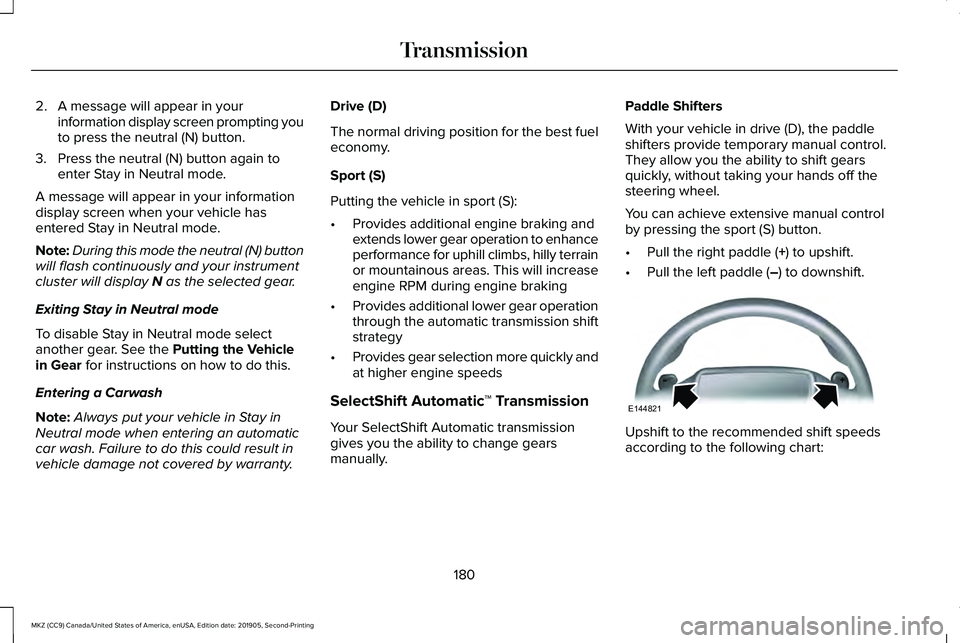
With your vehicle in drive (D), the paddle
shifters provide temporary manual control.
They allow you the ability to shift gears
quickly, without taking your hands off the
steering wheel.
You can achieve extensive manual control
by pressing the sport (S) button.
•
Pull the right paddle (
+) to upshift.
• Pull the left paddle (
–) to downshift. Upshift to the recommended shift speeds
according to the following chart:
180
MKZ (CC9) Canada/United States of America, enUSA, Edition date: 201905, Second-Printing TransmissionE144821