remote control LINCOLN MKZ HYBRID 2019 Owner's Manual
[x] Cancel search | Manufacturer: LINCOLN, Model Year: 2019, Model line: MKZ HYBRID, Model: LINCOLN MKZ HYBRID 2019Pages: 575, PDF Size: 4.77 MB
Page 95 of 575
Note:Moisture, frost and ice build-up orother types of contamination on the surfaceof the light lens can cause non-permanentdistortion or reduced brightness of theimage. Do not use abrasive materials toclean the lens.
Note:If you enable auto-fold and then youfold the mirrors in to the door window glass,the welcome mats do not turn on.
INTERIOR LAMPS
The lamps turn on under the followingconditions:
•You open any door.
•You press a remote control button.
•You press the all lamps on button on theoverhead console.
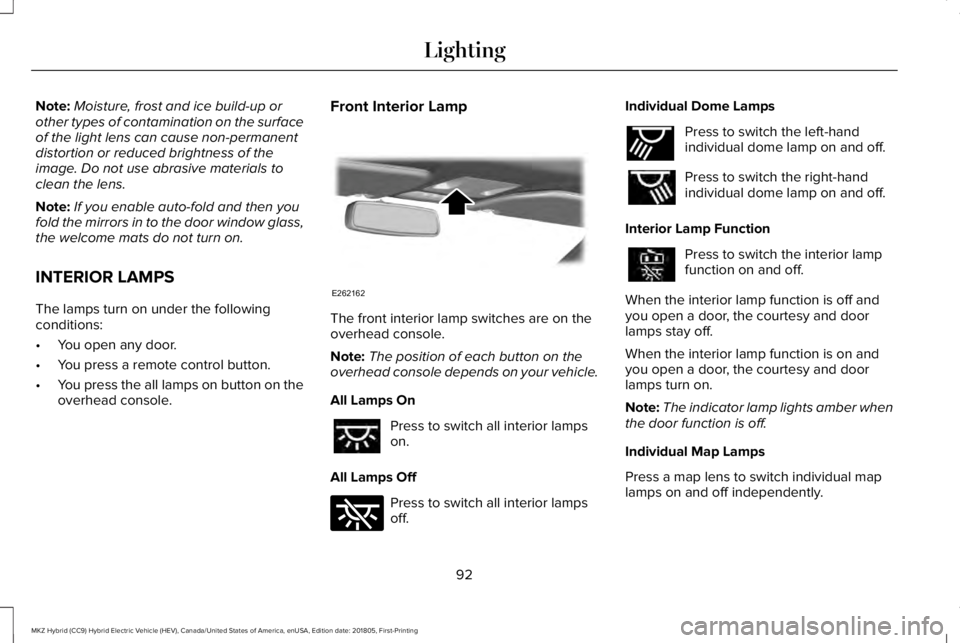
Front Interior Lamp
The front interior lamp switches are on theoverhead console.
Note:The position of each button on theoverhead console depends on your vehicle.
All Lamps On
Press to switch all interior lampson.
All Lamps Off
Press to switch all interior lampsoff.
Individual Dome Lamps
Press to switch the left-handindividual dome lamp on and off.
Press to switch the right-handindividual dome lamp on and off.
Interior Lamp Function
Press to switch the interior lampfunction on and off.
When the interior lamp function is off andyou open a door, the courtesy and doorlamps stay off.
When the interior lamp function is on andyou open a door, the courtesy and doorlamps turn on.
Note:The indicator lamp lights amber whenthe door function is off.
Individual Map Lamps
Press a map lens to switch individual maplamps on and off independently.
92
MKZ Hybrid (CC9) Hybrid Electric Vehicle (HEV), Canada/United States of America, enUSA, Edition date: 201805, First-Printing
LightingE262162 E262185 E262193
Page 98 of 575
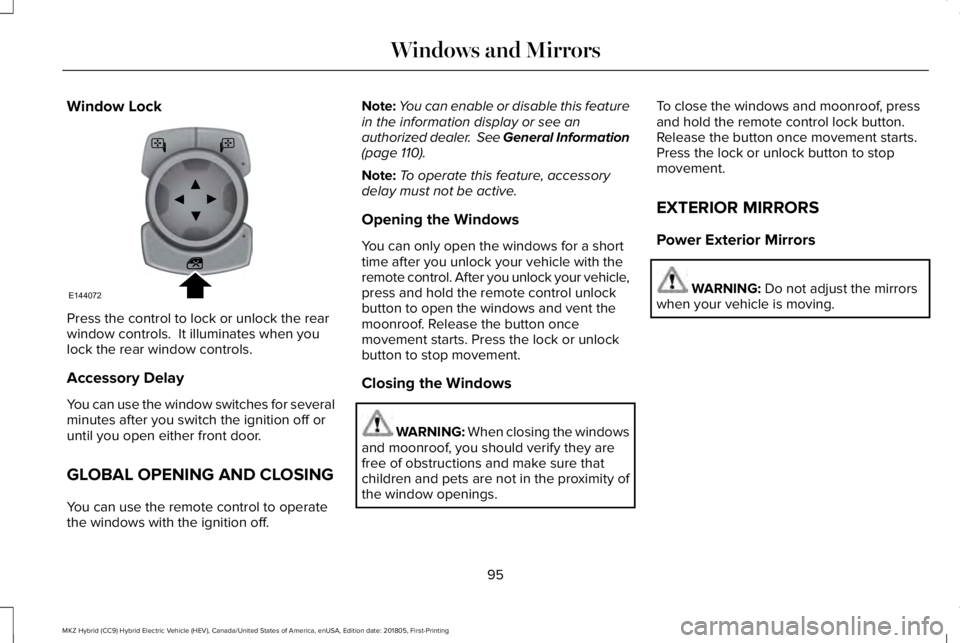
Window Lock
Press the control to lock or unlock the rearwindow controls. It illuminates when youlock the rear window controls.
Accessory Delay
You can use the window switches for severalminutes after you switch the ignition off oruntil you open either front door.
GLOBAL OPENING AND CLOSING
You can use the remote control to operatethe windows with the ignition off.
Note:You can enable or disable this featurein the information display or see anauthorized dealer. See General Information(page 110).
Note:To operate this feature, accessorydelay must not be active.
Opening the Windows
You can only open the windows for a shorttime after you unlock your vehicle with theremote control. After you unlock your vehicle,press and hold the remote control unlockbutton to open the windows and vent themoonroof. Release the button oncemovement starts. Press the lock or unlockbutton to stop movement.
Closing the Windows
WARNING: When closing the windowsand moonroof, you should verify they arefree of obstructions and make sure thatchildren and pets are not in the proximity ofthe window openings.
To close the windows and moonroof, pressand hold the remote control lock button.Release the button once movement starts.Press the lock or unlock button to stopmovement.
EXTERIOR MIRRORS
Power Exterior Mirrors
WARNING: Do not adjust the mirrorswhen your vehicle is moving.
95
MKZ Hybrid (CC9) Hybrid Electric Vehicle (HEV), Canada/United States of America, enUSA, Edition date: 201805, First-Printing
Windows and MirrorsE144072
Page 120 of 575
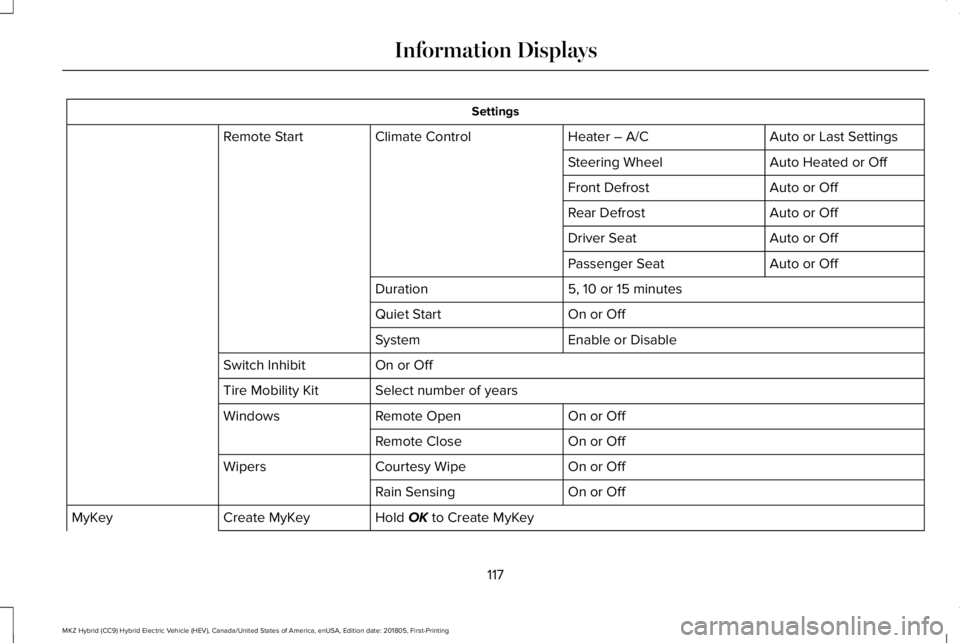
Settings
Auto or Last SettingsHeater – A/CClimate ControlRemote Start
Auto Heated or OffSteering Wheel
Auto or OffFront Defrost
Auto or OffRear Defrost
Auto or OffDriver Seat
Auto or OffPassenger Seat
5, 10 or 15 minutesDuration
On or OffQuiet Start
Enable or DisableSystem
On or OffSwitch Inhibit
Select number of yearsTire Mobility Kit
On or OffRemote OpenWindows
On or OffRemote Close
On or OffCourtesy WipeWipers
On or OffRain Sensing
Hold OK to Create MyKeyCreate MyKeyMyKey
117
MKZ Hybrid (CC9) Hybrid Electric Vehicle (HEV), Canada/United States of America, enUSA, Edition date: 201805, First-Printing
Information Displays
Page 148 of 575
REMOTE START
The climate control system adjusts theinterior temperature during remote start.
You can switch this feature on or off andadjust the settings using the informationdisplay controls. See Information Displays(page 110).
You cannot adjust the climate control settingduring remote start operation. Switch theignition on to make adjustments.
Based on your remote start settings, thefollowing vehicle-dependent features mayor may not remain on after remote startingyour vehicle:
•Climate controlled seats.
•Heated steering wheel.
•Heated mirrors.
•Heated rear window.
•Windshield wiper de-icer.
Note:For dual zone climate controlled seats,the passenger seat setting defaults to matchthe driver seat during remote start.
Automatic Settings
If Auto is on, the system sets the interiortemperature to 72°F (22°C) and heats orcools the vehicle interior as required toachieve comfort.
Note:In cold weather, the heated rearwindow and heated mirrors turn on.
Last Settings
If Last Settings is on, the system uses thesettings last selected before you turned offthe vehicle.
Heated and Cooled Features
In Auto mode, certain heated features mayswitch on during cold weather, and cooledfeatures during hot weather.
145
MKZ Hybrid (CC9) Hybrid Electric Vehicle (HEV), Canada/United States of America, enUSA, Edition date: 201805, First-Printing
Climate Control
Page 156 of 575
Linking a PreSet Position to yourRemote Control or Intelligent AccessKey Fob
Your vehicle can save the preset memorypositions for up to two remote controls orintelligent access (IA) keys.
After you have saved your desired memorypreset positions:
1.Press and hold the desired preset buttonfor about three seconds until you hear asingle tone.
2. Within three seconds, press the lockbutton on the remote control you arelinking.
To unlink a remote control, follow the sameprocedure – except in step 2, press theunlock button on the remote control.
Note:If more than one linked remote controlor intelligent access key is in range, thememory function moves to the settings ofthe first key to initiate a memory recall.
Easy Entry and Exit Feature
If you enable the easy entry and exit feature,it automatically moves the driver seatposition rearward up to 2 in (5 cm) when youswitch the ignition off.
The driver seat returns to the previousposition when you switch the ignition on.
You can enable or disable this feature in theinformation display. See GeneralInformation (page 110).
REAR SEATS
Note:Your vehicle may have split seatbacksthat you must fold individually.
Note:Make sure the center safety belt isunbuckled before folding the seatback.
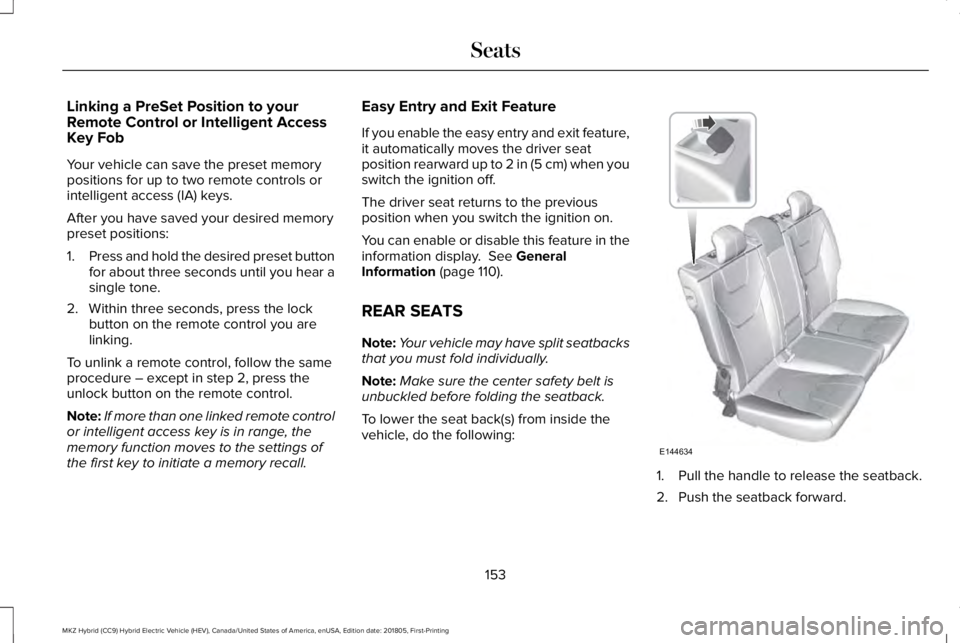
To lower the seat back(s) from inside thevehicle, do the following:
1. Pull the handle to release the seatback.
2. Push the seatback forward.
153
MKZ Hybrid (CC9) Hybrid Electric Vehicle (HEV), Canada/United States of America, enUSA, Edition date: 201805, First-Printing
SeatsE144634
Page 161 of 575
HomeLink Wireless Control System
WARNING: Do not use the system withany garage door opener that does not havethe safety stop and reverse feature asrequired by U.S. Federal Safety Standards(this includes any garage door openermanufactured before April 1, 1982). A garagedoor opener which cannot detect an object,signaling the door to stop and reverse, doesnot meet current federal safety standards.Using a garage door opener without thesefeatures increases the risk of serious injuryor death.
Note:Make sure that the garage door andsecurity device are free from obstructionwhen you are programming. Do not programthe system with the vehicle in the garage.
Note:Make sure you keep the originalremote control transmitter for use in othervehicles as well as for future systemprogramming.
Note:We recommend that upon the sale orlease termination of your vehicle, you erasethe programmed function buttons for securityreasons. See Erasing the Function ButtonCodes.
Note:You can program a maximum of threedevices. To change or replace any of thethree devices after it has been initiallyprogrammed, you must first erase the currentsettings. See Erasing the Function ButtonCodes.
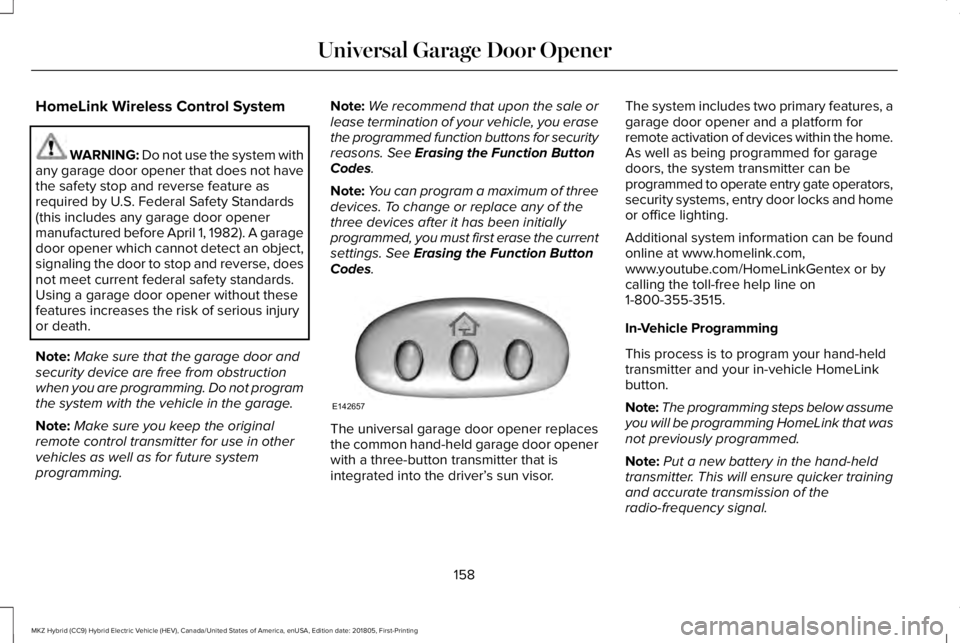
The universal garage door opener replacesthe common hand-held garage door openerwith a three-button transmitter that isintegrated into the driver’s sun visor.
The system includes two primary features, agarage door opener and a platform forremote activation of devices within the home.As well as being programmed for garagedoors, the system transmitter can beprogrammed to operate entry gate operators,security systems, entry door locks and homeor office lighting.
Additional system information can be foundonline at www.homelink.com,www.youtube.com/HomeLinkGentex or bycalling the toll-free help line on1-800-355-3515.
In-Vehicle Programming
This process is to program your hand-heldtransmitter and your in-vehicle HomeLinkbutton.
Note:The programming steps below assumeyou will be programming HomeLink that wasnot previously programmed.
Note:Put a new battery in the hand-heldtransmitter. This will ensure quicker trainingand accurate transmission of theradio-frequency signal.
158
MKZ Hybrid (CC9) Hybrid Electric Vehicle (HEV), Canada/United States of America, enUSA, Edition date: 201805, First-Printing
Universal Garage Door OpenerE142657
Page 233 of 575
Keep the front of your vehicle free of dirt,metal badges or objects. Vehicle frontprotectors and aftermarket lights may alsoblock the sensor.
Possible Causes and Actions for This Message Displaying:
ActionCause
Clean the grille surface in front of the radar or remove the objectcausing the obstruction.The surface of the radar is dirty or obstructed.
Wait a short time. It may take several minutes for the radar to detectthat it is free from obstruction.The surface of the radar is clean but the message remains in thedisplay.
Do not use the system in these conditions because it may not detectany vehicles ahead.Heavy rain or snow is interfering with the radar signals.
Do not use the system in these conditions because it may not detectany vehicles ahead.Water, snow or ice on the surface of the road may interfere with theradar signals.
Wait a short time or switch to normal cruise control.You are in a desert or remote area with no other vehicles and noroadside objects.
Due to the nature of radar technology, it is possible to get a blockage warning with no actual block. A false blocked condition either selfclears, or clears after you restart your vehicle.
230
MKZ Hybrid (CC9) Hybrid Electric Vehicle (HEV), Canada/United States of America, enUSA, Edition date: 201805, First-Printing
Cruise Control
Page 271 of 575
•Avoid contact with leaking fluids andgases, and remain out of the way ofoncoming traffic until emergencyresponders arrive.
•When emergency responders arrive, tellthem that the vehicle involved is anelectric vehicle or hybrid-electric vehicle.
Fires
As with any vehicle, call emergencyassistance immediately if you see sparks,smoke or flames coming from the vehicle. Remain a safe distance from the vehicle andtry to stay clear of the smoke.
•Exit the vehicle immediately.
•Advise emergency assistance that anelectric or hybrid-electric vehicle isinvolved.
•As with any vehicle fire, do not inhalesmoke, vapors or gas from the vehicle,as they may be hazardous.
•Stay out of the roadway and stay out ofthe way of any oncoming traffic whileawaiting the arrival of emergencyresponders.
Post-Incident
•Do not store a severely damaged vehiclewith a lithium-ion battery inside astructure or within 49 ft (15 m) of anystructure or vehicle.
•Make sure that passenger and luggagecompartments remain ventilated.
•Call emergency assistance if you observeleaking fluids, sparks, smoke or flames,or hear gurgling or bubbling from thehigh-voltage battery.
POST-CRASH ALERT SYSTEM
The system flashes the direction indicatorsand sounds the horn (intermittently) in theevent of a serious impact that deploys anairbag (front, side, side curtain or SafetyCanopy) or the seatbelt pretensioners.
The horn and indicators turn off when:
•You press the hazard control button.
•You press the panic button on the remoteentry transmitter (if equipped).
•Your vehicle runs out of power.
•Sounding of the horn is only enabled inspecific markets.
268
MKZ Hybrid (CC9) Hybrid Electric Vehicle (HEV), Canada/United States of America, enUSA, Edition date: 201805, First-Printing
Roadside Emergencies
Page 569 of 575
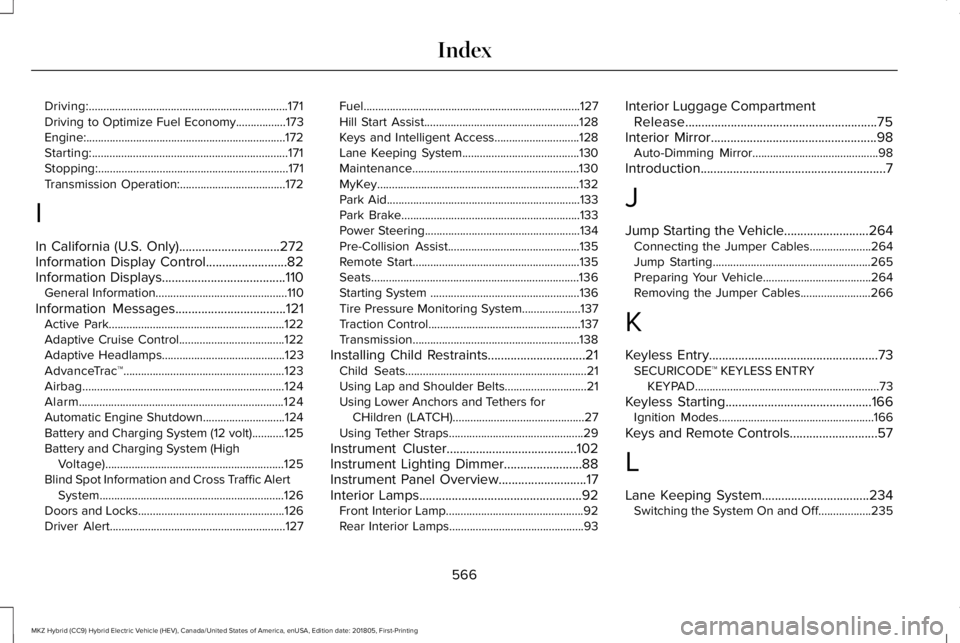
Driving:....................................................................171Driving to Optimize Fuel Economy.................173Engine:....................................................................172Starting:...................................................................171Stopping:.................................................................171Transmission Operation:....................................172
I
In California (U.S. Only)...............................272Information Display Control.........................82Information Displays......................................110General Information.............................................110
Information Messages..................................121Active Park............................................................122Adaptive Cruise Control....................................122Adaptive Headlamps..........................................123AdvanceTrac™.......................................................123Airbag.....................................................................124Alarm......................................................................124Automatic Engine Shutdown............................124Battery and Charging System (12 volt)...........125Battery and Charging System (HighVoltage).............................................................125Blind Spot Information and Cross Traffic AlertSystem...............................................................126Doors and Locks..................................................126Driver Alert............................................................127
Fuel..........................................................................127Hill Start Assist.....................................................128Keys and Intelligent Access.............................128Lane Keeping System........................................130Maintenance.........................................................130MyKey.....................................................................132Park Aid..................................................................133Park Brake.............................................................133Power Steering.....................................................134Pre-Collision Assist.............................................135Remote Start.........................................................135Seats.......................................................................136Starting System ...................................................136Tire Pressure Monitoring System....................137Traction Control....................................................137Transmission.........................................................138
Installing Child Restraints..............................21Child Seats..............................................................21Using Lap and Shoulder Belts............................21Using Lower Anchors and Tethers forCHildren (LATCH).............................................27Using Tether Straps..............................................29
Instrument Cluster........................................102Instrument Lighting Dimmer........................88Instrument Panel Overview...........................17Interior Lamps..................................................92Front Interior Lamp...............................................92Rear Interior Lamps..............................................93
Interior Luggage CompartmentRelease...........................................................75Interior Mirror...................................................98Auto-Dimming Mirror...........................................98
Introduction.........................................................7
J
Jump Starting the Vehicle..........................264Connecting the Jumper Cables.....................264Jump Starting......................................................265Preparing Your Vehicle.....................................264Removing the Jumper Cables........................266
K
Keyless Entry....................................................73SECURICODE™ KEYLESS ENTRYKEYPAD...............................................................73
Keyless Starting.............................................166Ignition Modes.....................................................166
Keys and Remote Controls...........................57
L
Lane Keeping System.................................234Switching the System On and Off..................235
566
MKZ Hybrid (CC9) Hybrid Electric Vehicle (HEV), Canada/United States of America, enUSA, Edition date: 201805, First-Printing
Index
Page 570 of 575
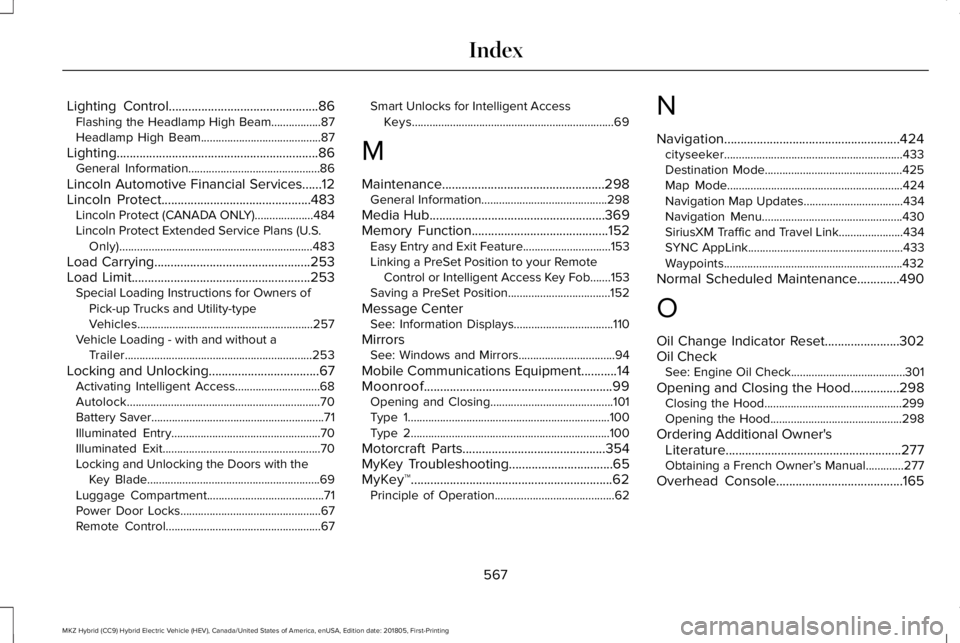
Lighting Control..............................................86Flashing the Headlamp High Beam.................87Headlamp High Beam.........................................87
Lighting..............................................................86General Information.............................................86
Lincoln Automotive Financial Services......12Lincoln Protect..............................................483Lincoln Protect (CANADA ONLY)....................484Lincoln Protect Extended Service Plans (U.S.Only)..................................................................483
Load Carrying................................................253Load Limit.......................................................253Special Loading Instructions for Owners ofPick-up Trucks and Utility-typeVehicles............................................................257Vehicle Loading - with and without aTrailer................................................................253
Locking and Unlocking..................................67Activating Intelligent Access.............................68Autolock..................................................................70Battery Saver...........................................................71Illuminated Entry...................................................70Illuminated Exit......................................................70Locking and Unlocking the Doors with theKey Blade...........................................................69Luggage Compartment........................................71Power Door Locks................................................67Remote Control.....................................................67
Smart Unlocks for Intelligent AccessKeys.....................................................................69
M
Maintenance..................................................298General Information...........................................298
Media Hub......................................................369Memory Function..........................................152Easy Entry and Exit Feature..............................153Linking a PreSet Position to your RemoteControl or Intelligent Access Key Fob.......153Saving a PreSet Position...................................152
Message CenterSee: Information Displays..................................110
MirrorsSee: Windows and Mirrors.................................94
Mobile Communications Equipment...........14Moonroof..........................................................99Opening and Closing..........................................101Type 1.....................................................................100Type 2....................................................................100
Motorcraft Parts............................................354MyKey Troubleshooting................................65MyKey™..............................................................62Principle of Operation.........................................62
N
Navigation......................................................424cityseeker.............................................................433Destination Mode...............................................425Map Mode............................................................424Navigation Map Updates..................................434Navigation Menu................................................430SiriusXM Traffic and Travel Link......................434SYNC AppLink.....................................................433Waypoints.............................................................432
Normal Scheduled Maintenance.............490
O
Oil Change Indicator Reset.......................302Oil CheckSee: Engine Oil Check.......................................301
Opening and Closing the Hood...............298Closing the Hood...............................................299Opening the Hood.............................................298
Ordering Additional Owner'sLiterature......................................................277Obtaining a French Owner’s Manual.............277
Overhead Console.......................................165
567
MKZ Hybrid (CC9) Hybrid Electric Vehicle (HEV), Canada/United States of America, enUSA, Edition date: 201805, First-Printing
Index