ignition LINCOLN NAUTILUS 2021 User Guide
[x] Cancel search | Manufacturer: LINCOLN, Model Year: 2021, Model line: NAUTILUS, Model: LINCOLN NAUTILUS 2021Pages: 579, PDF Size: 6.9 MB
Page 90 of 579
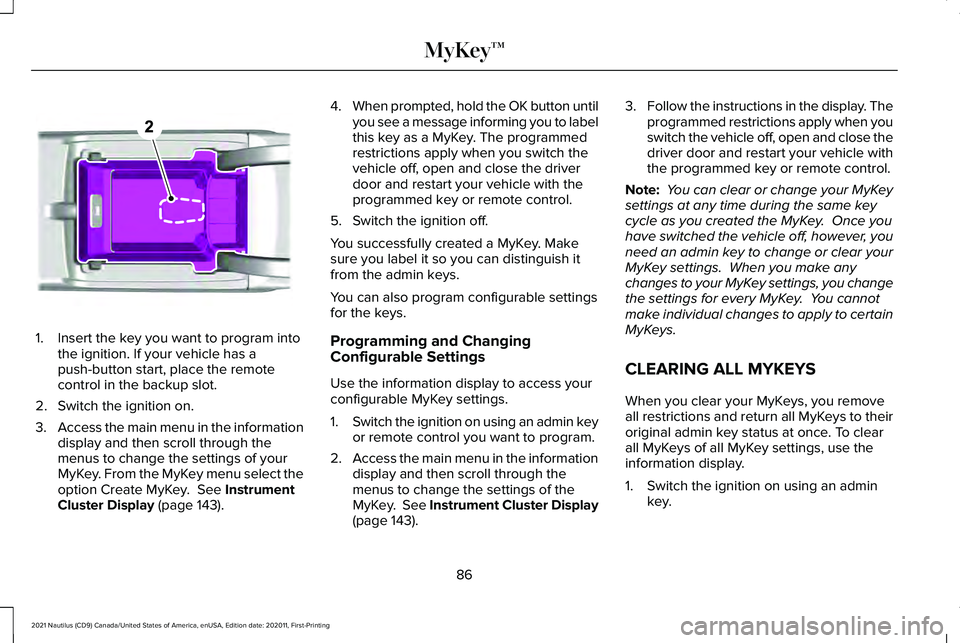
1. Insert the key you want to program into
the ignition. If your vehicle has a
push-button start, place the remote
control in the backup slot.
2. Switch the ignition on.
3. Access the main menu in the information
display and then scroll through the
menus to change the settings of your
MyKey. From the MyKey menu select the
option Create MyKey. See Instrument
Cluster Display (page 143). 4.
When prompted, hold the OK button until
you see a message informing you to label
this key as a MyKey. The programmed
restrictions apply when you switch the
vehicle off, open and close the driver
door and restart your vehicle with the
programmed key or remote control.
5. Switch the ignition off.
You successfully created a MyKey. Make
sure you label it so you can distinguish it
from the admin keys.
You can also program configurable settings
for the keys.
Programming and Changing
Configurable Settings
Use the information display to access your
configurable MyKey settings.
1. Switch the ignition on using an admin key
or remote control you want to program.
2. Access the main menu in the information
display and then scroll through the
menus to change the settings of the
MyKey. See Instrument Cluster Display
(page 143). 3.
Follow the instructions in the display. The
programmed restrictions apply when you
switch the vehicle off, open and close the
driver door and restart your vehicle with
the programmed key or remote control.
Note: You can clear or change your MyKey
settings at any time during the same key
cycle as you created the MyKey. Once you
have switched the vehicle off, however, you
need an admin key to change or clear your
MyKey settings. When you make any
changes to your MyKey settings, you change
the settings for every MyKey. You cannot
make individual changes to apply to certain
MyKeys.
CLEARING ALL MYKEYS
When you clear your MyKeys, you remove
all restrictions and return all MyKeys to their
original admin key status at once. To clear
all MyKeys of all MyKey settings, use the
information display.
1. Switch the ignition on using an admin key.
86
2021 Nautilus (CD9) Canada/United States of America, enUSA, Edition date: 202011, First-Printing MyKey™E203694
Page 94 of 579
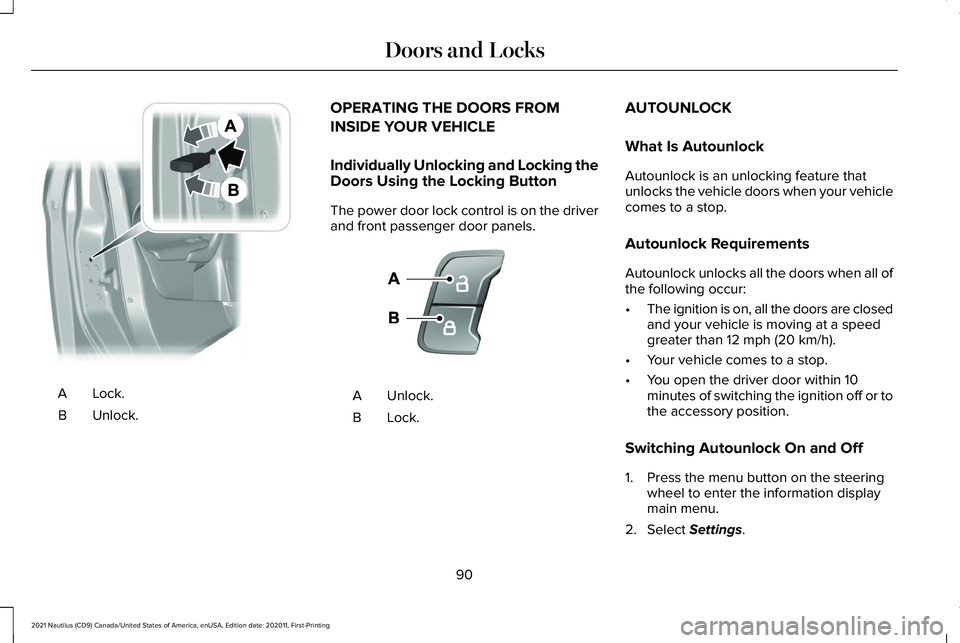
Lock.A
Unlock.
B OPERATING THE DOORS FROM
INSIDE YOUR VEHICLE
Individually Unlocking and Locking the
Doors Using the Locking Button
The power door lock control is on the driver
and front passenger door panels.
Unlock.
A
Lock.B AUTOUNLOCK
What Is Autounlock
Autounlock is an unlocking feature that
unlocks the vehicle doors when your vehicle
comes to a stop.
Autounlock Requirements
Autounlock unlocks all the doors when all of
the following occur:
•
The ignition is on, all the doors are closed
and your vehicle is moving at a speed
greater than 12 mph (20 km/h).
• Your vehicle comes to a stop.
• You open the driver door within 10
minutes of switching the ignition off or to
the accessory position.
Switching Autounlock On and Off
1. Press the menu button on the steering wheel to enter the information display
main menu.
2. Select
Settings.
90
2021 Nautilus (CD9) Canada/United States of America, enUSA, Edition date: 202011, First-Printing Doors and LocksE112203 E138628
Page 95 of 579
3. Select Vehicle.
4. Select
Locks.
5. Switch
Autounlock on or off.
AUTOLOCK
What Is Autolock
Autolock is a locking feature that locks your
vehicle doors when you start driving.
Autolock Requirements
Autolock locks all the doors when all of the
following occur:
• All doors are closed.
• The ignition is on.
• Your vehicle reaches a speed greater
than
12 mph (20 km/h). MISLOCK
What Is Mislock
Mislock is a locking feature that warns you
if your vehicle has not locked.
Mislock Limitations
When you press the lock button once, the
direction indicators do not flash if:
•
Any door or the liftgate is open.
• The hood is open.
If you switch mislock off, the horn does not
sound if you press the lock button on the
remote control when a door is open.
Switching Mislock On and Off
1. Press the menu button on the steering wheel to enter the information display
main menu.
2. Select
Settings. 3. Select
Vehicle.
4. Select
Locks.
5. Switch
Mislock Chirp on or off.
DOORS AND LOCKS AUDIBLE
WARNINGS
Door Ajar Audible Warning
Sounds when a door is not fully closed and
your vehicle is moving.
DOORS AND LOCKS –
TROUBLESHOOTING
Doors and Locks – Warning Lamps
Door Ajar Warning Lamp It illuminates when you switch the
ignition on and remains on if any
door or the hood is open.
91
2021 Nautilus (CD9) Canada/United States of America, enUSA, Edition date: 202011, First-Printing Doors and LocksE249859
Page 97 of 579
KEYLESS ENTRY LIMITATIONS
Make sure your remote control is within 3 ft
(1 m) from the front door handles and the
tailgate.
The system could not function if:
• The remote control remains stationary
for about a minute.
• The vehicle battery has no charge.
• The remote control battery has no
charge.
• There is interference causing issues with
the remote control frequencies.
• The remote control is too close to metal
objects or electronic devices, for example
keys or a cell phone.
KEYLESS ENTRY SETTINGS
Switching Keyless Entry On and Off
1. Switch the ignition on using an original key that has not been created as a
MyKey.
2. Press
Settings on the touchscreen. 3. Press
Vehicle Settings.
4. Press
Locks.
Reprogramming the Unlocking
Function
You can enable two-stage unlocking function
allowing you to unlock only the driver door
when you touch the unlock sensor.
Press and hold both the lock and unlock
buttons on the remote control for four
seconds to disable or enable two-stage
unlocking.
If you program the unlocking function so that
only the driver door unlocks, you can unlock
all of the other doors from inside your vehicle
using the power door lock control. You can
unlock individual doors by pulling the interior
door handles on those doors. USING KEYLESS ENTRY
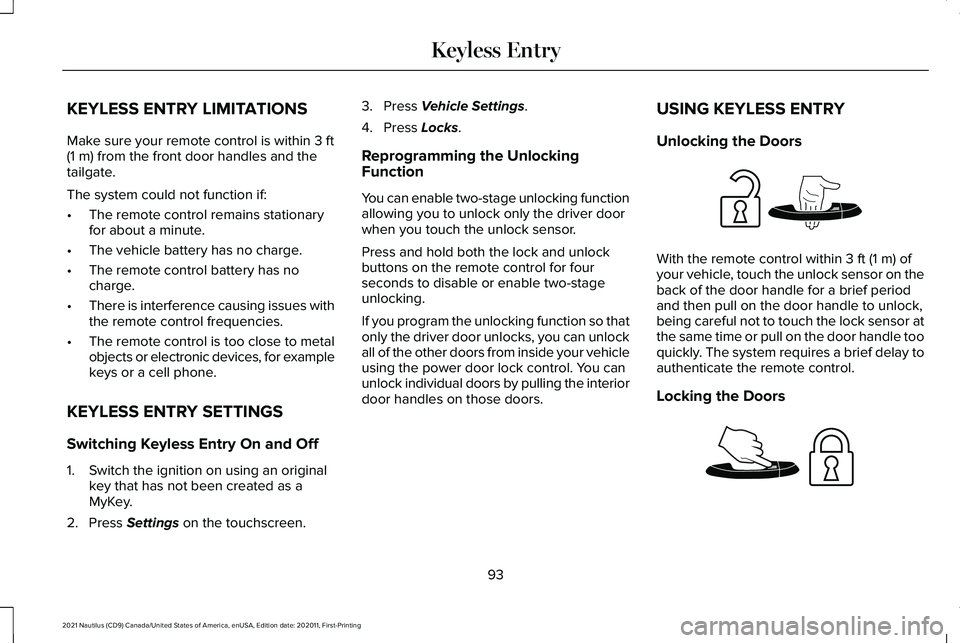
Unlocking the Doors With the remote control within
3 ft (1 m) of
your vehicle, touch the unlock sensor on the
back of the door handle for a brief period
and then pull on the door handle to unlock,
being careful not to touch the lock sensor at
the same time or pull on the door handle too
quickly. The system requires a brief delay to
authenticate the remote control.
Locking the Doors 93
2021 Nautilus (CD9) Canada/United States of America, enUSA, Edition date: 202011, First-Printing Keyless EntryE248553 E248554
Page 98 of 579
With your passive key within 3 ft (1 m) of your
vehicle, touch the outer door handle lock
sensor for approximately one second to lock,
being careful not to touch the unlock sensor
on the back of the door handle at the same
time. After locking, you can immediately pull
on the door handle to confirm locking
occurred without inadvertently unlocking.
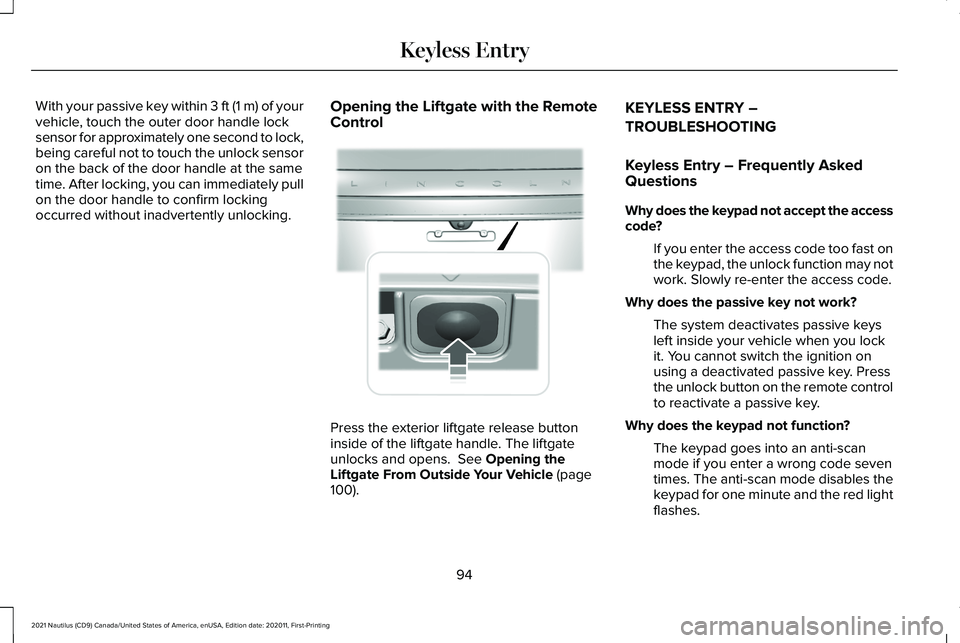
Opening the Liftgate with the Remote
Control Press the exterior liftgate release button
inside of the liftgate handle. The liftgate
unlocks and opens. See Opening the
Liftgate From Outside Your Vehicle (page
100). KEYLESS ENTRY –
TROUBLESHOOTING
Keyless Entry – Frequently Asked
Questions
Why does the keypad not accept the access
code?
If you enter the access code too fast on
the keypad, the unlock function may not
work. Slowly re-enter the access code.
Why does the passive key not work? The system deactivates passive keys
left inside your vehicle when you lock
it. You cannot switch the ignition on
using a deactivated passive key. Press
the unlock button on the remote control
to reactivate a passive key.
Why does the keypad not function? The keypad goes into an anti-scan
mode if you enter a wrong code seven
times. The anti-scan mode disables the
keypad for one minute and the red light
flashes.
94
2021 Nautilus (CD9) Canada/United States of America, enUSA, Edition date: 202011, First-Printing Keyless Entry E291416
Page 101 of 579
The anti-scan feature turns off after:
•
One minute of keypad inactivity.
• You press the unlock button on the
remote control.
• You switch the ignition on.
• You unlock your vehicle using intelligent
access. USING THE KEYLESS ENTRY
KEYPAD
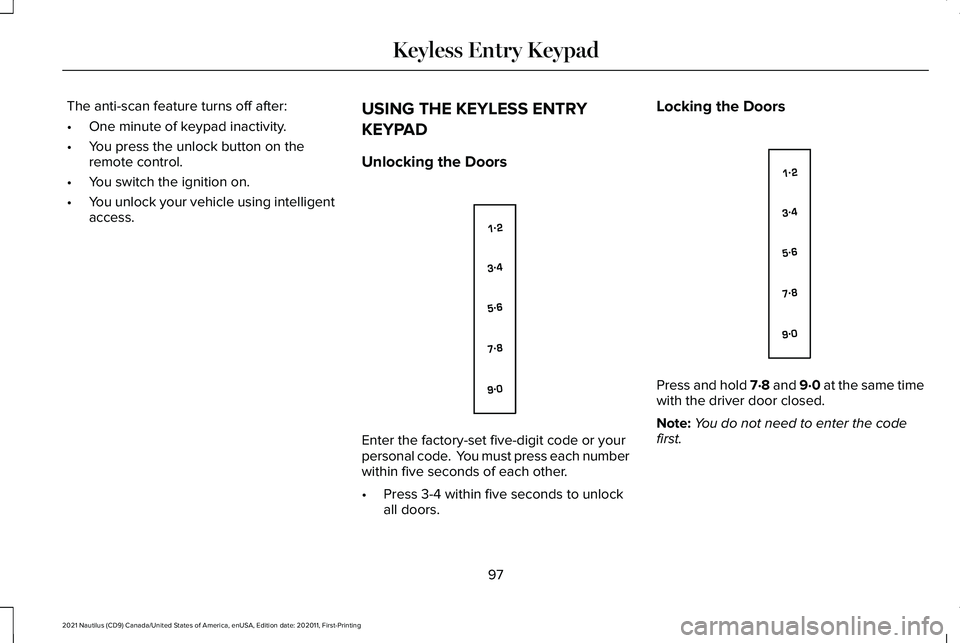
Unlocking the Doors Enter the factory-set five-digit code or your
personal code. You must press each number
within five seconds of each other.
•
Press 3-4 within five seconds to unlock
all doors. Locking the Doors
Press and hold 7·8 and 9·0 at the same time
with the driver door closed.
Note:
You do not need to enter the code
first.
97
2021 Nautilus (CD9) Canada/United States of America, enUSA, Edition date: 202011, First-Printing Keyless Entry KeypadE138637 E138637
Page 103 of 579
HOW DOES EASY ENTRY AND
EXIT WORK
Easy entry and exit moves the driver seat
rearward up to 2 in (5 cm) and the steering
column up when you switch the ignition off.
The driver seat and steering column return
to their previous positions when you switch
the ignition on.
Note: Depending on your vehicle, the column
may move up and in.
SWITCHING EASY ENTRY AND
EXIT ON AND OFF
1. Using the touchscreen, select
Settings.
2. Select
Vehicle.
3. Select
Easy Entry/Exit.
If you press any adjustment or memory
button when in easy exit mode, the system
cancels the operation.
99
2021 Nautilus (CD9) Canada/United States of America, enUSA, Edition date: 202011, First-Printing Easy Entry and Exit
Page 112 of 579
PASSIVE ANTI-THEFT SYSTEM
What Is the Passive Anti-Theft System
The passive anti-theft system prevents
someone from starting the vehicle with an
incorrectly coded key.
How Does the Passive Anti-Theft
System Work
The passive anti-theft system arms when you
switch the ignition off.
It disarms when the ignition is switched on
with a correctly coded key.
Note:
The system is not compatible with
non-Ford aftermarket remote start systems.
Note: Do not leave a duplicate coded key
in your vehicle. Always take the keys and
lock all doors when leaving your vehicle. ANTI-THEFT ALARM SYSTEM
What Is the Anti-Theft Alarm System
The Anti-Theft Alarm System warns you of
an unauthorized entry to your vehicle.
How Does the Anti-Theft Alarm System
Work
When armed, the anti-theft alarm is triggered
in any of the following ways:
•
If someone opens a door, the liftgate or
the hood without a correctly coded key
or remote control.
• If you turn the power on without a
correctly coded key.
• If the interior sensors detect movement
inside your vehicle.
• If the inclination sensors detect an
attempt to raise your vehicle.
• If someone disconnects the vehicle
battery or the battery backup alarm. If the anti-theft alarm is triggered, the alarm
horn sounds for 30 seconds and the
direction indicators flash for 5 minutes.
Any further attempts to carry out one of the
above sounds the alarm again.
What Is the Perimeter Alarm
The perimeter alarm is designed to detect
unauthorized access to your vehicle.
What Are the Interior Sensors
The interior sensors are designed to detect
any movement inside your vehicle.
The interior sensors are in the overhead
console.
Note:
Do not cover the interior sensors.
What Are the Inclination Sensors (If
Equipped)
The inclination sensor is designed to detect
an attempt to raise your vehicle, for example
to remove a wheel or to tow it away.
108
2021 Nautilus (CD9) Canada/United States of America, enUSA, Edition date: 202011, First-Printing Security
Page 113 of 579
ANTI-THEFT ALARM SYSTEM
SETTINGS
What are the Alarm Security Levels
You can select two levels of alarm security,
all sensors and perimeter sensing.
All Sensors
All sensors is the standard setting.
In all sensors, all equipped sensors are on
when you arm the alarm.
Note:
Do not arm the alarm with all sensors
if passengers, animals or other moving
objects are inside your vehicle. Perimeter Sensing
In perimeter sensing, the interior sensors are
off when you arm the alarm.
All the other equipped sensors activate when
you arm the alarm in this mode.
Setting the Alarm Security Level
1. Press Settings on the touchscreen.
2. Press
Vehicle Settings.
3. Press
Alarm System.
4. Press
Motion Sensors.
5. Press a setting. What Is Ask on Exit
You can choose which level of security you
require after you switch the ignition off.
Note:
If you do not choose a setting, the
system defaults to all sensors.
Switching Ask on Exit On and Off
1. Press
Settings on the touchscreen.
2. Press
Vehicle Settings.
3. Press
Alarm System.
4. Switch
Ask on Exit on or off.
109
2021 Nautilus (CD9) Canada/United States of America, enUSA, Edition date: 202011, First-Printing Security
Page 133 of 579
OPENING AND CLOSING THE
WINDOWS
WARNING: Do not leave children
unattended in your vehicle and do not let
them play with the power windows. Failure
to follow this instruction could result in
personal injury. WARNING:
When closing the power
windows, verify they are free of obstruction
and make sure that children and pets are
not in the proximity of the window
openings. Press the window control switch
to open the window. Lift the
window control switch to close the
window.
Note: The power windows operate with the
ignition on, and for several minutes after you
switch the ignition off or until you open a
front door. To reduce wind noise or pulsing noise when
one window is open, slightly open the
opposite window.
One-Touch Open
(If Equipped)
Fully press the window control switch and
release it. Press again or lift it to stop the
window.
One-Touch Close
(If Equipped)
Fully lift the window control switch and
release it. Press again or lift it to stop the
window.
Resetting One-Touch Close
Carry out all steps within 30 seconds of
starting the sequence.
1. Close the window.
2. Press and hold the window control switch
until the window is fully open. Keep the
window control switch pressed for a few
seconds. 3. Lift and hold the window control switch
until the window is fully closed. Keep the
window control switch held for a few
seconds.
4. Press and hold the window control switch
until the window is fully open. Keep the
window control switch pressed for a few
seconds.
5. Lift and hold the window control switch until the window is fully closed. Keep the
window control switch held for a few
seconds.
Note: Repeat the procedure if the window
does not close when you use one-touch.
Accessory Delay
The window switches remain operational for
several minutes when you switch the ignition
off or until you open either front door.
129
2021 Nautilus (CD9) Canada/United States of America, enUSA, Edition date: 202011, First-Printing Windows