ignition LINCOLN NAUTILUS 2021 Owner's Manual
[x] Cancel search | Manufacturer: LINCOLN, Model Year: 2021, Model line: NAUTILUS, Model: LINCOLN NAUTILUS 2021Pages: 579, PDF Size: 6.9 MB
Page 134 of 579
GLOBAL OPENING AND CLOSING
What Is Global Opening and Closing
You can use the remote control to open the
windows with the ignition off.
Using Global Opening
1. Press and release the unlock button on
the remote control.
2. Press and hold the unlock button on the
remote control.
3. Release the button when the windows start to open.
Press the lock or the unlock button on the
remote control to stop global opening.
Note: You can use global opening for a short
period of time when you unlock your vehicle
using the remote control.
Switching Global Opening On and Off
1. Access the vehicle drawer on the touchscreen. 2. Press Settings.
3. Press
Vehicle.
4. Press
Windows.
5. Switch
Remote Open on or off.
Using Global Closing WARNING:
When closing the power
windows, verify they are free of obstruction
and make sure that children and pets are
not in the proximity of the window
openings.
1. Press and hold the lock button on the remote control.
2. Release the button when the windows start to close.
Press the lock or the unlock button on the
remote control to stop global closing.
Note: Bounce-back is on during global
closing. See What Is Window Bounce-Back
(page
130). Switching Global Closing On and Off
1. Access the vehicle drawer on the
touchscreen.
2. Press
Settings.
3. Press
Vehicle.
4. Press
Windows.
5. Switch
Remote Close on or off.
WINDOW BOUNCE-BACK
What Is Window Bounce-Back
The window stops and reverses if it detects
an obstruction when closing.
Overriding Window Bounce-Back WARNING:
If you override
bounce-back, the window does not reverse
if it detects an obstacle. Take care when
closing the windows to avoid personal
injury or damage to your vehicle.
130
2021 Nautilus (CD9) Canada/United States of America, enUSA, Edition date: 202011, First-Printing Windows
Page 137 of 579
ADJUSTING THE EXTERIOR
MIRRORS
WARNING: Do not adjust the mirrors
when your vehicle is moving. This could
result in the loss of control of your vehicle,
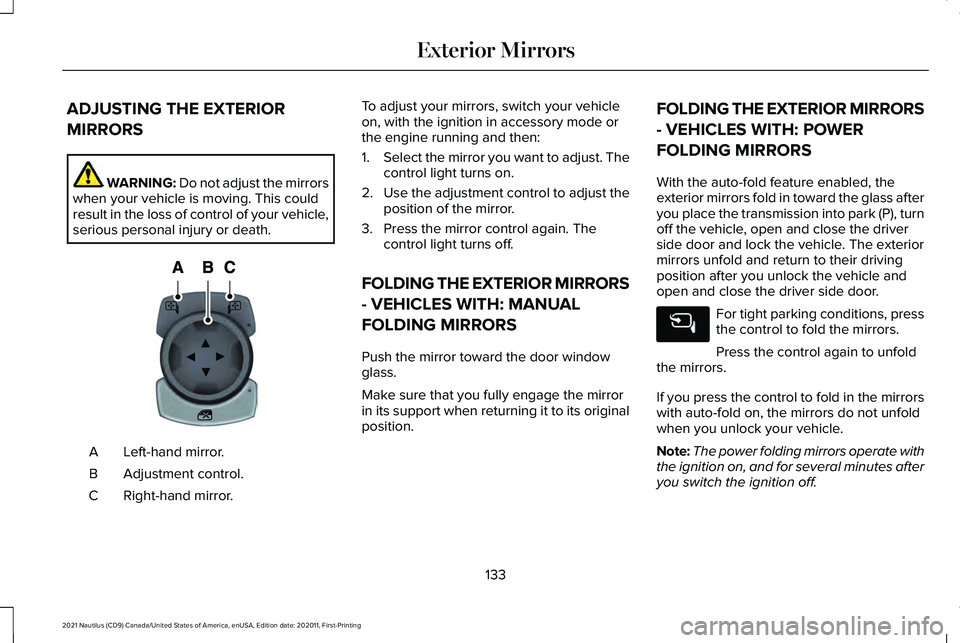
serious personal injury or death. Left-hand mirror.
A
Adjustment control.
B
Right-hand mirror.
C To adjust your mirrors, switch your vehicle
on, with the ignition in accessory mode or
the engine running and then:
1.
Select the mirror you want to adjust. The
control light turns on.
2. Use the adjustment control to adjust the
position of the mirror.
3. Press the mirror control again. The control light turns off.
FOLDING THE EXTERIOR MIRRORS
- VEHICLES WITH: MANUAL
FOLDING MIRRORS
Push the mirror toward the door window
glass.
Make sure that you fully engage the mirror
in its support when returning it to its original
position. FOLDING THE EXTERIOR MIRRORS
- VEHICLES WITH: POWER
FOLDING MIRRORS
With the auto-fold feature enabled, the
exterior mirrors fold in toward the glass after
you place the transmission into park (P), turn
off the vehicle, open and close the driver
side door and lock the vehicle. The exterior
mirrors unfold and return to their driving
position after you unlock the vehicle and
open and close the driver side door.
For tight parking conditions, press
the control to fold the mirrors.
Press the control again to unfold
the mirrors.
If you press the control to fold in the mirrors
with auto-fold on, the mirrors do not unfold
when you unlock your vehicle.
Note: The power folding mirrors operate with
the ignition on, and for several minutes after
you switch the ignition off.
133
2021 Nautilus (CD9) Canada/United States of America, enUSA, Edition date: 202011, First-Printing Exterior MirrorsE144073
Page 143 of 579
What Is Distance to Empty
Indicates the approximate distance your
vehicle can travel on the fuel remaining in
the tank. Changes in driving pattern can
cause the value to not only decrease but also
increase or stay constant for periods of time.
WHAT IS THE ENGINE COOLANT
TEMPERATURE GAUGE
Indicates the engine coolant temperature.
WHAT IS THE ENGINE OIL
PRESSURE GAUGE
Indicates the engine oil pressure.
Note:
This is a configurable gauge.
WHAT IS THE TRANSMISSION
FLUID TEMPERATURE GAUGE
Indicates the transmission fluid temperature. Special operating conditions can cause
higher than normal operating temperatures.
See Special Operating Conditions
Scheduled Maintenance (page 467).
Note: This is a configurable gauge.
WHAT IS THE 12V BATTERY
GAUGE
Indicates the power of the 12-volt battery.
WHAT ARE THE INSTRUMENT
CLUSTER WARNING LAMPS
Warning lamps alert you to a vehicle
condition that could become serious. Some
lamps illuminate when you start your vehicle
to make sure they work. If any lamps remain
on after starting your vehicle, refer to the
respective system warning lamp for further
information. INSTRUMENT CLUSTER WARNING
LAMPS
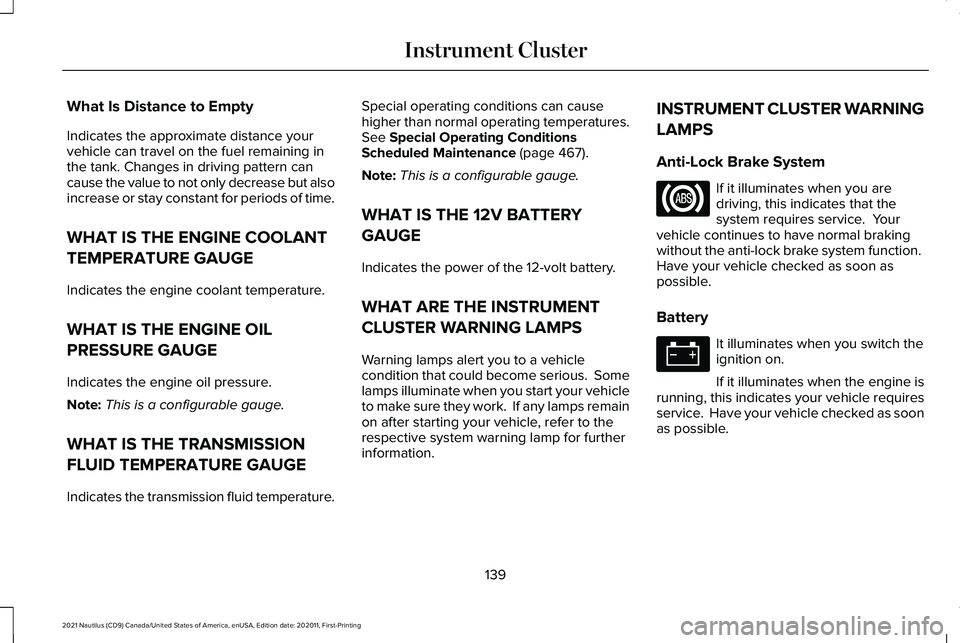
Anti-Lock Brake System If it illuminates when you are
driving, this indicates that the
system requires service. Your
vehicle continues to have normal braking
without the anti-lock brake system function.
Have your vehicle checked as soon as
possible.
Battery It illuminates when you switch the
ignition on.
If it illuminates when the engine is
running, this indicates your vehicle requires
service. Have your vehicle checked as soon
as possible.
139
2021 Nautilus (CD9) Canada/United States of America, enUSA, Edition date: 202011, First-Printing Instrument Cluster
Page 144 of 579
Brake System
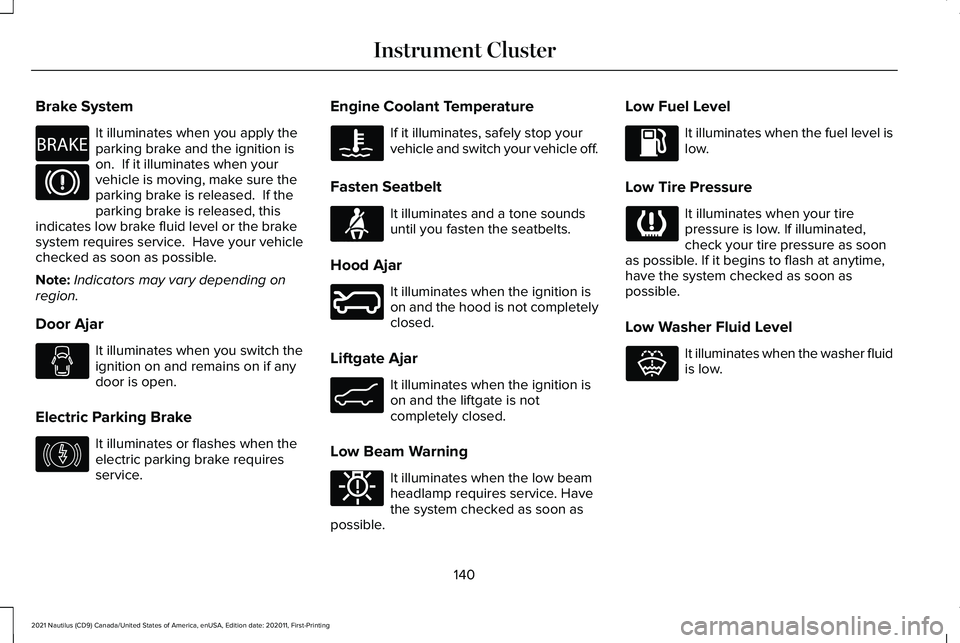
It illuminates when you apply the
parking brake and the ignition is
on. If it illuminates when your
vehicle is moving, make sure the
parking brake is released. If the
parking brake is released, this
indicates low brake fluid level or the brake
system requires service. Have your vehicle
checked as soon as possible.
Note: Indicators may vary depending on
region.
Door Ajar It illuminates when you switch the
ignition on and remains on if any
door is open.
Electric Parking Brake It illuminates or flashes when the
electric parking brake requires
service. Engine Coolant Temperature If it illuminates, safely stop your
vehicle and switch your vehicle off.
Fasten Seatbelt It illuminates and a tone sounds
until you fasten the seatbelts.
Hood Ajar It illuminates when the ignition is
on and the hood is not completely
closed.
Liftgate Ajar It illuminates when the ignition is
on and the liftgate is not
completely closed.
Low Beam Warning It illuminates when the low beam
headlamp requires service. Have
the system checked as soon as
possible. Low Fuel Level It illuminates when the fuel level is
low.
Low Tire Pressure It illuminates when your tire
pressure is low. If illuminated,
check your tire pressure as soon
as possible. If it begins to flash at anytime,
have the system checked as soon as
possible.
Low Washer Fluid Level It illuminates when the washer fluid
is low.
140
2021 Nautilus (CD9) Canada/United States of America, enUSA, Edition date: 202011, First-Printing Instrument ClusterE270480 E146190 E71880 E246598 E162453 E181350 E132353
Page 145 of 579
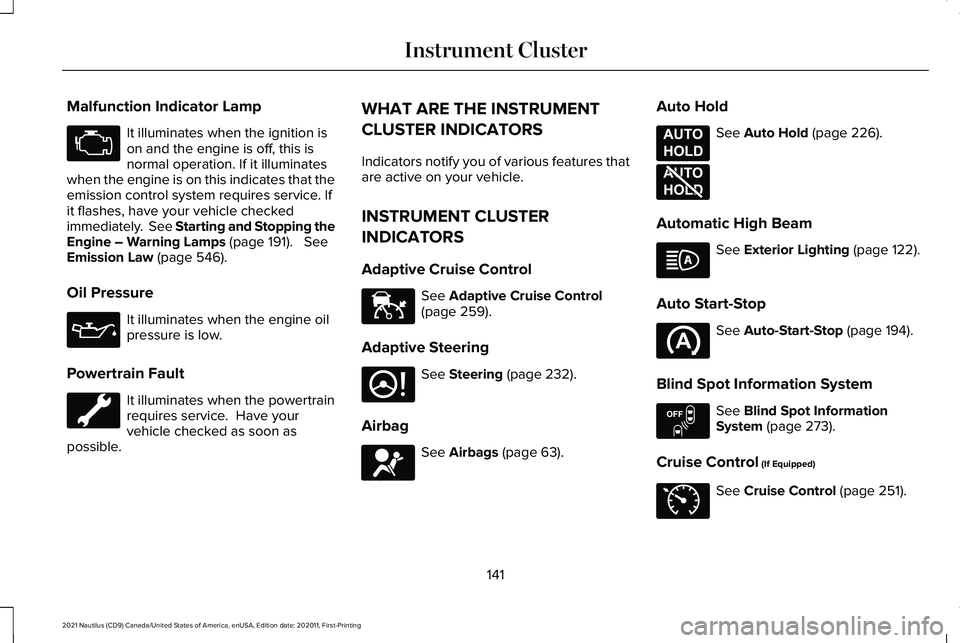
Malfunction Indicator Lamp
It illuminates when the ignition is
on and the engine is off, this is
normal operation. If it illuminates
when the engine is on this indicates that the
emission control system requires service. If
it flashes, have your vehicle checked
immediately. See Starting and Stopping the
Engine – Warning Lamps (page 191). See
Emission Law (page 546).
Oil Pressure It illuminates when the engine oil
pressure is low.
Powertrain Fault It illuminates when the powertrain
requires service. Have your
vehicle checked as soon as
possible. WHAT ARE THE INSTRUMENT
CLUSTER INDICATORS
Indicators notify you of various features that
are active on your vehicle.
INSTRUMENT CLUSTER
INDICATORS
Adaptive Cruise Control
See
Adaptive Cruise Control
(page 259).
Adaptive Steering See
Steering (page 232).
Airbag See
Airbags (page 63).Auto Hold See
Auto Hold (page 226).
Automatic High Beam See
Exterior Lighting (page 122).
Auto Start-Stop See
Auto-Start-Stop (page 194).
Blind Spot Information System See
Blind Spot Information
System (page 273).
Cruise Control
(If Equipped) See
Cruise Control (page 251).
141
2021 Nautilus (CD9) Canada/United States of America, enUSA, Edition date: 202011, First-Printing Instrument Cluster E144524 E223375 E67017 E197933 E197934 E151262 E71340
Page 155 of 579
WHAT IS REMOTE START
The system allows you to remotely start your
vehicle and to adjust the interior temperature
according to the settings that you chose.
REMOTE START PRECAUTIONS
WARNING: Do not start the engine
in a closed garage or in other enclosed
areas. Exhaust fumes are toxic. Always
open the garage door before you start the
engine. Failure to follow this instruction
could result in personal injury or death.
REMOTE START LIMITATIONS
Remote start does not work under the
following conditions:
• The alarm horn is sounding.
• The hood is open.
• The transmission is not in park (P). •
The ignition is on.
• The battery voltage is below the
minimum operating voltage.
Note: Do not use remote start if your fuel
level is low.
Note: To use remote start with Lincoln Way
or Phone as a Key, enable the modem.
See
Connecting the Vehicle to a Wi-Fi Network
(page
417).
ENABLING REMOTE START
1. Using the instrument cluster display controls on the steering wheel, select
Settings
.
2. Select
Vehicle.
3. Select
Remote Start.
4. Switch
System on.
Note: To use remote start, make sure that
the modem is enabled.
See Enabling and
Disabling the Modem (page 417). REMOTELY STARTING AND
STOPPING THE VEHICLE
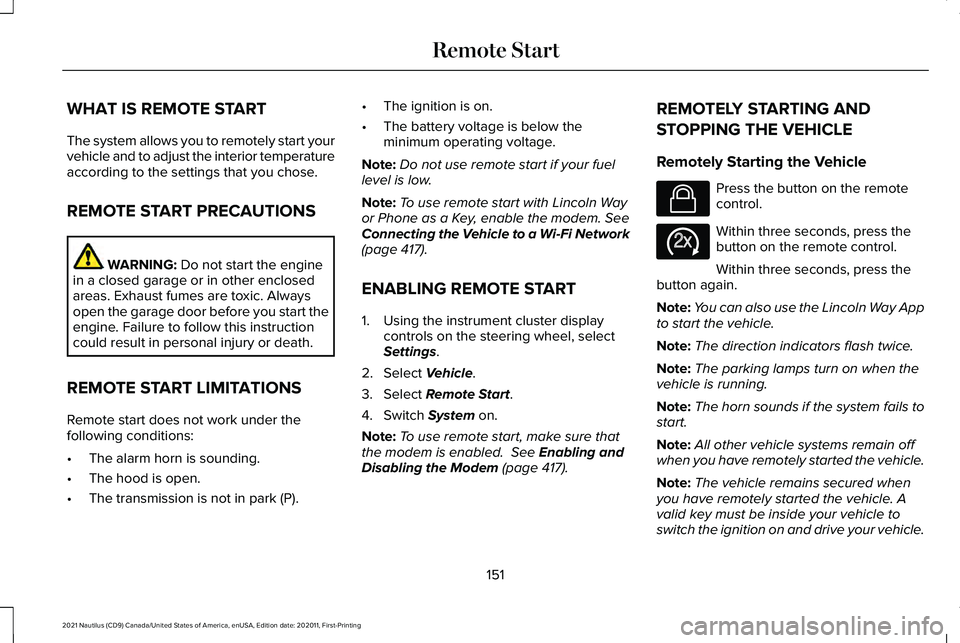
Remotely Starting the Vehicle Press the button on the remote
control.
Within three seconds, press the
button on the remote control.
Within three seconds, press the
button again.
Note: You can also use the Lincoln Way App
to start the vehicle.
Note: The direction indicators flash twice.
Note: The parking lamps turn on when the
vehicle is running.
Note: The horn sounds if the system fails to
start.
Note: All other vehicle systems remain off
when you have remotely started the vehicle.
Note: The vehicle remains secured when
you have remotely started the vehicle. A
valid key must be inside your vehicle to
switch the ignition on and drive your vehicle.
151
2021 Nautilus (CD9) Canada/United States of America, enUSA, Edition date: 202011, First-Printing Remote StartE138623 E138625
Page 173 of 579
WHAT IS THE REAR OCCUPANT
ALERT SYSTEM
The rear occupant alert system monitors
vehicle conditions and notifies you to check
for rear seat occupants when you switch the
ignition off.
HOW DOES THE REAR OCCUPANT
ALERT SYSTEM WORK
The system monitors when rear doors have
been opened and closed to indicate the
potential presence of an occupant in the rear
seat.
A message displays in the information and
entertainment display screen and an audible
warning sounds when you switch the ignition
off after any of the following conditions have
been met:
•
A rear door is opened or closed while
the ignition is on.
• You switch the ignition on within 15
minutes of a rear door opening and
closing.
• You switch the ignition on within 15
minutes of the alert having displayed or
sounded.
REAR OCCUPANT ALERT SYSTEM
PRECAUTIONS WARNING: On hot days, the
temperature inside the vehicle can rise
very quickly. Exposure of people or animals
to these high temperatures for even a short
time can cause death or serious heat
related injuries, including brain damage.
Small children are particularly at risk. WARNING:
Do not leave children or
pets unattended in your vehicle. Failure to
follow this instruction could result in
personal injury or death.
REAR OCCUPANT ALERT SYSTEM
LIMITATIONS
The system does not detect the presence of
objects or passengers in the rear seat. It
monitors when rear doors are opened and
closed.
Note: It is possible to receive an alert when
there is no rear seat occupant, but alert
conditions are met.
Note: It is possible to receive no alert when
there is an occupant in the rear seat, if alert
conditions are not met. For example, if a rear
seat occupant does not enter the vehicle
through a rear door.
Note: The audible warning does not sound
when the front door is opened before you
switch the ignition off.
169
2021 Nautilus (CD9) Canada/United States of America, enUSA, Edition date: 202011, First-Printing Rear Occupant Alert System
(If Equipped)
Page 175 of 579
HOW DOES THE MEMORY
FUNCTION WORK
The memory function recalls the position of
these features:
•
Driver seat.
• Power mirrors.
• Optional power steering column.
MEMORY FUNCTION
PRECAUTIONS WARNING: Before activating the
memory seat, make sure that the area
immediately surrounding the seat is clear
of obstructions and that all occupants are
clear of moving parts. WARNING:
Do not use the memory
function when your vehicle is moving. LOCATING THE MEMORY
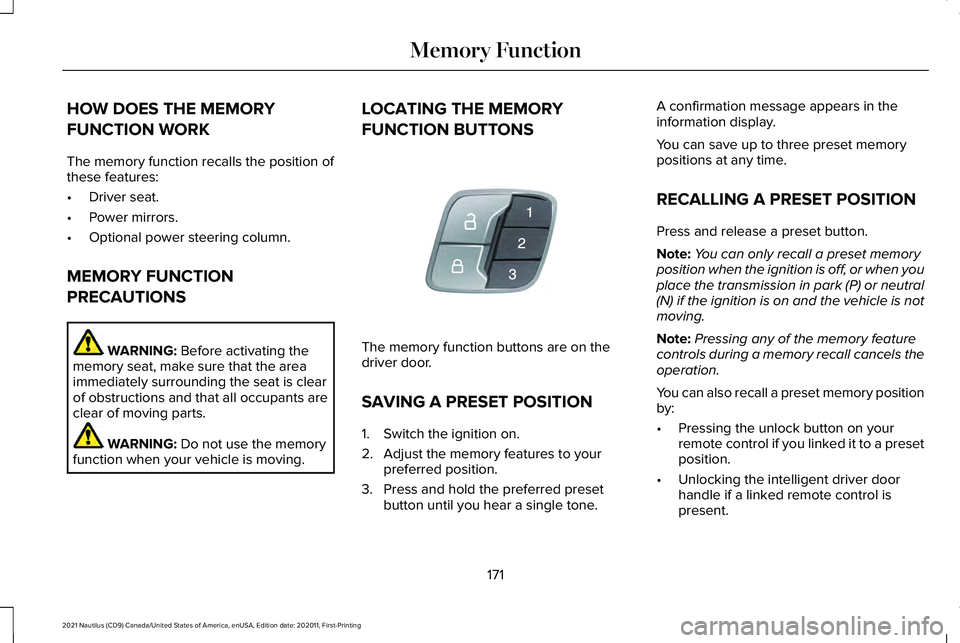
FUNCTION BUTTONS
The memory function buttons are on the
driver door.
SAVING A PRESET POSITION
1. Switch the ignition on.
2. Adjust the memory features to your
preferred position.
3. Press and hold the preferred preset button until you hear a single tone. A confirmation message appears in the
information display.
You can save up to three preset memory
positions at any time.
RECALLING A PRESET POSITION
Press and release a preset button.
Note:
You can only recall a preset memory
position when the ignition is off, or when you
place the transmission in park (P) or neutral
(N) if the ignition is on and the vehicle is not
moving.
Note: Pressing any of the memory feature
controls during a memory recall cancels the
operation.
You can also recall a preset memory position
by:
• Pressing the unlock button on your
remote control if you linked it to a preset
position.
• Unlocking the intelligent driver door
handle if a linked remote control is
present.
171
2021 Nautilus (CD9) Canada/United States of America, enUSA, Edition date: 202011, First-Printing Memory FunctionE142554
Page 176 of 579
Note:
Using a linked remote control to recall
your memory position when the ignition is
off moves the seat and steering column to
the easy entry position.
172
2021 Nautilus (CD9) Canada/United States of America, enUSA, Edition date: 202011, First-Printing Memory Function
Page 178 of 579
Note:
We recommend that upon the sale or
lease termination of your vehicle, you erase
the programmed function buttons for security
reasons. See Clearing the Garage Door
Opener (page 176).
GARAGE DOOR OPENER
LIMITATIONS
Canadian radio-frequency laws require
transmitter signals to time-out (or quit) after
several seconds – which may not be long
enough for HomeLink to pick up the signal.
U.S. gate operators time-out in the same
manner.
Note: If programming a garage door opener
or gate operator, it is advised to unplug the
device during the “cycling” process to
prevent possible overheating. PROGRAMMING THE GARAGE
DOOR OPENER TO YOUR HAND-
HELD TRANSMITTER
This process is to program your in-vehicle
HomeLink function button with your
hand-held transmitter.
Note:
The programming steps below assume
you will be programming HomeLink that was
not previously programmed. If your
HomeLink was previously programmed, you
may need to erase your HomeLink buttons.
See
Clearing the Garage Door Opener
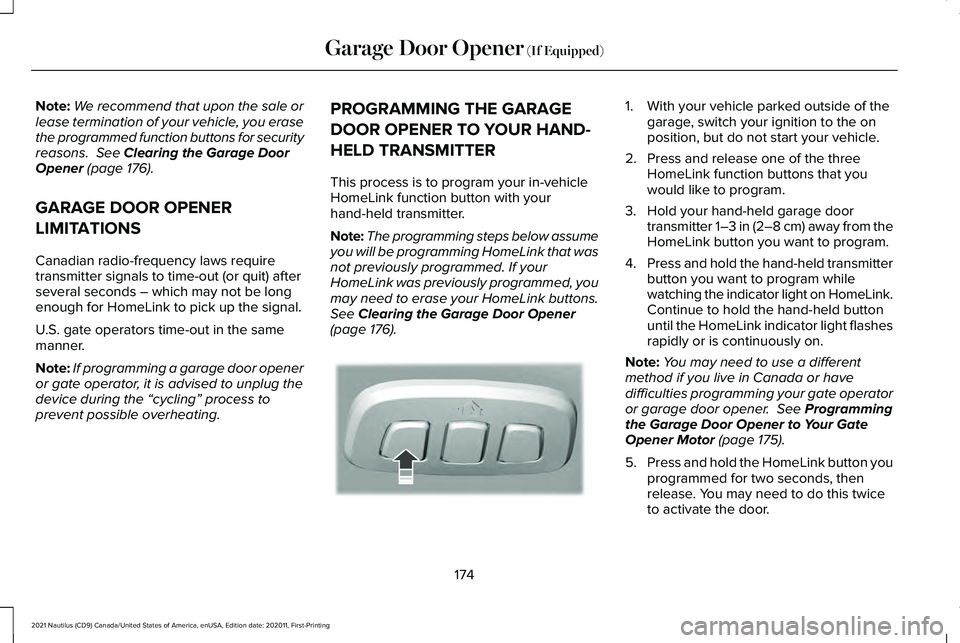
(page 176). 1. With your vehicle parked outside of the
garage, switch your ignition to the on
position, but do not start your vehicle.
2. Press and release one of the three HomeLink function buttons that you
would like to program.
3. Hold your hand-held garage door transmitter 1–3 in (2–8 cm) away from the
HomeLink button you want to program.
4. Press and hold the hand-held transmitter
button you want to program while
watching the indicator light on HomeLink.
Continue to hold the hand-held button
until the HomeLink indicator light flashes
rapidly or is continuously on.
Note: You may need to use a different
method if you live in Canada or have
difficulties programming your gate operator
or garage door opener.
See Programming
the Garage Door Opener to Your Gate
Opener Motor
(page 175).
5. Press and hold the HomeLink button you
programmed for two seconds, then
release. You may need to do this twice
to activate the door.
174
2021 Nautilus (CD9) Canada/United States of America, enUSA, Edition date: 202011, First-Printing Garage Door Opener
(If Equipped)E188212