light LINCOLN NAUTILUS 2021 Owner's Manual
[x] Cancel search | Manufacturer: LINCOLN, Model Year: 2021, Model line: NAUTILUS, Model: LINCOLN NAUTILUS 2021Pages: 579, PDF Size: 6.9 MB
Page 130 of 579
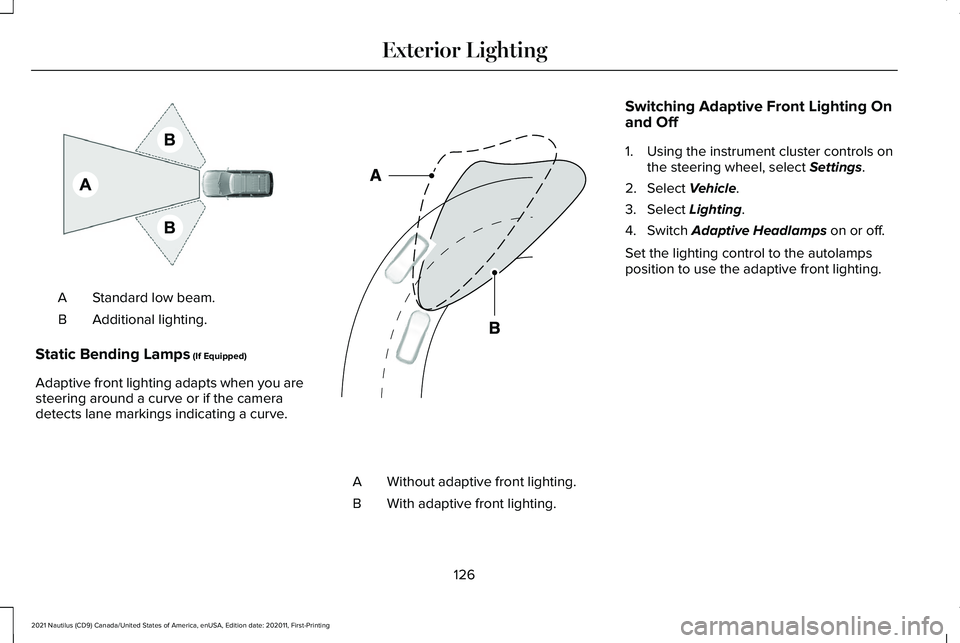
Standard low beam.
A
Additional lighting.
B
Static Bending Lamps (If Equipped)
Adaptive front lighting adapts when you are
steering around a curve or if the camera
detects lane markings indicating a curve. Without adaptive front lighting.
A
With adaptive front lighting.
B Switching Adaptive Front Lighting On
and Off
1. Using the instrument cluster controls on
the steering wheel, select
Settings.
2. Select
Vehicle.
3. Select
Lighting.
4. Switch
Adaptive Headlamps on or off.
Set the lighting control to the autolamps
position to use the adaptive front lighting.
126
2021 Nautilus (CD9) Canada/United States of America, enUSA, Edition date: 202011, First-Printing Exterior LightingE275680 E161714
Page 131 of 579
SWITCHING ALL OF THE INTERIOR
LAMPS ON AND OFF
The lamps turn on under the following
conditions:
•
You open any door.
• You press a button on the remote control.
• You press the all lamps on button on the
overhead console. Press to switch all interior lamps
on or off.
SWITCHING THE FRONT INTERIOR
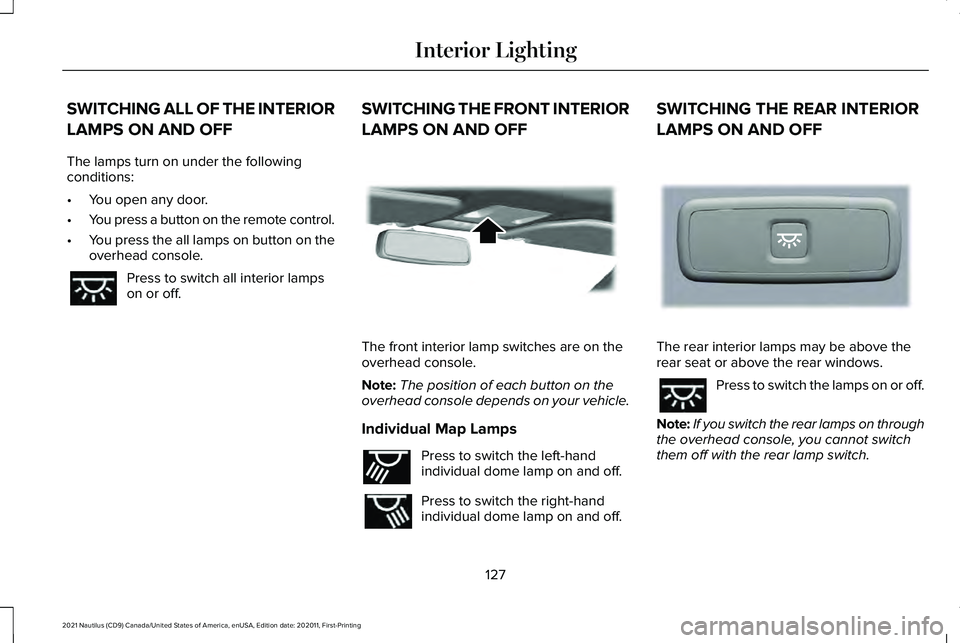
LAMPS ON AND OFF The front interior lamp switches are on the
overhead console.
Note:
The position of each button on the
overhead console depends on your vehicle.
Individual Map Lamps Press to switch the left-hand
individual dome lamp on and off.
Press to switch the right-hand
individual dome lamp on and off.SWITCHING THE REAR INTERIOR
LAMPS ON AND OFF
The rear interior lamps may be above the
rear seat or above the rear windows.
Press to switch the lamps on or off.
Note: If you switch the rear lamps on through
the overhead console, you cannot switch
them off with the rear lamp switch.
127
2021 Nautilus (CD9) Canada/United States of America, enUSA, Edition date: 202011, First-Printing Interior Lighting E262162 E262193 E281231
Page 132 of 579
INTERIOR LAMP FUNCTION
What Is the Interior Lamp Function
The interior lamp function switches the
courtesy and door lamps on or off.
Switching the Interior Lamp Function
On and Off
Press to switch the interior lamp
function on and off.
Note: The indicator lamp illuminates amber
when the door function is off.
ADJUSTING THE INSTRUMENT
PANEL LIGHTING BRIGHTNESS
The instrument lighting dimmer buttons are
on the lighting control. Repeatedly press one of the
buttons to adjust the brightness. AMBIENT LIGHTING (If Equipped)
Switching Ambient Lighting On and Off
1. Press Settings on the touchscreen.
2. Press
Vehicle Settings.
3. Press
Ambient Light.
4. Press a color.
Adjusting Ambient Lighting
Drag the selected color up or down. INTERIOR LIGHTING –
TROUBLESHOOTING
Interior Lighting – Frequently Asked
Questions
Why do my courtesy lamps or interior lamps
turn off when I have them switched on
when I switch my vehicle off ?
The battery saver turns the courtesy
lamps and interior lamps off after a short
period of time after you switch your
vehicle off.
128
2021 Nautilus (CD9) Canada/United States of America, enUSA, Edition date: 202011, First-Printing Interior Lighting E291299 E296433
Page 133 of 579
OPENING AND CLOSING THE
WINDOWS
WARNING: Do not leave children
unattended in your vehicle and do not let
them play with the power windows. Failure
to follow this instruction could result in
personal injury. WARNING:
When closing the power
windows, verify they are free of obstruction
and make sure that children and pets are
not in the proximity of the window
openings. Press the window control switch
to open the window. Lift the
window control switch to close the
window.
Note: The power windows operate with the
ignition on, and for several minutes after you
switch the ignition off or until you open a
front door. To reduce wind noise or pulsing noise when
one window is open, slightly open the
opposite window.
One-Touch Open
(If Equipped)
Fully press the window control switch and
release it. Press again or lift it to stop the
window.
One-Touch Close
(If Equipped)
Fully lift the window control switch and
release it. Press again or lift it to stop the
window.
Resetting One-Touch Close
Carry out all steps within 30 seconds of
starting the sequence.
1. Close the window.
2. Press and hold the window control switch
until the window is fully open. Keep the
window control switch pressed for a few
seconds. 3. Lift and hold the window control switch
until the window is fully closed. Keep the
window control switch held for a few
seconds.
4. Press and hold the window control switch
until the window is fully open. Keep the
window control switch pressed for a few
seconds.
5. Lift and hold the window control switch until the window is fully closed. Keep the
window control switch held for a few
seconds.
Note: Repeat the procedure if the window
does not close when you use one-touch.
Accessory Delay
The window switches remain operational for
several minutes when you switch the ignition
off or until you open either front door.
129
2021 Nautilus (CD9) Canada/United States of America, enUSA, Edition date: 202011, First-Printing Windows
Page 136 of 579
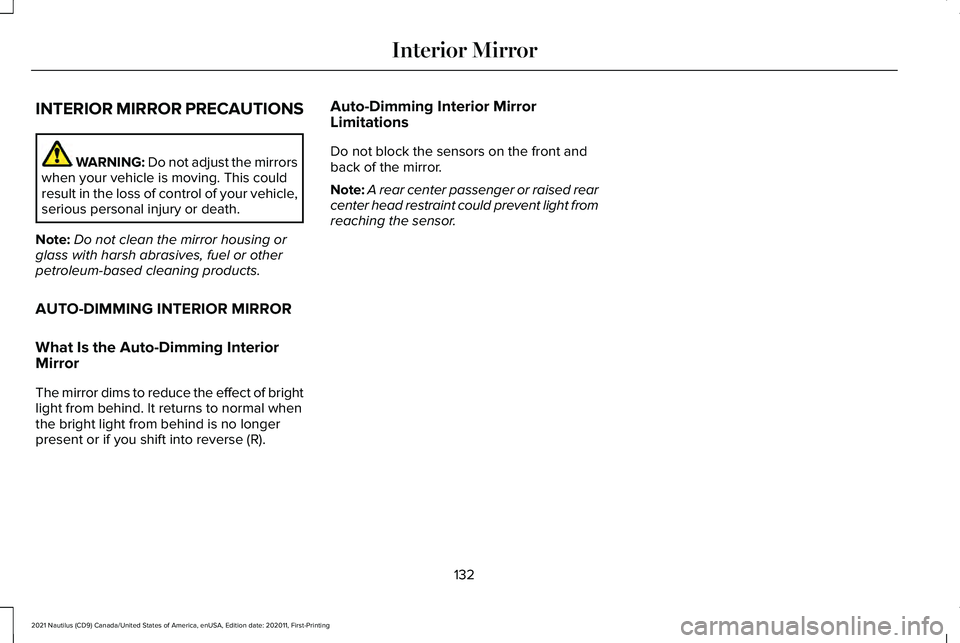
INTERIOR MIRROR PRECAUTIONS
WARNING: Do not adjust the mirrors
when your vehicle is moving. This could
result in the loss of control of your vehicle,
serious personal injury or death.
Note: Do not clean the mirror housing or
glass with harsh abrasives, fuel or other
petroleum-based cleaning products.
AUTO-DIMMING INTERIOR MIRROR
What Is the Auto-Dimming Interior
Mirror
The mirror dims to reduce the effect of bright
light from behind. It returns to normal when
the bright light from behind is no longer
present or if you shift into reverse (R). Auto-Dimming Interior Mirror
Limitations
Do not block the sensors on the front and
back of the mirror.
Note:
A rear center passenger or raised rear
center head restraint could prevent light from
reaching the sensor.
132
2021 Nautilus (CD9) Canada/United States of America, enUSA, Edition date: 202011, First-Printing Interior Mirror
Page 137 of 579
ADJUSTING THE EXTERIOR
MIRRORS
WARNING: Do not adjust the mirrors
when your vehicle is moving. This could
result in the loss of control of your vehicle,
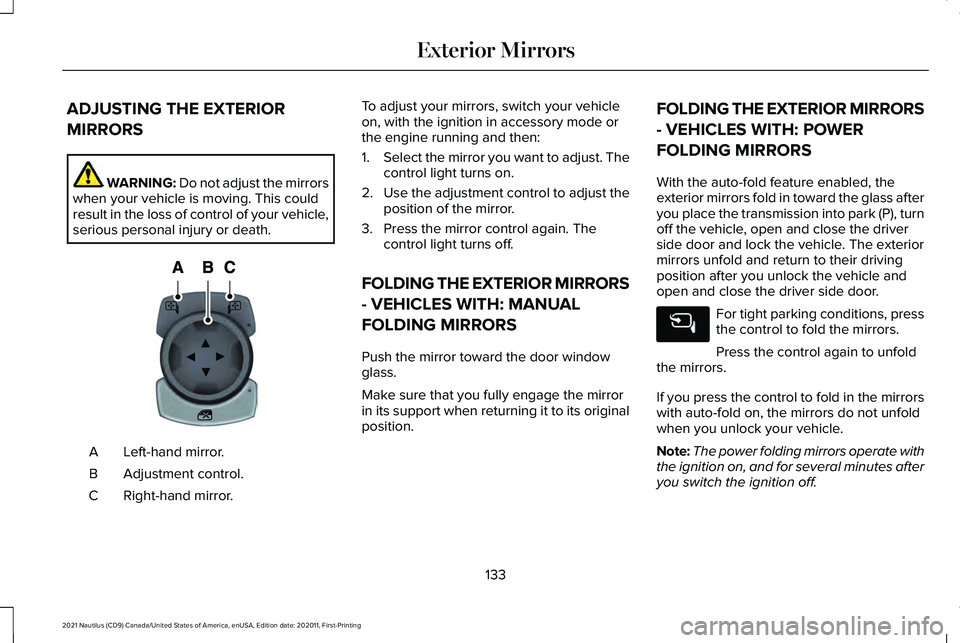
serious personal injury or death. Left-hand mirror.
A
Adjustment control.
B
Right-hand mirror.
C To adjust your mirrors, switch your vehicle
on, with the ignition in accessory mode or
the engine running and then:
1.
Select the mirror you want to adjust. The
control light turns on.
2. Use the adjustment control to adjust the
position of the mirror.
3. Press the mirror control again. The control light turns off.
FOLDING THE EXTERIOR MIRRORS
- VEHICLES WITH: MANUAL
FOLDING MIRRORS
Push the mirror toward the door window
glass.
Make sure that you fully engage the mirror
in its support when returning it to its original
position. FOLDING THE EXTERIOR MIRRORS
- VEHICLES WITH: POWER
FOLDING MIRRORS
With the auto-fold feature enabled, the
exterior mirrors fold in toward the glass after
you place the transmission into park (P), turn
off the vehicle, open and close the driver
side door and lock the vehicle. The exterior
mirrors unfold and return to their driving
position after you unlock the vehicle and
open and close the driver side door.
For tight parking conditions, press
the control to fold the mirrors.
Press the control again to unfold
the mirrors.
If you press the control to fold in the mirrors
with auto-fold on, the mirrors do not unfold
when you unlock your vehicle.
Note: The power folding mirrors operate with
the ignition on, and for several minutes after
you switch the ignition off.
133
2021 Nautilus (CD9) Canada/United States of America, enUSA, Edition date: 202011, First-Printing Exterior MirrorsE144073
Page 138 of 579
Note:
If you fold and unfold the mirrors
several times within one minute, the power
fold function may turn off to protect the
motors from overheating.
Switching Auto-fold On and Off
1. Press Settings on the touchscreen.
2. Press
Vehicle Settings.
3. Press
Mirrors.
4. Switch
Autofold on or off.
Loose Mirror
If you manually fold the power-folding
mirrors, they may not work properly even
after you re-position them. You need to reset
them if:
• The mirrors vibrate when you drive.
• The mirrors feel loose.
• The mirrors do not stay in the folded or
unfolded position.
• One of the mirrors is not in its normal
driving position. To reset the power-fold feature, use the
power-folding mirror control to fold and
unfold the mirrors. You may hear a loud noise
as you reset the power-folding mirrors. This
sound is normal. Repeat this process as
needed each time you manually fold the
mirrors.
AUTO-DIMMING EXTERIOR MIRROR
What Is the Auto-Dimming Exterior
Mirror
The driver exterior mirror dims when the
interior auto-dimming mirror turns on.
Memory Mirrors
(If Equipped)
You can save and recall the mirror positions
through the memory function. See Memory
Function
(page 171).
Heated Exterior Mirrors
See
Switching the Heated Mirrors On and
Off (page 155). Signal Indicator Mirrors
(If Equipped)
The outer portion of the appropriate mirror
housing blinks when you switch on the turn
signal.
Lincoln Welcome Mat
Projection lights, on the bottom of the mirror
housings, project an image onto the ground
a short distance from the vehicle.
Blind Spot Monitor
See
What Is Blind Spot Information System
(page 273).
134
2021 Nautilus (CD9) Canada/United States of America, enUSA, Edition date: 202011, First-Printing Exterior Mirrors
Page 145 of 579
Malfunction Indicator Lamp
It illuminates when the ignition is
on and the engine is off, this is
normal operation. If it illuminates
when the engine is on this indicates that the
emission control system requires service. If
it flashes, have your vehicle checked
immediately. See Starting and Stopping the
Engine – Warning Lamps (page 191). See
Emission Law (page 546).
Oil Pressure It illuminates when the engine oil
pressure is low.
Powertrain Fault It illuminates when the powertrain
requires service. Have your
vehicle checked as soon as
possible. WHAT ARE THE INSTRUMENT
CLUSTER INDICATORS
Indicators notify you of various features that
are active on your vehicle.
INSTRUMENT CLUSTER
INDICATORS
Adaptive Cruise Control
See
Adaptive Cruise Control
(page 259).
Adaptive Steering See
Steering (page 232).
Airbag See
Airbags (page 63).Auto Hold See
Auto Hold (page 226).
Automatic High Beam See
Exterior Lighting (page 122).
Auto Start-Stop See
Auto-Start-Stop (page 194).
Blind Spot Information System See
Blind Spot Information
System (page 273).
Cruise Control
(If Equipped) See
Cruise Control (page 251).
141
2021 Nautilus (CD9) Canada/United States of America, enUSA, Edition date: 202011, First-Printing Instrument Cluster E144524 E223375 E67017 E197933 E197934 E151262 E71340
Page 146 of 579
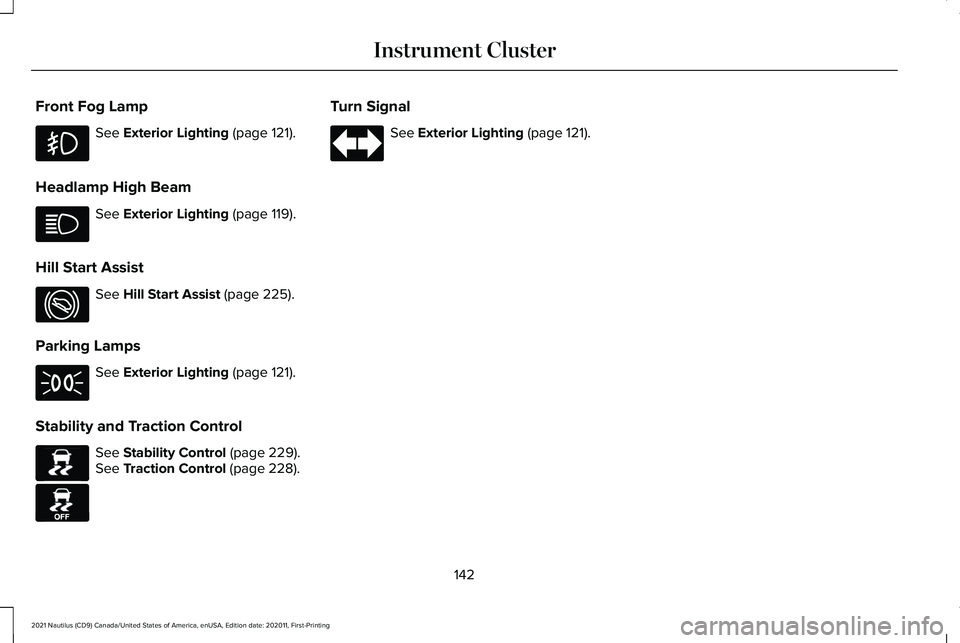
Front Fog Lamp
See Exterior Lighting (page 121).
Headlamp High Beam See
Exterior Lighting (page 119).
Hill Start Assist See
Hill Start Assist (page 225).
Parking Lamps See
Exterior Lighting (page 121).
Stability and Traction Control See
Stability Control (page 229).
See Traction Control (page 228). Turn Signal See
Exterior Lighting (page 121).
142
2021 Nautilus (CD9) Canada/United States of America, enUSA, Edition date: 202011, First-Printing Instrument Cluster E274708 E138639 E130458
Page 147 of 579
USING THE INSTRUMENT
CLUSTER DISPLAY CONTROLS
WARNING: Driving while distracted
can result in loss of vehicle control, crash
and injury. We strongly recommend that
you use extreme caution when using any
device that may take your focus off the
road. Your primary responsibility is the safe
operation of your vehicle. We recommend
against the use of any hand-held device
while driving and encourage the use of
voice-operated systems when possible.
Make sure you are aware of all applicable
local laws that may affect the use of
electronic devices while driving.
Note: Some options may appear slightly
different or not at all if the items are optional.
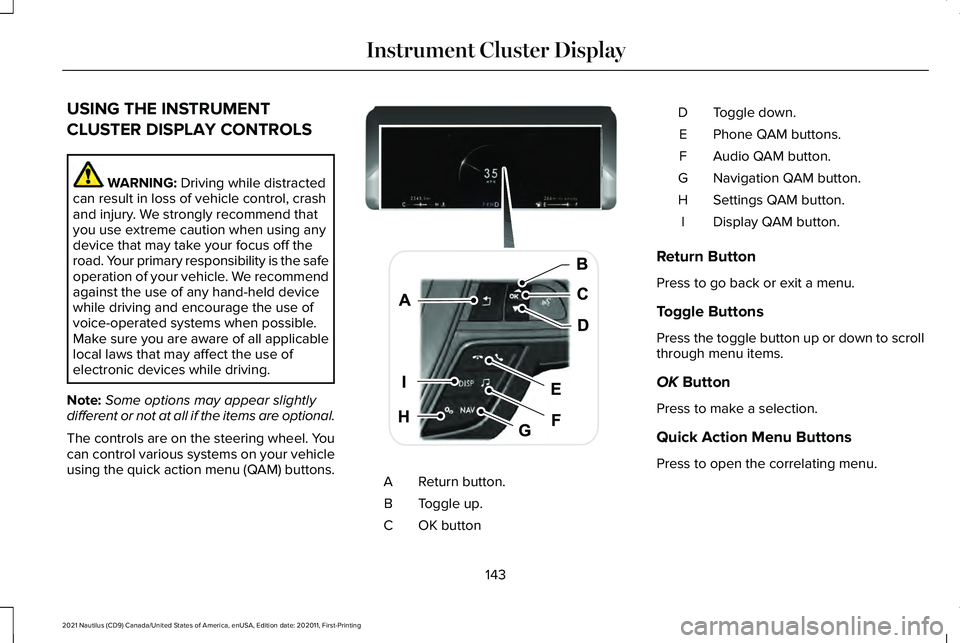
The controls are on the steering wheel. You
can control various systems on your vehicle
using the quick action menu (QAM) buttons. Return button.
A
Toggle up.
B
OK button
C Toggle down.
D
Phone QAM buttons.
E
Audio QAM button.
F
Navigation QAM button.
G
Settings QAM button.
H
Display QAM button.
I
Return Button
Press to go back or exit a menu.
Toggle Buttons
Press the toggle button up or down to scroll
through menu items.
OK
Button
Press to make a selection.
Quick Action Menu Buttons
Press to open the correlating menu.
143
2021 Nautilus (CD9) Canada/United States of America, enUSA, Edition date: 202011, First-Printing Instrument Cluster DisplayE247519