lock LINCOLN NAUTILUS 2021 Owner's Guide
[x] Cancel search | Manufacturer: LINCOLN, Model Year: 2021, Model line: NAUTILUS, Model: LINCOLN NAUTILUS 2021Pages: 579, PDF Size: 6.9 MB
Page 101 of 579
The anti-scan feature turns off after:
•
One minute of keypad inactivity.
• You press the unlock button on the
remote control.
• You switch the ignition on.
• You unlock your vehicle using intelligent
access. USING THE KEYLESS ENTRY
KEYPAD
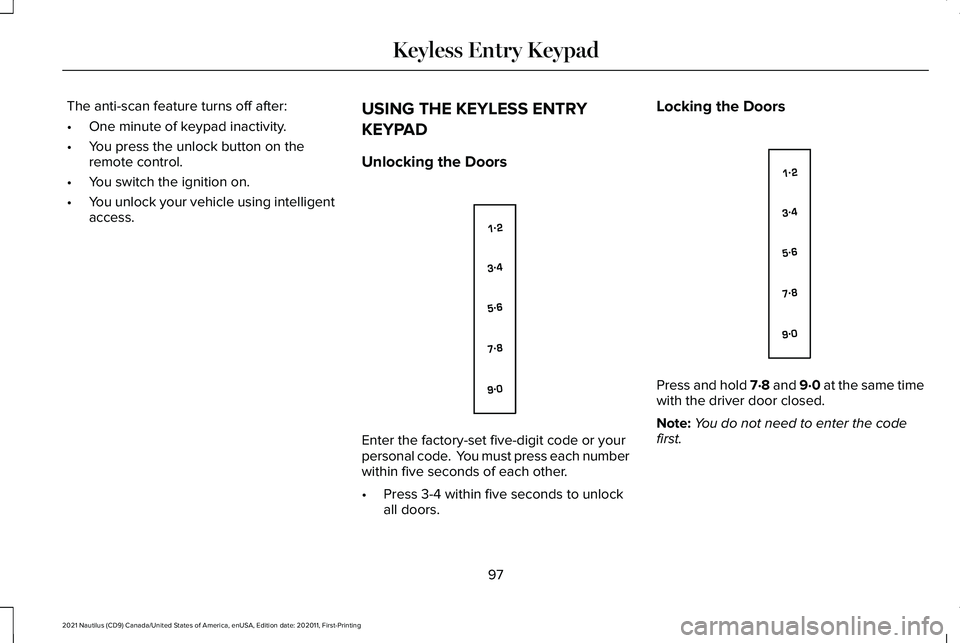
Unlocking the Doors Enter the factory-set five-digit code or your
personal code. You must press each number
within five seconds of each other.
•
Press 3-4 within five seconds to unlock
all doors. Locking the Doors
Press and hold 7·8 and 9·0 at the same time
with the driver door closed.
Note:
You do not need to enter the code
first.
97
2021 Nautilus (CD9) Canada/United States of America, enUSA, Edition date: 202011, First-Printing Keyless Entry KeypadE138637 E138637
Page 102 of 579
KEYLESS ENTRY KEYPAD –
TROUBLESHOOTING
Keyless Entry Keypad – Frequently
Asked Questions
Why does the keypad not accept the access
code?
If you enter the access code too fast on
the keypad, the unlock function may not
work. Slowly re-enter the access code.
Why does the keypad not function? The keypad goes into an anti-scan
mode if you enter a wrong code seven
times. The anti-scan mode disables the
keypad for one minute and the red light
flashes.
98
2021 Nautilus (CD9) Canada/United States of America, enUSA, Edition date: 202011, First-Printing Keyless Entry Keypad
Page 104 of 579
LIFTGATE PRECAUTIONS
WARNING: It is extremely dangerous
to ride in a cargo area, inside or outside of
a vehicle. In a crash, people riding in these
areas are more likely to be seriously
injured or killed. Do not allow people to
ride in any area of your vehicle that is not
equipped with seats and seatbelts. Make
sure everyone in your vehicle is in a seat
and properly using a seatbelt. Failure to
follow this warning could result in serious
personal injury or death. WARNING: Make sure that you fully
close the liftgate to prevent exhaust fumes
from entering your vehicle. If you are
unable to fully close the liftgate, open the
air vents or the windows to allow fresh air
to enter your vehicle. Failure to follow this
instruction could result in personal injury
or death. WARNING:
Keep keys out of reach
of children. Do not allow children to
operate or play near an open or moving
power liftgate. You should supervise the
operation of the power liftgate at all times.
OPENING THE LIFTGATE
Opening the Liftgate From Inside Your
Vehicle With the transmission in park (P),
press the button on the instrument
panel.
Note: Be careful when opening or closing
the liftgate in a garage or other enclosed
area to avoid damaging the liftgate.
Note: Do not hang anything, for example a
bike rack, from the glass or liftgate. This
could damage the liftgate and its
components.
Note: Do not leave the liftgate open while
driving. This could damage the liftgate and
its components. Opening the Liftgate From Outside
Your Vehicle
1. Unlock the liftgate with the remote
control or power door unlock control. If
a passive key is within
3 ft (1 m) of the
liftgate, the liftgate unlocks when you
press the liftgate release button. 2. Press and release the liftgate control
button.
100
2021 Nautilus (CD9) Canada/United States of America, enUSA, Edition date: 202011, First-Printing LiftgateE138633 E291416
Page 112 of 579
PASSIVE ANTI-THEFT SYSTEM
What Is the Passive Anti-Theft System
The passive anti-theft system prevents
someone from starting the vehicle with an
incorrectly coded key.
How Does the Passive Anti-Theft
System Work
The passive anti-theft system arms when you
switch the ignition off.
It disarms when the ignition is switched on
with a correctly coded key.
Note:
The system is not compatible with
non-Ford aftermarket remote start systems.
Note: Do not leave a duplicate coded key
in your vehicle. Always take the keys and
lock all doors when leaving your vehicle. ANTI-THEFT ALARM SYSTEM
What Is the Anti-Theft Alarm System
The Anti-Theft Alarm System warns you of
an unauthorized entry to your vehicle.
How Does the Anti-Theft Alarm System
Work
When armed, the anti-theft alarm is triggered
in any of the following ways:
•
If someone opens a door, the liftgate or
the hood without a correctly coded key
or remote control.
• If you turn the power on without a
correctly coded key.
• If the interior sensors detect movement
inside your vehicle.
• If the inclination sensors detect an
attempt to raise your vehicle.
• If someone disconnects the vehicle
battery or the battery backup alarm. If the anti-theft alarm is triggered, the alarm
horn sounds for 30 seconds and the
direction indicators flash for 5 minutes.
Any further attempts to carry out one of the
above sounds the alarm again.
What Is the Perimeter Alarm
The perimeter alarm is designed to detect
unauthorized access to your vehicle.
What Are the Interior Sensors
The interior sensors are designed to detect
any movement inside your vehicle.
The interior sensors are in the overhead
console.
Note:
Do not cover the interior sensors.
What Are the Inclination Sensors (If
Equipped)
The inclination sensor is designed to detect
an attempt to raise your vehicle, for example
to remove a wheel or to tow it away.
108
2021 Nautilus (CD9) Canada/United States of America, enUSA, Edition date: 202011, First-Printing Security
Page 116 of 579
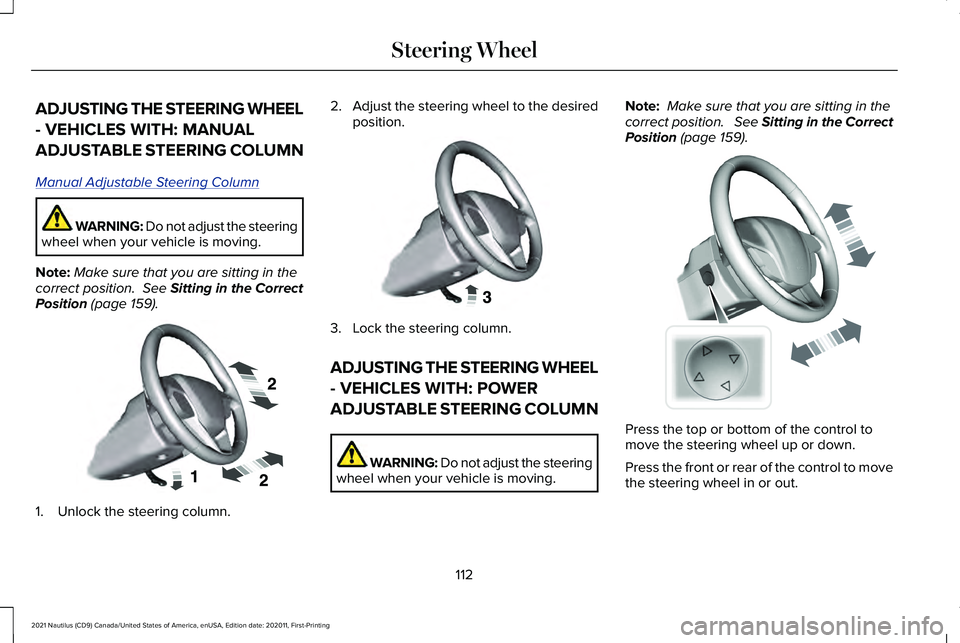
ADJUSTING THE STEERING WHEEL
- VEHICLES WITH: MANUAL
ADJUSTABLE STEERING COLUMN
Manual Adjustable S
teering Column
WARNING: Do not adjust the steering
wheel when your vehicle is moving.
Note: Make sure that you are sitting in the
correct position. See Sitting in the Correct
Position (page 159). 1. Unlock the steering column. 2.
Adjust the steering wheel to the desired
position. 3. Lock the steering column.
ADJUSTING THE STEERING WHEEL
- VEHICLES WITH: POWER
ADJUSTABLE STEERING COLUMN
WARNING: Do not adjust the steering
wheel when your vehicle is moving. Note:
Make sure that you are sitting in the
correct position. See Sitting in the Correct
Position
(page 159). Press the top or bottom of the control to
move the steering wheel up or down.
Press the front or rear of the control to move
the steering wheel in or out.
112
2021 Nautilus (CD9) Canada/United States of America, enUSA, Edition date: 202011, First-Printing Steering WheelE191039 E191047 E261582
Page 120 of 579
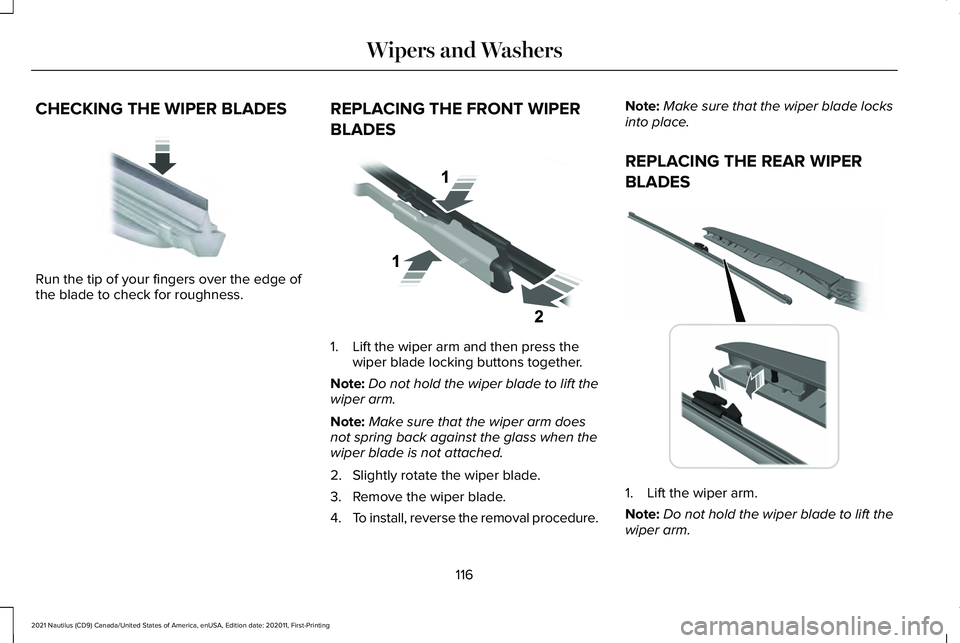
CHECKING THE WIPER BLADES
Run the tip of your fingers over the edge of
the blade to check for roughness.
REPLACING THE FRONT WIPER
BLADES 1. Lift the wiper arm and then press the
wiper blade locking buttons together.
Note: Do not hold the wiper blade to lift the
wiper arm.
Note: Make sure that the wiper arm does
not spring back against the glass when the
wiper blade is not attached.
2. Slightly rotate the wiper blade.
3. Remove the wiper blade.
4. To install, reverse the removal procedure. Note:
Make sure that the wiper blade locks
into place.
REPLACING THE REAR WIPER
BLADES 1. Lift the wiper arm.
Note:
Do not hold the wiper blade to lift the
wiper arm.
116
2021 Nautilus (CD9) Canada/United States of America, enUSA, Edition date: 202011, First-Printing Wipers and WashersE142463 E129990 E271380
Page 121 of 579
2. Remove the wiper blade.
Note:
Make sure that the wiper arm does
not spring back against the glass when the
wiper blade is not attached.
3. To install, reverse the removal procedure.
Note: Make sure that the wiper blade locks
into place.
WASHERS
Washer Precautions WARNING: If you operate your
vehicle in temperatures below 41°F (5°C),
use washer fluid with antifreeze protection.
Failure to use washer fluid with antifreeze
protection in cold weather could result in
impaired windshield vision and increase
the risk of injury or accident.
Do not operate the washers when the
washer reservoir is empty. This could cause
the washer pump to overheat. Keep the outside of the windshield clean.
The rain sensor is very sensitive and the
wipers may operate if dirt, mist or insects hit
the windshield.
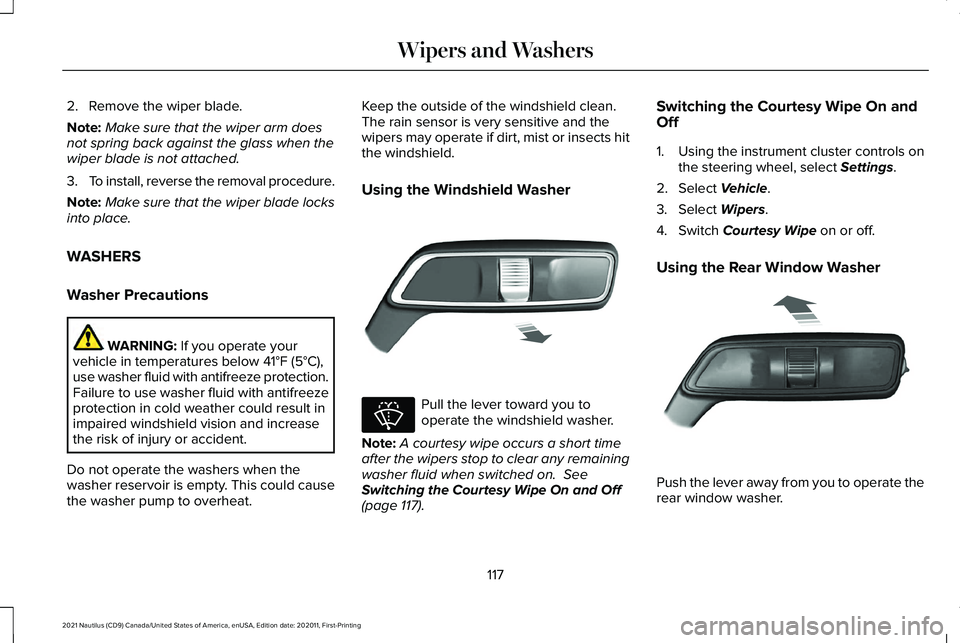
Using the Windshield Washer
Pull the lever toward you to
operate the windshield washer.
Note: A courtesy wipe occurs a short time
after the wipers stop to clear any remaining
washer fluid when switched on.
See
Switching the Courtesy Wipe On and Off
(page
117). Switching the Courtesy Wipe On and
Off
1. Using the instrument cluster controls on
the steering wheel, select
Settings.
2. Select
Vehicle.
3. Select
Wipers.
4. Switch
Courtesy Wipe on or off.
Using the Rear Window Washer Push the lever away from you to operate the
rear window washer.
117
2021 Nautilus (CD9) Canada/United States of America, enUSA, Edition date: 202011, First-Printing Wipers and WashersE269412 E270967 E269727
Page 126 of 579
Daytime running lamps are always on unless
you switch on the headlamps or your vehicle
is in park (P).
Switching the Front Fog Lamps On and
Off (If Equipped)
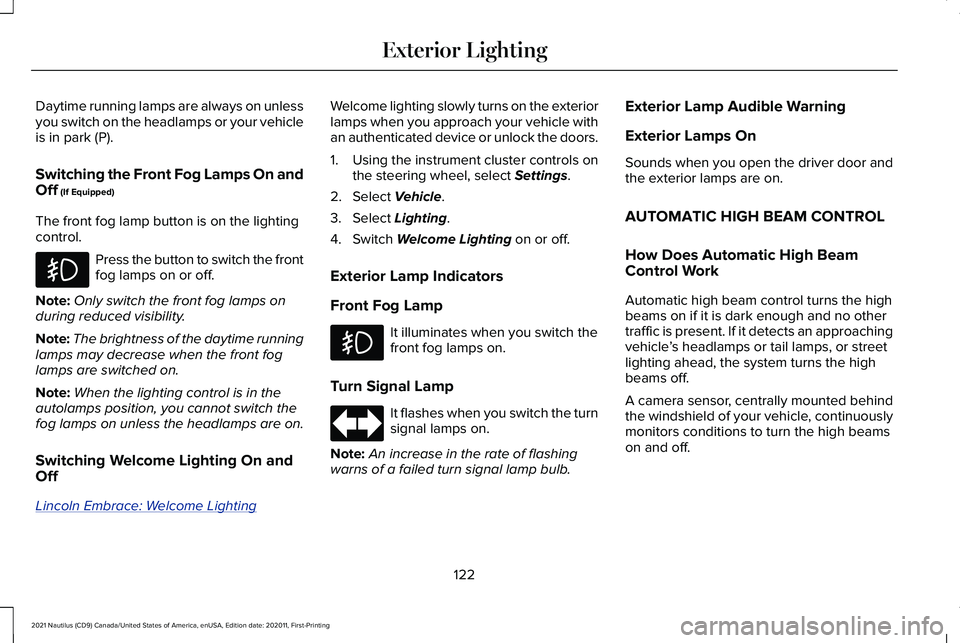
The front fog lamp button is on the lighting
control. Press the button to switch the front
fog lamps on or off.
Note: Only switch the front fog lamps on
during reduced visibility.
Note: The brightness of the daytime running
lamps may decrease when the front fog
lamps are switched on.
Note: When the lighting control is in the
autolamps position, you cannot switch the
fog lamps on unless the headlamps are on.
Switching Welcome Lighting On and
Off
Lincoln Embrace: W elcome Lighting Welcome lighting slowly turns on the exterior
lamps when you approach your vehicle with
an authenticated device or unlock the doors.
1. Using the instrument cluster controls on
the steering wheel, select Settings.
2. Select
Vehicle.
3. Select
Lighting.
4. Switch
Welcome Lighting on or off.
Exterior Lamp Indicators
Front Fog Lamp It illuminates when you switch the
front fog lamps on.
Turn Signal Lamp It flashes when you switch the turn
signal lamps on.
Note: An increase in the rate of flashing
warns of a failed turn signal lamp bulb. Exterior Lamp Audible Warning
Exterior Lamps On
Sounds when you open the driver door and
the exterior lamps are on.
AUTOMATIC HIGH BEAM CONTROL
How Does Automatic High Beam
Control Work
Automatic high beam control turns the high
beams on if it is dark enough and no other
traffic is present. If it detects an approaching
vehicle
’s headlamps or tail lamps, or street
lighting ahead, the system turns the high
beams off.
A camera sensor, centrally mounted behind
the windshield of your vehicle, continuously
monitors conditions to turn the high beams
on and off.
122
2021 Nautilus (CD9) Canada/United States of America, enUSA, Edition date: 202011, First-Printing Exterior Lighting
Page 134 of 579
GLOBAL OPENING AND CLOSING
What Is Global Opening and Closing
You can use the remote control to open the
windows with the ignition off.
Using Global Opening
1. Press and release the unlock button on
the remote control.
2. Press and hold the unlock button on the
remote control.
3. Release the button when the windows start to open.
Press the lock or the unlock button on the
remote control to stop global opening.
Note: You can use global opening for a short
period of time when you unlock your vehicle
using the remote control.
Switching Global Opening On and Off
1. Access the vehicle drawer on the touchscreen. 2. Press Settings.
3. Press
Vehicle.
4. Press
Windows.
5. Switch
Remote Open on or off.
Using Global Closing WARNING:
When closing the power
windows, verify they are free of obstruction
and make sure that children and pets are
not in the proximity of the window
openings.
1. Press and hold the lock button on the remote control.
2. Release the button when the windows start to close.
Press the lock or the unlock button on the
remote control to stop global closing.
Note: Bounce-back is on during global
closing. See What Is Window Bounce-Back
(page
130). Switching Global Closing On and Off
1. Access the vehicle drawer on the
touchscreen.
2. Press
Settings.
3. Press
Vehicle.
4. Press
Windows.
5. Switch
Remote Close on or off.
WINDOW BOUNCE-BACK
What Is Window Bounce-Back
The window stops and reverses if it detects
an obstruction when closing.
Overriding Window Bounce-Back WARNING:
If you override
bounce-back, the window does not reverse
if it detects an obstacle. Take care when
closing the windows to avoid personal
injury or damage to your vehicle.
130
2021 Nautilus (CD9) Canada/United States of America, enUSA, Edition date: 202011, First-Printing Windows
Page 135 of 579
1. Close the window until it reaches the
point of resistance and let it reverse.
2. Lift and hold the window control switch within two seconds to override
bounce-back and close the window.
Bounce-back is now disabled and you
can close the window manually.
Note: The window goes past the point of
resistance and you can fully close it.
Note: If the window does not close, have
your vehicle checked as soon as possible.
LOCKING THE REAR WINDOW
CONTROLS Press the window control switch
to lock or unlock the rear window
controls. It illuminates when you
lock the rear window controls.
131
2021 Nautilus (CD9) Canada/United States of America, enUSA, Edition date: 202011, First-Printing Windows