fuel LINCOLN NAUTILUS 2022 Owners Manual
[x] Cancel search | Manufacturer: LINCOLN, Model Year: 2022, Model line: NAUTILUS, Model: LINCOLN NAUTILUS 2022Pages: 586, PDF Size: 13.97 MB
Page 8 of 586
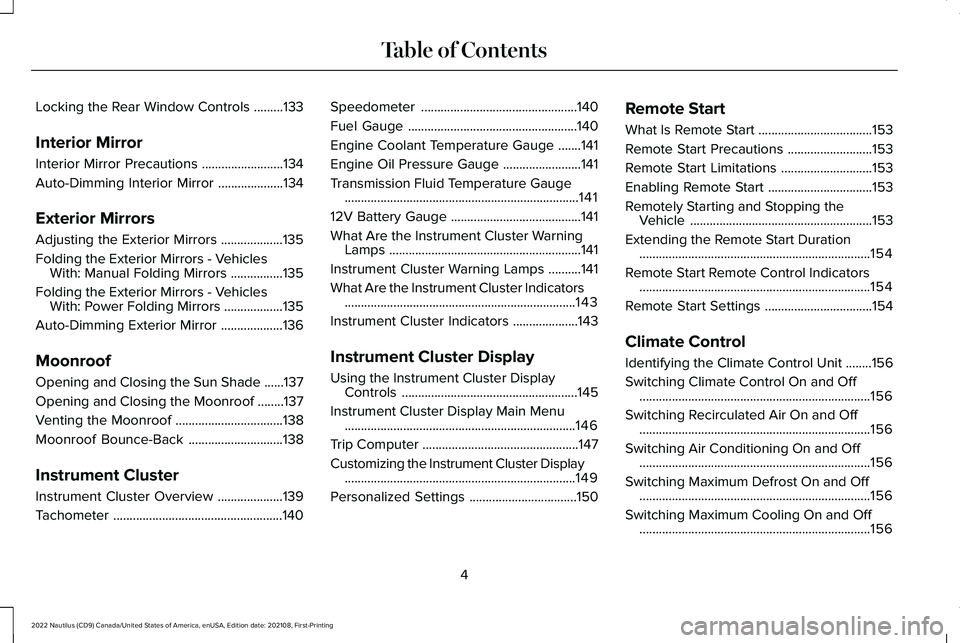
Locking the Rear Window Controls.........133
Interior Mirror
Interior Mirror Precautions.........................134
Auto-Dimming Interior Mirror....................134
Exterior Mirrors
Adjusting the Exterior Mirrors...................135
Folding the Exterior Mirrors - VehiclesWith: Manual Folding Mirrors................135
Folding the Exterior Mirrors - VehiclesWith: Power Folding Mirrors..................135
Auto-Dimming Exterior Mirror...................136
Moonroof
Opening and Closing the Sun Shade......137
Opening and Closing the Moonroof........137
Venting the Moonroof.................................138
Moonroof Bounce-Back.............................138
Instrument Cluster
Instrument Cluster Overview....................139
Tachometer....................................................140
Speedometer................................................140
Fuel Gauge....................................................140
Engine Coolant Temperature Gauge.......141
Engine Oil Pressure Gauge........................141
Transmission Fluid Temperature Gauge........................................................................141
12V Battery Gauge........................................141
What Are the Instrument Cluster WarningLamps...........................................................141
Instrument Cluster Warning Lamps..........141
What Are the Instrument Cluster Indicators.......................................................................143
Instrument Cluster Indicators....................143
Instrument Cluster Display
Using the Instrument Cluster DisplayControls......................................................145
Instrument Cluster Display Main Menu.......................................................................146
Trip Computer................................................147
Customizing the Instrument Cluster Display.......................................................................149
Personalized Settings.................................150
Remote Start
What Is Remote Start...................................153
Remote Start Precautions..........................153
Remote Start Limitations............................153
Enabling Remote Start................................153
Remotely Starting and Stopping theVehicle........................................................153
Extending the Remote Start Duration.......................................................................154
Remote Start Remote Control Indicators.......................................................................154
Remote Start Settings.................................154
Climate Control
Identifying the Climate Control Unit........156
Switching Climate Control On and Off.......................................................................156
Switching Recirculated Air On and Off.......................................................................156
Switching Air Conditioning On and Off.......................................................................156
Switching Maximum Defrost On and Off.......................................................................156
Switching Maximum Cooling On and Off.......................................................................156
4
2022 Nautilus (CD9) Canada/United States of America, enUSA, Edition date: 202108, First-PrintingTable of Contents
Page 10 of 586
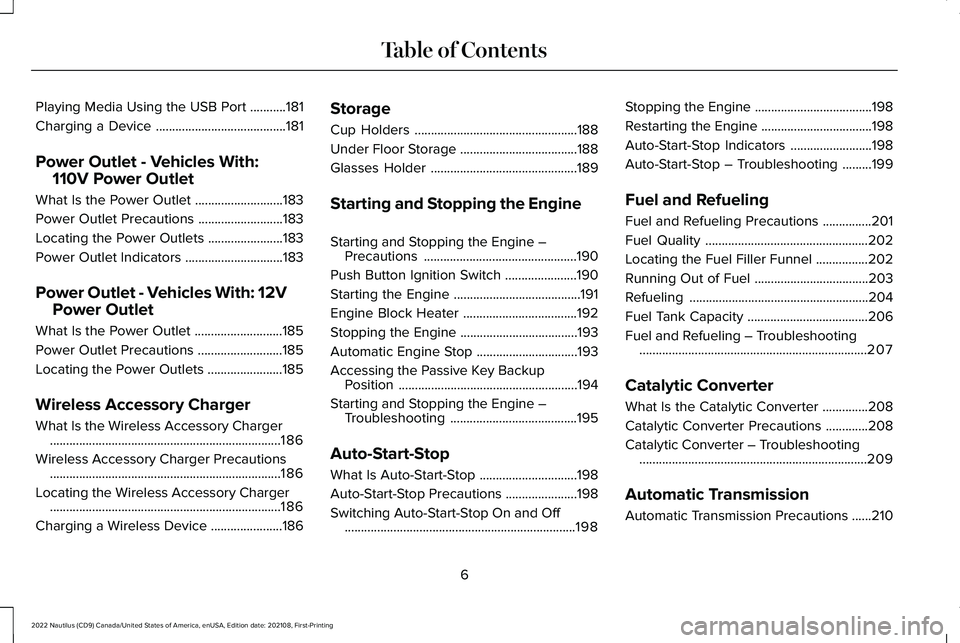
Playing Media Using the USB Port...........181
Charging a Device........................................181
Power Outlet - Vehicles With:
110V Power Outlet
What Is the Power Outlet...........................183
Power Outlet Precautions..........................183
Locating the Power Outlets.......................183
Power Outlet Indicators..............................183
Power Outlet - Vehicles With: 12V
Power Outlet
What Is the Power Outlet...........................185
Power Outlet Precautions..........................185
Locating the Power Outlets.......................185
Wireless Accessory Charger
What Is the Wireless Accessory Charger.......................................................................186
Wireless Accessory Charger Precautions.......................................................................186
Locating the Wireless Accessory Charger.......................................................................186
Charging a Wireless Device......................186
Storage
Cup Holders..................................................188
Under Floor Storage....................................188
Glasses Holder.............................................189
Starting and Stopping the Engine
Starting and Stopping the Engine –Precautions...............................................190
Push Button Ignition Switch......................190
Starting the Engine.......................................191
Engine Block Heater...................................192
Stopping the Engine....................................193
Automatic Engine Stop...............................193
Accessing the Passive Key BackupPosition.......................................................194
Starting and Stopping the Engine –Troubleshooting.......................................195
Auto-Start-Stop
What Is Auto-Start-Stop..............................198
Auto-Start-Stop Precautions......................198
Switching Auto-Start-Stop On and Off.......................................................................198
Stopping the Engine....................................198
Restarting the Engine..................................198
Auto-Start-Stop Indicators.........................198
Auto-Start-Stop – Troubleshooting.........199
Fuel and Refueling
Fuel and Refueling Precautions...............201
Fuel Quality..................................................202
Locating the Fuel Filler Funnel................202
Running Out of Fuel...................................203
Refueling.......................................................204
Fuel Tank Capacity.....................................206
Fuel and Refueling – Troubleshooting......................................................................207
Catalytic Converter
What Is the Catalytic Converter..............208
Catalytic Converter Precautions.............208
Catalytic Converter – Troubleshooting......................................................................209
Automatic Transmission
Automatic Transmission Precautions......210
6
2022 Nautilus (CD9) Canada/United States of America, enUSA, Edition date: 202108, First-PrintingTable of Contents
Page 15 of 586
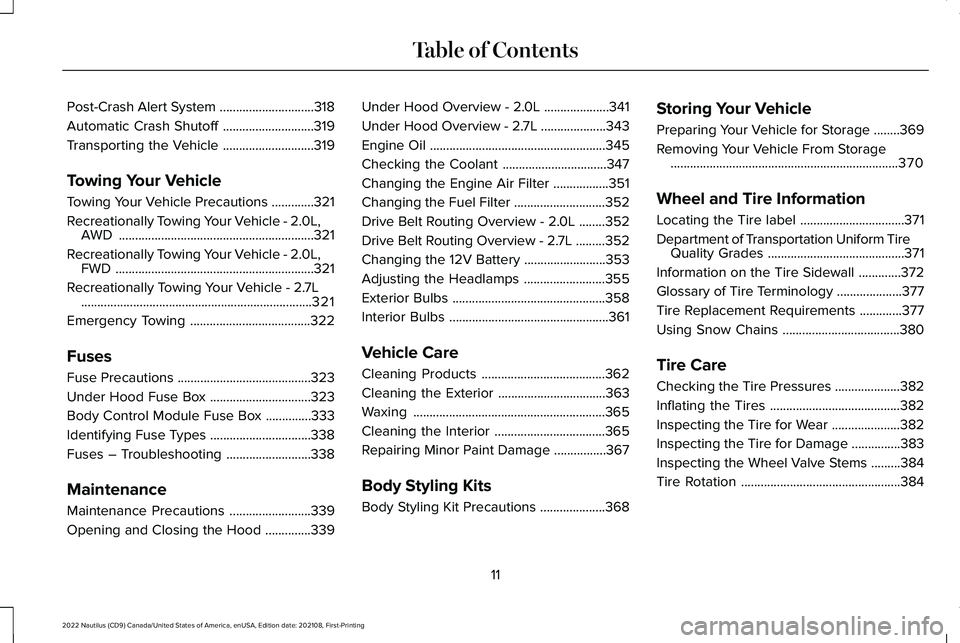
Post-Crash Alert System.............................318
Automatic Crash Shutoff............................319
Transporting the Vehicle............................319
Towing Your Vehicle
Towing Your Vehicle Precautions.............321
Recreationally Towing Your Vehicle - 2.0L,AWD............................................................321
Recreationally Towing Your Vehicle - 2.0L,FWD.............................................................321
Recreationally Towing Your Vehicle - 2.7L.......................................................................321
Emergency Towing.....................................322
Fuses
Fuse Precautions.........................................323
Under Hood Fuse Box...............................323
Body Control Module Fuse Box..............333
Identifying Fuse Types...............................338
Fuses – Troubleshooting..........................338
Maintenance
Maintenance Precautions.........................339
Opening and Closing the Hood..............339
Under Hood Overview - 2.0L....................341
Under Hood Overview - 2.7L....................343
Engine Oil......................................................345
Checking the Coolant................................347
Changing the Engine Air Filter.................351
Changing the Fuel Filter............................352
Drive Belt Routing Overview - 2.0L........352
Drive Belt Routing Overview - 2.7L.........352
Changing the 12V Battery.........................353
Adjusting the Headlamps.........................355
Exterior Bulbs...............................................358
Interior Bulbs.................................................361
Vehicle Care
Cleaning Products......................................362
Cleaning the Exterior.................................363
Waxing...........................................................365
Cleaning the Interior..................................365
Repairing Minor Paint Damage................367
Body Styling Kits
Body Styling Kit Precautions....................368
Storing Your Vehicle
Preparing Your Vehicle for Storage........369
Removing Your Vehicle From Storage......................................................................370
Wheel and Tire Information
Locating the Tire label................................371
Department of Transportation Uniform TireQuality Grades..........................................371
Information on the Tire Sidewall.............372
Glossary of Tire Terminology....................377
Tire Replacement Requirements.............377
Using Snow Chains....................................380
Tire Care
Checking the Tire Pressures....................382
Inflating the Tires........................................382
Inspecting the Tire for Wear.....................382
Inspecting the Tire for Damage...............383
Inspecting the Wheel Valve Stems.........384
Tire Rotation.................................................384
11
2022 Nautilus (CD9) Canada/United States of America, enUSA, Edition date: 202108, First-PrintingTable of Contents
Page 16 of 586
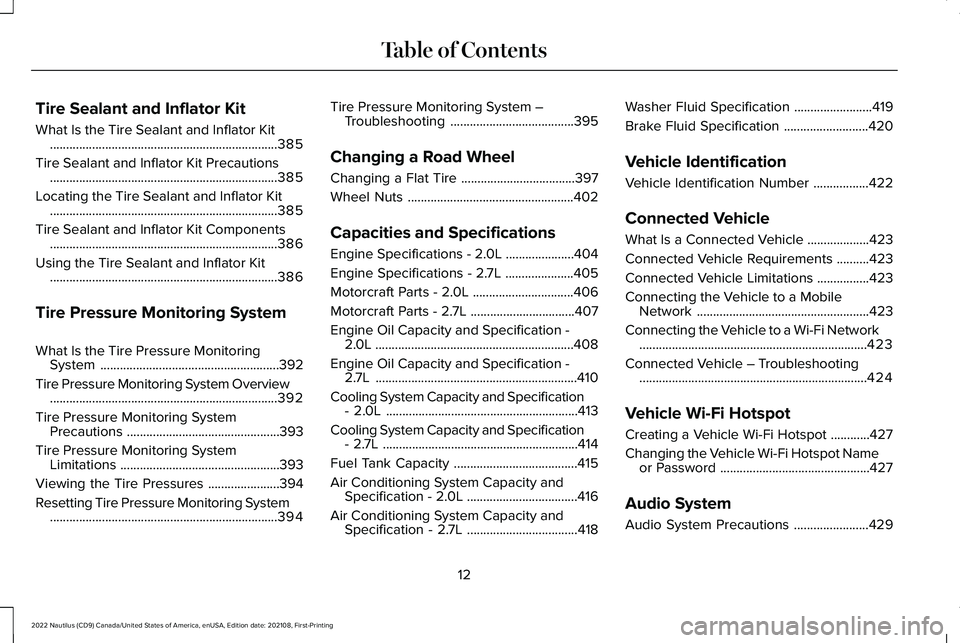
Tire Sealant and Inflator Kit
What Is the Tire Sealant and Inflator Kit......................................................................385
Tire Sealant and Inflator Kit Precautions......................................................................385
Locating the Tire Sealant and Inflator Kit......................................................................385
Tire Sealant and Inflator Kit Components......................................................................386
Using the Tire Sealant and Inflator Kit......................................................................386
Tire Pressure Monitoring System
What Is the Tire Pressure MonitoringSystem.......................................................392
Tire Pressure Monitoring System Overview......................................................................392
Tire Pressure Monitoring SystemPrecautions...............................................393
Tire Pressure Monitoring SystemLimitations.................................................393
Viewing the Tire Pressures......................394
Resetting Tire Pressure Monitoring System......................................................................394
Tire Pressure Monitoring System –Troubleshooting......................................395
Changing a Road Wheel
Changing a Flat Tire...................................397
Wheel Nuts...................................................402
Capacities and Specifications
Engine Specifications - 2.0L.....................404
Engine Specifications - 2.7L.....................405
Motorcraft Parts - 2.0L...............................406
Motorcraft Parts - 2.7L................................407
Engine Oil Capacity and Specification -2.0L.............................................................408
Engine Oil Capacity and Specification -2.7L..............................................................410
Cooling System Capacity and Specification- 2.0L...........................................................413
Cooling System Capacity and Specification- 2.7L............................................................414
Fuel Tank Capacity......................................415
Air Conditioning System Capacity andSpecification - 2.0L..................................416
Air Conditioning System Capacity andSpecification - 2.7L..................................418
Washer Fluid Specification........................419
Brake Fluid Specification..........................420
Vehicle Identification
Vehicle Identification Number.................422
Connected Vehicle
What Is a Connected Vehicle...................423
Connected Vehicle Requirements..........423
Connected Vehicle Limitations................423
Connecting the Vehicle to a MobileNetwork.....................................................423
Connecting the Vehicle to a Wi-Fi Network......................................................................423
Connected Vehicle – Troubleshooting......................................................................424
Vehicle Wi-Fi Hotspot
Creating a Vehicle Wi-Fi Hotspot............427
Changing the Vehicle Wi-Fi Hotspot Nameor Password..............................................427
Audio System
Audio System Precautions.......................429
12
2022 Nautilus (CD9) Canada/United States of America, enUSA, Edition date: 202108, First-PrintingTable of Contents
Page 23 of 586
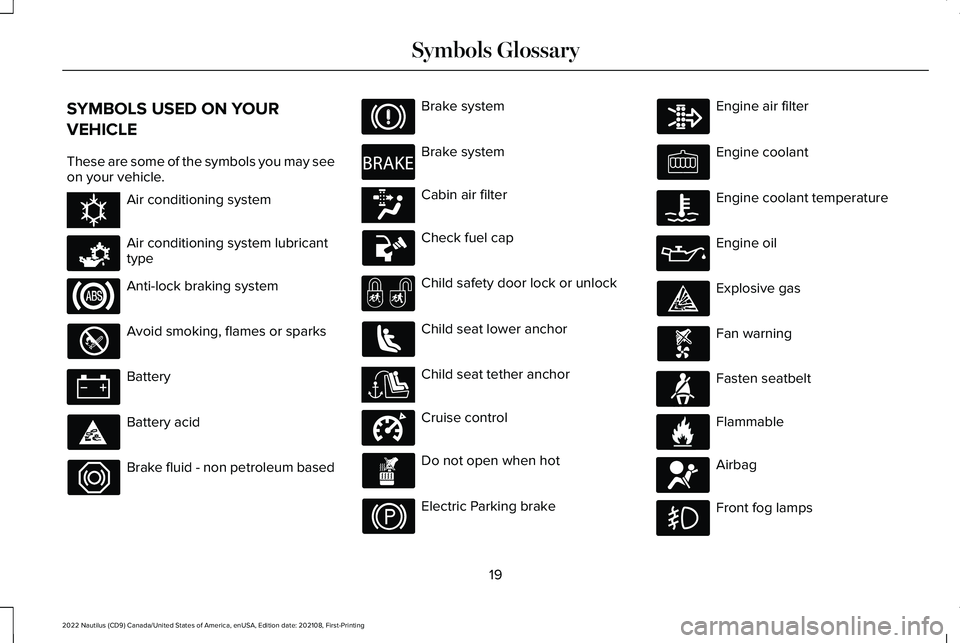
SYMBOLS USED ON YOUR
VEHICLE
These are some of the symbols you may seeon your vehicle.
Air conditioning system
Air conditioning system lubricanttype
Anti-lock braking system
Avoid smoking, flames or sparks
Battery
Battery acid
Brake fluid - non petroleum based
Brake system
Brake system
Cabin air filter
Check fuel cap
Child safety door lock or unlock
Child seat lower anchor
Child seat tether anchor
Cruise control
Do not open when hot
Electric Parking brake
Engine air filter
Engine coolant
Engine coolant temperature
Engine oil
Explosive gas
Fan warning
Fasten seatbelt
Flammable
Airbag
Front fog lamps
19
2022 Nautilus (CD9) Canada/United States of America, enUSA, Edition date: 202108, First-PrintingSymbols GlossaryE162384 E231157 E270480 E139223 E141128 E332905 E71880 E231160 E67017
Page 24 of 586
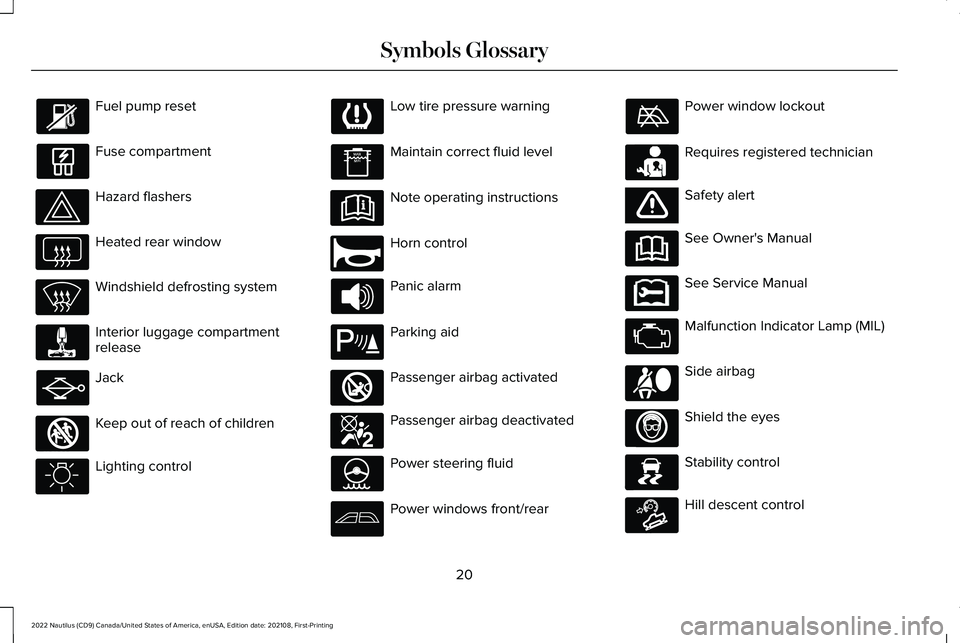
Fuel pump reset
Fuse compartment
Hazard flashers
Heated rear window
Windshield defrosting system
Interior luggage compartmentrelease
Jack
Keep out of reach of children
Lighting control
Low tire pressure warning
Maintain correct fluid level
Note operating instructions
Horn control
Panic alarm
Parking aid
Passenger airbag activated
Passenger airbag deactivated
Power steering fluid
Power windows front/rear
Power window lockout
Requires registered technician
Safety alert
See Owner's Manual
See Service Manual
Malfunction Indicator Lamp (MIL)
Side airbag
Shield the eyes
Stability control
Hill descent control
20
2022 Nautilus (CD9) Canada/United States of America, enUSA, Edition date: 202108, First-PrintingSymbols Glossary E161353 E270945 E139213 E270849 E270850 E231159 E65963 E231158 E167012 E138639 E163171
Page 26 of 586
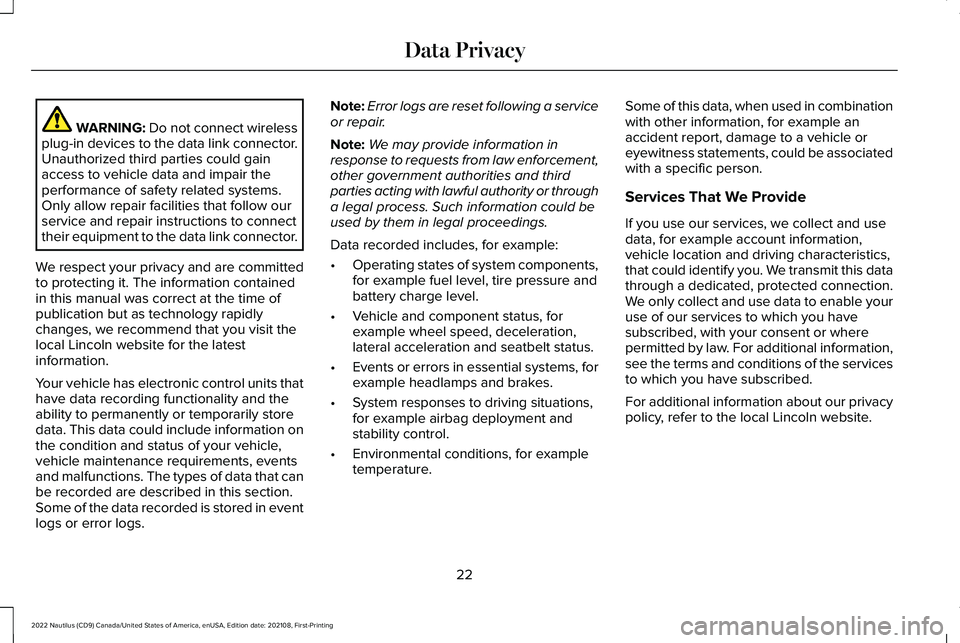
WARNING: Do not connect wirelessplug-in devices to the data link connector.Unauthorized third parties could gainaccess to vehicle data and impair theperformance of safety related systems.Only allow repair facilities that follow ourservice and repair instructions to connecttheir equipment to the data link connector.
We respect your privacy and are committedto protecting it. The information containedin this manual was correct at the time ofpublication but as technology rapidlychanges, we recommend that you visit thelocal Lincoln website for the latestinformation.
Your vehicle has electronic control units thathave data recording functionality and theability to permanently or temporarily storedata. This data could include information onthe condition and status of your vehicle,vehicle maintenance requirements, eventsand malfunctions. The types of data that canbe recorded are described in this section.Some of the data recorded is stored in eventlogs or error logs.
Note:Error logs are reset following a serviceor repair.
Note:We may provide information inresponse to requests from law enforcement,other government authorities and thirdparties acting with lawful authority or througha legal process. Such information could beused by them in legal proceedings.
Data recorded includes, for example:
•Operating states of system components,for example fuel level, tire pressure andbattery charge level.
•Vehicle and component status, forexample wheel speed, deceleration,lateral acceleration and seatbelt status.
•Events or errors in essential systems, forexample headlamps and brakes.
•System responses to driving situations,for example airbag deployment andstability control.
•Environmental conditions, for exampletemperature.
Some of this data, when used in combinationwith other information, for example anaccident report, damage to a vehicle oreyewitness statements, could be associatedwith a specific person.
Services That We Provide
If you use our services, we collect and usedata, for example account information,vehicle location and driving characteristics,that could identify you. We transmit this datathrough a dedicated, protected connection.We only collect and use data to enable youruse of our services to which you havesubscribed, with your consent or wherepermitted by law. For additional information,see the terms and conditions of the servicesto which you have subscribed.
For additional information about our privacypolicy, refer to the local Lincoln website.
22
2022 Nautilus (CD9) Canada/United States of America, enUSA, Edition date: 202108, First-PrintingData Privacy
Page 30 of 586
The cell phone profile, media device indexand diagnostic log remain in your vehicleunless you delete them and are generallyaccessible only in your vehicle when youconnect your cell phone or media device. Ifyou no longer plan to use the system or yourvehicle, we recommend you use the masterreset function to erase the storedinformation. See Performing a Master Reset(page 457).
System data cannot be accessed withoutspecial equipment and access to yourvehicle's module.
For additional information about our privacypolicy, refer to the local Lincoln website.
Note:To find out if your vehicle hasconnectivity technology, visitwww.ConnectedLincoln.com.
EMERGENCY CALL SYSTEM DATA
When the emergency call system is active,it may disclose to emergency services thatyour vehicle has been in a crash involvingthe deployment of an airbag or activation ofthe fuel pump shut-off. Certain versions orupdates to the emergency call system mayalso be capable of electronically or verballydisclosing to emergency services operatorsyour vehicle location or other details aboutyour vehicle or crash to assist emergencyservices operators to provide the mostappropriate emergency services. If you donot want to disclose this information, do notactivate the emergency call system.
Note:You cannot deactivate emergency callsystems that are required by law.
26
2022 Nautilus (CD9) Canada/United States of America, enUSA, Edition date: 202108, First-PrintingData Privacy
Page 78 of 586
WHAT IS 911 ASSIST
911 Assist is a SYNC system feature that cancall for help.
For more information, please refer to theregional Lincoln website.
HOW DOES 911 ASSIST WORK
If a crash deploys an airbag, excluding kneeairbags and rear inflatable seatbelts, oractivates the fuel pump shut-off, your vehiclemay be able to contact emergency servicesby dialing 911 through a paired andconnected Bluetooth®-enabled phone.
Not all crashes will deploy an airbag oractivate the fuel pump shut-off. If aconnected cell phone sustains damage orloses its connection to SYNC during a crash,SYNC will search for and try to connect to apreviously paired cell phone. SYNC will thenattempt to call the emergency services.
Before making the call:
•SYNC provides about 10 seconds tocancel the call. If you fail to cancel thecall, SYNC attempts to dial 911.
•SYNC says the following, or a similarmessage: "SYNC will attempt to call 911,to cancel the call, press Cancel on yourscreen or press and hold the phonebutton on your steering wheel."
If you do not cancel the call and SYNC makesa successful call a pre-recorded messageplays for the 911 operator. The occupants inyour vehicle are able to talk with theoperator. Be prepared to provide your name,phone number and location immediatelybecause not all 911 systems are capable ofreceiving this information electronically.
During an emergency call the systemtransmits vehicle data to the emergencyservice.
EMERGENCY CALL
REQUIREMENTS
WARNING: Do not wait for 911 Assistto make an emergency call if you can doit yourself. Dial emergency servicesimmediately to avoid delayed responsetime which could increase the risk ofserious injury or death after a crash. If youdo not hear 911 Assist within five secondsof the crash, the system or phone may bedamaged or non-functional.
WARNING: Always place your phonein a secure location in your vehicle so itdoes not become a projectile or getdamaged in a crash. Failure to do so maycause serious injury to someone ordamage the phone which could prevent911 Assist from working properly.
WARNING: Unless the 911 Assistsetting is set on before a crash, the systemwill not dial for help which could delayresponse time, potentially increasing therisk of serious injury or death after a crash.
74
2022 Nautilus (CD9) Canada/United States of America, enUSA, Edition date: 202108, First-Printing911 Assist
Page 89 of 586
PRINCIPLE OF OPERATION
MyKey allows you to program keys withrestricted driving modes to promote gooddriving habits. All but one of the keys can beactivated with these restricted modes.
Any keys that remain unprogrammed arereferred to as administrator keys or adminkeys. They can be used to:
•Create a MyKey.
•Program configurable MyKey settings.
•Clear all MyKey features.
When you have created a MyKey, you canaccess the following information by usingthe information display to determine:
•How many admin keys and MyKeys areprogrammed to your vehicle.
•The total distance your vehicle traveledwith a MyKey.
Note:Switch the vehicle on to use thesystem.
Note:All MyKeys are programmed to thesame settings. You cannot program themindividually.
Note:For vehicles with push-button start,when both a MyKey and an admin key arepresent, the vehicle will recognize the adminkey when you switch the vehicle on.
Non-Configurable Settings
The following settings cannot be changedby an admin key user:
•Seatbelt reminder. You cannot disablethis feature. The audio system will mutewhen the driver and front-seat passengerseatbelts are not fastened.
•Early low fuel or charge. The low-fuel orlow charge warning activates earlier,giving the MyKey user more time to refuelor recharge.
•Restricted touchscreen operation in somemarkets. For example, MyKey mayprevent manual navigation destinationinput when the vehicle is in any gearother than park (P), or when the vehiclereaches a certain rate of speed.
•Satellite radio adult content restrictions,if available on your vehicle.
Note:If a phone is connected using AppleCarPlay or Android Auto when driving witha MyKey, the driver can receive phone callsand text messages even if the do not disturbrestriction is on. If the vehicle comes withsatellite radio, the adult content is notrestricted.
Note:The audio system may not mute witha basic AM/FM radio.
Note:You may be able to turn the lanedeparture warning feature off, but thefeature will automatically re-activate withevery new key cycle.
Configurable Settings
With an admin key, you can configure certainMyKey settings when you first create aMyKey and before you restart the vehicle.You can also change the settings afterwardwith an admin key.
Note:Available vehicle features will appearin your information display, providing youwith choices to switch them on or off, or toselect a more specific setting.
85
2022 Nautilus (CD9) Canada/United States of America, enUSA, Edition date: 202108, First-PrintingMyKey™