battery LINCOLN NAUTILUS 2023 Owner's Manual
[x] Cancel search | Manufacturer: LINCOLN, Model Year: 2023, Model line: NAUTILUS, Model: LINCOLN NAUTILUS 2023Pages: 606, PDF Size: 13.57 MB
Page 134 of 606
INTERIOR LAMP FUNCTION
WHAT IS THE INTERIOR LAMPFUNCTION
The interior lamp function switches thecourtesy and door lamps on or off.
SWITCHING THE INTERIOR LAMPFUNCTION ON AND OFF
Press to switch the interior lampfunction on and off.
Note:The indicator lamp illuminates amberwhen the door function is off.
ADJUSTING THE INSTRUMENT
PANEL LIGHTING BRIGHTNESS
The instrument lighting dimmer buttons areon the lighting control.
Repeatedly press one of thebuttons to adjust the brightness.
AMBIENT LIGHTING (IF EQUIPPED)
SWITCHING AMBIENT LIGHTING ONAND OFF
1.Press Settings on the touchscreen.
2.Press Vehicle Settings.
3.Press Ambient Light.
4.Press a color.
ADJUSTING AMBIENT LIGHTING
Drag the selected color up or down.
INTERIOR LIGHTING –
TROUBLESHOOTING
INTERIOR LIGHTING – FREQUENTLYASKED QUESTIONS
Why do my courtesy lamps or interior lampsturn off when I have them switched onwhen I switch my vehicle off?
The battery saver turns the courtesylamps and interior lamps off after a shortperiod of time after you switch yourvehicle off.
130
2023 Nautilus (CD9) Canada/United States of America, enUSA, Edition date: 202207, DOMInterior Lighting E291299 E296433
Page 146 of 606
WHAT IS DISTANCE TO EMPTY
Indicates the approximate distance yourvehicle can travel on the fuel remaining inthe tank. Changes in driving pattern cancause the value to not only decrease but alsoincrease or stay constant for periods of time.
ENGINE COOLANT TEMPERATURE
GAUGE
Indicates the engine coolant temperature.
ENGINE OIL PRESSURE GAUGE
Indicates the engine oil pressure.
Note:This is a configurable gauge.
TRANSMISSION FLUID
TEMPERATURE GAUGE
Indicates the transmission fluid temperature.
Special operating conditions can causehigher than normal operating temperatures.See Special Operating ConditionsScheduled Maintenance (page 478).
Note:This is a configurable gauge.
12V BATTERY GAUGE
Indicates the power of the 12-volt battery.
WHAT ARE THE INSTRUMENT
CLUSTER WARNING LAMPS
Warning lamps alert you to a vehiclecondition that could become serious. Somelamps illuminate when you start your vehicleto make sure they work. If any lamps remainon after starting your vehicle, refer to therespective system warning lamp for furtherinformation.
INSTRUMENT CLUSTER WARNING
LAMPS
Anti-Lock Brake System
If it illuminates when you aredriving, this indicates that thesystem requires service. Yourvehicle continues to have normal brakingwithout the anti-lock brake system function. Have your vehicle checked as soon aspossible.
Battery
It illuminates when you switch theignition on.
If it illuminates when the engine isrunning, this indicates your vehicle requiresservice. Have your vehicle checked as soonas possible.
142
2023 Nautilus (CD9) Canada/United States of America, enUSA, Edition date: 202207, DOMInstrument ClusterE67020 E67021
Page 158 of 606
WHAT IS REMOTE START
The system allows you to remotely start yourvehicle and to adjust the interior temperatureaccording to the settings that you chose.
REMOTE START PRECAUTIONS
WARNING: Do not start the enginein a closed garage or in other enclosedareas. Exhaust fumes are toxic. Alwaysopen the garage door before you start theengine. Failure to follow this instructioncould result in personal injury or death.
REMOTE START LIMITATIONS
Remote start does not work under thefollowing conditions:
•The alarm horn is sounding.
•The hood is open.
•The transmission is not in park (P).
•The ignition is on.
•The battery voltage is below theminimum operating voltage.
Note:Do not use remote start if your fuellevel is low.
Note:To use remote start with Lincoln Wayor Phone as a Key, enable the modem. SeeConnecting Lincoln Way to the Modem(page 427).
ENABLING REMOTE START
1.Using the instrument cluster displaycontrols on the steering wheel, selectSettings.
2.Select Vehicle.
3.Select Remote Start.
4.Switch System on.
Note:To use remote start, make sure thatthe modem is enabled. See Enabling andDisabling the Modem (page 427).
REMOTELY STARTING AND
STOPPING THE VEHICLE
Remotely Starting the Vehicle
Press the button on the remotecontrol.
Within three seconds, press thebutton on the remote control.
Within three seconds, press thebutton again.
Note:You can also use the Lincoln Way appto start the vehicle.
Note:The turn signals flash twice.
Note:The parking lamps turn on when thevehicle is running.
Note:The horn sounds if the system fails tostart.
Note:All other vehicle systems remain offwhen you have remotely started the vehicle.
154
2023 Nautilus (CD9) Canada/United States of America, enUSA, Edition date: 202207, DOMRemote Start (If Equipped)E138623 E138625
Page 184 of 606
Note:You can program a maximum of threedevices. To change or replace any of thethree devices after they have been initiallyprogrammed, you must either clear all codes,or reprogram each individual button.
Note:We recommend that upon the sale orlease termination of your vehicle, you erasethe programmed function buttons for securityreasons.
Reprogramming the Garage DoorOpener
If a button on your garage door opener hasalready been programmed, you can overrideit. To program a device to a previouslytrained button:
1.Press and hold the desired button forapproximately 20 seconds until theindicator begins to flash.
2.Without releasing the button, proceed toStep 3 of Programming the Garage DoorOpener to your Handheld Transmitter.
Programming the Garage Door Openerto your Handheld Transmitter
Note:The programming steps below assumeyou are programming a HomeLink that wasnot previously programmed. If yourHomeLink was previously programmed, youmay need to clear or reprogram yourHomeLink buttons.
Note:Put a new battery in the handheldtransmitter. This allows for quicker trainingand accurate transmission of theradio-frequency signal.
Note:Make sure that the garage door andsecurity device are free from obstructionwhen you are programming. Do not programthe system with the vehicle in the garage.
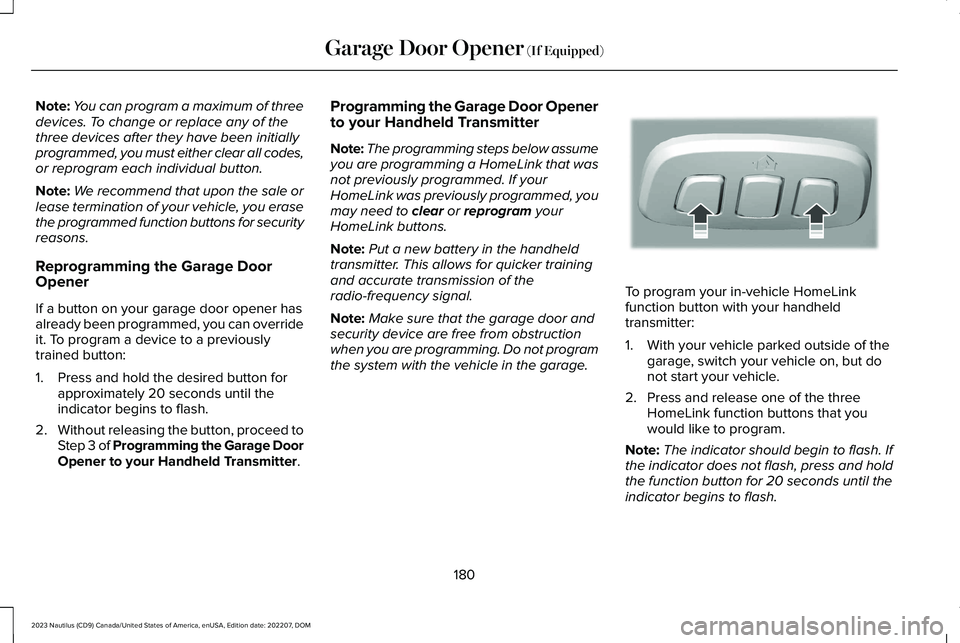
To program your in-vehicle HomeLinkfunction button with your handheldtransmitter:
1.With your vehicle parked outside of thegarage, switch your vehicle on, but donot start your vehicle.
2.Press and release one of the threeHomeLink function buttons that youwould like to program.
Note:The indicator should begin to flash. Ifthe indicator does not flash, press and holdthe function button for 20 seconds until theindicator begins to flash.
180
2023 Nautilus (CD9) Canada/United States of America, enUSA, Edition date: 202207, DOMGarage Door Opener (If Equipped)E188213
Page 189 of 606
WHAT IS THE POWER OUTLET
The power outlet is a socket that connectsan electrical device to your vehicle's powersupply.
POWER OUTLET PRECAUTIONS
WARNING: Do not keep electricaldevices plugged in the power pointwhenever the device is not in use. Do notuse any extension cord with the 110 voltAC power point, since it will defeat thesafety protection design. Doing so maycause the power point to overload due topowering multiple devices that can reachbeyond the 150 watt load limit and couldresult in fire or serious injury.
Note:The power point turns off when youswitch off the ignition, when the vehicle isnot in accessory mode, or when the batteryvoltage drops below 11 volts.
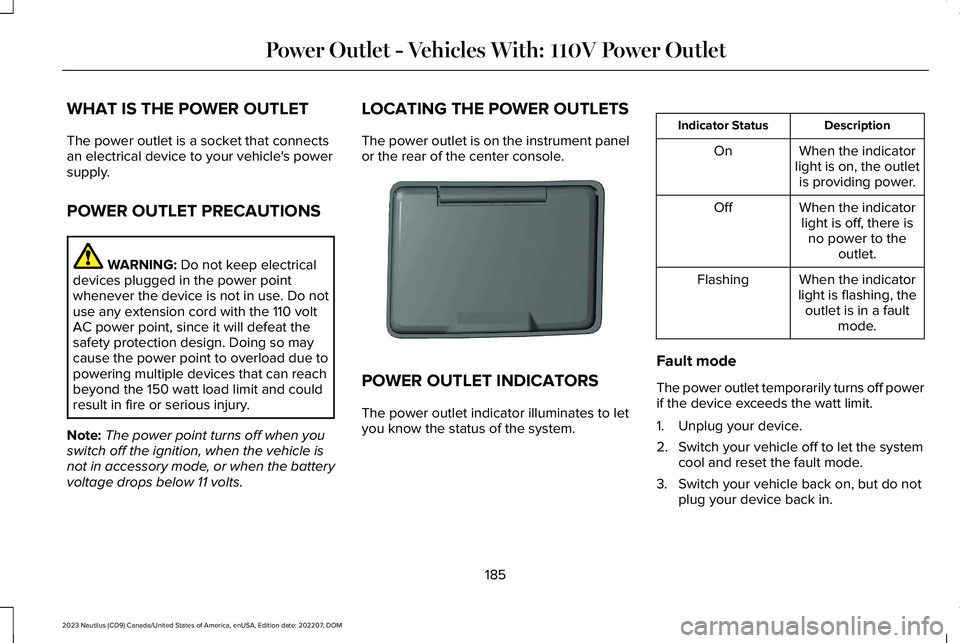
LOCATING THE POWER OUTLETS
The power outlet is on the instrument panelor the rear of the center console.
POWER OUTLET INDICATORS
The power outlet indicator illuminates to letyou know the status of the system.
DescriptionIndicator Status
When the indicatorlight is on, the outletis providing power.
On
When the indicatorlight is off, there isno power to theoutlet.
Off
When the indicatorlight is flashing, theoutlet is in a faultmode.
Flashing
Fault mode
The power outlet temporarily turns off powerif the device exceeds the watt limit.
1.Unplug your device.
2.Switch your vehicle off to let the systemcool and reset the fault mode.
3.Switch your vehicle back on, but do notplug your device back in.
185
2023 Nautilus (CD9) Canada/United States of America, enUSA, Edition date: 202207, DOMPower Outlet - Vehicles With: 110V Power OutletE353449
Page 191 of 606
WHAT IS THE POWER OUTLET
The power outlet can power devices usinga 12 V outlet adapter.
POWER OUTLET PRECAUTIONS
WARNING: Do not plug optionalelectrical accessories into the cigar lightersocket. Incorrect use of the cigar lightercan cause damage not covered by thevehicle warranty, and can result in fire orserious injury.
When you switch the vehicle on, you can usethe socket to power 12 V appliances with amaximum current rating of 20 A. Do not usethe power point over the vehicle capacity of12 V DC 240 W or a fuse could blow. Do notplug in any device that supplies power to thevehicle through the power points. This couldresult in damage to vehicle systems. Do nothang any accessory from the accessory plug.Always keep the power point caps closedwhen not in use. Do not insert objects otherthan an accessory plug into the power point.
To prevent the battery from running out ofcharge:
•Do not use the power point longer thannecessary when the vehicle is off.
•Do not leave devices plugged inovernight or when you park your vehiclefor extended periods.
LOCATING THE POWER OUTLETS
Power outlets may be in the followinglocations:
•On the lower instrument panel.
•Inside the center console.
•On the front of the center console.
•On the rear of the center console.
•In the cargo area.
•On the passenger side floor panel.
•3rd row on the quarter trim panels.
187
2023 Nautilus (CD9) Canada/United States of America, enUSA, Edition date: 202207, DOMPower Outlet - Vehicles With: 12V Power Outlet
Page 192 of 606
WHAT IS THE WIRELESS
ACCESSORY CHARGER
Wireless Charging Pad
The wireless accessory charger allows youto charge one compatible Qi wirelesscharging device on the charging area.
WIRELESS ACCESSORY CHARGER
PRECAUTIONS
WARNING: Wireless chargingdevices can affect the operation ofimplanted medical devices, includingcardiac pacemakers. If you have anyimplanted medical devices, we recommendthat you consult with your physician.
Keep the charging area clean and removeforeign objects prior to charging a device.
Do not place items with a magnetic strip orradio-frequency identification chip, forexample passports, parking tickets,transportation passes or credit cards, nearthe charging area when charging a device.Damage could occur to the magnetic stripor radio-frequency identification chip.
Do not place metal objects, for exampleremote controls, coins and candy wrappers,on or near the charging area when charginga device. Metal objects may heat up anddegrade the charging performance, inaddition to causing interruptions in charging.
Charging could be interrupted, degraded, orcould stop if any of the following occur:
•The system detects a foreign object.
•The device is misaligned on the chargingarea.
•The device moves on the active chargingarea when the vehicle is in motion.
•The vehicle ambient temperature is toohigh.
•You attempt to charge a non-Qicompatible device on the wirelesscharger.
Note:During charging, the device and thecharger could heat up, this is normal. If thebattery gets hotter than usual, the devicemay stop charging.
LOCATING THE WIRELESS
ACCESSORY CHARGER
The charging area is on the centerconsole or in the media bin belowthe instrument panel.
CHARGING A WIRELESS DEVICE
Place the device on the center of thecharging surface with the charging sidedown. The charging stops after your devicereaches a full charge.
You can use the charger when the vehicleis in accessory mode, when the vehicle isrunning, or when SYNC is on.
Displays on the status bar whenwireless charging is in progress.
188
2023 Nautilus (CD9) Canada/United States of America, enUSA, Edition date: 202207, DOMWireless Accessory Charger (If Equipped)E297549 E263583
Page 197 of 606
All electrical circuits and accessories areoperational and the warning lamps andindicators illuminate.
Note:Your vehicle has a battery saverfeature that shuts your vehicle off when itdetects a certain amount of battery drain, orafter approximately 30 minutes of inactivityin accessory mode.
Note:The system may not function if theremote control is close to metal objects orelectronic devices, for example keys or acell phone.
Note:You need a valid key inside yourvehicle to switch the ignition on and start theengine.
STARTING THE ENGINE
STARTING A GASOLINE ENGINE
Before starting your vehicle, check thefollowing:
•Make sure that the headlamps andelectrical accessories are off.
•Make sure that the parking brake is on.
•Make sure that the transmission is in park(P).
1.Fully press the brake pedal.
Note:Do not touch the accelerator pedal.
2.Press the push button ignition switch.
Note:The engine may continue cranking forup to 15 seconds or until it starts.
Note:The engine takes longer to start atlower temperatures. It may crank for severalseconds when very cold.
RESTARTING THE ENGINE AFTERSTOPPING IT
The system allows you to start the enginewithin 10 seconds of switching it off, even ifit does not detect a valid passive key.
Within 10 seconds of switching the engineoff, fully press the brake pedal and press thepush button ignition switch. After 10 seconds,you can no longer start the engine if thesystem does not detect a valid passive key.
When you start the engine, it remains runninguntil you press the push button ignitionswitch, even if your vehicle does not detecta valid passive key. If you open and close adoor when the engine is running, the systemsearches for a valid passive key.
193
2023 Nautilus (CD9) Canada/United States of America, enUSA, Edition date: 202207, DOMStarting and Stopping the EngineE357998
Page 200 of 606

AUTOMATIC ENGINE STOP (IF EQUIPPED)
WHAT IS AUTOMATIC ENGINE STOP
Automatic engine stop is a feature thatswitches the engine off if it has been idlingfor an extended period to help you save fuel.
HOW DOES AUTOMATIC ENGINESTOP WORK
Automatic engine stop turns the engine off.The ignition also turns off in order to savebattery power. Before the engine shutsdown, a message appears in the informationdisplay showing a timer counting down. Ifyou do not intervene within 30 seconds, theengine shuts down. Another messageappears in the information display to informyou that the engine has shut down in orderto save fuel. Start your vehicle as younormally do.
SWITCHING AUTOMATIC ENGINESTOP ON AND OFF
1.Press the menu button on the steeringwheel to enter the information displaymain menu.
2.Select Settings.
3.Switch Auto Engine Off or 30min MaxIdle on or off.
Note: You cannot permanently switch offthe automatic shutdown. If you switch it off,it turns on each time you switch the ignitionon.
OVERRIDING AUTOMATIC ENGINESTOP
You can stop the engine shutdown, or resetthe timer, at any point before the 30-secondcountdown has expired by doing any of thefollowing:
•Pressing the brake pedal or acceleratorpedal.
•Pressing the OK or RESET button duringthe countdown.
Note: You cannot permanently switch offthe automatic engine shutdown feature. When you switch it off temporarily, it turnson at the next ignition cycle.
ACCESSING THE PASSIVE KEY
BACKUP POSITION
If you are unable to start the engine, do thefollowing:
1.Open the floor console storagecompartment lid.
196
2023 Nautilus (CD9) Canada/United States of America, enUSA, Edition date: 202207, DOMStarting and Stopping the EngineE203693
Page 203 of 606
STARTING AND STOPPING THEENGINE – FREQUENTLY ASKEDQUESTIONS
Why is the engine idle speed high when Iam starting the engine?
The speed at which the engine idlesimmediately after starting is optimizedto minimize vehicle emissions andmaximize cabin comfort and fueleconomy.
Why does the engine not crank?
You can only attempt to start the enginefor a limited amount of time before thestarting system temporarily disables. Ifyou exceed the starting time limit, amessage may appear and you cannotattempt to start the engine for at least15 minutes.
Why do I experience different drivingcharacteristics?
If you disconnect the battery, yourvehicle may exhibit some unusualdriving characteristics for approximately5 mi (8 km) after you reconnect it. Thisis because the engine managementsystem must realign itself with theengine. You can disregard any unusualdriving characteristics during this period.
Why can I not start the engine?
If you cannot start the engine after 3attempts, wait 10 seconds and do thefollowing:
1.Fully press the brake pedal.
Note:Make sure that the parking brake isapplied.
Note:Make sure that the transmission is inpark (P) or neutral (N).
2.Fully press the accelerator pedal andhold it there.
3.Press the push button ignition switch.
Note:The engine cranks for a short periodof time and then it stops.
4.Release the accelerator pedal.
5.Press the push button ignition switch.
Why does the system not detect a passivekey?
If the system does not detect a passivekey and you are unable to start theengine, insert the passive key into thebackup position and press the pushbutton ignition switch to start theengine. See Accessing the Passive KeyBackup Position (page 196).
199
2023 Nautilus (CD9) Canada/United States of America, enUSA, Edition date: 202207, DOMStarting and Stopping the EngineE321258