phone LINCOLN NAUTILUS 2023 Owner's Guide
[x] Cancel search | Manufacturer: LINCOLN, Model Year: 2023, Model line: NAUTILUS, Model: LINCOLN NAUTILUS 2023Pages: 606, PDF Size: 13.57 MB
Page 451 of 606
Do Not Disturb
Reject incoming calls and switch ring tonesand alerts off.
Phone Keypad
Directly dial a number.
Voice Control
Press the button and say a command to usethe Google or Siri voice assistant availableon your connected phone to accesssupported features.
Note:Some features under the phone menumay not be available if the feature is notsupported through the phone.
447
2023 Nautilus (CD9) Canada/United States of America, enUSA, Edition date: 202207, DOMPhone
Page 452 of 606
MAKING AND RECEIVING A
PHONE CALL
Making Calls
To call a number in your contacts, select:
Action and DescriptionMenu Item
You can then select thename of the contact youwant to call. Any numbersstored for that contactdisplay along with anystored contact photos. Youcan then select the numberthat you want to call. Thesystem begins the call.
Contacts
To call a number from your recent calls,select:
Action and DescriptionMenu Item
You can then select an entrythat you want to call. Thesystem begins the call.
Recent CallList
To call a number from your favorites, select:
Action and DescriptionMenu Item
You can then select an entrythat you want to call. Thesystem begins the call.
Favorites
To call a number that is not stored in yourphone, select:
Action and DescriptionMenu Item
Select the digits of thenumber you wish to call.PhoneKeypad
The system begins the call.Call
Pressing the backspace button deletes thelast digit you typed.
Receiving Calls
During an incoming call, an audible tonesounds. Caller information appears in thedisplay if it is available.
To accept the call, select:
Menu Item
Accept
Note:You can also accept the call bypressing the phone button on the steeringwheel.
To reject the call, select:
Menu Item
Reject
Ignore the call by doing nothing. The systemlogs it as a missed call.
During a Phone Call
During a phone call, the contacts name andnumber display on the screen along with thecall duration.
The phone status items are also visible:
•Signal Strength.
•Battery.
448
2023 Nautilus (CD9) Canada/United States of America, enUSA, Edition date: 202207, DOMPhone
Page 453 of 606
You can select any of the following duringan active phone call:Item
Immediately end aphone call. You canalso press the buttonon the steeringwheel.
End Call
Press this to accessthe phone keypad.Keypad
You can switch themicrophone off sothe caller does nothear you.
Mute
Transfer the phonecall audio to the cellphone or back to thetouchscreen.
Privacy
449
2023 Nautilus (CD9) Canada/United States of America, enUSA, Edition date: 202207, DOMPhone
Page 454 of 606
SENDING AND RECEIVING A TEXT MESSAGE
DescriptionMenu Item
Hear the text message.Hear It
View the text message.View
Call the sender.Call
Reply to the text message with a standard text message.Reply
450
2023 Nautilus (CD9) Canada/United States of America, enUSA, Edition date: 202207, DOMPhone
Page 455 of 606
SWITCHING TEXT MESSAGE
NOTIFICATION ON AND OFF
The settings on your device must be enabledto receive text message notifications on thecenter display. Check your device settingsto enable these features.
451
2023 Nautilus (CD9) Canada/United States of America, enUSA, Edition date: 202207, DOMPhone
Page 458 of 606
5.Select the app that you want to use onthe touchscreen.
Note:Some devices may lose the ability toplay music over USB when Mobile Apps areenabled.
Note:Some apps may run through AndroidAuto if it is enabled.
Note:Closing an app on your device willclose it on the touchscreen.
Note:For troubleshooting assistance selectMobile Apps List under Mobile Apps Help.
SWITCHING APPLE CARPLAY ON
AND OFF
Enabling Apple CarPlay with USB
1.Connect your device to a USB port.
2.Follow the instructions on your deviceand the touchscreen.
Note:Selecting "Enable Wireless CarPlay"on your device prepares the device forwireless CarPlay when you re-enter thevehicle.
Enabling Apple CarPlay with Wireless
1.Pair your device to Bluetooth®.
2.Follow the instructions on your deviceand the touchscreen.
Disabling Apple CarPlay
Select the settings option on thefeature bar.
1.Press Phone List.
2.Select your device from the list.
3.Press Disable.
Re-Enabling Apple CarPlay
Select the settings option on thefeature bar.
1.Press Phone List.
2.Select your device from the list.
3.Press Connect to Apple CarPlay.
SWITCHING ANDROID AUTO ON
AND OFF
Enabling Android Auto with USB (If
Equipped)
1.Connect your device to a USB port.
2.Follow the instructions on thetouchscreen.
Note:Certain features of the system are notavailable when you are using Android Auto.
Enabling Android Auto with Wireless
1.Pair your device to Bluetooth®.
2.Follow the instructions on your deviceand the touchscreen.
Note:Certain Android Devices do notsupport Android Auto Wireless. Please checkyour Android OS version for compatibility.
Disabling Android Auto
Select the settings option on thefeature bar.
1.Press Phone List.
454
2023 Nautilus (CD9) Canada/United States of America, enUSA, Edition date: 202207, DOMAppsE280315 E280315 E280315
Page 459 of 606
2.Select your device from the list.
3.Press Disable.
Re-Enabling Android Auto
Select the settings option on thefeature bar.
1.Press Phone List.
2.Select your device from the list.
3.Press Connect to Android Auto.
455
2023 Nautilus (CD9) Canada/United States of America, enUSA, Edition date: 202207, DOMAppsE280315
Page 469 of 606
For a complete listing of the accessories thatare available for your vehicle, please contactyour authorized dealer or visit the onlinestore website:
Web Address (United States)
https://accessories.lincoln.com/
Web Address (Canada)
www.lincolncanada.com
We will repair or replace any properlyauthorized dealer-installed Lincoln OriginalAccessory found to be defective infactory-supplied materials or workmanshipduring the warranty period, as well as anycomponent damaged by the defectiveaccessories.
We will warrant your Lincoln OriginalAccessory through the warranty that providesthe greatest benefit:
•24 months, unlimited mileage.
•The remainder of your new vehiclelimited warranty.
Lincoln Licensed Accessories
The accessory manufacturer designs,develops and therefore warrants LincolnLicensed Accessories, and does not designor test these accessories to Lincolnengineering requirements. Contact anauthorized Lincoln dealer for the accessorymanufacturer's limited warranty details andrequest a copy of the Lincoln LicensedAccessories product limited warranty fromthe accessory manufacturer. See yourwarranty guide for more information.
For maximum vehicle performance, keep thefollowing information in mind when addingaccessories or equipment to your vehicle:
•When adding accessories, equipment,passengers and luggage to your vehicle,do not exceed the total weight capacityof the vehicle or of the front or rear axle(GVWR or GAWR as indicated on theSafety Compliance Certification label). Ask an authorized dealer for specificweight information.
•The Federal CommunicationsCommission (FCC) and Canadian RadioTelecommunications Commission (CRTC)regulate the use of mobilecommunications systems that have radiotransmitters, for example two-way radios,telephones and theft alarms. Any suchequipment installed in your vehicleshould comply with FederalCommunications Commission (FCC) andCanadian Radio TelecommunicationsCommission (CRTC) regulations andshould only be installed by an authorizeddealer.
465
2023 Nautilus (CD9) Canada/United States of America, enUSA, Edition date: 202207, DOMAccessories
Page 490 of 606
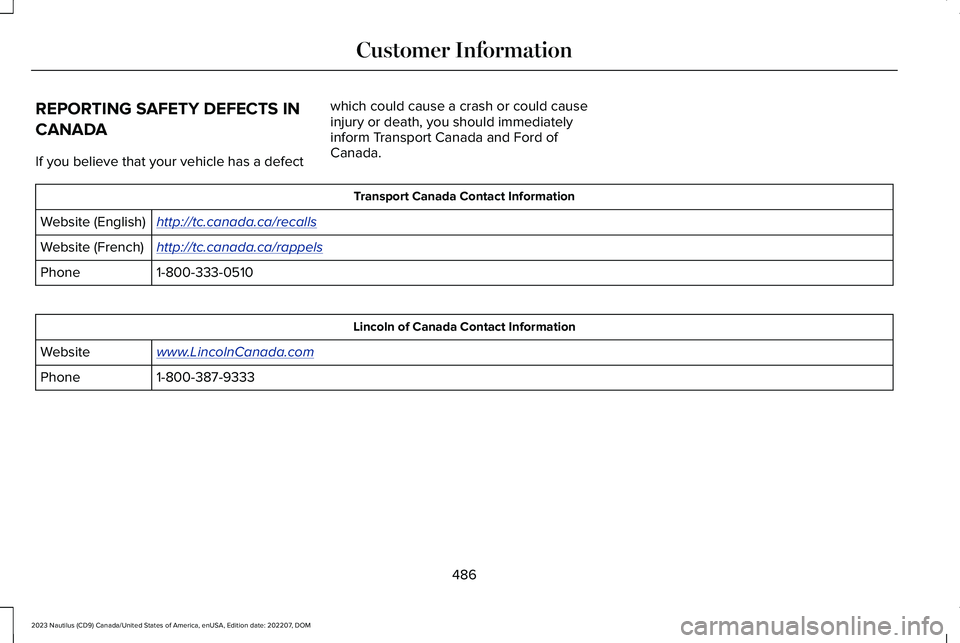
REPORTING SAFETY DEFECTS IN
CANADA
If you believe that your vehicle has a defect
which could cause a crash or could causeinjury or death, you should immediatelyinform Transport Canada and Ford ofCanada.
Transport Canada Contact Information
http://tc.canada.ca/recallsWebsite (English)
http://tc.canada.ca/rappelsWebsite (French)
1-800-333-0510Phone
Lincoln of Canada Contact Information
www.LincolnCanada.comWebsite
1-800-387-9333Phone
486
2023 Nautilus (CD9) Canada/United States of America, enUSA, Edition date: 202207, DOMCustomer Information
Page 546 of 606
against the use of any hand-held devicewhile driving and encourage the use ofvoice-operated systems when possible.Make sure you are aware of all applicablelocal laws that may affect the use ofelectronic devices while driving.
Using mobile communications equipment isbecoming increasingly important in theconduct of business and personal affairs. However, you must not compromise yourown or others’ safety when using suchequipment. Mobile communications canenhance personal safety and security whenappropriately used, particularly in emergencysituations. Safety must be paramount whenusing mobile communications equipment toavoid negating these benefits. Mobilecommunication equipment includes, but isnot limited to, cellular phones, pagers,portable email devices, text messagingdevices and portable two-way radios.
END USER LICENSE AGREEMENT
VEHICLE SOFTWARE END USERLICENSE AGREEMENT (EULA)
•You (“You” or “Your” as applicable) haveacquired a vehicle having severaldevices, including SYNC ® and variouscontrol modules, ("DEVICES") that includesoftware licensed or owned by FordMotor Company and its affiliates ("FORDMOTOR COMPANY"). Those softwareproducts of FORD MOTOR COMPANYorigin, as well as associated media,printed materials, and "online" orelectronic documentation ("SOFTWARE")are protected by international intellectualproperty laws and treaties. TheSOFTWARE is licensed, not sold. Allrights reserved.
•The SOFTWARE may interface withand/or communicate with, or may be laterupgraded to interface with and/orcommunicate with additional softwareand/or systems provided by FORDMOTOR COMPANY.
IF YOU DO NOT AGREE TO THIS ENDUSER LICENSE AGREEMENT ("EULA") DONOT USE THE DEVICES OR COPY THESOFTWARE. ANY USE OF THE SOFTWARE,INCLUDING BUT NOT LIMITED TO USE ONTHE DEVICES, WILL CONSTITUTE YOURAGREEMENT TO THIS EULA (ORRATIFICATION OF ANY PREVIOUSCONSENT).
GRANT OF SOFTWARE LICENSE: This EULAgrants you the following license:
•You may use the SOFTWARE as installedon the DEVICES and as otherwiseinterfacing with systems and/or servicesprovide by or through FORD MOTORCOMPANY or its third party software andservice providers.
Description of Other Rights and Limitations.
•Speech Recognition: If the SOFTWAREincludes speech recognitioncomponent(s), you should understandthat speech recognition is an inherentlystatistical process and that recognitionerrors are inherent in the process.Neither FORD MOTOR COMPANY nor
542
2023 Nautilus (CD9) Canada/United States of America, enUSA, Edition date: 202207, DOMCustomer Information