brake LINCOLN NAVIGATOR 2004 Owner's Manual
[x] Cancel search | Manufacturer: LINCOLN, Model Year: 2004, Model line: NAVIGATOR, Model: LINCOLN NAVIGATOR 2004Pages: 368, PDF Size: 8.21 MB
Page 222 of 368

The ABS operates by detecting the onset of wheel lockup during brake
applications and compensates for this tendency. The wheels are
prevented from locking even when the brakes are firmly applied.
Using ABS
• In an emergency or when maximum efficiency from the four-wheel
ABS is required, apply continuous force on the brake. The four wheel
ABS will be activated immediately, thus allowing you to retain steering
control of your vehicle and, providing there is sufficient space, will
enable you to avoid obstacles and bring the vehicle to a controlled
stop.
• The anti-lock system does not always reduce stopping distance.
Always leave enough room between your vehicle and the vehicle in
front of you to stop.
• We recommend that you familiarize yourself with this braking
technique. However, avoid taking any unnecessary risks.
ABS warning lamp ABS
The ABS
warning lamp in the instrument cluster momentarily illuminates
when the ignition is turned to the ON position. If the light does not
illuminate momentarily at start up, remains on or continues to flash, the
ABS needs to be serviced.
With the ABS light on, the anti-lock
brake system is disabled and normal
braking is still effective unless the
brake warning light also remains
illuminated with parking brake
released. (If your brake warning lamp illuminates, have your vehicle
serviced immediately.)
Brake Assist (if equipped)
The Brake Assist system provides full braking force during panic braking
situations. It detects a rapid application of the brake pedal and
maximizes the amount of brake booster assist, helping the driver to
achieve maximum braking pressure. Once a panic brake application is
detected, the system will remain activated as long as the brake pedal is
depressed. The system is deactivated by releasing the brake pedal.
When the system activates, the brake pedal will travel with very little
effort; this is normal. P!BRAKE
2004 Navigator (nav)
Owners Guide (post-2002-fmt)
USA English (fus)Driving
222
Page 223 of 368

Parking brake with auto-release (if equipped)
Apply the parking brake whenever
the vehicle is parked. To set the
parking brake, press the parking
brake pedal down until the pedal
stops.
The BRAKE warning lamp in the
instrument cluster illuminates and
remains illuminated (when the
ignition is turned ON) until the
parking brake is released.
Always set the parking brake fully and make sure that the
gearshift is securely latched in P (Park).
The parking brake is not recommended to stop a moving vehicle.
However, if the normal brakes fail, the parking brake can be used to stop
your vehicle in an emergency. Since the parking brake applies only the
rear brakes, the vehicle ’ s stopping distance will increase greatly and the
handling of your vehicle will be adversely affected.
Your vehicle has an automatic parking brake release. To release the
parking brake:
1. Turn the ignition to the ON position.
2. Press the brake pedal.
3. Move the gearshift out of the P (Park) position (the parking brake will
release automatically when you shift into reverse). The brake pedal must
remain pressed while the gearshift is moved.
2004 Navigator (nav)
Owners Guide (post-2002-fmt)
USA English (fus) Driving
223
Page 224 of 368
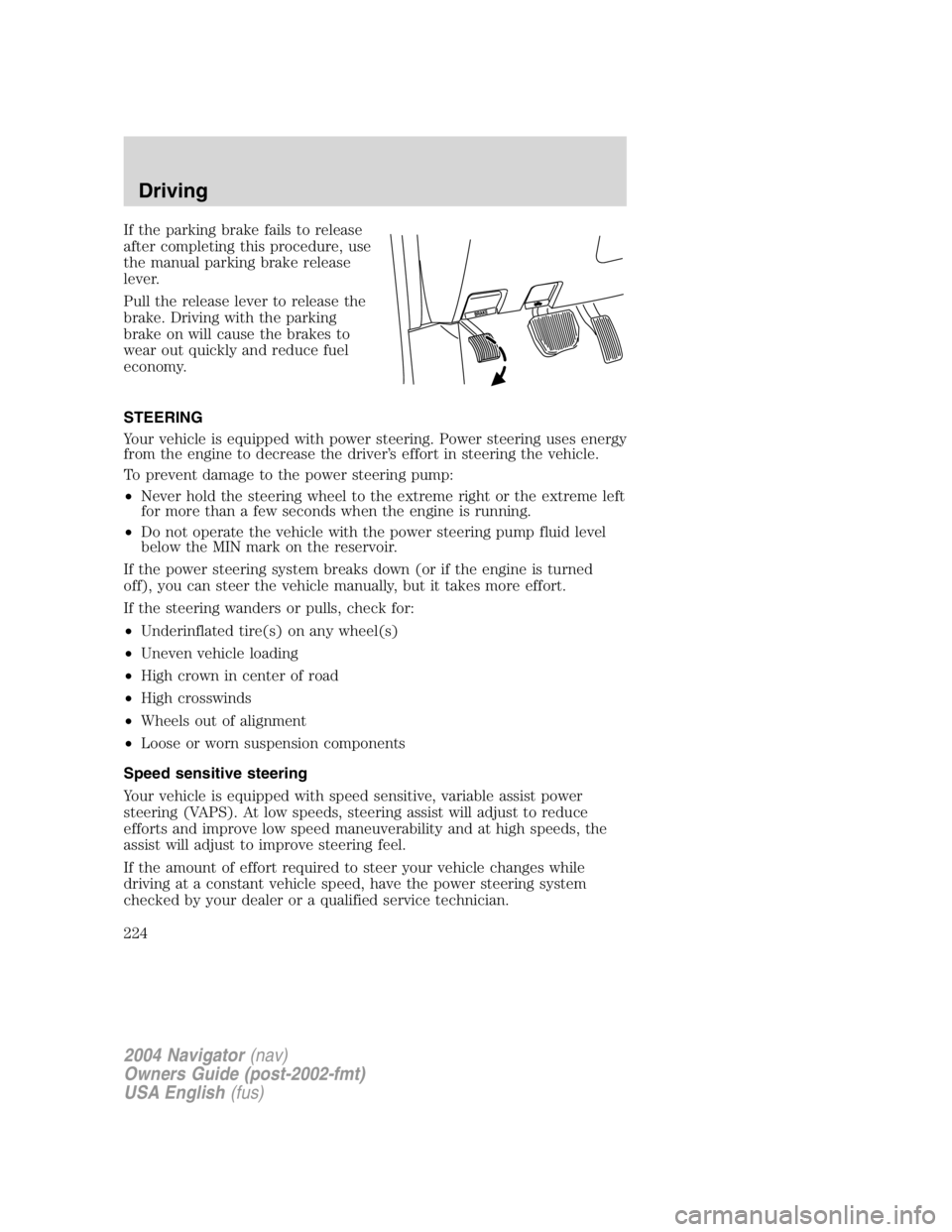
If the parking brake fails to release
after completing this procedure, use
the manual parking brake release
lever.
Pull the release lever to release the
brake. Driving with the parking
brake on will cause the brakes to
wear out quickly and reduce fuel
economy.
STEERING
Your vehicle is equipped with power steering. Power steering uses energy
from the engine to decrease the driver ’ s effort in steering the vehicle.
To prevent damage to the power steering pump:
• Never hold the steering wheel to the extreme right or the extreme left
for more than a few seconds when the engine is running.
• Do not operate the vehicle with the power steering pump fluid level
below the MIN mark on the reservoir.
If the power steering system breaks down (or if the engine is turned
off), you can steer the vehicle manually, but it takes more effort.
If the steering wanders or pulls, check for:
• Underinflated tire(s) on any wheel(s)
• Uneven vehicle loading
• High crown in center of road
• High crosswinds
• Wheels out of alignment
• Loose or worn suspension components
Speed sensitive steering
Your vehicle is equipped with speed sensitive, variable assist power
steering (VAPS). At low speeds, steering assist will adjust to reduce
efforts and improve low speed maneuverability and at high speeds, the
assist will adjust to improve steering feel.
If the amount of effort required to steer your vehicle changes while
driving at a constant vehicle speed, have the power steering system
checked by your dealer or a qualified service technician.
2004 Navigator (nav)
Owners Guide (post-2002-fmt)
USA English (fus)Driving
224
Page 228 of 368
Vehicles with a higher center of gravity such as utility and
four-wheel drive vehicles handle differently than vehicles with a
lower center of gravity. Utility and four-wheel drive vehicles are not
designed for cornering at speeds as high as passenger cars any more
than low-slung sports cars are designed to perform satisfactorily under
off-road conditions. Avoid sharp turns, excessive speed and abrupt
maneuvers in these vehicles. Failure to drive cautiously could result in
an increased risk of loss of vehicle control, vehicle rollover, personal
injury and death.
Loaded vehicles, with a higher center of gravity, may handle
differently than unloaded vehicles. Extra precautions, such as
slower speeds and increased stopping distance, should be taken when
driving a heavily loaded vehicle.
Your vehicle has the capability to haul more cargo and people than most
passenger cars. Depending upon the type and placement of the load,
hauling people and cargo may raise the center of gravity of the vehicle.
Use extra caution while becoming familiar with your vehicle. Know the
capabilities and limitations of both you as a driver and your vehicle.
ROLL STABILITY CONTROL STABILITY ENHANCEMENT SYSTEM
(IF EQUIPPED)
The Roll Stability Control system provides a stability enhancement
feature as well as a traction enhancement feature. It helps your vehicle
maintain traction, when driving on slippery and/or hilly road surfaces, by
detecting and controlling wheel spin. Excessive wheel spin is controlled
by momentarily reducing engine power and rapidly applying the anti-lock
brakes. The system is a driver aid which makes your vehicle easier to
handle primarily on snow and ice-covered roads.
If your vehicle should become stuck in deep snow or mud, try switching
the Roll Stability Control system off by pressing the Roll Stability Control
button. This will allow your tires to “ dig ” for traction.
If the Roll Stability Control system is activated and deactivated
excessively in a short period of time, the brake portion of the system will
shut down to allow the brakes to cool down. A limited Roll Stability
Control function using only engine power reduction will still help control
the wheels from over-spinning. When the brakes have cooled down, the
system will again function normally. Anti-lock braking is not affected by
this condition and will function normally during the cool-down period.
2004 Navigator (nav)
Owners Guide (post-2002-fmt)
USA English (fus)Driving
228
Page 229 of 368

Roll Stability Control enhances your vehicle ’ s stability during maneuvers
that require all available tire traction, like in wet/snowy/icy road
conditions and/or when performing emergency maneuvers. In an
emergency lane-change, the driver will experience better overall vehicle
traction, and have better control of the vehicle.
The Roll Stability Control system helps the driver maintain steering
control if the vehicle begins to slide excessively left or right or spin out.
Roll Stability Control will attempt to correct the sliding motion by
applying brake force at individual tires and, if necessary, by reducing
engine power.
Driving conditions which may activate Roll Stability Control include:
• Taking a turn too fast
• Maneuvering quickly to avoid an accident, pedestrian or obstacle
• Hitting a patch of ice
• Changing lanes on a snow-rutted road
• Entering a snow-free road from a snow-covered side street, or vice
versa
• Entering a paved road from a gravel road, or vice versa
• Hitting a curb while turning
• Driving on slick surfaces
• Cornering while towing a heavily loaded trailer (refer to Trailer
Towing in this chapter)
The Roll Stability Control (RSC) system works in to further enhance the
vehicle ’ s overall stability during aggressive maneuvers. The system helps
maintain roll stability of the vehicle during aggressive maneuvers by
applying brake force to one or more wheels.
Driving conditions that may activate Roll Stability Control include:
• Emergency lane-change
• Taking a turn too fast
• Quick maneuvering to avoid an accident, pedestrian or obstacle
• Hitting a curb while turning
The Roll Stability Control system automatically turns on when the engine
is started. However, the system does not function when the vehicle is
traveling in R (Reverse) or, if equipped with four-wheel drive, in 4L (4X4
LOW). In R (Reverse) or in 4L (4X4 LOW), ABS and the traction
enhancement feature will continue to function.
2004 Navigator (nav)
Owners Guide (post-2002-fmt)
USA English (fus) Driving
229
Page 230 of 368

The Roll Stability Control button
allows the driver to control the
availability of the Roll Stability
Control system. The Roll Stability
Control system status is indicated
by a warning indicator light with a
“ sliding car ” icon in the instrument cluster that will flash when the
system is activated and an indicator light in the control button that will
illuminate when the system is turned off. In vehicles with a message
center, the message “ Roll Stability Control OFF ” will be displayed.
If a failure is detected in the Roll Stability Control system, the warning
indicator light in the instrument cluster will stay on. If the warning
indicator light in the instrument cluster remains on while the engine is
running, have the system serviced immediately.
Pressing the button once will disable the Roll Stability Control stability
enhancement and the engine power reduction portion of the traction
enhancement feature; the brake portion of the traction enhancement
feature will still function normally. Pressing and holding the button for
more than five seconds will disable the Roll Stability Control stability
enhancement and traction enhancement feature. If the vehicle is stuck
in snow or mud or when driving in deep sand, switching off the Roll
Stability Control system may be beneficial so the wheels are allowed to
spin. If your vehicle seems to lose engine power while driving in deep
sand or very deep snow, switching off the Roll Stability Control stability
enhancement feature will restore full engine power and will enhance
momentum through the obstacle.
Some drivers may notice a slight movement of the brake pedal when the
Roll Stability Control performs a system self-check. During Roll Stability
Control operation you may experience the following:
• A rumble or grinding noise
• A slight deceleration of the vehicle
• The Roll Stability Control indicator light will flash
• If your foot is on the brake pedal, you will feel a vibration in the
pedal.
• If the driving condition is severe and your foot is not on the brake, the
brake pedal will move to apply higher brake forces. You may also hear
a whoosh of air from under the instrument panel during this severe
condition.
All these conditions are normal during Roll Stability Control operation. O
F
F
2004 Navigator (nav)
Owners Guide (post-2002-fmt)
USA English (fus)Driving
230
Page 231 of 368
Do not alter or modify your vehicle ’ s suspension or steering; the
resulting changes to the vehicle ’ s handling can adversely affect
the Roll Stability Control system. Also, do not install a stereo
loudspeaker near the front center console or under either front
seat. The speaker vibrations can adversely affect the Roll
Stability Control sensors located in this area.
Note: Pressing the Roll Stability Control button will disable the Roll
Stability Control.
Aggressive driving in any road conditions can cause you to lose
control of your vehicle increasing the risk of severe personal
injury or property damage. The occurrence of an Roll Stability Control
event is an indication that at least some of the tires have exceeded
their ability to grip the road; this may lead to an increased risk of loss
of vehicle control, vehicle rollover, personal injury and death. If you
experience a severe road event, SLOW DOWN.
AUTOMATIC TRANSMISSION OPERATION
Brake-shift interlock
This vehicle is equipped with a brake-shift interlock feature that prevents
the gearshift lever from being moved from P (Park) when the ignition is
in the ON position unless brake pedal is depressed.
If you cannot move the gearshift lever out of P (Park) with ignition in
the ON position and the brake pedal depressed, it is possible that a fuse
has blown or the vehicle ’ s brakelamps are not operating properly. Refer
to Fuses and relays in the Roadside emergencies chapter.
If the fuse is not blown, perform the following procedure:
1. Apply the parking brake, turn the ignition to LOCK, then remove the
key.
2004 Navigator (nav)
Owners Guide (post-2002-fmt)
USA English (fus) Driving
231
Page 233 of 368
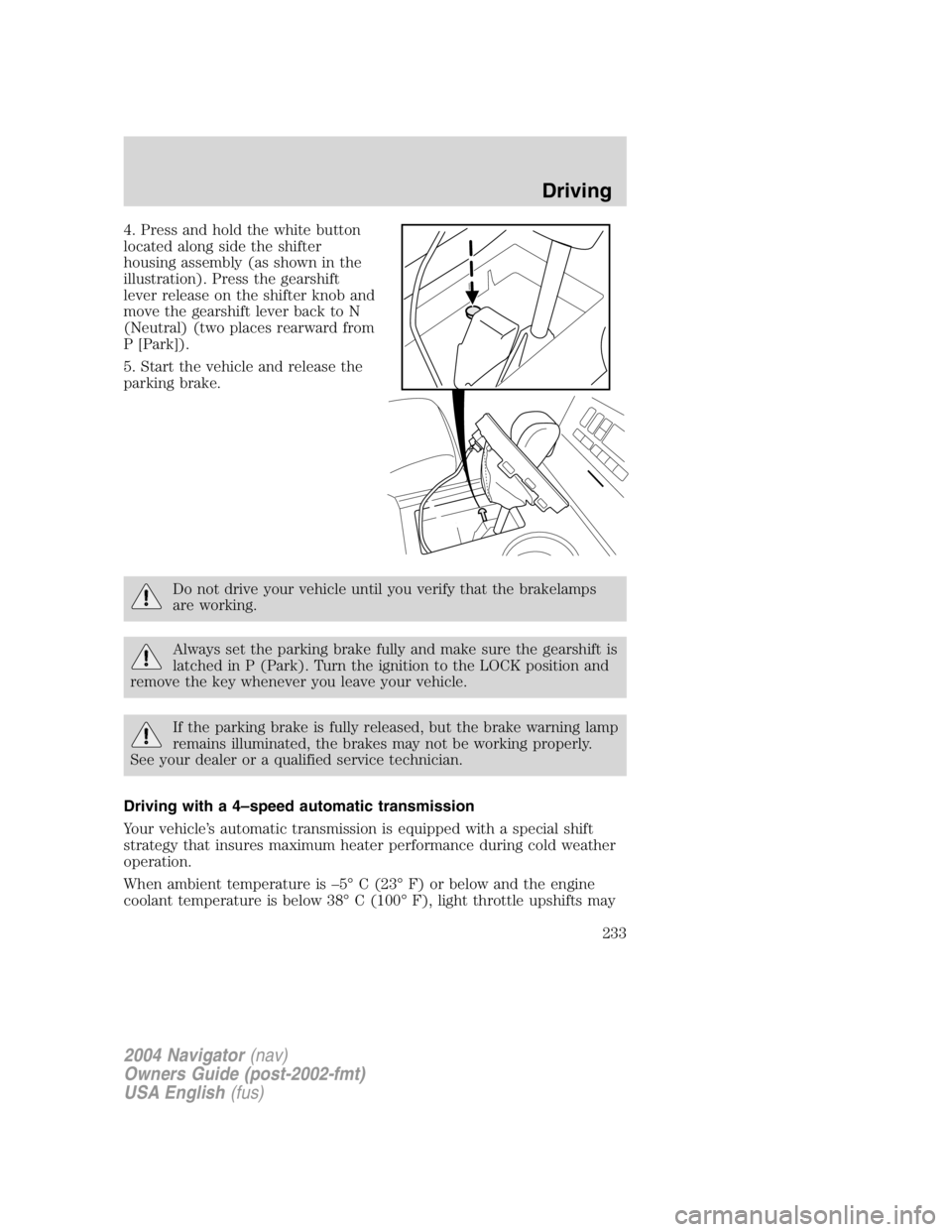
4. Press and hold the white button
located along side the shifter
housing assembly (as shown in the
illustration). Press the gearshift
lever release on the shifter knob and
move the gearshift lever back to N
(Neutral) (two places rearward from
P [Park]).
5. Start the vehicle and release the
parking brake.
Do not drive your vehicle until you verify that the brakelamps
are working.
Always set the parking brake fully and make sure the gearshift is
latched in P (Park). Turn the ignition to the LOCK position and
remove the key whenever you leave your vehicle.
If the parking brake is fully released, but the brake warning lamp
remains illuminated, the brakes may not be working properly.
See your dealer or a qualified service technician.
Driving with a 4 – speed automatic transmission
Your vehicle ’ s automatic transmission is equipped with a special shift
strategy that insures maximum heater performance during cold weather
operation.
When ambient temperature is – 5 ° C (23 ° F) or below and the engine
coolant temperature is below 38 ° C (100 ° F), light throttle upshifts may
2004 Navigator (nav)
Owners Guide (post-2002-fmt)
USA English (fus) Driving
233
Page 234 of 368
be slightly delayed. Once the engine coolant temperature reaches 71 ° C
(160 ° F) the normal shift strategy will resume. This is normal operation
and will not affect the function or the durability of the transmission.
If the normal shift strategy does not resume once the engine
coolant temperature reaches the normal operating temperature,
or if the downshifts and other throttle conditions do not function
normally, see your dealer or a qualified service technician as soon
as possible.
Understanding gearshift positions
To put your vehicle in gear, start the engine, depress the brake pedal,
then move gearshift lever out of P (Park).
Hold the brake pedal down while you move the gearshift lever
from P (Park) to another position. If you do not hold the brake
pedal down, your vehicle may move unexpectedly and injure someone.
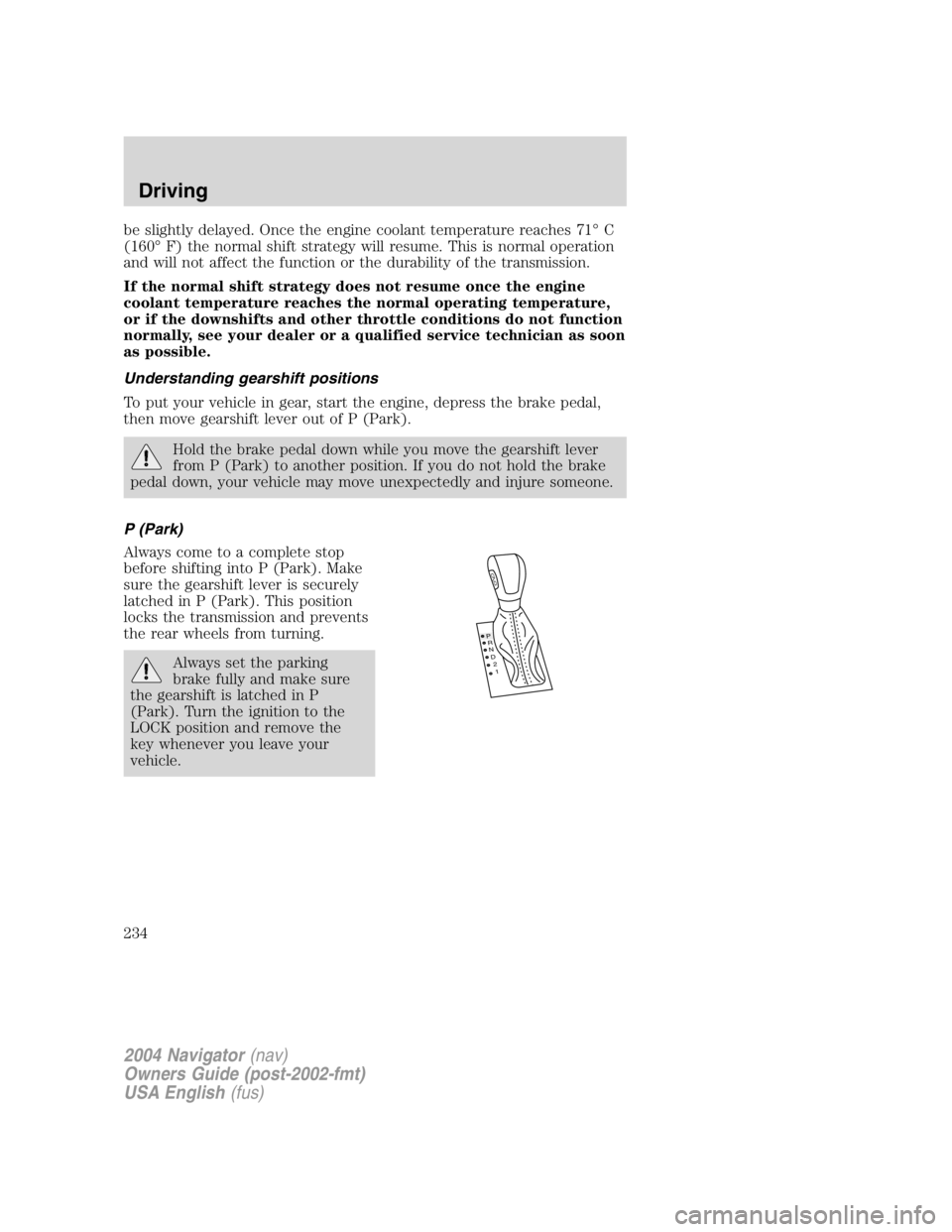
P (Park)
Always come to a complete stop
before shifting into P (Park). Make
sure the gearshift lever is securely
latched in P (Park). This position
locks the transmission and prevents
the rear wheels from turning.
Always set the parking
brake fully and make sure
the gearshift is latched in P
(Park). Turn the ignition to the
LOCK position and remove the
key whenever you leave your
vehicle. P
R
N
D
2
1
O
D
2004 Navigator (nav)
Owners Guide (post-2002-fmt)
USA English (fus)Driving
234
Page 235 of 368
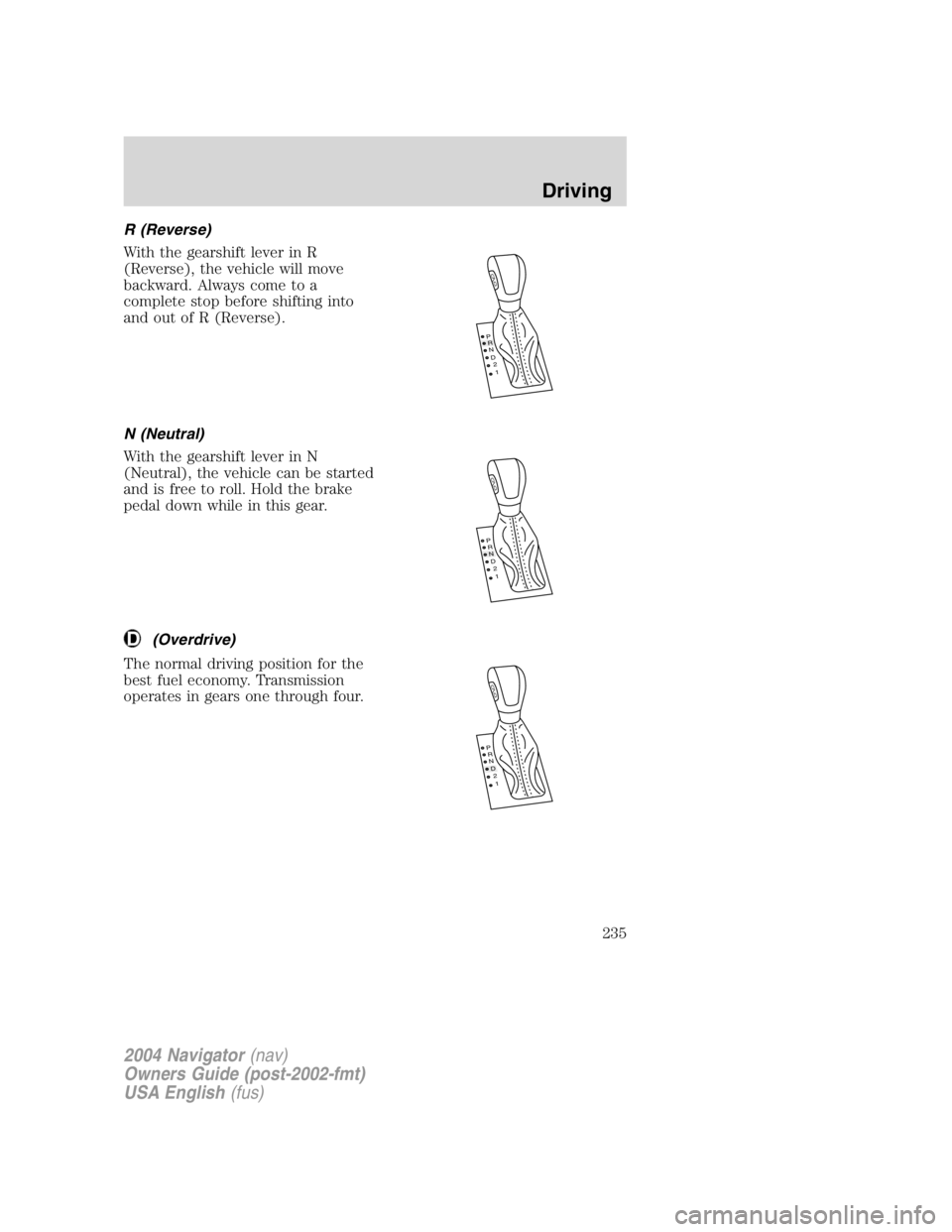
R (Reverse)
With the gearshift lever in R
(Reverse), the vehicle will move
backward. Always come to a
complete stop before shifting into
and out of R (Reverse).
N (Neutral)
With the gearshift lever in N
(Neutral), the vehicle can be started
and is free to roll. Hold the brake
pedal down while in this gear.
(Overdrive)
The normal driving position for the
best fuel economy. Transmission
operates in gears one through four. P
R
N
D
2
1
O
D
P
R
N
D
2
1
O
D
P
R
N
D
2
1
O
D
2004 Navigator (nav)
Owners Guide (post-2002-fmt)
USA English (fus) Driving
235