ignition LINCOLN NAVIGATOR 2010 Owner's Manual
[x] Cancel search | Manufacturer: LINCOLN, Model Year: 2010, Model line: NAVIGATOR, Model: LINCOLN NAVIGATOR 2010Pages: 385, PDF Size: 2.96 MB
Page 71 of 385
Playing a DVD
1. Ensure that the vehicle is on or the ignition is in accessory mode.
2. Ensure that the navigation system is on.
3. Insert a DVD label-side up into the system.
4. Use the DVD bezel controls to:
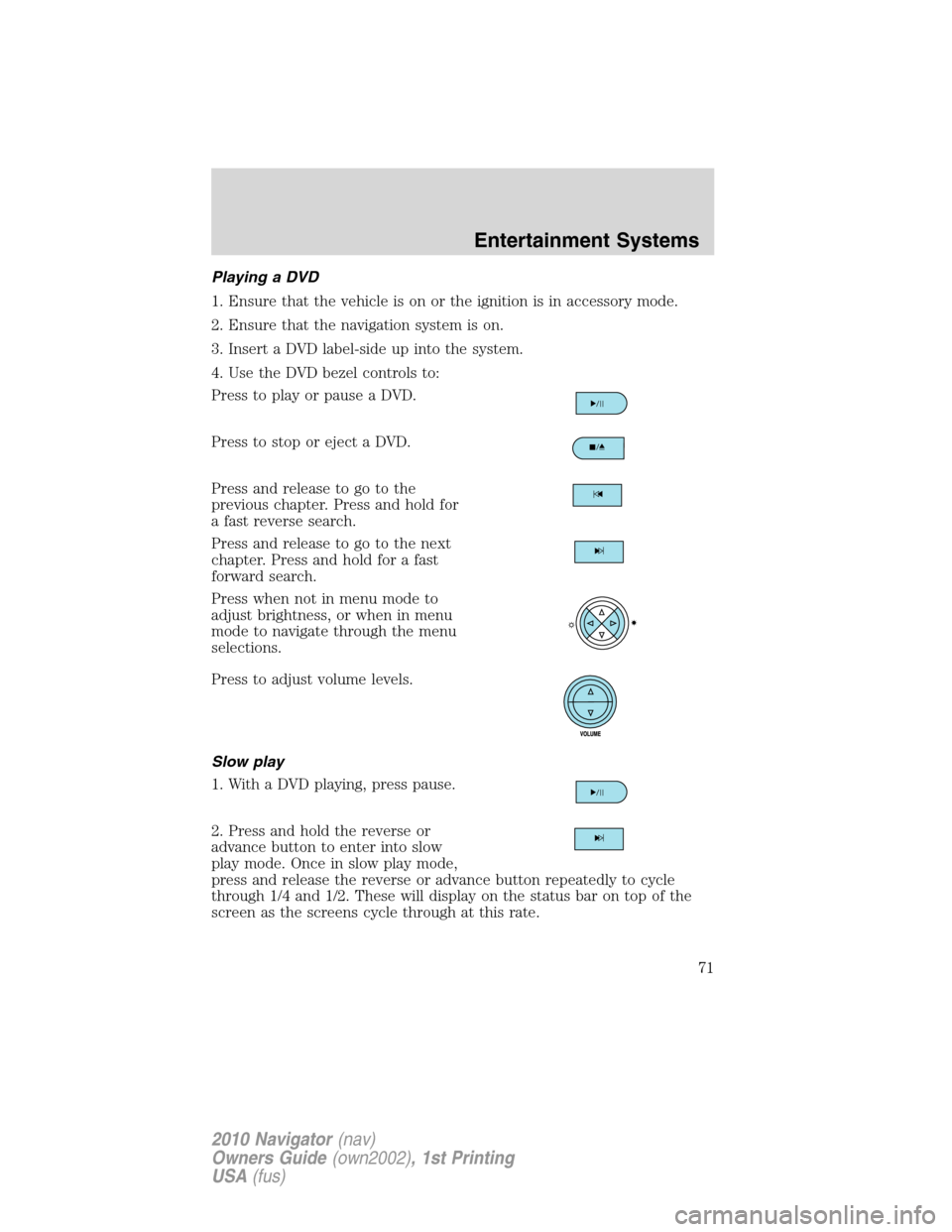
Press to play or pause a DVD.
Press to stop or eject a DVD.
Press and release to go to the
previous chapter. Press and hold for
a fast reverse search.
Press and release to go to the next
chapter. Press and hold for a fast
forward search.
Press when not in menu mode to
adjust brightness, or when in menu
mode to navigate through the menu
selections.
Press to adjust volume levels.
Slow play
1. With a DVD playing, press pause.
2. Press and hold the reverse or
advance button to enter into slow
play mode. Once in slow play mode,
press and release the reverse or advance button repeatedly to cycle
through 1/4 and 1/2. These will display on the status bar on top of the
screen as the screens cycle through at this rate.
Entertainment Systems
71
2010 Navigator(nav)
Owners Guide(own2002), 1st Printing
USA(fus)
Page 73 of 385
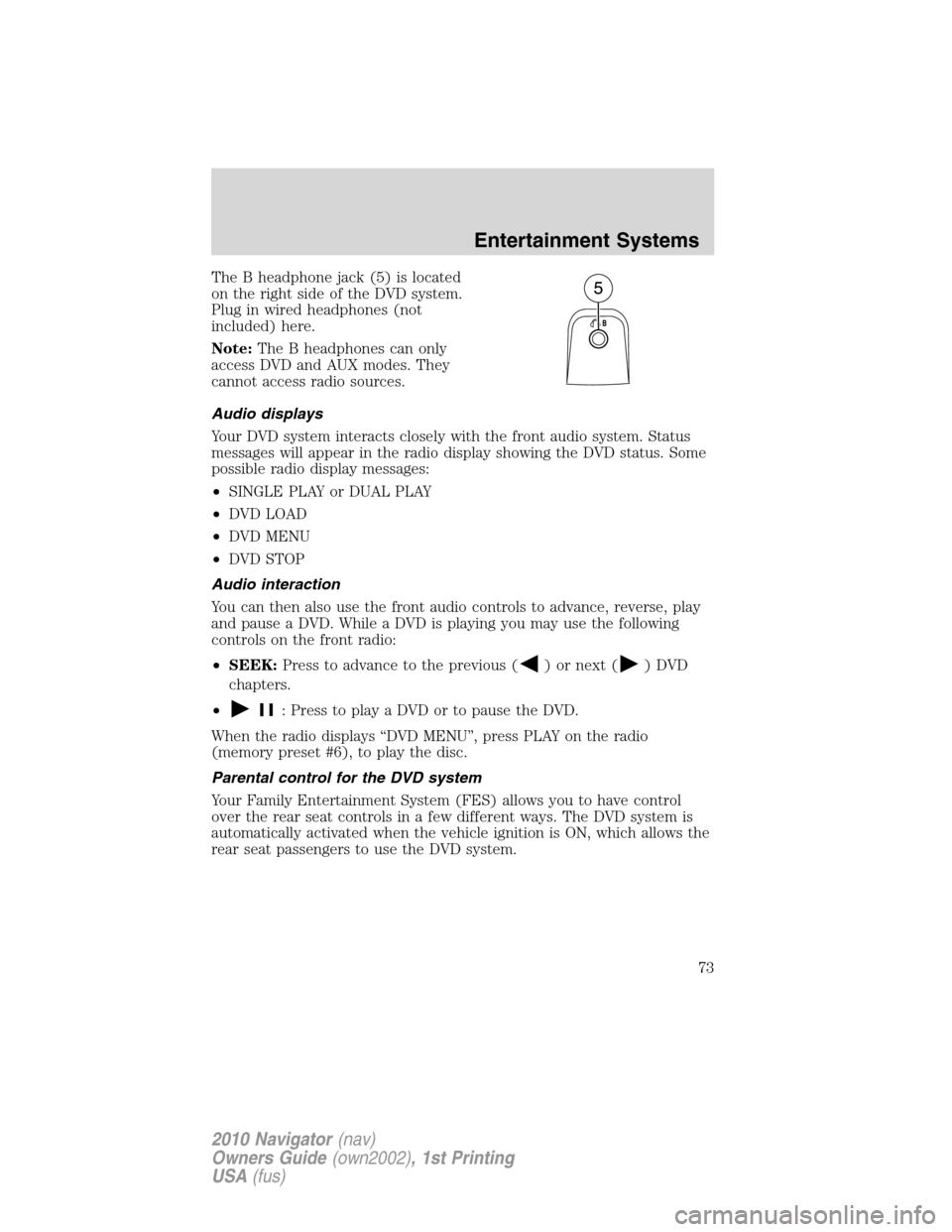
The B headphone jack (5) is located
on the right side of the DVD system.
Plug in wired headphones (not
included) here.
Note:The B headphones can only
access DVD and AUX modes. They
cannot access radio sources.
Audio displays
Your DVD system interacts closely with the front audio system. Status
messages will appear in the radio display showing the DVD status. Some
possible radio display messages:
•SINGLE PLAY or DUAL PLAY
•DVD LOAD
•DVD MENU
•DVD STOP
Audio interaction
You can then also use the front audio controls to advance, reverse, play
and pause a DVD. While a DVD is playing you may use the following
controls on the front radio:
•SEEK:Press to advance to the previous (
) or next () DVD
chapters.
•
: Press to play a DVD or to pause the DVD.
When the radio displays “DVD MENU”, press PLAY on the radio
(memory preset #6), to play the disc.
Parental control for the DVD system
Your Family Entertainment System (FES) allows you to have control
over the rear seat controls in a few different ways. The DVD system is
automatically activated when the vehicle ignition is ON, which allows the
rear seat passengers to use the DVD system.
Entertainment Systems
73
2010 Navigator(nav)
Owners Guide(own2002), 1st Printing
USA(fus)
Page 85 of 385
AUXILIARY CLIMATE CONTROL (IF EQUIPPED)
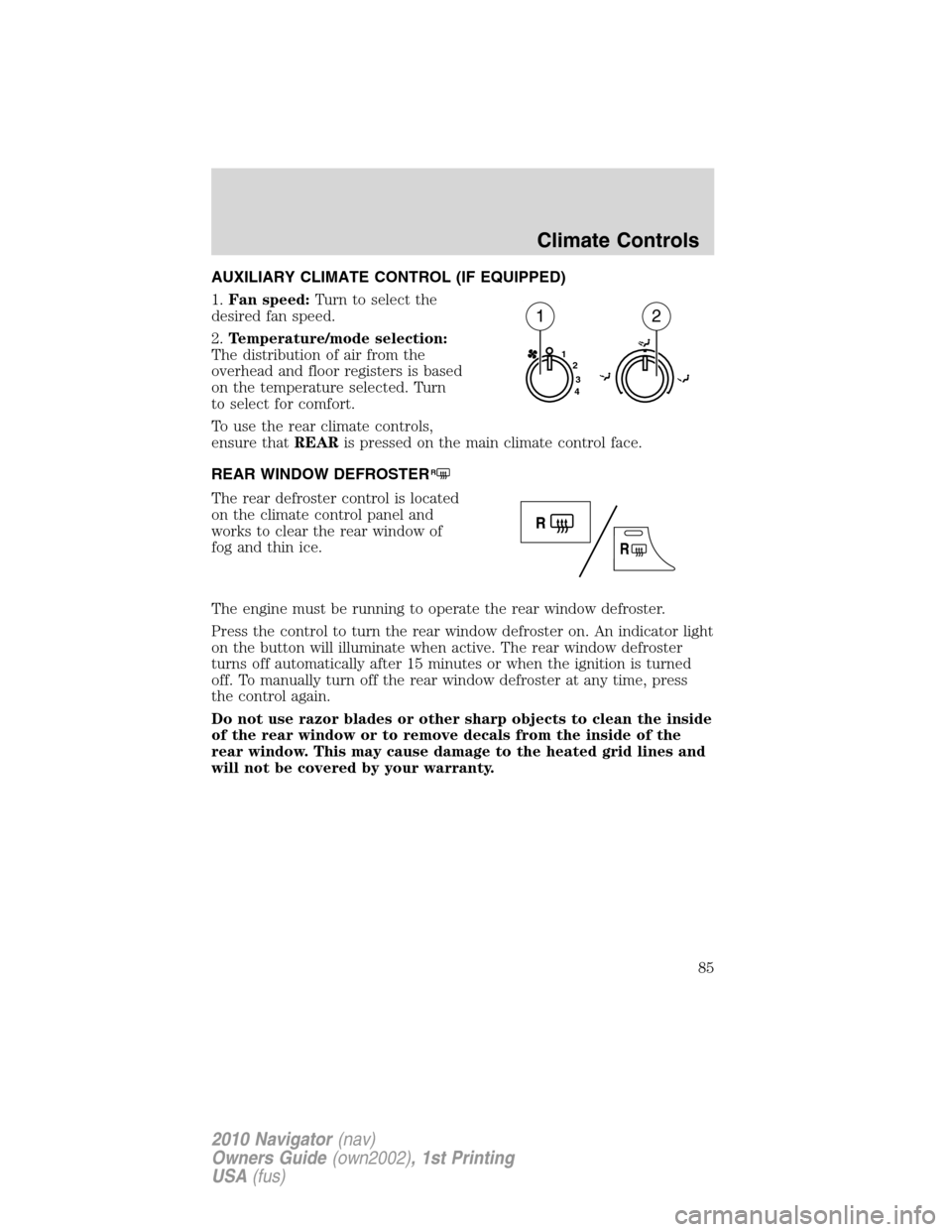
1.Fan speed:Turn to select the
desired fan speed.
2.Temperature/mode selection:
The distribution of air from the
overhead and floor registers is based
on the temperature selected. Turn
to select for comfort.
To use the rear climate controls,
ensure thatREARis pressed on the main climate control face.
REAR WINDOW DEFROSTER
R
The rear defroster control is located
on the climate control panel and
works to clear the rear window of
fog and thin ice.
The engine must be running to operate the rear window defroster.
Press the control to turn the rear window defroster on. An indicator light
on the button will illuminate when active. The rear window defroster
turns off automatically after 15 minutes or when the ignition is turned
off. To manually turn off the rear window defroster at any time, press
the control again.
Do not use razor blades or other sharp objects to clean the inside
of the rear window or to remove decals from the inside of the
rear window. This may cause damage to the heated grid lines and
will not be covered by your warranty.
1
2
3
4
12
Climate Controls
85
2010 Navigator(nav)
Owners Guide(own2002), 1st Printing
USA(fus)
Page 86 of 385
HEADLAMP CONTROL
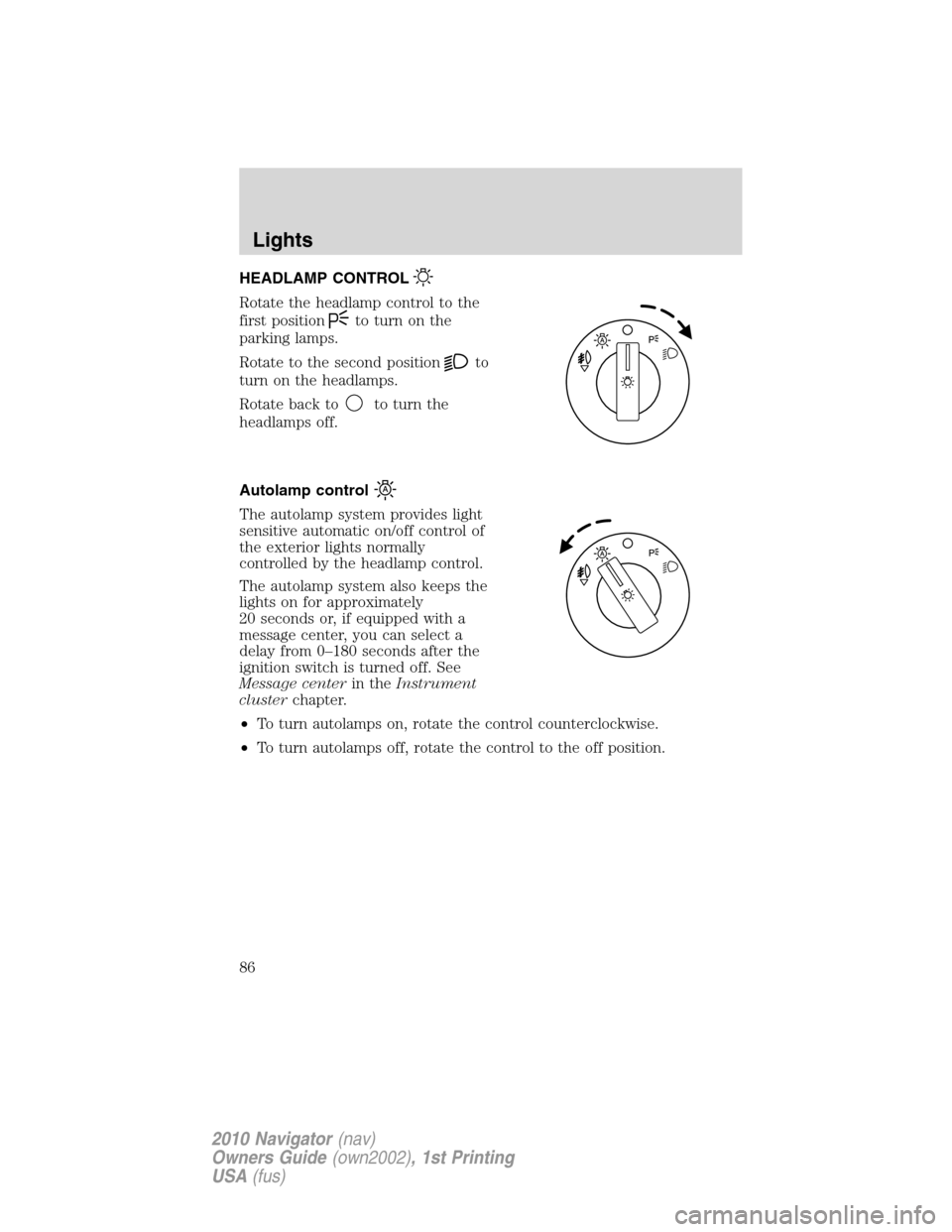
Rotate the headlamp control to the
first position
to turn on the
parking lamps.
Rotate to the second position
to
turn on the headlamps.
Rotate back to
to turn the
headlamps off.
Autolamp control
The autolamp system provides light
sensitive automatic on/off control of
the exterior lights normally
controlled by the headlamp control.
The autolamp system also keeps the
lights on for approximately
20 seconds or, if equipped with a
message center, you can select a
delay from 0–180 seconds after the
ignition switch is turned off. See
Message centerin theInstrument
clusterchapter.
•To turn autolamps on, rotate the control counterclockwise.
•To turn autolamps off, rotate the control to the off position.
Lights
86
2010 Navigator(nav)
Owners Guide(own2002), 1st Printing
USA(fus)
Page 87 of 385
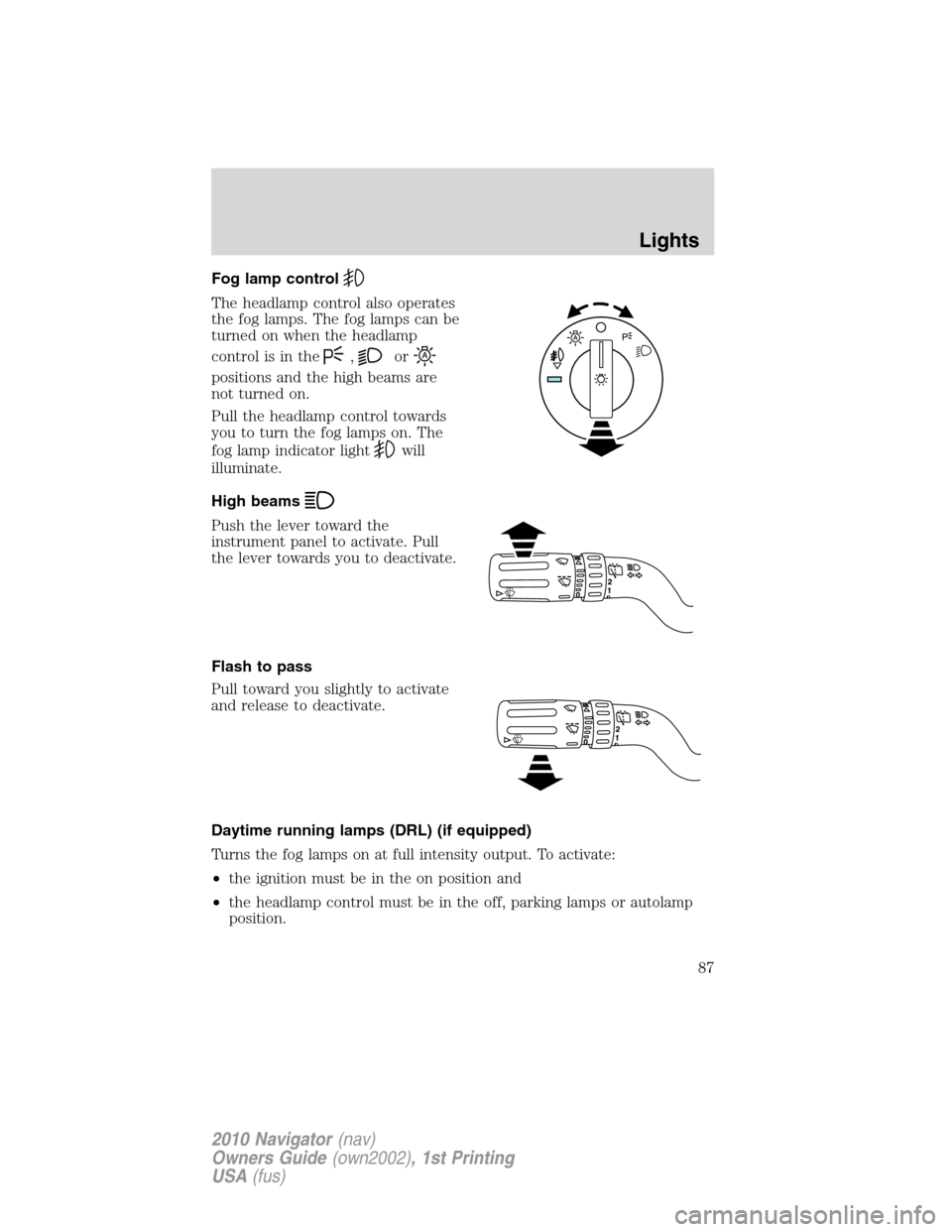
Fog lamp control
The headlamp control also operates
the fog lamps. The fog lamps can be
turned on when the headlamp
control is in the
,or
positions and the high beams are
not turned on.
Pull the headlamp control towards
you to turn the fog lamps on. The
fog lamp indicator light
will
illuminate.
High beams
Push the lever toward the
instrument panel to activate. Pull
the lever towards you to deactivate.
Flash to pass
Pull toward you slightly to activate
and release to deactivate.
Daytime running lamps (DRL) (if equipped)
Turns the fog lamps on at full intensity output. To activate:
•the ignition must be in the on position and
•the headlamp control must be in the off, parking lamps or autolamp
position.
Lights
87
2010 Navigator(nav)
Owners Guide(own2002), 1st Printing
USA(fus)
Page 90 of 385
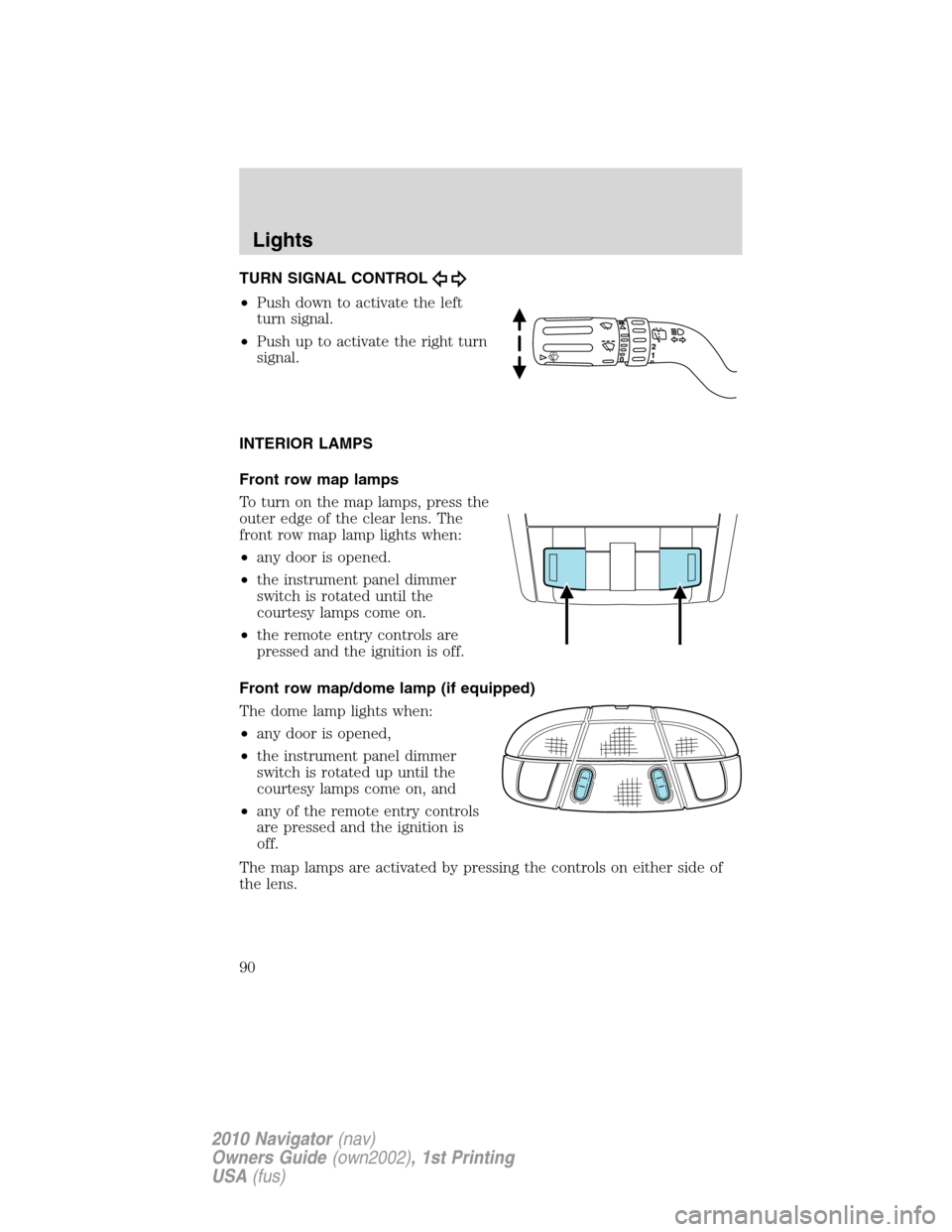
TURN SIGNAL CONTROL
•Push down to activate the left
turn signal.
•Push up to activate the right turn
signal.
INTERIOR LAMPS
Front row map lamps
To turn on the map lamps, press the
outer edge of the clear lens. The
front row map lamp lights when:
•any door is opened.
•the instrument panel dimmer
switch is rotated until the
courtesy lamps come on.
•the remote entry controls are
pressed and the ignition is off.
Front row map/dome lamp (if equipped)
The dome lamp lights when:
•any door is opened,
•the instrument panel dimmer
switch is rotated up until the
courtesy lamps come on, and
•any of the remote entry controls
are pressed and the ignition is
off.
The map lamps are activated by pressing the controls on either side of
the lens.
Lights
90
2010 Navigator(nav)
Owners Guide(own2002), 1st Printing
USA(fus)
Page 91 of 385
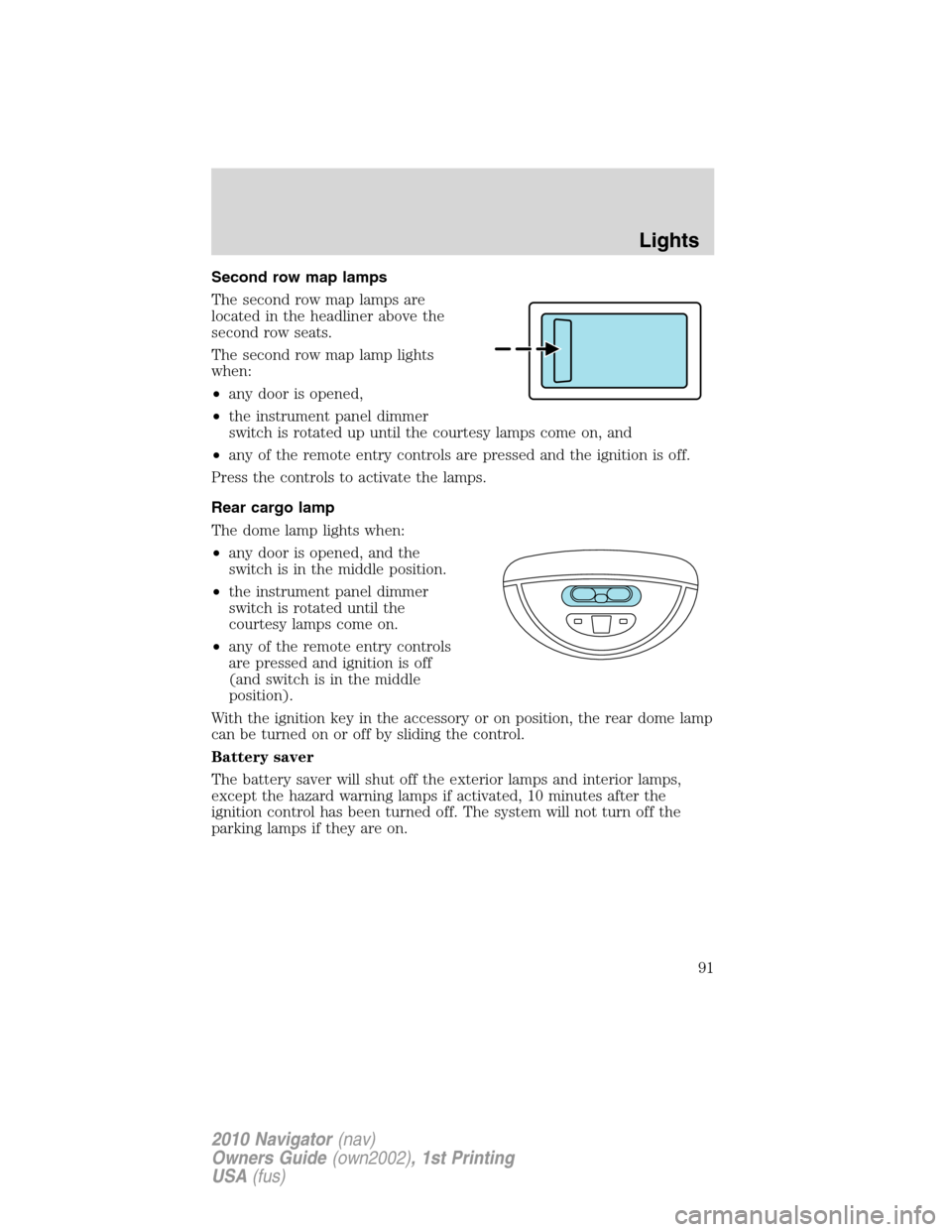
Second row map lamps
The second row map lamps are
located in the headliner above the
second row seats.
The second row map lamp lights
when:
•any door is opened,
•the instrument panel dimmer
switch is rotated up until the courtesy lamps come on, and
•any of the remote entry controls are pressed and the ignition is off.
Press the controls to activate the lamps.
Rear cargo lamp
The dome lamp lights when:
•any door is opened, and the
switch is in the middle position.
•the instrument panel dimmer
switch is rotated until the
courtesy lamps come on.
•any of the remote entry controls
are pressed and ignition is off
(and switch is in the middle
position).
With the ignition key in the accessory or on position, the rear dome lamp
can be turned on or off by sliding the control.
Battery saver
The battery saver will shut off the exterior lamps and interior lamps,
except the hazard warning lamps if activated, 10 minutes after the
ignition control has been turned off. The system will not turn off the
parking lamps if they are on.
Lights
91
2010 Navigator(nav)
Owners Guide(own2002), 1st Printing
USA(fus)
Page 99 of 385
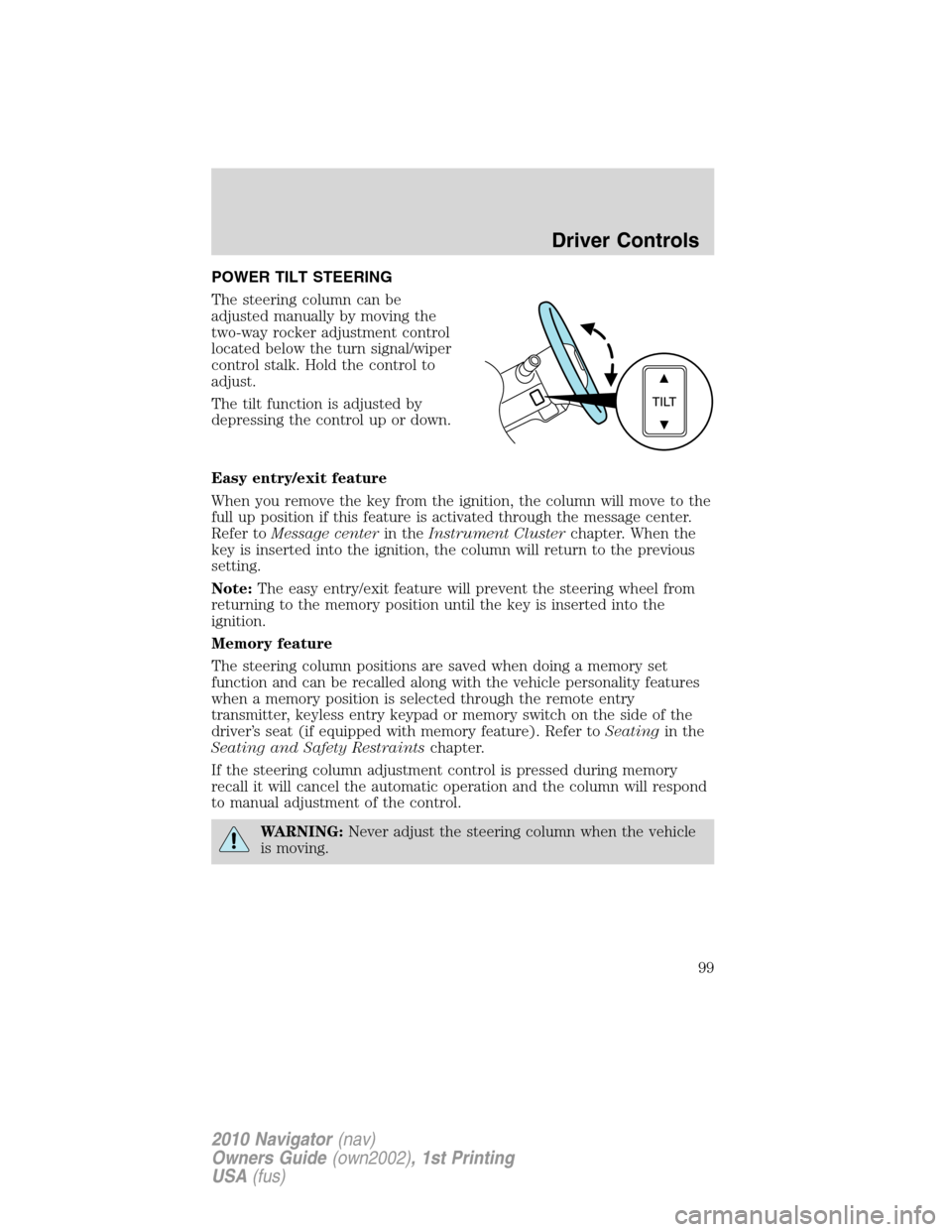
POWER TILT STEERING
The steering column can be
adjusted manually by moving the
two-way rocker adjustment control
located below the turn signal/wiper
control stalk. Hold the control to
adjust.
The tilt function is adjusted by
depressing the control up or down.
Easy entry/exit feature
When you remove the key from the ignition, the column will move to the
full up position if this feature is activated through the message center.
Refer toMessage centerin theInstrument Clusterchapter. When the
key is inserted into the ignition, the column will return to the previous
setting.
Note:The easy entry/exit feature will prevent the steering wheel from
returning to the memory position until the key is inserted into the
ignition.
Memory feature
The steering column positions are saved when doing a memory set
function and can be recalled along with the vehicle personality features
when a memory position is selected through the remote entry
transmitter, keyless entry keypad or memory switch on the side of the
driver’s seat (if equipped with memory feature). Refer toSeatingin the
Seating and Safety Restraintschapter.
If the steering column adjustment control is pressed during memory
recall it will cancel the automatic operation and the column will respond
to manual adjustment of the control.
WARNING:Never adjust the steering column when the vehicle
is moving.
Driver Controls
99
2010 Navigator(nav)
Owners Guide(own2002), 1st Printing
USA(fus)
Page 105 of 385
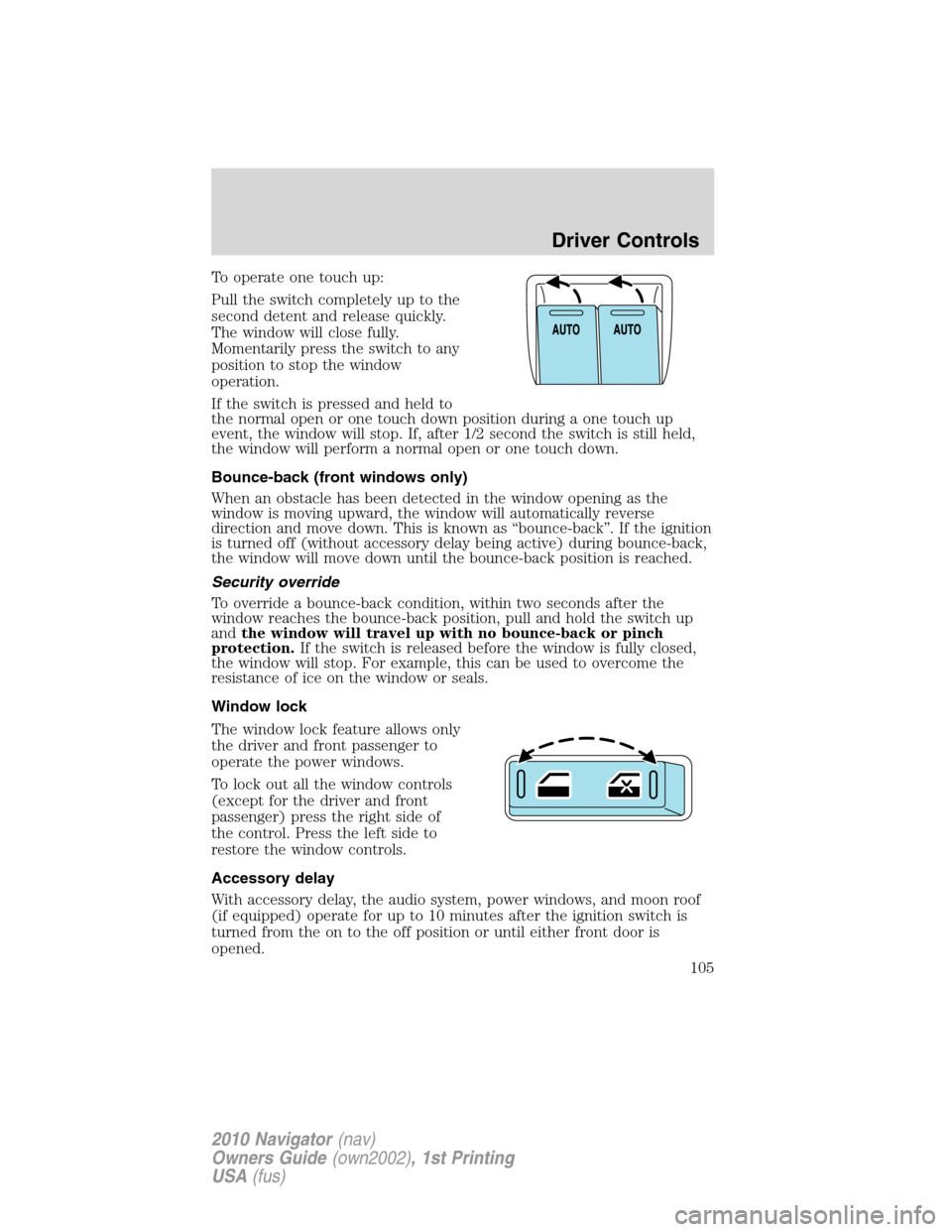
To operate one touch up:
Pull the switch completely up to the
second detent and release quickly.
The window will close fully.
Momentarily press the switch to any
position to stop the window
operation.
If the switch is pressed and held to
the normal open or one touch down position during a one touch up
event, the window will stop. If, after 1/2 second the switch is still held,
the window will perform a normal open or one touch down.
Bounce-back (front windows only)
When an obstacle has been detected in the window opening as the
window is moving upward, the window will automatically reverse
direction and move down. This is known as “bounce-back”. If the ignition
is turned off (without accessory delay being active) during bounce-back,
the window will move down until the bounce-back position is reached.
Security override
To override a bounce-back condition, within two seconds after the
window reaches the bounce-back position, pull and hold the switch up
andthe window will travel up with no bounce-back or pinch
protection.If the switch is released before the window is fully closed,
the window will stop. For example, this can be used to overcome the
resistance of ice on the window or seals.
Window lock
The window lock feature allows only
the driver and front passenger to
operate the power windows.
To lock out all the window controls
(except for the driver and front
passenger) press the right side of
the control. Press the left side to
restore the window controls.
Accessory delay
With accessory delay, the audio system, power windows, and moon roof
(if equipped) operate for up to 10 minutes after the ignition switch is
turned from the on to the off position or until either front door is
opened.
Driver Controls
105
2010 Navigator(nav)
Owners Guide(own2002), 1st Printing
USA(fus)
Page 107 of 385
EXTERIOR MIRRORS
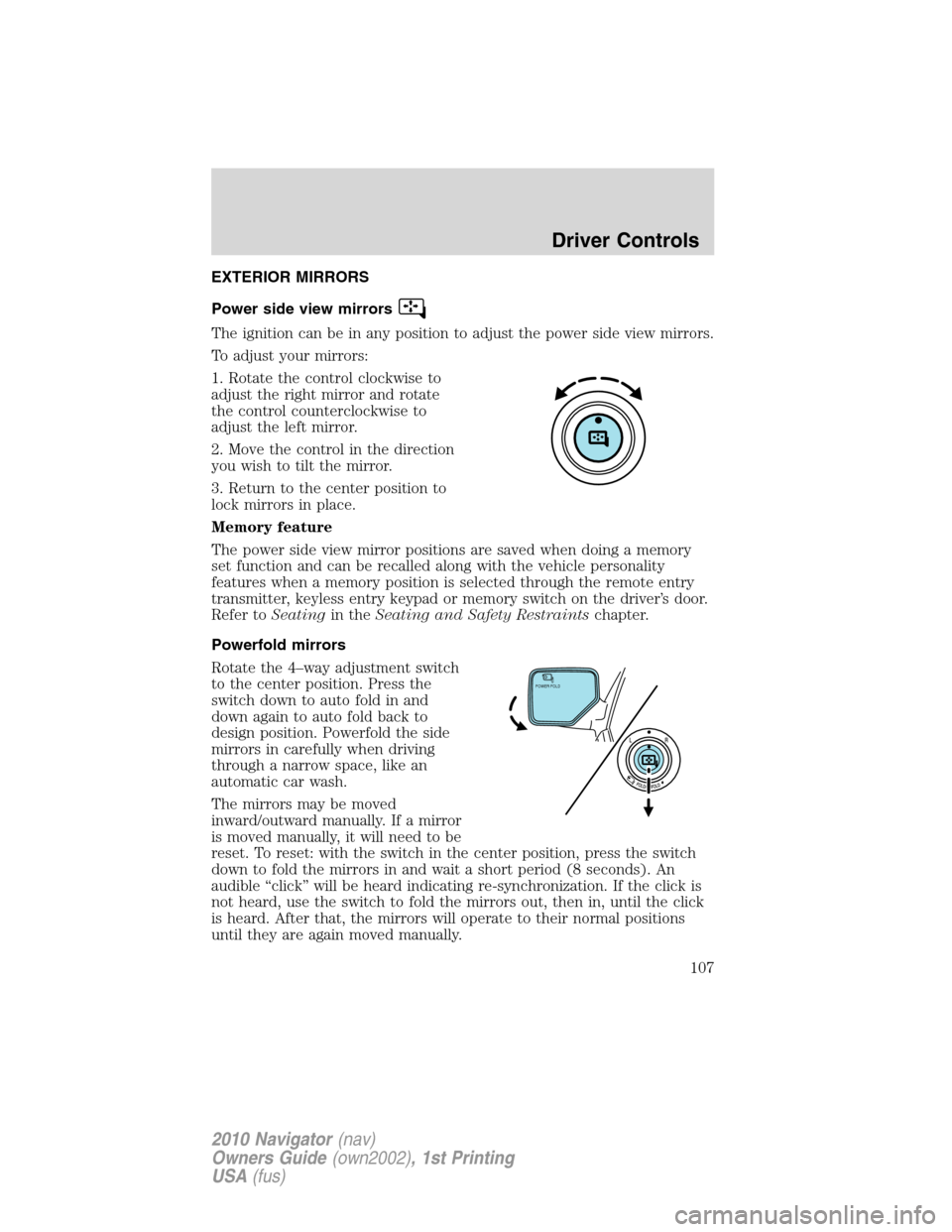
Power side view mirrors
The ignition can be in any position to adjust the power side view mirrors.
To adjust your mirrors:
1. Rotate the control clockwise to
adjust the right mirror and rotate
the control counterclockwise to
adjust the left mirror.
2. Move the control in the direction
you wish to tilt the mirror.
3. Return to the center position to
lock mirrors in place.
Memory feature
The power side view mirror positions are saved when doing a memory
set function and can be recalled along with the vehicle personality
features when a memory position is selected through the remote entry
transmitter, keyless entry keypad or memory switch on the driver’s door.
Refer toSeatingin theSeating and Safety Restraintschapter.
Powerfold mirrors
Rotate the 4–way adjustment switch
to the center position. Press the
switch down to auto fold in and
down again to auto fold back to
design position. Powerfold the side
mirrors in carefully when driving
through a narrow space, like an
automatic car wash.
The mirrors may be moved
inward/outward manually. If a mirror
is moved manually, it will need to be
reset. To reset: with the switch in the center position, press the switch
down to fold the mirrors in and wait a short period (8 seconds). An
audible “click” will be heard indicating re-synchronization. If the click is
not heard, use the switch to fold the mirrors out, then in, until the click
is heard. After that, the mirrors will operate to their normal positions
until they are again moved manually.
POWER FOLD
Driver Controls
107
2010 Navigator(nav)
Owners Guide(own2002), 1st Printing
USA(fus)