seats LINCOLN NAVIGATOR 2010 Owners Manual
[x] Cancel search | Manufacturer: LINCOLN, Model Year: 2010, Model line: NAVIGATOR, Model: LINCOLN NAVIGATOR 2010Pages: 385, PDF Size: 2.96 MB
Page 6 of 385
Do not add friction modifier compounds or special break-in oils since
these additives may prevent piston ring seating. SeeEngine oilin the
Maintenance and Specificationschapter for more information on oil
usage.
SPECIAL NOTICES
New Vehicle Limited Warranty
For a detailed description of what is covered and what is not covered by
your vehicle’s New Vehicle Limited Warranty, refer to theWarranty
Guide/Customer Information Guidethat is provided to you along with
your Owner’s Guide.
Special instructions
For your added safety, your vehicle is fitted with sophisticated electronic
controls.
WARNING:Please read the sectionAirbag Supplemental
Restraint System (SRS)in theSeating and Safety Restraints
chapter. Failure to follow the specific warnings and instructions could
result in personal injury.
WARNING:Front seat mounted rear-facing child or infant seats
shouldNEVERbe placed in front of an active passenger airbag.
Notice to owners of pickup trucks and utility type vehicles
WARNING:Utility vehicles have a significantly higher rollover
rate than other types of vehicles.
Before you drive your vehicle, please read this Owner’s Guide carefully.
Your vehicle is not a passenger car. As with other vehicles of this type,
failure to operate this vehicle correctly may result in loss of vehicle
control, vehicle rollover, personal injury or death.
Using your vehicle with a snowplow
Do not use this vehicle for snowplowing.
Your vehicle is not equipped with a snowplowing package.
Introduction
6
2010 Navigator(nav)
Owners Guide(own2002), 1st Printing
USA(fus)
Page 34 of 385
Treble:Press/to adjust the treble setting. Press OK to close and
return to the main menu.
Balance:Press
/to adjust the audio between the right and left
speakers. Press OK to close and return to the main menu.
Fade:Press
/to adjust the audio between the front and rear
speakers. Press OK to close and return to the main menu.
Speed sensitive volume:Radio volume automatically changes slightly
with vehicle speed to compensate for road and wind noise. Use
/
to adjust. Recommended level is 1–3. Level 7 is the maximum setting.
Press OK to close and return to the main menu.
Occupancy mode:Use
/to select and optimize sound for ALL
SEATS, DRIVERS SEAT or FRONT SEATS. Press OK to close and return
to the main menu.
Compression:Available in CD mode, this feature brings soft and loud
CD passages together for a more consistent listening level. Press MENU
until compression status is displayed. Press
/to turn the feature
on/off. Press OK to close and return to the main menu.
FES options (if equipped):Some FES options will also be available
when scrolling through the menu. SeeFamily entertainment DVD
systemin theEntertainment systemschapter for more information.
5.
/Select:These controls
are used in Menu mode to select
various settings/options.
6.
Play/Pause/OK: In CD/MP3
and USB mode only,press to
pause the playing media. Press again
to return to the playing media.
OK:Use in various menu selections.
7.SEEK
:In radio or CD/MP3
mode,press to access the next
strong station or track.
In satellite radio mode,press SEEK
to seek to the next channel.
Press and hold SEEK
to fast seek through the next channels.
In CATEGORY MODE,press
/to select a category.
Entertainment Systems
34
2010 Navigator(nav)
Owners Guide(own2002), 1st Printing
USA(fus)
Page 76 of 385
WARNING:The driver should not attempt to operate any
function of the DVD system while the vehicle is in motion. Give
full attention to driving and to the road. Pull off the road in a safe
place before inserting or extracting DVDs from the system. A remote
control is included in the system to allow the rear seat occupants to
operate the FES functions without distracting the driver.
Do not expose the liquid crystal display (LCD) flip-down screen
to direct sunlight or intensive ultraviolet rays for extensive
periods of time. Ultraviolet rays deteriorate the liquid crystal.
Be sure to review User Manuals for video games and video game
equipment when used as auxiliary inputs for your Family Entertainment
System (FES).
Do not operate video games or video equipment if the power cords
and/or cables are broken, split or damaged. Carefully place cords and/or
cables where they will not be stepped on or interfere with the operation
of seats and/or compartments.
Disconnect video games and video equipment power cords and/or cables
when not in use.
Avoid touching auxiliary input jacks with your fingers. Do not blow on
them or allow them to get wet or dirty.
Do not clean any part of the DVD player with benzene, lacquer thinner,
acetone, or any other solvent.
Federal Communication Commission (FCC) Compliance
Changes or modifications not approved by Ford Lincoln-Mercury could
void user’s authority to operate the equipment. This equipment has been
tested and found to comply with the limits for a Class B digital device,
pursuant to Part 15 of the FCC Rules. These limits are designed to
provide reasonable protection against harmful interference in a
residential installation. This equipment generates, uses and can radiate
radio frequency energy and, if not installed and used in accordance with
the instructions, may cause harmful interference and radio
communications.
However, there is no guarantee that interference will not occur in a
particular installation. If this equipment does cause harmful interference
to radio or television reception, which can be determined by turning the
equipment off and on, the user is encouraged to consult the dealer or an
experienced radio/TV technician for help.
Entertainment Systems
76
2010 Navigator(nav)
Owners Guide(own2002), 1st Printing
USA(fus)
Page 81 of 385
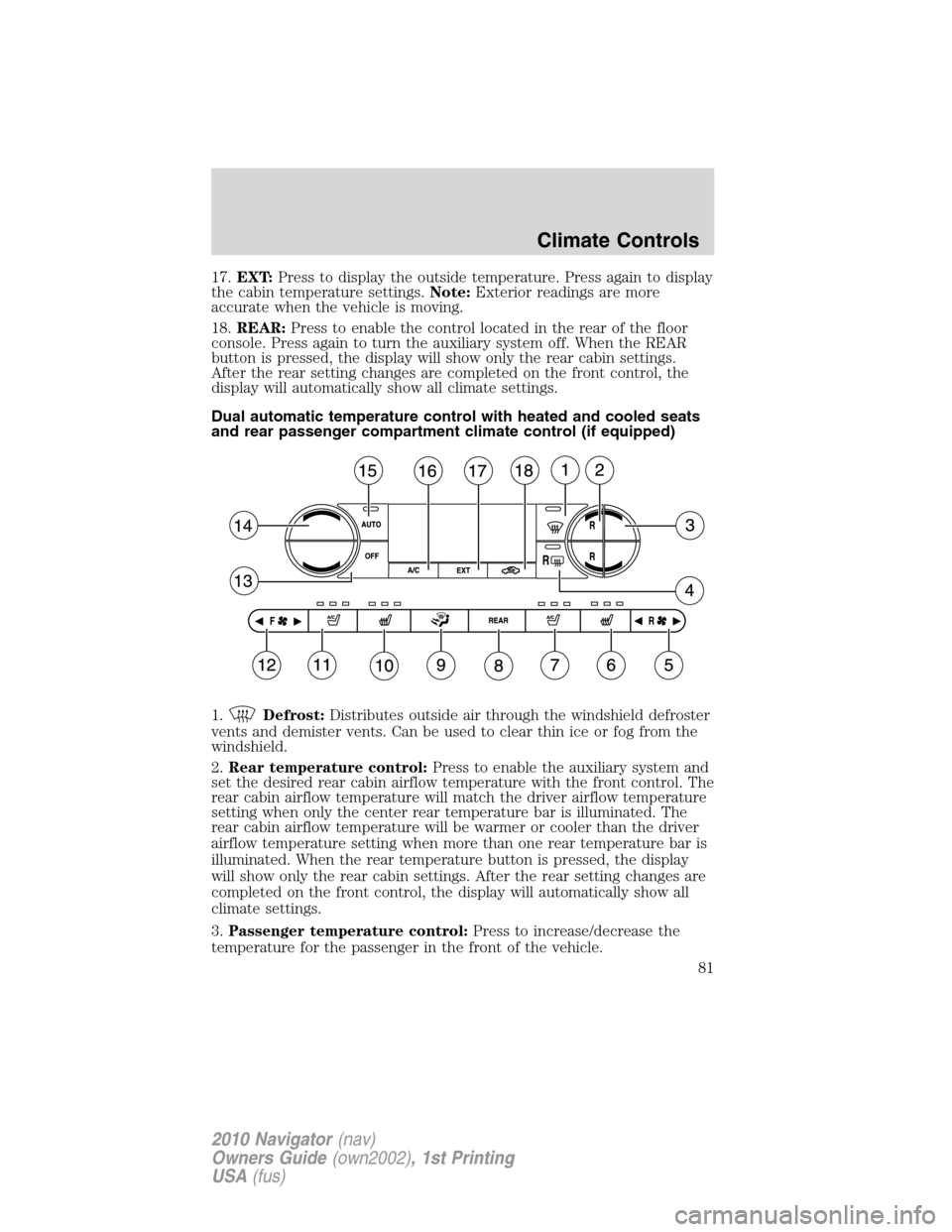
17.EXT:Press to display the outside temperature. Press again to display
the cabin temperature settings.Note:Exterior readings are more
accurate when the vehicle is moving.
18.REAR:Press to enable the control located in the rear of the floor
console. Press again to turn the auxiliary system off. When the REAR
button is pressed, the display will show only the rear cabin settings.
After the rear setting changes are completed on the front control, the
display will automatically show all climate settings.
Dual automatic temperature control with heated and cooled seats
and rear passenger compartment climate control (if equipped)
1.
Defrost:Distributes outside air through the windshield defroster
vents and demister vents. Can be used to clear thin ice or fog from the
windshield.
2.Rear temperature control:Press to enable the auxiliary system and
set the desired rear cabin airflow temperature with the front control. The
rear cabin airflow temperature will match the driver airflow temperature
setting when only the center rear temperature bar is illuminated. The
rear cabin airflow temperature will be warmer or cooler than the driver
airflow temperature setting when more than one rear temperature bar is
illuminated. When the rear temperature button is pressed, the display
will show only the rear cabin settings. After the rear setting changes are
completed on the front control, the display will automatically show all
climate settings.
3.Passenger temperature control:Press to increase/decrease the
temperature for the passenger in the front of the vehicle.
Climate Controls
81
2010 Navigator(nav)
Owners Guide(own2002), 1st Printing
USA(fus)
Page 82 of 385
4.RRear defroster:Press to activate/deactivate the rear window
defroster. Refer toRear window defrosterlater in this chapter for more
information.
5. R
Rear fan speed control:Press to enable the auxiliary system
or to adjust the rear fan speed from the front control. Press to manually
increase or decrease the fan speed. When the rear fan button is pressed,
the display will show only the rear cabin settings. After the rear setting
changes are completed on the front control, the display will
automatically show all climate settings.
6.
Passenger heated seat control:Press to activate/deactivate the
passenger heated seat. SeeClimate controlled seatsin theSeating and
Safety Restraintschapter.
7.
Passenger cooled seat control:Press to activate/deactivate the
passenger cooled seat. SeeClimate controlled seatsin theSeating and
Safety Restraintschapter.
8.REAR:Press to enable the control located in the rear floor console (if
equipped). Press again to turn the auxiliary system off. When the REAR
button is pressed, the display will show only the rear cabin settings.
After the rear setting changes are completed on the front control, the
display will automatically show all climate settings.
9.
Airflow direction control:Press to toggle through the air
distribution modes listed below. The selected mode will be shown in the
display.
:Distributes air through the instrument panel vents.
:Distributes air through the instrument panel and the floor vents.
:Distributes air through the floor vents.
:Distributes air through the windshield defroster vents, demister
vents and the floor vents.
10.
Driver heated seat control:Press to activate/deactivate the
driver heated seat. SeeClimate controlled seatsin theSeating and
Safety Restraintschapter.
11.
Driver cooled seat control:Press to activate/deactivate the
driver cooled seat. SeeClimate controlled seatsin theSeating and
Safety Restraintschapter.
12. F
Front fan speed control:Press to manually increase or
decrease the fan speed. To return to full automatic control, press AUTO.
Climate Controls
82
2010 Navigator(nav)
Owners Guide(own2002), 1st Printing
USA(fus)
Page 84 of 385
•During extreme high ambient temperatures when idling stationary for
extended periods of time in gear, it is recommended to run the A/C
with recirculation mode
selected, turn off the rear A/C unit, reduce
blower fan speed from the highest setting and put the vehicle’s
transmission into the P (Park) position to continue to receive cool air
from your A/C system.
•For maximum cooling performance, (MAX A/C):
In AUTO: Press AUTO control and set to desired temperature.
In Manual Override: Press the
(panel), A/C, and recirculated
air
, set the temperature to 60°F (16°C) and the fan to the highest
blower setting.
•Do not put objects under the front seats that will interfere with the
airflow to the back seats.
•Remove any snow, ice or leaves from the air intake area at the base of
the windshield.
To aid in side window defogging/demisting in cold weather:
1. Select
.
2. Select A/C.
3. Adjust the temperature control to maintain comfort.
4. Set the fan speed to the highest setting.
5. Direct the outer instrument panel vents towards the side windows.
To increase airflow to the outer instrument panel vents, close the vents
located in the middle of the instrument panel.
Climate Controls
84
2010 Navigator(nav)
Owners Guide(own2002), 1st Printing
USA(fus)
Page 91 of 385
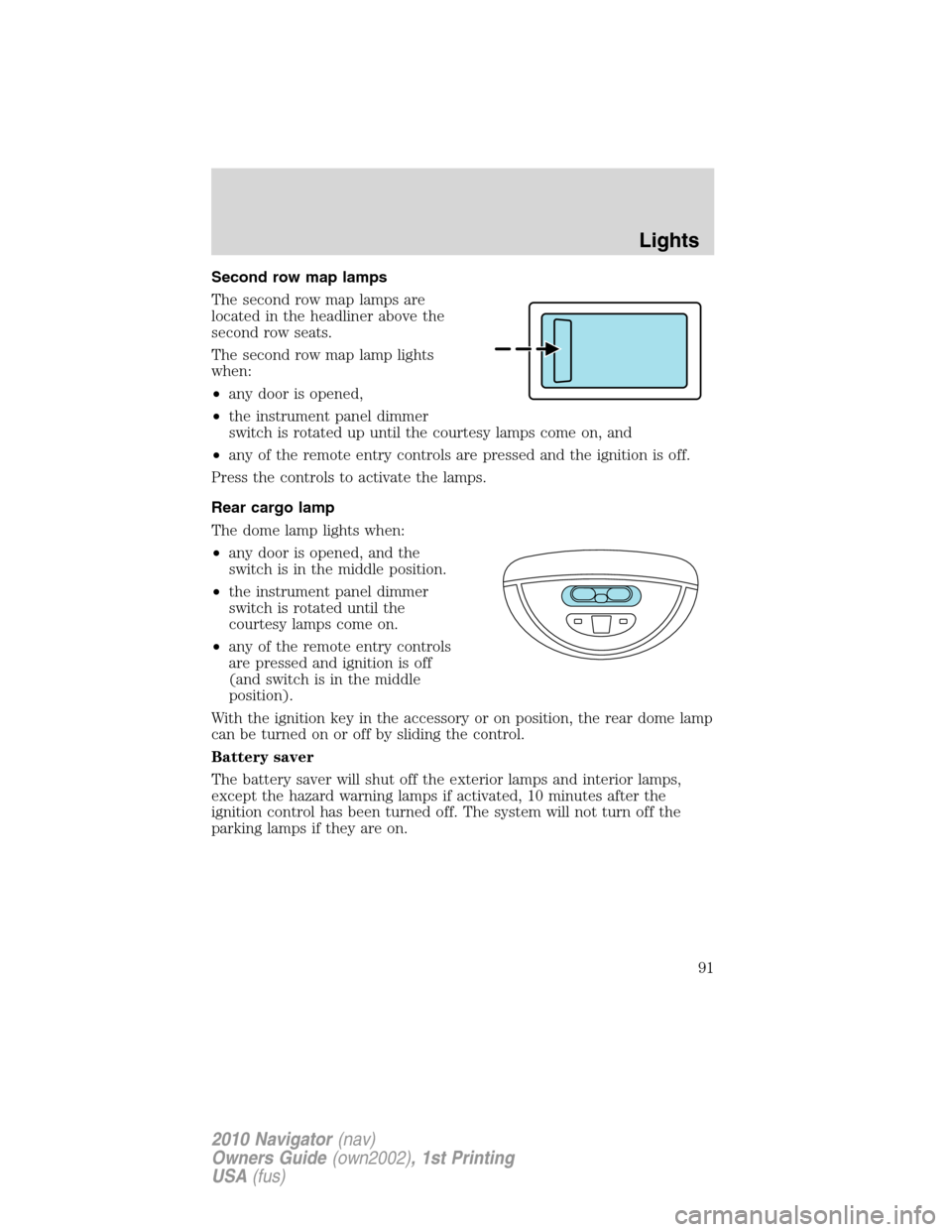
Second row map lamps
The second row map lamps are
located in the headliner above the
second row seats.
The second row map lamp lights
when:
•any door is opened,
•the instrument panel dimmer
switch is rotated up until the courtesy lamps come on, and
•any of the remote entry controls are pressed and the ignition is off.
Press the controls to activate the lamps.
Rear cargo lamp
The dome lamp lights when:
•any door is opened, and the
switch is in the middle position.
•the instrument panel dimmer
switch is rotated until the
courtesy lamps come on.
•any of the remote entry controls
are pressed and ignition is off
(and switch is in the middle
position).
With the ignition key in the accessory or on position, the rear dome lamp
can be turned on or off by sliding the control.
Battery saver
The battery saver will shut off the exterior lamps and interior lamps,
except the hazard warning lamps if activated, 10 minutes after the
ignition control has been turned off. The system will not turn off the
parking lamps if they are on.
Lights
91
2010 Navigator(nav)
Owners Guide(own2002), 1st Printing
USA(fus)
Page 103 of 385
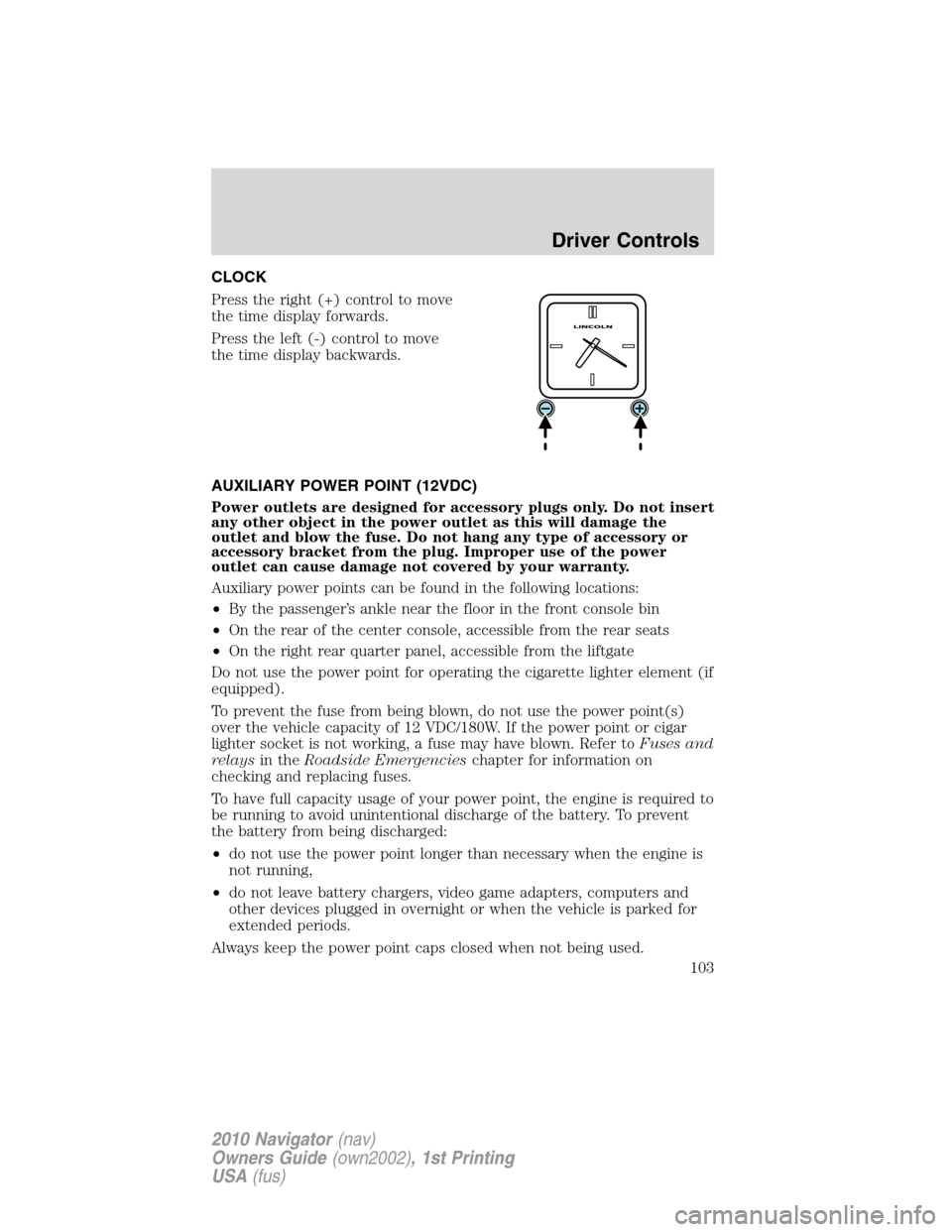
CLOCK
Press the right (+) control to move
the time display forwards.
Press the left (-) control to move
the time display backwards.
AUXILIARY POWER POINT (12VDC)
Power outlets are designed for accessory plugs only. Do not insert
any other object in the power outlet as this will damage the
outlet and blow the fuse. Do not hang any type of accessory or
accessory bracket from the plug. Improper use of the power
outlet can cause damage not covered by your warranty.
Auxiliary power points can be found in the following locations:
•By the passenger’s ankle near the floor in the front console bin
•On the rear of the center console, accessible from the rear seats
•On the right rear quarter panel, accessible from the liftgate
Do not use the power point for operating the cigarette lighter element (if
equipped).
To prevent the fuse from being blown, do not use the power point(s)
over the vehicle capacity of 12 VDC/180W. If the power point or cigar
lighter socket is not working, a fuse may have blown. Refer toFuses and
relaysin theRoadside Emergencieschapter for information on
checking and replacing fuses.
To have full capacity usage of your power point, the engine is required to
be running to avoid unintentional discharge of the battery. To prevent
the battery from being discharged:
•do not use the power point longer than necessary when the engine is
not running,
•do not leave battery chargers, video game adapters, computers and
other devices plugged in overnight or when the vehicle is parked for
extended periods.
Always keep the power point caps closed when not being used.
Driver Controls
103
2010 Navigator(nav)
Owners Guide(own2002), 1st Printing
USA(fus)
Page 140 of 385
Sounding a panic alarm
Press
to activate the alarm. The horn will sound and the turn lamps
will flash for a maximum of three minutes. Press again or turn the
ignition to the on position to deactivate, or wait for the alarm to time out
in three minutes.
Note:The panic alarm will only operate when the ignition is in the off
position.
Memory seats/power mirrors/adjustable pedals/steering column
The remote entry transmitter allows you to recall the memory seat/power
mirrors/adjustable pedals/steering column feature.
Press
to automatically move the seat, power mirrors, adjustable
pedals and steering column to the desired memory position.Note:The
seat will not travel to its final position if the key is not in the ignition and
the easy entry feature is enabled.
Activating the memory feature
To activate this feature:
1. Position the seat, power mirrors, adjustable pedals and steering
column to the desired positions.
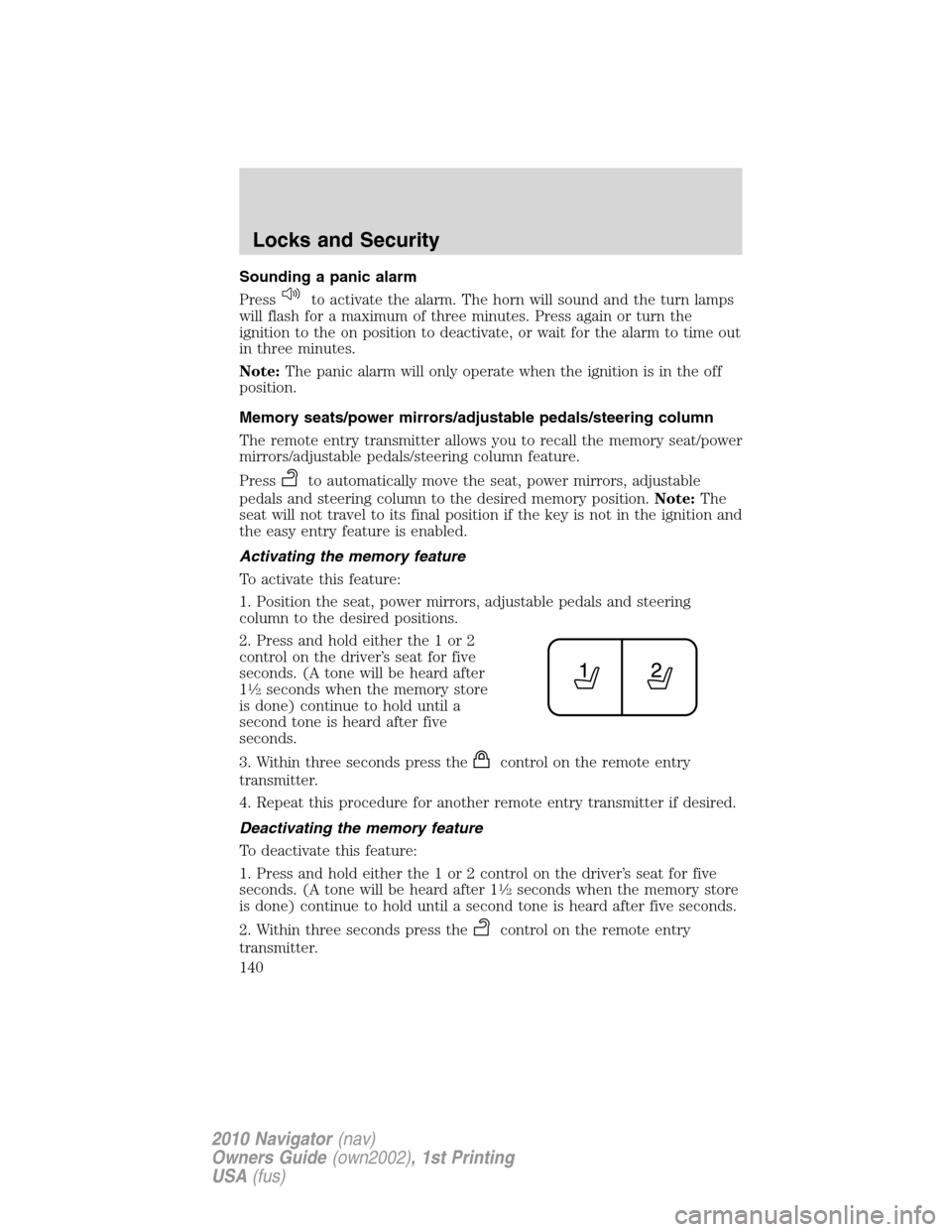
2. Press and hold either the 1 or 2
control on the driver’s seat for five
seconds. (A tone will be heard after
1
12seconds when the memory store
is done) continue to hold until a
second tone is heard after five
seconds.
3. Within three seconds press the
control on the remote entry
transmitter.
4. Repeat this procedure for another remote entry transmitter if desired.
Deactivating the memory feature
To deactivate this feature:
1. Press and hold either the 1 or 2 control on the driver’s seat for five
seconds. (A tone will be heard after 1
12seconds when the memory store
is done) continue to hold until a second tone is heard after five seconds.
2. Within three seconds press the
control on the remote entry
transmitter.
Locks and Security
140
2010 Navigator(nav)
Owners Guide(own2002), 1st Printing
USA(fus)
Page 158 of 385
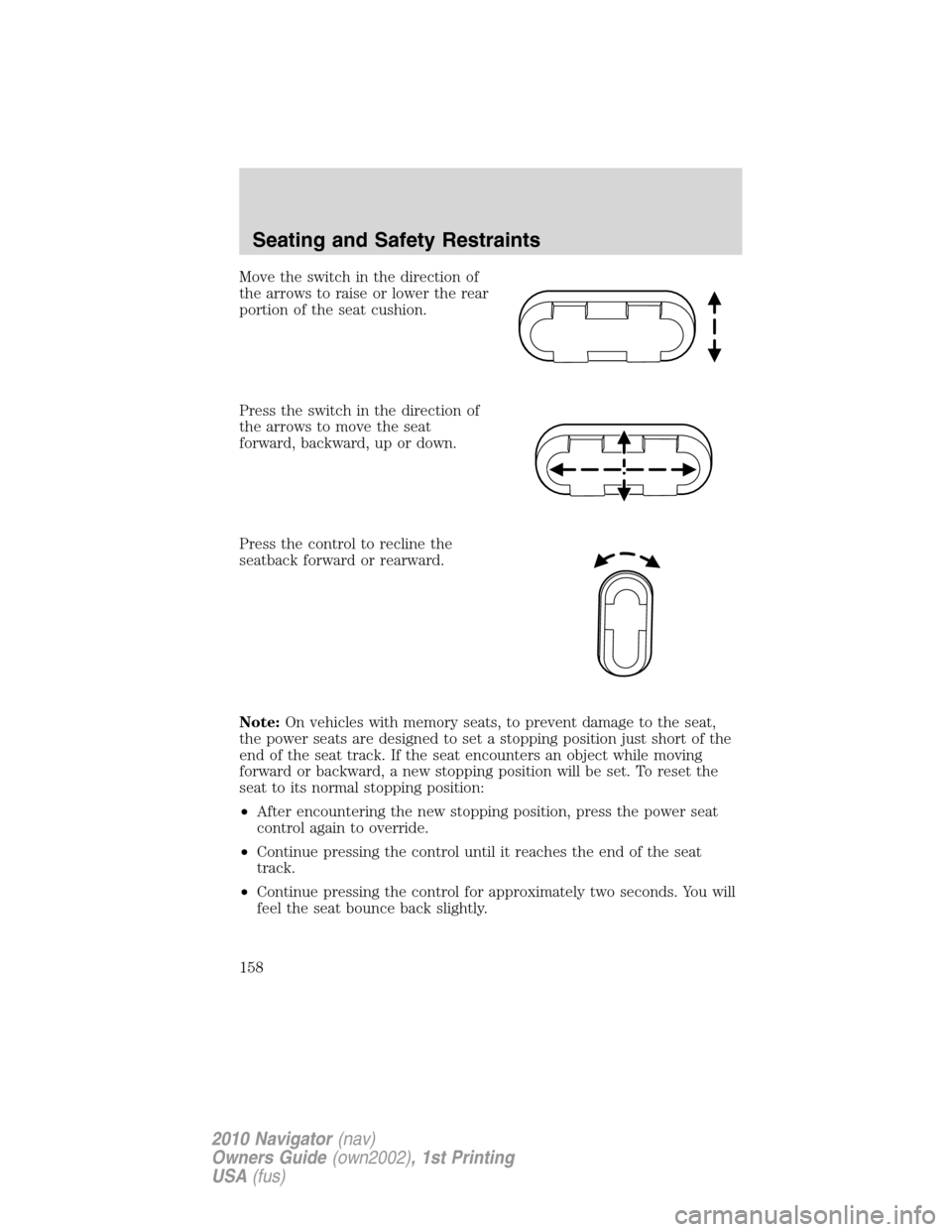
Move the switch in the direction of
the arrows to raise or lower the rear
portion of the seat cushion.
Press the switch in the direction of
the arrows to move the seat
forward, backward, up or down.
Press the control to recline the
seatback forward or rearward.
Note:On vehicles with memory seats, to prevent damage to the seat,
the power seats are designed to set a stopping position just short of the
end of the seat track. If the seat encounters an object while moving
forward or backward, a new stopping position will be set. To reset the
seat to its normal stopping position:
•After encountering the new stopping position, press the power seat
control again to override.
•Continue pressing the control until it reaches the end of the seat
track.
•Continue pressing the control for approximately two seconds. You will
feel the seat bounce back slightly.
Seating and Safety Restraints
158
2010 Navigator(nav)
Owners Guide(own2002), 1st Printing
USA(fus)