ECU LINCOLN NAVIGATOR 2014 User Guide
[x] Cancel search | Manufacturer: LINCOLN, Model Year: 2014, Model line: NAVIGATOR, Model: LINCOLN NAVIGATOR 2014Pages: 506, PDF Size: 5.72 MB
Page 68 of 506
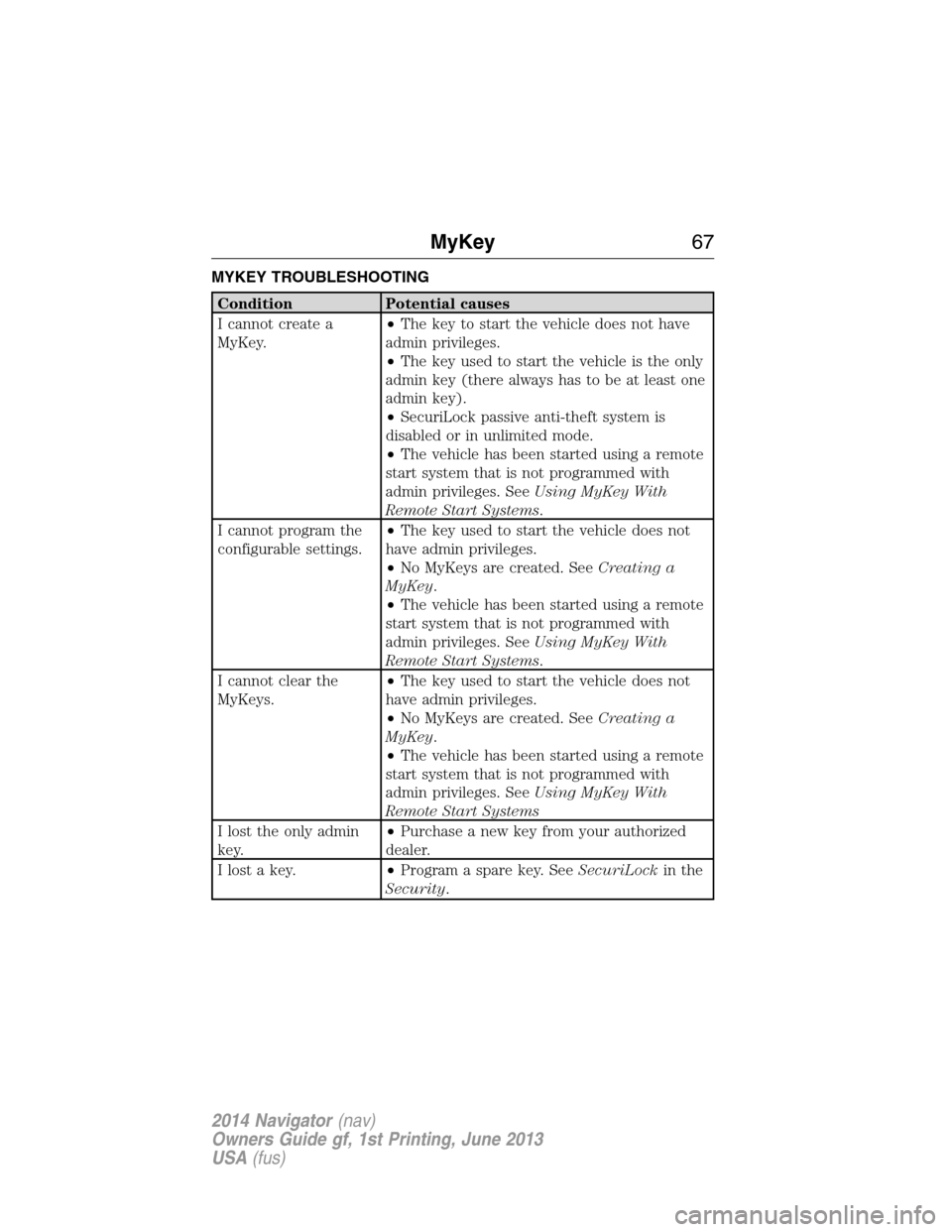
MYKEY TROUBLESHOOTING
Condition Potential causes
I cannot create a
MyKey.•The key to start the vehicle does not have
admin privileges.
•The key used to start the vehicle is the only
admin key (there always has to be at least one
admin key).
•SecuriLock passive anti-theft system is
disabled or in unlimited mode.
•The vehicle has been started using a remote
start system that is not programmed with
admin privileges. SeeUsing MyKey With
Remote Start Systems.
I cannot program the
configurable settings.•The key used to start the vehicle does not
have admin privileges.
•No MyKeys are created. SeeCreating a
MyKey.
•The vehicle has been started using a remote
start system that is not programmed with
admin privileges. SeeUsing MyKey With
Remote Start Systems.
I cannot clear the
MyKeys.•The key used to start the vehicle does not
have admin privileges.
•No MyKeys are created. SeeCreating a
MyKey.
•The vehicle has been started using a remote
start system that is not programmed with
admin privileges. SeeUsing MyKey With
Remote Start Systems
I lost the only admin
key.•Purchase a new key from your authorized
dealer.
I lost a key.•Program a spare key. SeeSecuriLockin the
Security.
MyKey67
2014 Navigator(nav)
Owners Guide gf, 1st Printing, June 2013
USA(fus)
Page 78 of 506
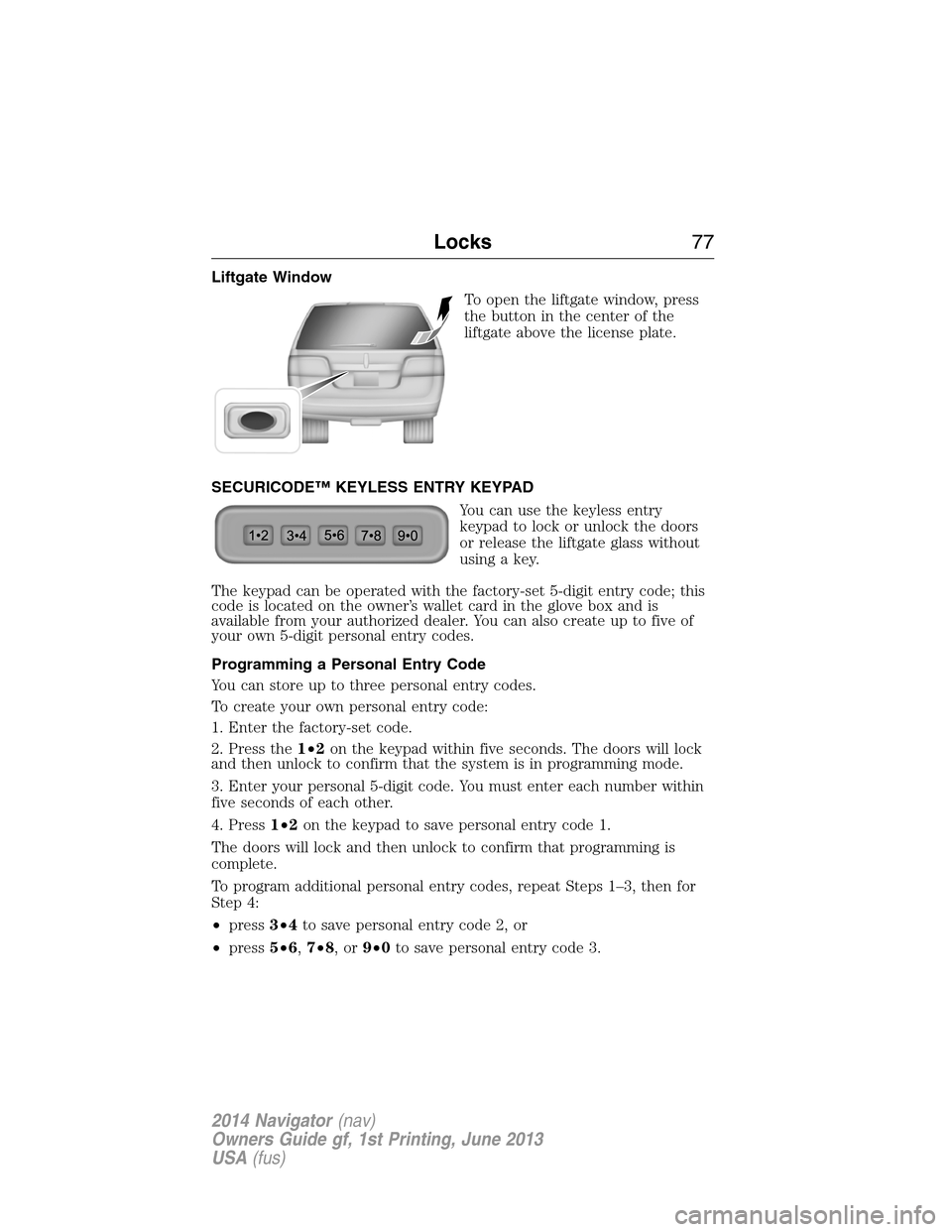
Liftgate Window
To open the liftgate window, press
the button in the center of the
liftgate above the license plate.
SECURICODE™ KEYLESS ENTRY KEYPAD
You can use the keyless entry
keypad to lock or unlock the doors
or release the liftgate glass without
using a key.
The keypad can be operated with the factory-set 5-digit entry code; this
code is located on the owner’s wallet card in the glove box and is
available from your authorized dealer. You can also create up to five of
your own 5-digit personal entry codes.
Programming a Personal Entry Code
You can store up to three personal entry codes.
To create your own personal entry code:
1. Enter the factory-set code.
2. Press the1•2on the keypad within five seconds. The doors will lock
and then unlock to confirm that the system is in programming mode.
3. Enter your personal 5-digit code. You must enter each number within
five seconds of each other.
4. Press1•2on the keypad to save personal entry code 1.
The doors will lock and then unlock to confirm that programming is
complete.
To program additional personal entry codes, repeat Steps 1–3, then for
Step 4:
•press3•4to save personal entry code 2, or
•press5•6,7•8,or9•0to save personal entry code 3.
Locks77
2014 Navigator(nav)
Owners Guide gf, 1st Printing, June 2013
USA(fus)
Page 80 of 506
Anti-Scan Feature
The keypad will go into an anti-scan mode if you enter the wrong code
seven times (35 consecutive button presses). This mode disables the
keypad for one minute and the keypad lamp will flash.
The anti-scan feature will turn off after:
•one minute of keypad inactivity
•pressing the unlock button on the remote control
•the ignition is turned on.
Unlocking and Locking the Doors and Liftgate
To unlock the driver door:Enter the factory-set 5-digit code or your
personal code. You must press each number within five seconds of each
other. The interior lamps will illuminate.
To unlock all doors and liftgate:Enter the factory-set 5-digit code or
your personal code, then press3•4within five seconds.
To lock all doors and liftgate:Press and hold7•8and9•0at the
same time with the driver door closed. You do not need to enter the
keypad code first.
To open the liftgate glass:Enter the factory-set 5-digit code or your
personal code, then press5•6.
Locks79
2014 Navigator(nav)
Owners Guide gf, 1st Printing, June 2013
USA(fus)
Page 81 of 506
SECURILOCK® PASSIVE ANTI-THEFT SYSTEM
Note:The system is not compatible with non-Ford aftermarket remote
start systems. Use of these systems may result in vehicle starting
problems and a loss of security protection.
Note:Metallic objects, electronic devices or a second coded key on the
same key chain may cause vehicle starting issues if they are too close to
the key when starting your vehicle. Prevent these objects from touching
the coded key while starting the engine. Switch the ignition off, move
all objects on the key chain away from the coded key and restart your
vehicle if a problem occurs.
Note:Do not leave a duplicate coded key in your vehicle. Always take
your keys and lock all doors when leaving your vehicle.
The system helps prevent the engine from starting unless you use a
coded key programmed to your vehicle. Using the wrong key may
prevent your vehicle from starting. A message may appear in the
information display.
If you are unable to start your vehicle with a correctly coded key, a
malfunction has occurred. A message may appear in the information
display.
Automatic Arming
Your vehicle arms immediately after you switch the ignition off.
Anti-Theft Indicator
The anti-theft indicator is located in the instrument cluster.
•When the ignition is off, the indicator will flash once every
two seconds to indicate the SecuriLock system is functioning
as a theft deterrent.
•When the ignition is on, the indicator will glow for three seconds, then
turn off to indicate normal system functionality.
If a problem occurs with the SecuriLock system, the indicator will flash
rapidly or glow steadily when the ignition is on. If this occurs, switch the
ignition off then back on to make sure there was no electronic interference
with the programmed key. If your vehicle does not start, try to start it with
the second programmed key and if successful contact your authorized
dealership for key replacement. If the indicator still flashes rapidly or glows
steadily, your vehicle will not start. Contact your authorized dealer as soon
as possible for service.
80Security
2014 Navigator(nav)
Owners Guide gf, 1st Printing, June 2013
USA(fus)
Page 82 of 506
Automatic Disarming
Your vehicle disarms when you switch the ignition on with a coded key.
Replacement Keys
Note:Your vehicle may come with two integrated keyhead transmitters.
The integrated keyhead transmitter functions as a programmed ignition
key that operates all the locks and starts the vehicle, as well as a remote
control.
If your programmed transmitters or standard SecuriLock coded keys are
lost or stolen and you do not have an extra coded key, you will need to
have your vehicle towed to an authorized dealer. The key codes need
to be erased from your vehicle and new coded keys will need to be
programmed.
Store an extra programmed key away from the vehicle in a safe place to
help prevent any inconveniences. See an authorized dealer to purchase
additional spare or replacement keys.
Programming a Spare Key
Note:A maximum of eight coded keys can be programmed to your
vehicle. Only four of these eight can be integrated keyhead transmitters.
You can program your own integrated keyhead transmitters or standard
SecuriLock coded keys to your vehicle. This procedure will program both
the engine immobilizer key code and the remote entry portion of the
remote control to your vehicle.
Only use integrated keyhead transmitters or standard SecuriLock keys.
You must have two previously programmed coded keys and the new
unprogrammed key readily accessible. See your authorized dealer to have
the spare key programmed if two previously programmed coded keys are
not available.
Read and understand the entire procedure before you begin.
1. Insert the first previously programmed coded key into the ignition.
2. Turn the ignition from off to on. Keep the ignition on for at least three
seconds, but no more than 10 seconds.
3. Turn the ignition off and remove the first coded key from the ignition.
4. After three seconds but within 10 seconds of turning the ignition off,
insert the second previously coded key into the ignition.
5. Turn the ignition from off to on. Keep the ignition on for at least three
seconds, but no more than 10 seconds.
Security81
2014 Navigator(nav)
Owners Guide gf, 1st Printing, June 2013
USA(fus)
Page 83 of 506
6. Turn the ignition off and remove the second previously programmed
coded key from the ignition.
7. After three seconds but within 20 seconds of turning the ignition off
and removing the previously programmed coded key, insert the new
unprogrammed key into the ignition.
8. Turn the ignition from off to on. Keep the ignition on for at least six
seconds.
9. Remove the newly programmed coded key from the ignition.
The key will start the vehicle’s engine and will operate the remote entry
system (if the new key is an integrated keyhead transmitter) if it has
been successfully programmed. The theft indicator light will illuminate
for three seconds and then go out to indicate successful programming.
If the key was not successfully programmed, the theft indicator light may
flash on and off. Wait 20 seconds and repeat Steps 1 through 8. Take
your vehicle to your authorized dealer to have the new key programmed
if you are still unsuccessful.
Wait 20 seconds and then repeat this procedure from Step 1 to program
an additional key.
ANTI-THEFT ALARM
The system will warn you of unauthorized entry to your vehicle.
The turn signal lamps will flash and the horn will sound when:
•any door or the hood is opened without using the key or the remote
control
•the ignition is turned on with an invalid key.
Take all keys and remote controls to your authorized dealer if there is
any potential alarm problem with your vehicle.
Arming the Alarm
The system is ready to arm whenever the ignition is off. Lock the vehicle
to arm the alarm.
The turn signal lamps will flash once after locking the vehicle to indicate
the alarm is in the pre-armed mode and will become fully armed in
20 seconds.
82Security
2014 Navigator(nav)
Owners Guide gf, 1st Printing, June 2013
USA(fus)
Page 84 of 506
Disarming the Alarm
To disarm the alarm, do any of the following:
•Press the power door unlock button within the 20-second pre-armed
mode.
•Press the unlock button on the remote control.
•Unlock the doors with the keyless entry pad.
•Turn the ignition on with a valid key.
•Press the panic button on the remote control. The alarm system will
still be armed, but this shuts off the horn and turn lamps when the
alarm is sounding.
Note:If the driver’s door is unlocked with a key, a chime will sound
when you open the door. You will have 12 seconds to disarm the alarm
using any of the actions above, otherwise the alarm will trigger.
Security83
2014 Navigator(nav)
Owners Guide gf, 1st Printing, June 2013
USA(fus)
Page 107 of 506
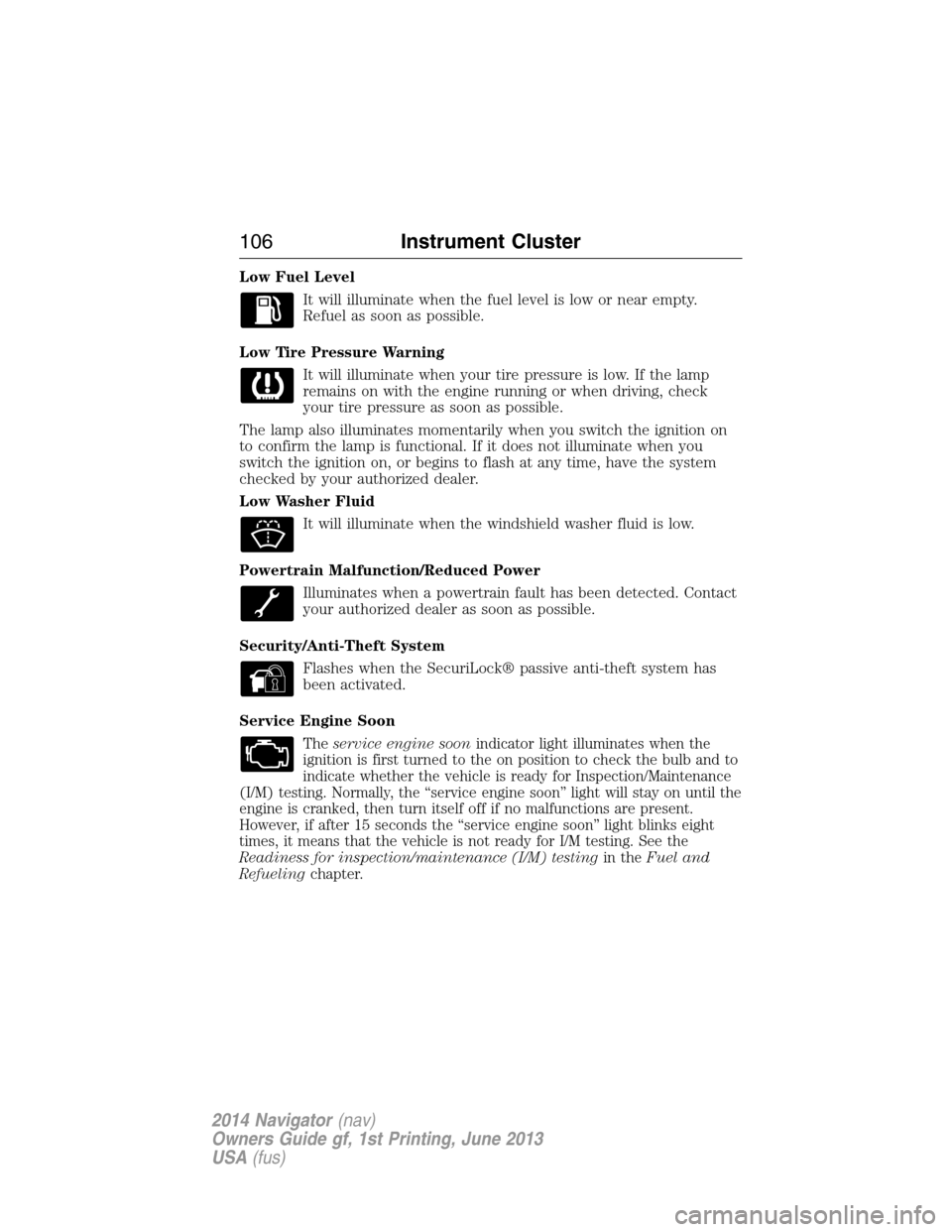
Low Fuel Level
It will illuminate when the fuel level is low or near empty.
Refuel as soon as possible.
Low Tire Pressure Warning
It will illuminate when your tire pressure is low. If the lamp
remains on with the engine running or when driving, check
your tire pressure as soon as possible.
The lamp also illuminates momentarily when you switch the ignition on
to confirm the lamp is functional. If it does not illuminate when you
switch the ignition on, or begins to flash at any time, have the system
checked by your authorized dealer.
Low Washer Fluid
It will illuminate when the windshield washer fluid is low.
Powertrain Malfunction/Reduced Power
Illuminates when a powertrain fault has been detected. Contact
your authorized dealer as soon as possible.
Security/Anti-Theft System
Flashes when the SecuriLock® passive anti-theft system has
been activated.
Service Engine Soon
Theservice engine soonindicator light illuminates when the
ignition is first turned to the on position to check the bulb and to
indicate whether the vehicle is ready for Inspection/Maintenance
(I/M) testing. Normally, the “service engine soon” light will stay on until the
engine is cranked, then turn itself off if no malfunctions are present.
However, if after 15 seconds the “service engine soon” light blinks eight
times, it means that the vehicle is not ready for I/M testing. See the
Readiness for inspection/maintenance (I/M) testingin theFuel and
Refuelingchapter.
106Instrument Cluster
2014 Navigator(nav)
Owners Guide gf, 1st Printing, June 2013
USA(fus)
Page 132 of 506
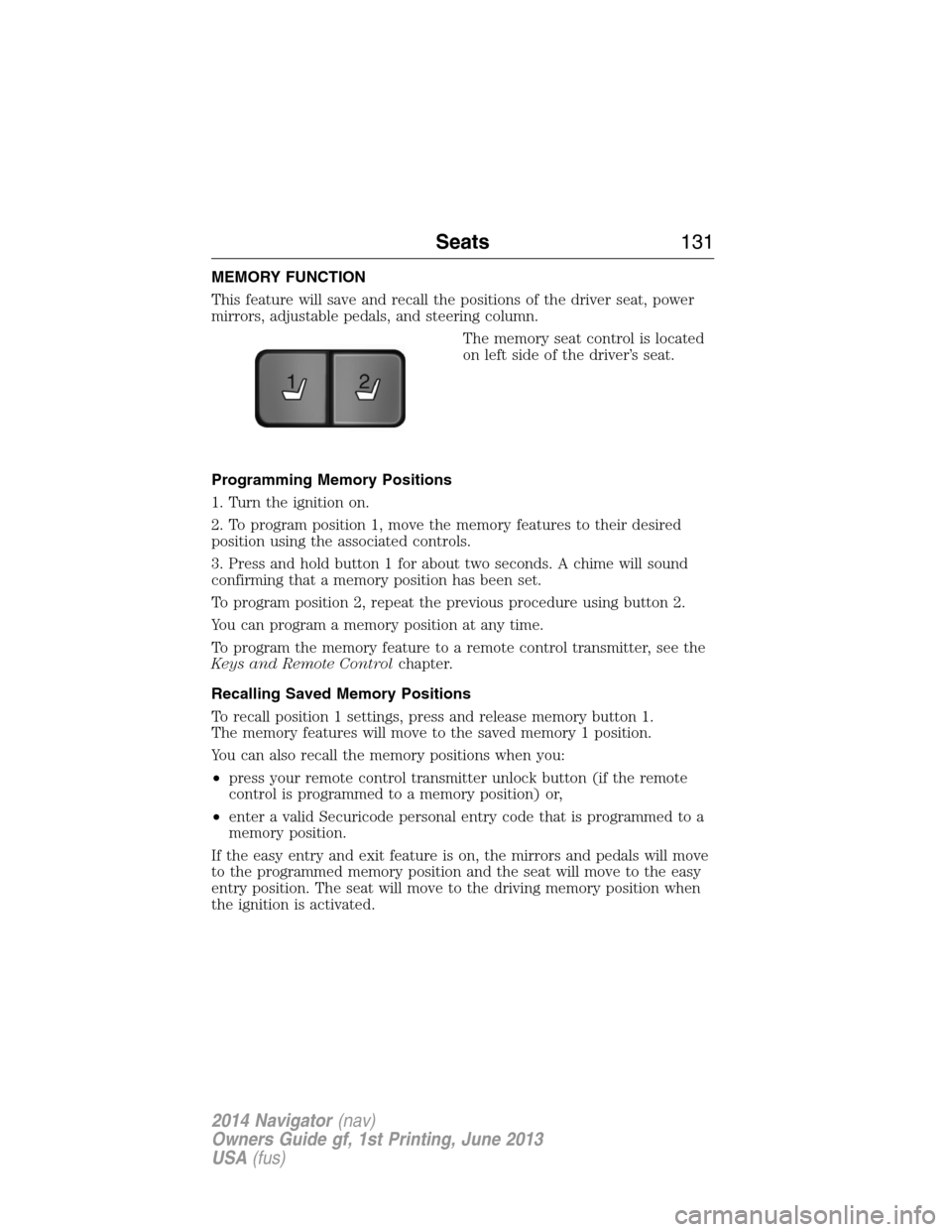
MEMORY FUNCTION
This feature will save and recall the positions of the driver seat, power
mirrors, adjustable pedals, and steering column.
The memory seat control is located
on left side of the driver’s seat.
Programming Memory Positions
1. Turn the ignition on.
2. To program position 1, move the memory features to their desired
position using the associated controls.
3. Press and hold button 1 for about two seconds. A chime will sound
confirming that a memory position has been set.
To program position 2, repeat the previous procedure using button 2.
You can program a memory position at any time.
To program the memory feature to a remote control transmitter, see the
Keys and Remote Controlchapter.
Recalling Saved Memory Positions
To recall position 1 settings, press and release memory button 1.
The memory features will move to the saved memory 1 position.
You can also recall the memory positions when you:
•press your remote control transmitter unlock button (if the remote
control is programmed to a memory position) or,
•enter a valid Securicode personal entry code that is programmed to a
memory position.
If the easy entry and exit feature is on, the mirrors and pedals will move
to the programmed memory position and the seat will move to the easy
entry position. The seat will move to the driving memory position when
the ignition is activated.
21
Seats131
2014 Navigator(nav)
Owners Guide gf, 1st Printing, June 2013
USA(fus)
Page 146 of 506
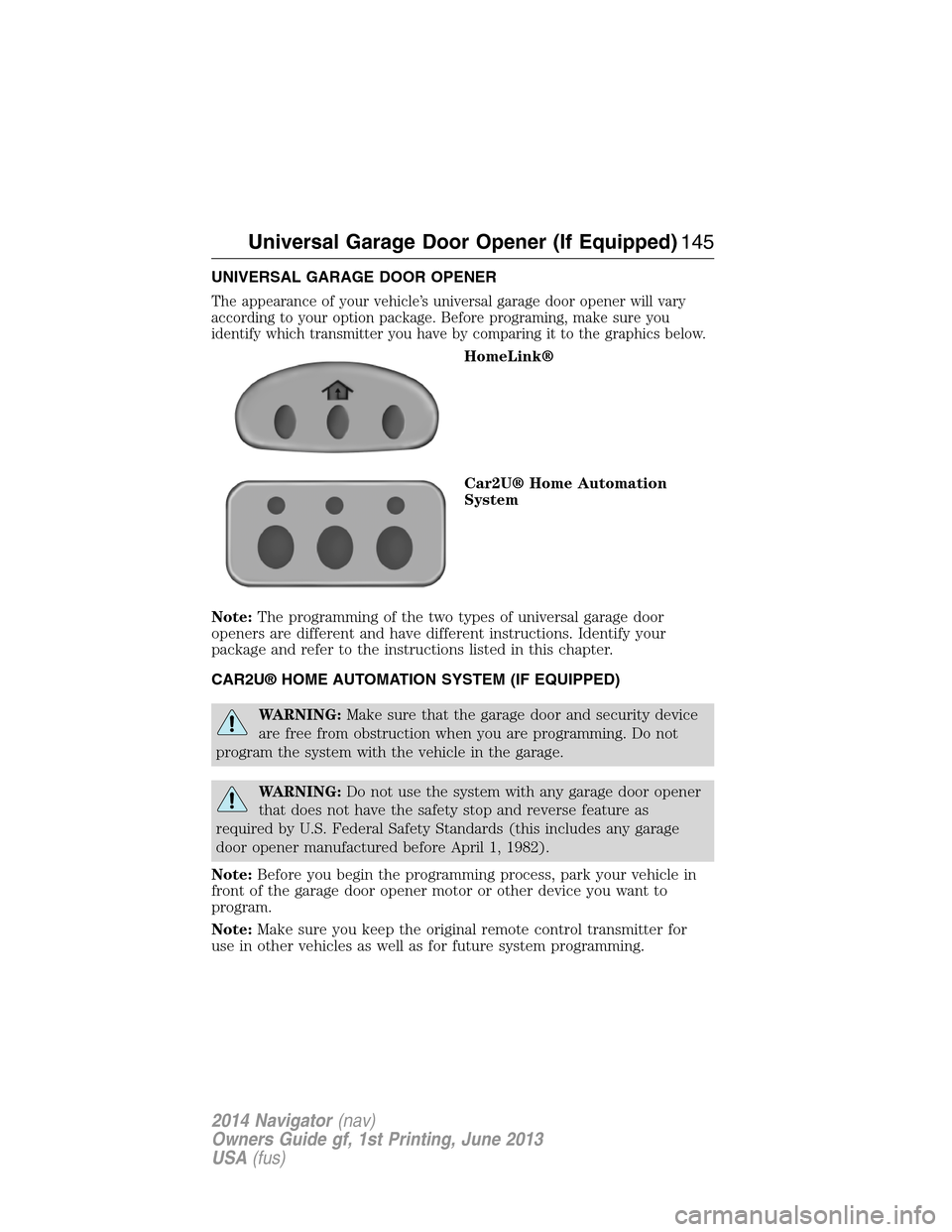
UNIVERSAL GARAGE DOOR OPENER
The appearance of your vehicle’s universal garage door opener will vary
according to your option package. Before programing, make sure you
identify which transmitter you have by comparing it to the graphics below.
HomeLink®
Car2U® Home Automation
System
Note:The programming of the two types of universal garage door
openers are different and have different instructions. Identify your
package and refer to the instructions listed in this chapter.
CAR2U® HOME AUTOMATION SYSTEM (IF EQUIPPED)
WARNING:Make sure that the garage door and security device
are free from obstruction when you are programming. Do not
program the system with the vehicle in the garage.
WARNING:Do not use the system with any garage door opener
that does not have the safety stop and reverse feature as
required by U.S. Federal Safety Standards (this includes any garage
door opener manufactured before April 1, 1982).
Note:Before you begin the programming process, park your vehicle in
front of the garage door opener motor or other device you want to
program.
Note:Make sure you keep the original remote control transmitter for
use in other vehicles as well as for future system programming.
Universal Garage Door Opener (If Equipped)145
2014 Navigator(nav)
Owners Guide gf, 1st Printing, June 2013
USA(fus)